Posted on — Leave a comment

Battery Setup for Vloggers: NP-FZ100 in the Field

The right NP-FZ100 setup for a vlogger depends on the format. Walking talking-head work runs fine on 2–3 cells rotated from a pocket. Long desktop recordings — interviews, tutorials, screen capture — are easier on a dummy battery with an AC adapter. Travel B-roll days want 3–4 cells plus a power bank. The NP-FZ100 is rated 2600mAh / 7.2V / around 19.24Wh, and official CIPA numbers generally sit in the 500–700 frame range, but video has to be counted in minutes: continuous 4K often runs only an hour or two per cell, which is where most first-time long-form shooters get caught.
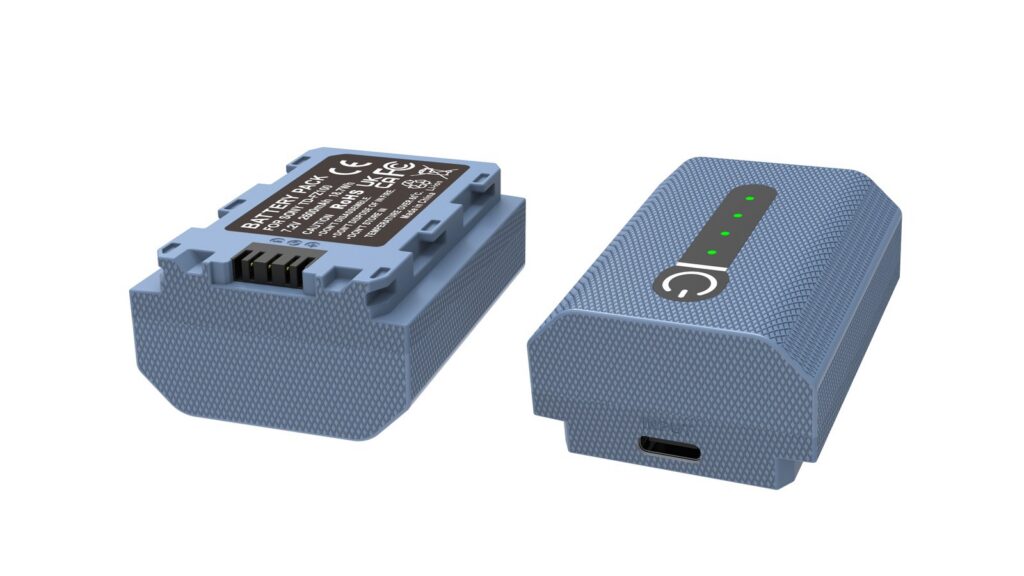
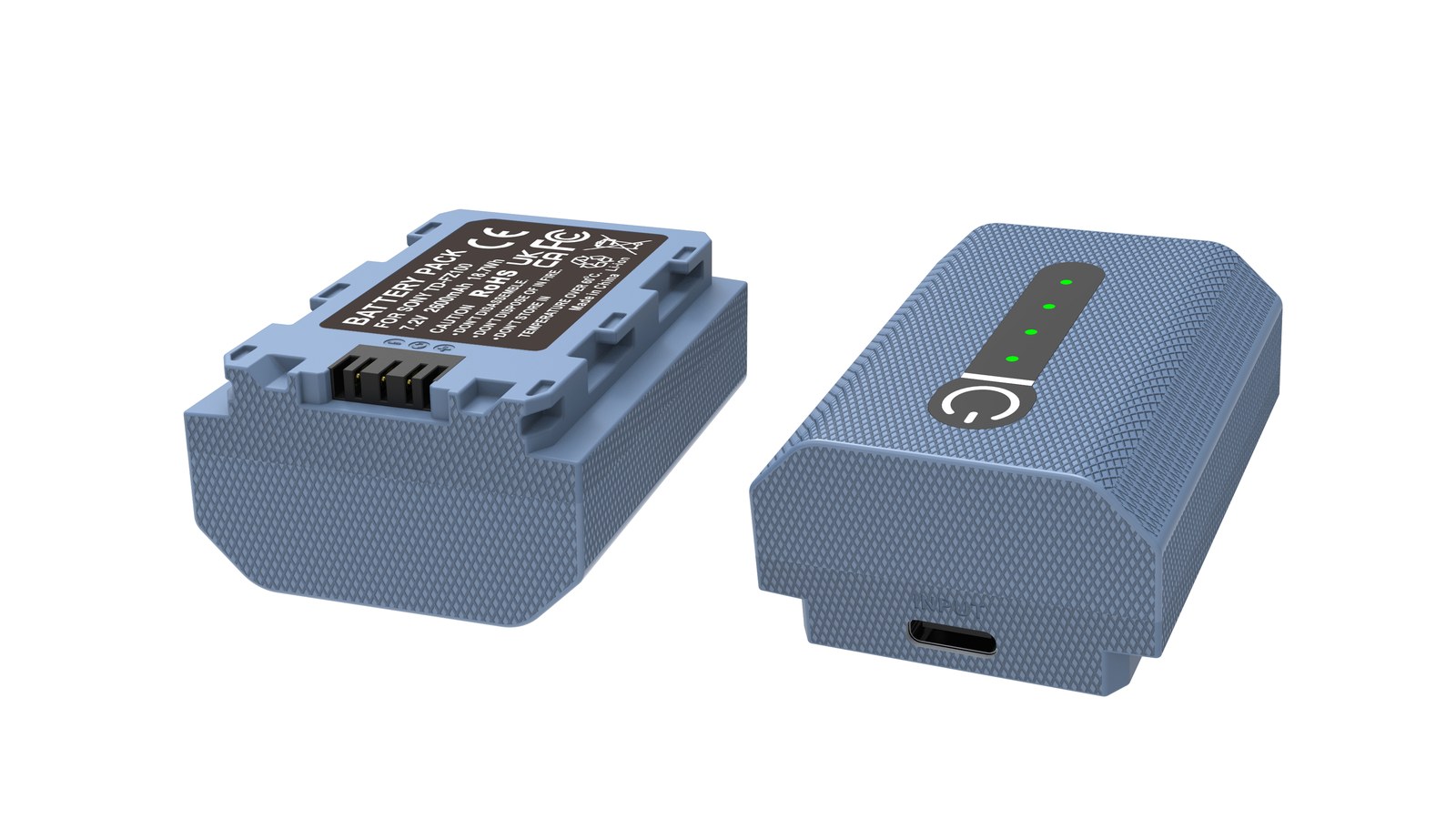
YO NP-FZ100 camera battery render
Product render of the YO NP-FZ100 compatible battery: front label, rear LED charge indicator and USB-C port.

Three vlogger setups compared

Scenario Typical bodies Power approach NP-FZ100 count Why
Walking vlog ZV-E1, A7C II, A6700 Cell rotation 2–3 Handheld; staying cable-free matters
Desktop interview / tutorial FX30, FX3, A7 IV Dummy battery + adapter 1–2 backup No cutoff on long takes
Travel B-roll A7 IV, A7C II Cells + power bank 3–4 Top up by day, offload at night
Outdoor long takes / timelapse FX3, ZV-E1 Dummy battery + power bank 1 backup Watch heat and connector match

One check before you buy: ZV-E1, A7C II, A6700, FX30 and FX3 all take the NP-FZ100, while popular entry bodies like the A6400, A6500 and A7 II run the NP-FW50. They are not interchangeable. Confirm your model against the Sony mirrorless battery cross-reference first.

Walking vlogs: why cells beat a power bank

Handheld or on a gimbal, any cable costs you mobility and carries vibration straight into the footage. In this situation two extra NP-FZ100 cells buy more than a bank strapped to the rig:

  • A swap takes seconds, so it does not break the flow of a take you are already delivering to camera.
  • The balance point does not move, so a gimbal stays trimmed.
  • Cold weather is easier to manage: swapping in a cell that has been riding in an inside pocket restores runtime faster than waiting on a charging cable.

If your body accepts USB power while shooting, plugging in during a natural stop — a location change, waiting for an elevator — is fine for a few minutes. Just do not build the day around it.

Desktop recording: a dummy battery is the best value buy

Anything over an hour — tutorials, podcasts, unboxings — is awkward on cells. You either stop mid-take or watch the bars drain. A dummy battery on an adapter or a large power bank costs less than two extra cells and mostly removes the problem.

  • Match voltage and connector: a dummy battery stands in for the cell in the compartment, so the wrong spec can hurt the camera.
  • Mind the heat: long takes warm both body and sensor. Avoid sealed spaces for high-bitrate 4K marathons.
  • Keep one real cell in reserve: you can be back up in under a minute if external power drops.
  • Route the cable properly: it is easy to snag a lead when reaching for a keyboard or lens. Velcro straps solve it.

Wiring, pitfalls and gear pairings are in NP-FZ100 dummy battery and AC adapter setups; cinema-line shooters on FX3 or FX30 should also read battery setups for FX3 and FX30 video creators.

Travel days: mixing top-up sources

Travel shooting mixes walking and locked-off work, so it needs the most planning. One repeatable day looks like this:

  • Morning: leave with 3–4 charged cells, drawn in number order.
  • Transit: the car or train is prime charging time. A USB-input charger on a power bank refills one or two cells in a couple of hours.
  • Evening locked-off shots: go to the dummy battery if you have time, otherwise keep rotating.
  • Back at the room: fill every slot on a dual or four-slot charger, along with phone and mic.

Newcomers tend to underestimate what IBIS, a flipped-out screen and 4K recording cost. Just as important: keep cells somewhere you can reach. A shoulder bag packed tight means you are still digging for a cell after the light has changed.

Settings that trim the drain

  • Set screen brightness manually to mid: plenty indoors and at night.
  • Off with Wi-Fi and Bluetooth when not in use: background transfers are a quiet drain.
  • Auto power-off at 1 minute: forgetting to shut down is the classic vlogger mistake.
  • Record 4K high frame rates only when needed: use standard rates for talking-head work and save slow motion for the moments that call for it.
  • Avoid heavy recording while charging: stacked heat speeds up aging.

Per-mode differences are ranked in our NP-FZ100 power draw guide.

FAQ

How long does one NP-FZ100 record?

It varies a lot with body and format; continuous 4K generally lands somewhere in the one-to-two-hour window. High frame rates, high bitrates and a screen left on cut that down. For anything longer, run external power.

What works best on a ZV-E1?

For handheld talking-head work, 2–3 cells cover a day. If you also shoot desktop segments, a dummy battery saves cycles. Details are in our ZV-E1 and A6700 runtime notes.

Can I record while charging?

Some bodies accept USB power while running, but input often trails what a heavy 4K load consumes, and heat builds up. For stable power, use a dummy battery.

A cell comes out hot after a long take. Now what?

Let it come back to room temperature before charging. Warm while charging is normal; hot to the touch is not — stop and investigate.

Only need a spare? The NP-FZ100 2600mAh comes on its own, with a charger, or as a two-battery kit. Both versions hold 2600mAh; the USB-C one costs slightly more and saves you carrying a dock.
Posted on — Leave a comment

NB-13L II vs Canon Original: Capacity, Decoding, Price

Short answer: the NB-13L II is close in capacity to the OEM NB-13L (rated 1250mAh / 4.5Wh / 3.6V); the improvements are in cell consistency and cycle life, not doubled capacity. Where the two genuinely differ is charge-display accuracy and price bracket — a single OEM pack usually sits well above the budget bracket, while third-party options such as YO’s come in within it. Keep those four points separate and the decision is not hard.

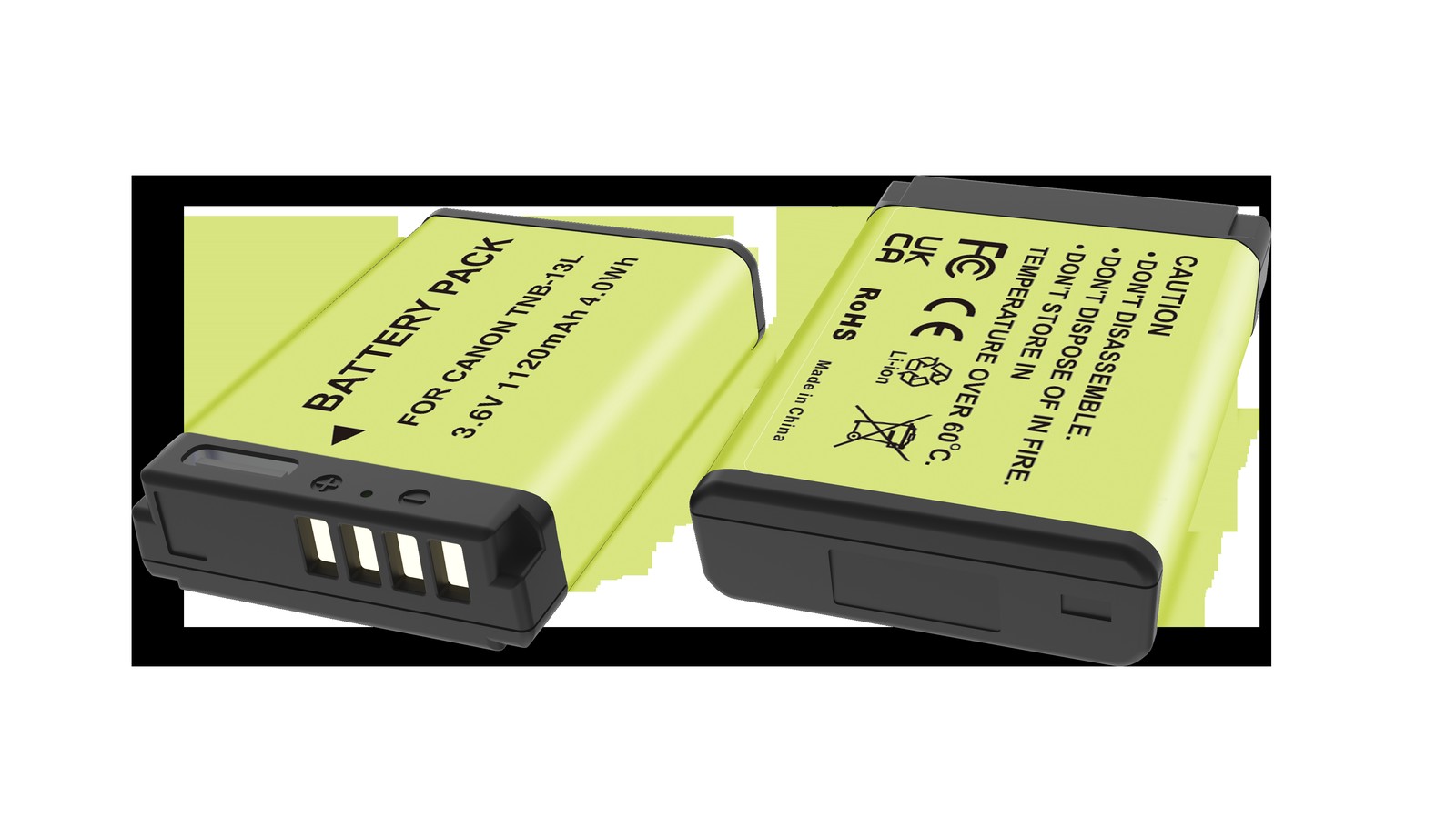
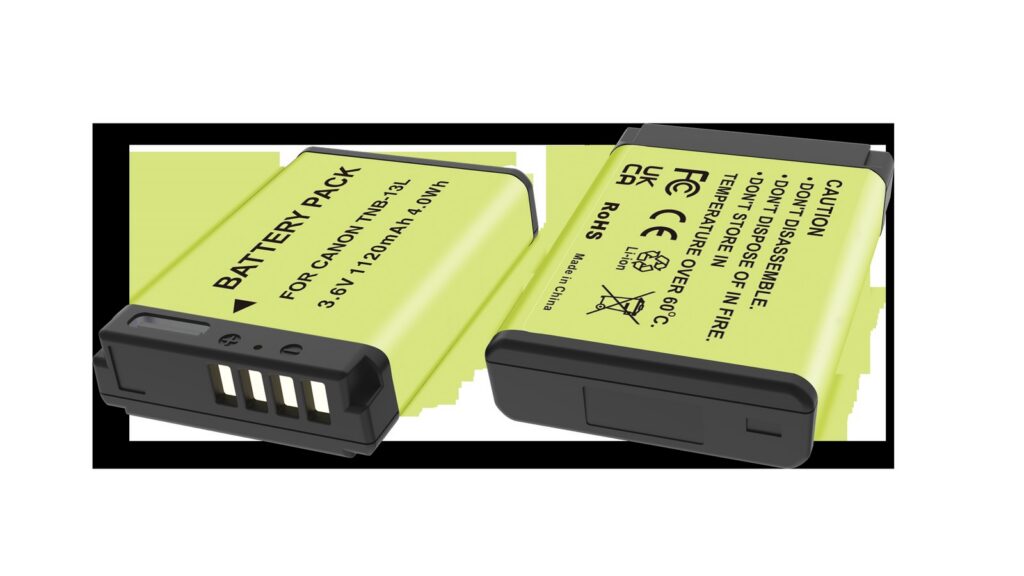
YO NB-13L camera battery render
Product render of the YO NB-13L compatible battery: front label, rear LED charge indicator and USB-C port.

First, a common misunderstanding worth clearing up: Canon makes exactly one model, the NB-13L, and there is no official “NB-13L II”. The second-generation label is a third-party manufacturer’s own product sequence naming, used to distinguish batches or cell designs. So when someone tells you the “second generation” doubles capacity, either the rating is inflated or they have misunderstood.

Capacity: let us be precise about the word

The OEM NB-13L is rated 1250mAh / 4.5Wh / 3.6V. The NB-13L II is rated close to that, and its improvement direction is cell consistency and cycle life — in plain terms, less variation between packs from the same batch and a gentler decline over time, not “twice the shots in one go”.

Why is a capacity breakthrough so hard? Because the battery compartment’s volume is fixed. Within the same 3.6V system and a similar case size, energy density is set by cell chemistry. Significantly more capacity would require a different chemistry or a larger body, and both create compatibility problems. So when you see a rating well above the OEM figure, question the rating method before believing in a technical leap.

Charge display and charging compatibility

The camera reads battery data through the contacts to estimate charge. Third-party packs are usually recognized and used normally, and Canon bodies generally do not show a “non-OEM battery” prompt, but the bar-counting algorithm was calibrated against the OEM discharge curve, so two things can happen:

  • Uneven bar drops. The first three bars last well, the last one goes quickly, or the display jumps from two bars straight to a warning.
  • Jumping percentages. On bodies that show a percentage, the number may not move continuously.

This does not affect operation, but it does affect your judgment of “how much longer can I shoot”. The workaround is not to rely on bars but on experience: if a pack gives you 40 minutes at room temperature, treat one remaining bar as roughly ten minutes left, rather than assuming one bar still means a long while.

Charging and dock compatibility

The OEM pairing is the LC-30 dock, which charges by insertion with the contacts at the base of the pack. Third-party packs generally work with docks of the same spec, but watch contact alignment — some third-party cases are slightly thicker and fit tightly, and repeated forced insertion wears the contacts.

Another difference is the choice of charging method. The OEM NB-13L can only be charged in a dock; third-party versions with a Type-C port can be charged by cable, which means one less charger to pack for a business trip. For travel, that is more useful than a capacity difference.

Four-point comparison

Item OEM NB-13L YO NB-13L II
Rated capacity 1250mAh / 4.5Wh Close to OEM
Voltage 3.6V 3.6V
Cell consistency OEM standard A key focus of the second generation
Cycle life OEM standard A key focus of the second generation
Charge display Reference curve May deviate; bars may drop unevenly
Charging method LC-30 dock Compatible with same-spec docks; some versions support direct charging
Price bracket Well above the budget bracket Within the budget bracket

How to pair them for best value

  1. One OEM pack for primary duty. For important shoots, where you need an accurate read on remaining charge, use the OEM pack and stop second-guessing.
  2. Two third-party packs as backups. For everyday recording, second angles, and long standby, use the NB-13L II. Lower cost, and losing one is not painful.
  3. Assign by use case, not by age. Give the OEM pack to situations that need precise runtime estimates, and third-party packs to situations where you can top up at any time.
  4. Number and rotate everything. OEM or not, rotate in order so no single pack is overworked.

Done this way, you usually save considerably over buying all OEM while keeping certainty where it matters. The NB-13L II is positioned as a dependable backup, not as a replacement for the OEM pack’s primary role. For the product line, see the NB-13L II category; for OEM specs and compatible bodies, see the NB-13L category.

FAQ

Does the bigger second-generation capacity mean more shots?

No. Capacity is close to OEM, so the actual shot count differs very little and depends mostly on shooting habits and camera age. Anyone claiming double the shots is almost certainly overstating the rating.

Can a third-party battery damage the camera?

A reputable product with overcharge, over-discharge, and over-current protection will not harm the body in normal use. The risk comes from unbranded low-grade cells and products without a protection board, so check for a clear brand name and warranty when buying.

Is it a problem to mix OEM and third-party packs?

Alternating them in the same body is fine, but do not charge them together or attempt to wire them in parallel. Charge readings may be inaccurate after a swap, so go by actual shooting time.

Why is the price so different? Where does the gap come from?

Mainly cell screening, protection-board components, quality control, and after-sales service. The OEM price also includes brand and channel costs. Third parties trim those, which is why they cost less — but quality varies widely between them, so a brand with a real model lineup and a warranty is the safer choice.

Posted on — Leave a comment

NB-13L II Guide: G7X III, G9X II, and SX740 Runtime

Short answer: the G7X III, G9X II, and SX740 all take NB-13L packs, rated by Canon at 1250mAh / 4.5Wh / 3.6V. Their power profiles differ considerably: the G7X III is a one-inch sensor with 4K, the SX740 is a 40x superzoom with 4K, and the G9X II is gentler but has a screen that dominates the front of the body. For stills, a single pack typically manages two to three hundred shots; start recording 4K and runtime drops much faster than expected, which is the direct reason most people end up buying a second pack.

YO NB-13L camera battery render
Product render of the YO NB-13L compatible battery: front label, rear LED charge indicator and USB-C port.

The NB-13L II is a replacement built on that foundation, with improvements in cell consistency and cycle life rather than in the capacity number. The rest of this article covers three questions: which body is thirstiest, what actually changed, and when to replace a pack.

One: power profiles of the three bodies

Model Power characteristics Approximate stills per pack Suggested spares
G7X III One-inch sensor, 4K video, articulating screen; warms up quickly About 200-300 At least one spare
G9X II Small body with a screen that fills most of the back; noticeable standby draw About 250-350 One spare is prudent
SX740 Tele zoom motor is thirsty, 4K recording draws heavily About 200-300, lower with frequent zooming Two spares for travel

These figures are range estimates, not lab data. Many things move them: screen brightness, flash use, how often you zoom, how long the camera idles, ambient temperature. The same pack can differ by more than three tenths between outdoors in winter and indoors.

The SX740 deserves a separate note. Its tele end needs the motor to drive the lens group continuously, and many people habitually sweep between tele and wide while hunting for composition, a habit whose cost is routinely underestimated. For concerts or sports, where you hold a half-press on a moving subject for long stretches, the pack drains much faster than when shooting landscapes.

Two: what the NB-13L II changes, and what it does not

What it does not change is the capacity class. Canon rates the original at 1250mAh / 4.5Wh / 3.6V, and the second-generation product is close to that; there is no “doubling”. If you see an NB-13L rated at over two thousand milliamp-hours, question the rating convention before celebrating.

What it does change is cell consistency and cycle life. Consistency means a narrower spread of capacity and internal resistance within a batch, which in the camera shows up as a more linear charge reading, closer behavior between packs, and no sudden jump from two bars to shutdown at low charge. Cycle life means capacity falls more slowly across repeated charging, so remaining capacity after a year looks a little better than earlier products.

Neither improvement appears on a spec sheet, so neither can be judged from numbers. Their value only emerges over long use: consistency affects whether you dare treat the last bar as a reserve, and cycle life affects how soon you buy another pack.

For ordinary users the practical meaning is simpler: one pack can be relied on for two or three years without a sudden halving of runtime forcing a replacement. These products usually sit in the budget bracket, clearly below the price of a single OEM pack, which makes them a consumable you can comfortably keep two of. Other models in the same series are listed in the NB-13L II category.

Three: five signals that it is time to replace

A pack rarely fails suddenly. It degrades slowly to a point where you finally notice. Check these five in order:

  1. Runtime halves: it used to last a full day, now it is done by noon. The most obvious signal.
  2. Charges faster and discharges faster: with higher internal resistance, charging reaches cut-off early and less energy actually goes in.
  3. Jumping charge readings: three bars to one in a step, or two bars again after a power cycle.
  4. Poor contact once fitted: a slight shake cuts power, usually from a slightly deformed case reducing contact pressure.
  5. A swollen case: it spins like a top on a flat table, or fits noticeably tighter in the compartment. At that point it is no longer a runtime issue but a safety one.

If any two of the first three appear, start planning a replacement. For the fourth, rule out dirty contacts first — wipe the pack and the compartment contacts with a cotton swab and a little anhydrous alcohol, let them dry, and retry; very often “poor contact” is just oxidation. The fifth has no room for negotiation: stop using it immediately.

Four: three things to confirm before buying

First, confirm the model is NB-13L, not NB-6L or NB-11L, which look similar but differ in size. Across these small Canon generations the packs look alike, and buying the wrong one is common.

Second, confirm your camera is on the compatible list: G7X, G7X II, G7X III, G9X, G9X II, SX730, SX740. Do not assume a body outside the list works because it “looks the same”.

Third, confirm how you will charge. The OEM charger for the NB-13L is the LC-30 dock, so if you plan to keep using a dock, check how a third-party pack fits it; if you plan to use a third-party charger, choose one built for 3.6V single-cell lithium packs. The NB-13L category covers this in more detail.

FAQ

Will a second-generation pack trigger a non-OEM warning on the G7X III?

These Canon bodies are less prone to third-party battery warnings than Fujifilm models, but not entirely free of them. Some bodies show an odd charge reading or a brief notice on first insertion and return to normal after a restart, with no effect on shooting.

How long can one pack record video?

The 4.5Wh capacity rules out long recordings. Continuous 4K typically lasts only a short single clip and is limited by body heat, so in practice you hit the thermal wall first. For video-heavy work, carry two or more packs and shoot in segments.

Can a first-generation G9X use a second-generation pack?

Yes. The G9X and G9X II share the NB-13L spec, so packs are interchangeable. The older body is itself aged, so a fresh pack often produces an obvious jump in runtime — that reflects the old pack’s degradation rather than anything exceptional about the new one.

How should I store a pack I will not use for months?

Keep it at four to six tenths of charge, remove it from the body, and store it somewhere dry and cool. Long storage at full charge or fully empty accelerates aging. Top it up every few months.

Posted on — Leave a comment

The Wedding Photographer’s NP-FZ100 Kit (Eight Hours Without a Black Screen)

From prep through the reception, a wedding day usually runs 8–12 hours. Keeping the camera alive across that stretch means 4–6 NP-FZ100 cells for a single body and 6–8 for two bodies. Add another 2–3 if the ceremony and reception are being recorded, or put the main body on a dummy battery with a power bank. The NP-FZ100 is rated 2600mAh / 7.2V / around 19.24Wh and official CIPA figures generally sit in the 500–700 frame range, but weddings are heavy on burst, chimping and live view, so you often see roughly 60%–80% of that.

YO NP-FZ100 camera battery render
Product render of the YO NP-FZ100 compatible battery: front label, rear LED charge indicator and USB-C port.

This piece covers the parts people forget — chargers, storage, body settings and the rhythm of the day — as one list you can copy.

How many NP-FZ100 cells, by kit

Kit Coverage Cells to pack Chargers Notes
One body, mostly stills Prep, ceremony, portraits, reception 4–6 1 dual Includes 1–2 spares
Two bodies, mostly stills Wide on one, long lens on the other 6–8 2 dual Different number ranges per body make counting easy
Two bodies plus video Full ceremony plus reception clips 8–10 2 dual Put the main body on a dummy battery
Three bodies, team coverage Main, second, video 12 or more 2–3 dual Group numbers by body

The hour-by-hour math behind those numbers is in how many NP-FZ100 cells a wedding day needs. The point to keep: demand is not even across the day. The ceremony and the reception are the peaks, so concentrate your margin there rather than spreading cells evenly.

Chargers and top-ups: cheaper than more cells

Buying one more charger costs roughly the price of a small accessory, and it pays for itself by lunch — over a day it can deliver two full rounds, which is like finding several extra cells in the bag.

  • At least one dual-slot charger: it handles two cells during the lull after the ceremony.
  • Bring cables and plugs: hotel rooms and venues never have enough sockets. A small power strip feeds two chargers at once.
  • A USB-input charger plus a power bank: lets you top up in the car or between locations, which matters when you cannot leave the venue.
  • Never charge inside a closed bag: charging makes heat. Lay cells out in the open instead of tucking them into a padded divider.

Numbering and storage: staying calm on the day

  • Number clearly: write 01–08 on the side with a marker or label, keeping clear of the contacts.
  • Split full from empty: charged cells on the left of the case, spent ones on the right, so you can load by feel in a dark reception hall.
  • Use terminal caps or a hard case: loose cells sharing a pocket with keys or coins is a short-circuit waiting to happen.
  • Keep 1–2 cells against your body: at winter outdoor ceremonies, body heat buys real runtime.
  • Hold one cell in reserve: never touch it unless something goes wrong.

The rotation method is spelled out in numbering and rotating multiple NP-FZ100 cells; over a season it slows down aging across the whole set.

Body settings that stretch each cell

Wedding days are busy, so most photographers leave the camera awake all day. That alone is a big drain. These changes cost you nothing in output and buy real runtime:

  • Shorten auto power-off: set sleep to 30 seconds or 1 minute, so the gaps between moments stop costing power.
  • Drop EVF and LCD brightness: mid-level works indoors; save maximum for bright outdoor stretches.
  • Turn off Wi-Fi and Bluetooth when idle: background links are a hidden drain. Switch them on only to hand off files.
  • Chimp less: a few seconds of review per frame adds up over a thousand frames.
  • Use burst modes deliberately: high-speed drive is expensive. Low-speed burst covers anything that is not the key moment.

The full settings walkthrough is in the camera power-saving settings checklist, and per-mode drain is ranked in our NP-FZ100 power draw guide.

The eight-hour rhythm: when to swap

Time block Action Expected draw
Prep / first look Start with a full cell, swap once on arrival 1–2 cells
Ceremony Fresh cell before it starts, regardless of what is left 1–2 cells
Lunch / move First charging round Top up 2–4
Portraits Live view composition, swap roughly every 40 minutes 1–2 cells
Before reception Second charging round, fresh cell in the main body Top up 2
Reception / toasts Flash recycling is hungry — swap at one bar 2–3 cells

One rule covers the day: swap at the last bar, never run a cell to auto shutdown. Voltage sags as a cell empties, which slows burst rates and flash recycling — exactly the two things you need during the toast.

FAQ

Are compatible batteries acceptable on a paid wedding?

Yes. Third-party cells are a legitimate alternative. Run one through a full rehearsal day first and confirm burst, review and flash recycling behave. For important dates, keep one original Sony cell as a backup. Some Sony bodies warn that remaining charge may not display accurately — you can keep shooting. A “cannot recognize this battery” message is a fault, not a warning, and needs sorting out.

Are two dual chargers enough?

For two bodies, yes. Wedding downtime comes in short fragments, and two chargers mean four cells moving at once — lighter than carrying a dozen spares.

Do I need extra cells for winter outdoor segments?

Yes. Capacity drops noticeably below 0℃ / 32℉ and may be around half at -10℃ / 14℉. One or two extra cells kept warm inside your jacket beats any on-site workaround.

A cell that lasted all day last year now feels short. Is it faulty?

Usually it is just normal aging. Lithium cells hold around 80% after 300–500 cycles, and wedding shooters cycle fast, so a noticeable change within a year is common. Plan replacement around the two-year mark.

Build your kit: the NP-FZ100 is 2600mAh / 7.4V / 19.24Wh. Battery only, battery plus charger, or two batteries plus charger — pick under Bundle. If you would rather leave the dock at home, the same-capacity USB-C version (2600mAh / 7.2V / 18.72Wh) charges from any phone charger. Bulk orders: wholesale enquiry.

Posted on — Leave a comment

Storing the NB-13L II: Why Small Cells Swell First

Short answer: small-capacity packs tend to swell first because they pack a higher energy density into the same space, have less surface area to shed heat, and are often stored full and warm. Prevention comes down to three things — keep the stored charge at 40%-60%, avoid heat, top up every three months, and do not leave the pack on a charger indefinitely. Once it has swollen, stop using it no matter how slight the bulge, and do not attempt a repair.

YO NB-13L camera battery render
Product render of the YO NB-13L compatible battery: front label, rear LED charge indicator and USB-C port.

Swelling is the outcome users can see, but the cause begins months earlier. Understanding where the gas comes from is more useful than memorizing a list of prohibitions, because it lets you judge for yourself which habits accelerate it.

How swelling happens

A lithium-ion cell contains electrolyte that carries lithium ions in normal operation. When the cell spends long periods under adverse conditions — full charge, high temperature, overcharge, deep discharge — the electrolyte decomposes at the electrode surfaces and releases gas (commonly carbon dioxide, alkanes, and hydrogen). Inside a sealed case the gas has nowhere to go, pressure rises, and the case is pushed outward.

At the same time, the SEI layer on the anode keeps thickening, consuming available lithium ions and showing up as capacity loss. Swelling and capacity fade are therefore usually two results along the same path; swelling is simply easier to see.

Why small packs swell first

Higher energy density. Packing more energy into the same volume means thinner, tighter electrodes and denser electrolyte filling, which leaves less room for byproducts. A small amount of gas is enough to visibly distort the case.

Less cooling area. Volume shrinks with the cube while surface area shrinks with the square, so a small pack has a larger surface-to-volume ratio but a smaller absolute radiating area, and heats up faster for the same heat generated. The NB-13L holds only 4.5Wh, and in a small body like the G7X or SX740 it sits right against the processor and the screen, so its working temperature is not low.

More likely to be stored full. This is a habit issue. A small pack charges quickly, so many people top it up right after shooting, drop it back in the bag, and take it out full next time. Large packs charge slowly, which makes long full-charge storage less common.

Four closing steps before storage

  1. Bring the charge down to about half. If it is freshly full, put it back in the camera and shoot for a while to drain it. Do not discharge it by shorting contacts or repeated insertion.
  2. Take it out of the body. Left in the camera, standby current slowly drains the pack and the contacts stay under pressure.
  3. Inspect the case and clean the contacts. Press gently on both sides and feel for springiness or a dent that stays. If you find one, do not store it — treat it as swollen. A dry cloth is enough for the contacts.
  4. Store it separately, insulated, with the date marked. Use a case or a sealed bag, never mixed with metal objects. Write the last date of use and check and top up three months later.

Storage conditions at a glance

Condition Recommended Avoid
Charge level 40%-60% Full charge, or drained to auto-shutdown
Temperature 15℃-25℃, cool and dry In a car, near a radiator, in direct sun
Container Insulated case, stored separately Loose with keys and coins, bare in a drawer
Top-up interval Check every three months and bring to about half Left alone for a year
Charger Unplug once full Left in the dock indefinitely

What to do when you find swelling

The first step is to stop all charging and discharging. Do not try to puncture the case to release gas — the electrolyte inside can ignite on contact with air, and a puncture breaks the seal and triggers further reaction. Do not press it flat with a weight and do not freeze it. None of that removes the gas, and all of it adds risk.

The second step is to isolate it. Keep it on its own away from flammable material, do not stack it with other packs, and do not leave it in the camera while it is swollen. If the case is clearly deformed, if there is an odor, or if it is warm, handle it with extra care.

The third step is recycling. Take it to a local waste-battery collection point or an electronics recycling channel. Do not put it in household trash.

Note that early swelling may only show as a slightly uneven case that is hard to spot by eye. The daily check is simple: lay the pack flat on a table and see whether all four corners sit flush and whether it rocks; or pinch both sides gently and feel for abnormal springiness. A healthy pack should be firm and should not give.

FAQ

Can a slightly swollen pack still be used?

Not advisable. Swelling is an irreversible structural change, and continued use keeps generating gas, so the risk only increases. Even a slight bulge means retire it and recycle it as soon as possible.

Is a slightly bulging new pack normal?

No. A new NB-13L II should be flat, firm, and flush at all four corners. If it arrives swollen, that is a quality defect — contact the seller for a replacement and do not use it.

Will a dry cabinet prevent swelling?

A dry cabinet solves humidity, while swelling is driven mainly by charge level and temperature. Low humidity helps, but a full pack in a warm cabinet will still swell. Charge level and temperature are the levers that matter.

Does brand affect swelling?

It matters, but it is not decisive. Low-grade cells and products without a protection board carry higher risk, and reputable brands — including YO’s NB-13L II — are more disciplined in cell screening and protection design. But even a good pack will swell if stored full and warm for long periods. For storage guidance see the NB-13L II category, and for OEM specs see the NB-13L category.

Posted on — Leave a comment

NB-13L vs NB-13L II: Cell Consistency and Cycle Life

Short answer: the NB-13L and the NB-13L II have essentially the same capacity; the difference lies in cell consistency and cycle life. Specifically, the second generation controls the spread of capacity and internal resistance within a batch more tightly, and loses capacity more slowly across repeated charging. This is not a “double the capacity” upgrade, and it will not show up on a spec sheet. What you feel in daily use is a more linear charge reading, more uniform behavior between packs, and no sudden collapse after a year or two.

YO NB-13L camera battery render
Product render of the YO NB-13L compatible battery: front label, rear LED charge indicator and USB-C port.

First, a point that is easy to misunderstand: Canon offers exactly one NB-13L model, and there is no official “first generation” or “second generation”. The version numbers used here are the replacement manufacturer’s own product sequence, and the second generation is often written as NB13L-2. Once that is clear, phrases like “OEM second generation” stop being confusing.

One: what cell consistency actually affects

A battery is cells, a protection board, and a case. As cells leave the factory, their capacity and internal resistance naturally vary, and a well-consolidated batch has a narrower spread. That sounds like an engineering detail, but it directly determines three things you can feel:

Dimension Average consistency Good consistency What you experience
Charge reading Percentage jumps, mid-range drops fast Flatter curve, closer to linear Whether you can trust that last bar on screen
Between packs Two units of the same model behave noticeably differently The two track each other and can be planned interchangeably How predictable your backup is
Shutdown point Shuts down soon after showing one bar Releases more of the tail charge Whether you can shoot the last half hour of the day

Note that none of these differences is an order of magnitude. Good consistency does not mean twice the shots; it means fewer failures at the worst moment. For a casual user shooting a few dozen frames a day, the difference is nearly invisible. For someone shooting several hundred a day and planning the schedule around bar counts, that predictability is worth real money.

Two: how to read cycle life

Cycle life means how many full charge and discharge cycles a pack survives before capacity falls to some proportion of its initial value. The common industry figure is about eight tenths remaining after several hundred cycles, but published numbers vary by maker and depend heavily on conditions — heat, long storage at full charge, and frequent deep discharge all shorten real life below the rating.

The second generation’s improvement here shows up as a flatter degradation curve: not almost nothing for the first two hundred cycles followed by a cliff, but a slow decline. The practical meaning is that you will not wake up one day to find the pack “only lasts half a day now”.

One caution: cycle life cannot be verified in a short test. Any claim of “tested to 800 cycles” on a consumer product is hard to trust, because it would require years. The more reliable way to judge this kind of improvement is whether the maker states clearly what direction it improved, not whether the number looks impressive.

Three: three differences you can feel in use

First, judging when to swap becomes easier. A common pattern with older packs is: two bars showing, you keep shooting confidently, and ten minutes later the camera shuts off. With good consistency, the tail gives you more buffer, and at least it will not jump from “still have charge” to “no charge” in one step.

Second, two packs can genuinely be used interchangeably. In a batch with wide spread, two units of the same model may differ by more than a tenth in real capacity, and you will unconsciously favor one while the other becomes the “emergency” pack. With a tight batch, the two rotate as equals and wear more evenly.

Third, long-term cost is lower. This is the least intuitive point and the most practical: if a pack lasts two years instead of one, your battery spending over two years is halved. For someone who carries a G7X everywhere and shoots tens of thousands of frames a year, that adds up.

A word on capacity: the OEM NB-13L is rated 1250mAh / 4.5Wh / 3.6V, and the second generation is close to that. If a product claims a capacity far above this figure, either the rating convention differs (for example quoting an equivalent value as if it were actual) or the number is inflated — and neither has anything to do with being a “second generation”.

Four: who does not need to upgrade

If your current packs still work normally and show no obvious degradation, there is no reason to replace them over the word “second generation”. Batteries are consumables; replacing them when they need it is better value than upgrading early.

If you shoot a handful of times a year and the camera mostly lives in a dry cabinet, consistency does not matter either — your usage never reaches that boundary.

Conversely, the second generation is worth considering in these cases: you regularly drain two packs in a day, you plan your shooting rhythm around bar counts, the camera is two years old or more and you are replacing the whole set, or you have been burned once by a sudden shutdown. To see the specific models, visit the NB-13L II category; to compare OEM specs and compatible bodies, see the NB-13L category.

And one honest closing note: consistency is an improvement that reduces surprises, not one that raises the ceiling. Read it as steadier rather than stronger, and you will not expect more than it delivers.

FAQ

Will a second-generation pack fit a first-generation G7X?

Yes. The G7X, G7X II, and G7X III, along with the G9X, G9X II, SX730, and SX740, all use the NB-13L spec and share packs. Everything works normally after fitting; a few bodies may show minor differences in the charge display.

Can I mix first and second generation packs?

You can, but avoid doing it long-term. Rotating two packs with different levels of wear erodes your sense of how long “one pack” lasts. Either replace them as a set, or keep the old one fixed as an emergency spare.

Can I check cycle count in the camera?

These small Canon bodies generally do not offer a battery cycle counter, unlike some DSLRs and mirrorless models. Degradation can only be judged by comparing actual runtime, or by watching whether charging time has clearly shortened.

Does “second generation” mean it lasts longer?

The cycle-life improvement does point to a longer service period, but a battery is still a consumable and will eventually degrade. Treat it as “ages more slowly” rather than “will not fail”, and your expectations will be accurate.

Posted on — Leave a comment

Battery Numbering and Rotation: Running Several NP-FZ100 Cells

Running several NP-FZ100 cells comes down to three habits: number them, log them, rotate them. Give each cell a fixed number, keep a rough count of how many cycles it has seen, and draw from the stack in order instead of reaching for whichever one is closest. Lithium cells typically hold around 80% of original capacity after 300–500 cycles. Favor one or two favorites and they will die well before their siblings, while the neglected ones quietly age sitting at full charge.

YO NP-FZ100 camera battery render
Product render of the YO NP-FZ100 compatible battery: front label, rear LED charge indicator and USB-C port.

The NP-FZ100 is rated at 2600mAh / 7.2V / around 19.24Wh, which is not a lot of headroom. Good management is how you get the full usable energy out of a batch.

Why bother numbering NP-FZ100 cells

  • Trace the decline: when a day suddenly feels short, you can point at one cell instead of suspecting the whole set.
  • Even out the wear: drawing in number order keeps cycle counts close across the batch, and the batch lasts longer.
  • Find faults fast: if the body throws a warning or a charge misbehaves, you can check whether it is always the same number.
  • Cleaner resale and warranty talk: numbers tied to purchase batches make returns and warranty conversations short, and let you describe battery health honestly when you sell a body.

With one or two cells, numbering buys you little. Once you own more than three, or you swap two or three times a day, it is close to zero cost for a real payoff.

Three ways to number them

Option 1: label sticker and a fine marker

The cheapest route. Stick a small heat-tolerant label on the side of the cell — never the contact face — and write 01, 02, 03 with a fine-tip marker. Keep the sticker off the full face of the cell and away from the seam that would split if the pack ever swells.

Option 2: colored tape by batch

Wrap a thin band of colored tape around the bottom edge, one color per purchase batch. You can read new versus old at a glance, which suits teams running mixed-vintage cells after a few years.

Option 3: printed labels

A label printer gives you uniform, hard-to-lose tags. Skip engraving the shell with anything sharp, and avoid solvent markers over large areas.

Whatever you use, keep markings off the contacts and the warning label, and make sure nothing you add makes the cell bind on the way into the battery compartment.

Three rotation orders that work

Strategy How it runs Suits Watch out
Ring rotation Draw 01 → 02 → 03 → 01, picking up where you left off last time 1–4 cells, solo shooters You have to remember the last number; a small card in the bag helps
New vs. old groups New batch in one group, old batch in another; burn down the old first Staggered buying, studios Old cells fade faster; keep them off critical jobs
Job grading Healthy cells on paid work, tired ones for practice or backup 5+ cells, teams Re-check monthly so nothing gets misfiled

Rotation does not have to be perfect. The point is to avoid leaning on the same one or two cells for months. A lazy version that works: after charging, drop cells back into fixed slots in the case in number order, and always take from the left.

Three habits that matter more than rotation

  • Avoid deep discharges: lithium cells have no memory effect, so topping up beats running to zero. Draining a cell until the body shuts down eats cycle life.
  • Do not store at full charge: if a cell will sit for a month or more, bring it to roughly 40%–60%, keep it in a cool, dry spot around 15–25℃ / 59–77℉, and top it up every three months.
  • Keep heat out of charging: slightly warm while charging is normal; hot to the touch is not. Skip charging in a sealed car or on a sunny windowsill, and let a cell cool after a long video take before it goes on the charger.

Storage charge levels and conditions are covered in more depth in long-term NP-FZ100 storage. To slow the decline further, see five ways to extend NP-FZ100 life.

When to retire a cell

You do not need lab gear for this. Everyday observation is enough:

  • On the same body with the same settings, it drains noticeably sooner than its numbered siblings.
  • The gauge jumps from two bars straight to shutdown — the buffer is getting short.
  • Charging finishes noticeably faster than the others, meaning less capacity went in.
  • The shell is swollen, the contacts are oxidized, or it smells off — stop using it immediately.

Plan on replacing your highest-mileage cells around the two-year mark. A swollen cell should not be charged or discharged again, and should never be punctured or burned; route it to a household hazardous waste or battery recycling point. The step-by-step version is in handling a swollen NP-FZ100 safely.

FAQ

When should I buy the next batch, and how many?

Buy in one go, same batch, rather than one or two at a time. Going from three cells to four or five is a comfortable place to land; the exact count follows your shooting load, which our NP-FZ100 spare battery guide breaks down.

Can I mix old and new cells?

Technically yes, though it is unwise to pair cells of very different health on important work. Older cells are more likely to drop out suddenly under load, so keep them in the backup slot.

Do I still need to recalibrate the gauge if cells are numbered?

Yes. Numbering solves a management problem; gauge drift comes from the body’s fuel-gauge estimate. When the percentage stops feeling trustworthy, run one full charge-and-discharge cycle.

Do compatible cells age faster than originals?

A well-made third-party cell is not fundamentally different in cycle life. Cell quality and your charging habits decide most of it. Look for clear published specs and a real warranty channel.

Two charging options, same capacity: standard 2600mAh (dock required) or USB-C 2600mAh (phone charger or power bank). Pick the version on the NP-FZ100 product page; bulk pricing via wholesale.

Posted on — Leave a comment

NB-13L II in the SX740: Runtime Math for a Superzoom

Short answer: the SX740 is a 40x compact superzoom, and its main power draw is the zoom motor, optical stabilization, and the screen rather than the sensor itself. One NB-13L II at room temperature, with little zooming and single-frame shooting, will manage roughly 200-250 shots; a travel day of constant zooming drops that to 150-200. Two packs is the floor, and three is sensible for telephoto work.

YO NB-13L camera battery render
Product render of the YO NB-13L compatible battery: front label, rear LED charge indicator and USB-C port.

This class of camera is unusual: the sensor is only 1/2.3 inch with modest pixel count, so per-shot processing costs little, but it is paired with a 40x optical zoom lens and strong stabilization. That combination gives it a power profile completely unlike the G7X you may be used to.

The SX740 drains power differently from a G7X

The zoom motor. This is the biggest variable. Pushing from the wide end to the tele end means a small motor driving the entire lens group forward and back over a long travel. On a 40x body the barrel extends further than the camera is long, and every full sweep draws a substantial pulse of current. For birding or shooting a performance, where you hunt for a subject again and again, a few dozen sweeps can eat a noticeable amount of charge.

Optical stabilization. The longer the focal length, the more handshake gets magnified and the harder the stabilization group has to work. Half-press the shutter at the tele end and you can feel the image “settle” — that is the lens group moving in real time, drawing power continuously.

The screen. The SX740 has no electronic viewfinder, so all composition happens on the rear screen. A screen that is always on and turned up is a steady baseline load, only loosely tied to how many shots you take and closely tied to how long the camera is on.

Autofocus. At the tele end depth of field is shallow and contrast is low, so autofocus has to search back and forth. That costs more than at the wide end and produces more hunting.

How many shots one pack delivers

Usage Approximate shots Notes
Little zoom, single frames, room temperature 200-250 Mostly wide to mid focal lengths
Frequent tele zooming 150-200 Birding, performances, sports
Heavy continuous shooting Noticeably lower Write and buffer pressure
Occasional video Counted in minutes, drains faster Video draw is far above a single frame
Cold outdoor use Two to three tenths less than room temperature Usable capacity drops temporarily

Treat that table as a starting point, not a promise. Two people shooting the same 200 frames can use twice the difference in charge — one standing still and composing slowly, the other tracking a bird back and forth at full zoom.

Budgeting batteries for a trip

  1. Estimate the day’s shot count. City sightseeing usually runs 150-300; nature subjects (birds, animals, flowers) often run 300-500 because of repeated zooming.
  2. Convert conservatively at 200 shots per pack. 300 shots means two spares, 500 means three. That conversion already accounts for moderate zooming.
  3. Add the cost of being switched on. Ten hours out means the camera may be on for six or seven, and the screen and stabilization at idle will eat close to another half pack.
  4. Check for a charging window. If you can charge back at the hotel, carry one fewer. For multi-day camping with no power, plan three per day plus a power bank.
  5. Add one more for cold trips. Winter, altitude, and early-morning shoots all lower usable capacity temporarily. It recovers at room temperature, but in the moment it is simply not enough.

Power-saving settings and choosing a pack

  • Turn off continuous autofocus. Switch to single AF and focus with a half-press; it saves a lot of back-and-forth current.
  • Shorten the image review. Do not auto-display for two seconds after each shot; turn it off or set 0.5 seconds.
  • Turn off Wi-Fi and Bluetooth. Enable them only when transferring. Constant connection costs real standby power.
  • Drop screen brightness one step. Bright outdoor light genuinely needs it; indoors and on overcast days you can turn it down.
  • Compose first, then zoom. Point the camera in roughly the right direction before extending to the focal length you want, instead of sweeping from wide all the way to tele while hunting.
  • Avoid power cycling. Switching off and on involves the longest barrel travel of all, which costs more than idling. For short pauses, let it sleep.
  • Shoot single frames rather than low-speed bursts. Bursts load the write path and buffer, and they draw more power.

Two points on choosing a pack

First, the NB-13L is the only option for this body. Do not try to substitute another model or add an adapter. Second, rotating several packs is more practical than chasing one high-capacity pack — the physical size of the pack sets the capacity ceiling, and expecting one to last all day is unrealistic.

The YO NB-13L II is positioned as a backup: capacity close to OEM, with the improvements in cell consistency and cycle life. For a camera that burns two or three packs a day like the SX740, consistent behavior across packs matters more than a bigger single pack, because you do not want the one you just loaded to drop a bar without warning. For compatible bodies and specs, see the NB-13L II category and the NB-13L category; the G7X and G9X series use the same model.

FAQ

Is one battery enough for a day with the SX740?

For most travel, no. City sightseeing at 200-300 shots plus long hours switched on usually outlasts a single pack before evening. Two is the floor, and three is advisable for telephoto subjects.

Why is the tele end so much more demanding?

Three causes stack up: a long zoom motor travel, larger stabilization compensation, and autofocus that hunts more at long focal lengths. All three get worse as focal length increases.

Can I power the SX740 from a power bank?

It depends on whether the body supports USB power and on the firmware installed; check the manual for your unit. The safer approach is to carry more packs and recharge them in a dock or by direct pack charging, which avoids the heat of charging while shooting.

A pack sat unused for a long time. Is it still usable?

Charge it first and see whether it reaches full normally, then put it in the body and check that the charge reading is stable. Do not use it if it gets unusually hot while charging, if the case has swollen, or if it drops bars quickly once installed. The right storage level for long periods is 40%-60%, topped up every three months.

Posted on — Leave a comment

Charging the NB-13L II: LC-30 and Third-Party Docks

Short answer: the NB-13L II can be charged in Canon’s OEM LC-30 dock or in a third-party dock built to matching specs, but it cannot be plugged straight into a phone charger the way a pack with a Type-C port can. This pack has no charging port of its own, so charging always happens in a dock. What matters when choosing a charger is not the brand but three things: whether it holds this model properly, whether its output voltage and current match, and whether it has basic overcharge protection.

YO NB-13L camera battery render
Product render of the YO NB-13L compatible battery: front label, rear LED charge indicator and USB-C port.

The NB-13L is a 3.6V single-cell lithium-ion pack with a full-charge cut-off typically at 4.2V and a rated capacity of 1250mAh / 4.5Wh. Those numbers define which chargers fit, and they explain why grabbing any charger at random carries risk.

One: the OEM LC-30 dock, the safest route

The LC-30 is the dock Canon supplies for the NB-13L family, with a slot shaped to the pack so it seats with a clear click. The routine is simple:

  1. Plug the charger’s power lead into an outlet and check the indicator state (depending on the batch, steady or off may mean standby).
  2. Insert the pack with the contacts facing the right way, lining the metal contacts up with the spring pins inside the dock. Do not force it in at an angle.
  3. The indicator changes color or starts blinking, which means charging has begun.
  4. The indicator changes again (usually steady or off, per the manual) to show a full charge; remove the pack.
  5. Do not leave it in the dock for long after it fills. The dock has cut-off protection, but taking it out is safer.

The LC-30’s advantage is that the match is exact and you never have to judge specs. Its drawbacks are equally obvious: fixed size, bulky in a bag, and only one slot. With two or more packs, you will be queuing them up in the evening.

Two: three kinds of third-party charger

Type What to check Advantages Risks
OEM LC-30 dock Matches the model directly, nothing to judge Best match, least fuss Bulky, expensive, single slot
Third-party USB dock Confirm it lists NB-13L and outputs 4.2V Compact, runs off a power bank, often dual-slot Build quality varies; cheap units may lack overcharge protection
Universal adjustable charger Set manually to single-cell lithium mode, current no higher than 0.5C One unit for many packs, good if you own several types A wrong setting can damage the pack; not for beginners

A third-party USB dock is what most people actually buy: inexpensive, light, able to run from a power bank, and available in dual-slot versions that charge two packs at once. Check two things when choosing — whether the label names NB-13L explicitly, and whether it states charge-complete cut-off. Avoid anything that says only “fits small Canon batteries” without naming the model.

A universal adjustable charger suits people who also own Fujifilm or Sony packs. But every battery change means re-confirming voltage and current, and one wrong setting can ruin a pack or worse. If you have no interest in studying those parameters, there is no reason to own one.

Three: the voltage and current lines

Voltage mismatch is the most common mistake. The NB-13L is a single-cell 3.6V pack, so the charger must work on single-cell lithium logic and cut off at 4.2V. Using a 7.2V two-cell charger on it is a serious error. Conversely, a single-cell charger will never fill a two-cell pack.

On current, the industry convention is around 0.5C, which for a 1250mAh pack means roughly 600mA. Below that, charging is slower but gentler; above it, heat and aging increase. Most third-party docks are built for 500-800mA, which sits in a reasonable range.

That leads to a practical conclusion: do not try to “speed things up” with a fast phone charger. The circuitry inside the dock sets the actual charge current, and a fast charger will simply be drawn at the wattage the dock wants. The only thing that really changes is heat, and that is not an improvement.

Four: habits and a travel setup

Charging as you go is better for longevity than deep cycling. There is no need to wait for the camera to shut down, and no need to hit 100% every time — for long storage, four to six tenths is actually preferable. In summer, avoid direct sun and enclosed spaces, as with any lithium-ion pack.

A travel setup might look like this: at home, use the LC-30 or a dual-slot dock to fill both packs; on the road, carry one spare plus a small USB dock and top up from a power bank when needed. You keep the reliability of the OEM charger without running dry because there was no outlet.

For choosing the pack itself and checking which bodies it fits, see the NB-13L II category. If you are still confirming which battery your camera uses, the NB-13L category has the full list: the G7X series, the G9X series, and the SX730 and SX740.

FAQ

Can the LC-30 charge the NB-13L II?

Yes. The second generation is a third-party replacement for the NB-13L, with the same dimensions and contact positions, so it seats and charges normally in the LC-30. Charging time depends on remaining charge, typically between one and two hours; go by the indicator state.

The indicator never changes. Is the dock broken?

First confirm the pack is seated correctly and the contacts are clean. Wipe the pack and dock contacts with a cotton swab and a little anhydrous alcohol, let them dry, and retry. If another pack changes the indicator normally, the problem is the first pack; if neither does, it is most likely the dock or the power lead.

Can a power bank feed the dock?

Yes for USB-powered third-party docks, which is exactly where they beat the LC-30 for convenience. Make sure the power bank’s output is stable, and avoid frequent plugging and unplugging while charging, which repeatedly restarts the charging handshake.

Does leaving a full pack in the dock hurt it?

A proper dock cuts off at full, so short periods are fine. But long-term storage at full charge accelerates capacity loss, so take the pack out once it is full, especially if you will not use it soon.

Posted on — Leave a comment

Power Bank or Spare Batteries? Picking an NP-FZ100 Power Setup

Heading out for a shoot, should you pack more NP-FZ100 batteries or just bring a power bank? Start with the job. If you shoot stills and move around a lot, carry more cells. If you run long video, a locked-off camera or a livestream, a power bank feeding a dummy battery makes more sense. Travel days that mix both tend to work well with batteries as the main source and a power bank as backup.

YO NP-FZ100 camera battery render
Product render of the YO NP-FZ100 compatible battery: front label, rear LED charge indicator and USB-C port.

The NP-FZ100 is rated at 2600mAh / 7.2V / around 19.24Wh. Official CIPA ratings generally land in the 500–700 frame range, and real-world shooting often delivers roughly 60%–80% of that. Video and continuous burst work cut deeper. Plan around the working number, not the number printed on the label.

Three NP-FZ100 power options, side by side

The table below puts the three common approaches on one page, scored on where they work, what they do well and where they fall short. No single setup covers every job. The right call depends on whether you will move, whether you record video, and whether a wall socket is within reach.

Approach Good for Upside Limits
More NP-FZ100 cells Run-and-gun, weddings, travel, press Swaps take seconds, no cables, stays dependable in the cold (still usable around -10℃ / 14℉) Weight and cost rise with every cell; needs its own storage
Power bank into the body’s USB port Hiking, city walks, short locked-off takes One device also tops up phone, mic and monitor; good energy per gram Depends on the body’s USB power behavior — some Sony bodies barely charge while recording; a cable gets in the way handheld
Dummy battery on a power bank or AC adapter Livestreams, interviews, timelapses, studio Close to continuous power, no recording cutoff You are tethered; voltage and connector must match; cheap adapters are a risk

If your work is mostly weddings, press or events, where stopping is not an option, money spent on cells rarely goes to waste. If you shoot interviews or stream, pairing the NP-FZ100 battery with external power is the cleaner answer; the wiring details are covered in dummy battery and AC adapter setups.

When extra batteries are the better call

  • Shooting on the move: a swap takes a few seconds. A cable dangling into a power bank while you chase a moment does not.
  • Cold days: lithium cells lose noticeable capacity below 0℃ / 32℉, and around -10℃ / 14℉ you may see roughly half of room-temperature runtime. Carrying spare cells close to your body is the reliable fix.
  • Moments you cannot reshoot: ceremonies, keynotes, the one frame that matters. Nothing beats dropping in a fresh cell.
  • Heavy burst work: fast drive modes and flash recycling pull big current spikes. A cell feeding the body directly responds better than a USB trickle.

How many cells for a day of shooting

Day intensity Workload Cells to pack Power bank?
Light Half day, a few hundred frames 2 Optional
Moderate Full day, mostly stills 3–4 Yes, top up at lunch
Heavy Full day plus burst or video 4–6 Yes, and bring a dual charger
Long-form video Streams, interviews, timelapses 2 as backup Dummy battery does the work

For the full logic behind those numbers, including per-body estimates and mixed stills-video days, see how many NP-FZ100 spares to own.

When a power bank earns its weight

The case for a power bank is energy per gram. A 10,000mAh bank holds roughly the energy of several NP-FZ100 cells, often at lower weight, and it can charge your phone, wireless mic or monitor along the way. It makes sense when you have no reliable socket but do have stretches of sitting still — a car ride, a cafe, a gate wait — or when the shooting is light and you just want to stretch a couple of cells.

Two caveats. Not every Sony body will run off USB while you shoot; some only charge when powered down or idle, so test your own camera before you rely on it. Second, charging while recording generates heat. On long high-bitrate takes, either drop the quality settings a notch or move to a dummy battery.

The combined kit: one packing list

  • 3–4 NP-FZ100 cells, sized from the table above
  • One dual-slot charger, so a power bank can refill two cells at once on the move
  • One power bank with PD output, 10,000mAh or larger
  • A hard case or terminal caps, so cells never rub against keys or coins
  • Two short cables, to keep strain off the body’s port
  • A dummy battery and adapter, if video is the main job

This kit usually weighs less than “just bring three or four more cells,” and the power bank is a general-purpose asset you will use on non-shooting days too. For how to layer it in a bag and adjust the count per trip, battery packing for travel shooting goes deeper.

Flying with NP-FZ100 batteries

At around 16.4Wh, the NP-FZ100 sits well under the 100Wh threshold, so no airline approval is required under TSA and FAA rules. Spare cells go in carry-on only, never in checked bags, and terminals need protection — original packaging, a plastic cap or tape. Some carriers cap how many spares one person may carry, often around 20. Power banks follow the same carry-on-only rule and must have a legible capacity marking, so check your airline’s current policy before you fly. If you are traveling with a dummy battery kit, keep the cables with you as well.

FAQ

Can a power bank charge an NP-FZ100 directly?

Not directly. Run the power bank into a proper NP-FZ100 charger, or use a charger that accepts USB input. Dropping a bare cell onto any non-dedicated output is not something to try.

Does charging while shooting damage the cell?

It adds heat, and heat is one of the main drivers of lithium cell aging. Use it in short stretches and stop if the body or cell gets genuinely hot. In daily use, unplug once the charger light turns green rather than sitting at a hot 100%.

Which is cheaper, more cells or a power bank?

A bank costs less up front, but it cannot solve a shooting interruption. Treat cells as production gear and the bank as a top-up tool. Running both usually costs less than betting on one side.

Will a power bank rescue runtime in winter?

It helps a little, but cold raises internal resistance, so charging efficiency drops too. In winter the better move is more cells kept warm against your body. See our NP-FZ100 cold-weather runtime guide for the full approach.

Only need a spare? The NP-FZ100 2600mAh comes on its own, with a charger, or as a two-battery kit. Both versions hold 2600mAh; the USB-C one costs slightly more and saves you carrying a dock.