Posted on — Leave a comment

DMW-BLK22 Buying Guide: 2520mAh / 19.24Wh vs the Original DMW-BLK22

Compare watt-hours before milliamp-hours: our DMW-BLK22 compatible cell is 2520mAh / 19.24Wh, while the original DMW-BLK22 is 2200mAh / 16Wh. Milliamp-hours describe charge, not energy, so they cannot be compared across voltage platforms. Watt-hours (voltage x capacity) are the honest figure. Where a label states both a typical and a minimum rating, use the minimum for conservative runtime estimates.

By CIPA standard the S5 II delivers about 370 shots per charge (4K 60p 90 min). Real-world figures fall with viewfinder use, bursts, flash and low temperature, so budgeting around 70% of the rating is safer.

Original vs our cell, item by item

The table puts the original rating and our compatible cell on the same basis. Price is the listed retail figure; check the product page for current terms. Where a minimum rating is printed, that figure is the better basis for conservative estimates.

Item Original Our compatible cell
DMW-BLK22 2200 mAh 2520 mAh
Wh 16 Wh 19.24 Wh
mAh (min) — 2400 mAh
CNY — ¥78.3

Balancing capacity, price and warranty

Higher capacity does not double your shots: the body cutoff voltage and its fuel-gauge algorithm both shape the reading. For a spare cell, price, cycle life and warranty often matter more than the peak number.

Item Value
DMW-BLK22 DMW-BLK22
DMW-BLK22 2200 mAh / 16 Wh
dmw-blk22 2520 mAh / 19.24 Wh
S5 II 370 / 4K 60p 90 min
S1 / S1R / S1H → DMW-BLJ31 / GH5 / GH5S → DMW-BLF19 DMW-BLK22
DMW-BLK22 2520 mAh / 19.24 Wh

Choosing a kit by shooting load

For light use, one original plus one spare is enough. For a full day of travel or video work, carry two or more and rotate them through a dual-bay charger.

To pick by model, start with the specifications and stock status on Panasonic DMW-BLK22 2520mAh, then browse the full article set in DMW-BLK22; if your body belongs to a neighbouring system, BCX204 has the side-by-side explanation.

FAQ

Is 2520mAh an inflated rating?

Our DMW-BLK22 compatible cell is specified at 2520mAh / 19.24Wh. The label also states a minimum of 2400mAh. while the original DMW-BLK22 is 2200mAh / 16Wh. Compare the Wh figures rather than mAh alone.

Should I look at mAh or Wh?

Wh. Milliamp-hours only become energy once multiplied by voltage, so comparing mAh across different voltage platforms is misleading. 19.24Wh is the like-for-like baseline for this pack.

Can a higher-capacity cell damage the camera?

No. As long as the shell, contacts and protection circuit match the system, capacity only affects runtime. The one caveat is that older bodies may report charge level inaccurately.

Should I buy one cell or two?

For a full day outside or video work, carry two or more and rotate them through a dual dock. For indoor or short sessions, one original plus one spare is enough. Budget conservatively against the S5 II baseline.

Posted on — Leave a comment

Can You Fly With NP-FZ100 (USB-C) Batteries? Carry-On Rules

Short answer: yes. The NP-FZ100 (USB-C)’s rated energy is about 16.4Wh, far below the 100Wh cabin threshold, so it can travel with you on both domestic and international flights without airline approval. One hard rule still applies: spare lithium batteries go in carry-on only, never in checked baggage. The contacts also need protection against short circuits, and the quantity has to stay within what is reasonable for personal use. Below we separate the arithmetic, the energy bands and the practical security routine so you can tick them off before you leave.

YO NP-FZ100 camera battery render
Product render of the YO NP-FZ100 compatible battery: front label, rear LED charge indicator and USB-C port.

Where 16.4Wh comes from

Aviation rules work in rated energy, in watt-hours, not in milliamp-hours. The formula is capacity times voltage divided by a thousand: 2280mAh × 7.2V ÷ 1000 ≈ 16.4Wh. That is the original NP-FZ100 rating, and the NP-FZ100 (USB-C) is built to the same specification, so it lands in the same bracket.

The point is worth stressing because people often compare a 20,000mAh power bank with a 2,280mAh camera battery and conclude that the camera battery is “tiny, so obviously fine”. The conclusion is right but the reasoning is not: a power bank is rated at 3.7V cell capacity, so 20,000mAh comes to about 74Wh, still inside 100Wh; at 27,000mAh you are close to the ceiling. Convert to Wh before comparing and the milliamp-hour figure will not mislead you.

The three energy bands

Rated energy Cabin allowed Requirement
Up to and including 100Wh Yes No approval needed, quantity within personal use
100Wh to 160Wh Yes, with approval Airline consent required, usually limited to two
Above 160Wh No Prohibited in the cabin and in checked baggage

The NP-FZ100 (USB-C) falls in the first band, the least restricted category. Most carriers limit first-band spares to a quantity reasonable for personal use; IATA guidance is commonly twenty per passenger, individual carriers may be stricter, and their published rules take precedence. Five or six packs for a shoot rarely raises a question; a case of identical batteries invites one about what they are for.

Cabin or hold: the rule people get wrong

The distinction turns on the state of the battery. A pack installed in a camera, with the camera switched off and protected against accidental activation, can generally travel in checked baggage with the equipment. Spare packs carried separately must go in the cabin. The reason is that a short-circuit fire in the hold cannot be dealt with by the crew in time; in the cabin it can.

In practice, packing every battery into the checked suitcase is the common mistake. The correct split is one pack in the body, the rest in your carry-on bag, and power banks in the cabin as well. This holds for domestic and international flights alike, and virtually every carrier applies it.

Contact protection: what security is really looking at

The hazard in a lithium battery is the positive and negative terminals being bridged by metal at the same time. Loose in a bag with keys and coins is the textbook short circuit. Any one of three accepted measures will do.

  • Keep the original packaging, one pack per slot — factory state is the safest.
  • Tape over the metal contacts with insulating tape, or fit the supplied plastic cap.
  • Put each pack in its own zip bag or battery case so they cannot touch.

A dual-slot charging case works too: the shell isolates the contacts and the closed lid doubles as storage, at the cost of a little more bulk than loose packs. For how these accessories are used, see our dual-slot case guide.

The practical order of operations at security

  1. Before leaving, gather the batteries into one inner pocket of your carry-on rather than spreading them across three bags.
  2. Confirm every pack is protected — original box, tape or a bag — with no exposed contacts.
  3. If you are asked, say plainly that they are camera spares, and show the camera if it helps.
  4. Do not put batteries in a metal case; metal reads as a muddle on the scanner and invites a hand search.
  5. Once aboard, do not use a power bank to charge batteries; some carriers explicitly prohibit power bank use in flight.

Most of the time the X-ray shows a few neat rectangular blocks travelling with a camera, and the officer can identify them at a glance without further questions. What gets stopped is loose packs, unprotected packs and unusual quantities.

Edge cases that come up often

On a connection through a third country, local civil aviation rules apply. Most align with the standard, but a few regions are more sensitive about quantity, so on long multi-leg itineraries keep the count to four or fewer. International check-in desks occasionally ask to see the markings; a pack worn too smooth to read is easy to refuse, which is another argument for keeping the original packaging.

As for the battery’s own condition, capacity, temperature and swelling all matter. If the shell is visibly bulging before departure, do not board with it — that is a replacement signal. For more on judging battery condition and body compatibility, see the NP-FZ100 (USB-C) section. If you are travelling with a full kit, the longer NP-FZ100 flight guide covers the rest.

FAQ

Will six NP-FZ100 (USB-C) packs be stopped at security?

Usually not. Six come to roughly 98Wh in total, still within personal use, provided they are split across your carry-on and the contacts are protected. If you are carrying a dozen or more, it is worth preparing a commission letter or an itinerary in case you are asked.

Can batteries go in checked luggage?

Spares cannot. A pack installed in a device that is switched off and protected against activation is accepted by most carriers. When in doubt, keep it in the cabin — that choice is never wrong.

The shell is scuffed and the ratings are unreadable — can I still take it?

There is a risk of refusal. Security needs to verify rated energy and may decline carriage when the marking cannot be read. Replace the pack with one that has an intact shell, or keep the original packaging as evidence of the specification.

Can I bring a power bank and camera batteries together?

Yes. Both are managed as spare lithium batteries and both travel in the cabin. The difference is that a power bank must keep a legible capacity marking and is usually banned from use in flight; camera batteries have no in-use restriction but still cannot be checked.

Posted on — Leave a comment

DR-FZ100 Car Charging: 12V Sockets, PD Adapters, Long Drives

Short answer: yes. The DR-FZ100 takes USB input, so a 12V socket adapter with a USB output can top up two NP-FZ100 packs while you drive — roughly 4 to 6 hours for both, or 3 to 4 hours with a PD-capable adapter. The question is not whether it can be done, but which adapter you use, how the case copes with the voltage dip when the engine cranks, and how hot the cabin gets in summer. What follows covers the power path, adapter choice and a charging rhythm for the road.

How the power chain works in the car

The chain runs: 12V socket, adapter stepping down to 5V (or negotiating a higher PD voltage), USB cable, charging case, battery. If any link is weak, the symptom is always the same — slow charging or no charging at all.

The second link is the one people overlook. A cheap adapter rated at 2.4A can drop below 1A when the supply voltage sags; the case keeps charging but crawls. That is not the case’s fault, and a different adapter fixes it.

Choosing a car adapter

Three criteria, in order of importance: output stable at 2A or above, independent over-voltage and over-current protection, and PD output support. The first two decide whether charging is reliable; the third decides how fast it is.

Adapter type Typical output Two packs, full Where it fits
Old single-port adapter 5V/1A About 6-8 hours Not recommended, emergencies only
Dual-port adapter 5V/2.4A per port About 4-6 hours Fine day to day, phones as well
PD adapter 20W and up About 3-4 hours Long trips, multi-battery rotation

With a dual-port adapter, watch the split: plug in a phone and the case together and each takes half the output, so the case charges noticeably slower. If you are in a hurry, run the phone from a power bank and let the adapter feed the case alone.

The voltage dip at startup

When the engine turns over, battery voltage sags briefly to around 9V before recovering. Many adapters restart at that point, and the charging case drops out and resumes with them. Once is not a problem, but a dozen restarts a day is not kind to any charging circuit.

The fix is simple: plug the adapter in after the engine is running, and unplug it before you switch off. That habit also solves a second problem — it stops the adapter drawing from the car battery during long stops.

As for whether charging with the engine off will flatten the car battery, the arithmetic settles it: two NP-FZ100 packs total around 33Wh, and with conversion losses perhaps 50Wh. Against a car battery of 45Ah or more that is a rounding error. The real risk is not these two packs but leaving the adapter plugged in and drawing idle current for days, which shows up quickly on a battery that is already tired.

A charging rhythm for long shoot days

The idea is to put charging inside time you were already spending behind the wheel, rather than hunting for a socket on arrival. A three-hour drive is enough to take two packs from empty to full.

  1. Charge everything at home the night before, so the car is only replacing what you used, not starting from zero.
  2. Plug in as soon as you get in, and put the case somewhere ventilated near the passenger footwell rather than on the dashboard under the windshield.
  3. Half an hour before your first location, feel the case and confirm at least one slot has gone green.
  4. Between setups, drop used packs straight back into the case and keep charging on the way home, so the cycle continues.
  5. On multi-day trips, top everything up once each evening from the hotel socket, in case one day’s drive was too short to finish the job.

The point of the routine is never to let all your packs run down at once. One full, one in the camera, one on charge is enough to carry a normal day of moderate shooting on three packs.

Summer cabin heat is the real risk

A closed car in direct sun can reach sixty degrees or more. Charging at that temperature will at best trigger thermal throttling and at worst pause altogether. Worse still, long storage at high temperature accelerates cell aging invisibly; a few months later the capacity is visibly down.

Three practical rules: keep the case off the dashboard, the rear parcel shelf and the area around the gear lever, where sun lands directly; if you park for more than half an hour, put the case in the glovebox or take it with you; and if it feels properly hot to the touch while charging, stop, let it cool, then resume.

The same applies to the packs themselves. A camera bag left in the car with spare batteries inside is a common and genuine cause of early capacity loss. Cold is the opposite problem, and the cold-weather test covers that in more detail.

Working alongside video shooting

On a long trip shooting video, packs drain far faster than they do for stills, and topping up in the car may not keep pace. When that happens, external power at fixed positions plus batteries on the move is the steadier combination; the FX3 and FX30 power setup covers the options.

For the case’s own specifications, how to read the indicator lights and day-to-day care, see the dual-slot charger section, which has the full operating notes.

FAQ

What if one 12V socket is not enough?

Use a one-to-two socket splitter, but keep the total draw inside what the car’s wiring is rated for. Most cars fuse the socket at 10A to 15A, which comfortably covers two adapters and a dash cam, but do not hang a high-power inverter off it.

Will the case work on rough roads?

Yes — once a pack is seated it will not work loose. Still, tuck the case into a seat gap or a storage bin so it does not fly out under braking. On long stretches of bad road, dust collects on the contacts, so wipe them with a dry cloth every so often.

Can I leave it charging with the adapter plugged in while I am away from the car?

Briefly, yes; for long periods, no. The car battery keeps discharging, and charging unattended in a hot cabin in summer is a risk. If you are stepping out, take the case or unplug the adapter.

The adapter says 3A, so why is charging so slow?

The rating is a theoretical peak. Real output depends on the cable, contact resistance at the plug and how stable the car’s voltage is. A short, thick cable plugged straight into the socket rather than into an extension often fixes it immediately.


Posted on — Leave a comment

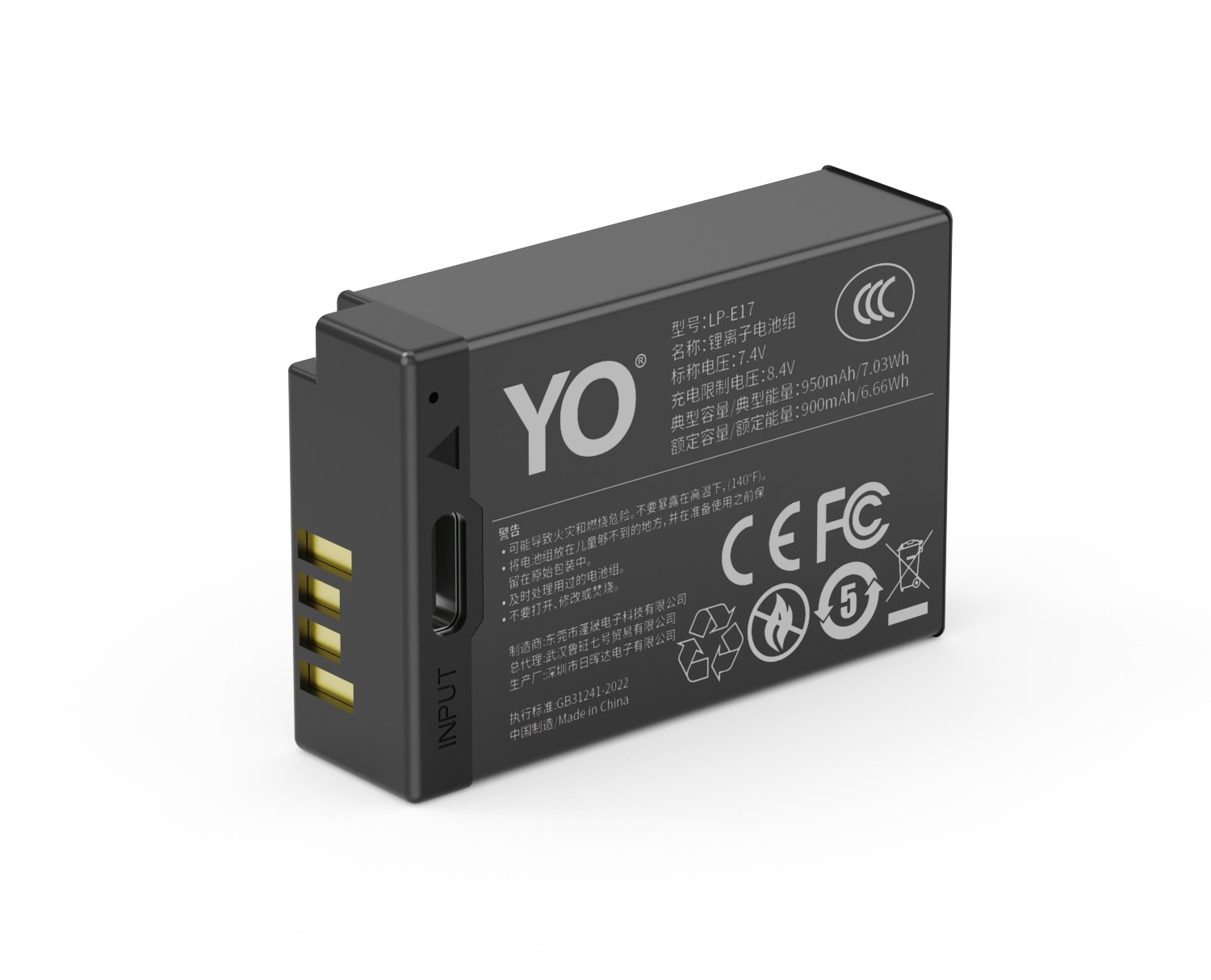
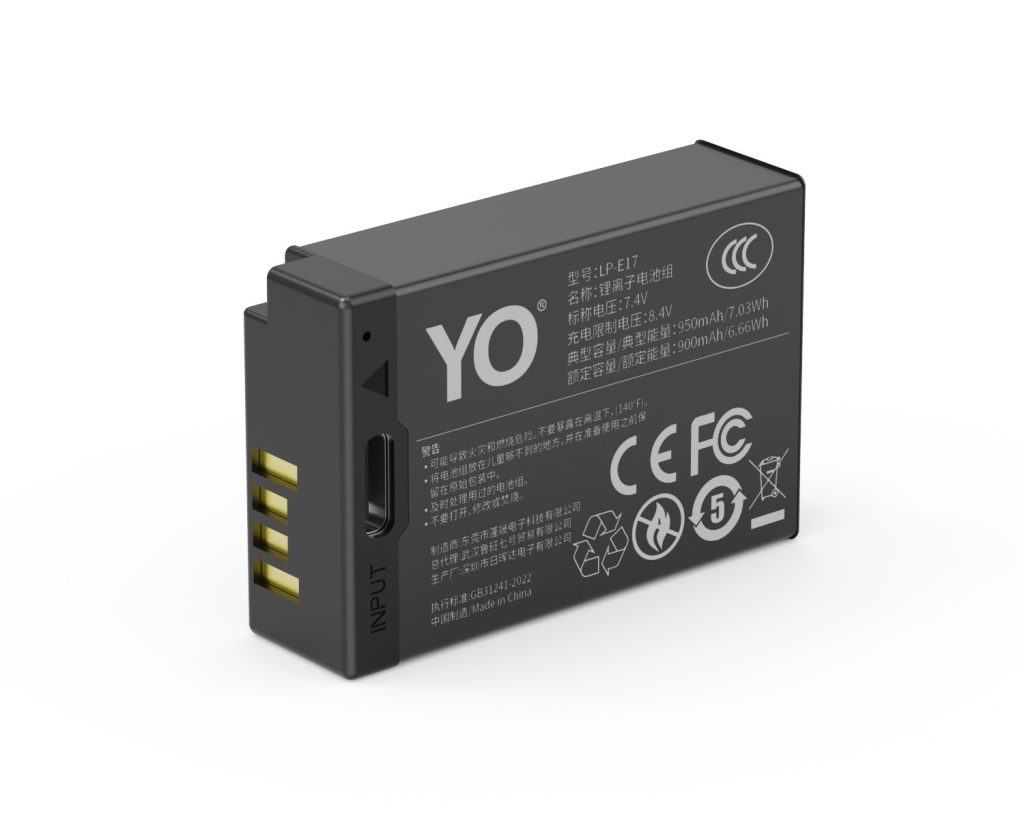
LP-E17 1050mAh Guide: Runtime Gain and Weight Cost

YO LP-E17 相机电池

Short answer: 1050mAh is the highest of the three LP-E17 capacities YO offers, and only about one percent above Canon’s original at roughly 1040mAh. The real gain shows up against the 750mAh version, where the difference is about forty percent. The cost is a slightly heavier pack and a slightly higher price, and neither is significant at the LP-E17 form factor. Put another way: if you are moving up from an old 750mAh pack, the change is perceptible; if you already carry an original LP-E17, this tier gives you headroom, not double.

YO LP-E17 camera battery render
Product render of the YO LP-E17 compatible battery: front label, rear LED charge indicator and USB-C port.

First the three tiers in one table, then where the gain actually lands, then which bodies benefit most, so you do not pay for capacity you will never use.

Where 1050mAh sits in the three-tier lineup

The LP-E17 comes in 750, 950, and 1050mAh. That is a YO lineup of its own and does not map to any Canon model number, because Canon officially makes only the LP-E17, rated around 1040mAh / 7.5Wh / 7.2V. Keeping both in view is what stops “1050 is bigger than the original” from misleading you.

Version Rated capacity Derived energy (at 7.2V) Relative to the original rating Typical role
Canon original LP-E17 About 1040mAh About 7.5Wh 100% Reference point
LP-E17 750mAh 750mAh About 5.4Wh About 72% Backup, light top-ups
LP-E17 950mAh 950mAh About 6.8Wh About 91% Everyday primary
LP-E17 1050mAh 1050mAh About 7.6Wh About 101% Long days out, fewer swaps

The Wh figures are rough calculations from nominal voltage. Usable energy also depends on the discharge curve, the body’s cutoff voltage, and protection-board efficiency, so this table is for comparison across rows, not a formula for how many frames you will gain. The percentage column is a ratio of ratings, not of real runtime.

How much runtime you actually gain

Going from 750mAh to 1050mAh is a forty percent increase in rated capacity, which in practice is the difference between swapping three times and swapping twice. Going from 950mAh to 1050mAh is about ten percent, which you will not feel in daily shooting unless your day happens to sit right on the line. Against the original 1040mAh the two are essentially level, and the gap is buried under cell age and unit-to-unit variation.

Actual frame counts depend on how you frame, stabilization, screen brightness, burst frequency, and ambient temperature. The same battery might deliver six or seven hundred frames on an 850D used mostly with the optical finder, and only three or four hundred on an R8 using the electronic finder throughout, with a further discount outdoors in winter. A safe expectation is somewhere between five and seven hundred frames, moving with the body; no absolute “one battery equals N frames” claim holds.

Swap counts make it clearer. Suppose a body gets five hundred frames from a 950mAh. Scaling roughly, the ten percent a 1050mAh adds is about fifty frames, just enough for one more group photo. A 750mAh in the same conditions would give about four hundred, a gap of an entire shooting block. So the comparison worth making is 750 against 1050; between 950 and 1050 there is only a small margin.

The weight cost: you are adding cell, not shell

Within one series, higher capacity means a larger and heavier cell. The 1050mAh is usually under fifteen grams heavier than the 750mAh and close to the original LP-E17. On a single pack that is imperceptible, but four packs in a bag or long handheld sessions on a small body like the R50 turn it into a noticeable amount.

Conversely, the LP-E17’s physical size means a high-capacity version cannot add much weight: it has to fit the same compartment, and the structure and protection board are largely shared. So “high capacity means heavier and clumsier” is overstated at this form factor. Price, supply, and consistency are worth more of your attention than the feel.

Which bodies benefit most from 1050mAh

  • Full-frame EOS RP and R8: the sensor and finder draw more, so the headroom in one pack directly determines whether you dare leave with only two.
  • R10, R50, R100: small bodies with shallow grips make frequent swaps disruptive to your rhythm, and more capacity means fewer of them.
  • 850D, 800D, 760D, 750D, 77D, 200D, 200D II: built around the optical finder with low draw, so a 1050mAh lasts a long time, the kind of pack you fit and stop thinking about.
  • M6, M6 Mark II, M5, M3: mirrorless designs with a high proportion of screen framing, where the capacity gain is easier to feel.

If you shoot a few hundred frames occasionally and have a dock at home for topping up, the 950mAh is better value; if a single outing runs all day with no convenient charging, the 1050mAh’s headroom is what pays off. Check the body list against the LP-E17 capacity and compatibility guide, or go straight to current specifications in the 1050mAh category.

FAQ

Does 1050mAh last longer than the original Canon LP-E17?

The rating is only about one percent higher, so theoretically they are on the same level. Real performance depends more on cell age, protection-board losses, and operating temperature; do not expect a noticeable runtime increase.

Can the original LC-E17 charge a 1050mAh?

Yes. The LC-E17 is Canon’s dock charger for the LP-E17 and works by voltage rather than capacity, so a larger pack simply takes longer to fill.

Will 1050mAh make the body run hotter?

Not in normal shooting. Body heat comes mainly from bursts, long recordings, and internal resistance, not from the capacity tier. If the battery itself is noticeably hot at idle, stop using it and have it checked.

Does this battery work in the EOS M50?

No. The EOS M50, M100, and M200 take the LP-E12, which is not interchangeable with the LP-E17. Check your body model before buying.