Posted on — Leave a comment

What’s Left After 100 Cycles? NP-FZ100 Cycle Life, Tested

Direct answer: in our tests, an NP-FZ100 keeps about 92%–96% of its usable capacity after 100 full cycles. By 300 cycles it sits near the mid-80s, and somewhere between 300 and 500 cycles you land around 80%, the point most of the industry treats as end-of-life. The first hundred cycles cost you less than most people assume. The moment a battery starts feeling tired usually arrives somewhere past two or three hundred. Here’s how one cycle is actually counted, where the retention figures come from, and which habits bend the curve downward early. For a calendar-based view instead of a cycle-based one, compare against a year of real-world capacity loss.

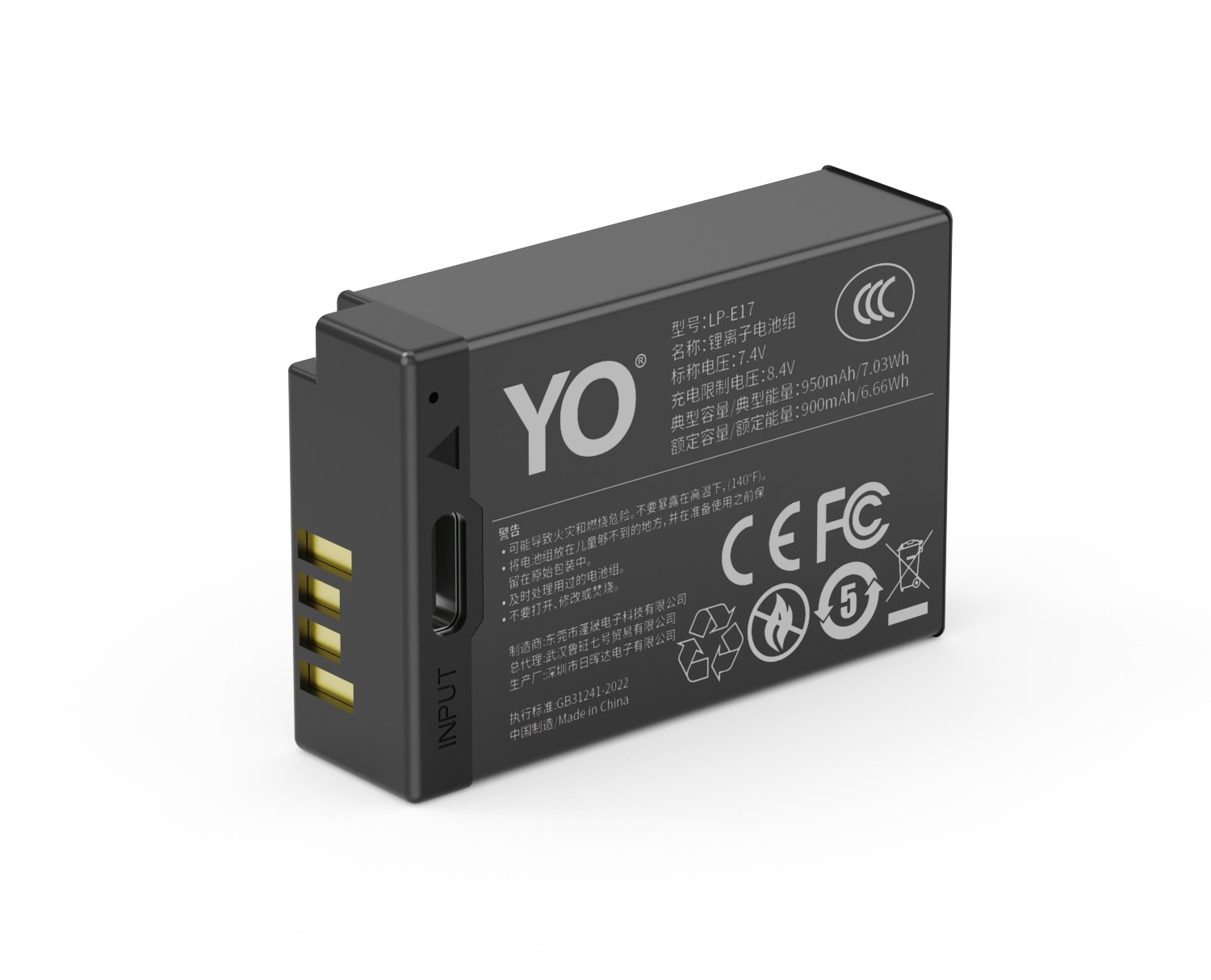
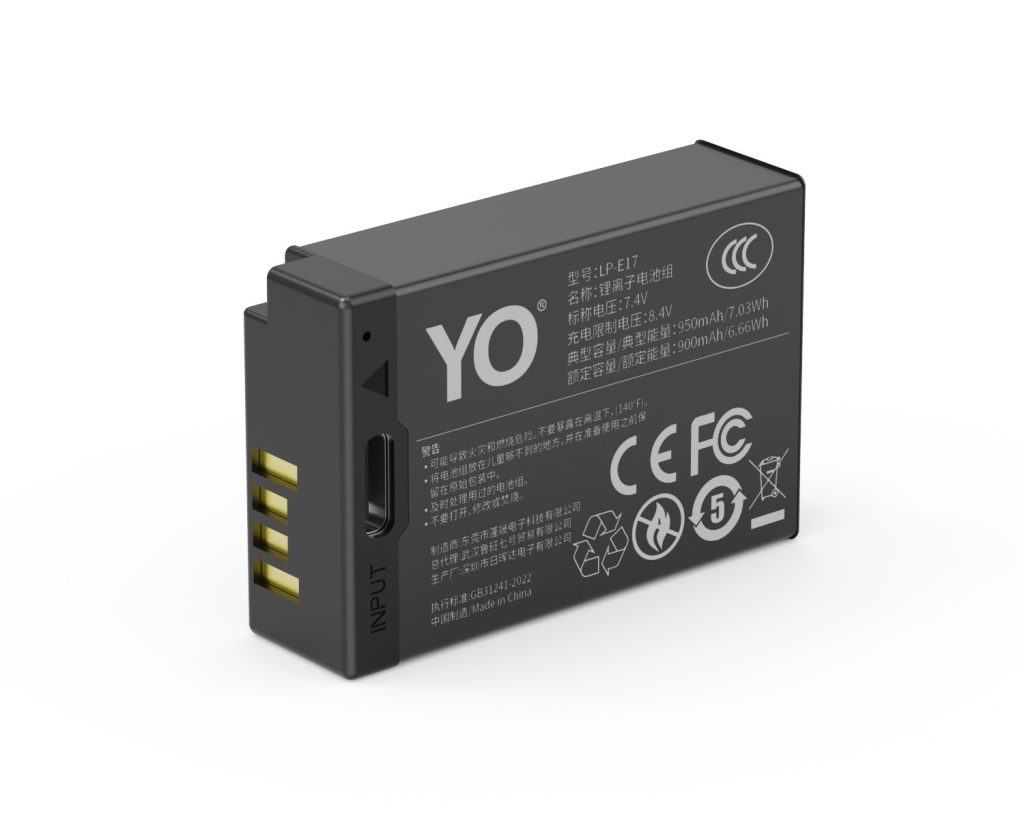
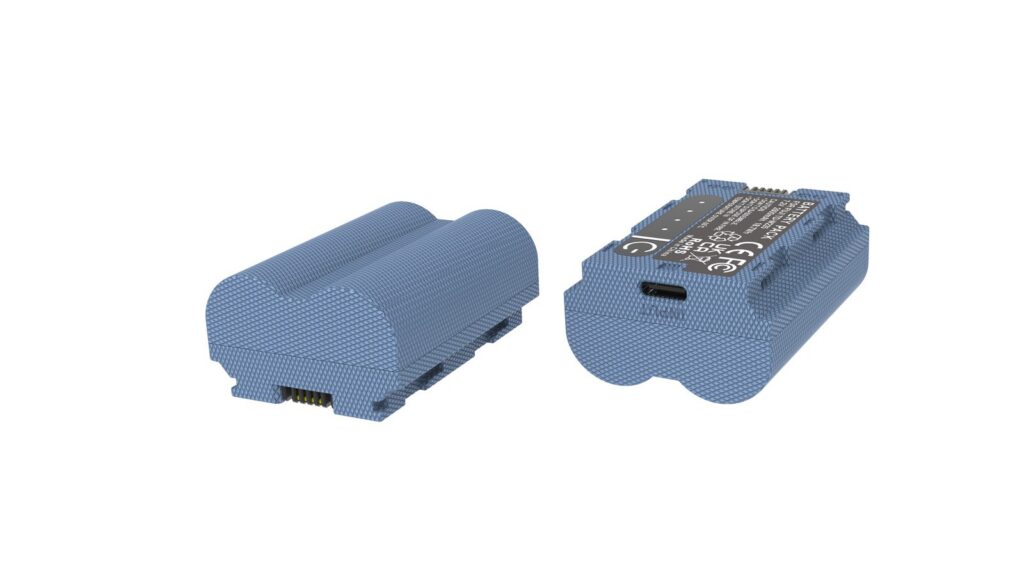
YO NP-FZ100 camera battery render
Product render of the YO NP-FZ100 compatible battery: front label, rear LED charge indicator and USB-C port.

First: what counts as “one cycle”

Plenty of people count one trip to the charger as one cycle. That inflates wear dramatically. A cycle means the accumulated discharge equals the rated capacity:

  • Shoot down to 50% today, charge it, then use another 50% tomorrow — together that’s one cycle, not two.
  • Run from 100% to auto-shutdown and recharge: that’s one full cycle.
  • If you habitually top up after using 20%, it takes five such sessions to add up to one cycle.

By that math a casual shooter might accumulate twenty or thirty cycles a year, while a wedding shooter or video team can easily clear a hundred. Same battery, very different lifespan.

Retention by cycle count

The table below reflects measurements taken under fixed conditions — roughly 25°C, constant-current discharge, multiple samples reported as a range. We don’t publish single-digit precision because it wouldn’t survive a repeat run.

Cycles Capacity retained (range) What it means in practice Recommendation
0 (new) About 100% Nominal 2280mAh / about 16.4Wh Log your starting runtime as a baseline
50 96%–99% Barely noticeable Carry on
100 92%–96% Slightly tight at the end of a day Start thinking about a second pack
200 88%–93% Obvious in video and burst work Grow the rotation to three packs
300 82%–88% One pack no longer covers half a day Put replacement on the calendar
500 Around 80% or lower Short runtime, rising internal resistance Replace

One important distinction: the capacity percentage is not the same as the frame-count percentage. Runtime is capacity divided by how much power the body draws, and rising internal resistance makes the camera cut out earlier under heavy load. Real-world performance tends to fall off faster than the number suggests.

Our test protocol

  • Environment: discharge runs at room temperature, about 25°C, so temperature doesn’t contaminate the result.
  • Load: constant current to cutoff voltage, recording total charge delivered, cross-checked against actual shooting.
  • Charging: the same charger specification every time, packs pulled only after the indicator flips, so no fake losses from a partial charge.
  • Samples: several packs from one batch tracked in parallel, reported as ranges. A single outlier is never a finding.
  • Reporting: ranges and “around” only. Cycle-life numbers quoted to the last digit aren’t repeatable in the real world.

Habits that bend the curve early

Leaving it at 100%

A pack sitting full in a bag or parked on the charger spends its life at high voltage, and that ages it faster. If a battery will be idle for more than a week, bring it to roughly 40%–60% before you put it away.

Heat

Hot cars in summer, sunny windowsills, or a battery pressed against a warm body for hours all speed up the decline. Heat frequently does more damage than extra cycles do.

Habitually hitting 0%

Shooting until the camera quits is a deep discharge, and it’s hard on the cell. Shallow, frequent top-ups are kinder.

Sustained high current

Fast bursts and high-bitrate 4K keep the cell dumping current and running warm. Rotate packs in those situations so each one gets a chance to cool.

Estimating your own cycle count

Bodies don’t report cycles directly, so here are four indirect routes:

  • Work from frame count. If a pack covers roughly 500–700 frames per charge (CIPA-range), then 50,000 frames implies something close to a hundred cycles.
  • Work from charging habits. Someone who recharges at the halfway point may need more than two years to reach 200 cycles.
  • Watch the feel. Same body, same settings, twenty percent fewer frames than a new pack? You’re probably nearing the 300-cycle zone.
  • Measure it. A charger with capacity readout or an inline coulomb meter gives the straightest answer.

What actually extends life

  • Top up opportunistically. Avoid deep discharges to 0%, and avoid sitting at 100% for weeks.
  • For long storage, leave it at 40%–60%, cool and dry at 15–25°C, and top it up every three months.
  • Rotate several packs so no single battery carries every heavy job.
  • Slight warmth while charging is normal. Hot to the touch means stop, and check both the battery and the charger.
  • Any swelling means retirement for that pack and a trip to a proper recycling stream. No puncturing, no burning.

The fuller checklist sits in five habits that extend NP-FZ100 life.

FAQ

Is a pack worthless after 100 cycles?

Far from it. It still holds nine-tenths or more of its capacity; you just want a spare on hand for heavy days. Replacement territory starts nearer 300 cycles, or once runtime drops toward 70%.

Do third-party cells lose a lot of cycle life versus Sony’s?

In our observations, under matched use and storage, the two curve shapes track each other. Individual outcomes depend far more on cell batch and habit than on branding.

Does fast charging shorten cycle life?

Current within the pack’s specification isn’t a major factor. Heat and permanent full-charge states are. If a pack gets genuinely hot while charging, stop and investigate.

Can I keep using a battery past its rated cycles?

Yes. It simply holds less and sags more under load. Demote it to backup duty or low-draw work like time-lapse on a locked-off body, and give the demanding jobs to healthier packs.

Bottom line and buying notes

Two charging options, same capacity: standard 2600mAh (dock required) or USB-C 2600mAh (phone charger or power bank). Pick the version on the NP-FZ100 product page; bulk pricing via wholesale.
Posted on — Leave a comment

LP-E6 Compatibility Chart: 20 Bodies and the Models That Do Not Fit

The LP-E6 covers 20 bodies, from the EOS 5D Mark II to the EOS C70; the most common buying mistake is not capacity but boundary cases such as R5 II 8K / 30 fps → LP-E6P. The table below lists every compatible body by series, followed by the models that take a different cell. Always trust the marking on the camera or in the battery compartment: similar-looking packs are not necessarily interchangeable, and LP-E6 / E6N / E6NH / E6P should still be checked against the contacts and firmware of your body.

Key specifications and limits: 8K / 30 fps → LP-E6P / LC-E6 150 min. Actual figures vary with resolution, frame rate, screen brightness and ambient temperature, so plan spares around the shortest figure in the table.

Full compatibility list

All 20 bodies below accept the LP-E6 or a cell from the same family, grouped by series. “Compatible” means the compartment and contacts match; it does not guarantee that older bodies can exploit the full capacity of a high-capacity pack.

Body Body Body Body
EOS 5D Mark II EOS 5D Mark III EOS 5D Mark IV EOS 5DS
EOS 5DS R EOS 6D EOS 6D Mark II EOS 7D
EOS 7D Mark II EOS 60D EOS 70D EOS 80D
EOS 90D EOS R EOS R5 EOS R5 Mark II
EOS R6 EOS R6 Mark II EOS R7 EOS C70

Which models do not fit

This is where search results most often mislead. Packs with similar names and near-identical shells frequently belong to entirely different systems, and forcing one in can damage the compartment.

Item Value
LP-E6 LP-E6 / E6N / E6NH / E6P
LP-E6NH 2130 mAh / 16 Wh
lp-e6nh 2600 mAh / 18.72 Wh
LP-E6 8K / 30 fps → LP-E6P / LC-E6 150 min
R5 II 8K / 30 fps → LP-E6P LP-E6 / E6N / E6NH / E6P
LP-E6 / E6N / E6NH / E6P 2600 mAh / 18.72 Wh

How to check before ordering

The reliable check is the model printed on the bottom of the body or inside the battery compartment, matched against this list. On a used camera, also confirm that a previous owner has not swapped the battery door.

To pick by model, start with the specifications and stock status on Canon LP-E6 2600mAh, then browse the full article set in LP-E6; if your body belongs to a neighbouring system, canon-lp-e17 has the side-by-side explanation.

FAQ

How many bodies take the LP-E6?

Our list contains 20 bodies, from the EOS 5D Mark II to the EOS C70. It is grouped by series, but still check the body marking, since a later generation in the same line can switch cells.

Is the LP-E6 interchangeable with neighbouring models?

LP-E6 / E6N / E6NH / E6P shares one shell and contact layout, so those cells fit each other. However, R5 II 8K / 30 fps → LP-E6P, and those bodies need their own cell — never judge by shape alone.

Will every body on the list benefit from higher capacity?

All of them run normally, but older bodies set their cutoff and fuel gauge to the original specification, so extra shots do not scale linearly and the percentage may read conservatively.

How do I confirm which cell to buy?

Read the model on the bottom plate or inside the battery compartment and match it against this list. If the marking includes a suffix or a “for use with” note, follow the manual rather than the capacity figure.

Posted on — Leave a comment

NP-FW50 in the ZV-E10 and RX10 Series: Vlog versus Bridge-Camera Power Plans

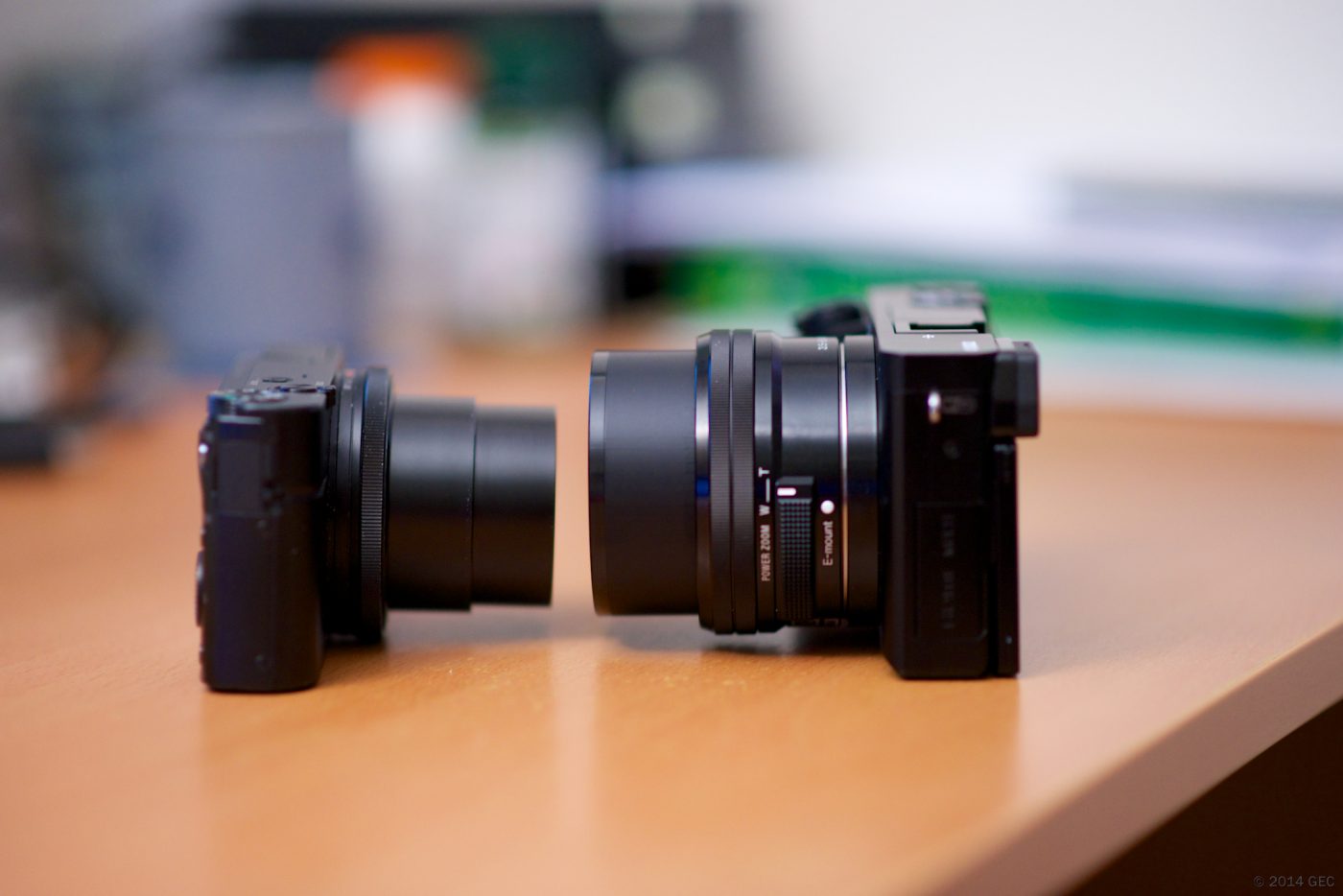
Size comparison between a Sony RX100 and an A6000

Short answer: the ZV-E10 appears on Sony’s official NP-FW50 list, with third-party references quoting roughly 440 CIPA rated stills. The Cyber-shot RX10, RX10 II, RX10 III and RX10 IV also take this cell, but as fixed-lens bridge cameras they are not on that E-mount page — retailer and equipment references list them. Both are limited by the same small 8.14Wh pack, yet they drain it differently: the ZV-E10 is often recording continuously, while an RX10 spends a day framing outdoors. Plan spares separately.

Size comparison between a compact Sony camera and a mirrorless body
Body size varies widely, but the battery format is settled by the compartment label. Photo: Gary / Wikimedia Commons, CC BY-SA 2.0; image resized from the original.

Where each body’s listing comes from

Keeping “official list” and “third-party references” apart prevents a common error: Sony’s page covers E-mount interchangeable-lens cameras only, so a fixed-lens bridge camera like an RX10 would never appear there in the first place.

Body Type Source of the listing CIPA rated stills (not a field test)
ZV-E10 Interchangeable-lens vlog camera Sony official NP-FW50 list Approx. 440 frames
RX10 / DSC-RX10 Fixed-lens bridge camera Retailer / equipment references Approx. 420 frames
RX10 II Fixed-lens bridge camera Retailer / equipment references Approx. 400 frames
RX10 III Fixed-lens bridge camera Retailer / equipment references Approx. 420 frames
RX10 IV Fixed-lens bridge camera Retailer / equipment references Approx. 400 frames

These frame counts are manufacturer ratings collated by third-party equipment references under standardised test conditions. We have not measured them, and they are not a promise. The compartment label and the accessories page of the manual remain the final authority.

Why video cannot use the stills rating

A CIPA stills count comes from a fixed shooting sequence with defined proportions of standby, review, flash and idle time between frames. Continuous recording is a different load: sensor, processor and screen all work without pause, so “440 frames” cannot be converted into recording minutes. Minutes quoted online usually omit the power assumption behind them, which is a reason not to rely on them.

What is possible is an order-of-magnitude estimate: divide the rated 8.14Wh by average body draw, then by an efficiency of 0.8. At an assumed 3W, 8.14Wh ÷ 3W ÷ 0.8 ≈ 3.4 hours; at 5W, about 2.0 hours. Both power figures are assumptions chosen for a readable sum and the result indicates scale, not any model’s fixed behaviour.

Assumed average draw Sum (8.14Wh ÷ draw ÷ 0.8) Estimated duration Reading
3W 8.14 ÷ 3 ÷ 0.8 Approx. 3.4 h Powered-on, light load
5W 8.14 ÷ 5 ÷ 0.8 Approx. 2.0 h Closer to constant framing or recording
7W 8.14 ÷ 7 ÷ 0.8 Approx. 1.5 h Heavy load, more headroom

Separate spare plans

Shooting style How it draws power Spare plan Refill
ZV-E10 short vlogs, several clips Continuous recording, articulating screen live Two to three cells rotating A USB-C cell into a power bank is convenient
ZV-E10 fixed-camera livestream Cannot be interrupted Do not swap cells; use external power Dummy-battery DC adapter
RX10 series travel and long lens work Long framing, zooming, review Two to start, three for a full day Refill all overnight, dock or direct charge
Winter outdoors Usable capacity falls in the cold Keep spares warm, fit only when needed Let them warm up before charging

Our NP-FW50 compatible cell is quoted at 1100mAh / 7.4V / 8.14Wh; the TNP-FW50 USB-C version has the same capacity with a port on the cell. For a camera that records away from home, that port removes an accessory from the bag — it does not extend one cell’s runtime. Fixed cameras should use the DR-FW50 external power adapter, specified at DC 8.4V / 3A; check its stated body coverage before ordering.

One last check before ordering

Do not assume a similarly named newer ZV body shares the cell, and do not treat “RX10” as a single model when there are four generations. Read the NP-FW50 marking in the compartment, find the code on the bottom plate, then compare with the official table or the NP-FW50 category. Quoting a model code beats describing “a Sony camera” every time.

FAQ

Does the ZV-E10 take an NP-FW50?

Yes, it is on Sony’s official NP-FW50 compatibility list. Do not assume other similarly named ZV bodies share it; check the compartment label.

Why are the RX10 models missing from Sony’s list?

That page covers E-mount interchangeable-lens cameras only. The RX10 family are fixed-lens bridge cameras, listed as NP-FW50 users by retailer and equipment references.

How long can one NP-FW50 record vlog footage?

There is no reliable fixed figure. A CIPA stills rating does not convert into recording minutes; 8.14Wh ÷ average draw ÷ 0.8 gives a scale, about 2.0 hours at an assumed 5W.

For livestreaming, more cells or a different setup?

A different setup. Swapping a cell interrupts recording and the stream. A fixed camera should run from a dummy-battery DC adapter with continuous external power.

Posted on — Leave a comment

Fujifilm NP-W235 Runtime Guide for X-T5, X-H2 and GFX

Short answer: the NP-W235 is the main battery for Fujifilm’s fourth-generation X series and the GFX line, rated 7.2V and about 2200mAh — roughly 70% more capacity than the previous NP-W126S. The X-T5, X-H2, X-H2S, X-S20, X-T4, GFX100S, GFX50S II and GFX100 II all use it and are directly interchangeable. Against Fujifilm’s CIPA figures, a single pack is rated for roughly 450 to 750 shots depending on whether the body has stabilization, its screen spec and its processor load. Real shooting usually comes in below that; plan on about 70%.

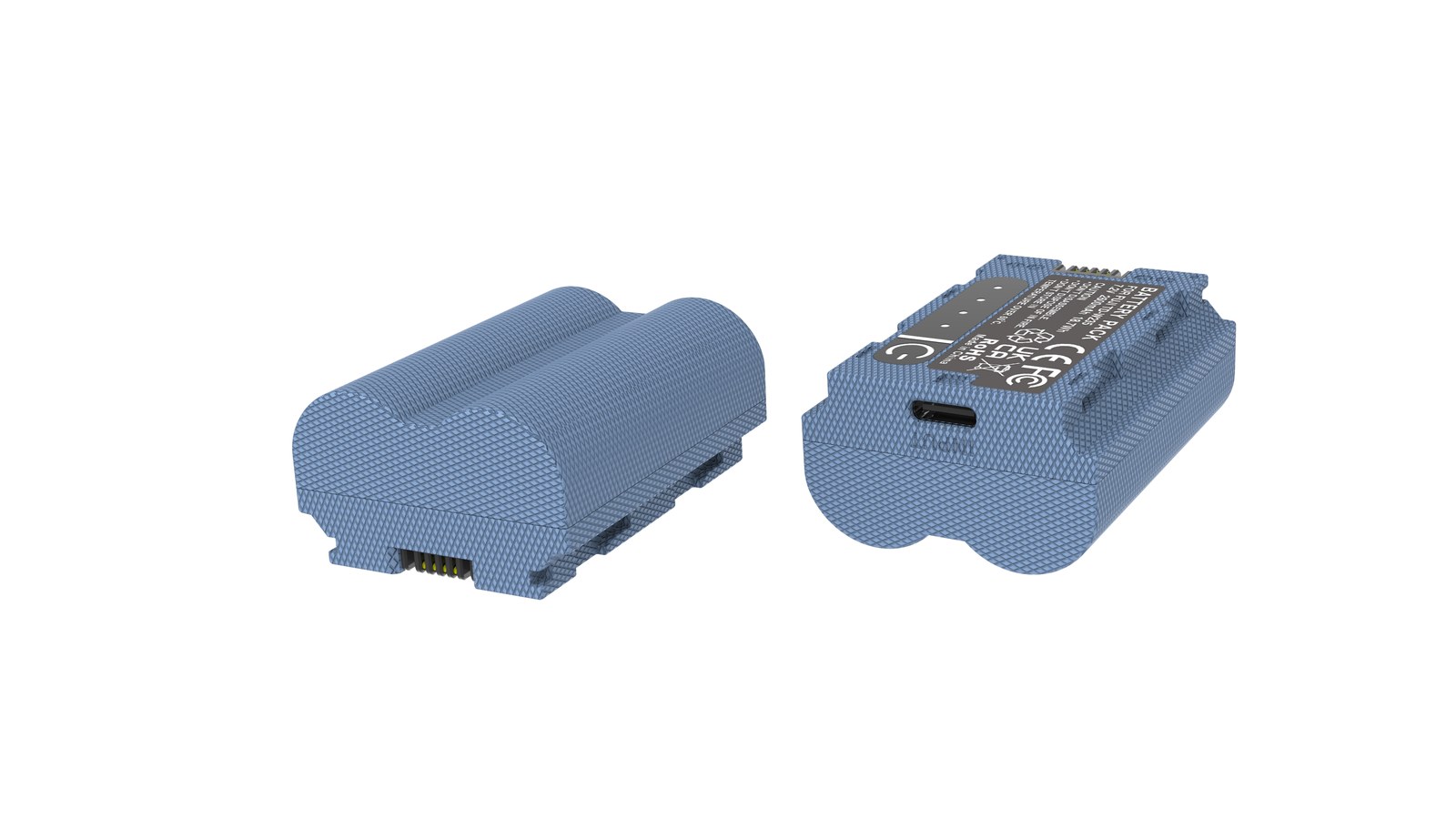
YO NP-W235 camera battery render
Product render of the YO NP-W235 compatible battery: front label, rear LED charge indicator and USB-C port.

This guide gives runtime references by body, then covers the key points on capacity, charging and buying.

1. Runtime reference by body

The table puts CIPA figures alongside the range most users see in practice, to help size your spare count. The real-world range assumes room temperature, limited playback and no wireless.

Body CIPA reference Common real range Suggested spares
X-S20 About 750 shots About 500-650 shots 2
X-H2 About 680 shots About 450-600 shots 2-3
X-T5 About 580 shots About 400-520 shots 2-3
X-H2S About 580 shots About 380-500 shots 3
X-T4 About 500 shots About 350-450 shots 3
GFX100S About 460 shots About 300-420 shots 3
GFX100 II About 540 shots About 350-450 shots 3

One counter-intuitive point in that ordering: the X-S20 outlasts the higher-positioned X-H2, because its screen and viewfinder specs are more conservative and its processor load lower. The X-H2S, meanwhile, has a stacked sensor and high-speed bursts, so it processes far more data per second and runs noticeably shorter than the X-H2.

The GFX ordering deserves attention too. GFX bodies are larger with better heat dissipation, but the medium-format sensor’s readout draw, the bigger viewfinder and the heavier per-frame processing cancel that advantage out. On top of that, GFX users often shoot electronic-shutter bursts and write high-resolution files, which keeps both card and processor under sustained load.

So “a bigger body must be more efficient” is not a rule. Medium format is better planned as one pack per half day, especially for landscape work that involves long periods of live view while waiting — standby draw adds up.

2. Capacity, size and the compatibility boundary

The NP-W235 and NP-W126S are both 7.2V, but their size, compartment structure and contact positions are entirely different, so neither fits the other’s body. This is where upgrades trip people up: moving from an X-T3 to an X-T5 makes every old pack useless, while moving from an X-T4 to an X-T5 keeps them all. For the differences between the two generations, see the notes on the NP-W126S category page.

Within a generation there are details too. Some third-party chargers claim NP-W235 support but have loose slot tolerances, and repeated insertion wears the battery contacts. When buying, favour chargers that state compatibility with the first-party charger.

3. First-party or compatible packs

  1. Use first-party in the primary slot. For long recordings, commercial delivery or cold-weather work, a first-party pack holds a flatter voltage curve and warns earlier, which makes swapping ahead of time easier.
  2. Compatible packs are fine as spares. The second and third packs play a backup role, so a reputable brand with a clear protection-circuit description and stated capacity and batch is enough.
  3. Do not mix batches for long recordings. Differences in internal resistance make one pack sag first, and an interrupted take costs far more than the price gap between packs.
  4. Read the protection spec, not just the capacity. Overcharge, over-discharge, over-temperature and short-circuit protection all being present matters more than an extra 100mAh on the label.

YO’s NP-W235 compatible pack is positioned for spare duty, well suited as a second or third pack; where continuity really matters, the primary slot should still hold a first-party battery. More product details for this model are on the NP-W235 category page.

4. Charging, grips and travel

The X-T5, X-H2 and X-H2S all support USB-C in-body charging; the X-T4’s USB-C port is mainly for data and charging is still dock-based. Carrying a PD charger of 30W or more lets you add meaningful charge over lunch, though charging while shooting generates extra heat.

The X-T4’s VG-XT4 vertical grip holds two more NP-W235 packs, giving a three-battery system that suits events and weddings where you cannot stop to swap. The X-T5 does not support a grip, so that endurance has to come from carrying more packs.

On flights, lithium batteries must stay in the cabin and cannot be checked. For capacity and declaration rules, see the rules for flying with lithium batteries; enforcement is broadly consistent across brands. Pack spares in insulated pouches so the terminals cannot touch metal objects.

FAQ

Can the NP-W235 be used in an X-T3?

No. The X-T3 uses the NP-W126S, and the two differ in compartment dimensions and contact positions, so it will not physically fit.

Are the X-T4 and X-T5 batteries fully interchangeable?

Yes. Both bodies use the NP-W235, so packs swap directly and chargers can be shared.

Is one W235 enough for a wedding?

Usually not. Weddings involve long hours, heavy bursts and frequent playback, so plan on three packs and rotate at roughly one per half day.

Does a compatible battery void the camera warranty?

In most cases no, but if a battery fault damages the body, service may assess causation. Keeping your receipt and choosing a product with a documented protection circuit reduces the risk.

Posted on — Leave a comment

NP-FZ100 (USB-C) Capacity Fade: How to Judge and When to Replace

Short answer: capacity fade in a lithium-ion pack like the NP-FZ100 (USB-C) is gradual, typically falling to about 80% of rated capacity after 300–500 full cycles; whether to replace comes down to how many fewer frames it delivers in the same situation, and whether charging heat and charging time have visibly changed — you do not need to wait until it refuses to charge at all. The method below needs no instruments and no disassembly; ordinary shooting records are enough.

YO NP-FZ100 camera battery render
Product render of the YO NP-FZ100 compatible battery: front label, rear LED charge indicator and USB-C port.

One thing to be clear about: this article will not give figures like “after X months it is at Y percent”. Fade correlates strongly with depth of discharge, ambient temperature, storage charge level and discharge current, so any single sample’s numbers say little about anyone else’s. What can be given is the mechanism, the ranges and reproducible checks.

How fade happens

Capacity loss in a lithium-ion cell comes mainly from three places: structural fatigue in the cathode material, progressive thickening of the solid electrolyte interphase on the anode, and slow decomposition of the electrolyte. All three accumulate with cycles and are accelerated by heat. For a 7.2V / 2600mAh / 19.24Wh specification like the NP-FZ100, the two most direct variables are depth of discharge and temperature.

Running the pack to auto-shutdown before recharging wears it noticeably faster than topping up at twenty or thirty percent. Equally, leaving packs in the car in summer, or dropping a hot camera straight into a sealed bag, steepens the fade curve early. That is why two packs bought in the same batch can be in quite different states a year later.

Because the NP-FZ100 (USB-C) charges over USB-C with the charging circuit in the pack itself, the effect of long, hot charging is worth more attention than with a dock — if it feels hot in the hand while charging, switch to a gentler charger or move it somewhere with airflow.

Three checks that need no instruments

Method one: count frames in the same situation

Fix one scenario — the same event, the same burst ratio, the viewfinder used or not — and count the frames between a full charge and the low-battery warning. The number a new pack delivers in that scenario is your own baseline. Repeat every two or three months; if the figure falls below seventy percent of baseline, fade is affecting real use.

Do not mix numbers from different scenarios: LCD versus EVF, stabilisation on or off, and burst ratio can each move the count by twenty or thirty percent.

Method two: watch charging time and heat

Rising internal resistance accompanies fade. It shows up as a shorter charge from low to full — because less capacity is actually going in — but with more noticeable heat, concentrated in the middle of the pack. A distinctly shorter charge combined with a hotter shell than before usually means the fade is no longer slight.

Method three: look at the shape of the discharge curve

A healthy pack falls fairly evenly. One with obvious fade often holds steady and then plunges: from 30% straight to the warning, or losing a bar soon after coming off a full charge. That non-linear drop is typical of elevated internal resistance, appears earlier than the loss of total capacity, and reflects the real state more honestly.

When you must replace, and when you can keep it

What you observe What it usually means Recommendation
Frames down to about 70% of a new pack, still falling evenly Normal fade, now in its later stages Keep as a spare, no longer for the main camera
Jumps from about 30% straight to the warning Internal resistance clearly elevated Demote to short pickups and replace soon
Shell visibly swollen while charging, will not seat in the bay Gas formed inside, a safety concern Stop using at once, do not charge again
Voltage falls very low after a week at full charge Abnormal self-discharge Retire it, do not take it out of the house
Charger gets hot and restarts repeatedly Fault in the charging circuit Test with another charger first, replace the pack if it persists

The first two rows of that table are still usable; the last three are safety matters and should not be stretched. Swelling is the least negotiable signal — once a lithium pack has swollen, the internal chemistry is out of control, and continued charging carries a fire risk regardless of how much capacity is left.

How to slow the fade

  • For long storage, leave the pack at forty to sixty percent rather than full or empty across the season. Full storage accelerates cathode ageing, and empty storage risks over-discharge and sleep.
  • Avoid charging in hot places. A summer car or a sunlit windowsill is not suitable.
  • There is no need to drain it flat every time. Shallow cycling is kinder to cycle life; lithium cells have no memory effect.
  • Charge before you travel, not a week in advance. For cold and heat precautions, see our notes from minus ten degrees.

A rough guide by intensity: two or three shoots a week at one or two hundred frames each, and two or three years from a pack is normal; with daily high-rate bursts or long recordings you will notice faster drain in about eighteen months. On this measure the YO NP-FZ100 (USB-C) behaves no differently from an original pack of the same specification.

FAQ

My new NP-FZ100 (USB-C) seems to last less than the original — is it fading?

Usually not. A new pack has not faded appreciably; the difference is more likely in how the rated capacity is calibrated, in the body’s estimation strategy for third-party packs, and in the fact that you compared under different conditions. Run method one above in a fixed scenario for each, then judge. Body estimates of third-party packs are also often non-linear, so a low percentage does not necessarily mean little charge remains.

Can I measure capacity myself?

Roughly. Charge the pack from low to full on a USB charger that displays wattage, note the Wh delivered, and multiply by charging efficiency (usually estimated at 0.8–0.9) to work back to usable capacity. The method has preconditions: the same starting charge, a similar ambient temperature, and an accurate readout on the charger. The error is not small, so it is good for trends, not for firm conclusions.

Must I replace at 80%?

Not necessarily. Eighty percent is the conventional threshold used to describe cycle life in the industry, not a threshold for use. If your workload is modest and the situations are controlled, a pack at eighty percent still works as a spare. The real dividing line is whether it still affects your shooting rhythm, and whether swelling or abnormal heat has appeared. The rules for flying with batteries are in this guide, and they apply equally to a faded pack.

Two packs bought together — why do they fade at different rates?

The usual reason is different intensity of use: one sits in the main camera and is often run deep, the other only comes out occasionally. Next is charging habit, for instance one regularly on a high-power charger and the other on an ordinary one. Number the packs and rotate them, and their fade will converge.

Posted on — Leave a comment

Uninterrupted Power for Streaming and Long Takes: NP-FZ100 with a Dummy Battery or AC Adapter

Want an A7 IV, FX3 or ZV-E1 to record or stream for hours? Stacking NP-FZ100 packs is the expensive way to do it. The stable answer is a dummy battery fed by an AC adapter or a large power bank. The dummy takes the place of the pack in the compartment and passes through continuous power, so runtime is set by the external source instead of the 2600mAh / roughly 19.24Wh inside one battery. If you only record a few minutes at a time, two spare packs in rotation will do. Past an hour of continuous recording, or for a full stream, go external.

YO NP-FZ100 camera battery render
Product render of the YO NP-FZ100 compatible battery: front label, rear LED charge indicator and USB-C port.

Four options compared

Option Runtime Upside Watch out
Rotating NP-FZ100 packs About 80–130 min of 4K each No extra gear, full mobility Swapping cuts the take; needs a person
Dummy battery + AC adapter Unlimited where mains exist Stable, cool, affordable Tethered to an outlet; mind cable length
Dummy battery + power bank Set by bank size, often 3–8 hours Works outdoors, stays mobile Confirm output voltage and wattage match
USB-C power to the body Varies by body One less accessory Some bodies only charge, don’t run, while shooting

External power solves the energy problem, not the heat problem. Recording can still stop on thermal protection or hit a file-size limit. Keep air moving around the body and stay out of direct sun for long 4K takes.

What a dummy battery is, and how to choose one

How it works

A dummy battery — also sold as a DC coupler — is a regulation module shaped like a pack. It slots into the compartment, meets the body’s contacts and stores nothing; it simply converts external power to the roughly 7.2V the camera wants. Three things decide whether a given unit is right:

  • Voltage and polarity. It has to match the body’s spec. Reversed polarity can damage the camera, so confirm the model with the seller — A7 III, A7 IV, A7R V, A9 II, FX3 and so on.
  • Current headroom. The adapter or bank should exceed the body’s peak draw; leaving 30% or more spare is the comfortable margin.
  • Door and cable routing. Most units use a flat ribbon cable that exits through a notch in the battery door. Check your door has that notch and never pinch or fold the cable.

Matching the power source to the job

  • Fixed streaming rig: mains adapter. Stable, and it frees up your power banks.
  • Shooting on the move outdoors: a power bank with enough output, kept in open air and away from the body’s vents.
  • Car or van: a 12V socket adapter or inverter. Stop-start systems cut power momentarily, so a supply with some buffering is worth having.

Wiring it up: checks first, power last

Power details differ by body. Video shooters can cross-check against battery setups for FX3 and FX30 creators, and A7S III owners against the A7S III video battery plan.

  • Confirm body and battery type. The NP-FZ100 fits the A7 III / A7 IV / A7R series / A9 series / A1 / A6600 / A6700 / A7C II / FX3 / FX30 / ZV-E1 and others. The A6400, A6500, A7 II and A7R II use NP-FW50 and can’t take an FZ100 dummy. The Sony mirrorless battery cross-reference settles it.
  • Check voltage before it goes in. Meter the output of the adapter or coupler and confirm it’s inside the body’s range. If it’s off, don’t install it.
  • Install with the camera off. Push the dummy in the same way as a real pack until the latch seats, and run the ribbon out through the door notch.
  • Power the supply, then the camera. Energizing the source first avoids a surge at switch-on.
  • Confirm the body reads it. After power-up, check the charge display. “Cannot recognize this battery” means power down, refit and check for debris on the contacts.
  • Test-record five minutes. Before going live, confirm the camera doesn’t shut down, overheat or reboot from unstable supply.
  • Keep a fallback. For streaming, a real pack in the bag with a plan to switch over beats a stream that dies when the mains blips.

Safety notes

  • Skip unlabeled modules. Anything without stated voltage, current and supported models may lack over-voltage and over-current protection. Buy from a listing that publishes the spec.
  • Watch the heat. Both camera and power module warm up over long takes. Don’t stack a power bank on the body where the heat collects.
  • Weather sealing is compromised. A cable out of the battery door breaks the original seal, so add cover in rain or snow.
  • A dummy battery doesn’t charge. Don’t put it in a charger, and don’t try to charge the camera while it’s wired up.
  • Your real packs still need care. If you run external power most of the time, the NP-FZ100 packs sit idle — top them up every three months and store them at 40–60%.

FAQ

Will a dummy battery hurt the camera over a full day?

Not by itself. The risk isn’t the power path, it’s a mismatch: wrong voltage, too little current or poor ventilation. Selection and airflow matter more than the decision to use one.

How big a power bank do I need?

Work from the body’s draw. As a rough guide for common 4K settings, an hour consumes roughly the energy of one to two NP-FZ100 packs — somewhere in the teens to twenties in watt-hours. Size the bank from that and leave headroom.

My body takes USB-C power. Do I still need a dummy?

Depends on the body. Some will charge while off or idle but behave differently while recording, and that has to be tested on your unit. For work that can’t drop, a dummy battery is the more predictable route.

How many real packs should I keep around?

Two minimum for mobile work, as backup and fallback. On mains at a fixed position, one or two covers the times you need to move the camera.

Build your kit: the NP-FZ100 is 2600mAh / 7.4V / 19.24Wh. Battery only, battery plus charger, or two batteries plus charger — pick under Bundle. If you would rather leave the dock at home, the same-capacity USB-C version (2600mAh / 7.2V / 18.72Wh) charges from any phone charger. Bulk orders: wholesale enquiry.

Posted on — Leave a comment

Battery Numbering and Rotation: Running Several NP-FZ100 Cells

Running several NP-FZ100 cells comes down to three habits: number them, log them, rotate them. Give each cell a fixed number, keep a rough count of how many cycles it has seen, and draw from the stack in order instead of reaching for whichever one is closest. Lithium cells typically hold around 80% of original capacity after 300–500 cycles. Favor one or two favorites and they will die well before their siblings, while the neglected ones quietly age sitting at full charge.

YO NP-FZ100 camera battery render
Product render of the YO NP-FZ100 compatible battery: front label, rear LED charge indicator and USB-C port.

The NP-FZ100 is rated at 2600mAh / 7.2V / around 19.24Wh, which is not a lot of headroom. Good management is how you get the full usable energy out of a batch.

Why bother numbering NP-FZ100 cells

  • Trace the decline: when a day suddenly feels short, you can point at one cell instead of suspecting the whole set.
  • Even out the wear: drawing in number order keeps cycle counts close across the batch, and the batch lasts longer.
  • Find faults fast: if the body throws a warning or a charge misbehaves, you can check whether it is always the same number.
  • Cleaner resale and warranty talk: numbers tied to purchase batches make returns and warranty conversations short, and let you describe battery health honestly when you sell a body.

With one or two cells, numbering buys you little. Once you own more than three, or you swap two or three times a day, it is close to zero cost for a real payoff.

Three ways to number them

Option 1: label sticker and a fine marker

The cheapest route. Stick a small heat-tolerant label on the side of the cell — never the contact face — and write 01, 02, 03 with a fine-tip marker. Keep the sticker off the full face of the cell and away from the seam that would split if the pack ever swells.

Option 2: colored tape by batch

Wrap a thin band of colored tape around the bottom edge, one color per purchase batch. You can read new versus old at a glance, which suits teams running mixed-vintage cells after a few years.

Option 3: printed labels

A label printer gives you uniform, hard-to-lose tags. Skip engraving the shell with anything sharp, and avoid solvent markers over large areas.

Whatever you use, keep markings off the contacts and the warning label, and make sure nothing you add makes the cell bind on the way into the battery compartment.

Three rotation orders that work

Strategy How it runs Suits Watch out
Ring rotation Draw 01 → 02 → 03 → 01, picking up where you left off last time 1–4 cells, solo shooters You have to remember the last number; a small card in the bag helps
New vs. old groups New batch in one group, old batch in another; burn down the old first Staggered buying, studios Old cells fade faster; keep them off critical jobs
Job grading Healthy cells on paid work, tired ones for practice or backup 5+ cells, teams Re-check monthly so nothing gets misfiled

Rotation does not have to be perfect. The point is to avoid leaning on the same one or two cells for months. A lazy version that works: after charging, drop cells back into fixed slots in the case in number order, and always take from the left.

Three habits that matter more than rotation

  • Avoid deep discharges: lithium cells have no memory effect, so topping up beats running to zero. Draining a cell until the body shuts down eats cycle life.
  • Do not store at full charge: if a cell will sit for a month or more, bring it to roughly 40%–60%, keep it in a cool, dry spot around 15–25℃ / 59–77℉, and top it up every three months.
  • Keep heat out of charging: slightly warm while charging is normal; hot to the touch is not. Skip charging in a sealed car or on a sunny windowsill, and let a cell cool after a long video take before it goes on the charger.

Storage charge levels and conditions are covered in more depth in long-term NP-FZ100 storage. To slow the decline further, see five ways to extend NP-FZ100 life.

When to retire a cell

You do not need lab gear for this. Everyday observation is enough:

  • On the same body with the same settings, it drains noticeably sooner than its numbered siblings.
  • The gauge jumps from two bars straight to shutdown — the buffer is getting short.
  • Charging finishes noticeably faster than the others, meaning less capacity went in.
  • The shell is swollen, the contacts are oxidized, or it smells off — stop using it immediately.

Plan on replacing your highest-mileage cells around the two-year mark. A swollen cell should not be charged or discharged again, and should never be punctured or burned; route it to a household hazardous waste or battery recycling point. The step-by-step version is in handling a swollen NP-FZ100 safely.

FAQ

When should I buy the next batch, and how many?

Buy in one go, same batch, rather than one or two at a time. Going from three cells to four or five is a comfortable place to land; the exact count follows your shooting load, which our NP-FZ100 spare battery guide breaks down.

Can I mix old and new cells?

Technically yes, though it is unwise to pair cells of very different health on important work. Older cells are more likely to drop out suddenly under load, so keep them in the backup slot.

Do I still need to recalibrate the gauge if cells are numbered?

Yes. Numbering solves a management problem; gauge drift comes from the body’s fuel-gauge estimate. When the percentage stops feeling trustworthy, run one full charge-and-discharge cycle.

Do compatible cells age faster than originals?

A well-made third-party cell is not fundamentally different in cycle life. Cell quality and your charging habits decide most of it. Look for clear published specs and a real warranty channel.

Two charging options, same capacity: standard 2600mAh (dock required) or USB-C 2600mAh (phone charger or power bank). Pick the version on the NP-FZ100 product page; bulk pricing via wholesale.
Posted on — Leave a comment

NP-F960 Ageing and Troubleshooting: Swelling, Fast Drain and Not Recognised

Most “dead” NP-F960 packs are really dirty contacts, cold cells or normal ageing. Run three quick checks before buying a replacement. Batteries are consumables. As cycle count rises, internal resistance increases and the pack shows full charge for less time, or shuts down abruptly in the cold. Work in order: clean the contacts, retest in a second body, then log the shot count from three full charges.

Key specifications and limits: 5 W 7 h / 15 W 2.5 h / 38.9 Wh. Actual figures vary with resolution, frame rate, screen brightness and ambient temperature, so plan spares around the shortest figure in the table.

Symptom checklist

The table lists four symptoms by how often they occur. In most cases a replacement is not yet necessary; rule out contact and temperature factors first.

Symptom Likely cause What to do
Full charge drops to low very quickly Oxidised contacts or an aged cell Clean the contacts, retest in another body, then log full-charge shots
Body reports "cannot recognise this battery" Third-party decoding mismatch or dirty contacts Wipe and reseat; if it persists, test with an original-spec cell
Shuts down suddenly in the cold Higher internal resistance causes a voltage dip Keep spares warm in an inner pocket and retest at room temperature
Shell bulges or the pack runs hot Overcharge, hot storage or aged cells Stop using it immediately and recycle under local rules

A three-step diagnosis

Step one: wipe the contacts with a dry soft cloth and reseat the pack. Step two: retest in a second body from the same family. Step three: log the shot count from three full charges to separate real ageing from a bad gauge.

Item Value
NP-F960 NP-F550 / F750 / F960 / F970
NP-F970 Sony NP-F960
np-f960 5400 mAh / 38.9 Wh
NP-F960 5 W 7 h / 15 W 2.5 h / 38.9 Wh
α7 / α9 → NP-FZ100 / F750 NP-F550 / F750 / F960 / F970
NP-F550 / F750 / F960 / F970 5400 mAh / 38.9 Wh

When to replace the pack

Replace the pack when full-charge shots fall below about 60% of a new cell, the shell bulges, or the body repeatedly refuses to recognise it. Stop using a swollen cell immediately and recycle it properly.

To pick by model, start with the specifications and stock status on Sony NP-F960 5400mAh, then browse the full article set in NP-F960; if your body belongs to a neighbouring system, NP-BX1 has the side-by-side explanation.

FAQ

Does a jumping charge level mean the NP-F960 is dead?

Not necessarily. Clean the contacts, retest in a second body, then log the shot count from three full charges. Only a sustained drop in shots points to real cell ageing.

What if the camera says the battery is not recognised?

Dirty contacts or a third-party decoding mismatch are the usual causes. Wipe and reseat the pack; if it persists, test with an original-spec cell to separate a battery fault from a body fault.

Is fast drain in winter normal?

Yes. Cold raises internal resistance and causes a momentary voltage drop. Keeping spares in an inner pocket helps considerably, and capacity normally returns at room temperature.

When must the cell be replaced?

Replace it when full-charge shots drop below about 60% of a new cell, the shell bulges, it gets unusually hot while charging, or it is repeatedly not recognised. Never squeeze, puncture or recharge a swollen pack.

Posted on — Leave a comment

How Fast Does a 1050mAh LP-E17 Age? Reading the Signs

YO LP-E17 相机电池

Short answer: assuming the same cell chemistry and the same protection-board strategy, a 1050mAh does not age faster just because it holds more. What determines how quickly an LP-E17 ages is cell operating temperature, how deeply it is discharged each time, the charge level it sits at in storage, and whether charging current is excessive. Rated capacity is only a numerator. If anything, in the same body a 1050mAh is usually discharged less deeply per session, which favors cycle life. It is, however, more sensitive to heat and charging conditions, and mishandled it will fail sooner than a smaller pack.

YO LP-E17 camera battery render
Product render of the YO LP-E17 compatible battery: front label, rear LED charge indicator and USB-C port.

Split “degradation” into two different things

When people say a battery “is done,” they are usually conflating two separate phenomena. The first is capacity loss: the pack now delivers only seventy or eighty percent of what it once did, so the same shooting load drains it faster. The second is rising internal resistance: capacity may still be eighty percent, but the moment you fit it and press the shutter the voltage sags, the body concludes the battery is low and shuts down, and when you take it out and put it back it shows two bars again.

The causes are not identical. Capacity loss tracks charge cycles, long storage at full charge, and high temperatures; rising resistance depends more on cell quality and sustained high-current discharge. A 1050mAh carries more cell material, so each cell usually discharges at a lower rate, which makes the resistance path less likely to be the first to give out.

So judging whether a high-capacity pack is aging fast takes more than frame counts; you also need to watch voltage stability in the low-charge region. This is why some packs show one bar and still deliver dozens of frames, while others shut down the moment they drop to one.

Why high-capacity packs get misread as aging faster

The first reason is longer charging. On the same LC-E17 dock, a 1050mAh typically takes ten or twenty minutes longer than a 950mAh. What the user perceives is not ten percent more capacity but “why isn’t this full yet,” and over time that leaves an impression that the pack is in poor shape.

The second is the shape of the discharge curve. High-capacity cells often hold a flatter voltage plateau through the first eighty percent, then fall steeply past the knee. Someone used to a 950mAh reads this as “solid for ages, then suddenly dead,” when in fact the total time is longer.

The third is how the gauge is read. Most bodies combine voltage estimation with a coulomb counter, and when you fit a pack of different capacity the body’s model does not change with it, so the first few readings may be conservative. Most bodies converge over three or four full cycles, though never exactly.

What you observe More likely cause Is it degradation?
Charging takes longer than before Larger capacity, or a fixed charger output No
First two bars fall slowly, last bar falls fast Position of the discharge-curve knee No
Shows one bar and shuts down; a bar returns when refitted Rising resistance, voltage sag under load Yes
Twenty to thirty percent fewer frames for the same work Capacity loss Yes

How to judge it yourself over a year

You do not need lab equipment. A fixed routine recorded three times is enough: when the pack is new, at about six months, and at one year. The key is keeping the shooting conditions as close as possible, otherwise the numbers are not comparable.

  1. Same body, same lens, same shooting mode, Wi-Fi and Bluetooth off, screen brightness at the same setting.
  2. Start from full and shoot single frames with minimal review until the body shuts itself off, then record the frame count. Do not review for long stretches mid-test; it skews the result significantly.
  3. Note the outdoor temperature. Below 10 degrees Celsius usable capacity drops by ten to twenty percent on its own, and skipping this note will distort the year-on-year comparison.
  4. Divide each frame count by the reference value for its temperature to get a relative capacity. Above eighty percent is normal, sixty to eighty is clearly aged but still usable as a backup, and below sixty means it should move to a secondary role.

If a full discharge test is impractical, there is a rougher method: shoot a normal day and compare the charge left in the evening with the same situation a year earlier. The error is larger, but the trend shows.

When 1050mAh actually lasts longer

One case is frequent bursts or long sessions with stabilization on. Those loads draw more current, and a larger pack runs at a shallower depth of discharge for the same frame count, putting less stress on the cell. The other is if you dislike running packs to shutdown: recharging with twenty or thirty percent left already reduces cycle wear, and a larger pack makes “still some left at the end of the day” easier to achieve.

Conversely, if you routinely charge to full and leave the pack in a bag for a month or two, or leave the camera in a car in summer, a 1050mAh will not age any better than a 950mAh. Hot storage at full charge is equally hard on both. The LP-E17 comes in 750, 950, and 1050mAh, and which tier suits you depends on your shooting rhythm rather than on which one is more durable. For the full picture on tiers and fitment, see the LP-E17 capacity and compatibility guide.

FAQ

Does 1050mAh have fewer cycles than the original?

Cycle count depends on the cell chemistry and the protection-board strategy, not the rated capacity. Canon’s original LP-E17 is about 1040mAh, the same order of magnitude as 1050mAh, and under normal use there will be no order-of-magnitude difference in cycle performance. Charging habits and storage temperature are what separate them.

After a year it drains faster. Did I waste my money?

Rule out the false alarms first: a different body, Wi-Fi left on, winter shooting, and heavier lens stabilization all make drain look faster. Run the fixed routine above once and compare with your first record. Only a real drop of more than twenty percent in relative capacity puts it in the aging range.

Should a high-capacity pack use a higher-current charger?

Not advisable. The LP-E17 charges in a dock and the current is set by the charger; ordinary users cannot adjust it. If you use a third-party portable charger, pick one rated close to the original. Excess current increases heat and shortens life. More on charging and cycles is in the 1050mAh category.

How should a spare be stored when not in use?

Charge it to about half, keep it in a dry box, away from light and at room temperature, and top it up every three or four months. Neither full nor empty storage is ideal: full accelerates aging of the positive electrode, and empty risks permanent damage from over-discharge.

Posted on — Leave a comment

Battery Draining Fast in Winter Snow? NP-FZ100 Cold Weather Tips

Fast drain on a snowy day is physics, not a failed battery. Capacity drops noticeably below freezing, and near -10°C you may get roughly half of room-temperature runtime. Low temperature slows the reactions inside the cell and raises internal resistance, so part of the energy is effectively frozen in place and returns when the pack warms up. There are three things that help: keep the packs warm, cut unnecessary draw, and warm them before charging.

YO NP-FZ100 camera battery render
Product render of the YO NP-FZ100 compatible battery: front label, rear LED charge indicator and USB-C port.

Why cold makes a pack look weak

  • Internal resistance rises: voltage sags further under load, so the body reads low charge and warns earlier.
  • Usable capacity falls: some energy cannot be released at that temperature. It comes back with warmth rather than being lost for good.
  • Self-discharge and display error stack up: the remaining-charge figure is an estimate, and cold widens the error — a drop from around 30% straight to shutdown is possible. It comes from how the body estimates remaining charge.
  • Screen and processor draw stay the same: cold does not make a camera more efficient. Gloved handling and repeated playback tend to add time instead.

Seven steps for winter location work

Step 1: charge everything, then carry one or two extra

  • Step 1: fill every pack the night before. Do not leave with half-charged cells.
  • Step 2: in winter, plan on 1.5 to 2 times your normal count, and one more if you are shooting video.
  • Step 3: the estimating method is in our spare battery count guide.

Step 2: keep spares against your body

  • Step 1: spares go in an inner pocket, where temperature stays more stable.
  • Step 2: avoid outer bag pockets and the top of the camera bag, which sit close to ambient temperature.
  • Step 3: an insulating pouch or an old sock works. Keep packs off snow and ice surfaces.

Step 3: rotate so packs recover

  • Step 1: start with the pack that has been against your body.
  • Step 2: return the swapped one to the warm pocket. After it recovers, you can often pull more from it.
  • Step 3: with three or more, number them so you are not swapping the same one repeatedly.

Step 4: reduce what the body draws

  • Step 1: lower screen brightness, shorten auto power-off and standby timers.
  • Step 2: cut playback and menu time between frames, and use the viewfinder rather than the screen where you can.
  • Step 3: leave stabilization standby, GPS and wireless transfer off unless you need them. More settings in the camera power-saving checklist.
  • Step 4: viewfinder and screen draw differ in practice; viewfinder versus screen power draw can help you plan how you compose.

Step 5: watch for condensation

  • Step 1: before going from cold outdoors into a warm interior, seal the pack and body in a bag so they warm slowly.
  • Step 2: do not fit or charge a pack while condensation is still present.
  • Step 3: wait until surfaces are dry before using anything.

Step 6: warm it before charging

  • Step 1: a pack just brought in from the cold should sit until it is near room temperature before charging.
  • Step 2: confirm the pack and contacts are dry, with no condensation, before it goes on the charger.
  • Step 3: slight warmth during charging is normal; unusual heat means cut power and stop. Safety notes in third-party battery safety and swelling.

Step 7: consider external power for long recording

  • Step 1: for fixed-position timelapses and long takes, a dummy battery with an adapter is worth considering. Match voltage and connector carefully.
  • Step 2: match voltage and connector, and keep the power source somewhere relatively warm.
  • Step 3: a power bank works as a top-up source, though its own output drops in the cold too.

Two extra notes for snow

  • Bright snow keeps you shooting: strong reflected light tends to mean more bursts and more playback. Managing your pace helps more than simply carrying more packs.
  • Gloves slow you down: set the camera up in advance so you are not adjusting settings in the cold.
  • Do not put packs away at full charge: if they will sit after the trip, store them at 40–60% as described in long-term storage guidance.

FAQ

Does fast drain in the cold mean the battery is failing?

Usually not. Cold temporarily reduces usable capacity and it recovers with warmth. If runtime is still clearly short back at room temperature, check how many cycles the pack has seen.

How much do I get at -10°C?

It varies a lot by body and settings. Roughly half of normal runtime is a reasonable estimate, so carry one or two extra packs.

Can I warm a pack inside my jacket before using it?

Yes, that is common practice. Keep it dry, keep it away from direct heat sources, and do not strap a hand warmer against it for long periods.

Any rules for flying with batteries in winter?

Spares go in carry-on only, never checked, with terminals protected against short circuits. Per-person quantity limits follow your airline’s policy, commonly around 20 packs.

Build your kit: the NP-FZ100 is 2600mAh / 7.4V / 19.24Wh. Battery only, battery plus charger, or two batteries plus charger — pick under Bundle. If you would rather leave the dock at home, the same-capacity USB-C version (2600mAh / 7.2V / 18.72Wh) charges from any phone charger. Bulk orders: wholesale enquiry.