Posted on — Leave a comment

EN-EL15 Runtime: DSLR vs Mirrorless Battery Drain

Short answer: the same EN-EL15 that reaches over a thousand frames by the official CIPA measure in a D850 delivers only three to four hundred in a Z7 II or Z6 II. The pack has not degraded — the viewing method has changed. A DSLR can keep the sensor and screen unpowered while framing, whereas a mirrorless body runs the sensor continuously to feed the EVF and LCD, and in-body stabilisation draws power the whole time. Once that is clear, planning spares stops being a matter of buying more packs.
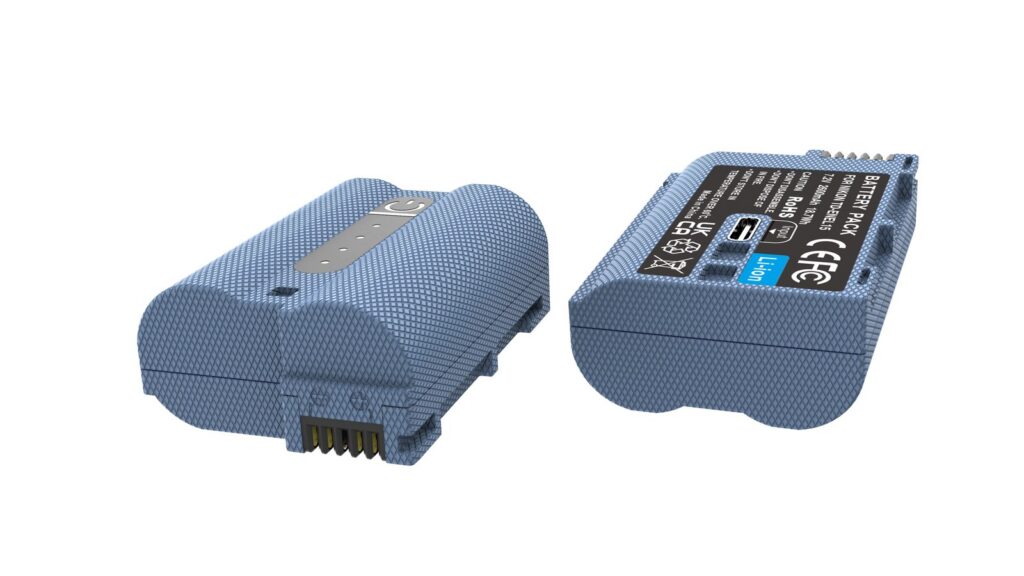
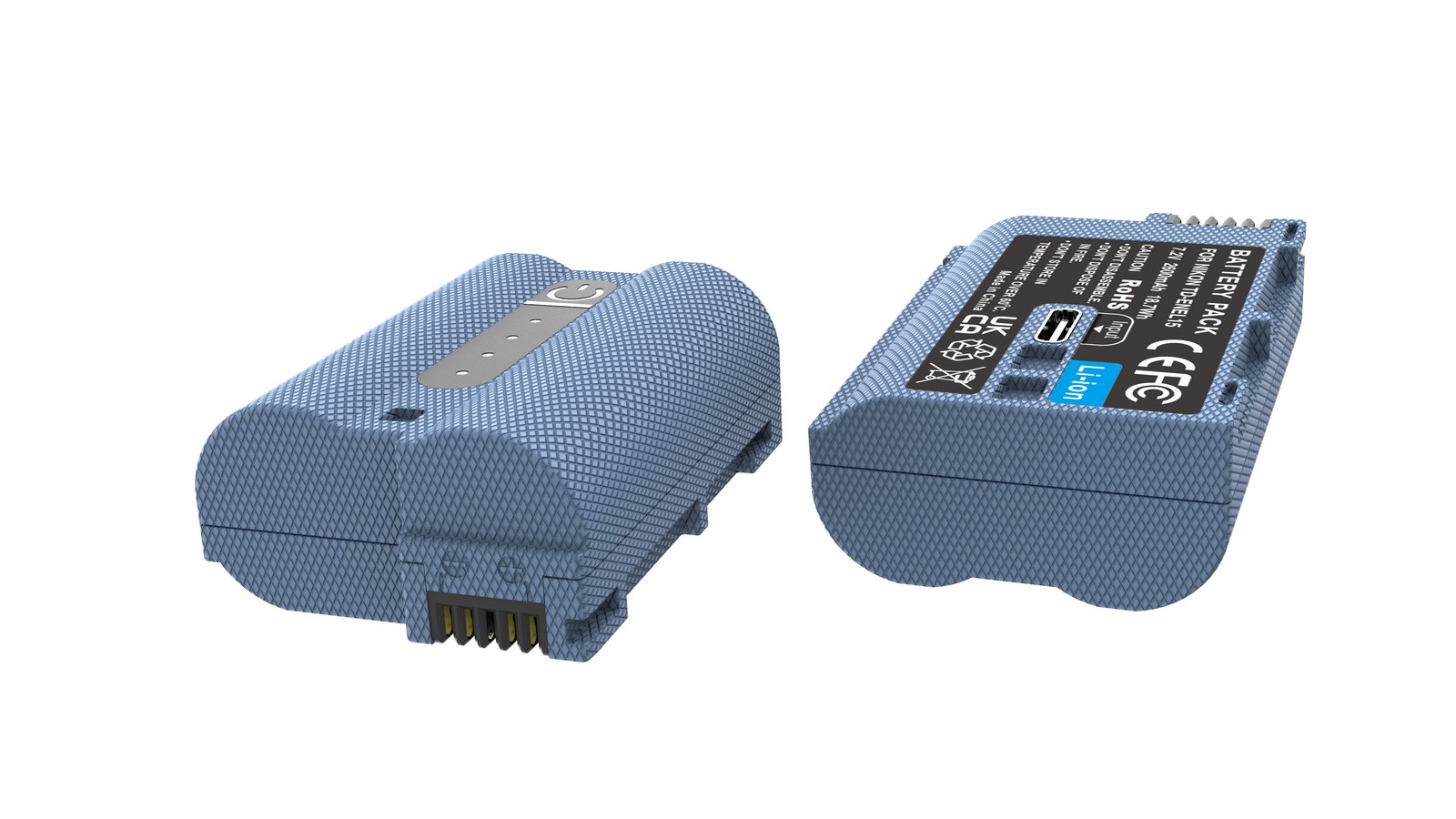
YO EN-EL15C camera battery render
Product render of the YO EN-EL15C compatible battery: front label, rear LED charge indicator and USB-C port.

Why CIPA figures only show a trend

The CIPA test is a restrained one: 23°C, flash off, one frame every 30 seconds, a playback every other frame, and a zoom lens worked at a fixed rhythm. That routine favours a DSLR, which spends most of the time waiting and draws almost nothing while it waits. It is less kind to mirrorless in a way that is not even realistic — in real use, mirrorless shooters keep the EVF running for long stretches, review constantly and leave Bluetooth file transfer on, drawing far more than the test conditions allow for.

The practical reading is that CIPA’s relative relationships are trustworthy while the absolute numbers need discounting. The ranges below come from experience and are meant for planning how many packs to carry, not for predicting an exact frame count.

Body type Representative models CIPA reference range Typical street range Video
Full-frame DSLR D850, D780, D500 About 1200-2200 shots About 800-1500 shots Not the main use
APS-C DSLR D7500, D7200 About 900-1200 shots About 600-1000 shots Limited by clip length
Full-frame mirrorless Z6 II, Z7 II, Z8 About 300-450 shots About 250-500 shots About 1-2 hours continuous

The last row is the important one: the mirrorless weakness is not stills but video. A 16Wh EN-EL15c running continuous 4K usually hits empty a little past the hour mark, and that figure decides how many packs leave the house more than the stills count does.

Why a DSLR sips power

A DSLR draws in pulses. Framing goes through the optical finder, when the main sensor is unpowered and only the metering and AF modules run at low consumption. The sensor powers up for the exposure when you press the shutter, then goes down again. For the whole sequence, the most expensive part of the chain runs for less than a second.

That is also why DSLR runtime tracks shooting rhythm so closely. Waiting quietly for the light and shooting slowly, a single pack can last two or three days. Switch on bursts, constant review and live-view video, and runtime drops straight to mirrorless levels. If your DSLR runtime has suddenly worsened, ask whether you have started using live view before you rush to buy a pack.

Another DSLR advantage is that it draws nothing when switched off. Leave one for a month and the charge is essentially unchanged. A mirrorless body keeps a clock, a Bluetooth standby circuit and background firmware tasks running, so it drains slowly even in storage.

Where a mirrorless body spends its charge

Mirrorless has no optical bypass, so framing is itself a major load. The Z6 II and Z7 II run a bright EVF at 60fps or even 120fps with screen and finder both on standby; the sensor must read out continuously; the electromagnetic mechanism of five-axis stabilisation is always working; and on top of that sit dual processors plus Wi-Fi and Bluetooth standby. Base consumption is an order of magnitude above a DSLR.

A few factors get overlooked:

  • The EVF costs more than the LCD. Many assume switching the screen off and using the finder saves power; on mirrorless it is often the opposite, especially at high refresh settings. If you want to economise, try dropping the EVF to 60fps.
  • Stabilisation left on. It has to work when you shoot handheld, but switching it off on a tripod saves a little, though not much.
  • Wireless connections. SnapBridge left connected with auto transfer keeps drawing without you noticing.
  • Cold. Below freezing, ion activity falls and voltage sag triggers the shutdown protection earlier. The method in this minus 10°C battery test applies here, and the mechanism is independent of the pack model.

Building the spare kit

  1. Work out the scene, then the count. A day of city street shooting — eight thousand steps, three hundred frames — needs one EN-EL15c in a Z6 II plus one spare. For weddings and events where you cannot stop, budget one pack every three hours.
  2. DSLR owners need not stockpile. A D850 or D780 with two packs will rarely use the second on a normal day. The money is better spent on a lens or a card.
  3. Mirrorless owners should weigh charging over buying. A 30W-plus USB PD power bank and a C-to-C cable can add a substantial amount during a half-hour break, and weigh less than two spare packs.
  4. A vertical grip is a hidden battery bay. The MB-N11 and MB-N12 hold two packs, doubling runtime, and allow a single pack to be hot-swapped mid-shoot.
  5. Rotate old packs. Using one and leaving the other idle means the idle one fails sooner through self-discharge and ageing. Alternating them evens out the wear. When restocking, choose packs that state 7.0V and a clear capacity; single-model specialists such as YO tend to label their specifications properly.

For which generation to buy, see the EN-EL15 category; if your body is a Z8 or Z6 II, the functional limits of older packs deserve a separate read. Anyone travelling between cities or countries should also check the airline rules — see whether camera batteries can fly.

FAQ

Why does my D850 fall well short of the official figure?

Check whether you are using live view, whether a Wi-Fi accessory is attached, and whether lens stabilisation is left on. All three pull a DSLR close to mirrorless consumption. A pack over two years old and several hundred cycles in will also have lost 15-20% of its capacity, which is normal.

How many packs does a full day of mirrorless shooting need?

For a Z6 II or Z7 II, three to five hundred stills in a day is usually covered by two EN-EL15c packs. If video or wireless transfer is involved, take three, or bring a PD power bank.

Is an EN-EL15c longer lasting in a DSLR?

Yes, because it holds about 20% more. But a DSLR is not short of runtime to begin with, so the absolute gain is modest and the money is better put toward a spare card.

How should packs be stored when not in use?

Charge to around 60% before storing, keep them somewhere cool and dry, and top up every three to six months. Storage at full charge or completely flat both accelerate ageing.
Posted on — Leave a comment

Charging a 950mAh LP-E17: LC-E17, Third-Party Chargers

YO LP-E17 相机电池

Short answer: a 950mAh battery usually reaches full in 1.5-2.5 hours on the Canon LC-E17 dock charger; a third-party LP-E17 dock charger takes a similar time, with the difference set by charge current and whether two bays share it. All of them work to a limit of 8.4V, constant current first and constant voltage after. The real risk is not whether the battery fills, but the accuracy of the voltage limit, the heat management and whether the charger is a poor-quality unit.

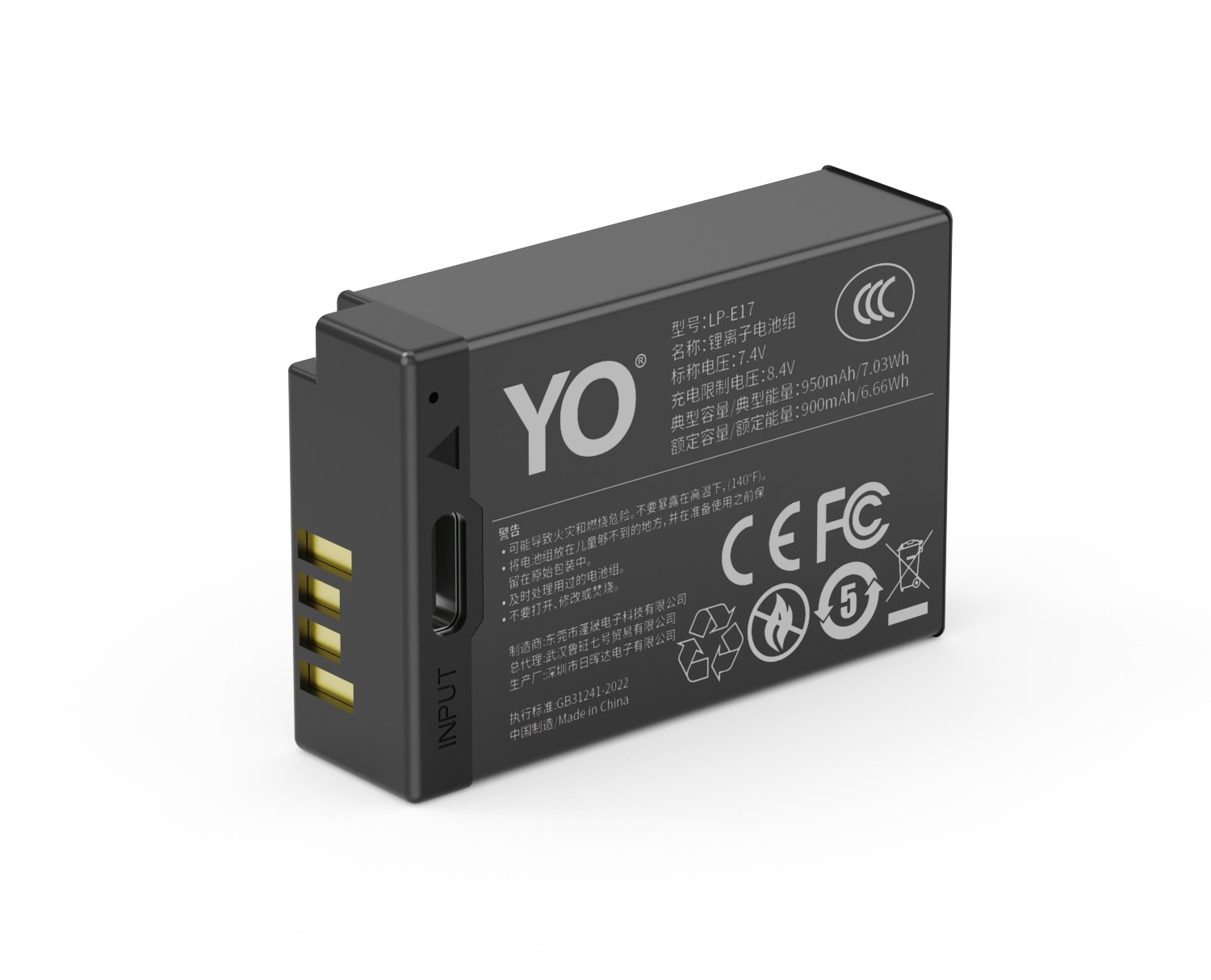
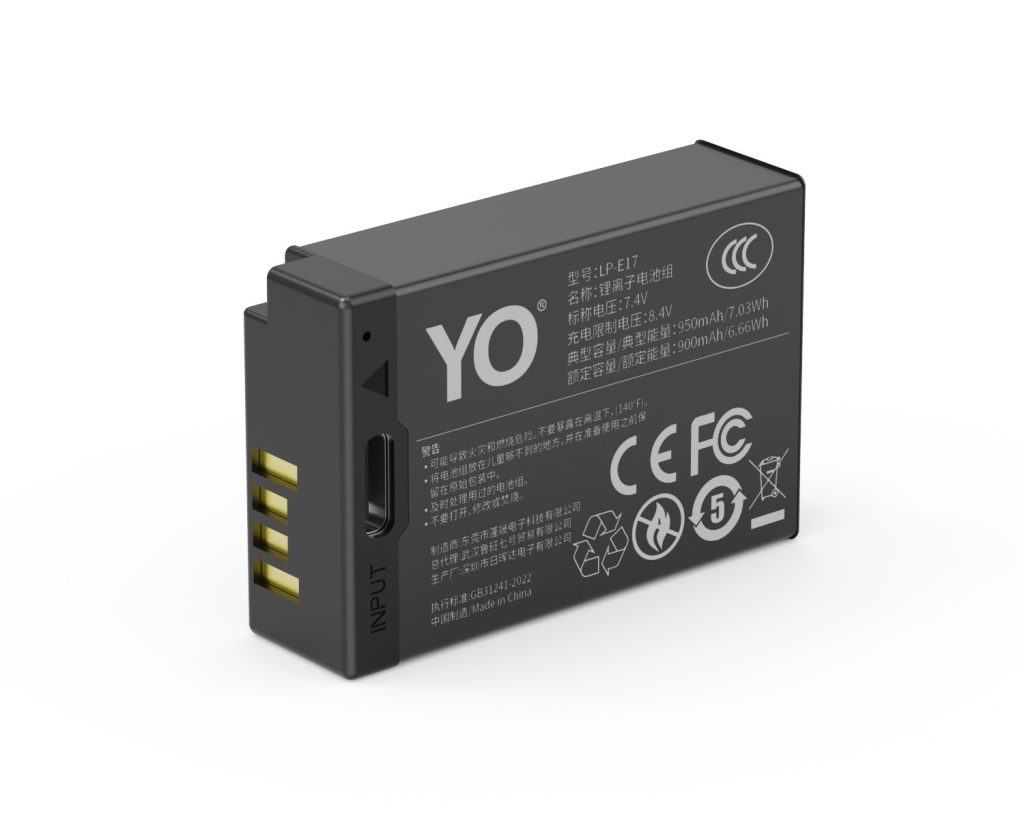
YO LP-E17 camera battery render
Product render of the YO LP-E17 compatible battery: front label, rear LED charge indicator and USB-C port.

One clarification first: the 950mAh itself has no USB-C charging port, so it cannot be plugged into a power bank directly. Batteries with a charging port belong to a separate line, covered in the LP-E17 direct-charge series. This article deals with the standard dock-charging route.

Using the Canon LC-E17 dock charger properly

The LC-E17 is Canon’s single-bay dock charger for the LP-E17. With a battery fitted, an orange indicator means charging and green means full. It works with both original and third-party LP-E17 batteries, because the charging spec is shared.

  1. Confirm the battery is an LP-E17 and never seat it alongside an LP-E12, which the M50, M100 and M200 use. The bay shapes differ, and forcing one in damages the contacts.
  2. Push the battery down along its rails until you hear or feel it click. Poor contact makes the indicator blink or restarts charging repeatedly.
  3. Connect the battery first and the power supply second, avoiding the surge at the moment the plug arcs.
  4. After the indicator turns green you can leave the battery for another half hour to finish the constant-voltage stage, but there is no need for prolonged trickle charging.
  5. Press the latch to release the battery rather than pulling on the cable.

Third-party dock chargers: what they save and what to check

The main advantages of a third-party dock are two bays and size. Carrying one two-bay charger on a trip takes less space than two original single-bay units and fills both batteries overnight. The trade-off is uneven quality, so choose carefully.

Check three things. The rated output must limit at 8.4V, since a higher limit damages the battery. It should have temperature protection, and a battery that becomes noticeably hot while charging indicates poor control. Finally, look at the case and the contacts, because a loose fit raises contact resistance, which slows charging and adds heat.

Charging method Approximate time to full Advantages Watch for
Canon LC-E17 dock charger About 1.5-2.5 hours Stable voltage limit, accepts third-party batteries Single bay, mains cable not included
Third-party single-bay dock About 1.5-3 hours Cheap, compact Check the voltage limit and heat; avoid unbranded units
Third-party two-bay dock About 2-3.5 hours Two batteries at once, good for travel Shared current per bay, so times get longer
USB power to the camera body As stated in the body manual One fewer charger to battery Body-dependent; charging while shooting may not keep up

The last row needs particular care. Some bodies accept USB-C power or even charge the battery internally, but the supported range and power requirements differ. Whether a battery can reach full with the camera off, and whether the camera can run while charging, both depend on the body manual. Do not assume.

How long a full charge really takes

Two variables set the time: battery capacity and charge current. A 950mAh has 100mAh less than a 1050mAh, so on the same charger it usually finishes ten to twenty minutes sooner, and ten or so minutes later than a 750mAh. That difference is not significant in practice; what really separates chargers is output current and whether two bays share it.

One situation stretches the time noticeably: a battery that is too hot or too cold. Near 0°C or above 40°C, charge management deliberately reduces current to protect the cell, and a two-hour charge can drag past three. Charging a battery straight from a cold outdoor shoot is a common mistake; let it return to room temperature first.

Four habits that affect service life

  • Do not store batteries fully charged. Charge a spare to five or six tenths before putting it away and top it up every three or four months; it will last longer than a battery kept at 100%.
  • Do not leave a deeply discharged battery sitting. Run it to shutdown and leave it for six months, and it may never accept a charge again.
  • Keep chargers away from heat sources. Radiators, laptop exhausts and a car in summer are all unsuitable.
  • Do not top up constantly. Lithium-ion batteries are happy with partial charging, but plugging in a dozen times a day is unnecessary and wears the contacts.

For the full picture of capacity tiers and charging specs, see the LP-E17 capacity and compatibility guide. If your body is an RP, R8, R10 or R50, two 950mAh batteries in rotation is the least fretful setup; details are in the 950mAh section.

FAQ

Will the Canon LC-E17 leave a 950mAh undercharged?

No. The LC-E17 follows the LP-E17 charging curve, and its full-charge criterion is voltage and current rather than nominal capacity. A smaller battery simply enters the constant-voltage stage earlier.

Is it normal for a battery to get hot while charging?

Warm is normal; hot to the touch is not. A slight rise during the constant-current stage is physics. If the case is too hot to hold, stop at once and check whether the charger’s voltage limit is faulty or the battery is aged and swollen.

Can I use a phone fast charger with the dock?

That depends on the dock’s input spec. Most LP-E17 docks take 5V input and work with a standard 5V adapter. With a charger that supports several fast-charge protocols, the dock will normally draw only 5V rather than force a higher voltage, but an adapter with a clearly stated spec is still the safer choice.

Can two batteries go on a two-bay charger at once?

Yes, but watch the total power. With both bays running, current per bay drops and charging takes longer; if the charger is underpowered, both batteries may charge very slowly. For an overnight charge before a trip, allow three hours or more.

Posted on — Leave a comment

Are Third-Party Camera Batteries Safe? NP-FZ100 Overcharge and Swelling Risks

A measured answer first: a third-party pack is not automatically unsafe. Risk depends mainly on cell grade, whether the protection circuit is properly implemented, and how you use the pack. Every lithium cell, OEM included, carries some possibility of thermal runaway, so the useful question is where the risk comes from and what reduces it. Below we look at overcharge and swelling with the NP-FZ100 as the example. Note that what follows is guidance and observations, not a safety guarantee of any kind.

YO NP-FZ100 camera battery render
Product render of the YO NP-FZ100 compatible battery: front label, rear LED charge indicator and USB-C port.

How overcharging is prevented

Overcharge means current keeps flowing after the cell is full. Modern lithium packs generally rely on two lines of defense:

  • Protection circuit inside the pack: cuts the charging path once voltage reaches its upper limit, and also covers over-discharge, over-current and short circuit.
  • Charger control logic: a properly designed charger recognizes full charge, switches its indicator and stops output rather than continuing to push current.

If one line fails, the other is still there. That is why we recommend using a battery and charger that are designed for each other and avoiding long-term use of charging gear from unknown sources. A pack that is slightly warm while charging is normal. If it becomes hot, smells odd or the shell deforms, we recommend disconnecting power and stopping use.

What causes a pack to swell

Swelling means gas has formed inside the cell. The usual triggers:

  • Long periods at full charge or in heat: a car in summer sun or a sunny windowsill is unkind to lithium cells. We suggest a cool, dry spot around 15–25°C.
  • Repeated deep discharge followed by hard charging: running to zero before every charge accelerates cell degradation.
  • Electrolyte aging: part of natural wear. Capacity is commonly around 80% after 300–500 cycles, and swelling is more likely near end of life.
  • Poor cell consistency: the reason very cheap packs deserve closer scrutiny. Check that capacity and energy figures agree — see how to spot inflated capacity claims.

If a pack swells, we recommend stopping use immediately and not charging or discharging it further. Take it to a proper battery recycling or household hazardous waste point. Do not puncture or burn it. The full handling sequence is in the battery swelling and error code FAQ.

Six habits we recommend

  • Top up as you go: no need to run a pack empty before charging, and avoid leaving it at 0% or 100% for long stretches.
  • Keep it out of heat: not in a sunlit car, not beside a radiator, and not covered up while charging.
  • Use matched charging gear: connector and spec agreement is the baseline. Confirm the listed model before mixing.
  • Unplug once it is full: pull the pack after the indicator turns green. We do not recommend leaving it connected to mains overnight and unattended.
  • Store at partial charge: around 40–60%, with a top-up every three months. Steps are in long-term storage guidance.
  • Inspect regularly: check for bulges and for dark or deformed contacts. Anything unusual means retire the pack.

What to look for when buying

Rather than debating OEM versus third-party, focus on things you can verify:

  • Are capacity, voltage and energy stated and consistent with each other — for example 2600mAh / 7.2V / about 19.24Wh?
  • Is protection against over-charge, over-discharge, over-current and short circuit described?
  • Is there a clear after-sales route and a stated return policy?
  • Does the model match your body? NP-FZ100 fits the A7 IV, A7R V, A7S III, A9 III, A1, A6700, FX3 and ZV-E1, while the A6400 and A7 II series use NP-FW50. Check the Sony mirrorless battery cross-reference first.

For air travel, spare lithium batteries belong in carry-on only, never in checked luggage, with terminals protected against short circuits. Under TSA and FAA guidance, packs below 100Wh generally do not need airline approval, which comfortably covers a 16.4Wh NP-FZ100, though individual carriers may set their own quantity limits. We suggest checking with your airline before departure. For everyday wear reduction, the basics are charge early, keep it out of heat, and store at half charge.

Risk also depends on what happens after the sale. A pack with a stated capacity, a described protection feature set and a findable support contact gives you somewhere to go if something looks wrong. A listing with none of those puts the whole burden on you. That is the practical argument for paying a little more than the lowest number on the page.

FAQ

Will a third-party pack damage my camera?

Compatible packs built to the NP-FZ100 spec, with a protection circuit in place, are a widely used alternative. We recommend confirming the specs and model match and keeping your receipt. If recognition looks wrong, check the contacts and model first.

My camera says remaining charge may not display accurately. Is that normal?

We note that this message is common and shooting can continue. “Cannot recognize” or “cannot use” messages are a different matter and point to a fault worth investigating: clean the contacts and confirm the model.

Can I keep using a slightly swollen battery?

We recommend not. Swelling means the cell has changed internally, and continued use is unpredictable. Route it to recycling.

Is heat while charging normal?

Slight warmth, yes. Hot to the touch, no. With clear overheating, smell or noise, cut power and stop using the pack.

Only need a spare? The NP-FZ100 2600mAh comes on its own, with a charger, or as a two-battery kit. Both versions hold 2600mAh; the USB-C one costs slightly more and saves you carrying a dock.

Posted on — Leave a comment

DR-FZ100 or Two Spare Batteries? Weight and Space for Travel

Short answer: for a trip of two days or less, where you get back to a socket every evening, two spare packs are the better deal — lighter, smaller, one less cable. For three days or more, for back-to-back location days, or when several people share one set of batteries, the DR-FZ100 wins, because it turns charging two packs from a hunt for two sockets into a single connection. The deciding factor is not how many packs you own but whether you can guarantee a stable charging window each night.

This looks like a weight comparison, but it is really a comparison of charging capacity. Spare packs only answer whether you have enough power; a charging case also answers when that power becomes available. What goes wrong on a trip is rarely a shortage of batteries — it is arriving at the second evening with only one pack charged.

First, the weight

An NP-FZ100 pack usually sits in the 80–85 gram range, so two come to 160–170 grams. An empty DR-FZ100 weighs about as much as a pack, or a little more; with two packs inside, the whole set lands around 260–320 grams. In other words, the case option costs you roughly one extra pack’s worth of weight over two bare batteries.

A hundred-odd grams in a camera bag is imperceptible. On a lightweight hike where you carry it for a dozen hours a day, that margin adds to everything else and stops being negligible.

Do not forget the cable

Carrying the case usually means also carrying a power cable and a charger. With two bare packs, the camera’s own USB cable is enough — often you do not need it at all, since hotel rooms generally have sockets and USB ports. At packing time this item is often more noticeable than the batteries themselves.

Then the volume

Option Weight Space taken Charging capacity Best for
Two bare packs About 160–170 g Two thin slabs, fits any compartment Two sockets needed; one in camera, one in a dock 1–2 day trips with a reliable socket each night
DR-FZ100 plus two packs About 260–320 g One rigid box, needs its own compartment One connection charges both; closes into storage 3 days and up, continuous location work, shared kits
Two NP-FZ100 (USB-C) direct-charge packs About 160–170 g Two pack-sized items plus a short cable Each runs off a power bank or charger, in parallel Light travel, uncertain charging conditions

Volume is the part people underestimate. Bare packs are flat, slip into gaps in a bag and can even roll up with clothing; a rigid case demands a full compartment. If the bag is already tight, one more box may mean one less lens.

The third option deserves its own paragraph: packs with a USB-C port built in, such as the NP-FZ100 (USB-C), weigh the same as bare packs but each can charge independently from a power bank. It is effectively the case’s capability broken up and distributed into the batteries, at the cost of needing two USB ports and two cables while charging. For light travel this is often the best answer.

The real dividing line: the charging window

Put the three options side by side and the weight difference is at most a couple of hundred grams, the volume difference at most one compartment. What actually decides the experience is this: how many usable sockets you have at night, and how much time the packs can stay there.

  • Hotel room, same place every night: sockets are a non-issue and two bare packs alternating is plenty. The case is a convenience, not a requirement.
  • Guesthouses, hostels, camping, campervans: socket count and position are both uncertain, and a case that charges two packs from one connection immediately earns its place.
  • Continuous location work with no time to return to the hotel: you need to charge while shooting, and the case becomes a daytime staging post — part of the workflow, not just a charger.
  • Several people sharing one set of packs: numbering and slot discipline prevents the usual confusion about whose battery is on charge, which bare packs cannot do.

So: if you can reliably lay two packs out on a desk for four or five hours every evening, the case’s marginal value is low. If the window is tight or uncertain, what it saves you is getting up at midnight to swap batteries.

Variables that get overlooked

Cold weather

In winter the usable capacity of a pack drops, so you need more spares than you would in summer. That raises the value of charging two at once, because you may be rotating three or four packs with only a few evening hours available. The cold-weather article covers how the packs behave.

Security checks

Lithium batteries are generally required to travel in the cabin, not in checked baggage. Kept together in one case they are quicker to count at security; scattered across several bags, an inspection takes longer. The rules are set out in this article — how you pack does not change compliance, but it does change how quickly you get through.

In-body charging

Many bodies support USB-C charging directly, so one cable to the camera is enough and no separate charger is needed. That further weakens the case’s case: if your body supports it and the schedule is not tight, two bare packs and a cable will do.

Three criteria

  1. Trip length. Two days or less, bare packs; three days or more, the case starts to pull ahead.
  2. Charging conditions. Fixed accommodation with plenty of sockets, bare packs; moving between places with uncertain sockets, the case.
  3. Shooting load. Two or three hundred frames a day with the occasional clip, bare packs; a thousand frames a day or long recording sessions, the case.

If two of the three point to the case, take it; if only one does, save the weight. The judgement does not need to be precise — a couple of hundred grams and one compartment will not ruin a trip, but the wrong call will keep nagging at you.

If you cannot decide, there is a middle path: bring the case but only one pack in it, with the second in your bag. You pay the weight, keep the charging capability and use a little less space. The DR-FZ100 works fine with a single slot loaded; operating notes and indicator meanings are in the category page, and the trade-offs for direct-charge packs are covered here.

FAQ

Is a charging case alone enough, with no spare packs?

No. The case is charging equipment, not a power source — it cannot run the camera and it adds no usable energy to what you carry. The real combinations are case plus at least two packs, or case plus one pack plus in-body charging.

Are two packs really enough for a two-day trip?

At three to five hundred frames a day plus a few short clips, two usually suffice, provided you can charge them fully each night. If you record long takes during the day or shoot in cold conditions, plan for three, since usable capacity drops in the cold.

Can the case go in checked baggage?

Without batteries inside it can be checked. With packs installed it falls under lithium battery rules and generally has to travel in the cabin. The safe habit is batteries with you, case wherever you like — do not stuff a loaded case into checked luggage for convenience.

Does the case add much bulk to my luggage?

A dual-slot case is roughly the size of a small lens case. If your bag already has a compartment for a lens, it will usually fit; if the bag is full, it will displace something. In that situation a direct-charge pack is the more space-efficient alternative.

