Posted on — Leave a comment

LP-E6NH on the R7 — Burst Shooting vs 4K 60p Drain

Short answer: the R7 ships with the LP-E6NH, so whether it works is not the question — whether one pack is enough is. The answer: for burst shooting alone the battery is nowhere near the bottleneck, and one pack lasts a long time; the real drain is long continuous 4K 60p recording. For a mixed shooting day two packs usually suffice, and for a full day of intensive video three or more is the safer starting point.

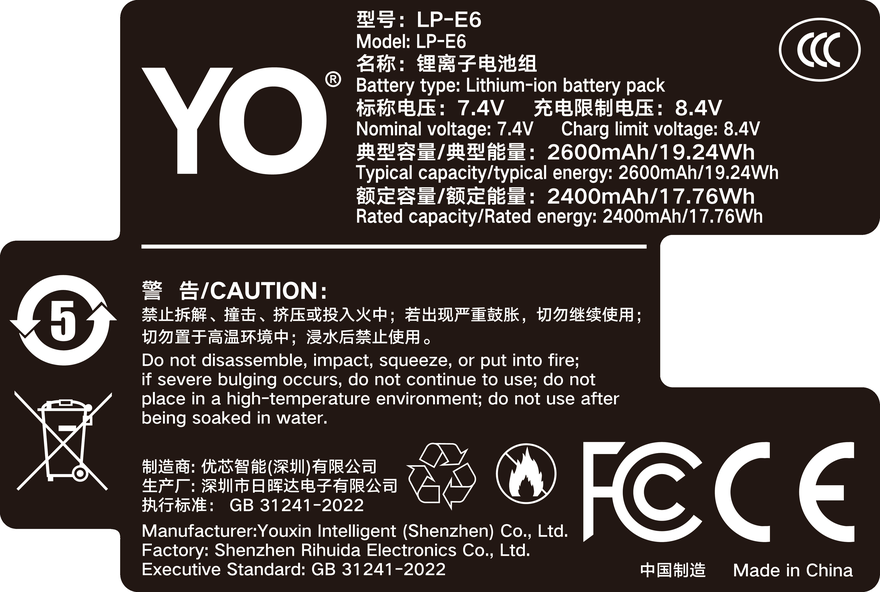
YO LP-E6NH battery rating label
Rating label of the YO LP-E6NH battery: nominal voltage, typical capacity and safety certifications.

The common instinct is that 30 frames per second must be brutally demanding. The opposite is closer to the truth. Burst shooting is a pulsed load — each burst is short, and the gaps are spent on buffer and card writes — so average draw stays low. Video is a continuous load: the sensor keeps reading out, the processor keeps encoding, the body keeps managing heat, and average draw is an order of magnitude higher. Get that difference straight and the arithmetic works out.

1. The two loads are structurally different

During a burst the main draws are the focus motor driving back and forth, the mechanical or electronic shutter firing, and the buffer being written to the card. All three are intermittent: once a sequence ends, the camera moves into write and cache mode and draw immediately falls away. So burst shooting is high peak, low average — often the pack is still comfortable when the card fills.

4K 60p is another matter. Sixty frames means the sensor reads out sixty times a second, doubling the data of 30p; the processor downsamples, encodes and writes continuously; and the body maintains its thermal strategy while the screen or finder stays lit the whole time. These loads stack and never pause, and once the body warms up, draw climbs further. That is why the same pack feels completely different after 2,000 stills and after an hour of 4K 60p.

There is a third item that is easy to overlook: idle time. The R7’s finder and rear screen keep working between shots, and in a four-hour shoot you may press the shutter for only twenty minutes while the rest is standby. Idle draw looks small but accumulates into more than the bursts themselves.

2. The runtime arithmetic, by scenario

Shooting type Main draws Relative consumption Suggested setup
Still bursts (sport, birds) Focus drive, shutter, card writes Low to moderate One pack covers most of a day
Intermittent 4K 30p Sensor readout, encoding, screen Moderate to high Two packs is comfortable
Continuous 4K 60p High-frame-rate readout, encoding, cooling High Two minimum, three for long sessions
Timelapse Idle plus intermittent shutter Depends on duration External power recommended
Mixed shooting day All of the above Moderate Two packs plus a charger in rotation

No minute figures are given here, because one pack varies widely with bitrate, ambient temperature and cooling. High-bitrate 4K 60p commonly lands around the one-hour mark with some spread; cold conditions cut it noticeably and a warm, ventilated setting helps. For a precise answer, run a baseline test on your own body.

3. Working out how many packs a shoot needs

  1. Sort by type first. Split the day into burst time and video time and estimate each separately. Do not estimate from total hours.
  2. Run one baseline. Take a nearly full LP-E6NH, record 4K 60p with settings as close to real use as possible until the camera shuts down, and note the duration. That single number beats any spec table.
  3. Apply an idle discount. Real shoots rarely record continuously; much of the day is standby and playback. Estimating usable recording time at 70-80% of the baseline is closer to reality.
  4. Add redundancy. Add one pack on top of the worst-case estimate. You can leave a pack unused, but you cannot run short — especially on a shoot that cannot be repeated.

4. Four settings that genuinely save power

First, shorten the auto-off time for the finder and rear screen, back to 15 or 30 seconds; on a mixed shooting day this is the single biggest gain. Second, turn off wireless connections and auto transfer you are not using — Wi-Fi left on in standby is a commonly underestimated drain. Third, drop screen brightness to a workable level: high brightness is necessary at noon outdoors and unnecessary indoors. Fourth, review images less often; playback lights the whole screen and reads and decodes the card, which is pure overhead.

One caution: the body’s power-saving mode usually caps burst speed or video specifications, so do not sacrifice performance for power when shooting action. Carry one more pack instead.

On battery and charging rhythm, the right habit is not “run one pack flat, then swap” but “charge the moment a pack comes out.” A Canon dock charger, LC-E6 or LC-E6E, fills an LP-E6NH in roughly two to three hours, so any gap longer than two hours keeps rotation viable; for a day of back-to-back shooting, two packs is the floor and three is comfortable. For charger choice, see the charger material in the LP-E6NH category; if your body is a model such as the R5 Mark II that needs higher sustained discharge, look instead at the LP-E6P category.

Also, in cold conditions the usable capacity of any pack drops, and carrying three is more realistic than two; the mechanism is covered in battery behavior in low temperatures. YO’s LP-E6NH-compatible pack works well as the “third pack” in a backup plan, absorbing the extra load without adding cycles to your primary packs. Note that LP-E6+ is not a Canon designation — it is how some third parties (YO included) label an enhanced version, so read the specification rather than the name. For how each LP-E6 generation maps to the R7, go back to the LP-E6NH category for the compatibility list.

FAQ

What happens if I put an LP-E6N or LP-E6 in the R7?

It fits and it shoots — the shell and contacts are identical. But capacity is lower, so runtime shrinks, and some charge and status information may be less complete than with the supplied pack. Fine for light everyday use, not advisable as the primary pack for demanding work. Check the body manual for specifics.

Does 30 fps burst shooting wear out the battery?

Far less than continuous high-bitrate video. Bursts are short pulses, so pack temperature rises little; the sustained heat of long 4K 60p sessions is the bigger concern. What usually limits bursts is not the pack but buffer depth and card write speed.

With two packs in a vertical grip, are they used in parallel or in turn?

Most bodies draw from one pack first and switch when it is depleted rather than sharing the load evenly. Runtime ends up close to the sum of the two, but the pack does not gain extra momentary current from being “in parallel.” Check the body and grip documentation.

Is it better to run a pack to shutdown before charging?

No. Lithium-ion packs have no memory effect, and deep discharge adds wear. Bodies like the R7 warn you early at low charge; swapping at the warning is the simplest approach.
Posted on — Leave a comment

NP-F960 Charging and Storage: Times, Methods, Long-Term Care

Short answer: charge the NP-F960 on a dedicated cradle. At 8.4V / 0.8A a 38.9Wh pack fills in roughly six to seven hours. Most camcorders that take NP-F packs do not charge the battery in the body. For long storage, keep 40–60 percent and top up every three months. If the case swells, deforms or the contacts get hot, stop using it. Every time below is an estimate derived from charger output and 85 percent conversion efficiency, not a measurement, and real charging adds ten to twenty minutes of constant-voltage taper.

Single or dual charger: where the current goes

A single-slot charger has one bay and can give the whole output to that pack. The circuit is simple and the price is low. The drawback is one battery at a time, so two packs queue up.

A dual charger has two bays and looks easier, but read the label: is it 1A per bay or 1A total? A shared 1A model splits the current between two packs, so charging both takes close to twice as long as one. It saves plugging, not time. Only independent channels deliver the real doubling.

Choose by pack count. With two packs in rotation, a single-slot charger is enough because one is usually on the camera. With three or more, a dual saves handling, provided the channels are independent.

Charging time: the formula and a table

The estimate is energy ÷ (charge voltage × charge current × efficiency). NP-F is a two-cell series pack, so chargers output 8.4V, and efficiency is taken as 0.85. At 0.8A: 8.4 × 0.8 = 6.72W, times 0.85 gives about 5.7W, and 38.9 ÷ 5.7 ≈ 6.8 hours.

Method Approximate time (estimate) Where it fits
Single cradle, 8.4V / 0.6A about 9 hours Overnight, ready for the next day
Single cradle, 8.4V / 1A about 5.5 hours A fast top-up during the day
Dual cradle, independent 8.4V / 1A about 5.5 hours each, slightly longer for two Charging the kit before a shoot
Camera body (where supported) usually slower, see the manual Emergencies only
12V car supply to 8.4V close to a single cradle, varies with vehicle voltage Topping up on the road

The table leaves out the constant-voltage taper. Once the pack reaches 8.4V the current falls on its own, and this last stage is slow, typically another ten to twenty minutes. Plan a 1A cradle at five and a half to six hours rather than exactly 5.5.

Can the camera body charge it

Most camcorders that use NP-F packs do not charge the battery internally. The DC IN socket powers the body, so an adapter lets you shoot for long sessions, but the pack in the bay is not being filled. Charging means taking it out and using a cradle.

A few bodies do support in-body charging. It is usually slower than a cradle, the camera is largely unusable while it runs, and the body gets warmer. Whether yours qualifies is a question for the power section of the manual, not for guesswork.

Storage, ageing and when to retire a pack

Before storing, bring the pack to 40–60 percent. A full pack sits at high voltage for months and ages faster; a pack drained until cutoff may self-discharge below the protection threshold and refuse to charge again.

Top it up every three months, to about half, not full. Keep it cool and dry, away from a sun-baked car and away from radiators. Warmer storage speeds both self-discharge and ageing.

On cycle life, only the direction is honest: capacity declines gradually with charge and discharge cycles, which is normal for lithium cells, and no service life can be guaranteed. A large pack delivers more energy per shoot, so it sees fewer cycles for the same workload, though total energy throughput is no smaller than with a small pack.

The retirement signs are worth memorising: a swollen case, deformed corners, a pack that rocks when laid flat, contacts or surfaces that get noticeably hot, or any smell. Any one of them means stop, do not recharge, do not mount it. Continuing brings no benefit, only risk.

Two packs is the practical setup: one on the camera, one on the charger. Specifications are on the NP-F960 product page, and other packs sit under Sony NP-F960 series.

FAQ

Can I leave it charging overnight?

A cradle terminates at full, so a night on the charger usually will not overcharge, but the pack sits warm for hours. Unplug when you can, especially in summer.

Does a new pack need a 12-hour first charge?

No. Lithium packs are activated at the factory. A normal full charge is enough, and a long trickle brings nothing.

Can I use one pack while charging the other?

Yes, and that is the most practical rhythm. Keep the charger ventilated and never put a charging pack inside a bag.

How often should a stored pack be topped up?

Every three months is a sensible interval. Stop at about half; there is no need to store it full.

Posted on — Leave a comment

Does EN-EL14+ Mean USB-C Direct Charging or Not?

Short answer: no. Nikon’s first-party EN-EL14 and EN-EL14a have no USB-C port and can only be charged in the MH-24 series dock. The “EN-EL14+” spelling indicates nothing about charging either — it is not an official Nikon model but a third-party naming convention for compatible packs. Compatible EN-EL14 batteries with a built-in USB-C port do exist, but that is a manufacturer adding a charging circuit inside the case, a product design difference with no fixed link to the model suffix. The only reliable way to tell whether a pack charges directly is to look for the port on the physical item.

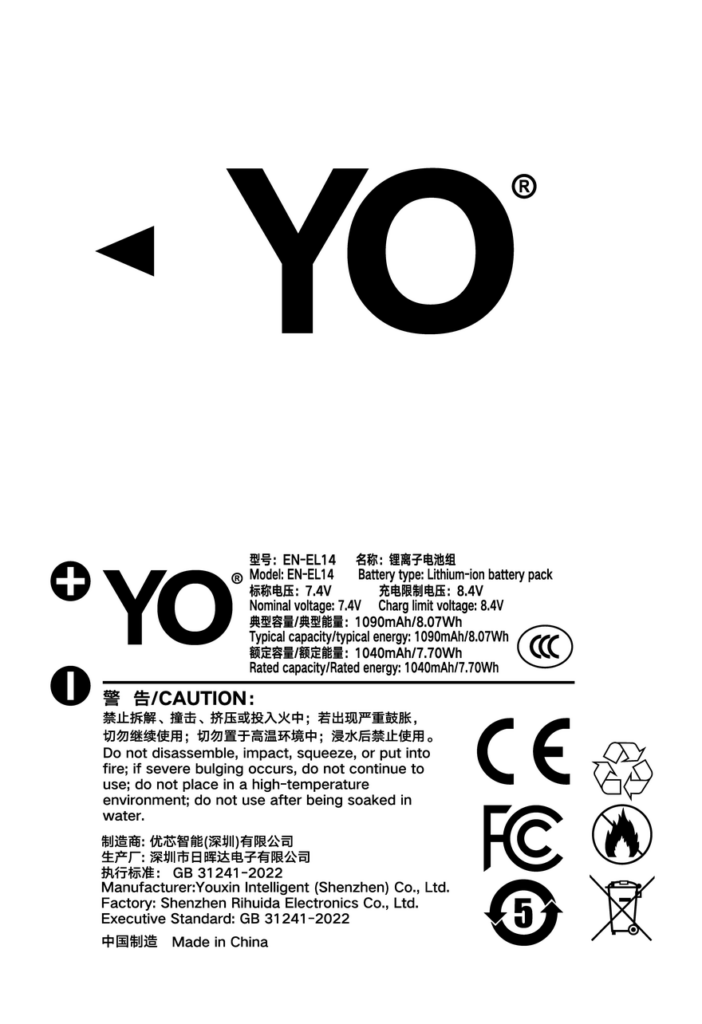
YO EN-EL14 battery rating label
Rating label of the YO EN-EL14 battery: nominal voltage, typical capacity and safety certifications.

Three checks: do not trust the listing title

First, look for a port

A genuine USB-C direct-charge pack has a Type-C socket on the side or base, usually with a small indicator light beside it. The first-party EN-EL14 series has a fully closed shell with no openings beyond the terminals and the latch. Turn the pack over once — no opening means an ordinary battery, whatever the title says.

Second, read the label

The label should carry three figures: nominal voltage, capacity and energy. The EN-EL14 is 7.4V / 1030mAh and the EN-EL14a is 7.2V / 1230mAh, putting energy at roughly 7.7Wh and 8.9Wh respectively. Be cautious if a pack says only “compatible with EN-EL14” without a voltage, or claims a capacity far above first-party (2000mAh and up) — that is usually a bare-cell figure, and the usable capacity will be less.

Third, check thickness and weight

Fitting a charging circuit and a Type-C socket takes up internal space, so direct-charge packs are usually slightly thicker and heavier. The difference is small, but in a tight compartment such as the Coolpix P series it can make the door hard to close. Before buying, check whether the listing mentions extra thickness, or scan reviews for complaints about fit.

Three product types compared

Type Physical signs Charging Compatibility Best for
First-party EN-EL14 / 14a Fully closed shell, no openings MH-24 dock Manufacturer guaranteed Users who want stability and no fuss
Third-party standard compatible pack Copy of the original shape, no openings MH-24 or universal dock Mostly fine; charge reading may drift Users needing several spares on a budget
Third-party USB-C direct-charge pack Type-C port and indicator on side or base Phone charger + C cable Works; slightly thicker Light travel without a dock

All three power the camera normally; the differences are convenience and consistency. The biggest benefit of a direct-charge pack is leaving one dock and one cable at home — but there is a cost: the built-in charging circuit is usually low power, so a full charge takes two or three hours, slower than a dock.

Is a direct-charge pack worth buying

It depends on how often you travel and what you like to carry.

If you often go on short trips with one body and one lens, a direct-charge pack is genuinely convenient: a power bank and a C cable will top up the camera battery without hunting for an outlet. For camping or long hikes where steady power is unavailable, the advantage is even clearer.

If you shoot intensively and swap two or three packs a day, a dock is the better fit. A multi-bay dock charges two at once, quickly and with clear status, whereas direct-charge packs have to be filled one after another and eat time.

There is a middle path: use a first-party or standard compatible pack as the main battery and add one direct-charge pack as an emergency supply for the moments when you run flat unexpectedly. That keeps everyday efficiency while retaining the light-travel option.

Buying checklist

  1. Do not infer features from a suffix. “14+”, “upgraded” and “Pro” have no agreed meaning. Look only for the port on the actual item.
  2. Check that the supported bodies are named. The EN-EL14a ships with the D3300, D3400, D5300, D5500 and D5600; the EN-EL14 ships with the D3100, D3200, D5100, D5200 and the P7000 series. Anything claiming to fit “all Nikon DSLRs” can be skipped.
  3. Be wary of very high capacity claims. When first-party is 1230mAh and a third-party pack claims 2200mAh at a lower price, it is almost certainly inflated or measured differently.
  4. Look for a protection description. Overcharge, over-discharge and short-circuit protection are the basics, and a serious maker states them on the product page rather than only on the box.
  5. Make sure the direct-charge port recognises 5V. Some packs are picky and fail to detect certain fast chargers, so check for reports of that before buying.
  6. Do not stockpile. Lithium packs self-discharge and age, and one left unused for over a year loses noticeable capacity. Buy to actual use. If all you want is a spare with clearly written specs and named compatible bodies, products such as YO are usually unambiguous on the label.

For the compatibility relationship between the EN-EL14 and 14a themselves, see the companion article on the EN-EL14+ category page. If you also shoot full frame, the EN-EL15 series follows a clearer naming logic and is a useful reference for how Nikon numbers its batteries.

FAQ

Can a first-party EN-EL14a be charged over USB?

No. The first-party pack has no charging port and must go into an MH-24 series dock. The camera body also has no USB charging path for this battery, so plugging a cable in will not charge it.

Does a USB-C battery affect the camera warranty?

Using a third-party battery does not in itself affect the body’s warranty, but if a battery fault damages the camera, attributing responsibility gets complicated. Choose a brand with a clear service commitment and keep your receipt.

Can a direct-charge pack still be charged in a dock?

Usually yes — the terminals are in the same place as the original, so it fits an MH-24 or a universal dock. Some direct-charge packs have their own charge management, though, and the double management can make the dock stop early, which is normal.

Are there restrictions when flying?

Lithium batteries must be carried in the cabin and cannot be checked, with capacity and quantity limits set by the airline. The EN-EL14 series holds under 10Wh, far below common thresholds, so several packs are usually fine — see whether camera batteries can fly for the details.