Posted on — Leave a comment

Every Sony Mirrorless Battery Model Explained: FW50, FZ100, BX1

The quick version: Sony’s mirrorless and compact cameras rely on three mutually incompatible battery standards — NP-FW50, NP-FZ100, and NP-BX1. FW50 covers the early and entry-level bodies, FZ100 covers everything from the third generation upward, and BX1 covers the RX100 family and similar compacts. None of the three swaps with another: size, contacts, voltage, and capacity all differ, and there is no adapter. The only reliable way to identify yours is the printing on your current pack or the spec page of your manual — never the series name, sensor size, or release year. Below is one table covering the specs, then a family-by-family walkthrough, followed by a method that keeps you from getting it wrong. Model-specific confusion is handled in does NP-FZ100 work on the A6400.

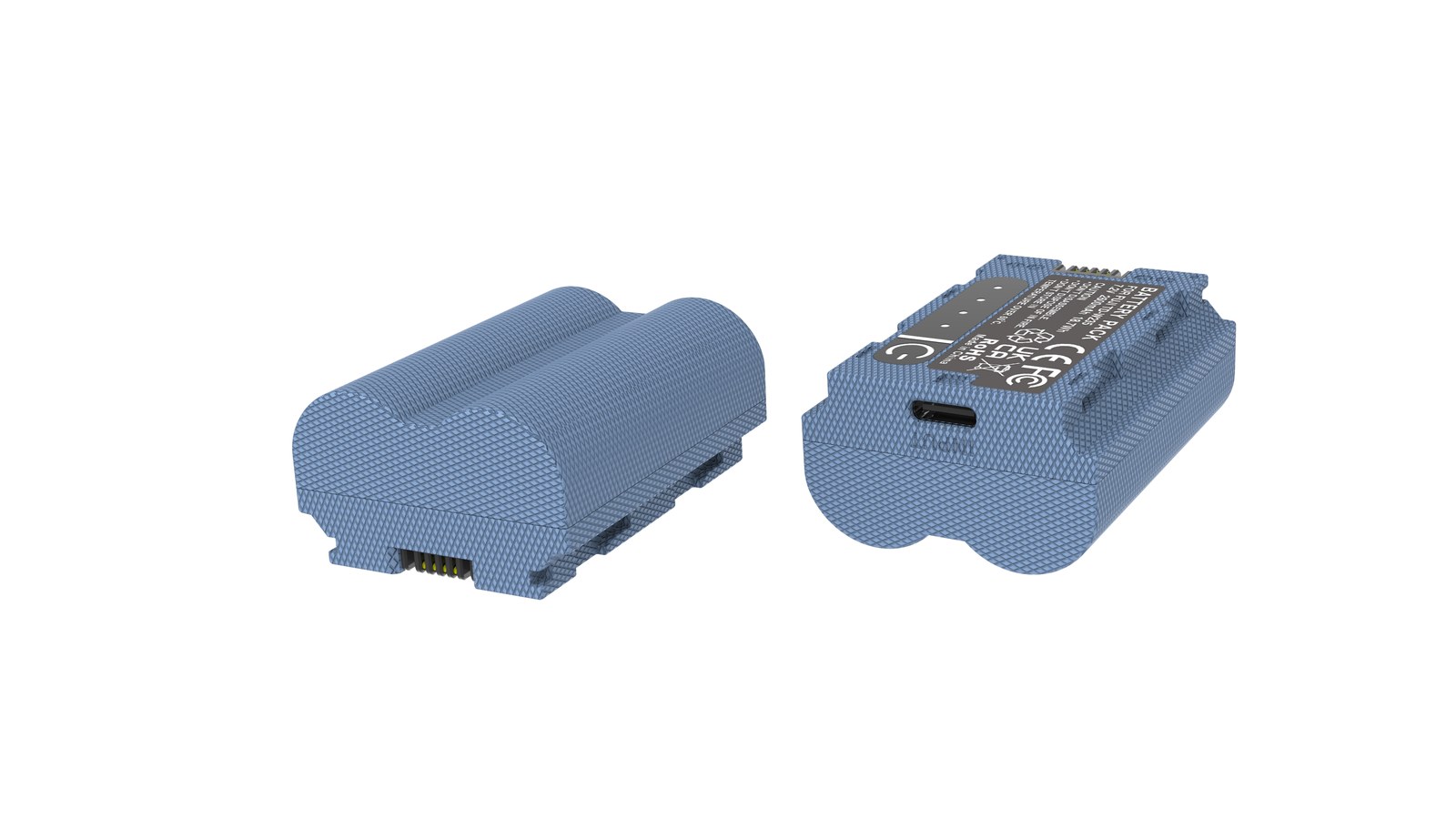
YO NP-FZ100 camera battery render
Product render of the YO NP-FZ100 compatible battery: front label, rear LED charge indicator and USB-C port.

Spec comparison across the three families

Item NP-FW50 NP-FZ100 NP-BX1
Positioning Early / entry-level mirrorless Current-generation mid and high tier Compact / RX-series cameras
Rated capacity Around 1000mAh class 2600mAh (third-party versions commonly up to 2600mAh) Around 1200mAh class
Nominal voltage Around 7.4V 7.2V Around 3.6V
Energy Roughly half an FZ100 About 16.4Wh Below FW50
Size Medium Largest Smallest
Representative bodies A6000, A6300, A6400, A6500, A5100, A5000, A7, A7 II, A7R II, A7S II A7 III, A7R III/IV/V, A7 IV, A7S III, A9 series, A1, A6600, A6700, A7C series, FX3, FX30, ZV-E1 RX100 series plus some compacts and action cams
Interchangeability None across families; packs swap only within the same family

One naming note: NP-FZ100 (USB-C) is not a fourth standard. It’s a third-party manufacturer’s label for the NP-FZ100 form factor — same electrical spec, same shell, fully interchangeable. The naming logic is explained in is NP-FZ100 (USB-C) the same as NP-FZ100.

NP-FW50: the early and entry-level family

  • APS-C: A6000, A6300, A6400, A6500, A5100, A5000, and several NEX models
  • Early full-frame: A7, A7 II, A7R II, A7S II

Capacity here is modest, so runtime per pack is limited and the workable strategy is simply carrying more of them. Look for the NP-FW50 marking and ignore listings that say “fits all Sony mirrorless” — that phrasing is inaccurate.

NP-FZ100: the current main family

  • Full-frame / flagship: A7 III, A7R III, A7R IV, A7R V, A7 IV, A7S III, A9, A9 II, A9 III, A1
  • APS-C / compact: A6600, A6700, A7C, A7C II, A7CR
  • Video bodies: FX3, FX30, ZV-E1

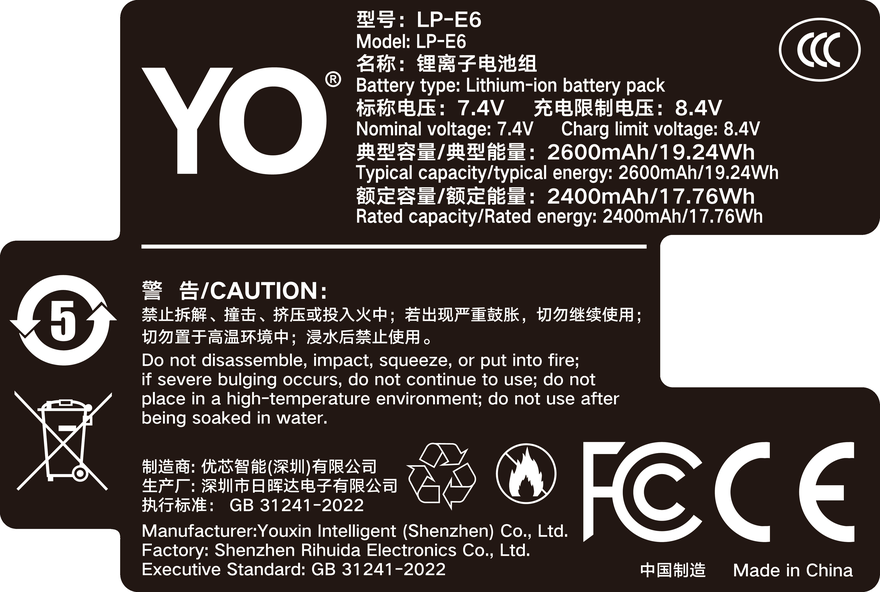
From the third generation onward Sony consolidated its main bodies on FZ100, roughly doubling the energy of an FW50. That move explains most of the improvement in stamina talk since the A7 III. Our NP-FZ100 compatible battery covers every body above at 2600mAh / 7.4V / about 19.24Wh.

NP-BX1: the compact family

The RX100 line plus some Sony compacts and action cameras use NP-BX1. At around 3.6V and the smallest footprint of the three, it has zero interchange with either mirrorless family. RX100 owners should just look for BX1 and not experiment on the assumption that “both are Sony cameras.”

How the split works, and how to choose

Three patterns behind the split

  • Power draw decides it, not sensor size. The A7 II is full-frame and takes FW50; the A6600 is APS-C and takes FZ100. Design and consumption are the real criteria.
  • Switches happen at generation boundaries. A7 II → A7 III and A6500 → A6600 both changed batteries, which is exactly where buying errors cluster.
  • A small body doesn’t imply a small battery. The A7C family is tiny yet uses FZ100 — and benefits from it.

Those three rules account for nearly every “these should share a battery but don’t” puzzle.

A three-step check that never fails

  • Read the label. Pull the battery and read FW50, FZ100, or BX1 off the shell. That’s the definitive answer.
  • Check the spec page. Your manual’s power or specifications section names the battery — essential verification on secondhand bodies.
  • Verify against the listing. Your exact camera model should appear in the compatibility list. Phrases like “same series works too” don’t qualify.

Owning multiple bodies? Bag them separately and label each family. Grabbing a look-alike pack from the wrong pouch is the classic on-location mistake.

Care habits that apply to all three

  • Official CIPA figures typically land in the 500–700 frame range; real-world use generally returns 60%–80% of that, less with video and bursts.
  • Lithium cells retain roughly 80% after 300–500 cycles, so a noticeable drop after a year is normal wear — think replacement around two years,.
  • For storage, hold 40%–60% charge in a cool, dry spot at 15–25°C and top up every three months.
  • Below freezing, capacity falls sharply; at -10°C expect around half. Body heat and rotation help.
  • Retire anything swollen and route it to a recycling stream. No puncturing, no burning.
  • Flying: any spare under 100Wh goes in carry-on, never checked, with terminals protected.

FAQ

Is one family “higher grade” than the others?

There’s no hierarchy, only different cameras. FZ100 stores the most energy, but it only fits FZ100 bodies. Same logic for FW50 and BX1.

Do third-party packs use different part numbers?

Often, with prefixes added — NP-FZ100 (USB-C) being one. As long as the spec matches and the compatibility list includes your body, they interchange normally.

What should I do with old packs after switching bodies?

Keep them if your new camera shares the standard; otherwise pass them on with the old camera or keep them for that body. Anything unusable goes to recycling.

How can I tell whether a pack is original?

Look at build quality, print sharpness, and packaging claims, then test whether it shoots cleanly and reports charge sensibly. Some Sony bodies warn that remaining charge may display inaccurately with compatible packs, which is fine and doesn’t affect shooting.

Bottom line and buying notes

Only need a spare? The NP-FZ100 2600mAh comes on its own, with a charger, or as a two-battery kit. Both versions hold 2600mAh; the USB-C one costs slightly more and saves you carrying a dock.
Posted on — Leave a comment

Choosing Batteries for the Sony A7 III: OEM vs Compatible NP-FZ100

The Sony A7 III runs on the NP-FZ100, rated 2280mAh at 7.2V for roughly 16.4Wh. If you are weighing OEM against third-party, start with the arithmetic. An OEM Sony pack typically costs $70 and up, while a YO cell here is $17.89 and two plus a charger is $36.74. Read that backwards: the price of one genuine battery is close to four compatible ones plus a charger. On a body with decent stamina like the A7 III, the confidence that comes from having four spares in the bag is usually worth more than having one original.

YO NP-FZ100 camera battery render
Product render of the YO NP-FZ100 compatible battery: front label, rear LED charge indicator and USB-C port.

What the A7 III’s stamina tells you

The A7 III has a solid reputation for run time in its generation. CIPA lands around 600 to 710 frames, and real shooting generally delivers 60 to 80 percent of that, so roughly 400 to 600 frames. Settings move that number around:

  • Working through the viewfinder usually draws less than shooting off the rear screen;
  • Continuous AF tracking and IBIS left running add steady draw;
  • Frequent playback, deletion and long live-view standby all eat charge;
  • Capacity drops below freezing, and around −10°C (14°F) you may see about half of normal performance.

Put it into hours and one pack covers roughly half a day of moderate shooting. That gives you the answer to the usual question: one or two cells for a light outing, two or three for a full day, three or four for a wedding or an event.

OEM vs YO: where the differences actually are

Point OEM Sony NP-FZ100 YO NP-FZ100 YO NP-FZ100 (USB-C)
Rated capacity 2280mAh 2600mAh 2600mAh
Voltage / energy 7.2V / approx. 16.4Wh 7.4V / approx. 19.24Wh 7.2V / approx. 18.72Wh
Price per cell $70 and up $17.89 $19.66
1 battery + 1 charger — $22.93 $24.70
2 batteries + 1 charger — $36.74 $39.92
Charge display High accuracy May warn that charge display is imprecise; shooting unaffected Same as YO NP-FZ100

Capacity is essentially a wash. Price and readout precision are where they separate. With a non-OEM pack the A7 III may show the note about remaining charge possibly being inaccurate — a normal communication difference that leaves the camera fully functional. The practical workaround is to trust your own numbers: if you know a pack delivers around 400 to 600 frames on this body, change on that schedule instead of waiting for the camera to complain.

There is one message worth reacting to. “Cannot recognise” or “cannot use” means something genuinely failed. Verify you have an NP-FZ100 and not an NP-FW50, check the contacts for dirt or oxidation, and cross-test with another cell. The NP-FZ100 FAQ runs through the diagnostics.

Standard vs USB-C: what actually differs

The two hold roughly 16.4Wh and 17.3Wh, a difference of about 5 percent. Per cell that is $1.77, and $3.18 on a two-battery kit. On a body with a strong baseline like the A7 III, that extra headroom usually shows up as one fewer swap across a day — although if you shoot video regularly or work outside in winter, the extra margin does land at useful moments. A simple rule:

  • Stills in moderate temperatures: the standard version is better value;
  • Mixed photo and video, or winter work: the 2600mAh upgrade costs very little and is worth taking;
  • Team buys on a fixed budget: stock up on 2600mAh first, then move some units up later.

Three common setups

A7 III owners tend to fall into three groups, and each wants a different kit:

  • Everyday and travel: the 2+1 kit at $36.74 covers it, and you charge everything back at the hotel.
  • Weddings and events: four cells with a dual-slot charger, one top-up at the midpoint, and you generally do not go dark.
  • Video-first: the A7 III draws hard in 4K, so plan three batteries plus a dummy battery for anything locked off, with cells for handheld work.

A small cost note. A standalone charger adds roughly $5, which is exactly what the 1+1 kit costs on top of a single cell — so buying them together is effectively buying the charger at no extra charge. First time around, the kit beats two separate purchases. If you need six or more batteries, the wholesale enquiry page will quote bulk runs from 100 units up.

Standardising across several bodies

The A7 III shares its battery with the A7R III, A7 IV, A7R IV, A7R V, A9 series, A1, A6600, A7C series, FX3 and more. If you own more than one body, buying one type pays off: nothing to sort when you pack, and any battery can bail out any body in an emergency. Two cells per body is the usual starting point, plus one spare held back.

FAQ

Can the A7 III use an NP-FW50?

No. The A7 III takes NP-FZ100. The NP-FW50 belongs to earlier bodies like the A7 II, A7R II and A6400, and the two are not interchangeable.

Will a third-party battery slow down burst shooting?

Not in normal use. Burst rates here are limited by buffer and card write speed rather than by the battery brand. If it feels like the buffer is clearing slowly after a run, look at your card first.

Can I shoot while charging over USB?

Some firmware versions support powering or charging over USB, but heat builds and charging efficiency drops when you do both at once. Treat it as a backup plan rather than a workflow.

How often should I replace batteries?

Working from the 300 to 500 cycle guideline, heavy users notice a real decline somewhere between one and two years. Number the cells, write down when they went into service and rotate them out by batch.

A battery kit for the A7 III

Build your kit: the NP-FZ100 is 2600mAh / 7.4V / 19.24Wh. Battery only, battery plus charger, or two batteries plus charger — pick under Bundle. If you would rather leave the dock at home, the same-capacity USB-C version (2600mAh / 7.2V / 18.72Wh) charges from any phone charger. Bulk orders: wholesale enquiry.

Posted on — Leave a comment

Sony NP-FZ100 Camera Battery Buying Guide: OEM vs Third-Party

The Sony NP-FZ100 is one of the most widely used lithium-ion batteries in Sony’s mirrorless system, powering much of the Alpha full-frame range. For photographers and video creators, a dependable FZ100 battery often matters more than an extra memory card when you are out shooting.

YO NP-FZ100 camera battery render
Product render of the YO NP-FZ100 compatible battery: front label, rear LED charge indicator and USB-C port.

Which cameras use the NP-FZ100?

It fits (among others):

  • Sony A7 III / A7 IV / A7C / A7C II
  • Sony A7R III / A7R IV / A7R V
  • Sony A9 / A9 II, A1
  • Sony A6600, FX3, ZV-E1

If your camera takes the FZ100, original and third-party cells share the same connector and voltage; the real differences are cell quality, protection circuitry and long-term wear.

Capacity and runtime

The original is rated about 2280mAh / 16.4Wh: roughly 500–600 shots in EVF mode, less on the rear LCD. Third-party packs often claim 2300–2600mAh, but real capacity and cycle life vary, so don’t judge by the printed number.

Original vs third-party

Original cells offer stable multi-protection and slow wear; third-party packs are cheaper but inconsistent—choose only brands with protection boards. Use originals for paid work, reputable third-party for practice and backup.

Why order from the Shenzhen warehouse

YO camera battery’s Shenzhen warehouse keeps original and selected third-party NP-FZ100 cells in stock, with transparent pricing and fast worldwide shipping.

Summary

Confirm your model → count spares → mix by usage → buy from a trusted source. Next: how to make your FZ100 last longer.

Posted on — Leave a comment

NP-F Runtime Math for Monitors and LED Panel Lights

Short answer: estimating how long an NP-F pack lasts needs one formula — runtime in hours ≈ battery Wh × 0.85 ÷ device wattage. The 0.85 accounts for conversion losses in step-up and step-down regulation, and Wh = nominal 7.2V × capacity in Ah. An F970, for example, is 7.2V × 6.6Ah = 47.5Wh; driving an 8W monitor, 47.5 × 0.85 ÷ 8 comes to about 5 hours. Learn the formula and you can work out any device yourself instead of guessing.

1. First, convert mAh to Wh

The 6600mAh printed on a pack describes charge, not energy. At the same 6600mAh, a 7.2V battery holds twice the energy of a 3.6V one. Any comparison across devices has to be made in Wh.

The conversion is simple: Wh = voltage (V) × capacity (Ah), where Ah = mAh ÷ 1000. Every NP-F pack is 7.2V, so you just divide the capacity by 1000 and multiply by 7.2.

Model Nominal capacity Voltage Energy (Wh)
NP-F550 About 2200mAh 7.2V About 15.8Wh
NP-F570 About 2600mAh 7.2V About 18.7Wh
NP-F750 About 4200mAh 7.2V About 30.2Wh
NP-F770 About 5000mAh 7.2V About 36Wh
NP-F960 About 5600mAh 7.2V About 40Wh
NP-F970 6600mAh 7.2V About 47.5Wh

One useful reference point: civil aviation allows lithium batteries up to 100Wh in carry-on without declaration, and the F970’s 47.5Wh is barely half of that, so carrying two or three is comfortably within the rules. For the declaration thresholds and quantity limits, see the rules for flying with lithium batteries.

2. Second, confirm what the device actually draws

The usual mistake in runtime estimates is not the formula but the wattage you put into it. Manufacturers’ “maximum power” and “typical draw” often differ by a factor of two. The ranges below are real-world starting points.

Device type Typical draw Notes
5-inch monitor (400-500nit) About 4-6W Moderate brightness, no internal recording
7-inch high-bright monitor (1000nit+) About 8-12W The bright panel is the main load
Wireless video receiver About 3-5W Add to the monitor figure
Small LED panel About 10-20W Varies with brightness setting
High-output LED spotlight About 25-40W At full power, close to the pack’s output ceiling

When no rating is given, there is a rough workaround: take the input current from the manual and multiply by the voltage. A 12V / 0.7A rating works out to about 8.4W. If the manual only says “NP-F970 recommended”, that usually means the draw is mid-to-high and a small pack will hit low-voltage cutoff quickly.

3. Third, run the numbers into a schedule

Feed the first two steps into the formula. The table below already applies the 0.85 efficiency, so it can be used directly for planning.

Device draw F550 (15.8Wh) F750 (30.2Wh) F970 (47.5Wh)
5W monitor About 2.7 hours About 5.1 hours About 8.1 hours
8W monitor About 1.7 hours About 3.2 hours About 5.0 hours
15W panel light About 0.9 hours About 1.7 hours About 2.7 hours
30W spotlight About 0.4 hours About 0.9 hours About 1.3 hours

When scheduling, take another 20% off the result. The reasons are in the next section. In other words, an F970 running an 8W monitor should be planned at 4 hours, not 5.

  1. List every load: if a monitor, a video transmitter and a follow-focus share one pack through a D-tap or splitter, add the wattages together.
  2. Calculate at the highest setting: light output gets adjusted, but the schedule has to assume the brightest setting you might use.
  3. Convert to hours per pack: write the result on a label on the battery so nobody recalculates on set.
  4. Size the count to the day: total hours ÷ hours per pack, round up, then add one spare.

4. Four things that throw the estimate off

The formula gives a theoretical figure, and reality always drifts. Knowing where the drift comes from lets you build in margin ahead of time.

  • Inflated capacity claims: a cheap pack labelled 8000mAh in the same shell as an F970 usually delivers around 5000mAh. Volume sets a physical ceiling on the cells, and labels beyond common sense are not credible.
  • Cold: usable capacity drops noticeably below 0°C, and at -10°C it may be only 60-70% of room-temperature figures. On winter shoots, keep packs in an inside pocket and fit them only when needed.
  • Voltage sag at the end of discharge: a lithium pack’s voltage falls quickly over the last 10%, and many devices trip low-voltage protection early, so usable capacity ends up below the nominal rating.
  • Conversion losses rise with current: efficiency drops below 0.85 at high current; when powering a 30W device, 0.8 is closer to reality.

There is one more point that often gets missed: for LED lights, continuous discharge capability matters more than capacity. Small packs sag badly under high current, which produces the “40% left but the light will not strike” situation. That is exactly why high-output lights are generally paired with an F970 rather than an F550.

If what you need is long-term power for a mirrorless body rather than for monitors and lights, the approach is different: the body’s compartment uses a dedicated adapter, which means a dummy battery setup — see NP-FZ100 dummy battery power for the form it takes. YO’s NP-F range is conservative about capacity figures, so the calculated times generally match real use, which suits anyone scheduling by these methods. For more on the model tiers, see the NP-F960 / F970 category page.

FAQ

Why can’t I compare runtime using mAh?

Because mAh measures charge only and ignores voltage. A 7.2V 6600mAh pack holds twice the energy of a 3.6V 6600mAh pack. Only after conversion to Wh are packs at different voltages comparable.

What is the 0.85 in the formula?

It is conversion loss. The pack outputs 7.2V while the device may step up to 12V or regulate down to 5V internally, and part of the energy becomes heat along the way. Most devices land between 0.8 and 0.9, so 0.85 is a reasonable general compromise.

Why does the monitor’s remaining-time reading differ from my calculation?

Most monitors estimate remaining charge from voltage, and a lithium pack’s discharge curve is very flat through the middle, so the error is large. The display shows an approximate ratio for the current voltage, not true remaining energy. Timing by the clock is more reliable than watching a percentage.

Can two packs in parallel extend runtime?

Yes, with conditions. Parallel operation requires closely matched voltage and internal resistance; mixing old and new packs causes uneven current sharing, and the weaker pack drags the pair down. Proper dual-battery plates usually include isolation circuitry, which a plain splitter does not.

Posted on — Leave a comment

Why NP-W235 Fits Both the Fujifilm X-T4 and X-T5

Short answer: the X-T4 and X-T5 use the same NP-W235 pack, so batteries are fully interchangeable, chargers are shared, and moving from an X-T4 to an X-T5 requires no new batteries. The NP-W235 and NP-W126S, by contrast, cannot be mixed — both are 7.2V, but the physical dimensions, compartment structure and contact positions are completely different, so one will not physically go into the other’s body. In other words, batteries do not carry across generations, and within a generation compatibility is conditional — that is the real shape of Fujifilm’s battery system.

YO NP-W235 camera battery render
Product render of the YO NP-W235 compatible battery: front label, rear LED charge indicator and USB-C port.

“Same voltage means it works” is the most common misconception in questions like this. The relationships break down layer by layer below.

1. Three relationships, sorted out first

Body Battery model Interchangeable with
X-T4 NP-W235 X-T5, X-H2, X-H2S, X-S20, GFX series
X-T5 NP-W235 As above
X-T3, X-T30 II NP-W126S X-T2, X-Pro3, X-E4, X100V, X-S10, X-H1
X100V, X-E4 NP-W126S As above

The dividing line is very clear: fourth-generation bodies, starting with the X-T4, moved to the NP-W235, while third-generation and earlier bodies use the NP-W126S. Nothing crosses that line.

2. Why W235 and W126S cannot be mixed

Different size and compartment. The NP-W235 is distinctly larger than the NP-W126S, and the compartment depth, width and latch position were redesigned for it. Drop a W126S into an X-T5 and it sits loose and will not lock; push a W235 into an X-T3 and it will not go all the way down.

Different contact layout. The positive, negative and communication contacts sit in different places on the two packs, so even forced contact will not establish a stable connection. The body’s detection logic will simply report no battery or a battery error.

Different discharge capability. The NP-W235 holds about 1.7 times the capacity of the NP-W126S, and the X-T5 and X-H2 processors and stabilization systems are designed around higher continuous current. Running a high-draw cell in an older body would serve no purpose — and physically it cannot happen anyway.

Chargers are not shared. The NP-W235 uses a dock such as the BC-W235, whose slot shape is entirely different from the W126S charger. Mixing them fails at the physical level, which conveniently rules out the mistake.

The body adds another layer of foolproofing. Locating ridges inside the compartment correspond one-to-one with recesses on the pack, so even if someone forces a battery in at an angle, the latch will not close and the body will not power up. The design intent is to make “wrong battery” impossible rather than to rely on users remembering rules.

Contact condition affects this too. On a well-used pack, oxide or wear appears on the contact surfaces, showing up as an occasional failure to power on that needs a reseat. Rubbing the contacts with an eraser is an emergency fix; do not scrape them with a blade, because removing the plating makes oxidation faster.

3. Even within a generation there are exceptions

Sharing the NP-W235 does not mean every accessory carries over. The X-T4 supports a vertical grip that holds two more W235 packs, giving a three-battery system; the X-T5 dropped grip support, so an X-T4 grip cannot be used on it. If you relied on the grip for endurance, that shortfall has to be covered with spare packs after the upgrade.

Charging differs as well. The X-T5 and X-H2 support USB-C in-body charging, while the X-T4’s USB-C port is mainly for data transfer and charging still depends on the dock. On a business trip that directly changes how many chargers you pack.

Also, because both bodies use the same pack, mixing packs in different health states makes the camera report the weaker one. Before a long recording, try to keep the cycle counts of the two packs close. A fitment list for related models is on the NP-W235 category page.

4. Dealing with old batteries when you upgrade

  1. X-T3 to X-T5: none of the old W126S packs will work. Selling them with the old body is better value than hoarding them.
  2. X-T4 to X-T5: keep every battery and the charger. You only need one new pack to cover the endurance the grip used to provide.
  3. Running two systems: an X-T3 plus X-T5 combination needs two sets of batteries and two chargers, which adds bag weight. Work it out before the trip.
  4. Disposing of old packs: do not resell swollen or clearly degraded batteries — take them to a lithium battery recycling point.

If you are still on a W126S body, the recommendations are on the NP-W126S category page. A YO NP-W235 compatible pack works well as a spare for the X-T4 and X-T5, while the primary slot is still best left to a first-party pack, especially for continuous recording.

Watch the model labelling in used sales too. Some sellers bundle a W126S body with a W235 battery, and the buyer only finds out at home. Before paying, ask for a straight-on photo of the battery label and check the model and capacity — that is more direct than trusting the body’s model number.

FAQ

Can an X-T4 battery go straight into an X-T5?

Yes. Both bodies use the NP-W235, and batteries and chargers are interchangeable with no adapter needed.

NP-W235 and NP-W126S are the same voltage, so why are they not compatible?

Voltage is only one parameter. The external dimensions, contact positions and compartment structure all differ, so it cannot physically be fitted and the body cannot recognise it.

Can the X-T5 use a grip to extend runtime?

No. The X-T5 does not support a vertical battery grip, so extra runtime has to come from spare packs or USB-C power.

Does a third-party W235 affect burst speed?

Usually it does not directly change the burst frame limit, but unstable voltage can cause the frame rate to drop mid-burst or trigger an early warning. For important work, use a first-party pack in good condition.

Posted on — Leave a comment

BCX204 Buying Guide: 1950mAh / 7.55Wh vs the Original BCX204

Compare watt-hours before milliamp-hours: our BCX204 compatible cell is 1950mAh / 7.55Wh, while the original BCX204 is 1950mAh / 7.55Wh. Milliamp-hours describe charge, not energy, so they cannot be compared across voltage platforms. Watt-hours (voltage x capacity) are the honest figure. Where a label states both a typical and a minimum rating, use the minimum for conservative runtime estimates.

Key specifications and limits: 4K 60p 70–90 min / 1080p 150 min / 1080p 25fps 4 h. Actual figures vary with resolution, frame rate, screen brightness and ambient temperature, so plan spares around the shortest figure in the table.

Original vs our cell, item by item

The table puts the original rating and our compatible cell on the same basis. Price is the listed retail figure; check the product page for current terms. Where a minimum rating is printed, that figure is the better basis for conservative estimates.

Item Original Our compatible cell
BCX204 1950 mAh 1950 mAh
Wh 7.55 Wh 7.55 Wh
mAh (min) — —
CNY — ¥99

Balancing capacity, price and warranty

Higher capacity does not double your shots: the body cutoff voltage and its fuel-gauge algorithm both shape the reading. For a spare cell, price, cycle life and warranty often matter more than the peak number.

Item Value
BCX204 Action 3 / 4 / 5 Pro
BCX204 1950 mAh / 7.55 Wh
bcx204 1950 mAh / 7.55 Wh
BCX204 4K 60p 70–90 min / 1080p 150 min / 1080p 25fps 4 h
Action 2 → magnetic cell Action 3 / 4 / 5 Pro
Action 3 / 4 / 5 Pro 1950 mAh / 7.55 Wh

Choosing a kit by shooting load

For light use, one original plus one spare is enough. For a full day of travel or video work, carry two or more and rotate them through a dual-bay charger.

To pick by model, start with the specifications and stock status on DJI BCX204 1950mAh, then browse the full article set in BCX204; if your body belongs to a neighbouring system, DMW-BLK22 has the side-by-side explanation.

FAQ

Is 1950mAh an inflated rating?

Our BCX204 compatible cell is specified at 1950mAh / 7.55Wh. while the original BCX204 is 1950mAh / 7.55Wh. Compare the Wh figures rather than mAh alone.

Should I look at mAh or Wh?

Wh. Milliamp-hours only become energy once multiplied by voltage, so comparing mAh across different voltage platforms is misleading. 7.55Wh is the like-for-like baseline for this pack.

Can a higher-capacity cell damage the camera?

No. As long as the shell, contacts and protection circuit match the system, capacity only affects runtime. The one caveat is that older bodies may report charge level inaccurately.

Should I buy one cell or two?

For a full day outside or video work, carry two or more and rotate them through a dual dock. For indoor or short sessions, one original plus one spare is enough. Budget conservatively against the Action 4 baseline.

Posted on — Leave a comment

LP-E6+ on 5D Mark III, 6D and 7D Mark II — Stability

Short answer: in a 5D Mark III, 6D or 7D Mark II an LP-E6+ enhanced pack generally shoots normally, because average draw on these three bodies is not high. The real issue is not whether the camera powers on but the moments that demand high current — fast bursts, long-exposure noise reduction, live-view video — where a pack with higher internal resistance sags first and shows up as a jumping gauge, a burst that stalls, or a shutdown with two bars still showing. Put another way, older bodies are not sensitive to capacity; they are sensitive to discharge stability.

YO LP-E6+ battery rating label
Rating label of the YO LP-E6+ battery: nominal voltage, typical capacity and safety certifications.

The three bodies draw power differently, so the same pack behaves differently in each. Taking them in turn.

Older bodies do not actually ask for much

A DSLR is built around an optical finder; with live view off, the sensor and screen are essentially idle and standby draw is low. The current a 5D Mark III, 6D or 7D Mark II needs in everyday shooting is far below that of a mirrorless body like the EOS R5. That means:

  • A healthy mid-capacity pack is enough for several hundred to a thousand-plus stills.
  • The benefit of extra capacity is less visible on a DSLR than on a mirrorless body.
  • Internal resistance, oxidized contacts and cold temperatures matter more to stability than capacity does.

So the point of fitting an LP-E6+ to an older body is not “200mAh more”, it is “can this pack hold voltage through a high-load moment”.

How the three bodies differ under load

Body Power characteristics Main risk with an LP-E6+
5D Mark III 22.3MP full frame, 6fps bursts, dual card slots Writing to both cards plus bursting raises momentary current, making sag more noticeable
6D Entry full frame, about 4.5fps, single slot Lowest load and highest tolerance; issues tend to be about recognition and display
7D Mark II APS-C speed body, 10fps bursts, dual card slots Fast bursts plus continuous AF concentrate the draw; the most demanding of the three

The 7D Mark II is the one that deserves the most care when choosing a pack: 10fps plus dual-card writing raises momentary current well above the other two. If you mainly shoot sport or wildlife in long high-speed sequences, the effect of internal resistance is magnified.

How voltage sag presents itself

A burst that stalls or slows

The mirror and shutter are mechanical loads that draw current in a concentrated way during a burst. With higher internal resistance, voltage dips momentarily and the body’s protection logic slows or pauses. The symptom is a burst that suddenly drags “even though there is clearly charge left”.

Shutdown during a long exposure

The exposure itself does not draw much, but the noise reduction that follows needs a steady supply. If the pack is already near the end of its charge, this is the stage most likely to trigger a shutdown and lose the frame. That is why long exposures are a case for swapping packs at the halfway mark.

Dropped frames in live view or video

With live view on, a DSLR’s power profile approaches a mirrorless body’s: the sensor stays on, the screen stays lit, and a stabilized lens may be working too. Sustained discharge capability starts to matter, and a poor pack shows it by stopping the recording partway through.

A jumping gauge

This is the most common and least harmful symptom. Older bodies estimate charge from voltage, and a third-party pack’s discharge curve does not match, so three bars can drop straight to one. It does not affect shooting, but it does affect your judgment about when to swap.

When to put Canon back in the primary slot

An LP-E6+ is not unusable, it simply has limits. In the following situations, keep a Canon pack as the primary:

  1. Commercial work or anything that cannot be reshot. Weddings, competitions and news assignments carry a cost of failure far above the price difference.
  2. Cold conditions. Cold already raises internal resistance, and adding third-party consistency variation makes the drop faster and more sudden.
  3. Intensive high-speed bursts. Especially on a 7D Mark II, Canon is steadier in the primary slot.
  4. Packs more than two years old. Canon or not, resistance rises with cycle count, and at that point replacement is the better move than improvising.

As a backup, the value of an LP-E6+ holds up. Brands such as YO offer a usable alternative in the budget bracket, well suited to being the third or fourth redundant pack rather than the only one you depend on. Keep the naming straight as well: LP-E6+ is not a Canon designation — it is how some third parties (YO included) label an enhanced version of the LP-E6 form factor, so two packs with that label are not necessarily comparable.

A few practical details that improve stability

  • Clean the contacts: wipe the body’s battery chamber and the pack’s contacts with a pencil eraser or a cotton swab of anhydrous alcohol. Oxidation is a hidden cause of sag.
  • Do not leave packs in a bag in the sun: heat accelerates the rise in internal resistance, and a car in summer is the worst case.
  • Store long-term at half charge: full or empty storage both accelerate fade.
  • Group packs by capacity: older bodies do not care about capacity but they do notice mixing old and new, so try to use one batch for a given shoot.

If you are still on an earlier 5D Mark II or 60D, compatibility is a little more conservative; see the notes in the LP-E6 baseline models category. For the full comparison of Canon’s three general-purpose generations, see the LP-E6NH category.

FAQ

Will an LP-E6+ in a 5D Mark III report a communication error?

It can, depending on the product’s identification chip and the body firmware. When the message appears the camera usually still shoots, only without a gauge. If it happens often, switch to a brand with more stable recognition, or to a Canon pack.

How much runtime does an LP-E6+ add on a 6D?

The 6D draws little to begin with, so the marginal gain from capacity is limited. Compared with changing packs, reviewing less, turning off wireless and avoiding long live-view sessions help runtime more directly.

The 7D Mark II drains fast during bursts — is it the pack or the body?

First swap in a Canon pack known to be healthy and compare. If the symptom disappears, the original pack’s internal resistance is the cause; if it persists, suspect oxidized body contacts or poor contact in the battery chamber.

Do older bodies benefit from the 2130mAh version?

Better to have it than not, but it is not decisive. Older bodies care more about discharge stability and recognition reliability; as long as capacity is at or above the 1800mAh level, everyday use is much the same.

Posted on — Leave a comment

Nikon Z30 / Z50 / Zfc USB power while shooting: an EN-EL25 guide

Direct answer: yes, but it depends on the scenario. The USB-C port on the Z30, Z50 and Zfc can charge the battery, and on some bodies it can also keep the camera running while you shoot. However, “power over USB while recording” is not supported in every state on every model, and the power bank itself has to meet protocol and wattage requirements. Confirm what your body supports before you plan a shoot around it.

YO EN-EL25 battery rating label
Rating label of the YO EN-EL25 battery: nominal voltage, typical capacity and safety certifications.

Three scenarios, three very different answers

“USB power” actually covers three separate situations, and they are not equally feasible.

  • Charging while powered off: the body is off and a USB-C cable feeds the internal EN-EL25 battery. Most models support this, but charging speed depends on the charger’s output and the cable quality — a low-power charger will charge slowly.
  • Power in standby: the camera is on but idle, running from USB. Some models support this, usually after enabling a USB power option in the menu. This is the least demanding scenario.
  • Power during shooting: USB power sustained while you take photos or record video. This is what most users want, and it is the most restricted: some bodies allow it during recording, some only in specific formats or standby states, and a few do not allow it at all. Where you are unsure, trust the manual rather than assumptions from other camera systems.
Scenario Feasibility Notes
Charging while off Supported by most models Speed depends on charger and cable; low-power gear is slow
Power in standby Supported by some models Usually requires a menu option; standby draw is low
Power during photos Workable on most models Photo shooting draws little power, but charging may not happen at the same time
Power during video Supported by some models May be limited by format or firmware; when unsure, follow the manual

What a power bank actually needs

There are two gates: protocol and wattage. On the protocol side, most bodies expect the power bank to negotiate via USB Power Delivery (PD) rather than plain 5V output. A bank without PD, or without the right profile, may be treated as a slow charge source or ignored entirely.

On the wattage side, this guide deliberately avoids quoting a specific threshold, because requirements differ between bodies and firmware versions. The practical rule: photos and standby are easy, and most decent PD banks can handle them. Video recording demands noticeably more, and when the supply is too weak the usual symptom is the battery percentage dropping even while plugged in, or an explicit power-supply warning. Choose a bank with multiple PD output levels and you will avoid most problems.

Cables matter more than people expect. A thin charge-only cable can invalidate the whole setup. Use a short, thick C-to-C cable rated for higher currents, and validate the whole chain in a low-stakes situation (charging in standby) before relying on it during a real shoot.

Heat and throttling when shooting on USB power

While shooting on external power, the body is managing power delivery and battery state at the same time, so it runs hotter than on battery alone. That is not a fault in itself, but it triggers two knock-on effects.

  • Earlier overheating limits: video already heats the body; adding external power can push the camera into its thermal protection sooner — shorter single clips, restricted quality settings, or an automatic shutdown.
  • Interrupted power: some power banks cut output when current fluctuates or when they overheat, which interrupts the recording. For critical footage, never treat “it’s plugged in” as absolute insurance.

The safer approach: let the camera cool between takes, and for long video sessions rely mainly on rotating spare batteries, treating USB power as an extension of runtime rather than the only lifeline.

Practical advice for Z30 / Z50 / Zfc owners

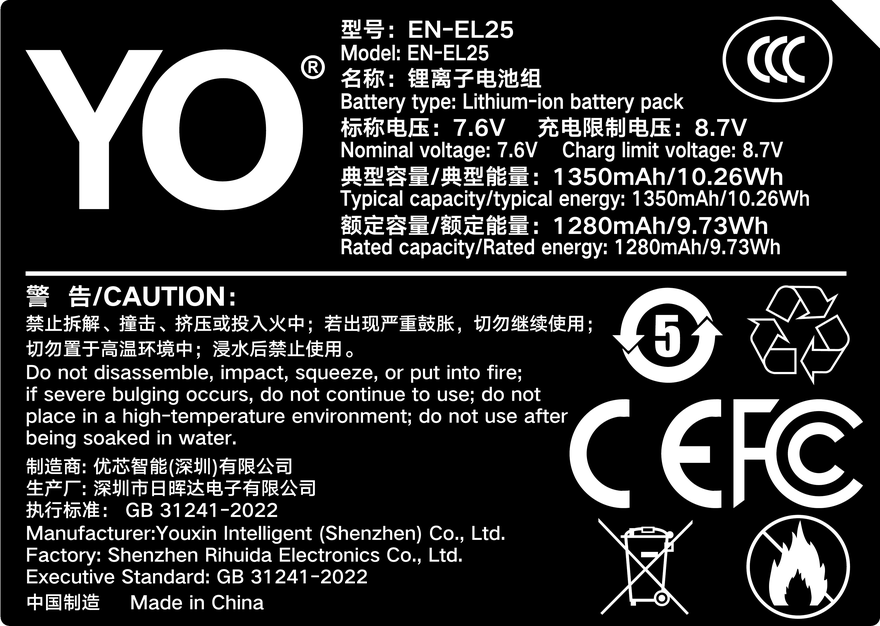
Once you know which level of USB power your body supports, match the setup to the job: stills and short clips are fine on one battery with opportunistic charging; continuous video calls for at least two batteries in rotation, with USB power as a supplement. If you need another battery, see this EN-EL25 compatible battery (7.6V / 10.26Wh typical, ¥131.40 each), and for more on choosing and maintaining Z-series batteries visit the Nikon EN-EL25 category.

FAQ

My power bank supports PD — why won’t the camera draw power?

The wattage profile may not be accepted, the cable may not support the required current, or the body may not support power delivery in its current state. Test the bank and cable with a phone first, then work through cable and menu settings one by one.

Does shooting while charging damage the battery?

Not in normal use, but higher internal temperature accelerates battery aging. For heavy long-term use, favor battery rotation over constant external power and avoid leaving the battery warm for hours on end.

If USB power drops mid-recording, is the file lost?

A power cut is like switching the camera off: the file being written can be corrupted. Before recording anything critical, verify the power chain is stable, and get into the habit of recording in segments.

Can I use the camera while it charges?

Most models allow USB connection while powered on, but behavior varies: some only charge without powering, others prefer external power. Check the manual and the actual menu on your body.

Posted on — Leave a comment

LP-E6+ in a 5D Mark IV — Fit, Drain Profile and Limits

Short answer: it works, but it is not the 5D Mark IV’s supplied pack. The camera ships with an LP-E6N (1865mAh/7.2V). An LP-E6+ is a compatible pack that will be recognized and will power the camera, and what it improves is voltage stability during sustained discharge, not total capacity.

YO LP-E6+ battery rating label
Rating label of the YO LP-E6+ battery: nominal voltage, typical capacity and safety certifications.

This needs saying up front because the name “LP-E6+” is easy to read as one of Canon’s models. Canon’s official LP-E6 family has only four members — LP-E6, LP-E6N, LP-E6NH and LP-E6P — and the plus sign comes from third parties (YO included) labeling an enhanced version. The 5D Mark IV is a 2016 camera that shipped with the LP-E6N, and it has no relationship with LP-E6+.

1. How a 5D Mark IV actually spends power

The 5D Mark IV is a DSLR built around an optical finder. Its everyday power profile is therefore completely different from a mirrorless body: when you are not shooting, the sensor and viewing system are essentially idle, and the big draws are the mirror assembly, the shutter, the focus motor, image processing and card writes.

Its characteristics are:

  • High peak current, low average current. In single-frame shooting the current peak arrives with the shutter and mirror movement, while idle draw is low. That makes momentary discharge capability matter more to the experience than total capacity.
  • Long exposures and bursts are the pressure points. During a long exposure the sensor works continuously; during a burst, writing and processing happen at once. These two scenarios place the highest demand on sustained discharge.
  • Built-in Wi-Fi, GPS and the touchscreen are quiet consumers. The 5D Mark IV has both Wi-Fi and GPS, and once enabled they draw continuously even when you are not shooting. That is usually the reason people complain that the camera is flat after two days in the bag, not the pack itself.

Put those three together and it becomes clear why an enhanced pack has a place in an older DSLR: what it optimizes is precisely the ability to hold voltage under momentary and sustained discharge, which is where a DSLR is most likely to falter.

2. On capacity, do not expect the LP-E6+ to be higher

This is where misunderstanding is most common. The LP-E6+ is positioned to improve discharge stability, not capacity. It does not turn one pack into two.

Model Rated capacity Rated voltage Status
LP-E6 1800mAh 7.2V Canon, early model
LP-E6N 1865mAh 7.2V Canon, the 5D Mark IV’s supplied pack
LP-E6NH 2130mAh 7.2V Canon, high-capacity model
LP-E6+ Third-party rating, usually the same bracket 7.2V Third-party enhanced version, not a Canon model

So if what you want is “shoot longer in one go”, the right move is to carry two packs, not to swap in one marked with a plus. If what you want is “no sudden shutdown at the end of a shoot, and a steadier gauge”, that is where an LP-E6+ has something to say.

3. The real matching question in an older body — does the curve line up

The 5D Mark IV gauges charge using voltage sampling combined with a coulomb counter. Canon’s LP-E6N curve is calibrated for it, so the bars fall evenly. A third-party pack with a differently shaped plateau tends to produce one of two deviations: bars that fall very slowly at first and then drop off a cliff, or a display showing two bars left when the pack is already near cutoff.

That is why the same third-party pack can behave differently across bodies — the older the body, the more conservative its gauge algorithm and the less tolerant of curve shape. In most cases this is not a fault but a calibration difference.

The test is simple: fit the new pack, shoot a fixed sequence of frames, and watch where the bars begin to fall faster. Consistent acceleration in the low range is normal; a shutdown with no warning in the middle means the protection board’s cutoff is high or cell consistency is poor.

For more on discharge stability in older bodies, see the related articles in the LP-E6+ category; to compare official specifications, the LP-E6 series category has the full picture.

4. Who this combination suits

Good fits: everyday outdoor shooting, the backup slot on a wedding job, studio work, and long sessions that need three or four packs in rotation. What these have in common is that no single session is extreme, but nobody wants to lose power at the wrong moment.

Handle with care: long timelapses, the primary pack for a full event, and extreme-cold location work. Timelapse and long recording demand the most sustained discharge, and cold raises internal resistance sharply — a Canon high-capacity model such as the LP-E6NH has more margin there.

One practical piece of advice: do not convert every pack to the same type. Canon in the primary slot and a third-party enhanced pack in the backup slot balances cost against safety, and it lets you cross-check on location simply by swapping packs.

FAQ

Which pack does the 5D Mark IV ship with?

The LP-E6N, 1865mAh at 7.2V. The 5D Mark IV was released in 2016 and that was its supplied pack. The LP-E6+ is not the original; fitting one is compatible use.

Can an LP-E6+ damage the camera?

Not under normal circumstances. The LP-E6 series uses a common electrical interface, and as long as a third-party product’s protection board is properly designed, output voltage and cutoff stay within safe limits. The real concern is poor-quality cells and packs with no protection board — a quality-control issue, unrelated to whether something is labeled “enhanced”.

Why do the bars fall unevenly after fitting an LP-E6+?

Usually a gauging deviation caused by a discharge curve that differs from Canon’s calibration, not a failed pack. As long as there is no unannounced shutdown it can stay in service; if it repeatedly cuts out mid-shoot, the pack cannot hold up under the 5D Mark IV’s momentary current and should be demoted to backup only.

Can an LP-E6+ replace a Canon pack as the primary?

For ordinary shooting, yes; for important work, not advisable. The primary pack carries the work that cannot be repeated, and Canon models are more predictable in calibration and batch consistency. Keeping the enhanced third-party pack in the backup slot is the steadier arrangement.

Posted on — Leave a comment

Is It Normal for an NP-FZ100 to Get Hot While Charging?

Direct answer: a mildly warm NP-FZ100 on charge is normal; too hot to hold for more than a second or two is not. Charging a lithium cell is an energy conversion, and some of that energy leaves as heat, especially during the bulk phase where current is highest. A rough hand test: if the pack feels warm and you can keep it against your palm, that is within the normal range. If you pull your hand away, or the charger shell is too hot to touch, cut the power and investigate. These are practical guidelines rather than a measured temperature standard — your own product documentation and common sense come first.

YO NP-FZ100 camera battery render
Product render of the YO NP-FZ100 compatible battery: front label, rear LED charge indicator and USB-C port.

Where the Heat Comes From

  • Conversion losses: cell internal resistance turns part of the incoming energy into heat during constant-current and constant-voltage charging. This cannot be avoided entirely.
  • Charge current: higher current fills the pack faster and produces more heat per minute. A multi-bay charger running several packs at once runs warmer overall.
  • Ambient conditions: a hot room in summer, or a pack charging inside a camera bag or under a blanket, has nowhere to dump heat, so it accumulates.
  • Ageing: as a pack approaches roughly 300–500 cycles, internal resistance rises, so the same current produces more heat than it did when new.

So “hot while charging” covers two very different situations: a new pack on a ventilated desk, and an old pack sweating inside a closed bag.

Hand Test: Where Normal Ends

How it feels Likely state What to do
Barely warm, just above room temperature Trickle stage or about to go green Normal. Let it finish
Warm, comfortable against your skin Typical mid-charge condition Normal. Keep it ventilated
Hot enough that you want to let go after a few seconds High, worth checking Unplug, let it cool, check charger and placement
Too hot to touch, with smell, noise or case deformation Fault, safety relevant Cut power, move it to open space, stop using it

Hand feel is subjective and depends on room temperature. When in doubt, change one variable: a different charger in a different spot. If it runs noticeably cooler, the original charger or its location was the problem.

Six Ways to Keep Charging Temperatures Down

  • Charge on a hard, flat, ventilated surface. Not carpet, not a bed, not inside a camera bag.
  • Keep it out of direct sun and away from radiators and hobs. A warm room stacks on top of charging heat.
  • Do not chase speed with high current. Routine-rate charging is kinder to cells.
  • Leave space between packs on a multi-bay charger. Do not stack chargers or cover them.
  • A pack straight out of the camera is already warm. Give it a few minutes before it goes on the charger.
  • Let the charger reach its green “done” state before pulling the pack, instead of interrupting the bulk phase repeatedly.

Signals That Mean Stop Immediately

  • Swelling, deformation or a case splitting at the seam — stop using it and do not charge it again; handling is covered in what to do with a swollen battery.
  • Burning smell, smoke or unusual noise — cut power, move the pack to a clear dry area away from anything flammable.
  • A charger that is itself too hot to touch, discoloured or scorched — retire that charger and check the spec matched.
  • Charge level that goes backwards, or a pack that never finishes — swap the charger and the pack one at a time to isolate which is at fault.
  • A pack that is full and then flat within minutes, or shutdowns mid-shoot — that points at a worn cell rather than a charging fault.

Heat Outside of Charging

Batteries also warm up in the camera during long video takes and fast burst shooting. That is discharge-side heat, different from charging heat but worth the same attention. If the body is clearly warming during continuous 4K, rotate packs so each one gets a cooling break, or move to a dummy battery with an AC adapter. The options are set out in uninterrupted power for video and streaming. Cold is the opposite problem: a chilled pack loses usable capacity, and the fix starts with keeping spares in an inside pocket.

Two Safety Notes

First, do not put a pack in the fridge or cool it with water to make it “less hot”. Condensation risk outweighs any benefit. Second, when buying, look at cell spec, protection circuitry and whether the charger actually matches — that reduces heat problems far more reliably than shopping for a slower charger. The reasoning is in third-party battery safety.

FAQ

A brand-new pack runs hot on its first charge. Is it faulty?

Rule out environment and charger first: move it to a ventilated desk, then try a different charger. If it still runs clearly hot, ask the seller for a replacement and do not open the pack yourself.

Does charging heat damage the cells?

Sustained high temperature accelerates capacity loss. Occasional warmth has limited effect, but storing a pack full in a hot place will age it noticeably faster.

Does it keep heating if I leave it plugged in?

Heat drops off once charging reaches the trickle or done state, but leaving a pack at 100% indefinitely is not a good habit. Take it off the charger when it is done, and store long-term at roughly 40–60%.

Is fast charging worse than slow?

High current runs hotter and has a small long-term effect on ageing. Use routine current when you are not in a hurry, and save fast charging for when you are.

Build your kit: the NP-FZ100 is 2600mAh / 7.4V / 19.24Wh. Battery only, battery plus charger, or two batteries plus charger — pick under Bundle. If you would rather leave the dock at home, the same-capacity USB-C version (2600mAh / 7.2V / 18.72Wh) charges from any phone charger. Bulk orders: wholesale enquiry.