Posted on — Leave a comment

Five Common DR-FW50 Misuses and What They Cost

Short answer: the DR-FW50 is a two-bay charging case, not a battery. It charges two NP-FW50 series batteries at once and doubles as storage with the lid closed. The five most common misuses are mixing old and new batteries, leaving it plugged in overnight, closing the lid on a battery that sits proud, charging in high heat, and never cleaning an unused bay. None of these is immediately damaging, but all of them affect battery condition slowly — and most people only think back to them once a battery starts misbehaving.

The positioning first: it stores no energy and stops working the moment power is removed; it also does not assess batteries for you, it simply charges whatever it is given. So whether it is used well depends entirely on the batteries you load and the environment you load them in.

The five at a glance

Misuse Typical scene Immediate result Advice
Mixing An old and a new battery side by side You lose track of which is full and get caught mid-shoot Number the batteries and pair them by group
Overnight Plugged in at bedtime, unplugged at noon Long spells at full charge accelerate capacity loss Unplug when full, or use a timer socket
Forcing the lid Closing the lid on a battery sitting above the bay rim Shell deformation, stress at the contact roots Confirm it is fully seated before closing
Heat Charging in a car, by a radiator, in direct sun Current derates or pauses; long-term aging speeds up A ventilated table at room temperature
Dusty bay Only one battery, the other bay left open Dust collects on the spring contacts Clean periodically with a dry swab

Item by item: why each one bites

Mixing: old and new in the same case

The bays are controlled independently and each judges its own battery, so there is no electrical problem. The problem is in your head: an old battery that has served two years and a new one charging side by side finish at different times, their lights go out at different times, and after a few rounds you cannot tell them apart.

The more practical risk is what follows the confusion. You believe you left with two full, healthy batteries when one is down to sixty percent of its original capacity, and you find out halfway through the shoot. The fix is plain: number the batteries on the back with a label, pair adjacent numbers together, and keep the pairs intact.

Overnight: never unplugging after the charge finishes

A well-made case stops output once the battery is full, so an occasional night plugged in does no immediate harm. But “occasional” and “every night” are different things. Staying connected keeps the battery at full charge for long stretches, and full-charge storage is one of the main accelerators of capacity loss.

In a lithium battery held near full, the cathode material is more reactive and side reactions run faster. The common industry statement is that a battery stored full loses capacity noticeably faster over a year than one stored at half charge. You will not notice the difference the same day, but in two or three years it becomes the gap between “still good for two hundred frames” and “still good for three hundred.”

The recommendation is to unplug once the indicator goes out, or to use a socket with a timer. If you leave early the next morning, charging at bedtime and unplugging on waking is already enough. If you own a battery with a USB-C port, such as the YO TNP-FW50, you can top it up from an adapter instead of leaving the case on standby all night.

Forcing the lid: physical pressure

The DR-FW50 doubles as storage with the lid closed, but the lid is there to keep dust out and hold batteries still, not to compress anything. If a battery sits above the bay rim, it is not seated; forcing the lid puts the load on the battery shell and the contact roots.

Do that repeatedly and the shell deforms slightly and the latch loosens. A deformed shell can make poor contact in the camera, and stress at the contact roots can crack a solder joint — showing up as “no light in the case” or “works intermittently in the body.”

Heat: the most direct consequence

Charging generates heat on its own. Add a hot room and battery temperature climbs toward the protection threshold, where the case will typically derate or pause. You see an indicator that never goes out and a charge that takes twice as long, with no idea why.

The classic hot spots: a car dashboard in summer, next to a radiator, a windowsill in direct sun, beside a laptop’s exhaust. In use, these run ten degrees or more above room temperature.

The test is simple: feel the battery after charging. If it is clearly hot and uncomfortable to hold, ventilation was inadequate — move it and charge again. A properly finished charge leaves it slightly warm, close to body temperature.

Cold deserves the same attention. Coming in from sub-zero outdoors, a battery may have condensation on it; charging immediately carries risk, so leave it an hour to reach room temperature first.

An open bay: dust on the contacts

Carrying a single battery is normal, which leaves the other bay empty. Left open, it collects lint, sand and crumbs from the bag, all of which end up on the spring contacts. Dirty contacts show up as charging that cuts in and out, or as no detection at all.

Cleaning needs no tools: with power off, brush the contacts with a dry cotton swab or blow them out. Do not scrape with a metal pin. The contacts are plated, and scratching the plating makes oxidation worse.

If you only ever use one battery, close the lid over the empty side too, or treat the case purely as storage and open only the side you need while charging.

A routine that avoids most of this

  1. Back at the hotel, label the batteries first, pairing them A1/A2 and B1/B2, two to a group.
  2. Put the two spent batteries into the DR-FW50, connect power, and place it on a ventilated table rather than a bed or carpet.
  3. Unplug once every indicator has gone out, leave the batteries in with the lid closed, and take the case with you the next day.
  4. Every three months, clean the contacts with a dry swab and check the shells for swelling or deformation.
  5. For long spells of disuse, store at half charge and top up every three months.

It is not a complicated routine, but it avoids most of the five items above. More on using both bays is on the DR-FW50 category page, and the battery specifications are on the NP-FW50 series page.

FAQ

Can the DR-FW50 charge a phone like a power bank?

No. It is a charging case: the input charges batteries, and the only output is the battery contacts. There is no USB output and no ability to power other devices.

Can it charge two FW50 batteries from different brands at once?

Yes. The bays are controlled independently, and anything to the NP-FW50 specification will charge. It is still unwise to pair a very old battery with a new one over the long term.

Is it normal for the case to get warm while charging?

Slightly warm is normal. If it is hot to the touch, or smells of plastic, disconnect power immediately and check whether a battery has swollen.

Can a battery stay in the case after it is full?

Short term, yes. For longer storage, take it out or leave it at half charge; extended full-charge storage accelerates capacity loss.
Posted on — Leave a comment

TNP-FW50 in the A6400 and A6500: Shots per Charge

Short answer: the A6400 and A6500 both take NP-FW50, at 1020mAh. With a TNP-FW50, stills-only shooting typically reaches 300 to 400 frames, so two packs will cover an ordinary day’s location work — but if the day involves 4K video, time-lapse or long periods powered on waiting, plan on a third. That figure is not a rated number; it is a range derived from the FW50’s real capacity and the power draw of these two bodies, and where you land inside it depends on how often you press the shutter and how long the screen stays lit.

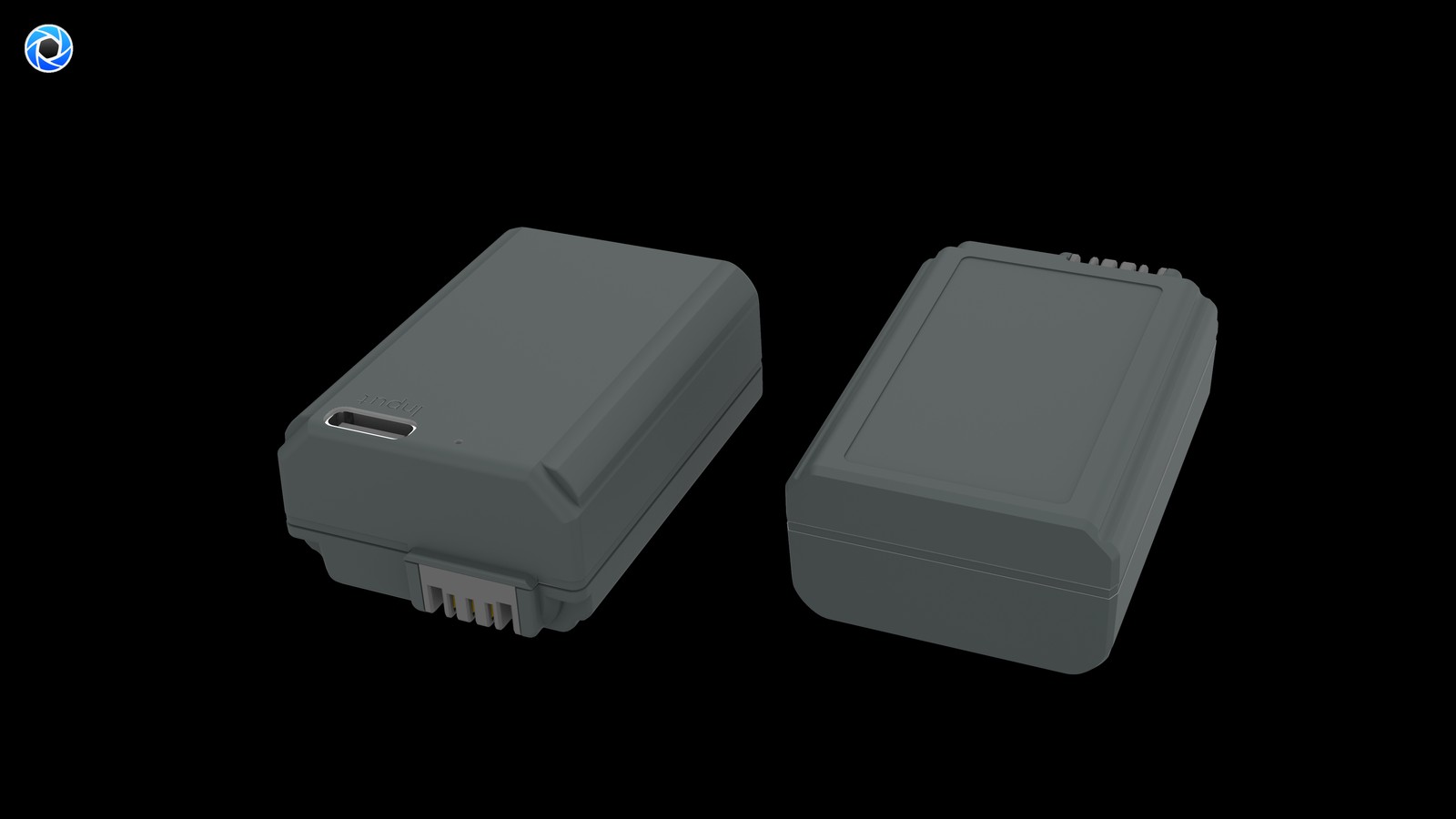
YO TNP-FW50 camera battery render
Product render of the YO TNP-FW50 compatible battery: front label, rear LED charge indicator and USB-C port.

One caveat first: the A6400 and A6500 do not draw power in quite the same way. The A6500 adds in-body five-axis stabilization, and stabilization running continuously costs a little extra; the A6400 has no in-body stabilization but keeps the screen on and eye AF running, which is not cheap either. On the same pack the practical difference is usually around 10%, not enough to change the conclusion about how many to carry.

How many frames per pack: ranges by scenario

The CIPA figure is measured under specific conditions and is hard to reproduce in real shooting. The ranges below are closer to everyday use, assuming the camera stays on, the screen is the main finder, and playback is occasional.

How you shoot Frames per TNP-FW50 Notes
Documentary stills, focus per frame About 350-400 Dense shooting, little standby time, most efficient
Portrait sessions with frequent playback About 300-350 Reviewing and zooming costs real power
High-speed bursts (mechanical shutter) About 800-1200 Short per frame, but buffer writes draw too
4K video About 50-70 minutes Continuous recording, high heat and draw
Time-lapse About 2-3 hours on standby Spent on being powered on, not on frame count

These ranges are for planning, not promises. In winter outdoors with brightness at maximum and Bluetooth transfer on, you may see only sixty percent of them. Conversely, if you switch off between shots, use the EVF and leave Wi-Fi disabled, reaching the top of the range is not difficult.

Where the power goes: four main draws

Understanding the draw is more useful than memorising a number, because it tells you which settings are worth changing.

  • Screen and EVF on continuously: the biggest single item. The A6400’s screen is bright by default and brightens further outdoors, so fixing brightness at a mid setting saves appreciable power.
  • Autofocus always working: eye AF and real-time tracking compute continuously while you compose. Letting the camera sleep between setups is far better value than letting it focus on thin air.
  • Wireless modules: Wi-Fi, Bluetooth and phone remote all stay alive. Switch them off when you are done, especially with the camera hanging around your neck as you walk.
  • Stabilisation and video heat: the A6500’s stabilization is usually on, and the A6400 recording 4K for long stretches throttles as it heats — both cut directly into usable time.

Tightening these up commonly buys you a few dozen extra frames from the same pack. Beyond that, what really decides the day is still how many packs you brought.

Are two enough? Judge by shoot type

This is the most practical section. The criterion is not how long you shoot but whether you get a chance to recharge.

When two are enough

Half a day of street shooting, a two-hour event, a portrait session outdoors: two TNP-FW50 packs usually cover it. Run the first until it warns, then swap; if you have a power bank, plug the used pack in on the spot, and by the time the second is done the first is largely topped up. This is exactly the value of a direct-charge pack — it moves recharging from “back at the hotel” to “the moment it comes out”.

When you need three

Full days on location, wedding coverage, travel days moving between several spots, or long periods powered on waiting for light. The characteristic here is that you are present all day but not pressing the shutter much, so standby drain dominates. Three packs, with one of them permanently rotating through a power bank, is the steadier arrangement.

Video needs its own arithmetic

If you mostly shoot 4K, do not convert from frame counts. The A6400 records roughly 50 to 70 minutes continuously per pack, and heat limits mean the usable time is shorter still. For video, plan one pack per 40 minutes and give the camera a chance to cool — and do not mistake a heat shutdown for a battery fault.

Using direct charging on location

A workable routine: charge both packs before you leave; on location swap the first out at around 20% and plug it straight into a power bank in your bag; carry on with the second. By the time the second is nearly flat, the first is usually back to seventy or eighty percent. Cycling like this lets two packs cover far more than one pack’s rated runtime.

One precondition: the power bank has to deliver a steady 5V, and the cable should not be too thin. A poor cable drops noticeable voltage above 1A and stretches charging time. For the difference charger power makes, see the notes in the TNP-FW50 charging section.

If you prefer plugging both in at home at the end of the day, a dual-slot case suits you better — see the DR-FW50 charging case notes. The two approaches do not conflict; plenty of people use the case as their main method and direct charging for emergencies.

FAQ

Does a TNP-FW50 drain faster in the A6400?

No. Capacity is the same 1020mAh class as the original, and the drain rate is set by the body. If it feels noticeably faster, check whether Bluetooth transfer is on, whether brightness has been pushed to maximum, or whether the pack has simply been through too many cycles.

Does the A6500’s stabilization cost much runtime?

It has an effect, usually around 10%, and not enough to turn “two is fine” into “three is mandatory”. Shooting style, not body model, is what separates the two.

Do both packs need a full charge each time?

No. Lithium packs have no memory effect, and shallow cycling is actually kinder. Topping up to seventy or eighty percent on location and swapping is perfectly fine; there is no need to wait for full.

How much does cold weather cut the frame count?

Around freezing, usually twenty to thirty percent, depending on pack temperature and wind. Keeping spares in an inside pocket is far better than leaving them in the outer compartment of a camera bag.

Posted on — Leave a comment

NP-F550 vs F750 vs F960 vs F970: Which Capacity to Buy

Short answer: the F550, F750, F960 and F970 all use the same NP-F mount and contacts, so any of them powers any NP-F device. What differs is capacity and size. If your gear draws little and your shoot has pauses for a swap, the F960 is enough. If you record long continuous takes, or run a monitor and a light from one pack, the extra money for an F970 is justified. All four run at 7.2V, and capacity spans 2200mAh to 6600mAh, a threefold spread in energy behind an identical connector. Work out device wattage first, then your shooting rhythm, and only then the price.

The four models side by side

Energy is capacity times voltage. Since all four share 7.2V, the capacity gap is the energy gap. The figures below convert original reference capacities; our NP-F960 compatible pack is rated 5400mAh and 38.9Wh.

Model Capacity Energy Best for
NP-F550 approx. 2200mAh approx. 15.8Wh Short outdoor shoots, a backup light pack, light travel kits
NP-F750 approx. 4400mAh approx. 31.7Wh Moderate shooting days, gimbal work, a single lamp
NP-F960 approx. 5400mAh approx. 38.9Wh Routine camcorder recording, one monitor plus one light
NP-F970 approx. 6600mAh approx. 47.5Wh Full-day field work, several devices, cold weather

The arithmetic: 2.2Ah × 7.2V = 15.8Wh, 4.4Ah × 7.2V = 31.7Wh, 5.4Ah × 7.2V = 38.9Wh, 6.6Ah × 7.2V = 47.5Wh. These are nominal values. Usable energy is slightly lower, because the protection circuit keeps a reserve and the cells still hold charge at the cutoff point that cannot be drawn out.

Same mount, so what does mixing cost you

Nothing mechanically. NP-F was fixed as a standard in the camcorder era: slot width, contact position and latch shape are identical, so an F970 drops into a body that shipped with an F550, and the reverse works too.

What changes is thickness and weight. Capacity comes from stacking cells, so the F550 is the thinnest, the F750 sits in the middle, and the F960 and F970 share the large body and are noticeably deeper. On a small handheld camera the centre of gravity moves back and the rig feels nose-light; on a shoulder-mounted camcorder a big pack doubles as counterweight.

Two practical snags. Compartment depth first: a few bodies with a hinged door will not close over an F960 or F970, so check your model before ordering. Then metering: compatible packs carry a simpler identification chip, so some cameras report unreadable battery data or show a wrong remaining time. Power delivery itself is unaffected.

Mixing is safe. An F550 today and an F970 tomorrow will not harm the camera, and lithium packs need no pairing. The one thing to avoid is paralleling packs of different capacity on one adapter plate: the smaller one drains first and is then charged in reverse by the larger.

When the F970 earns its price

The F970 holds 8.6Wh more than the F960, roughly 22 percent. For a 10W device that is 38.9Wh ÷ 10W ≈ 3.9 hours against 47.5Wh ÷ 10W ≈ 4.8 hours, under an hour apart. These are estimates.

So the reason to pay more is not “a bit more capacity” but specific situations: a single-camera long take that cannot be interrupted, an event with no gap to swap, a monitor and a light sharing one pack, or cold weather where capacity is discounted anyway.

If your day has natural breakpoints instead — a new interviewee, a scene change, a full card — a spare closes that 22 percent gap for less money.

When the F960 is simply enough

Most of the time. Two F960 packs total 77.8Wh, far more than the 47.5Wh of one F970, and they allow hot swapping: one runs the rig while the other charges. For the same budget you get more usable energy and more margin from two smaller packs.

Weight matters too. The F960 is lighter, which helps at the end of a slider, gimbal or handheld arm: less mass to balance, less load on the motors.

On price, our compatible NP-F960 is ¥212.40 each, so two cost about what one F970 does, and you can use one while charging the other. Specifications are on the NP-F960 compatible battery page, and other packs sit under Sony NP-F960 series.

FAQ

Will an F970 fit a camera that came with an F550?

Yes. All four share the NP-F mount and contacts. The only thing to verify is compartment depth, since a few bodies with a hinged door will not close over the larger packs.

Does mixing capacities damage the camera?

Not when used one at a time. The device draws the voltage and current it needs, and capacity is the pack’s own business. Avoid paralleling different capacities on one plate while discharging.

The remaining-time readout on my compatible pack is wrong. Is it faulty?

Not necessarily. Compatible packs use a simpler chip, so some bodies cannot read full data and show no estimate or an unrecognised-battery warning. If the device powers on and runs, delivery is fine.

One F970 or two F960 packs?

It depends on whether you can stop. With swap breaks, two F960 packs give more total energy and hot swapping. With no breaks and no room for a second pack, take the F970.

Posted on — Leave a comment

LI-90B Buying Guide: 1100mAh / 4.07Wh vs the Original LI-90B

Compare watt-hours before milliamp-hours: our LI-90B compatible cell is 1100mAh / 4.07Wh, with the original LI-90B setting the baseline. Milliamp-hours describe charge, not energy, so they cannot be compared across voltage platforms. Watt-hours (voltage x capacity) are the honest figure. Where a label states both a typical and a minimum rating, use the minimum for conservative runtime estimates.

By CIPA standard the TG-6 delivers about 340 shots per charge (250–300 / 0°C 70%). Real-world figures fall with viewfinder use, bursts, flash and low temperature, so budgeting around 70% of the rating is safer.

Original vs our cell, item by item

The table puts the original rating and our compatible cell on the same basis. Price is the listed retail figure; check the product page for current terms. Where a minimum rating is printed, that figure is the better basis for conservative estimates.

Item Original Our compatible cell
LI-90B 1270 mAh 1100 mAh
Wh — 4.07 Wh
mAh (min) — —
CNY — ¥99

Balancing capacity, price and warranty

Higher capacity does not double your shots: the body cutoff voltage and its fuel-gauge algorithm both shape the reading. For a spare cell, price, cycle life and warranty often matter more than the peak number.

Item Value
LI-90B LI-90B / LI-92B
LI-90B 1270 mAh / —
90b-3 1100 mAh / 4.07 Wh
TG-6 340 / 250–300 / 0°C 70%
TG-3 → TG-7 / LI-92B LI-90B / LI-92B
LI-90B / LI-92B 1100 mAh / 4.07 Wh

Choosing a kit by shooting load

For light use, one original plus one spare is enough. For a full day of travel or video work, carry two or more and rotate them through a dual-bay charger.

To pick by model, start with the specifications and stock status on Olympus LI-90B 1100mAh, then browse the full article set in LI-90B; if your body belongs to a neighbouring system, NP-BX1 has the side-by-side explanation.

FAQ

Is 1100mAh an inflated rating?

Our LI-90B compatible cell is specified at 1100mAh / 4.07Wh. with the original LI-90B setting the baseline. Compare the Wh figures rather than mAh alone.

Should I look at mAh or Wh?

Wh. Milliamp-hours only become energy once multiplied by voltage, so comparing mAh across different voltage platforms is misleading. 4.07Wh is the like-for-like baseline for this pack.

Can a higher-capacity cell damage the camera?

No. As long as the shell, contacts and protection circuit match the system, capacity only affects runtime. The one caveat is that older bodies may report charge level inaccurately.

Should I buy one cell or two?

For a full day outside or video work, carry two or more and rotate them through a dual dock. For indoor or short sessions, one original plus one spare is enough. Budget conservatively against the TG-6 baseline.

Posted on — Leave a comment

Are NP-FZ100 Terminal Covers and Storage Cases Worth Buying?

Both are worth it, but at different priorities: a terminal cover is cheap insurance and every pack should have one; a case is an efficiency purchase that earns its keep as your pack count grows. The cover’s job is to shield the exposed terminals so keys, coins and cable ends cannot bridge them — the single most common risk when packs ride loose in a bag. The case’s job is inventory: charged on one side, spent on the other, numbered so you are not guessing by touch on a job. Neither costs much, and together they remove two recurring headaches.

YO NP-FZ100 camera battery render
Product render of the YO NP-FZ100 compatible battery: front label, rear LED charge indicator and USB-C port.

What Terminal Covers Actually Prevent

  • Short circuits: the NP-FZ100’s contacts are exposed metal. Tossed in a pocket or bag compartment with keys, coins or a cable plug, they can bridge and generate heat. A cover removes that risk almost entirely.
  • Contact wear: repeated rubbing dulls the plating and leaves scratches, which raises the odds of poor contact and “not recognised” errors; the checks are in troubleshooting a battery the body will not read.
  • Dust and moisture: sweat, rain and coastal salt spray all accelerate oxidation. A cover slows that down.
  • Flight compliance: spare packs travelling in carry-on need their terminals protected. Original packaging, a cover or a tape cap all satisfy that.
  • Quick identification: different coloured covers mark charged versus used far more reliably than memory.

What a Storage Case Actually Solves

  • Inventory: with several packs in play, the usual mistake is not knowing which are charged. A case with two zones, or a flip-to-mark design, makes it obvious at a glance.
  • Crush protection: a hard shell stops packs being deformed by other gear in the bag. A swollen pack especially must not be compressed — retire it and handle it as a safety issue.
  • One place to grab: packs distributed across pockets mean a hunt before every outing. A case means one item to pick up.
  • Travel and commuting: the more packs you carry, the more a numbered case reduces the chance of leaving one behind.

Buying Guide by How Many Packs You Carry

Usage Covers Case Recommendation
1–2 packs, occasional shooting Recommended Optional Buy a few covers and keep packs in original packaging
3–4 packs, weekend regular Essential Recommended A hard four-slot case with numbered rotation
5+ packs, commercial or weddings Essential Essential A case with charged/used zones, or several smaller cases
Studio or rental turnover Essential Essential Logged numbering, replaced and managed by batch

What to Look For

  • Fit: the cover has to line up with the NP-FZ100 terminal layout. Loose falls off, tight is a fight to remove.
  • Material: hard shell beats a soft pouch for crush resistance, and the case should survive being stacked on in a bag.
  • Zoning: a design that separates charged from spent is the most useful feature, usually by orientation or a flip marker.
  • Numbering: look for a labelling area, or a surface that takes a sticker, so you can build a rotation order.
  • Size: if you travel, pick something that drops into a camera bag side pocket.
  • Do not interfere with loading: a cover should only shield the terminal area. If the pack will not latch afterwards, check whether the cover is fouling the catch; the fitting sequence is in when a pack will not seat.

Habits That Make Them Pay Off

  • Number your packs and rotate in order, so none sits idle long enough to self-discharge into trouble.
  • Point spent packs one way and charged packs the other. One glance on set tells you everything.
  • For long-term storage, hold roughly 40–60% charge, cool and dry at about 15–25°C, and top up every three months.
  • Wipe terminals with a dry cloth periodically, and after any coastal or wet shoot.
  • Count packs before you leave, and carry what the day consumes plus one.

Storage Habits to Avoid

  • Loose packs sharing a pocket with keys, coins and cables.
  • A plastic bag in a packed backpack, which prevents neither shorts nor crushing.
  • Leaving packs in a camera bag side pocket in a hot car, which accelerates ageing.
  • Putting a swollen pack back in the case or the camera. Retire it and deal with it separately.

FAQ

Is original packaging enough instead of covers?

For a while, yes — it protects the terminals just as well. Packaging wears out with repeated use though, so covers are the more durable answer for everyday carry.

Does a case make packs run hotter?

Stored packs are not generating heat, so no. Do take packs out and charge them on a ventilated surface rather than charging inside the case.

Do covers stop the pack going into the camera?

A correctly sized cover only shields the terminal area, and you take it off before loading. If the pack will not latch, check whether the cover is overhanging the catch.

What size case for how many packs?

Current count plus one. Three packs means a four-slot case, leaving room when you add another.

Two charging options, same capacity: standard 2600mAh (dock required) or USB-C 2600mAh (phone charger or power bank). Pick the version on the NP-FZ100 product page; bulk pricing via wholesale.

Posted on — Leave a comment

Why the R5, R6 and R7 Need LP-E6NH, Not LP-E6N

Short answer: the R5, R6, R7 and R6 II all ship with an LP-E6NH, which is rated for 3.0A of continuous discharge. The earlier LP-E6 and LP-E6N have no such margin. Fitted with a low-drain pack, these bodies trip their protection during peak loads such as high-bitrate recording and burst buffer writes, showing up as slower bursts, errors or a straight shutdown. The pack has not failed; it simply cannot supply the current being asked of it.

YO LP-E6P camera battery render
Product render of the YO LP-E6P compatible battery: front label, rear LED charge indicator and USB-C port.

Most people fixate on mAh and reason that 1865mAh against 2130mAh is only 14%, so it will do. What actually decides whether a pack works in these bodies is a different figure: continuous discharge current. Capacity decides how long you can shoot; discharge decides whether you can shoot at all.

Why discharge current is a hard threshold

A lithium-ion pack’s voltage sags under load, and the sag equals current multiplied by internal resistance. At light loads the drop is negligible; when the body suddenly calls for 5A or 6A, a high-resistance cell falls below the protection threshold and the camera concludes the pack is empty.

The pattern has a few signatures: the gauge still shows two or three bars and the camera shuts off; powering back on gives another few dozen seconds; a recording stops partway with a battery error. Many people assume a contact problem and clean the terminals repeatedly, which achieves nothing, because the cause is cell resistance rather than the interface.

Capacity and discharge capability are separate properties. A 2130mAh cell with high internal resistance looks good on paper and performs worse under load than a 1865mAh original E6N. This is also why identical capacity can carry very different prices: the difference is nearly always in the cells.

How the loads differ across bodies

Body Heavy-load situations Recommended pack Behaviour on E6N or earlier
EOS R5 8K 30p, 4K 120p, RAW video LP-E6NH (E6P also works) High-bitrate modes limited or will not start; burst rate drops
EOS R6 4K 60p oversampled, 20fps bursts LP-E6NH Will shoot, but long takes hit heat and power cutoffs earlier
EOS R6 Mark II 4K 60p, 40fps bursts, pre-capture LP-E6NH (E6P needs a firmware update) Some high-speed functions limited; buffer writes slower
EOS R7 4K 60p, 30fps bursts, in-body stabilisation LP-E6NH Noticeably shorter runtime; slower write-back after bursts

The R5 is the most demanding of the group. 8K and 4K 120p draw far more power and current than ordinary recording, and the body actively checks what the pack can deliver. The R6 and R7 are more tolerant: an E6N will power on and shoot, but you will meet thermal protection and jumping charge levels sooner. The R7, with continuous in-body stabilisation, is also sensitive to voltage stability.

One point that gets overlooked: bursts place demand on discharge capability as well. During 20fps or 30fps sequences the sensor, processor and card are all at full load, and the instantaneous current is comparable to video recording. So even for stills only, a low-drain pack can leave you feeling that the burst stalls after a second or two.

Spotting a third-party high-drain pack

The original E6NH’s specification is unambiguous; third-party products are where the trouble starts. Plenty of listings claim “fits LP-E6NH” and very few state a continuous discharge current. Filter with the following:

  • Is a discharge current stated? A clear 3.0A or higher at least shows the maker knows what question has to be answered. Capacity alone usually means an ordinary cell in a moulded shell.
  • How does it behave in continuous recording? Fit it to an R5, shoot 8K or 4K 120p, and see whether ten minutes pass without an error and with a smooth decline. Anything that trips mid-take is out.
  • Feel the temperature. Warm after a take is normal; too hot to hold is not. Excess heat means high internal resistance, with energy going into heat instead of the recording.
  • Watch the curve. A healthy pack falls evenly from 100% to 20%. One that drops slowly at first and then jumps from 40% to 5% is padding its estimate.

YO builds the LP-E6 series to a 2130mAh specification, and the same four checks are worth running yourself rather than trusting the packaging. Packs are consumables, but a verification method lasts for years.

Four practical habits

  1. Do not run to shutdown. Repeated deep discharge accelerates capacity loss. Swap at the last bar, especially before an important shoot.
  2. Rotate packs. Alternating two packs balances wear and stops one sitting at full charge for months.
  3. Use external power for long recordings. For fixed-position interviews, streams and conferences, a dummy battery or USB-C PD supply is more stable and reduces body heat. The approach in this FX3/FX30 video power setup applies here too.
  4. Carry an extra in the cold. Below freezing internal resistance rises and usable capacity shrinks; the records in this minus 10°C battery test show how far. Keep spares against your body and swap only when needed.

If you are still weighing whether to save money with an E6N, do the arithmetic this way: one important shoot lost to a mid-take power failure costs far more than the difference between two packs. The logic in this range differs from that of small LP-E17 bodies: there, capacity carries more weight because loads are light; here, discharge capability comes first.

FAQ

What is the difference between E6NH and E6P on an R5?

Both are 2130mAh; the E6P is rated 6.0A continuous discharge against the E6NH’s 3.0A. An E6NH already supports every function on the R5, and moving to an E6P mainly adds margin and slightly lower heat — no extra features unlock. Where the price gap is large, the E6NH is the better buy for an R5.

A third-party pack claims 2130mAh and is very cheap. Will it work?

Ask whether it dares to state a discharge current. Capacity alone usually means an ordinary cell that will drop out under the R5’s high-bitrate modes. Buy one and stress-test it before ordering more; do not buy four at once.

Why is a fully charged pack flat after a week?

First check whether it was left in the body. A camera on standby still draws power, so remove the pack for long gaps. If it still loses half its charge in a week when removed, self-discharge is abnormal or the protection board is leaking, and the pack should be replaced.

Should I worry about a warm pack?

Warm after a long take is normal. Too hot to hold, slight casing deformation, or an odd smell — any one of those means stop at once and isolate it. Do not put it back in a camera, do not keep charging it, and dispose of it through battery recycling. More fault diagnosis is in the LP-E6 section.

Posted on — Leave a comment

TNP-FW50 for ZV-E10 Vlogs: Runtime and How Many to Carry

Short answer: on a ZV-E10, one TNP-FW50 shoots 4K vlogs for about 60–80 minutes of continuous recording; in a realistic record-stop-record rhythm, one pack covers roughly a 90–110 minute window of material. Two packs will see most solo shooters through a day, but if you are on 4K all day, running an external monitor and topping up a phone from the camera’s USB output, two will feel tight. The ZV-E10’s bay is NP-FW50, shared with the A6000 series — there is no doubt about that part.

YO TNP-FW50 camera battery render
Product render of the YO TNP-FW50 compatible battery: front label, rear LED charge indicator and USB-C port.

Every figure below is a range rather than a fixed number, because real runtime depends heavily on temperature, screen brightness, whether electronic stabilization is on, and card speed. Treat them as planning marks on a scale rather than a precise minute count to memorise.

Why this camera drains so much faster on video than on stills

Stills are a pulsed load: focus, expose, write, then wait. Video is a continuous load — the sensor reads constantly, the encoder computes constantly and the screen stays lit. 4K also means more data and oversampling, and once the body warms up, power draw does not fall much with throttling because the camera keeps pushing to maintain recording.

The ZV-E10 adds several vlog-specific draws: a flip screen that is always on, the top-mounted microphone, wireless connections, and face/eye detection left running for self-framing. Individually they look small; together they account for fifteen or twenty minutes.

One reminder: the ZV-E10 uses NP-FW50, not NP-FZ100. Siblings such as the A6600 and A7 III onward moved to FZ100, and the two bays are completely different sizes, so they cannot be swapped — and do not try to force the wrong pack into a case slot either.

Rough runtime by shooting style

How you shoot One pack, roughly Notes
4K 25p/30p continuous 60–80 minutes Tends towards the lower end in summer heat, and may stop on overheat
1080p continuous 90–120 minutes Lighter encoding load, less throttling
Mixed shooting (3 minutes on, 1 off) 100–120 minutes of material Idle time still draws power
Stills only About 300–400 frames In line with normal FW50 behaviour
Powered on, not recording 3–5 hours Noticeably shorter with the screen lit

The mixed-shooting row is closest to a real vlog day. Plenty of people believe they shot for three hours, when in fact the camera sat powered on for much of it — the pack was drained by idle time, not by recording.

Are two enough? Work it out by the kind of day you have

  1. City walk, single vlog (1–2 hours of material): one is enough, the second is insurance. Lots of stopping, short takes, and the first pack often still has a bar left.
  2. All-day event, trade show, wedding coverage (4–6 hours): two are enough, and finding a socket at midday or topping up from a power bank makes it comfortable.
  3. A full day traveling (8 hours or more): two is tight. Go to three, or bring a PD-capable power bank and use the lunch break to recharge.
  4. Interviews and to-camera pieces (single takes over 30 minutes): in 4K two packs cover only two or three takes, so plan the swap points in advance — do not change batteries while a guest is mid-sentence.

If you shoot two cameras, both A6000-series or ZV-E10, the packs are fully interchangeable, and using a DR-FW50 dual-slot charging case to fill two at once in the evening is far less work than two separate chargers.

Five things that stretch a pack further

  • Set screen brightness manually at a mid level rather than leaving it automatic, which pushes to maximum outdoors.
  • Turn off Wi-Fi and Bluetooth transfer and move files when you get back. Transferring while shooting is a hidden drain.
  • Review less. Playback decodes, reads the card and lights the screen — the most overlooked drain in vlog work.
  • Use electronic stabilization as needed. The stronger setting crops the frame and adds processing load, so switch it off on a tripod or gimbal.
  • Do not hold half-press focus for long periods. Continuous tracking means the motor and detection are constantly working.

Taken together these usually buy back ten to twenty percent of usable time, and they weigh less than another battery.

Plan the top-ups so you are never caught out. The YO TNP-FW50 has a USB-C port on the pack, which is its most practical difference from the original: no dock to carry, just a phone charger and a cable, and you can recharge at a restaurant table or in the car. USB-C input generally sits in the 5V range, with current managed inside the pack, and charging stops automatically when full, so there is no need to watch the clock.

The ZV-E10 supports USB power, so in principle you can charge and shoot at once. But long 4K sessions plus charging stack up heat, and in summer that readily trips overheat protection, so reserve it for 1080p or interval shooting. The safer method is still swapping packs rather than charging while recording: put the used pack straight on charge and keep the cycle going.

Back at the hotel, put everything you used that day into the charging case, plug in before bed, and leave in the morning with full packs. That habit of clearing the day’s batteries every evening beats any runtime trick. Fit notes are worth a second look on the TNP-FW50 category page.

FAQ

Can the ZV-E10 use an NP-FZ100?

No. The ZV-E10’s bay is designed for NP-FW50 and the FZ100 is physically larger, so it will not go in. Equally, an FW50 will not fit the A6600, which takes FZ100.

Can one pack cover a twenty-minute vlog?

Usually yes. Twenty minutes of 4K takes roughly a third of an FW50, leaving enough for some pick-up shots.

How much runtime do you lose outdoors in winter?

Cold typically cuts usable time by twenty to thirty percent, and more in extreme cold. Keeping spare packs in an inside pocket is the most effective countermeasure.

Does a third-party pack affect the camera warranty?

Normal use of a compliant third-party pack generally does not affect the body’s warranty, though if a pack fault caused damage, establishing responsibility becomes awkward. Choosing a product with protection circuitry and tidy shell construction is the safer route.

Posted on — Leave a comment

The Wedding Photographer’s NP-FZ100 Kit (Eight Hours Without a Black Screen)

From prep through the reception, a wedding day usually runs 8–12 hours. Keeping the camera alive across that stretch means 4–6 NP-FZ100 cells for a single body and 6–8 for two bodies. Add another 2–3 if the ceremony and reception are being recorded, or put the main body on a dummy battery with a power bank. The NP-FZ100 is rated 2600mAh / 7.2V / around 19.24Wh and official CIPA figures generally sit in the 500–700 frame range, but weddings are heavy on burst, chimping and live view, so you often see roughly 60%–80% of that.

YO NP-FZ100 camera battery render
Product render of the YO NP-FZ100 compatible battery: front label, rear LED charge indicator and USB-C port.

This piece covers the parts people forget — chargers, storage, body settings and the rhythm of the day — as one list you can copy.

How many NP-FZ100 cells, by kit

Kit Coverage Cells to pack Chargers Notes
One body, mostly stills Prep, ceremony, portraits, reception 4–6 1 dual Includes 1–2 spares
Two bodies, mostly stills Wide on one, long lens on the other 6–8 2 dual Different number ranges per body make counting easy
Two bodies plus video Full ceremony plus reception clips 8–10 2 dual Put the main body on a dummy battery
Three bodies, team coverage Main, second, video 12 or more 2–3 dual Group numbers by body

The hour-by-hour math behind those numbers is in how many NP-FZ100 cells a wedding day needs. The point to keep: demand is not even across the day. The ceremony and the reception are the peaks, so concentrate your margin there rather than spreading cells evenly.

Chargers and top-ups: cheaper than more cells

Buying one more charger costs roughly the price of a small accessory, and it pays for itself by lunch — over a day it can deliver two full rounds, which is like finding several extra cells in the bag.

  • At least one dual-slot charger: it handles two cells during the lull after the ceremony.
  • Bring cables and plugs: hotel rooms and venues never have enough sockets. A small power strip feeds two chargers at once.
  • A USB-input charger plus a power bank: lets you top up in the car or between locations, which matters when you cannot leave the venue.
  • Never charge inside a closed bag: charging makes heat. Lay cells out in the open instead of tucking them into a padded divider.

Numbering and storage: staying calm on the day

  • Number clearly: write 01–08 on the side with a marker or label, keeping clear of the contacts.
  • Split full from empty: charged cells on the left of the case, spent ones on the right, so you can load by feel in a dark reception hall.
  • Use terminal caps or a hard case: loose cells sharing a pocket with keys or coins is a short-circuit waiting to happen.
  • Keep 1–2 cells against your body: at winter outdoor ceremonies, body heat buys real runtime.
  • Hold one cell in reserve: never touch it unless something goes wrong.

The rotation method is spelled out in numbering and rotating multiple NP-FZ100 cells; over a season it slows down aging across the whole set.

Body settings that stretch each cell

Wedding days are busy, so most photographers leave the camera awake all day. That alone is a big drain. These changes cost you nothing in output and buy real runtime:

  • Shorten auto power-off: set sleep to 30 seconds or 1 minute, so the gaps between moments stop costing power.
  • Drop EVF and LCD brightness: mid-level works indoors; save maximum for bright outdoor stretches.
  • Turn off Wi-Fi and Bluetooth when idle: background links are a hidden drain. Switch them on only to hand off files.
  • Chimp less: a few seconds of review per frame adds up over a thousand frames.
  • Use burst modes deliberately: high-speed drive is expensive. Low-speed burst covers anything that is not the key moment.

The full settings walkthrough is in the camera power-saving settings checklist, and per-mode drain is ranked in our NP-FZ100 power draw guide.

The eight-hour rhythm: when to swap

Time block Action Expected draw
Prep / first look Start with a full cell, swap once on arrival 1–2 cells
Ceremony Fresh cell before it starts, regardless of what is left 1–2 cells
Lunch / move First charging round Top up 2–4
Portraits Live view composition, swap roughly every 40 minutes 1–2 cells
Before reception Second charging round, fresh cell in the main body Top up 2
Reception / toasts Flash recycling is hungry — swap at one bar 2–3 cells

One rule covers the day: swap at the last bar, never run a cell to auto shutdown. Voltage sags as a cell empties, which slows burst rates and flash recycling — exactly the two things you need during the toast.

FAQ

Are compatible batteries acceptable on a paid wedding?

Yes. Third-party cells are a legitimate alternative. Run one through a full rehearsal day first and confirm burst, review and flash recycling behave. For important dates, keep one original Sony cell as a backup. Some Sony bodies warn that remaining charge may not display accurately — you can keep shooting. A “cannot recognize this battery” message is a fault, not a warning, and needs sorting out.

Are two dual chargers enough?

For two bodies, yes. Wedding downtime comes in short fragments, and two chargers mean four cells moving at once — lighter than carrying a dozen spares.

Do I need extra cells for winter outdoor segments?

Yes. Capacity drops noticeably below 0℃ / 32℉ and may be around half at -10℃ / 14℉. One or two extra cells kept warm inside your jacket beats any on-site workaround.

A cell that lasted all day last year now feels short. Is it faulty?

Usually it is just normal aging. Lithium cells hold around 80% after 300–500 cycles, and wedding shooters cycle fast, so a noticeable change within a year is common. Plan replacement around the two-year mark.

Build your kit: the NP-FZ100 is 2600mAh / 7.4V / 19.24Wh. Battery only, battery plus charger, or two batteries plus charger — pick under Bundle. If you would rather leave the dock at home, the same-capacity USB-C version (2600mAh / 7.2V / 18.72Wh) charges from any phone charger. Bulk orders: wholesale enquiry.

Posted on — Leave a comment

LI-90B Compatibility Chart: 13 Bodies and the Models That Do Not Fit

The LI-90B covers 13 bodies, from the Tough TG-1 to the Stylus XZ-10; the most common buying mistake is not capacity but boundary cases such as TG-3 → TG-7 / LI-92B. The table below lists every compatible body by series, followed by the models that take a different cell. Always trust the marking on the camera or in the battery compartment: similar-looking packs are not necessarily interchangeable, and LI-90B / LI-92B should still be checked against the contacts and firmware of your body.

By CIPA standard the TG-6 delivers about 340 shots per charge (250–300 / 0°C 70%). Real-world figures fall with viewfinder use, bursts, flash and low temperature, so budgeting around 70% of the rating is safer.

One important clarification: the original LI-90B is rated 1270mAh and its successor LI-92B 1350mAh. Both share the same shell and contacts, and OM System confirms the LI-92B works in every LI-90B body; the UC-90 and UC-92 chargers accept both. The TG-1 and TG-2 shipped with an LI-90B, while the TG-3 through TG-7 shipped with an LI-92B — but all of them accept the LI-90B specification.

Full compatibility list

All 13 bodies below accept the LI-90B or a cell from the same family, grouped by series. “Compatible” means the compartment and contacts match; it does not guarantee that older bodies can exploit the full capacity of a high-capacity pack.

Body Body Body Body
Tough TG-1 Tough TG-2 Tough TG-3 Tough TG-4
Tough TG-5 Tough TG-6 Tough TG-7 Stylus SH-1
Stylus SH-2 Stylus SH-3 Stylus SP-100 Stylus XZ-2
Stylus XZ-10

Which models do not fit

This is where search results most often mislead. Packs with similar names and near-identical shells frequently belong to entirely different systems, and forcing one in can damage the compartment.

Item Value
LI-90B LI-90B / LI-92B
LI-90B 1270 mAh / —
90b-3 1100 mAh / 4.07 Wh
TG-6 340 / 250–300 / 0°C 70%
TG-3 → TG-7 / LI-92B LI-90B / LI-92B
LI-90B / LI-92B 1100 mAh / 4.07 Wh

How to check before ordering

The reliable check is the model printed on the bottom of the body or inside the battery compartment, matched against this list. On a used camera, also confirm that a previous owner has not swapped the battery door.

To pick by model, start with the specifications and stock status on Olympus LI-90B 1100mAh, then browse the full article set in LI-90B; if your body belongs to a neighbouring system, NP-BX1 has the side-by-side explanation.

FAQ

How many bodies take the LI-90B?

Our list contains 13 bodies, from the Tough TG-1 to the Stylus XZ-10. It is grouped by series, but still check the body marking, since a later generation in the same line can switch cells.

Is the LI-90B interchangeable with neighbouring models?

LI-90B / LI-92B shares one shell and contact layout, so those cells fit each other. However, TG-3 → TG-7 / LI-92B, and those bodies need their own cell — never judge by shape alone.

Will every body on the list benefit from higher capacity?

All of them run normally, but older bodies set their cutoff and fuel gauge to the original specification, so extra shots do not scale linearly and the percentage may read conservatively.

How do I confirm which cell to buy?

Read the model on the bottom plate or inside the battery compartment and match it against this list. If the marking includes a suffix or a “for use with” note, follow the manual rather than the capacity figure.