Posted on — Leave a comment

W126S Heat and Swelling: Summer Safety Limits

Short answer: a battery that is warm while charging or during continuous shooting is normal; one that has swollen is not. With a W126S-class battery charged over USB-C, the charging circuit sits inside the battery itself, so heat is generated internally and the shell feels a little warmer than one that came off a dock charger. That is a consequence of the design, not a fault. Only two signals mean stop and deal with it: too hot to hold, and a visibly bulging shell. The first says the cooling conditions are wrong; the second says the battery has reached the end of its service life.

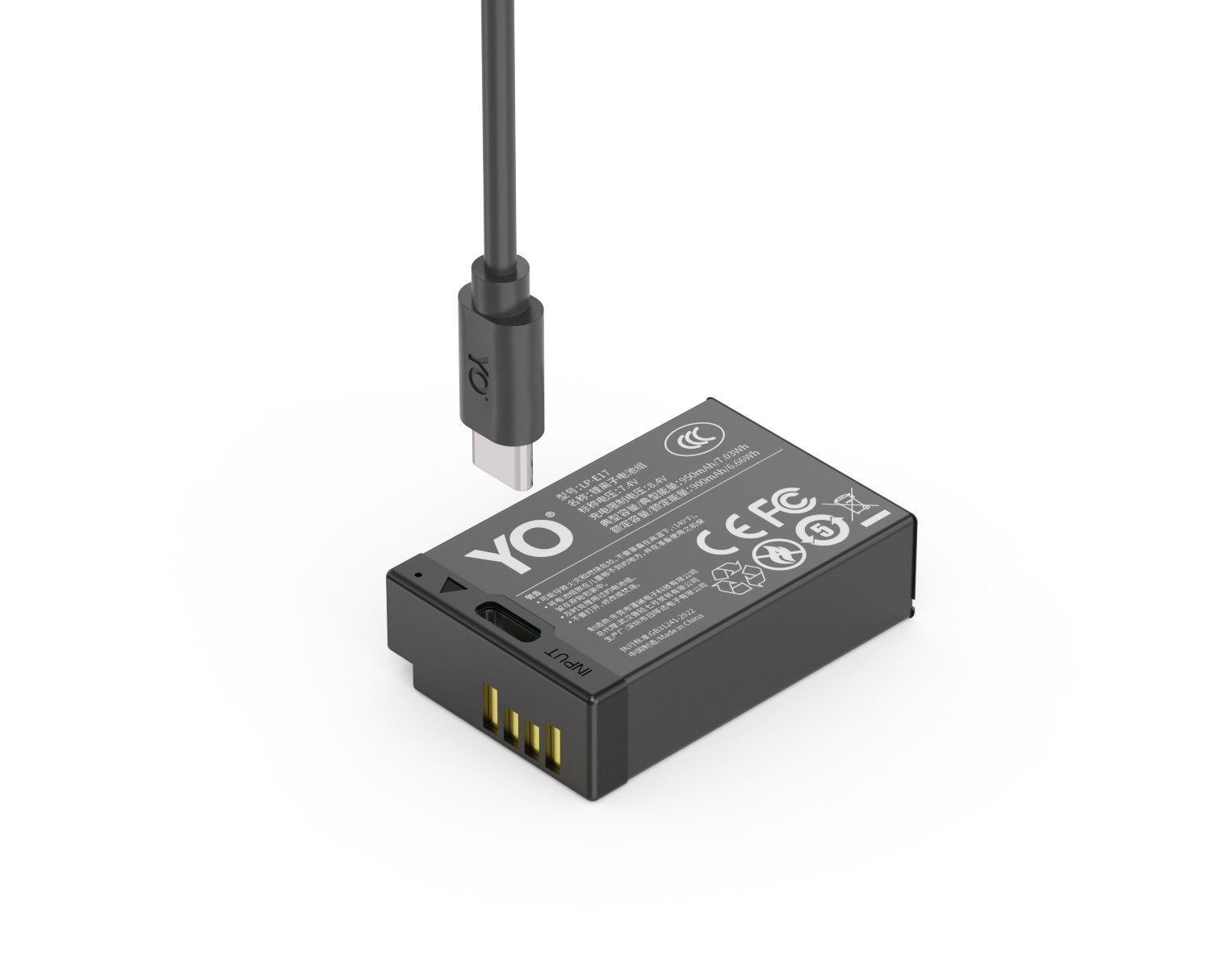
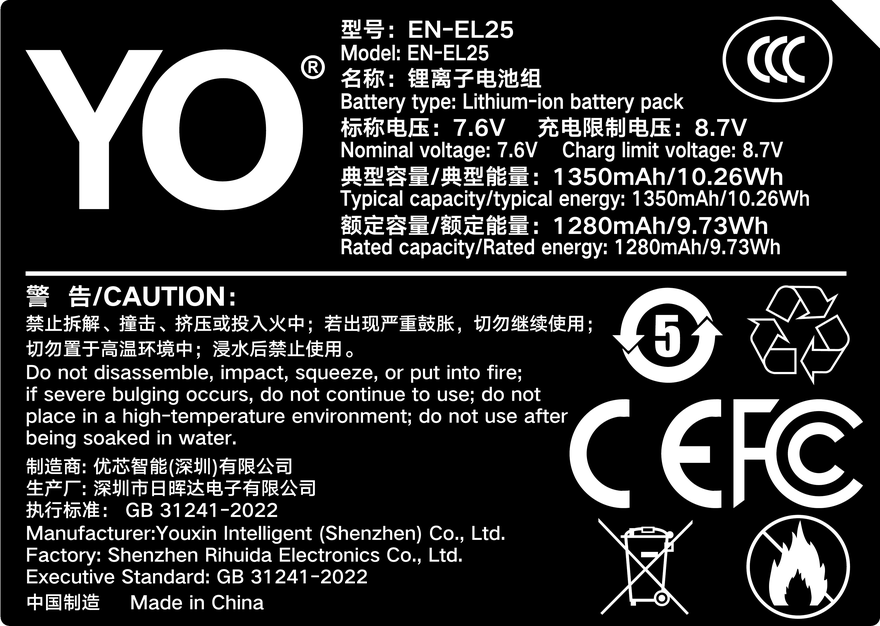
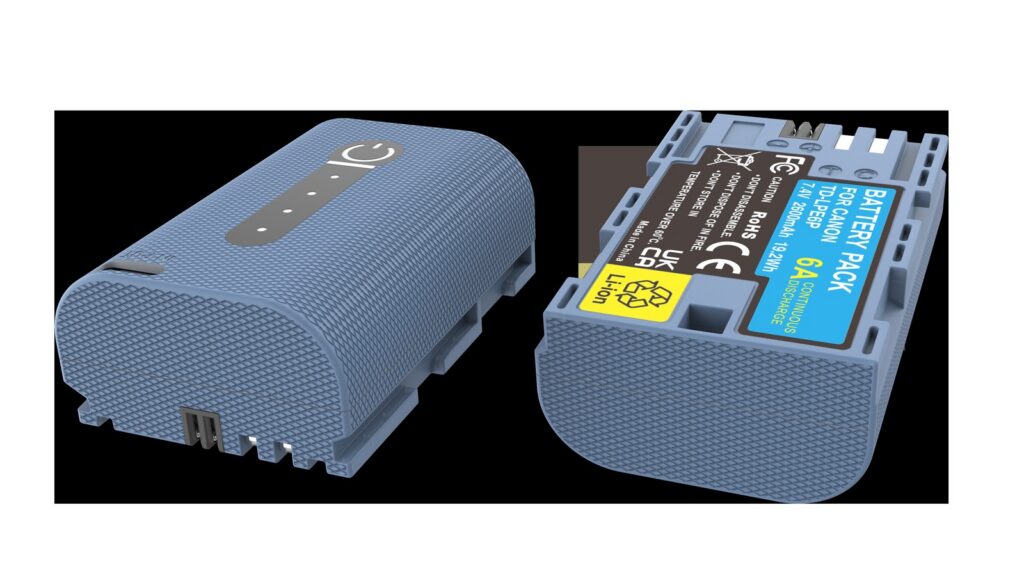
YO TNP-W126S battery rating label
Rating label of the YO TNP-W126S battery: nominal voltage, typical capacity and safety certifications.

The risk in summer shooting is not heat on its own but heat stacking: high ambient temperature, a body pulling heavy current for a long stretch, and a battery on charge. When all three arrive together, that is when trouble starts.

1. Three heat sources with very different causes

Situation Source of heat Normal? Response
During USB-C charging Conversion losses in the battery’s built-in charging circuit Normal; warm is expected Charge in open air, not in a sealed pocket
Burst shooting or 4K recording Cell internal resistance under high current Normal; the body warms too Shoot in bursts and give it breaks; do not hold the body against your palm for long
In a car or direct sun in summer Radiant heat from the surroundings Not normal; this is a hazardous condition Never leave a battery in the car

The first two happen in the course of normal use, and a battery that feels warm but is comfortable to hold is within its design envelope. The third has nothing to do with the battery: the environment has pushed it into a temperature range it should never be in. Most lithium batteries have a charging ceiling around 45°C and a somewhat wider discharge range, with the exact figures set by the battery or body label. A closed car in summer, particularly near the dashboard, passes that number easily.

2. How to judge swelling, and why feel is not enough

Many people assume swelling is obvious at a glance. In the early stage it is a few tenths of a millimeter, the battery still fits and works, and the eye cannot see it. There is a more reliable method:

  1. Take the battery out of the body and wipe the base clean.
  2. Lay it flat on a glass table or tile and press one corner lightly to see whether it rocks like a spinning top.
  3. If it rotates noticeably, or the base flexes when pressed, the bottom has begun to bow outward.
  4. Then hold it edge-on to a light source. A healthy battery has a straight long edge; a swollen one shows a slight curve.

No tools are needed and once a month is enough. A second signal is fitting: if a battery feels tighter than before and needs force to click into place, that is usually the swelling pressing against the compartment wall.

3. What to do once swelling is confirmed

Swelling is irreversible and there is no repair. Any suggestion of freezing it or piercing it to release gas is extremely dangerous — the latter can start a short circuit and a fire.

The correct order is: stop using it immediately, do not charge it again, do not try to press it flat, and do not keep it in the body to finish the day’s shoot. Set it aside away from anything flammable and dispose of it through your local waste-lithium battery channel as soon as you can, or contact the seller for after-sales support. A swollen battery is also a restricted item for shipping, so do not drop it into ordinary mail.

One easily missed point: swelling rarely appears out of nowhere, and it usually arrives alongside a clear drop in runtime. If a battery you have used for most of a year now delivers less than half its old frame count, it is time for the desk-spin test above.

4. A few boundaries for summer shooting

Do not charge in the sun. It is common to leave a power bank and a battery on an outdoor table and top up while sunbathing. The battery then absorbs ambient heat and charging heat at once, which is the worst combination available. Find shade, a doorway or a corner indoors.

Do not charge inside a closed bag. Backpacks do not dissipate heat, and it accumulates faster than you would expect. If you need to charge, take the battery out, hang it on the outside of the strap, or put it on a table.

Do not press an ice pack against it. A sudden drop in temperature causes condensation on the shell, and moisture in the connector is worse than the heat. Coming in from a hot day to an air-conditioned room, let it sit in the bag for half an hour and come back to temperature on its own.

Do not store spares at full charge for long periods. For extended disuse, four to six tenths of charge is the better level; full-charge storage accelerates capacity loss. This has no direct link to swelling, but it does affect service life.

For behavior at the cold end, the notes on internal resistance and voltage sag in the cold-weather battery test are relevant — lithium cells follow the same rules at both temperature extremes. To see more models of this specification, browse the NP-W126S category page. The YO version follows the same boundaries structurally; the direct-charge port adds convenience, but it also means the battery needs better ventilation while charging than a dock-charger setup does.

FAQ

It feels hot while charging. Should I stop?

If you can hold it comfortably, that is normally within range and you can let it finish. If it is too hot to hold for any length of time, unplug it, let it cool in the shade, and try again with a lower-output charger. If it still runs abnormally hot, stop using it.

The camera body feels very hot. Is that the battery?

Usually it is the processor and sensor, and the battery is simply being heated along with them. The test is easy: fit a battery you know is good. If the body still runs as hot, the battery is not the cause.

Can I finish today’s shoot with a swollen battery?

Better not. Swelling means gas has already formed inside, and continued high-current discharge worsens the expansion. Switch to another battery for the day and set this one aside to deal with later.

Does a new battery need to be “activated” or charged and discharged three times?

No. Lithium batteries are formed at the factory and work normally from the first charge. Deliberately deep-discharging them shortens life; charging as you go suits them better.
Posted on — Leave a comment

What 750mAh Means for LP-E17: Entry Tier and Its Limits

YO LP-E17 相机电池

Short answer: the 750mAh LP-E17 is the entry tier of YO’s own capacity range, rated 750mAh at 7.2V for about 5.4Wh, which is roughly seven tenths of a Canon original LP-E17 (about 1040mAh / 7.5Wh). Its value is pushing weight and unit cost as low as possible, so that carrying an extra battery costs you nothing. The trade-off is a thin margin: half a day of screen-framed work is fine, but all-day location work, bursts, long recording or cold weather will feel tight.

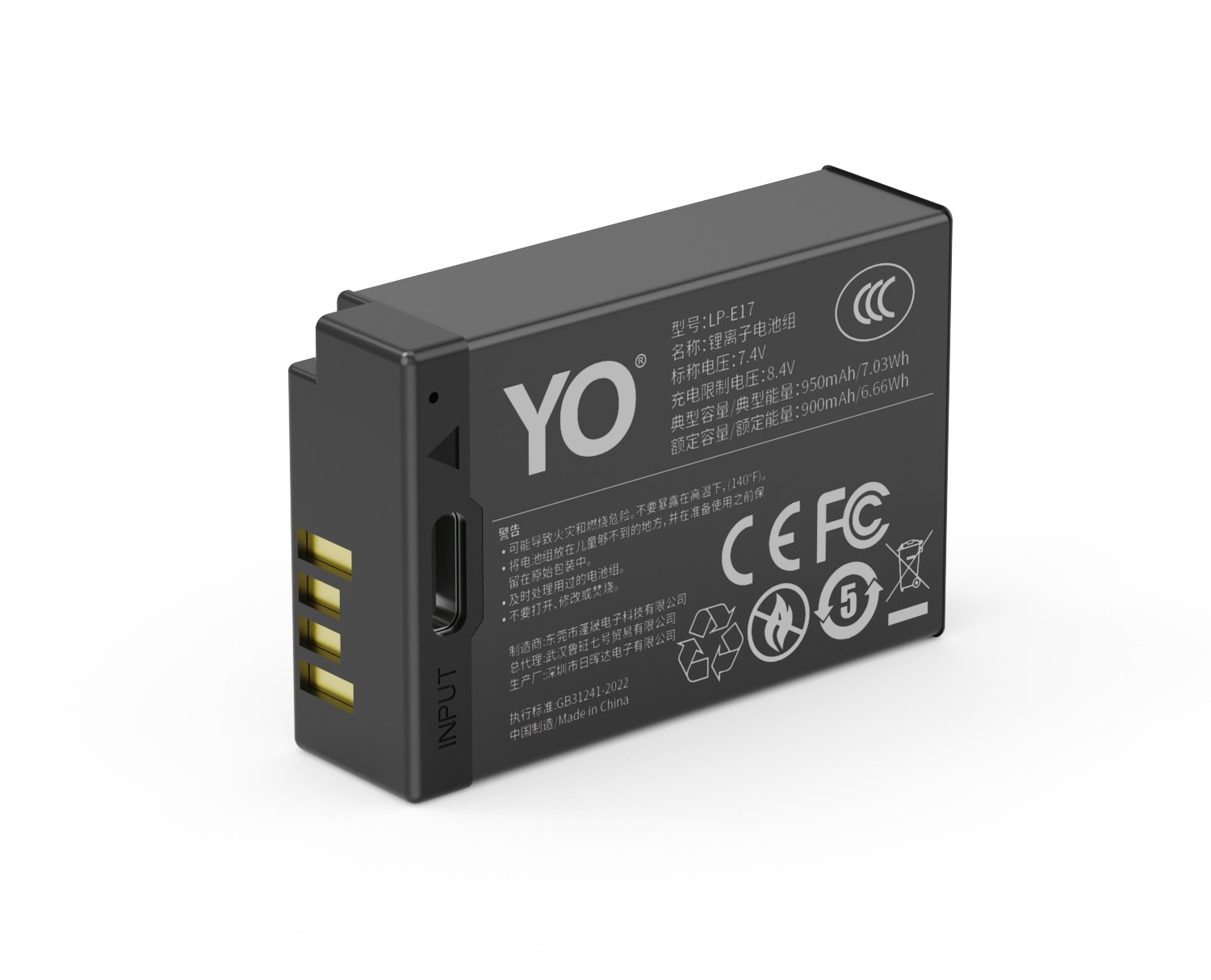
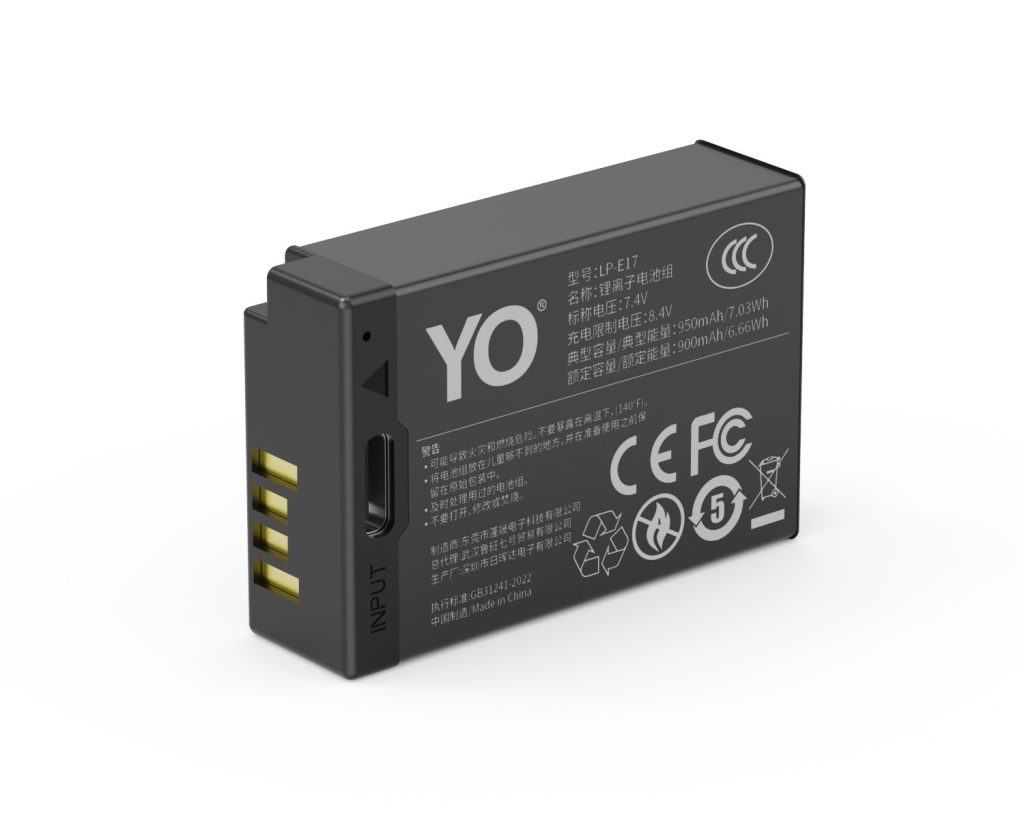
YO LP-E17 camera battery render
Product render of the YO LP-E17 compatible battery: front label, rear LED charge indicator and USB-C port.

One thing should be clear from the start: Canon officially makes a single model, the LP-E17, and does not use capacity numbers such as 750mAh or 950mAh. The 750mAh is a tier defined inside this LP-E17 line, and once fitted it follows the LP-E17 spec for handshake, communication and gauge display, but it is not equivalent to any Canon battery.

Where 750mAh sits among the three tiers

The LP-E17 range comes in 750, 950 and 1050mAh, and the difference is not only the number. Lower capacity means a lighter battery at a lower price, but the voltage falls away earlier within the same period of use, so the camera is more likely to warn early.

Tier Nominal capacity Against the 1040mAh original Role
750mAh 750mAh / about 5.4Wh About 72% Entry tier, light and short sessions
950mAh 950mAh / about 6.8Wh About 91% Main tier, closest to the original
1050mAh 1050mAh / about 7.6Wh About 101% Long-runtime tier

The column that matters is the third. 72% is not a gap you can wave away: it means that on a day when an original battery just lasts to the end, a 750mAh will raise the low-battery warning two or three hours earlier.

Balance is another dimension that gets ignored. With fewer cells, the 750mAh is the lightest battery of the three, which sits better on small bodies such as the R50 and R100; on a full-frame body such as the EOS RP the saving in weight is imperceptible while the loss in runtime is real. Much of the difference in how this tier is received on small bodies and on full-frame bodies comes from exactly this.

Where 750mAh is enough

  • Commuting and daily records. A few dozen to a couple of hundred frames a day with the body idle most of the time is well within reach.
  • Indoor studio, still life, product shots. With power available and swaps at any time, capacity is not the constraint.
  • As a second or third spare. Run a 950mAh as primary and let the 750mAh cover the tail, which makes the whole kit lighter.
  • Light street work and half-day trips. One body, one prime lens, two 750mAh batteries in the bag, and the weight is barely there.

The dividing line is not how many frames you shoot in total but whether you have a window to recharge. With a socket, a spare and a shoot that can be interrupted, the 750mAh is enough; once none of the three holds, capacity savings stop mattering. Working out which category you are in is more useful than memorizing numbers.

Where 750mAh is clearly not enough

Conversely, four kinds of work should not treat the 750mAh as a primary:

  • All-day location work, wedding coverage, event records. There is no window to recharge, and a mid-session swap breaks the rhythm outright.
  • Bursts, sport and birds. Focus motors and the burst buffer run continuously, drawing far more than single-frame work.
  • Long video recording. Video is a constant-power load, so usable time from 750mAh is squeezed very short, and the body may stop early as the voltage sags.
  • Cold conditions. Below 0°C internal resistance rises and deliverable capacity shrinks further, so the 750mAh hits the floor first.

Compatible bodies, and one misjudgment to avoid

The LP-E17 fits the EOS RP, R8, R10, R50, R100, 850D, 800D, 760D, 750D, 77D, 200D, 200D II, M6, M6 Mark II, M5 and M3. That list spans full-frame mirrorless, APS-C mirrorless, DSLRs and early EOS M bodies, whose power characteristics differ widely, and the same 750mAh battery can differ by more than a factor of two between them. The full spec range is in the LP-E17 battery overview.

One warning in particular: the EOS M50, M100 and M200 take the LP-E12, not the LP-E17. The three look similar but the contacts and the bay differ, so they cannot be mixed; check the label in the battery compartment before buying. A fuller account of capacity and compatibility is in the LP-E17 capacity and compatibility guide, and for a direct comparison with higher capacity see the LP-E17 950mAh section.

One last practical detail: the same 750mAh draws very differently with an old manual-focus lens and with a stabilized zoom. If you work through an EF adapter, the adapter itself draws power, so it is worth downgrading the 750mAh one more step and treating it as an emergency battery only, not something to carry a whole session.

FAQ

Can the 750mAh replace an original LP-E17?

It fits and it works, but it should not be your only battery. It is an entry tier built around being adequate, so if you currently rely on an original to cover a full day, moving to 750mAh will feel like a clear loss of runtime. In that case go straight to the 950mAh.

Can the 750mAh be charged on a Canon LC-E17 dock charger?

Yes. Charging specs are shared across the LP-E17 range, and the Canon LC-E17 dock charger and most third-party LP-E17 dock chargers will charge a 750mAh battery. A smaller battery fills faster, so the indicator turns green considerably sooner than it would with a 1050mAh.

Two 750mAh batteries or one 950mAh?

Two 750mAh batteries total 1500mAh, clearly more, but they cost you a swap and extra weight. If the shoot cannot be interrupted, one 950mAh plus one 750mAh is usually steadier than two 750mAh batteries.

Posted on — Leave a comment

LP-E17 950mAh vs LP-E12: Why the M50 Takes a Different Battery

YO LP-E17 相机电池

Short answer: the LP-E17 and the LP-E12 are two entirely different batteries and cannot be swapped. Both are rated 7.2V and their dimensions are fairly close, which is why they are often mistaken for two capacity versions of one battery. The real differences are the notch in the shell, the contact positions and the capacity: the LP-E12 is about 875mAh / 6.3Wh, while an original LP-E17 is about 1040mAh / 7.5Wh. Physically, one will not go into the other’s bay.

YO LP-E17 camera battery render
Product render of the YO LP-E17 compatible battery: front label, rear LED charge indicator and USB-C port.

The mistake that causes most trouble is not a random purchase but a half-right deduction: “I remember my camera is an M series, and M series takes the LP-E17.” The M series includes bodies that use the LP-E17 and bodies that use the LP-E12, and the dividing line does not follow the series.

Why this is so easy to get wrong

The first reason is the shared voltage. Both batteries are two lithium cells in series at 7.2V, and the body applies the same logic to judge voltage, so the spec sheets look alike. The second is the similarity in size: length and thickness are in the same range, and photographs on a listing are hard to judge.

The third reason is decisive: Canon’s entry-level mirrorless naming is dense. The EOS M3, M5, M6 and M6 Mark II take the LP-E17, while the EOS M50, M100 and M200 are not LP-E17 bodies at all; they take the LP-E12. A string of four letters and a number is easy to confuse from memory, especially when ordering on the used market or from a third-party seller whose page says only “fits Canon mirrorless”.

So the reliable way to remember is not the series but the exact model. Read the plate on the underside of the body before buying; that beats any mnemonic.

A comparison table

Item LP-E17 LP-E12
Nominal voltage 7.2V 7.2V
Original capacity About 1040mAh / 7.5Wh About 875mAh / 6.3Wh
Shape Longer and thicker, shell notch in a fixed position Similar size but not interchangeable, different contact positions
Can they be swapped No. It will not seat, or it seats without delivering power
Bodies that are not LP-E17 — The EOS M50, M100 and M200 take the LP-E12, not the LP-E17
Dock charger LC-E17 LC-E12, not interchangeable

The last two rows are the important ones. People who buy the wrong battery often buy the wrong charger at the same time, because the dock charger follows the battery model. If a new battery will not go into the charger, do not assume it is counterfeit; the model itself is probably wrong.

Three checks before ordering, and what to do after a mistake

  1. Read the body plate. There is a model marking on the underside of the camera or inside the battery compartment. Confirm it is one of these: EOS RP, R8, R10, R50, R100, 850D, 800D, 760D, 750D, 77D, 200D, 200D II, M6, M6 Mark II, M5 or M3. All of them take the LP-E17.
  2. Read the print on the old battery. Take the battery out; the model and capacity are usually printed on the face. If it says LP-E17, buy LP-E17; if it says LP-E12, buy LP-E12. Do not go by impression.
  3. Check the compatibility list on the product page. A reputable listing names specific bodies rather than saying only “fits Canon mirrorless”. If it lists a series but no models, buy from another seller.

If any of the three does not line up, stop and confirm. A battery is not expensive, but the cost of returning the wrong one, or of discovering a flat battery on location, is far higher than two minutes of checking.

If you have already bought the wrong one: an unopened battery can simply be returned. An opened battery that genuinely will not fit should never be forced, because the bay and the contacts can both be bent, and then it is no longer just a battery problem. Put it back as it was and contact the seller about a model mismatch. If you are buying for someone else, or for a second-hand camera, the safest approach is to ask for a photograph of the old battery; the printed model is far more reliable than a verbal description.

Once you have confirmed LP-E17, where 950mAh fits

Capacity choices only make sense once the model is confirmed to be in the LP-E17 camp. The 950mAh is the middle of the three tiers, about 27% more than the 750mAh and about a tenth less than the 1050mAh, positioned as the main tier for one battery that covers most everyday shooting. For bodies such as the R10, R50 and 850D it is a well-balanced choice.

One caveat: the LP-E17 family includes both mirrorless and DSLR bodies, whose power profiles differ, so the same 950mAh will not deliver identical runtime across them. For detail, see the capacity and compatibility guide, or look at the 750mAh version for a top-up strategy.

FAQ

Will an LP-E12 fit an LP-E17 camera?

No. Although the voltage is the same, the shell shape and contact positions differ, so it cannot be seated correctly. Even forced in, the body would not recognize it. Do not try.

My camera is an EOS M6. Which battery does it take?

The EOS M6 and M6 Mark II take the LP-E17, not the LP-E12. This is often confused with the M50, which uses the LP-E12, because both belong to the M series and arrived around the same time. The plate on the body is the reliable answer.

If the voltage is the same, why are they not interchangeable?

Voltage is only one electrical parameter. There is also a mechanical bay and a set of communication contacts between body and battery, and Canon uses different shell shapes to prevent fitting the wrong one. Same voltage with different models is common across cameras.

Is the 950mAh more prone to overheating than the original?

No. Capacity affects how long the battery lasts, not how hot it runs. Heat depends mainly on discharge current and internal resistance, and a reputable LP-E17 battery stays within safe limits in normal use.

Posted on — Leave a comment

DMW-BLK22 Charging Options Compared: Dock, In-Body USB and Power Banks

A DMW-BLK22 can be topped up via USB-C PD / Dual Dock: a dock for home, a power bank on location, and external power only for long takes. Charging efficiency depends heavily on temperature, so pause below 5°C or above 40°C. Mild warmth is normal; a pack that is hot to the touch, smells unusual or has deformed should be disconnected immediately. For long storage keep about 50% charge and top up every three months.

By CIPA standard the S5 II delivers about 370 shots per charge (4K 60p 90 min). Real-world figures fall with viewfinder use, bursts, flash and low temperature, so budgeting around 70% of the rating is safer.

Three charging paths compared

The paths differ mainly in speed and whether the cell has to come out. A dock is stable and can charge two at once; in-body USB is convenient but usually stops charging when the camera is powered on; a power bank covers location work.

Method Note
USB-C PD Stable, charges two cells at once, best for home or studio rotation
Dual Dock No need to remove the cell, ideal for travel, but charging usually stops when powered on

Temperature and storage limits

Charge between 5–40°C, and store around 15–25°C in a dry place at roughly 50% charge. Leaving a pack fully charged or completely flat for months accelerates capacity loss.

Item Value
DMW-BLK22 DMW-BLK22
DMW-BLK22 2200 mAh / 16 Wh
dmw-blk22 2520 mAh / 19.24 Wh
S5 II 370 / 4K 60p 90 min
S1 / S1R / S1H → DMW-BLJ31 / GH5 / GH5S → DMW-BLF19 DMW-BLK22
DMW-BLK22 2520 mAh / 19.24 Wh

Power for long recordings

For long takes, streaming or time-lapse, prefer external power and watch the heat. Charging while the camera runs keeps the cell warm, so leave room for ventilation in summer or in enclosed spaces.

To pick by model, start with the specifications and stock status on Panasonic DMW-BLK22 2520mAh, then browse the full article set in DMW-BLK22; if your body belongs to a neighbouring system, BCX204 has the side-by-side explanation.

FAQ

Can the DMW-BLK22 be charged inside the camera?

It depends on the body: USB-C PD / Dual Dock. Where in-body USB charging is supported, it normally stops as soon as the camera is switched on, so a dock is more predictable when you are in a hurry.

How long does a full charge take?

It varies with charger output, remaining charge and ambient temperature. A dock is usually the fastest and most stable option, while in-body USB and power banks are slower. Use the charger indicator rather than the in-camera percentage as your guide.

Can I shoot while charging?

External power is fine for long recordings or streaming, but body and cell both stay warm. In summer or enclosed spaces, improve ventilation and never put a hot pack straight into a sealed case.

How should I store the cell long term?

Keep it around 50% charge in a dry place at 15–25°C and top it up every three months. Long periods fully charged or fully flat accelerate ageing; recycle a swollen pack instead of recharging it.

Posted on — Leave a comment

LP-E17 T Series Guide: Who the USB-C Version Suits

YO LP-E17 相机电池

Short answer: the LP-E17 T series is the USB-C direct-charge version of the LP-E17. The battery body carries a Type-C port, so a phone charger, power bank, or car charger will charge it directly, with no dedicated dock needed. It suits light travel, solo work, and top-ups on the road; it does not suit anyone managing five or six packs at once or a team that rotates packs through fixed docks during intensive shooting. The test really comes down to one question: would you rather carry one more dock, or live with slower charging?

YO LP-E17 camera battery render
Product render of the YO LP-E17 compatible battery: front label, rear LED charge indicator and USB-C port.

Below is how the T series works, followed by the cases where it fits and where it does not, so you do not find out after buying.

What the T series actually is

Externally it matches a standard LP-E17, with the same dimensions, contacts, and fit, plus one addition: a Type-C port on the side of the battery. Connect a 5V source and the charging circuit inside the pack runs directly, without going through the camera and without a dock. That changes your charging kit from a dedicated dock plus a power cord to any USB-C cable plus a 5V source.

Note that direct-charge input is generally 5V, ordinary USB power, and does not use the high-voltage fast-charge protocols phones rely on. A full charge takes anywhere from two to four hours depending on capacity and input current, and specifically on your charger, cable, and ambient temperature. The T series also comes in capacity tiers, so buy on the mAh figure in the listing rather than on the model suffix alone.

Two practical details are worth knowing. First, the pack must be removed from the camera to direct-charge, because it draws power through its own port and the camera plays no part. Second, the pack will feel warm during charging, which is normal, but it should sit in a ventilated place, not sealed inside a camera bag or left in a sun-baked car. If your habit is to toss batteries into a bag and charge them there, direct charging requires changing that motion, and that is the biggest practical difference from a dock.

Who it suits: three types of user

  • Light travelers. One body, one spare pack, and one power bank cover a day of light to moderate shooting. Dropping the dock and its cable makes the bag noticeably lighter.
  • Solo freelance photographers. Location work, event following, and shop shoots often lack reliable power; topping up from a power bank in the car or a cafe is more realistic than hunting for an outlet.
  • People who treat the camera as an everyday recorder. Users of small bodies like the R50, R100, or M6 Mark II often run their whole power plan on one pack and one power bank, and the direct-charge version deletes remembering the dock from the list.

One group is easy to overlook: people who already own a dock but want fewer items in the bag. The T series does not preclude a dock. You can charge on the dock at home and rely on direct charging when out, with both methods coexisting. To look at the specifications first, see the T series category.

Who it does not suit: three disappointments

  • Intensive shooting that burns four or five packs a day. A direct charge takes over two hours, while you may swap packs every hour. What that situation needs is several packs and a multi-bay dock, not a port on the battery.
  • Teams that manage packs in batches. Event, wedding, and documentary crews usually have a fixed charging station and a numbering process; a dock fills a whole row with status visible at a glance, while direct-charge packs must be connected one by one and end up messier.
  • Budget-conscious shooters who work only at home. The convenience of direct charging is wasted at a fixed location, and the same money buys higher capacity or more standard packs.

One more caution: a pack warms slightly while direct charging, which is normal, but charging inside a sealed bag or a sunlit car is not advisable. If you are used to throwing batteries in a bag and charging them there, the direct-charge version asks you to adjust that habit.

Three details to confirm before buying

  1. Confirm the port is Type-C, not Micro-USB. The two look similar, but the latter takes hard-to-find cables and has a shorter insertion life, so there is no reason to buy it now.
  2. Confirm the compatibility list. The LP-E17 fits the EOS RP, R8, R10, R50, R100, 850D, 800D, 760D, 750D, 77D, 200D, 200D II, M6, M6 Mark II, M5, and M3. The EOS M50, M100, and M200 take the LP-E12 and are not on that list.
  3. Confirm that capacity and Wh agree. A rated 1050mAh should correspond to roughly 7.6Wh at 7.2V, and figures that do not add up deserve a question.

The LP-E17 T series follows this approach: capacity stated plainly, the port clearly Type-C, and compatibility listed by body model rather than as a vague Canon mirrorless. If you are still deciding between tiers, start with the LP-E17 capacity and compatibility guide, then compare the 750mAh category and the 1050mAh category.

FAQ

Can the T series be charged on the original LC-E17 dock?

In most cases yes, since the contacts match. But the point of the direct-charge version is to escape the dock, so day to day its own Type-C port is more convenient; the dock can serve as a backup.

Can I use the camera while it direct-charges?

Charging while shooting is not recommended. Charging raises the pack’s temperature, and putting it back in the body adds discharge heat, which is hard on longevity and makes progress hard to judge.

Does the direct-charge version wear out faster than the standard one?

Not because of the direct-charge feature itself; cell quality and usage habits still dominate. Avoid charging hot and avoid long storage at full charge, and the two versions age at similar rates.

Does the T series work in the R50?

Yes. The R50 takes the LP-E17 and is compatible with the T series. The M50 takes the LP-E12 and is not.

Posted on — Leave a comment

Five Practical Ways to Extend NP-FZ100 Battery Life

An NP-FZ100 commonly retains around 80% of its capacity after 300–500 cycles, and that number is not fixed — habits push it either way. What works is not complicated: keep the pack out of extreme charge states, out of heat, and out of long storage without attention. Below are five habits, ordered by how easy they are to adopt, each with steps.

YO NP-FZ100 camera battery render
Product render of the YO NP-FZ100 compatible battery: front label, rear LED charge indicator and USB-C port.

Habit 1: top up early, avoid deep discharge

Lithium cells have no memory effect, so there is no need to empty them first. Running to zero repeatedly does more harm than good.

  • Step 1: charge after a session rather than waiting for the low-battery warning.
  • Step 2: plan to charge somewhere around 20–30% remaining instead of pushing to auto shutdown.
  • Step 3: if the pack did run flat and the camera cut out, recharge the same day. Do not leave it empty.
  • Step 4: do not leave it parked at 100% on the charger either. Unplug once it is full.

For a new pack, see how to charge an NP-FZ100 the first time.

Habit 2: keep it away from heat

Heat drives lithium degradation, often more than cycle count does.

  • Step 1: never leave packs in a sunlit car, on a windowsill or next to a radiator.
  • Step 2: charge on a ventilated surface. Do not drape clothing or paper over the charger and pack.
  • Step 3: warmth after long recording is normal. Let a pack cool before sealing it into a tight case.
  • Step 4: on summer location work, keep spares in shaded packaging rather than exposed to sun.

Habit 3: store at half charge when it sits

This is the one people skip, and it costs them. Both long-term full and long-term empty storage accelerate aging.

  • Step 1: bring the pack into roughly 40–60%. No need to hit an exact figure.
  • Step 2: store cool and dry, around 15–25°C, away from damp and sharp temperature swings.
  • Step 3: set a calendar reminder and top up every three months, returning to the half-charge state.
  • Step 4: before reuse, check for bulging and contact oxidation. Full process in long-term camera battery storage.

Habit 4: matched charging gear, unplug when full

Charger logic and pack protection are two separate lines of defense. Mixing in a charger of unknown spec weakens that redundancy.

  • Step 1: confirm the charger lists NP-FZ100 compatibility, with tight connectors and pins.
  • Step 2: slight warmth while charging is normal. Hot or smelling means cut power and stop using it.
  • Step 3: pull the pack once the indicator turns green. Overnight unattended charging is not something we recommend.
  • Step 4: clean pack contacts and charger springs periodically. Oxidation causes poor contact and heat.

Swelling and charging heat are worth reading up on separately.

Habit 5: number your packs and rotate them

Without a system, one pack gets deep-cycled every weekend while another sits untouched for months.

  • Step 1: label each pack with a number and its purchase date.
  • Step 2: rotate by number so cycles spread evenly.
  • Step 3: twice a year, do a rough check — under similar conditions, which one empties first?
  • Step 4: demote the weakest to backup or retire it. Around two years is a common replacement point; see NP-FZ100 lifespan and capacity loss.
  • Step 5: when flying, spares go in carry-on only, never checked, with terminals protected.

One popular tip worth correcting

Some widely shared “life extension” tricks do little. Running a full charge and discharge cycle on a schedule is one of them. Its real effect is helping the body calibrate the display; it does not meaningfully help the cell, and each deep discharge uses up a cycle. What does move the needle is storage charge level, ambient temperature and depth of discharge. Put your attention there instead of collecting tricks — calibration steps are in first charge and calibration.

By the same logic, there is no need to insist on 100% every time. The protection circuit cuts off at the upper limit, so leaving a pack on the charger after the light turns green adds nothing except more hours spent at full charge, which is the state that wears cells fastest. A pack charged to around 80% before a local shoot, then topped up fully before travel, is a reasonable compromise if you want to fuss over it.

FAQ

Does charging to 100% every time hurt the pack?

Occasional full charges are fine. The thing to avoid is sitting at 100% while connected to mains for long periods. Charge before a shoot, unplug when it is done.

How often should I replace a battery?

Capacity is commonly near 80% after 300–500 cycles. Depending on how often you shoot, around two years is a typical replacement point.

Does fast charging shorten life?

Higher current means more heat. If a pack gets noticeably hot while charging, we suggest moving to a gentler charge rate.

Is a pack usable after a year in storage?

Check the shell and charge behavior first. With no swelling and normal charging it is generally usable, though some capacity loss is likely — run a shooting session before trusting it as a main pack.

Build your kit: the NP-FZ100 is 2600mAh / 7.4V / 19.24Wh. Battery only, battery plus charger, or two batteries plus charger — pick under Bundle. If you would rather leave the dock at home, the same-capacity USB-C version (2600mAh / 7.2V / 18.72Wh) charges from any phone charger. Bulk orders: wholesale enquiry.

Posted on — Leave a comment

Nikon Z fc Battery and USB-C Charging Explained

Short answer: the Z fc uses an EN-EL25 battery (7.6V / 1120mAh / about 8.5Wh), the stock charger is the MH-32 dock, and the body has a USB-C port. The most dependable everyday setup is the dock plus one spare. On the road, a USB PD power bank into the body’s USB-C port is a useful supplement for light travel, but it depends on supply wattage and cable quality — plugging in does not guarantee fast charging.

YO EN-EL25 battery rating label
Rating label of the YO EN-EL25 battery: nominal voltage, typical capacity and safety certifications.

The Z fc’s retro styling makes it easy to underestimate how modern the camera is. It shares its sensor and processor with the Z50 and has a similar power profile, but because the port moved from Micro-B to USB-C there are far more ways to charge it. Choose well and it is effortless; choose badly and it feels as though the camera will not take a charge.

Battery specs and real-world runtime

The EN-EL25 is a small cell at roughly 8.5Wh, half the energy of the full-frame EN-EL15c. The Z fc is an APS-C body with a lighter processor load, though, so frame counts do not shrink in proportion. The CIPA figure sits around 300 shots, and real use tends to land between the low 200s and the mid 300s.

Three things dominate Z fc runtime:

  • EVF or screen. The electronic viewfinder keeps the sensor reading out at continuous high speed, which draws noticeably more than the tilting screen. Street shooters who habitually raise the camera to the eye should plan for the lower end.
  • Dial operation, indirectly. ISO, shutter speed and exposure compensation are all physical dials on the Z fc, so adjusting them does not light up the screen. That actually saves power.
  • Wireless. SnapBridge left running with auto transfer drains the battery in the background. Switch it off when you do not need it.

A related point: the Z fc has no in-body stabilization, which also makes it a little more frugal than the full-frame bodies in the same family. The trade-off is that slow shutter speeds handheld depend on lens VR or a faster shutter.

Three charging routes compared

Route What you need Approx. full charge Best for Watch out for
MH-32 dock Stock dock + wall outlet Around 2 hours Home, hotel overnight Most reliable; stricter about third-party packs
In-body USB-C PD-capable supply + C-to-C cable About 2-3 hours Outdoors, car, café Depends on wattage and firmware; faster with the camera off
Power bank 18W or higher PD bank Depends on capacity Long shoots, travel Compare in Wh; check airline limits

The times above are empirical ranges and will drift with ambient temperature and battery condition. Slower charging in the cold is normal: the battery management system lowers current deliberately to protect the cells.

Four pitfalls of USB-C charging

1. The charger does not support PD

Plenty of older chargers have only a plain 5V/2A USB port. The camera will detect power and start charging, but the current is tiny — a whole night may add only a little. The quick test is the label: look for a 9V or 12V output step. If there is one, it is PD.

2. The cable is a charging cable, not a data cable

Some budget USB-C cables wire up only the power pins and omit the full communication lines, so the camera and the supply never negotiate a higher profile and fall back to 5V. Swapping in a C-to-C cable rated for 60W or 100W usually solves it.

3. Not enough power while shooting

With the camera on, the body’s own consumption is served first and only the remainder goes to the battery. If the power bank outputs 18W and shooting draws close to that, the level barely moves. To gain charge while shooting, budget 30W or more of headroom.

4. Cold-weather protection

Below freezing the body may refuse to charge outright, or stop at some percentage. That is a protection mechanism, not a fault. Warm the battery against your body first, then charge. For how cold affects discharge, see our minus 10°C battery test; the mechanism is common to every brand.

What to pack

  1. Decide whether the dock comes along. For a single day in the city, two EN-EL25 packs are plenty and the dock can stay home. For trips of two or three days or more, bring the MH-32 for peace of mind.
  2. Pick a power bank of 10000mAh or more with 30W PD output. That spec refills the body two or three times and the weight is still reasonable.
  3. Budget one battery per 250 shots. Lean lower if you use the EVF a lot, higher if you mostly compose on the screen.
  4. Spares need not be expensive. Third-party EN-EL25 packs are usually inexpensive; pick one labelled 7.6V / 1120mAh that names the Z fc explicitly. Brands such as YO that list supported bodies make the comparison straightforward.
  5. Check airline rules before you fly. Lithium batteries must stay in the cabin, not checked baggage, and limits on capacity and quantity vary slightly by carrier — see whether camera batteries can fly.

The Z fc’s battery ecosystem is simple: one EN-EL25 plus a dock covers the vast majority of situations. For a side-by-side look at sibling bodies, the EN-EL25 category page compares Z50 and Z30 runtime.

FAQ

Can I charge the Z fc with a phone charger?

Yes, if the charger supports USB PD and has enough wattage. A plain 5V slow charger will usually only maintain the current level and charge very slowly. Use an 18W-or-higher PD charger with a good-quality C-to-C cable.

Can the Z fc shoot while charging?

Usually yes, but whether the level rises depends on supply wattage and the current shooting load. Video draws more; an 18W supply may only hold the level steady. If you want the charge to climb while shooting, 30W or more is the realistic target.

Are the EN-EL25 and EN-EL15 interchangeable?

No. They run at 7.6V and 7.0V respectively and differ in size, so one physically will not fit where the other belongs. The Z fc takes only the EN-EL25 or EN-EL25a.

What if a battery left unused for months will not charge?

First check whether it was stored flat for a long time, which can over-discharge it. Try seating it in the dock and reseating it a few times to wake it. If there is still no response, the cells have gone into protection and the pack should be replaced. For daily storage, keep about 60% charge and top up every three to six months.

Posted on — Leave a comment

Sony Mirrorless Battery Chart: NP-FZ100 vs NP-FW50 vs NP-BX1 vs NP-FZ100 (USB-C)

Start with the plain answer: the NP-FZ100, NP-FW50 and NP-BX1 are three entirely different, mutually incompatible batteries, each tied to a different tier of Sony bodies. NP-FZ100 (USB-C) is simply a third-party naming convention for the FZ100 spec, usually at a slightly higher capacity. The common assumption that Sony mirrorless batteries are interchangeable is wrong.

YO NP-FZ100 camera battery render
Product render of the YO NP-FZ100 compatible battery: front label, rear LED charge indicator and USB-C port.

Here is the part that trips people up most: the A6400, A6500, A7, A7 II, A7R II and A7S II run on the NP-FW50 and cannot take an FZ100. The RX100 series uses the NP-BX1 and cannot take either of the others. Check your model against this chart before ordering — one step, easily skipped.

The Four Types in Full

Model Type Rated capacity Voltage / energy Representative bodies Interchangeable?
NP-FZ100 Sony original (high capacity) 2600mAh class 7.4V / around 19.24Wh A7 III, A7R III/IV/V, A7 IV, A7S III, A9 series, A1, A6600, A6700, A7C, A7C II, A7CR, FX3, FX30, ZV-E1 Within the same model
NP-FZ100 (USB-C) Third-party name for the FZ100 spec 2600mAh 7.2V / around 18.72Wh Same coverage as NP-FZ100 Works with FZ100
NP-FW50 Sony original (lower capacity) about 1000mAh class about 7.4V A6000, A6300, A6400, A6500, A7, A7 II, A7R II, A7S II, A5000, A5100, some NEX bodies Only among FW50 bodies
NP-BX1 Sony original (compact cameras) about 1200mAh class about 3.6V RX100 series, some compacts and action cams Only among BX1 bodies

Physical size, contact layout and voltage all differ, so there is no forcing one into another. Even between FZ100 and NP-FZ100 (USB-C), which share electrical specs and swap freely, capacity still differs by about 5 percent.

Bodies That Take the NP-FZ100

  • Full-frame / flagship: A7 III, A7R III, A7R IV, A7R V, A7 IV, A7S III, A9, A9 II, A9 III, A1
  • APS-C / compact: A6600, A6700, A7C, A7C II, A7CR
  • Video: FX3, FX30, ZV-E1

These bodies pair higher performance with higher draw, so they need the bigger cell. Our NP-FZ100 compatible battery covers every body above at 2600mAh, 7.2V, around 19.24Wh.

Bodies That Take the NP-FW50

  • APS-C: A6000, A6300, A6400, A6500, A5100, A5000
  • Early full-frame: A7, A7 II, A7R II, A7S II
  • NEX series: several early models also use the FW50

This is where mistakes concentrate. Plenty of A7 II shooters moving to an A7 III expect their old cells to carry over, and they do not fit. Plenty of A6400 owners see “Sony mirrorless battery” in a listing, order an FZ100, and it does not fit either. The fix is simple: read the printing on your original cell. If it says NP-FW50, buy FW50 — do not guess from the camera’s series name.

Bodies That Take the NP-BX1

The RX100 series and select Sony compacts and action cameras use the NP-BX1. It runs at about 3.6V with less capacity even than the FW50, and the bodies share nothing with the interchangeable-lens lineup. If you shoot an RX100, buy BX1 and stop there.

What NP-FZ100 (USB-C) Means

NP-FZ100 (USB-C) is how third-party makers label a pack built to the NP-FZ100 spec. The prefix separates their catalog from Sony’s part numbers, while electrical specs and dimensions match, so it fits the same bodies. Our NP-FZ100 (USB-C) is rated 2600mAh, 7.2V, around 18.72Wh, roughly 5 percent above the 2280mAh standard. The naming logic is unpacked in NP-FZ100 (USB-C) vs NP-FZ100 naming.

Misconceptions Worth Clearing Up

  • “All Sony mirrorless batteries fit.” They do not. FZ100, FW50 and BX1 are separate systems.
  • “The A6400 can use an FZ100.” It cannot. The A6400 takes the FW50; only the A6600 and A6700 moved to the FZ100.
  • “The A7 II and A7 III share a battery.” They do not. The A7 II uses the FW50, the A7 III uses the FZ100.
  • “NP-FZ100 (USB-C) is a different battery.” No — it is a compatible naming variant and swaps freely.
  • “Double the capacity means double the shots.” No. Runtime is capacity divided by body draw, and bodies often differ more than cells do.
  • “Third-party cells always get rejected.” Most work fine. Some bodies note the charge readout may be approximate, which does not stop shooting.

Buying Advice by Body

Your camera Battery Suggested kit Typical spend
A7 III / A7R III / A7 IV / A7R V NP-FZ100 2–3 cells + dual charger About $36.74 for two with charger
A9 / A9 II / A9 III / A1 NP-FZ100 or NP-FZ100 (USB-C) 3–4 cells, favor higher capacity From about $39.92 for two with charger
A7C / A7C II / A7CR NP-FZ100 2 cells keeps the kit light About $22.93 for one with charger
FX3 / FX30 / ZV-E1 NP-FZ100 + external power 2 cells minimum + dummy battery or power bank From about $17.89 per cell
A6600 / A6700 NP-FZ100 2–3 cells About $36.74 for two with charger
A6400 / A6500 / A7 II NP-FW50 — not the FZ100 2–3 FW50 cells We also carry the FW50 spec
RX100 series NP-BX1 2 cells We also carry the BX1 spec

General Care Guidelines

  • Official CIPA numbers generally land between 500 and 700 frames; real use commonly delivers about 60 to 80 percent of that, less for video and bursts.
  • Cells hold roughly 80 percent capacity after 300 to 500 cycles. A visible drop after a year is normal; plan to replace around two years.
  • Store long-term at 40–60 percent, cool and dry around 59–77°F, recharging every three months.
  • Below about 32°F capacity drops noticeably, and near 14°F you may see roughly half. Inside pockets and rotation help.
  • Swelling means immediate retirement and proper recycling. Never puncture or burn a cell.
  • At around 16.4Wh these fall well under the 100Wh airline threshold: spares go in carry-on only, never checked, with terminals protected.

FAQ

What is the fastest way to identify my battery?

Read the printing on the original pack: NP-FZ100, NP-FW50 or NP-BX1. The body’s specification page works too. Do not infer from series or release year — cross-generation changes are common.

Can the A6400 really not use an FZ100?

Correct. The A6400 takes the NP-FW50, and the two differ in size, contacts and capacity. Buy FW50 for an A6400; only the A6600 and A6700 use the FZ100.

Will the body recognize a NP-FZ100 (USB-C)?

Yes. Same spec, same coverage. Some bodies note that the remaining charge readout may not be precise — expected, and you can keep shooting.

How large is the runtime gap between the three types?

The FZ100 carries clear advantage in high-draw, full-size bodies. But runtime is capacity divided by body draw, so a small body with a small cell can still perform well. Read capacity alongside the camera, not in isolation.

Bottom Line

Two charging options, same capacity: standard 2600mAh (dock required) or USB-C 2600mAh (phone charger or power bank). Pick the version on the NP-FZ100 product page; bulk pricing via wholesale.

Posted on — Leave a comment

Why Older Batteries Are Limited on the EOS R5 Mark II

Short answer: the EOS R5 Mark II kept the LP-E6 mount, so an LP-E6NH or even an LP-E6N will fit and power the camera for normal shooting. But in heavy-load situations — high-bitrate video, fast bursts, long continuous takes — an older pack cannot sustain the discharge, and the body protects its circuitry by restricting features or slowing the burst rate. The symptom is “features locked out” or “speed dropped”, not “battery exhausted”. This has nothing to do with whether the pack is worn; a brand-new LP-E6NH meets the same limits.

YO LP-E6P camera battery render
Product render of the YO LP-E6P compatible battery: front label, rear LED charge indicator and USB-C port.

That distinction matters, because many people assume they bought a counterfeit battery when in fact the body’s power requirements went up.

The R5 Mark II’s power profile differs from the previous generation

The R5 Mark II improved on video specs, processing performance, and burst speed, and those improvements translate directly into higher continuous current demand.

  • High-bitrate video. 8K and high-frame-rate 4K keep the sensor and processor at full load for extended periods, so the current must be not only large but steady.
  • Fast bursts. High-speed continuous shooting with the electronic shutter moves a lot of data, producing tall instantaneous peaks.
  • Sustained cooling and computing. More work happens inside the body, so average consumption moves up.

In these situations the battery is not merely a power source; it is a voltage regulator. Once voltage is pulled low, the body has to choose between “keep running” and “protect the circuit”, and the usual choice is the second.

How the limits show up with older packs

Battery model Status on the R5 Mark II Typical behavior
LP-E6P Official pairing, fully supported High bitrate and fast bursts run to the body’s full spec
LP-E6NH Fits and works, some features restricted May be capped in heavy modes, slower bursts, shorter recording time
LP-E6N Fits and works, limits are more obvious Shorter runtime, throttling arrives earlier under heavy load
LP-E6 Fits, but now an outdated spec Not recommended for video or bursts; light stills only

The specific restrictions in that table can differ between firmware versions, so the body manual and on-screen prompts are the authority. The direction is consistent, though: the weaker the pack’s discharge capability, the more features get restricted.

Why voltage sag locks features out

While a lithium-ion pack discharges, its terminal voltage falls as current rises. That is internal resistance at work. The higher the resistance and the higher the current, the bigger the drop.

The body monitors voltage and acts in stages once it approaches the safe lower limit: first it reduces processing load, then it restricts high-draw features, and only at the end does it report low battery and stop. The purpose is to prevent over-discharge and circuit overload. The cost is that fewer features remain available to you.

So “40% left but 8K will not record” is normal behavior — it is not a shortage of energy, it is a shortage of instantaneous power delivery. This is precisely why LP-E6P exists: it does not hold more energy, it holds voltage steady under heavy load.

A mixing strategy: scheduling new and old packs

Owning both LP-E6P and LP-E6NH is common, especially for anyone who upgraded from an R5. Arrange them like this:

  1. Put LP-E6P in the primary slot. Use it for all high-bitrate video, fast bursts, and important takes.
  2. Put LP-E6NH in the backup slot. Use it for stills, timelapse, interviews, and other light work, or as a reserve once the primary pack is drained.
  3. Choose by the next shot, not by what is left. If demanding video is coming up, switch to LP-E6P even when the LP-E6NH still has charge, so the take is not throttled halfway through.
  4. Do not leave old packs in the body long-term. Remove them for storage and keep them at about half charge.
  5. Rotate by number. Label multiple packs so none sits idle long enough to degrade faster.

One clarification: “restricted” on the R5 Mark II does not mean “unusable”. For daily shooting, single stills, and ordinary 4K, LP-E6NH is entirely adequate. It only falls short when you want the body’s ceiling.

Charging and accessories

Neither LP-E6P nor LP-E6NH has a USB-C charging port. Charging depends on the LC-E6 / LC-E6E dock charger, or on charging the pack in the body over USB-C. The two packs can share one dock, but check whether a third-party dock is labeled for LP-E6P; otherwise it may not reach full charge or may take unusually long.

If you are still on an R5 or R6, there is no need to change batteries over this — both bodies were designed around LP-E6NH. For the differences, compare the LP-E6NH category with the compatibility notes in the LP-E6P category.

FAQ

Does the R5 Mark II require an LP-E6P?

Not strictly, but you need one to use the body’s full spec. LP-E6NH shoots normally; high-bitrate video and fast bursts may be restricted. If your work is mostly stills or ordinary video, LP-E6NH is enough.

Will an LP-E6NH damage the R5 Mark II?

No. It falls within Canon’s supported backward-compatible range, and the body’s protection logic limits the load on its own, so neither pack nor circuitry is overloaded.

Why is the same LP-E6NH fine on an R5 but limited on an R5 Mark II?

Because the two bodies were designed for different power levels. The R5 baseline is LP-E6NH; the R5 Mark II baseline moved up to LP-E6P. The same pack has different margins in each body.

Can a third-party battery replace LP-E6P?

Third-party readiness at this spec level varies, and both recognition and sustained discharge differ widely between products. For a body as dependent on pack compatibility as the R5 Mark II, prefer OEM and treat third-party packs as emergency reserves.

Posted on — Leave a comment

How to Choose an NP-FZ100 Charger: Original, Third-Party or USB

Choosing an NP-FZ100 charger comes down to three questions: does the spec match (output voltage and connector), is the speed enough for your rhythm, and is this charger staying on a desk or travelling with you. An original charger is the low-effort option for compatibility and stability, but it usually costs more and typically handles one pack at a time. Third-party chargers are cheaper and come in more shapes, including dual bays and USB input. USB chargers win on travel because they share a brick and cable with your phone and run off a power bank. For most people the sensible combination is a stable desktop charger at home or in the studio, plus a USB charger in the bag.

YO NP-FZ100 camera battery render
Product render of the YO NP-FZ100 compatible battery: front label, rear LED charge indicator and USB-C port.

Three Approaches Compared

Factor Original charger Third-party charger USB dual charger
Price Sold at a premium Comparatively low Comparatively low
Packs at once Usually single bay Single or dual bay Mostly dual bay
Power source Mains Mostly mains USB — brick, power bank, car adapter
Travel Needs a mains plug Needs a mains plug Shares your phone brick
Indicators Clear Varies by brand; see reading the indicator lights Varies by brand
Suits Those who want the original experience Value and multi-bay needs Travel, outdoor and car use

That table compares types, not individual products. Charge current, whether there is a display, and fast-charge protocol support all vary by model, so read the stated output figures before buying.

The Cost Arithmetic: Kits Usually Win

Only need a spare? The NP-FZ100 2600mAh comes on its own, with a charger, or as a two-battery kit. Both versions hold 2600mAh; the USB-C one costs slightly more and saves you carrying a dock.

If the camera came with one battery and you want a charger as well, take the one-battery kit. If you already have two packs but only one charger, or you are kitting out from scratch, the two-battery kit works out cheaper on total spend.

Picks by Scenario

  • Charging at home, not in a hurry: a plain single-bay charger. Prioritise stability and pull the pack once the light goes green.
  • Two or three packs a day: a dual-bay charger changes the workflow noticeably; sizing is in multi-bay chargers for four packs a day.
  • Travel, outdoors, in the car: a USB-input charger runs off your phone brick or a power bank and cuts the number of things you carry.
  • Body supports USB power: you may be able to charge through the camera’s USB-C port and leave the charger at home; the trade-offs are in charging through the body's USB-C port.
  • Long video takes: no charger solves continuous supply. Look at a dummy battery with an AC adapter instead.

What to Check Before Buying

  • Output voltage and connector: the listing should state NP-FZ100 compatibility, with matching voltage and polarity.
  • Charge current: more current means faster and hotter, so routine current is the safer everyday choice.
  • Clear indicators: at minimum you need to tell “charging” from “done”. Ambiguous light language causes unnecessary grief.
  • Bay and spring quality: springs should hold the pack firmly. Poor contact is the usual reason for a flashing red light.
  • Protection: over-charge, over-current and short-circuit protection are table stakes. Be cautious of listings that do not mention them.
  • Portability: if you travel often, folding prongs and a shape that slips into a side pocket are worth having.

Using It Well

  • Charge on a hard, flat, ventilated surface. Not a bed, not inside a camera bag.
  • On a multi-bay unit, leave space between packs. Do not stack chargers or cover them.
  • A pack fresh out of the camera is warm. Give it a few minutes first.
  • Let it go green before unplugging, instead of interrupting the bulk phase.
  • If the charger shell is hot, smells or buzzes, stop using it.

FAQ

Will a third-party charger damage my batteries?

A spec-matched unit with protection circuitry is normally fine. What actually damages cells is long storage at full charge in heat and repeated deep discharge — the charger is only one factor.

Can I run a USB charger from a fast-charge brick?

Yes, but the charger’s own input rating sets the ceiling. A brick rated far above it will not speed things up much and may simply add heat.

How many chargers do I need?

One fixed at home and one in the bag covers most people. If you regularly charge three or four packs at once, look at a multi-bay unit.

Is the original charger worth it?

If you value the original experience and the budget is there, it is a reasonable buy. Most people are well served by the charger that comes in a kit.

Two charging options, same capacity: standard 2600mAh (dock required) or USB-C 2600mAh (phone charger or power bank). Pick the version on the NP-FZ100 product page; bulk pricing via wholesale.