Posted on — Leave a comment

What ‘LP-E17H’ Really Means: Naming Confusion Explained

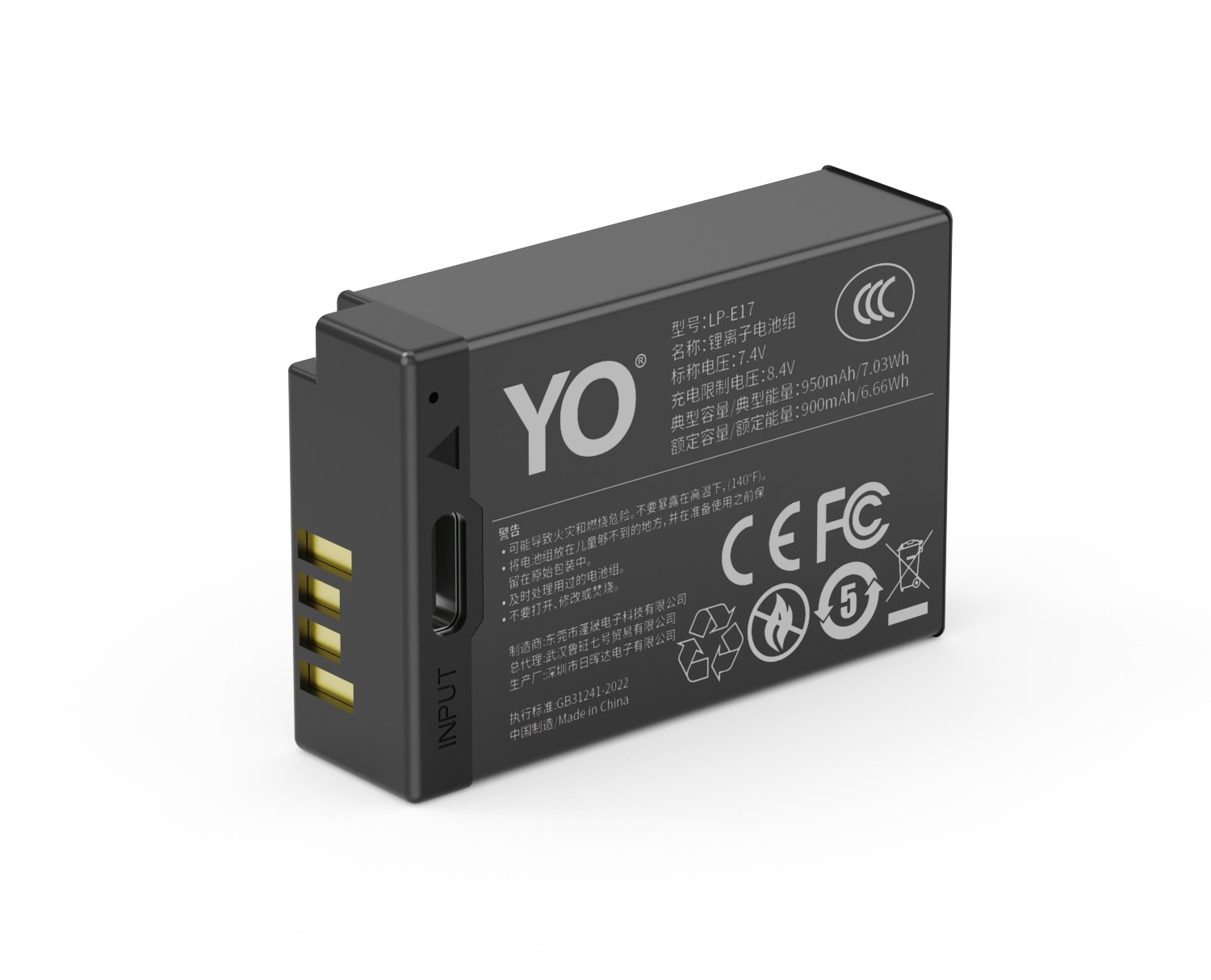
YO LP-E17 相机电池

Short answer: Canon only ever made one LP-E17, and “LP-E17H” is not an official Canon model number. Some third-party makers label their higher-capacity versions LP-E17H, a naming habit in the trade; the H usually hints at high capacity and carries no Canon endorsement. Seeing that label is no cause for alarm. In most cases it is simply a compatible battery with a larger stated capacity, but you should check three things yourself: the rated capacity and energy, whether the battery has a Type-C port, and whether the compatibility list contains any obviously wrong camera bodies.
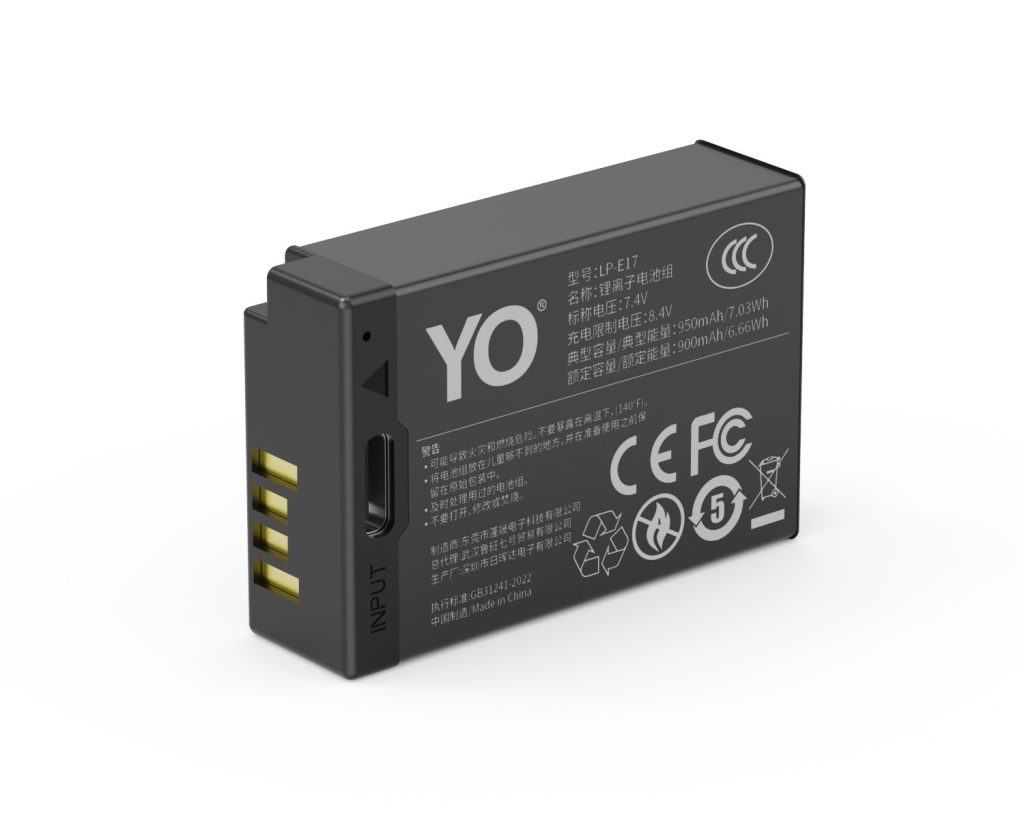
YO LP-E17 camera battery render
Product render of the YO LP-E17 compatible battery: front label, rear LED charge indicator and USB-C port.

The real risk in this naming confusion is not counterfeit goods. It is buying the wrong specification: mistaking an LP-E12 for an LP-E17, or assuming a different letter means a different connector.

On the Canon side there is only the LP-E17

Canon has always been restrained with battery naming: one model per compartment, and a capacity upgrade usually arrives as a new model number (LP-E6 to LP-E6N to LP-E6NH) rather than a letter appended to the old one. Since the LP-E17 arrived with the EOS 760D and 750D generation, the official designation has stayed LP-E17, with published figures of roughly 1040mAh / 7.5Wh / 7.2V and the LC-E17 as the original dock charger.

So when a product page offers “LP-E17H,” “LP-E17 Plus,” or “LP-E17 high capacity,” you can be fairly sure it is the seller’s own labeling. That is not automatically a bad sign, since building higher-capacity versions is a normal third-party practice, but those letters carry no official backing and tell you nothing about actual capacity.

Why third parties like to add letters

The reason is practical: one model number has to sell at several price points, so the title has to create separation. Adding an H separates the listing from the standard version in search results and hints at “better” at almost zero cost. Some sellers stack on “upgraded,” “enhanced,” or “OEM replacement” for good measure, blurring the line further.

Search behavior is the other half. Many shoppers search for the letter combinations they happen to have seen, so sellers publish every variant and the cycle repeats. The result is one cell design sold under five or six names, which makes comparison harder rather than easier. The reliable anchors are always numeric: how many mAh, how many Wh, which bodies it fits.

Three checks: capacity, connector, compatibility list

  1. First, capacity and energy. A real specification states both mAh and Wh. 1050mAh works out to about 7.6Wh at 7.2V, so be wary when a listing claims “ultra high capacity” with no numbers, or when the mAh-to-Wh ratio does not add up. YO’s LP-E17 comes in three tiers (750, 950, and 1050mAh), which is its own lineup and does not correspond to any Canon model number.
  2. Second, whether there is a Type-C port. A battery with a Type-C port on the body is a USB-C direct-charge version and can be topped up from a phone charger or power bank; without one, you need a dock charger. Third-party listings often mix the two, so the photos are the quickest way to tell.
  3. Third, verify the compatibility list. The LP-E17 fits the EOS RP, R8, R10, R50, R100, 850D, 800D, 760D, 750D, 77D, 200D, 200D II, M6, M6 Mark II, M5, and M3. If the list includes the EOS M50, M100, or M200, the seller has mixed in the LP-E12, and the rest of the page deserves the same suspicion.
Common label What it actually means How to verify
LP-E17 Canon’s model number, or a compatible battery built to that spec Look for “compatible” or “replacement” wording
LP-E17H A third-party naming habit for higher-capacity versions, not an official model Check that rated mAh and Wh match
LP-E17 direct-charge / T series Type-C port on the battery body, 5V charging Check the port photo and the input voltage note
“LP-E17, compatible with LP-E12” A wrong listing; the two differ in size and voltage Rule the page out

The three things that matter when buying a higher-capacity version

First, whether the rating is honest. Relabeling 950mAh as 1050mAh is not rare, so check whether the other tiers in the same line make sense and whether Wh and mAh agree. Second, whether the protection board is complete: overcharge, over-discharge, and short-circuit protection are baseline features, and a serious product will say so. Third, whether the supply is stable. A model that keeps switching cell suppliers may ship you something different from what the reviews describe.

All three matter more than the letter. For a systematic look at how the tiers differ, read the LP-E17 capacity and compatibility guide; if you have already settled on the top tier, the specs in the 1050mAh category will get you there faster than guessing from a title.

FAQ

Are the LP-E17H and the LP-E17 interchangeable?

If it is a compatible battery built to the LP-E17 specification, the dimensions and contacts match and it will fit the same bodies. But the H guarantees nothing by itself, so you still need to check the capacity claim and the compatibility list.

Does the H mean higher capacity?

Some third parties use it to suggest high capacity, but it is only a naming habit with no common standard. Products all called LP-E17H can differ widely in real capacity.

Why do some pages list the M50 as compatible?

Because the EOS M50 also uses an LP-series battery, which makes it easy to copy by mistake. The M50, M100, and M200 take the LP-E12, which is not interchangeable with the LP-E17, so rule out any listing that says otherwise.

Can a third-party high-capacity battery damage the camera?

A product with correct specifications and complete protection circuitry can normally be used without issue. The risk comes from inflated ratings and omitted protection boards, so favor listings with complete specifications and specific descriptions.
Posted on — Leave a comment

Nikon EN-EL25 Battery Guide for the Z50, Z fc and Z30

Short answer: the EN-EL25 is a compact battery Nikon developed specifically for its APS-C mirrorless bodies, rated 7.6V, 1120mAh and about 8.5Wh, and it fits only the Z50, Z fc and Z30 — it is completely incompatible with the EN-EL15 family used by full-frame bodies. Its absolute capacity is half that of the EN-EL15c, but because the sensor is smaller and the processor load lighter, frame counts do not shrink proportionally; a single pack covers roughly 300 shots.

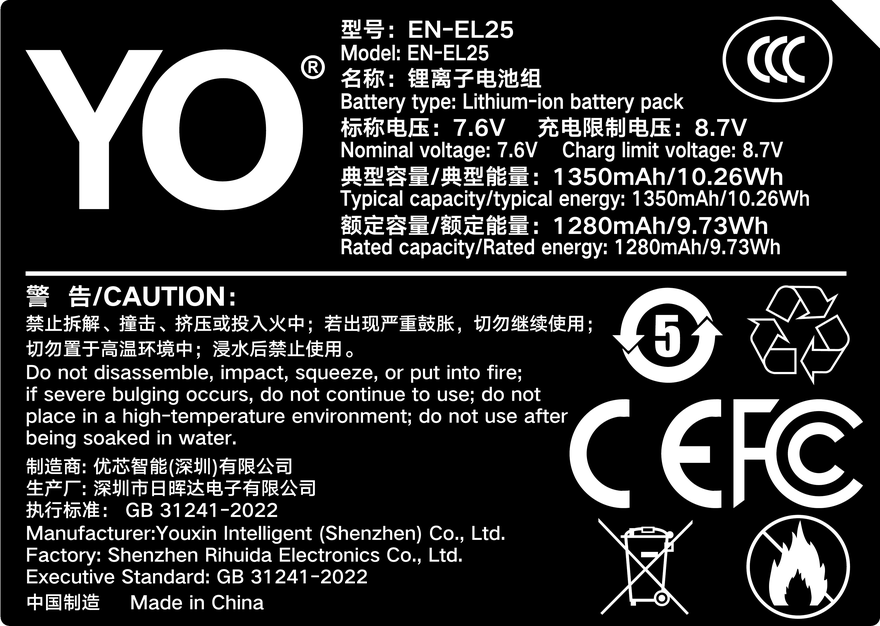
YO EN-EL25 battery rating label
Rating label of the YO EN-EL25 battery: nominal voltage, typical capacity and safety certifications.

The basics

The EN-EL25 uses a 7.6V nominal voltage, slightly higher than the 7.0V of the EN-EL15 series. That is one reason the two cannot be swapped: it is not only the size, the operating voltage window differs too. Energy is about 8.5Wh, which against typical airline thresholds is far below the carry-on limits most carriers apply.

Item EN-EL25 EN-EL15c (for comparison)
Nominal voltage 7.6V 7.0V
Capacity 1120mAh 2280mAh
Energy About 8.5Wh About 16Wh
Compatible bodies Z50, Z fc, Z30 (the Z50 II takes the EN-EL25a) Z5, Z6 series, Z7 series, Z8
Stock dock charger MH-32 MH-25 series

The Z50 II deserves a separate note. That 2024 body ships with the EN-EL25a, which holds slightly more than the original; the two can be used interchangeably in either body. If you own both a Z50 and a Z50 II, buying the EN-EL25a is the more universal choice — going the other way simply means a little less capacity.

Runtime across the three bodies

The Z50, Z fc and Z30 share the same generation of 20.88-megapixel APS-C sensor and the EXPEED 6 processor, so power draw is similar. The body shapes differ, though, and they pull your habits along with them.

Z50: the one with an EVF

The Z50 has an electronic viewfinder, which is the main reason it draws more than the Z30. Composing through the EVF keeps the sensor reading out at full speed continuously. The CIPA rating sits at the 300-shot level, and real street shooting usually lands between the low 200s and the mid 300s. Dropping the EVF refresh rate to 60fps and turning off automatic switching reclaims a noticeable amount of power.

Z fc: retro looks, ordinary draw

The Z fc has both an EVF and a tilting screen, so its power profile is close to the Z50’s. What sets it apart is the body and the controls — dial-based operation tends to make people change settings more deliberately and shoot more slowly, which indirectly saves power. Runtime is essentially on par with the Z50.

Z30: no EVF, the most frugal

The Z30 drops the viewfinder and relies on the screen alone, making it the most economical of the three. It is also the most video-oriented, and video is exactly where power goes fastest, so “most frugal” holds only for stills. Recording 4K continuously, one EN-EL25 lasts a little over an hour.

Charging: dock or in-body

All three bodies use the MH-32 as the stock dock, which remains the most dependable way to charge. In-body charging has to be considered per model rather than assumed.

  • Z50: the body uses a Micro-B USB port, so day-to-day charging relies on the MH-32 dock. Do not expect a phone charger to feed it directly.
  • Z fc and Z30: these moved to USB-C and can be charged from a USB PD supply as described in the manual, which means one less dock to pack.
  • Power bank route: choose a model that supports PD and outputs 18W or more. A plain 5V/2A port does little for a camera battery.

If you have only one pack and need to shoot all day, charging while shooting is a workable supplement, but it depends on supply wattage and firmware version, and the experience is less clean than simply swapping packs. For specific Z fc charging combinations, see the articles on the EN-EL25 category page.

One more caution: shell tolerances on the EN-EL25 vary slightly between production batches. If a third-party pack is a little too thick, it can be awkward to remove from a tight compartment such as the Z fc’s. Before buying, scan the reviews for complaints about a tight fit — that is more useful than the spec sheet.

How many spares

  1. Everyday stills: one stock pack plus one spare. The Z30 can be more relaxed; if you shoot the Z50 mostly through the EVF, plan on two.
  2. Travel: two packs plus a PD power bank. The EN-EL25 is small enough that an extra one adds almost nothing to the bag.
  3. Video-first work: three and up. During continuous recording the drain is linear and no setting trick changes that.
  4. Cold conditions: keep spares against your body and rotate them. Losing charge quickly below freezing is chemistry, not brand, and the approach is the same everywhere — see our minus 10°C test.

Third-party EN-EL25 packs are usually inexpensive. When choosing, check that the label states 7.6V / 1120mAh explicitly. Single-model specialists such as YO print the supported bodies on the packaging, which is more dependable than a vague “fits Nikon mirrorless” claim. If you plan to fly, read up on carry-on rules for lithium batteries first — this explainer covers the logic.

FAQ

Will the EN-EL25 work in a Z5 or Z6?

No. The Z5, Z6, Z7 and Z8 take the EN-EL15 series, which differs in both voltage and dimensions, so it will not physically fit. Nikon keeps separate battery systems for its APS-C and full-frame mirrorless lines.

What is the difference between the EN-EL25 and EN-EL25a?

Mainly capacity — the “a” holds a little more and ships with the Z50 II. The two are interchangeable, and there is no compatibility issue using the “a” in a Z50, Z fc or Z30.

Roughly how many shots does one EN-EL25 give?

Around 300 by the CIPA measure. In practice, heavy EVF use, frequent playback and wireless left on will push it into the low 200s, while a screen-first body like the Z30 often exceeds 300.

Can I charge the Z30 from a phone charger?

Yes, provided the charger supports USB PD with enough wattage and the cable handles the current. A plain 5V slow charger may only maintain the supply, so the level climbs very slowly or not at all.

Posted on — Leave a comment

NP-BX1 Charging Options Compared: Dock, In-Body USB and Power Banks

A NP-BX1 can be topped up via USB / BC-CSX / Dock: a dock for home, a power bank on location, and external power only for long takes. Charging efficiency depends heavily on temperature, so pause below 5°C or above 40°C. Mild warmth is normal; a pack that is hot to the touch, smells unusual or has deformed should be disconnected immediately. For long storage keep about 50% charge and top up every three months.

By CIPA standard the RX100 VII delivers about 250 shots per charge (220–330 / ZV-1 4K 45–60 min). Real-world figures fall with viewfinder use, bursts, flash and low temperature, so budgeting around 70% of the rating is safer.

Three charging paths compared

The paths differ mainly in speed and whether the cell has to come out. A dock is stable and can charge two at once; in-body USB is convenient but usually stops charging when the camera is powered on; a power bank covers location work.

Method Note
USB Stable, charges two cells at once, best for home or studio rotation
BC-CSX No need to remove the cell, ideal for travel, but charging usually stops when powered on
Dock Good for location top-ups; check output specs and cable quality

Temperature and storage limits

Charge between 5–40°C, and store around 15–25°C in a dry place at roughly 50% charge. Leaving a pack fully charged or completely flat for months accelerates capacity loss.

Item Value
NP-BX1 NP-BX1
NP-BX1 Sony NP-BX1
np-bx1 1090 mAh / 4.04 Wh
RX100 VII 250 / 220–330 / ZV-1 4K 45–60 min
NP-BN / NP-BN1 NP-BX1
NP-BX1 1090 mAh / 4.04 Wh

Power for long recordings

For long takes, streaming or time-lapse, prefer external power and watch the heat. Charging while the camera runs keeps the cell warm, so leave room for ventilation in summer or in enclosed spaces.

To pick by model, start with the specifications and stock status on Sony NP-BX1 1090mAh, then browse the full article set in NP-BX1; if your body belongs to a neighbouring system, NP-F960 has the side-by-side explanation.

FAQ

Can the NP-BX1 be charged inside the camera?

It depends on the body: USB / BC-CSX / Dock. Where in-body USB charging is supported, it normally stops as soon as the camera is switched on, so a dock is more predictable when you are in a hurry.

How long does a full charge take?

It varies with charger output, remaining charge and ambient temperature. A dock is usually the fastest and most stable option, while in-body USB and power banks are slower. Use the charger indicator rather than the in-camera percentage as your guide.

Can I shoot while charging?

External power is fine for long recordings or streaming, but body and cell both stay warm. In summer or enclosed spaces, improve ventilation and never put a hot pack straight into a sealed case.

How should I store the cell long term?

Keep it around 50% charge in a dry place at 15–25°C and top it up every three months. Long periods fully charged or fully flat accelerate ageing; recycle a swollen pack instead of recharging it.

Posted on — Leave a comment

LP-E6 / E6N / E6NH / E6P: Four Generations Compared

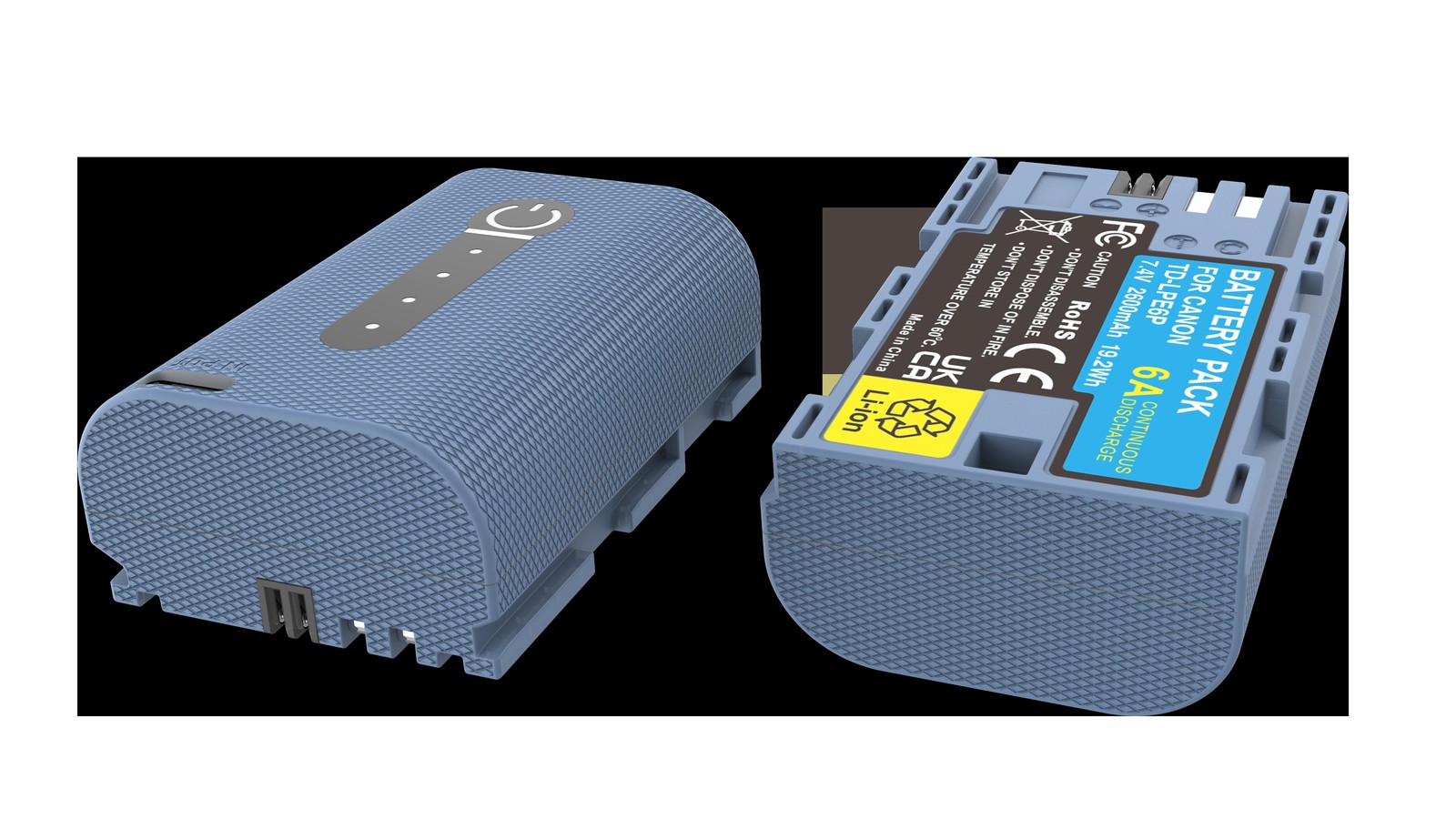
Short answer: all four LP-E6 generations share the same casing and contacts and will fit the same bodies. What changes is capacity and discharge capability. The LP-E6 is 1800mAh, the LP-E6N raises that to about 1865mAh, the LP-E6NH jumps to 2130mAh with 3.0A continuous discharge, and the LP-E6P keeps 2130mAh but doubles continuous discharge to 6.0A. For everyday stills the E6NH is the best value; for an R5 Mark II or demanding video work, the E6P is effectively required.

YO LP-E6P camera battery render
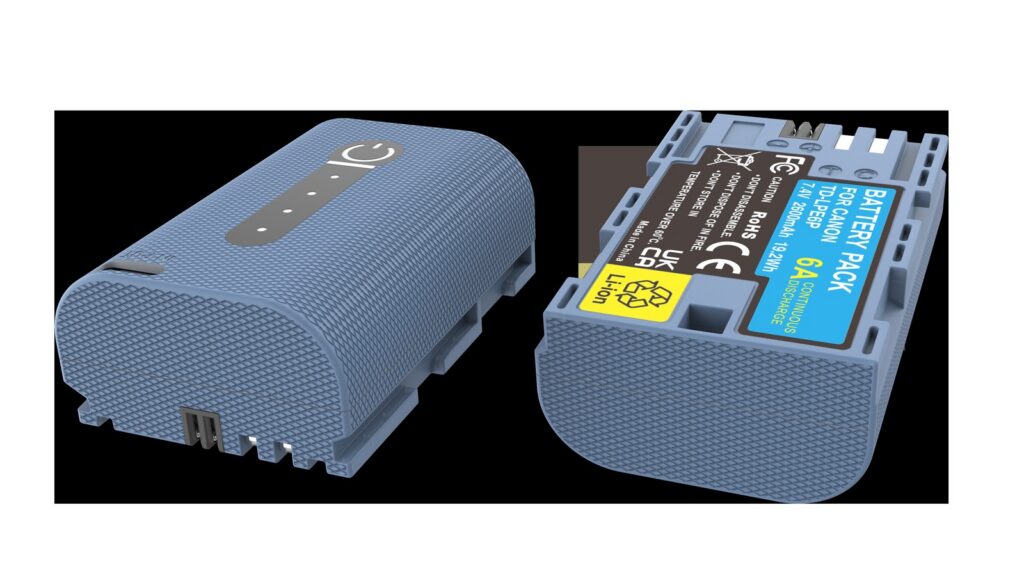
Product render of the YO LP-E6P compatible battery: front label, rear LED charge indicator and USB-C port.

Backward compatibility has to be read in both directions, and most people only remember half of it. A new pack in an old body generally works, minus some capability. An old pack in a new body powers up and shoots, but certain heavy-load functions are simply locked out. That second direction is where real-world problems concentrate.

The four generations side by side

Model Capacity Energy Continuous discharge Introduced Typical pairing
LP-E6 1800mAh About 13Wh Not separately rated 2008, with the 5D Mark II 5D II, 5D III, 60D, 7D
LP-E6N About 1865mAh About 14Wh Not separately rated 2014, with the 7D Mark II 5D IV, 6D II, 80D, 90D
LP-E6NH 2130mAh About 16Wh 3.0A 2020, with the R5 / R6 R5, R6, R6 II, R7, R
LP-E6P 2130mAh About 16Wh 6.0A 2024, with the R5 Mark II R5 Mark II, R5 C, C50

The scale of each step is worth noting. From E6 to E6N is only 65mAh, which is imperceptible in use; from E6N to E6NH is roughly 14%, the largest step in the family and the one you actually feel. From E6NH to E6P the capacity does not move at all — the discharge rating doubles — so what you gain is not longer runtime but reliability under load.

Backward compatibility, both directions

A new pack in an old body

The E6NH and E6P both fit older bodies such as the 5D Mark III, 6D, 7D Mark II and 90D, supplying power and reporting charge normally. Those bodies cannot use 3.0A or 6.0A of headroom, so what you effectively get is a larger-capacity E6: longer runtime, nothing else changed.

The one thing to watch is the charger. The LC-E6E will charge the E6P, E6NH, E6N, E6 and LP-EL, taking about 180 minutes for an E6NH and about 150 for an E6N or E6. If you still have an original LC-E6 or an early LC-E6E, the E6NH may charge slowly, though safety is unaffected.

An old pack in a new body

This is where the limits appear. On an R5 Mark II, for example, an E6NH or earlier pack shoots stills and ordinary video perfectly well, but high-load functions such as HDMI RAW output, high-frame-rate video, pre-capture and simultaneous multi-body shooting are unavailable. That is not a fault; the body is trimming features to what the pack can support.

A related case is an R5, R6, R6 Mark II or R7 with an LP-E6P. Canon states that these bodies need firmware updated to support the LP-E6P before they reach the same burst rate as with an LP-E6NH. In other words, buy the new pack without updating and you may conclude nothing has improved.

Which generation to buy

  1. Older bodies such as the 5D II, 5D III, 6D, 7D and 60D: buy the E6NH. It costs little more than an E6N, holds more, and stays useful when you change bodies.
  2. R, R5, R6, R6 II, R7: buy the E6NH, which is the standard fit. An E6P works too, but update the firmware first.
  3. R5 Mark II, R5 C, EOS C50: buy the E6P. Other models limit functions, and there is no workaround.
  4. Stills only, tight budget: an E6N is still usable, with shorter runtime and the same discharge limits on newer bodies.

Mixing generations is not advisable. The four look almost identical, so they are hard to tell apart in a bag and easy to grab by mistake on a shoot. Standardise on either the E6NH or the E6P; it is the lowest-effort way to manage them.

What to watch with third-party packs

The spread in third-party quality is wider for the LP-E6 family than for the LP-E17, because the loads are heavier. A pack that claims 2130mAh but manages only 1.5A of continuous discharge will error out or shut down within minutes of 8K on an R5 — worse than a genuine E6N.

Three tests: whether a continuous discharge current is explicitly stated; whether the body shows a charge percentage and shutter count correctly; and whether the pack gets noticeably hot during continuous high-bitrate recording. Only when all three pass is it fair to call the pack usable. YO’s offering in this range is built to the 2130mAh specification, and the same checks are still worth running yourself.

For long fixed-position shoots, even a large pack has a ceiling, so consider external power. The thinking matches this FX3/FX30 video power setup: substitute a large supply for the internal pack and turn how many packs to bring into whether you have an outlet.

Owners of smaller bodies can skip this one — your packs are a separate system, covered in the LP-E17 section. If an LP-E6 you own has already swollen or drains abnormally, the handling procedure is in the LP-E6 fault section.

FAQ

Will an LP-E6P work in a 5D Mark IV?

Yes. The E6P is the same size with the same contacts, and the 5D Mark IV recognises and runs on it. The body cannot use 6.0A of discharge capability, so all you gain is the 2130mAh capacity — essentially the same experience as an E6NH.

Can the four generations share a charger?

An LC-E6E will charge any of the four and identifies the pack automatically. It is not advisable, however, to leave packs of different generations and different health in one two-bay charger for long sessions: heat dissipation differs between bays, and the weaker pack is more likely to overheat.

Why can’t an R5 shoot 8K on an E6N?

High-bitrate recording has a hard requirement for continuous discharge current, and the E6N cannot supply it, so the body limits or refuses that mode. It is not a firmware issue — fit an E6NH or E6P. The exact restrictions are shown on the camera display.

What should I do when the body says the battery cannot communicate?

Clean the contacts first: rub the pack terminals and the metal tabs in the bay with a pencil eraser, then refit. If the error persists, the decoder inside the pack has failed, which is common in third-party products and in originals that have seen water. Such a pack will still supply power but cannot report charge, so avoid relying on it for important work.

Posted on — Leave a comment

950mAh Runtime on the R10, R50 and 850D: What to Expect

YO LP-E17 相机电池

Short answer: for light use with screen framing, one 950mAh battery gives roughly 370-410 shots on an EOS R10, about 320-365 on an R50, and about 640-730 on an 850D using the optical finder. These are ranges rather than exact figures, derived by taking the published runtime for each body on the 1040mAh original and multiplying by 950/1040. The real count depends on framing method, stabilization, screen brightness, ambient temperature and reviewing habits, and the same photographer can vary by twenty or thirty percent from one day to the next.

YO LP-E17 camera battery render
Product render of the YO LP-E17 compatible battery: front label, rear LED charge indicator and USB-C port.

The method is worth setting out first, otherwise the numbers mean little.

How these ranges are derived

Manufacturers test battery runtime to a standardized procedure, and the result is an order-of-magnitude reference rather than a promise. The ratio of 950mAh to 1040mAh is about 0.91, so the theoretical ceiling is the nominal figure multiplied by 0.91. In real use the discharge curve, internal resistance and the body’s own thresholds all push the result away from that ratio.

Body Original 1040mAh reference 950mAh estimate Key variable
EOS R10 About 400-450 shots About 370-410 shots Proportion of electronic finder use
EOS R50 About 350-400 shots About 320-365 shots Screen brightness, wireless connection
EOS 850D (optical finder) About 700-800 shots About 640-730 shots Whether live view is used
EOS 850D (live view) About 200-300 shots About 180-270 shots How long the screen stays on
EOS RP About 220-260 shots About 200-240 shots Full-frame readout draw

What stands out is not the size of the numbers but the gap on the same 850D between the two framing methods, which approaches threefold. That is the clearest sign that runtime was never a property of the battery alone.

R10 and R50: both APS-C, divided by habit

R10: the widest spread between finder and screen

The R10 has a high-specification electronic finder, and with the camera to your eye the screen switches off while the finder refreshes at full rate, which draws differently from composing on the articulating screen. Most people use the finder indoors and the screen outdoors, so the load profile over a day is mixed and hard to reduce to one number.

If your pattern is mostly eye-level framing with plenty of bursts, expect the lower end of the range; if it is single frames composed on the screen, expect the upper end. The R10’s battery compartment is small and its grip compact, so plan on at least two 950mAh batteries.

R50: a light body whose runtime goes to the screen

The R50 is positioned at entry level, and its users lean more on the articulating screen and touch operation, so the screen stays lit for longer. That is the main reason its runtime trails the R10. The R50 also often keeps Wi-Fi connected to a phone for transfers, which raises idle current further.

The three most effective power savings on an R50 are: set screen brightness to a fixed middle step instead of letting it run at maximum; switch off unnecessary Bluetooth pairing; and shorten the auto power-off timer. Together these often buy several dozen extra frames, which is more immediate than buying a larger battery.

850D: optical framing is a different world

The 850D is a DSLR, and with the optical finder the sensor and screen are essentially idle, so its nominal runtime is far higher than any mirrorless body’s. The same 950mAh gives six or seven hundred frames in optical view and drops to around two hundred the moment you switch to live view.

That means an 850D user asking whether 950mAh is enough should first ask whether they will use live view. If optical framing is the habit, one 950mAh covers a day comfortably. If the screen is in use for video or low-angle composition most of the time, the body behaves like a mirrorless camera and the expectation should be two hundred-odd frames.

Four habits that push the range upward

  1. Cut down how long you hold half-press focus. Release the shutter while composing and half-press only when needed, which saves a surprising amount.
  2. Turn wireless off. Wi-Fi and Bluetooth scan continuously at idle and are a quiet major drain.
  3. Limit reviewing. Chimping every few dozen frames adds up to the equivalent of a good many extra shots.
  4. Keep spares warm in the cold. Once a battery warms up its internal resistance falls and usable capacity returns, which beats forcing more frames on location.

If you still go through two batteries or more in a day after all that, your workload has moved beyond what 950mAh is comfortable with. Look at the 1050mAh long-runtime tier, or simply rotate two batteries. The full logic of the tiers is in the LP-E17 capacity and compatibility guide.

FAQ

Why can’t I reach even the lower end of the range?

Rule out three causes first: whether the battery is new and fully broken in, whether you are shooting in the cold, and whether wireless and a bright screen have been left on for long periods. If all of those are normal, it may be sample variation, since lithium-ion batteries do differ.

How long can a 950mAh record video?

By capacity, roughly nine tenths of the original’s recording time, but video is a constant-power load and bodies have temperature limits, so usable clips are usually shorter. For continuous recording, move to 1050mAh and carry a spare.

Are two 950mAh batteries enough for a full day out?

For APS-C bodies such as the R10 and R50, usually yes. For full-frame bodies such as the RP and R8, two may only just run out if you shoot and review a lot. Where nothing can be recharged all day, carry three or move to 1050mAh.

Does a new battery need to be fully charged and drained a few times?

No. Lithium-ion batteries have no memory effect and normal use is fine. The so-called break-in is really the gauge completing a few full cycles to calibrate; running the first two or three cycles down to low charge and then charging fully helps the display, but there is no need to force a deep discharge.

Posted on — Leave a comment

Genuine NP-W126S vs TNP-W126S: How to Tell Them Apart

Short answer: the clearest difference is structural — the YO TNP-W126S has a USB-C port on the battery body, while the genuine NP-W126S has no exposed connector of any kind. Beyond that, four more checks settle it: the printing and its content, the plating and layout of the contacts, the shell’s mold seam, and the weight in hand. Everything below concerns visible features only; nothing requires opening the cell or any instrument.

YO TNP-W126S battery rating label
Rating label of the YO TNP-W126S battery: nominal voltage, typical capacity and safety certifications.

One thing needs stating first: these two are not “genuine versus counterfeit.” This battery is a compatible product sold openly under its own brand, and its printing says so. Separately, there are counterfeits posing as genuine, marked Fujifilm but made by someone else. Keep the two questions apart: brand marking answers the first, build quality and sales channel answer the second.

Step one: is there a USB-C port?

This is a structural difference and impossible to misread. The genuine NP-W126S is a closed block with a set of metal contacts on the bottom and locating slots on the side; the TNP-W126S adds a USB-C receptacle on the end face so a cable can charge it directly.

Turned around: if someone offers a battery “claimed to be genuine” that has a USB-C port, it cannot be genuine. Fujifilm never made a charging-port version in the NP-W126S generation.

Five things to look at

Feature Genuine NP-W126S YO TNP-W126S
Shell and mold seam Narrow seam, smooth transition Varies by batch; most are tidy, a few slightly wider
Face printing Fujifilm mark, NP-W126S, capacity and voltage, batch code Brand mark, TNP-W126S, capacity, USB-C marking
Contacts Even plating, rounded edges, fixed layout Same positions; plating finish looks slightly different
Connector None exposed USB-C receptacle
Weight and feel Dense, with a definite heft Similar or slightly heavier because of the port module

The “varies by batch” and “slightly different” entries are not hedging; appearance checks of this kind have no absolute standard. Third-party molds and printing shift between production runs, so judging whether the whole thing is tidy is more reliable than fixating on one detail.

What to read in the printing

Genuine printing normally includes the model, nominal capacity and voltage (1260mAh / 7.2V / 8.7Wh), certification marks, and a batch or serial number. Letter edges should be crisp, stroke depth consistent, and the layout centered and aligned. Blurring, ghosting, strokes that vary in weight, and crooked layout all point to ordinary print quality.

Watch the model designation too. The NP-W126 and NP-W126S share a shape and are interchangeable, but the S version was tuned for heat dissipation and discharge behavior. Some cheap batteries take an old W126 shell and print W126S on it; whether the capacity marking matches reality is one supporting check.

Genuine packaging usually carries a regional distributor label and anti-counterfeit information, while third parties each run their own packaging system. This article does not describe specific anti-counterfeit methods, because label designs change by channel; the official guidance from your point of purchase is the safer reference.

Contacts, build and feel

The contacts reveal the most about manufacturing standards. Genuine contacts are usually flat, slightly rounded at the edge, evenly reflective, and still bright after many insertions. On a roughly made battery the plating is thin, and the contacts darken and pick up scratches after a while.

One caution: darkened contacts do not necessarily mean the battery is failing, but higher contact resistance makes the body misjudge the charge — full on insertion, then two bars gone after a few dozen frames. If that happens, rub the contacts lightly with a pencil eraser (not sandpaper) and try again.

Using weight and feel

Weighing in grams is not a good test, because potting material and shell thickness differ between batches and a household scale carries its own error. Two more useful actions: set it flat on a table and see whether all four corners sit down — a rocking edge means a deformed shell; and shake it gently and listen, because nothing inside should rattle.

As for “genuine feels heavier,” treat it as a hint at most. A third-party battery with a USB-C module has different internals, so a direct weight comparison means little.

How to avoid buying a battery posing as genuine

  • Buy genuine batteries through authorized channels and keep the receipt.
  • For third-party, buy a clearly branded product with a warranty, such as one with its own model system and a stated warranty.
  • Be wary of prices well below the market average, especially for something sold as “genuine” and cheap.
  • Check that the packaging serial number matches the printing on the battery itself.
  • For used genuine batteries, inspect the shell: swollen, badly worn contacts, or printing rubbed illegible means walk away.

FAQ

Does a USB-C port always mean it is not genuine?

For this specific model, the genuine maker never offered a version with a USB-C port. A battery with that connector is almost certainly a third-party product, such as the TNP-W126S.

Will a Fujifilm body warn about a third-party battery?

Fujifilm bodies usually do not show such a prompt, but the bar-count algorithm is calibrated to the genuine battery’s discharge curve, so a third-party one may drop a bar early or behave inconsistently. That is normal; judge by the frame count you actually get.

Can a genuine battery use a third-party dock charger?

Yes, as long as the charger’s contacts and output voltage match. Avoid unbranded chargers with unspecified output; overvoltage can damage the protection board.

Where can I find the compatible body list?

The X-T1 through X-T3, X-T10 through X-T30 II, X-Pro1 through X-Pro3, X-E1 through X-E4, X100V, X-S10, X-H1 and the X-A series all sit in the NP-W126S system; the full account is on the NP-W126S category, and third-party versions with USB-C charging are covered on the TNP-W126S category page. Note that the X-T4, X-T5, X-H2 and X-H2S use the NP-W235 and are not part of this list.

Posted on — Leave a comment

NP-FW50 in the α7 Family: Six Full-Frame Bodies, Rated Runtime and Spares

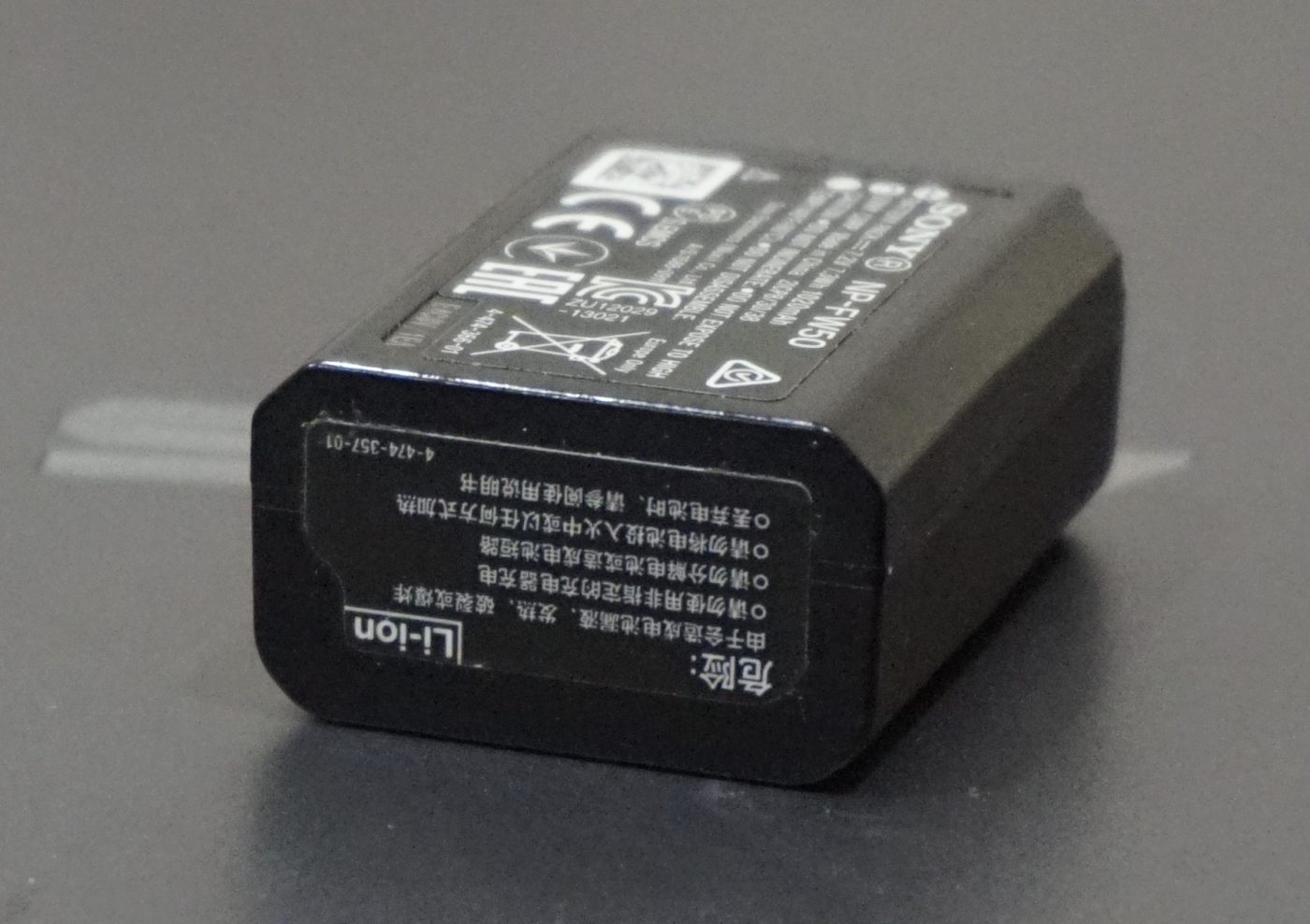
A Sony NP-FW50 lithium-ion rechargeable battery

Short answer: six full-frame bodies sit on Sony’s official NP-FW50 list — the α7, α7R and α7S first generation, plus the α7 II, α7R II and α7S II. Third-party equipment references quote CIPA rated stills counts between roughly 290 and 370 frames under standardised test conditions, not field results. With an 8.14Wh cell the planning method is the same as for APS-C bodies: divide, round up, leave headroom. Watch the naming: the α7 II takes NP-FW50, while the α7 III moved to NP-FZ100 and will not fit.

The six full-frame bodies

The table follows the model codes used on Sony’s compatibility page. The CIPA column collates manufacturer ratings from third-party equipment references; we have not measured them and do not present them as real frame counts.

Body Code On Sony’s NP-FW50 list CIPA rated stills (not a field test)
α7 ILCE-7 Yes Approx. 340 frames
α7R ILCE-7R Yes Approx. 340 frames
α7S ILCE-7S Yes Approx. 370 frames
α7 II ILCE-7M2 Yes Approx. 350 frames
α7R II ILCE-7RM2 Yes Approx. 290 frames
α7S II ILCE-7SM2 Yes Approx. 370 frames

The span matters: about 80 frames separates the highest and lowest. Bodies differ in power draw, viewing method and test conditions, so a rating is useful for planning that one body’s day, not for declaring one model more efficient than another. We draw no conclusions about causes or ranking here.

The other frequent mistake is assuming the α7 III, α7 IV, α7R III and later also take NP-FW50. They use NP-FZ100, a different shell that will not fit. Check the label inside the compartment, or compare against the NP-FW50 compatibility list.

From a rating to a packing plan

Using the α7R II’s conservative 290 frames as a sample: expected frames ÷ rated frames, round up, then add headroom. The numbers illustrate the arithmetic and promise no real-world result.

Expected frames Sum (at 290 per cell) Theoretical cells Practical plan
Under 200 200 ÷ 290 ≈ 0.7 1 One cell, refill overnight
Around 500, travel stills 500 ÷ 290 ≈ 1.7 2 Three for comfort, allowing review and cold
Around 800, all-day outdoor 800 ÷ 290 ≈ 2.8 3 Three to four, parallel refill overnight
Video or time-lapse led Stills rating does not apply Not by frames Three-plus, or external power for fixed work

Why three rather than two when the sum says 1.7: full-frame bodies are often used for long outdoor sessions, weddings and events, with heavy live view and review, plus possible cold. Two leaves almost no margin. Our NP-FW50 compatible cell is quoted at 1100mAh / 7.4V / 8.14Wh; switching to the TNP-FW50 USB-C version does not extend a single cell’s runtime, it only makes refilling easier.

Where to leave headroom

  • Live view and review: long sessions of screen framing and checking exposure draw noticeably more than the standard test sequence.
  • Video and time-lapse: a CIPA stills rating does not convert into recording minutes. Estimate a video-led day separately.
  • Cold and idle time: usable capacity falls outdoors in winter, so keep spares warm and power the body down between sets instead of leaving it awake.
  • Wireless transfer and flash: tethered image transfer and strobe triggering add draw; count them into the margin on a long event day.

For a checkable energy estimate, use 8.14Wh ÷ average body draw ÷ efficiency 0.8 — but the draw itself varies by body and use, so the result is an order of magnitude only. The dependable answer is still one more cell plus parallel refilling overnight.

Refilling and continuous power

These first- and second-generation bodies mostly cannot charge a cell through the body’s USB port, so a dock or a cell with its own USB-C port is more practical. With three or more cells, direct-charge packs can share a multi-port charger instead of requiring matching docks. For livestreams, interviews or time-lapse, where a swap would break the recording, use a DC solution such as the DR-FW50 external power adapter; its listing states 13-plus bodies, a narrower range than the cells, so verify the model code first.

FAQ

Can the α7 III still use an NP-FW50?

No. The α7 III (ILCE-7M3) takes NP-FZ100, a different size that will not fit. Sony’s NP-FW50 list covers the six first- and second-generation α7 bodies.

How many frames does one cell give the α7R II?

Third-party references quote a CIPA rating near 290 frames under standardised conditions. Live view, review, cold and video all pull the real number lower.

Why do the six ratings differ?

Bodies differ in power draw, viewing method and test conditions, so the ratings differ. We list the numbers without inferring causes or ranking; plan using the figure for your own model.

How many cells for a full wedding day?

At a conservative 290 frames per cell, 800 frames gives 800 ÷ 290 ≈ 2.8, so three when rounded up. With review, cold and video, three to four plus parallel overnight charging is sensible.

Posted on — Leave a comment

DR-FW50 vs a Single Charger: What Two Bays Really Buy

Short answer: the core gain of a two-bay case over a single charger is parallelism — two FW50 batteries no longer queue, and total waiting time drops from roughly four hours to a little over two. That gain shrinks when the power supply is weak, because both bays split one 5V input. Whether the switch is worth it depends on how many batteries you own and how often both run flat at the same time. With a single battery, a dual case offers no charging advantage at all.

The FW50 is a small-capacity battery, and one of them already fills quickly, which makes parallel charging easy to undervalue. What separates the two setups is not the speed of a single battery but how long you wait before you are holding two usable ones.

How the two shapes differ

Point of comparison Single charger DR-FW50 dual case
Batteries charging at once 1 2
Time to fill two batteries About 3-4 hours, one after the other About 2-3 hours in parallel, depending on supply power
Storage None; batteries sit bare Lid closes over both; dust and scuff protection
Packed size Small, but the batteries travel separately Slightly larger; batteries and charger in one unit
Best suited to One battery, or a minimal kit Two or more batteries, or centralized management

The second row needs a caveat: the “4 hours” figure assumes about two hours per battery in sequence, and the real number moves with how depleted each one is. If your habit is to plug in one battery the moment it dies while the other keeps shooting, the queue is spread thin and the dual case stands out far less.

The time budget: what parallelism actually saves

Assume both batteries are empty and the supply is 5V/2A.

Single charger: the first battery runs about 1.5 hours from zero to full, then the second takes another 1.5 hours, for three hours total. For all of it you have one usable battery, and the second only arrives at the end.

Dual case: both bays start together. If the supply delivers 10W total, each bay gets about 5W, close to 5V/1A per side, so each battery fills in roughly 2 to 2.5 hours. Total time is still 2 to 2.5 hours — nearly an hour less than serial — and by hour two you already have two batteries ready.

The measure that matters is when a battery becomes usable, not the total duration. With a single charger you can walk out the moment the first one tops off. With a dual case both finish later but finish together. For anyone who needs to leave with two, the second shape is the right one.

With a 5V/3A supply and a case that splits power properly, each bay runs close to single-charger speed and the advantage grows. Run the same case off an old 5V/1A adapter and each bay gets 2.5W, stretching a full charge past three hours; at that point the only benefit left is not having to babysit the swap.

Why two bays matter more, not less, on small batteries

Intuition says a small battery charges quickly, so parallelism should count for less. In daily use the opposite holds, for three reasons.

  • FW50 bodies run short and get swapped often. Two or three changes a day is routine on an A6400, A6500 or NEX body, and batteries tend to die in pairs — exactly the pattern two bays are built for.
  • Short per-battery time means denser queuing. A large battery needs one charge a day; a small one needs two rounds, which magnifies the cost of serial waiting.
  • Small batteries suit opportunistic charging. Dropping both into a case and connecting one cable beats remembering to swap at the two-hour mark. The real difference is management cost.

Put another way, a dual case does not sell charging speed. It sells not having to think about it, and that is worth most in high-swap, low-capacity shooting.

When a single charger is the better call

The reverse case deserves equal clarity. For these three users, a single charger is the better buy.

  1. You own one battery. The second bay stays empty forever, and you paid in size and price for nothing.
  2. You pack ultralight. A single charger plus one battery takes clearly less room than a case plus two. On hikes where every gram counts, the single charger is the practical choice.
  3. You already own direct-charge batteries. If the battery has its own USB-C port, one cable does the job and a separate charger matters less; adding a case on top is duplicate kit.

The third point is worth expanding. Direct-charge batteries like the TNP-FW50 put the charging input on the battery itself, so in principle no stand-alone charger is needed. The case then earns its place as storage and as a way to handle two batteries at once, not as the only way to charge. See the TNP-FW50 charging and compatibility guide.

How to choose, by battery count

One battery: a direct-charge pack plus a cable. No case needed.

Two batteries: the dual case fits best. Plug in once at night and both are full by morning. On a long trip, add a direct-charge battery as redundancy.

Three or more: dual case plus direct-charge batteries. The case handles the overnight batch, direct charging covers top-ups on location during the day, and the two paths do not compete.

If you are still unsure how the case itself works, the DR-FW50 category page covers the indicator lights and charging order in detail; the battery-side compatibility list sits on the NP-FW50 battery page.

FAQ

Does a dual case wear batteries faster than a single charger?

No. The bays are managed independently and each sets current from its own battery’s state. The real risk is heat: when charging with the lid closed in a hot room, open it and let air through.

Will a 5V/1A adapter leave both batteries short of full?

They will still reach full, just slowly. Shared power lowers current per bay and pushes the total past three hours, but charging will not stall halfway.

Can the case replace a dock charger for genuine batteries?

Yes. The bays are shaped for the FW50, so genuine and third-party batteries both fit. Mixing them works too; the two simply finish at different times because of their age.

On a business trip, can I bring only the case and no adapter?

It depends on whether a cable is included and whether you can find a 5V source. Most cases ship with a cable but no adapter; a hotel TV’s USB port or a phone adapter will do, though output varies. If time matters, bring your own 5V/2A adapter.

Posted on — Leave a comment

TNP-FW50 USB-C Guide: Compatibility and OEM FW50 Differences

Short answer: the YO TNP-FW50 is an NP-FW50 replacement pack with a USB-C port built into the battery itself, so it charges from a phone charger or power bank with no dock and no camera involved. It keeps the original ratings of 1020mAh / 7.7Wh / 7.2V and fits bodies that use FW50 — the A6000 series, first- and second-generation A7, the A5100, the NEX series and the RX10 among them. Its value is not doubled capacity; it is turning charging from “you must bring a dock” into “one cable is enough”. If your bodies are still in the FW50 world, this pack answers a question about how much you carry, not about how much runtime you get.

YO TNP-FW50 camera battery render
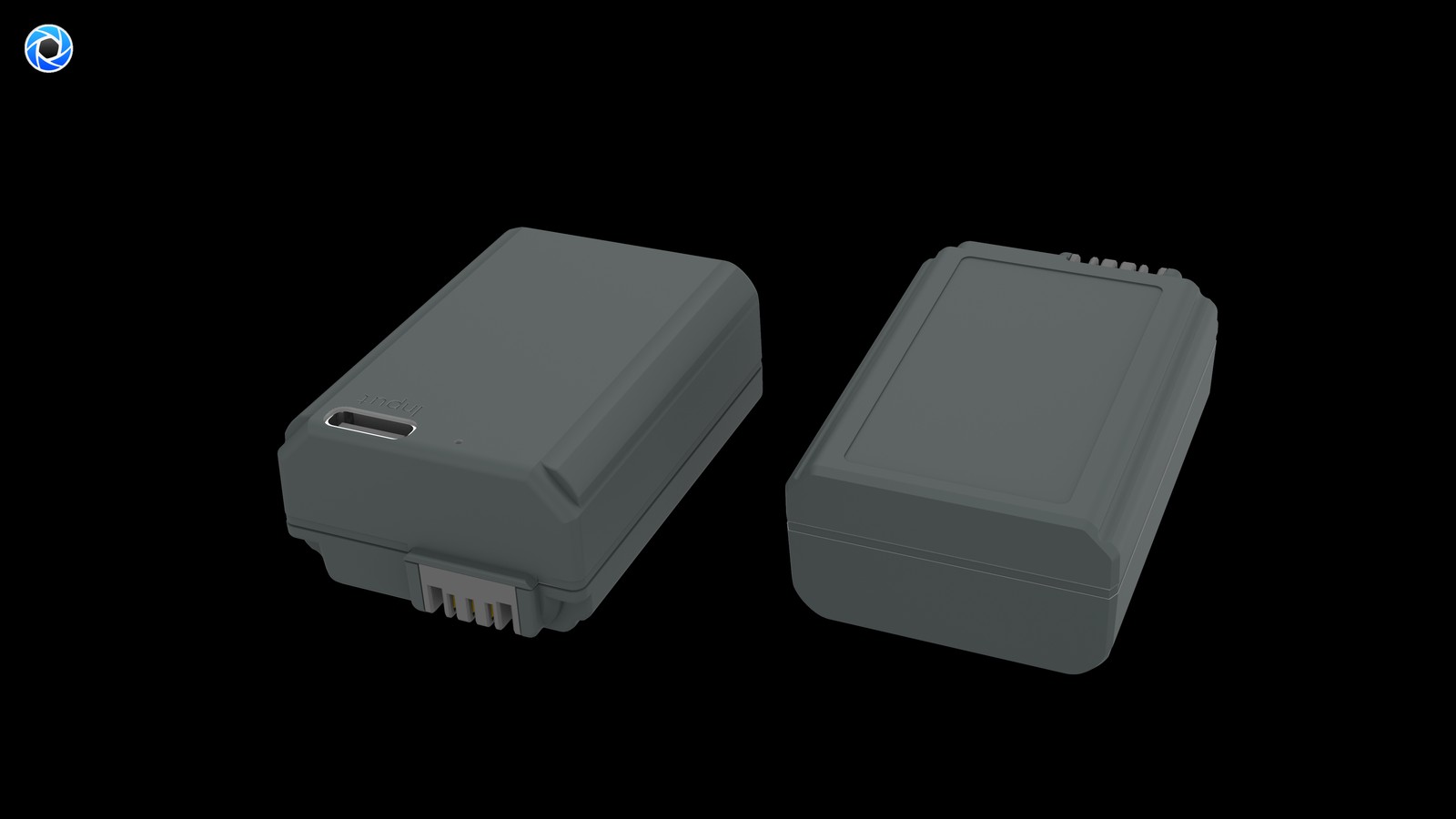
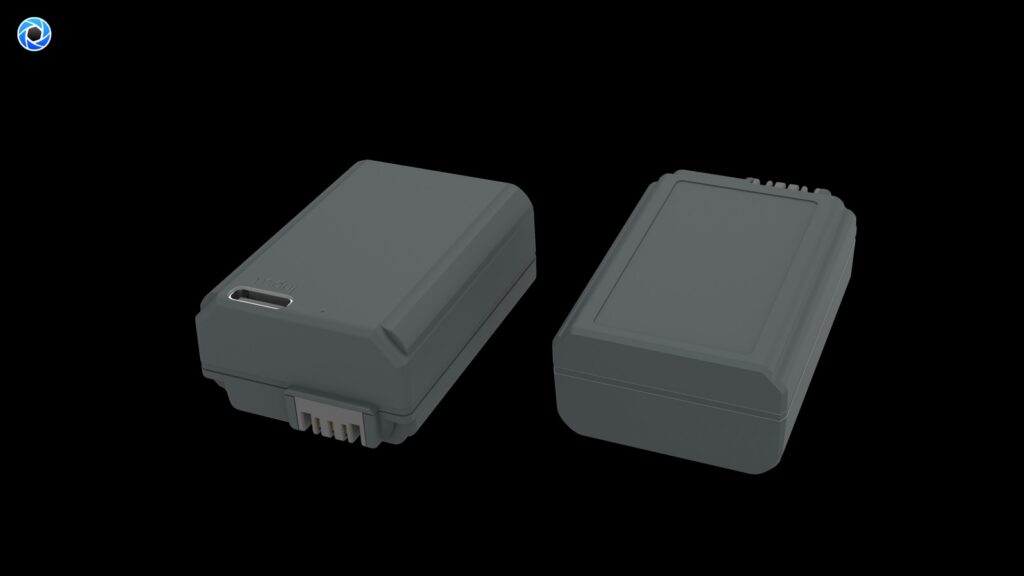
Product render of the YO TNP-FW50 compatible battery: front label, rear LED charge indicator and USB-C port.

What follows covers three things: which bodies can genuinely use it, where it differs from Sony’s own FW50, and how direct charging fits into a real shooting routine.

What it is: cells, a decoding board and a USB-C port

An ordinary FW50 replacement has only positive and negative terminals plus the communication contacts, so charging depends on an external dock or on the body’s USB port — and most FW50-era bodies do not support USB charging at all, let alone charging while shooting. The TNP-FW50 opens a USB-C socket in the side of the shell and adds a charging management circuit inside: 5V comes in, and that circuit handles detection, constant current, constant voltage and the final trickle, all closed inside the pack.

That means the dedicated dock can stay at home. A phone charger, a car adapter, a power bank or a laptop’s USB port — anything that delivers a steady 5V — can in principle top it up. For anyone who travels with one small bag, carrying one less item is a tangible gain.

The output is unchanged, so do not expect more capacity

Output is still 7.2V nominal, identical to the original, so the camera simply sees an FW50. Capacity is likewise in the 1020mAh / 7.7Wh range, which is a small pack. The A6xxx series has always been fairly thirsty, and only later generations eased the problem with a bigger battery, so expectations for FW50 bodies should stay realistic: the point is to carry a spare and recharge one quickly, not to make one pack do the work of two.

Compatibility: confirm your body actually uses FW50

This is where mistakes happen, because Sony ran two battery systems in parallel for a period. The check is simple: open the battery bay and read the marking, or look at whether the original pack says NP-FW50. The table below covers the common bodies.

Body Uses FW50 Notes
A6000 / A6100 / A6300 / A6400 / A6500 Yes Mainstream APS-C bodies, the core FW50 user base
A6600 No, uses NP-FZ100 Looks close to the A6400 but takes a different battery — do not buy the wrong one
ZV-E10 Yes Vlogging body, still on FW50
A5000 / A5100 Yes Entry bodies with lower draw
A7 / A7 II Yes First- and second-generation full frame
A7 III and later, A7R III and later No, uses NP-FZ100 The battery system changed from the third generation
NEX-5 / NEX-6 / NEX-7 series Yes Older bodies; compatibility is covered in a separate article
RX10 series Most models The label in the battery bay is the authority

The one entry worth flagging is the A6600: it looks like the A6400 and sits close to it in the range, but it takes FZ100, so an FW50 will not go in. Conversely, the A6100, A6300, A6400 and A6500 are all standard FW50 bodies and safe to use. A fuller breakdown is in the NP-FW50 battery section.

How it differs from the OEM FW50: four points

Listing the differences is more useful than saying “compatible” in general terms. These four are the ones you will actually notice.

  • Charging method: the original needs a dock or a specific in-body USB arrangement; the TNP-FW50 charges on its own. This is the core difference, and the only one firmware cannot close.
  • Capacity: both are in the 1020mAh class, so there is no generational jump. Do not believe claims of increased capacity — the physical volume is what it is.
  • Decoding and messages: third-party packs rely on compatible decoding to talk to the body, and most cameras recognize them and show a percentage. Some older firmware may show a “not a genuine battery” message, which does not affect use.
  • Price and warranty: clearly cheaper than OEM, but the warranty runs through the third-party channel rather than Sony’s service network.

In other words, if what you want is no message at all and zero difference from the original, only the original delivers that. If you can accept one message in exchange for leaving the dock at home, the TNP-FW50 is a reasonable choice.

Charging rhythm: 5V input, around two hours

Because it is a small pack, fill times are generally shorter than for FZ100-class batteries. On 5V input with an ordinary 5V/1A charger, empty to full usually falls in the 2 to 3 hour range; a 5V/2A charger is noticeably quicker at roughly 1.5 to 2 hours. No fixed figure is given here because the real time depends on the charger’s actual output, cable drop and the pack’s current state of charge, and shallow top-ups are quicker.

In practice: between setups, take the pack out of the bag and plug it into a power bank, and half an hour returns a fair amount of charge — more flexible than waiting for a dock to finish. The time differences between input levels are set out in the TNP-FW50 charging and compatibility section.

Who should buy one

Three groups gain most: people with several FW50 bodies who want one charging method across all of them; travelers and location shooters short on luggage space who would rather not pack another power supply for a dock; and anyone using an A6000-series body as a backup, time-lapse or monitoring camera that needs repeated top-ups over long periods. Conversely, if you only shoot in a studio where a dock is always within reach, the marginal benefit of direct charging is much smaller.

If you need to charge two packs at once and want them stored tidily, that is a different product line — see the DR-FW50 dual-slot charging case. Packs and cases complement each other rather than replacing each other.

FAQ

Will a TNP-FW50 fit the A6600?

No. The A6600 takes NP-FZ100, with different dimensions and contacts. The A6100, A6300, A6400, A6500 and ZV-E10 are the FW50 bodies.

Can it be charged while inside the camera?

Not advisable. The charging port is on the pack itself and the pack has to come out and connect to a supply; the camera plays no part. That is also safer, since charging heat is not added inside the body.

Will it show a battery percentage?

Most bodies show it normally, either as bars or as a percentage, depending on how well the firmware recognizes third-party decoding. Some older firmware may first show a “not a genuine battery” message, after which everything works.

How many frames will one pack give?

At 1020mAh and A6400-class draw, ordinary shooting lands around 300 to 400 frames, with real results varying widely with burst use, finder choice, screen brightness and whether you shoot video. Per-model runtime estimates are collected in the TNP-FW50 model guide.

Posted on — Leave a comment

NP-BX1 Buying Guide: 1090mAh / 4.04Wh vs the Original NP-BX1

Compare watt-hours before milliamp-hours: our NP-BX1 compatible cell is 1090mAh / 4.04Wh, with the original NP-BX1 setting the baseline. Milliamp-hours describe charge, not energy, so they cannot be compared across voltage platforms. Watt-hours (voltage x capacity) are the honest figure. Where a label states both a typical and a minimum rating, use the minimum for conservative runtime estimates.

By CIPA standard the RX100 VII delivers about 250 shots per charge (220–330 / ZV-1 4K 45–60 min). Real-world figures fall with viewfinder use, bursts, flash and low temperature, so budgeting around 70% of the rating is safer.

Original vs our cell, item by item

The table puts the original rating and our compatible cell on the same basis. Price is the listed retail figure; check the product page for current terms. Where a minimum rating is printed, that figure is the better basis for conservative estimates.

Item Original Our compatible cell
NP-BX1 — 1090 mAh
Wh — 4.04 Wh
mAh (min) — —
CNY — ¥24.57

Balancing capacity, price and warranty

Higher capacity does not double your shots: the body cutoff voltage and its fuel-gauge algorithm both shape the reading. For a spare cell, price, cycle life and warranty often matter more than the peak number.

Item Value
NP-BX1 NP-BX1
NP-BX1 Sony NP-BX1
np-bx1 1090 mAh / 4.04 Wh
RX100 VII 250 / 220–330 / ZV-1 4K 45–60 min
NP-BN / NP-BN1 NP-BX1
NP-BX1 1090 mAh / 4.04 Wh

Choosing a kit by shooting load

For light use, one original plus one spare is enough. For a full day of travel or video work, carry two or more and rotate them through a dual-bay charger.

To pick by model, start with the specifications and stock status on Sony NP-BX1 1090mAh, then browse the full article set in NP-BX1; if your body belongs to a neighbouring system, NP-F960 has the side-by-side explanation.

FAQ

Is 1090mAh an inflated rating?

Our NP-BX1 compatible cell is specified at 1090mAh / 4.04Wh. with the original NP-BX1 setting the baseline. Compare the Wh figures rather than mAh alone.

Should I look at mAh or Wh?

Wh. Milliamp-hours only become energy once multiplied by voltage, so comparing mAh across different voltage platforms is misleading. 4.04Wh is the like-for-like baseline for this pack.

Can a higher-capacity cell damage the camera?

No. As long as the shell, contacts and protection circuit match the system, capacity only affects runtime. The one caveat is that older bodies may report charge level inaccurately.

Should I buy one cell or two?

For a full day outside or video work, carry two or more and rotate them through a dual dock. For indoor or short sessions, one original plus one spare is enough. Budget conservatively against the RX100 VII baseline.