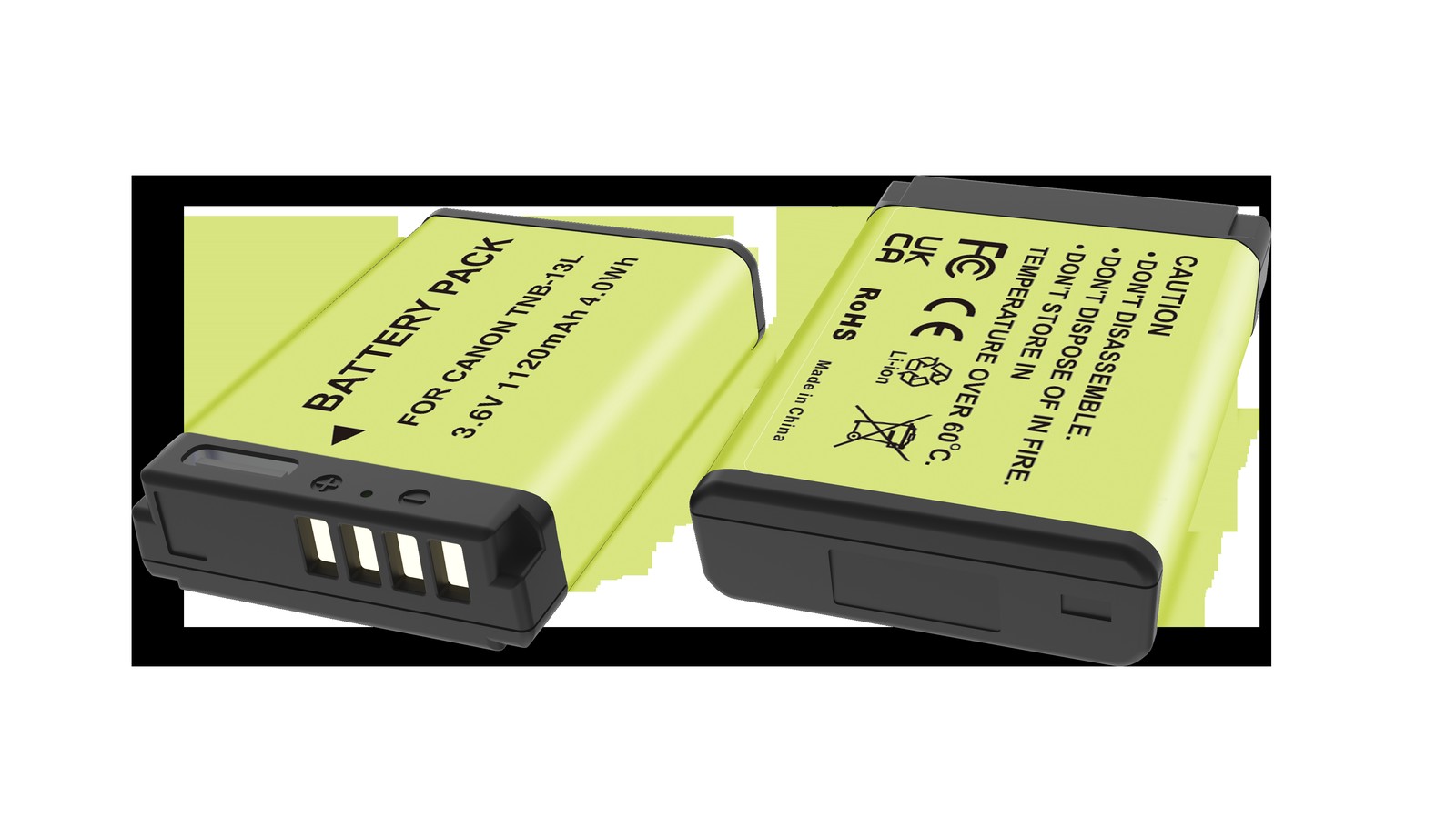
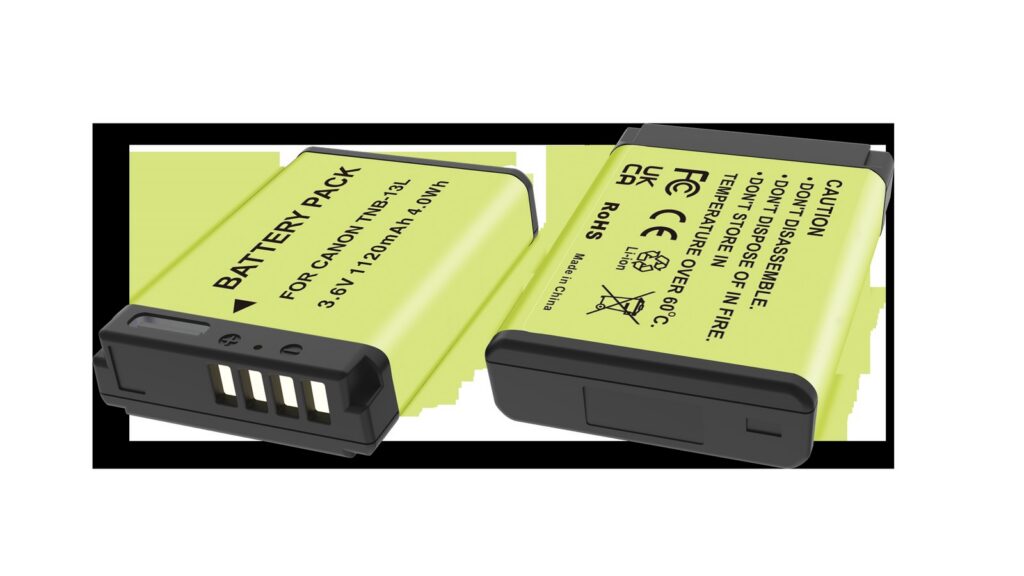
A EN-EL25 can be topped up via MH-32 / USB-C PD: a dock for home, a power bank on location, and external power only for long takes. Charging efficiency depends heavily on temperature, so pause below 5°C or above 40°C. Mild warmth is normal; a pack that is hot to the touch, smells unusual or has deformed should be disconnected immediately. For long storage keep about 50% charge and top up every three months.
By CIPA standard the Z50 delivers about 320 shots per charge (Z fc 300 / 4K 75 min). Real-world figures fall with viewfinder use, bursts, flash and low temperature, so budgeting around 70% of the rating is safer.
Three charging paths compared
The paths differ mainly in speed and whether the cell has to come out. A dock is stable and can charge two at once; in-body USB is convenient but usually stops charging when the camera is powered on; a power bank covers location work.
Method
Note
MH-32
Stable, charges two cells at once, best for home or studio rotation
USB-C PD
No need to remove the cell, ideal for travel, but charging usually stops when powered on
Temperature and storage limits
Charge between 5–40°C, and store around 15–25°C in a dry place at roughly 50% charge. Leaving a pack fully charged or completely flat for months accelerates capacity loss.
Item
Value
EN-EL25
EN-EL25 / 7.6 V
EN-EL25
Nikon EN-EL25
en-el25
1350 mAh / 10.26 Wh
Z50
320 / Z fc 300 / 4K 75 min
Z5 / Z6 / Z7 → EN-EL15
EN-EL25 / 7.6 V
EN-EL25 / 7.6 V
1350 mAh / 10.26 Wh
Power for long recordings
For long takes, streaming or time-lapse, prefer external power and watch the heat. Charging while the camera runs keeps the cell warm, so leave room for ventilation in summer or in enclosed spaces.
To pick by model, start with the specifications and stock status on Nikon EN-EL25 1350mAh, then browse the full article set in EN-EL25; if your body belongs to a neighbouring system, EN-EL15 has the side-by-side explanation.
FAQ
Can the EN-EL25 be charged inside the camera?
It depends on the body: MH-32 / USB-C PD. Where in-body USB charging is supported, it normally stops as soon as the camera is switched on, so a dock is more predictable when you are in a hurry.
How long does a full charge take?
It varies with charger output, remaining charge and ambient temperature. A dock is usually the fastest and most stable option, while in-body USB and power banks are slower. Use the charger indicator rather than the in-camera percentage as your guide.
Can I shoot while charging?
External power is fine for long recordings or streaming, but body and cell both stay warm. In summer or enclosed spaces, improve ventilation and never put a hot pack straight into a sealed case.
How should I store the cell long term?
Keep it around 50% charge in a dry place at 15–25°C and top it up every three months. Long periods fully charged or fully flat accelerate ageing; recycle a swollen pack instead of recharging it.
Short answer: TG-6 and later bodies charge the pack over Micro-USB without taking it out. TG-4 and earlier need the battery removed and seated on a dedicated dock. At 4.07Wh both routes finish in roughly two hours, so what really differs is whether the camera stays free while it happens. Our compatible pack is quoted at 1100mAh, 3.7V and 4.07Wh, with 1070mAh and 3.96Wh as the rated figures. There is not much energy in it, which is why a charge never drags on for half a day.
Rating label of the YO LI-90B battery: nominal voltage, typical capacity and safety certifications.
First, work out which generation your body is
On the TG-6 and TG-7 the Micro-USB port sits behind the side door, so one cable fills the pack in place and the dock can stay at home. What you spend is the camera: while it charges, it is not shooting.
The TG-1 through TG-4 generation has no such route. The pack comes out and goes onto a dedicated dock. The Stylus SH-1, SH-2 and SH-3, the SP-100, the XZ-2 and the XZ-10 are built the same way and should be treated like the TG-4 and older.
The TG-5 sits between the two generations and varies by batch and region. The check takes five seconds: open the side door and look for a Micro-USB port. If it is there, charge in the body. If not, use the dock. Do not guess from the model name.
Where the two hours comes from
Charging time is energy divided by the power that actually reaches the cell: pack energy ÷ (output voltage × output current × efficiency). In the body, at 5V and 0.5A with 0.7 efficiency, that is 4.07Wh ÷ (5V × 0.5A × 0.7), about 2.3 hours. A dock at 4.2V and 0.6A delivers 2.52W, roughly 2.0W after 0.8 efficiency, and 4.07Wh ÷ 2.0W is about 2.0 hours. Both figures are estimates, not measurements.
Add the constant-voltage tail and the camera’s idle draw and you gain ten to twenty minutes. For numbers that match daily use, read the dock as 2.0 to 2.3 hours and in-body charging as 2.4 to 2.7 hours.
Method
Bodies
Estimated time
Watch out for
Micro-USB in the body
TG-6 and later
about 2.3 hours
Switch off, do not shoot while charging
Dedicated dock
All, mandatory on TG-4 and older
about 2.0 hours
4.2V output with a proper cut-off
Power bank into the body
TG-6 and later
about 2.3 hours, limited by the body
Steady 5V output
Power bank into a USB dock
All
about 2.0 hours
Depends on the dock’s input
Why a small pack suits dock rotation
At 4.07Wh one pack covers 250 to 300 frames in ordinary shooting, against a CIPA figure of 340 for the TG-6. Photograph at any pace and a pack is done by mid-afternoon. That is where a dock earns its place, and not for speed: two packs on a two-bay charger are both full by morning.
In-body charging cannot do that. It fills one pack at a time and it occupies the camera to do it. The workable arrangement is one pack in the body and one on the dock, swapped as you go. To build that kit, look at the pack options on the LI-90B compatible battery page and the multi-packs under Olympus LI-90B batteries.
Two rules before a dive
Charge to full before you get in the water. There is no outlet at depth, a half-empty pack cannot be topped up, and cold water cuts usable capacity further. Going down full is the only reliable option.
Do not charge a wet camera. If the seal around the side door has picked up water, sand or salt, moisture can travel into the port with the cable. Dry the body, open the door, confirm it is dry, then plug in. If you are finished diving for the day, take the pack out and use the dock.
One point that gets missed: never open the side door underwater or in spray. That door is the thinnest entry on the whole body, and most water damage starts there.
FAQ
Should the camera be off while it charges in the body?
Yes. Left on, the body heats continuously and the charge current becomes less steady, and the camera cannot take pictures during a charge anyway.
Can I use a phone charger?
Yes, if it delivers a clean 5V. The risk comes from cheap chargers with unstable output, not from the phone-charger category. Fast chargers usually drop to 5V on their own, but on an unmarked budget unit there is no way to check, so travel with one you know.
Does the dock have to come from the manufacturer?
No. A dock only has to turn 5V into a constant 4.2V and stop at full, which is not hard to do well. Look for 4.2V on the label. A two-cell 8.4V charger has no business on a single pack.
Is it bad to unplug before the pack is full?
No. Lithium cells have no memory effect and shallow cycles are gentler than deep ones. Twenty minutes before you leave buys a few dozen frames, and that is enough.
Short answer: the DMW-BLK22 is Panasonic’s most widely used camera battery, rated 7.2V / 2200mAh and about 16Wh. It covers the full-frame L-mount S5, S5 II and S5 II X as well as the M43 GH6, GH5 II and G9 II. The original GH5, the GH5S and the first G9 use the DMW-BLF19, which looks similar but has a different latch and contacts and cannot be swapped in. One BLK22 supports roughly half a day of moderate stills work, less when shooting video, so one in the body plus two spares is a dependable configuration for most users.
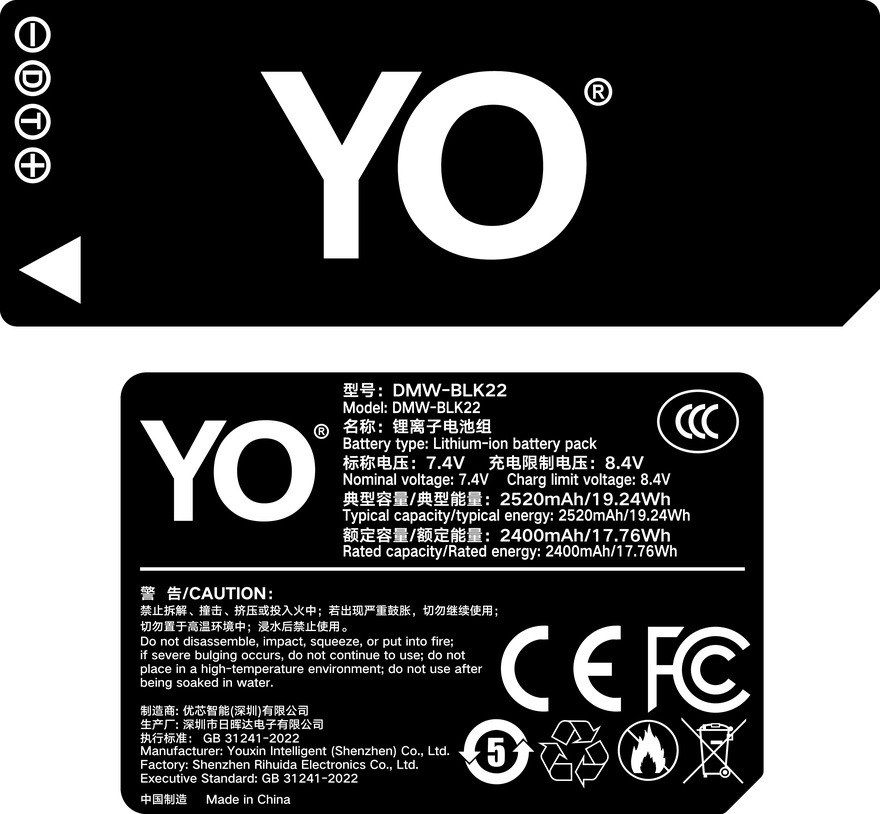
Rating label of the YO DMW-BLK22 battery: nominal voltage, typical capacity and safety certifications.
The sections below cover fitment, real runtime, spare planning and charging care. The quickest way to check which pack your camera needs is the model marking inside the battery compartment — more reliable than memorising the mount system.
1. Which bodies the BLK22 fits
What makes the BLK22 unusual is that it serves two mount systems at once: the full-frame L-mount S5 series and the M43 video flagships. Panasonic standardised the battery across the bodies it released from 2020 onward, which means a user upgrading within that range does not have to rebuild a whole set of spares.
Body
Mount
Battery
Official CIPA rating (LCD)
Lumix S5
L
DMW-BLK22
About 440 shots
Lumix S5 II / S5 II X
L
DMW-BLK22
About 370 shots
Lumix GH6
M43
DMW-BLK22
About 360-380 shots
Lumix GH5 II
M43
DMW-BLK22
About 400 shots
Lumix G9 II
M43
DMW-BLK22
About 390 shots
Lumix GH5 / GH5S / G9 (original)
M43
DMW-BLF19
About 400 shots
The figures come from official CIPA cycle testing; real use varies with screen brightness, in-body stabilization, burst shooting and wireless, so treat them as a basis for comparison rather than a guarantee.
Two mistakes are especially common. The first is treating the GH5 and GH5 II as sharing a battery, when only the GH5 II moved to the BLK22. The second is assuming that L mount always means BLK22, when the S1, S1R and S1H use the larger DMW-BLJ31, a completely different shape. Glancing at the marking before you leave the house is easier than remembering specs.
2. How far 16Wh goes in practice
At 2200mAh this pack sits in the upper-middle range for today’s mirrorless cameras, but Panasonic bodies are feature-dense and draw accordingly. By typical intensity, use falls into three bands:
Stills-led work: one pack usually manages 300-400 shots; heavy EVF use, frequent playback or Wi-Fi transfer drops that to around 250.
4K video: the S5 II series and GH6 are no longer limited to 30-minute clips in most 4K modes, but a single pack typically records for 70-110 minutes, and high bitrates, stabilization and heat shorten that.
6K / ProRes / high frame rates: draw is close to double, and the body heats noticeably, so in practice temperature usually becomes the limit before the battery does.
That explains a common perception: video shooters often feel the battery is “not lasting”, when in fact continuous recording keeps the sensor and processor at full load, drawing far more than intermittent stills. Estimating spares by shooting type is more dependable than estimating by frame count.
3. A sensible spare plan
One BLK22 is not heavy, so two extra packs barely register on your shoulder while markedly reducing on-set anxiety. Plan in this order:
Work out the session length: for a half day of stills, two packs including the one in the body are usually enough; for a full day out, a wedding or conference coverage, plan on three.
Add separately for video: for long interviews and event coverage, budget one pack per 1.5 hours and keep one unopened as an emergency.
Keep to one batch: mixing old and new packs makes the charge reading non-linear and tends to shut down abruptly around 20%, so rotate packs of the same batch.
Consider external power: several bodies including the S5 II, GH6 and G9 II support USB-C PD input, so for fixed-position work a small PD supply running continuously is simpler than stacking batteries.
For long fixed-position shoots, an official vertical grip or a dummy battery (DC coupler) arrangement is also worth considering; for handheld work, light spares are the better answer. YO’s BLK22 is a middle-of-the-road value option with honest capacity figures and a properly specified protection circuit, suited as a supplement rather than a wholesale replacement for first-party packs.
4. Charging, cold and long-term storage
The BLK22 charges in the body or in a dedicated dock. When using in-body USB-C, make sure the supply supports PD — a plain 5V charger is very slow and may only hold the level steady during recording. The dock’s advantage is handling several packs at once, so everything is topped up before you leave.
Cold is a frequent issue for Panasonic users. Below 0°C a lithium pack’s internal resistance rises and the voltage sags, tripping a low-battery warning, and some of the charge often returns once it warms up. The winter routine is to keep spares in an inside pocket and rotate them; coming in from the cold, wait until body and pack reach room temperature before charging to avoid condensation. For a more systematic cold-testing method, see our minus 10°C battery test; the principle holds across brands.
For long-term storage, leave 40-60% charge and top up every three to six months. Do not charge a pack that has swollen or deformed — not uncommon on the BLK22, usually from being stored full at high temperature. More buying and care material for this model is on the DMW-BLK22 category page; if you also shoot Sony, the NP-FZ100 section has capacity and runtime data you can compare against.
FAQ
Can the GH5 use a DMW-BLK22?
The original GH5 and GH5S cannot — they take the DMW-BLF19, and only the GH5 II switched to the BLK22. The two packs are close in size, but the latch shape and contact positions differ, forcing one in can damage the compartment, and no working adapter exists. Always go by the marking inside the battery bay.
Are the BLK22 and BLJ31 interchangeable?
No. The BLJ31 is used by the S1, S1R and S1H and is larger in both size and capacity; the BLK22 serves the S5 series along with the GH6, GH5 II and G9 II. Even within the L-mount system, battery specs are not unified.
How long can one BLK22 record video?
It depends on resolution, bitrate, stabilization and temperature. Most bodies manage about 70-110 minutes of continuous 4K on a single pack, less with 6K or ProRes, and recording often stops on overheating first. For long sessions, rotate two or more packs and give the body cooling gaps.
Do third-party BLK22 packs show inaccurate charge levels?
Sometimes. Third-party communication chips and cell resistance differ from the original, and the usual symptoms are jumping percentages, a shutdown near 20%, or a “cannot use this battery” prompt. Favour packs that explicitly name the S5 II and GH6, and keep a return option open.
Off-grid, the dependable combination is a USB-input charger plus a power bank, with a car adapter added for road trips. A power bank does not care whether you are parked or whether the engine is running, so it can top up a removed pack in your bag at any time. A car adapter is the better tool for batch charging during long transfers. Two things to watch: the supply has to be capable enough — an underpowered source only slows the drain, or does nothing at all — and cold hurts charging efficiency, noticeably below freezing.
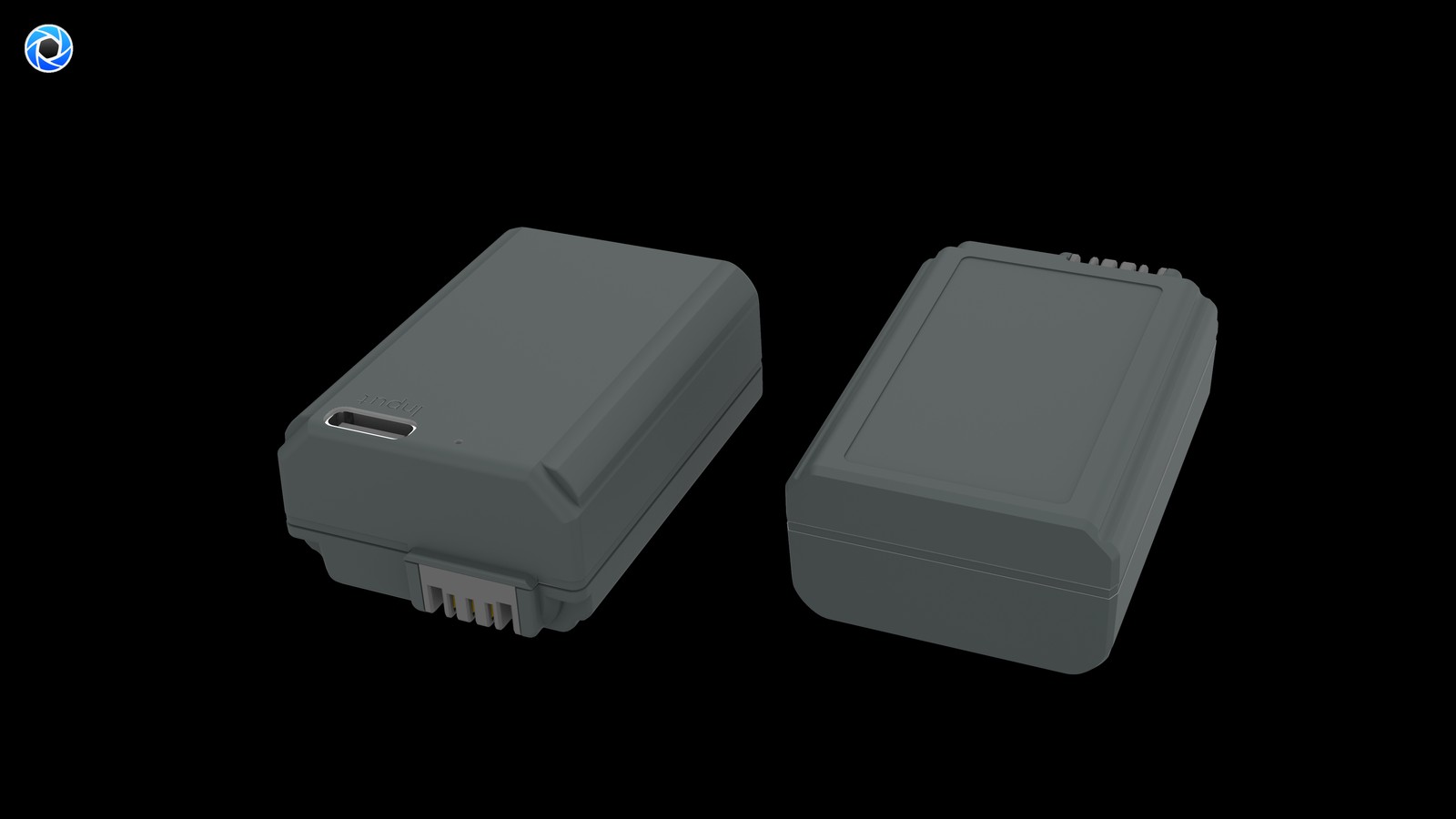
Product render of the YO NP-FZ100 compatible battery: front label, rear LED charge indicator and USB-C port.
Three Off-Grid Setups Compared
Setup
Suits
Strength
Limitation
Car adapter plus USB charger
Road trips, long transfers
Continuous supply, charge while driving
Tied to the vehicle; not for long use with the engine off
The three are not exclusive. A common pattern is topping up removed packs from a power bank during the day, batch charging in the car on transfers, and finishing everything on a mains charger overnight.
Choosing a Power Bank
Output before capacity: check that the output rating and port protocol match what your charger needs, then worry about how big it is.
Ports: USB-C is the more versatile choice, and it lets the bank share one cable with your phone and camera.
Size it against pack count: one NP-FZ100 is roughly 16.4Wh, so a large bank can cover several packs in theory. Conversion losses are real, so leave headroom.
Multi-port output: if the bank is also feeding a phone or a monitor, confirm the total output when several ports are in use.
Cold behaviour: banks lose output in the cold too, so keep it warm in winter.
Using a Car Adapter
Check that the vehicle’s socket voltage sits inside the range printed on the adapter.
Running it for a long time with the engine off can drain the car battery. Use it while driving, or with the engine idling.
Never leave packs charging in a sun-exposed cabin. Summer interior temperatures accelerate capacity loss.
Running a dual-bay charger off one adapter means watching both the charger and the adapter for heat.
Top-Up Strategy in the Cold
Below freezing, usable capacity drops sharply, and around -10°C you may see roughly half of room-temperature capacity, with charging efficiency falling as well. What actually helps:
Carry spares in an inside pocket so body heat keeps them warm, and swap them in straight from there.
Let a cold pack come back to room temperature before charging it. Do not move it straight from the cold onto a charger.
Keep the power bank warm too, since its output drops in the cold as well.
Cut back on playback and idle time between setups to lower draw per hour.
Powering Long Recordings
For fixed-position recording or streaming, rotating charged packs is a poor use of time. A dummy battery with an AC adapter, or a high-output power bank feeding the body, removes the battery from the equation entirely; the options are in uninterrupted power for video and streaming. With no mains available outdoors, pair a high-output bank with a dummy battery.
Safety and Packing Outdoors
Charge on a ventilated, hard surface — not inside a sleeping bag or a closed backpack.
Keep terminals dry and clean. Wipe packs down after coastal or wet conditions before charging, and stop if one runs unusually hot.
Fit terminal covers or caps to spare packs. Loose metal — keys, coins — in the same pocket is a short-circuit risk.
Flying: at roughly 16.4Wh these packs are well under the 100Wh limit, so no airline approval is required, but spares must go in carry-on with terminals protected, per TSA and FAA rules.
Power banks have their own airline rules, so check the carrier’s requirements before you travel.
FAQ
Why does the level go down while a power bank is connected?
The bank cannot supply what the charger is asking for. Move to a higher-output bank, or use a higher-output port such as USB-C.
Can a car adapter charge two packs at once?
Yes, if its output covers the dual-bay charger’s draw. If it does not, both packs just charge slowly — charge one at a time instead.
Can I charge and shoot in the cold?
Not advisable. Charging is inefficient at low temperature and may trip protection. Keep spares warm against your body and rotate them.
How big a power bank do I need?
Count the packs you need to refill in a day. At roughly 16.4Wh each, two packs and three packs are quite different asks, and you should add margin for conversion losses on top.
Only need a spare? The NP-FZ100 2600mAh comes on its own, with a charger, or as a two-battery kit. Both versions hold 2600mAh; the USB-C one costs slightly more and saves you carrying a dock.
Questions about the NP-FZ100 tend to cluster into five groups: will it work in my camera, what is that message on the screen, what do I do about a swollen pack, how should I charge and store it, and how many can I take on a plane. Each group is answered below, with a few extras at the end. If what you need is a camera-by-camera list, the full NP-FZ100 compatibility list is the right page; for run-time figures, head to the battery life database.
Product render of the YO NP-FZ100 compatible battery: front label, rear LED charge indicator and USB-C port.
Compatibility: which bodies take the NP-FZ100
Which Sony cameras run on the NP-FZ100?
Mostly these: A7 III, A7R III, A7R IV, A7R V, A7 IV, A7S III, A9, A9 II, A9 III, A1, A6600, A6700, A7C, A7C II, A7CR, FX3, FX30 and ZV-E1.
Will it fit the A6400?
No. The A6400, A6500, A6300, A6000 and the A7, A7 II, A7R II and A7S II all use the NP-FW50, and the RX100 series uses NP-BX1. This is the single most common mix-up, so trust the label printed inside your battery compartment.
Can I move a battery between bodies?
Yes. Every compatible body above shares the same pack, which is why multi-camera shooters stock one type and stop thinking about it.
Warnings and errors: which are normal and which need attention
“Remaining charge may not be displayed accurately” — can I keep shooting?
Yes. This is a communication difference between body and pack. The percentage readout is simply less precise than with an OEM cell; it may jump or sit on one number for a while. Switch to a bar or voltage display, or time your changes around your usual frame count.
“Cannot recognise” or “cannot use” — what now?
This one is a genuine fault, not a display note. Work through it in order: confirm the pack really is NP-FZ100; check both sets of contacts for dirt or oxidation and wipe them dry; swap in another battery to see whether the fault follows the cell or the body; and if the pack just came in from the cold, let it reach room temperature first.
Why does the grip not see the battery?
Check that it went in the right way round and is fully seated before anything else, then look at the grip contacts. Two cells with very different state of health can also confuse things, so pair batteries of similar condition where you can.
Swelling and safety: what to do if something looks wrong
Can I still use a swollen battery?
No. Take a swollen pack out of service immediately. Do not charge or discharge it further, do not puncture or burn it, and hand it over at a proper battery or hazardous waste facility. Swelling means gas has formed inside the cell, and there is no safe way to keep running it.
Is heat during charging normal?
Some warmth is fine. If the pack is hot to the touch, smells odd or has deformed, disconnect the charger, move it somewhere open and uncluttered and follow the recycling route. Treat every safety step here as a recommendation to take seriously rather than an optional precaution.
My run time dropped sharply — is the battery dead?
Not necessarily. Lithium cells hold roughly 80 percent of their capacity after 300 to 500 cycles, so a slight decline after a year and a clear one around two years is ordinary ageing. Number your cells, log their start dates and replace them in batches.
Charging and storage: getting the most life out of them
Should I drain it fully before recharging?
No — top up whenever it suits. Lithium cells have no memory effect, and deep discharge puts more strain on them. Avoid leaving a pack sitting at zero or pinned at 100 percent.
Do I need to pull it the moment the light changes?
Once the indicator shows a full charge, go ahead and take it off. Leaving packs parked on the charger for long stretches does nothing useful, particularly somewhere unattended.
How should I store batteries I will not use for a while?
Around 40 to 60 percent charge, somewhere cool and dry near 15–25°C (59–77°F), topped up every three months. Not in a sunlit car, and not somewhere damp.
Run time collapses in the cold. Anything I can do?
Capacity falls noticeably below freezing and may be close to halved at around −10°C (14°F). What helps: keep spares in an inside pocket, rotate cells as you go, and let a spent one warm up in your pocket before you decide it is finished — that often brings back usable charge. In winter, carry one or two more than usual.
Air travel: how many, and can they go in checked bags
Can I fly with NP-FZ100 batteries?
Yes. At roughly 16.4Wh per cell they sit well under the 100Wh line, so they are not treated as large lithium batteries and do not require airline approval — but spares must go in your carry-on, never in checked luggage.
What protection do they need?
Insulate the terminals against short circuits. Original packaging, the supplied cap or a strip of tape over the contacts all satisfy this. A pack installed in a camera body is treated differently, but protecting its contacts is a sensible habit anyway.
Is there a limit on how many?
Some carriers cap the number of spares per passenger, commonly around 20. Confirm against your airline’s own policy before departure, especially for a crew travelling together with several bodies.
Buying: a few frequent questions
Are third-party batteries worth it?
Compatible cells are a legal alternative. An OEM Sony pack typically runs $70 and up, while YO cells here are $17.89 each, $22.93 with a charger and $36.74 for two cells plus a charger. The same budget stretches considerably further, and when you need power all day, quantity usually counts for more than the label. Details in the third-party NP-FZ100 buying guide.
Standard vs USB-C: what actually differs
About 5 percent in energy terms: roughly 16.4Wh against 17.3Wh. In the field that reads as a few extra frames per cell and one fewer swap. If you mostly work indoors or on sticks, external power makes more of a difference; if you shoot handheld on the move, an extra battery is usually the better spend.
Can I mix different brands?
Yes, but manage them in batches and keep them numbered. Try not to pair cells whose state of health differs widely, since that makes the batch harder to judge as it ages.
Top up your power supply
Two charging options, same capacity: standard 2600mAh (dock required) or USB-C 2600mAh (phone charger or power bank). Pick the version on the NP-FZ100 product page; bulk pricing via wholesale.
Short answer: the TG-6 uses the LI-92B, not the LI-90B, and the two are not interchangeable. A 45-60 minute recreational dive usually consumes half to one pack, so two packs cover a day of two dives plus shore shooting, and three is more comfortable. Cold and frequent flash use speed the drain considerably; for winter outdoor work, plan on 1.5 times the room-temperature count. As for flooding, the great majority of incidents have nothing to do with the battery — they come from sand under the O-ring, a door not latched properly, or opening the compartment underwater.
Rating label of the YO LI-90B battery: nominal voltage, typical capacity and safety certifications.
Settle the model question first, then talk about the plan.
1. Get the model right
The TG-6 belongs to the generation after the TG-4, and its battery is the LI-92B, rated 3.6V and about 1350mAh. The LI-90B is the earlier model used by the TG-1 through TG-3 and by the SH-1 through SH-3; its shape and latch differ, so it will not go into the TG-6’s compartment. The used-market claim that “all TG bodies take the same battery” simply is not true, and checking the label before ordering saves a lot of trouble.
If you still have a TG-3 or an SH body, the relevant notes are on the Olympus LI-90B category page, where the full mapping between the two series is listed.
2. How power is spent underwater and in the cold
Underwater power use looks different from dry land: the screen stays on, autofocus hunts repeatedly, the flash fires often and the body is under constant pressure. The table below gives references for common ways of shooting.
Scenario
Duration per session
Estimated use
Advice
Snorkelling
30-45 minutes
About 1/3 of a pack
One pack covers two sessions
Recreational dive (within 15 m)
45-60 minutes
About 1/2 to 2/3
Swapping per dive is safer
Mostly underwater video
20-30 minutes
About 1/2
Turning off stabilization extends it
Liveaboard, multiple dives
3-4 dives a day
About 2-3 packs
Rotate per dive
Underwater video is the big consumer. The TG-6’s electronic stabilization runs continuously underwater, and with high-bitrate recording a single pack often yields only about 60% of the stills-mode time. If video is the priority, keep each clip to three to five minutes and leave cooling gaps between them.
Cold follows a completely different curve. Below freezing, usable capacity falls off markedly — that is electrochemistry, not a quality problem. Skiing, winter beaches and high-altitude hikes commonly produce a jump from 40% straight to a warning, followed by a partial “recovery” once the camera warms up. For how the decline behaves, see the method recorded in our minus 10°C battery test.
The response is simple: keep spare packs in an inside pocket warmed by your body; tuck the camera inside your jacket when not shooting instead of leaving it hanging in the cold; and avoid charging in low temperatures, waiting until the pack is back at room temperature indoors. Condensation may form on the pack as it warms, so dry it before opening the compartment.
3. Flood risk and three compartment details
Dry hands before opening. Do not open the battery door with wet hands, a wet body or wet hair. A single drop running in past the door is enough to write off the camera.
Inspect the O-ring. Before every dive, run a finger around the seal and check for sand, hair and salt crystals. Replace the ring when it hardens or shows fine cracks.
Latch the door properly. The TG-6’s latch has a definite locked position, and no gap should be visible once it is closed. Make a habit of tugging it once before entering the water.
One more point that gets overlooked: do not change batteries in a wet environment. On a boat with wind and swell, many people open the compartment on deck to save time, and that is exactly when flooding happens. The safer routine is to get back into the cabin, dry your hands, and swap there.
4. Putting a spare plan together
Day-trip snorkelling: two packs, one in the camera and one in a dry bag, is enough.
Liveaboard with many dives: three packs, numbered and rotated by dive, all charged together in the evening.
Winter outdoor: room-temperature count times 1.5, carried in an insulated pouch and kept away from metal items such as crampons.
Long trips: a USB-capable dock charger is more useful than extra in-body charging cables.
Carry spares in individual sealed bags, which keeps moisture out and stops the terminals shorting. On flights, lithium batteries must travel in the cabin and cannot be checked; the rules are set out in the lithium battery flying guide. A YO LI-92B compatible pack works as a spare, while it is worth keeping one first-party pack in the primary slot for the steadier voltage curve on deep or cold dives.
FAQ
Can the TG-6 use an LI-90B?
No. The TG-6 takes the LI-92B, while the LI-90B is the battery for the TG-3 and earlier bodies and the SH series. The shapes differ.
Should the battery be fully charged before a dive?
Yes. At low charge the voltage falls faster, and cold water further compresses usable capacity, which makes an early shutdown more likely.
Can a flooded compartment be saved?
Switch off immediately, remove the battery and card, rinse the exterior with fresh water and dry it thoroughly, and do not power it on to test. Whether it recovers depends on how much water got in; sending it for service is the safer route.
Is one battery enough for a dive?
For most recreational dives, yes. But if you are shooting video and using the flash heavily, swap between dives to avoid meeting a warning at depth.
Short answer: the X100VI takes the NP-W126S and shares cells with the X100V and X100F — it does not use the NP-W235 from the X-T5. Fujifilm rates about 450 shots in economy mode (about 360 with the EVF, 450 with the OVF) and about 310 with the EVF in normal mode; 6.2K video runs about 45 minutes. No desktop charger is bundled, so you charge in-camera over USB-C or buy the BC-W126S, which takes about 150 minutes at +20°C. For a full day of street shooting, carry two cells: the hybrid viewfinder and IBIS both draw extra power.
Reading the official runtime figures
Fujifilm quotes CIPA values, and the same camera produces two different numbers depending on finder and power mode — 310 and 450 are not a contradiction.
Mode
EVF
OVF
Economy
About 360 shots
About 450 shots
Normal
About 310 shots
About 450 shots
For video, Fujifilm lists about 45 minutes of 6.2K, about 45 minutes of 4K and about 50–55 minutes of Full HD. Stabilisation, playback, Bluetooth and cold weather all shorten that; budgeting around 70% of the rating is safer in winter.
How many cells for a day
Shooting intensity
Suggested cells
Why
Half-day street, mostly OVF
1 cell + power bank
About 450 shots in economy mode is rarely exhausted
Full-day travel, mixed finders, some video
2 cells
Double the roughly 310-shot normal-mode figure
Weddings, travel documentary, frequent 6.2K
3 cells + charger
About 45 minutes of video per cell, rotate and refill
The X100VI ships with a battery and a USB cable but no desktop charger. In-camera USB-C charging is the lightest option, yet Fujifilm’s support documentation states that charging stops when the camera is switched on while the battery is being charged in the body over USB or AC. In other words, you cannot shoot and charge at the same time; switch the camera off to refill.
The BC-W126S charges the cell outside the camera: AC 100–240V, 50/60Hz, supports both NP-W126 and NP-W126S, about 150 minutes at +20°C. Charging slows in the cold; the official charging range is +5–40°C. Fujifilm also advises using a compatible charger, since a mismatch can cause leakage, overheating or rupture.
Do not confuse it with the X-T5
The X100VI and X-T5 share a 40.2MP sensor and X-Processor 5 but not a battery: NP-W126S versus NP-W235 at roughly double the capacity. Spare cells from an X100V work in the X100VI and vice versa; no NP-W235 cell from an X-T4 or later will fit. The full list is in the NP-W126S category.
FAQ
Can I reuse X100V spare batteries in the X100VI?
Yes. X100F, X100V and X100VI all use the NP-W126S with the same shape, contacts and voltage, so they swap directly.
Can I charge from a power bank while shooting?
Not while shooting. Fujifilm states that in-body USB charging stops when the camera is turned on. Switch it off to top up, or use a battery with its own USB-C port.
Is a third cell worth buying?
Only for long video work or all-day trips without a socket. For stills, two cells rotated with an overnight refill is normally enough.
Why do I get about 300 shots when Fujifilm says 450?
450 is the CIPA figure for OVF plus economy mode. Using the EVF, IBIS, frequent playback and Bluetooth all lower the real count; that gap is normal.
Compare watt-hours before milliamp-hours: our EN-EL25 compatible cell is 1350mAh / 10.26Wh, with the original EN-EL25 setting the baseline. Milliamp-hours describe charge, not energy, so they cannot be compared across voltage platforms. Watt-hours (voltage x capacity) are the honest figure. Where a label states both a typical and a minimum rating, use the minimum for conservative runtime estimates.
By CIPA standard the Z50 delivers about 320 shots per charge (Z fc 300 / 4K 75 min). Real-world figures fall with viewfinder use, bursts, flash and low temperature, so budgeting around 70% of the rating is safer.
Original vs our cell, item by item
The table puts the original rating and our compatible cell on the same basis. Price is the listed retail figure; check the product page for current terms. Where a minimum rating is printed, that figure is the better basis for conservative estimates.
Item
Original
Our compatible cell
EN-EL25
—
1350 mAh
Wh
—
10.26 Wh
mAh (min)
—
—
CNY
—
¥131.4
Balancing capacity, price and warranty
Higher capacity does not double your shots: the body cutoff voltage and its fuel-gauge algorithm both shape the reading. For a spare cell, price, cycle life and warranty often matter more than the peak number.
Item
Value
EN-EL25
EN-EL25 / 7.6 V
EN-EL25
Nikon EN-EL25
en-el25
1350 mAh / 10.26 Wh
Z50
320 / Z fc 300 / 4K 75 min
Z5 / Z6 / Z7 → EN-EL15
EN-EL25 / 7.6 V
EN-EL25 / 7.6 V
1350 mAh / 10.26 Wh
Choosing a kit by shooting load
For light use, one original plus one spare is enough. For a full day of travel or video work, carry two or more and rotate them through a dual-bay charger.
To pick by model, start with the specifications and stock status on Nikon EN-EL25 1350mAh, then browse the full article set in EN-EL25; if your body belongs to a neighbouring system, EN-EL15 has the side-by-side explanation.
FAQ
Is 1350mAh an inflated rating?
Our EN-EL25 compatible cell is specified at 1350mAh / 10.26Wh. with the original EN-EL25 setting the baseline. Compare the Wh figures rather than mAh alone.
Should I look at mAh or Wh?
Wh. Milliamp-hours only become energy once multiplied by voltage, so comparing mAh across different voltage platforms is misleading. 10.26Wh is the like-for-like baseline for this pack.
Can a higher-capacity cell damage the camera?
No. As long as the shell, contacts and protection circuit match the system, capacity only affects runtime. The one caveat is that older bodies may report charge level inaccurately.
Should I buy one cell or two?
For a full day outside or video work, carry two or more and rotate them through a dual dock. For indoor or short sessions, one original plus one spare is enough. Budget conservatively against the Z50 baseline.
Short answer: the NB-13L is Canon’s 3.6V, 1250mAh, 4.5Wh compact lithium-ion pack, used in the three G7X bodies, both G9X bodies, both G5X bodies, the G1X Mark III and the SX620 through SX740 compacts. Taking the G7X Mark III as an example, Canon rates it at about 235 shots on the LCD, about 320 in eco mode and about 55 minutes of video. In practice, two packs for stills and three for video is the most comfortable arrangement.
Product render of the YO NB-13L compatible battery: front label, rear LED charge indicator and USB-C port.
What these bodies share is a small size and a narrow bay: the NB-13L is already the largest pack that fits. Runtime therefore cannot be improved by fitting a bigger battery — only by carrying more, managing charging, and shooting efficiently.
Specification and charging basics
The NB-13L is rated 3.6V, 1250mAh and 4.5Wh, with an operating range of 0-40°C. Its charger is the CB-2LHT, outputting 4.2V / 0.7A, which fills a pack in about 2 hours 10 minutes at room temperature. That is middling for a compact, which means rotating two packs leaves a noticeable gap in the middle.
3.6V is the typical voltage of a single lithium-ion cell, unlike the LP-E17’s 7.2V, which is two cells in series. That is also why the two can never be swapped: double the voltage, and fitting one becomes an accident waiting to happen.
Runtime across the range
Body
CIPA shots (approx.)
Video runtime (approx.)
Suggested spares
G7X Mark III
235 shots (320 in eco mode)
55 minutes (90 minutes continuous)
2 for stills, 3 for vlogging
G7X Mark II
250-270 shots
50-60 minutes
2 packs
G9X Mark II
220-240 shots
45-55 minutes
2 packs
G5X Mark II
220-250 shots
50-60 minutes
2 packs
SX740 HS
250-270 shots
Around 50 minutes
2 packs
G1X Mark III
200-230 shots
45-55 minutes
2-3 packs
The ranges combine official ratings with common field reports; firmware version, screen brightness and whether Wi-Fi is on all shift the numbers, so the spec page remains the authority. The pattern is clear: everything here sits between 200 and 270 shots, and no body stands out.
The G1X Mark III sits lower because of its larger sensor, plus a finder and stabilisation to power. If that is your camera, budget one more spare than the others.
Planning the spare kit
A day in the city, mostly stills: one in the body and one spare. Estimating conservatively at 200 shots each, two packs cover a day.
Travel, out all day: three. The third is not for shooting more, but for avoiding anxiety during hours when nothing can be recharged.
Vlogging, talking head, continuous recording: three to four, plus a power bank with 5V output. Some bodies support in-body USB charging, but recording while charging is usually restricted — check the manual.
Cold conditions: multiply the count by 1.5. Keep packs against your body and warm one while using another; that works better than carrying a bag of cold packs.
Each NB-13L is very light, and three come to under 100g, which is the advantage of a compact over a larger body. Since weight is not a burden, carry one more than you think you need. The real cost is not the pack but running out mid-shoot: a missed moment on a trip usually costs far more than a battery.
Putting the charger together
The genuine CB-2LHT is single-bay and takes about two hours per pack. With three packs, queuing them at the hotel in the evening is tight. The usual solution is a two- or three-bay third-party charger, filling two at once and bringing the total down to a little over two hours.
Three things to check on a third-party charger: whether each bay is independently controlled rather than paralleled, whether the cut-off is strictly 4.2V, and whether overcharge protection is present. Many cheap three-in-one units simply parallel their outputs, so whichever pack fills first keeps receiving a trickle and swells over time.
Charging from a power bank and charging from a dock are two different tools. The first suits topping up on the move, slowly; the second suits a full refill back at base. Having both stops charging logistics from dictating your day.
It is worth comparing across the brand’s battery systems: small bodies use the LP-E17, large bodies the LP-E6, and compacts the NB-13L, with completely different capacity and voltage designs. If you own several types of body, do not share chargers — the output specifications do not match.
FAQ
Will an NB-13L work in a G7X Mark II?
Yes. All three G7X bodies take the NB-13L and the pack is fully interchangeable. The G9X, G5X, G1X Mark III and the SX620 through SX740 use the same pack, making this one of the widest fits among Canon compacts.
Is one pack enough for a day?
For stills, yes; for video, no. At 200-250 shots, a single pack can last a day if you only shoot stills with Wi-Fi off. But any continuous recording is limited to about 50 minutes per pack, which will not cover a day — take at least two.
Can a third-party pack damage the camera?
A properly built one will not. The risks come from overrated capacity, which leaves you misjudging what is left, and from missing protection boards, which provide no cut-off during overcharge. Choose products that state Wh and have clear protection circuitry, and avoid sources priced well below cost. More maintenance detail is in the NB-13L section.
What happens if a pack sits unused for a long time?
It self-discharges and loses capacity slowly. Store at around half charge in a dry, cool place and top up every six months. Long storage at full charge or completely flat accelerates the loss. Check that the contacts are clean before refitting, and listen for the latch click to confirm it is seated.
Short answer: separate two jobs. “Refilling” puts charge back into a cell — through in-camera USB on bodies that support it, an external dock that needs the cell removed, or a USB-C port built into the battery itself. “Powering” bypasses the cell entirely: a dummy-battery adapter feeds DC to the body for livestreams, time-lapse and fixed cameras. Which path fits is decided less by the battery than by whether your body can charge over USB and whether the shoot can be interrupted.
The four paths compared
Path
Type
Remove the cell?
What you carry
Shoot while powered?
Main limit
In-camera USB
Refill
No
USB cable and a supply
Depends on the body; usually impractical
Most older bodies lack it
External dock
Refill
Yes
Dedicated dock plus mains power
No, the cell is out of the body
One more accessory, needs an outlet
USB-C direct-charge cell
Refill
Yes
USB-C cable plus charger or power bank
No, the cell is out of the body
That cell is unavailable while charging
Dummy-battery DC adapter
Power
Adapter occupies the bay
DC supply plus the adapter
Yes, continuous
Tethered to external power
The last column is the one people skip: the first three answer “how do I refill after shooting”, and only the fourth answers “how do I stay on during shooting”. Mixing them up is how someone ends up with a power bank and a livestream that still cuts out.
Our NP-FW50 compatible cell has no port and relies on a dock or in-camera USB; the TNP-FW50 puts USB-C on the cell; the DR-FW50 external power adapter contains no cell and is specified at DC 8.4V / 3A output across 13-plus bodies. They solve different problems and can all be owned at once.
Why older bodies gain the most from direct charge
The NP-FW50 generation spans roughly 2010 to 2016, and USB power support is inconsistent across it. Early bodies such as the NEX line, first-generation α7 and α6000 mostly cannot charge the cell over the body’s USB port, so a flat battery means removing it and finding a dock. On those cameras a cell with its own USB-C port turns “find a dock and an outlet” into “plug a cable into a power bank” — a gain in luggage, not in runtime.
By contrast, if your body does support USB charging and you only refill at home or in a hotel, the direct-charge port adds little: a plain cell and a dock you already own will do. Paying extra for the port makes no sense when charging always happens in one fixed place.
Your situation
Preferred path
Why
Older body, refilling away from home
USB-C direct-charge cell
No dedicated dock or wall outlet needed
Newer body, charging at home
In-camera USB or dock
Equipment already owned
Two or more cells rotating in a day
Dock or direct charge plus spare cells
Rotate by day, refill together at night
Livestream, time-lapse, fixed camera
Dummy-battery DC adapter
Continuous power, no swapping
Planning the overnight refill by cell count
Refill duration can be estimated by dividing energy by input power and efficiency. More useful here is the question of how many cells you have to rotate, planned against a day’s shooting rather than chasing a faster single charge:
Cells carried
Daytime use
Overnight refill
Suits
One
No replacement when flat
Must be full by morning
Short local shoots
Two
One in the body, one spare, alternating
Charge both, or the empty one first
Travel, a few hundred stills
Three or more
Rotate, keeping one full in reserve
Refill in parallel, emptiest first
Video-led or all-day outdoor work
At 8.14Wh this is a small cell, so the refill window is already short. One extra pack usually beats a slightly faster charge. Parallel charging only becomes important with three or more cells and a single night to recover.
When external power becomes mandatory
Swapping a cell interrupts recording. In livestreaming, long interviews, time-lapse or an unattended camera, a power cut is not a few lost frames — it breaks the clip or drops the stream. The right answer is not more spares but a body that stays powered: a dummy-battery adapter occupies the bay while an external DC supply runs the camera. Our DR-FW50 is specified for DC 8.4V / 3A (about 25.2W) continuous output and is listed as external power with no battery included.
Mind the narrower boundary: a dummy-battery adapter fits the NP-FW50 bay, and our listing states 13-plus bodies, fewer than the 21-plus quoted for the cells themselves. Check your model code against the NP-FW50 category before ordering; do not assume that a body taking the cell will also take the adapter.
FAQ
Can the camera charge an NP-FW50 over USB?
It depends on the body. Support is inconsistent across this generation: early NEX, first-generation α7 and α6000 models mostly cannot, so a dock or a USB-C cell is needed. Check the manual.
Can I shoot while a USB-C cell charges?
No. The port is on the battery, so the cell has to come out of the body and is unavailable during the refill. For shooting while powered, use a dummy-battery DC adapter.
Does the external power adapter include a battery?
No. It replaces the cell in the bay and draws from an external DC supply. Our DR-FW50 is specified at DC 8.4V / 3A output and listed as external power, battery not included.
I already own a dock — is the USB-C version worth it?
Not if you only charge in one fixed place. It earns its keep when you refill away from home on an older body that cannot charge over its own USB port.