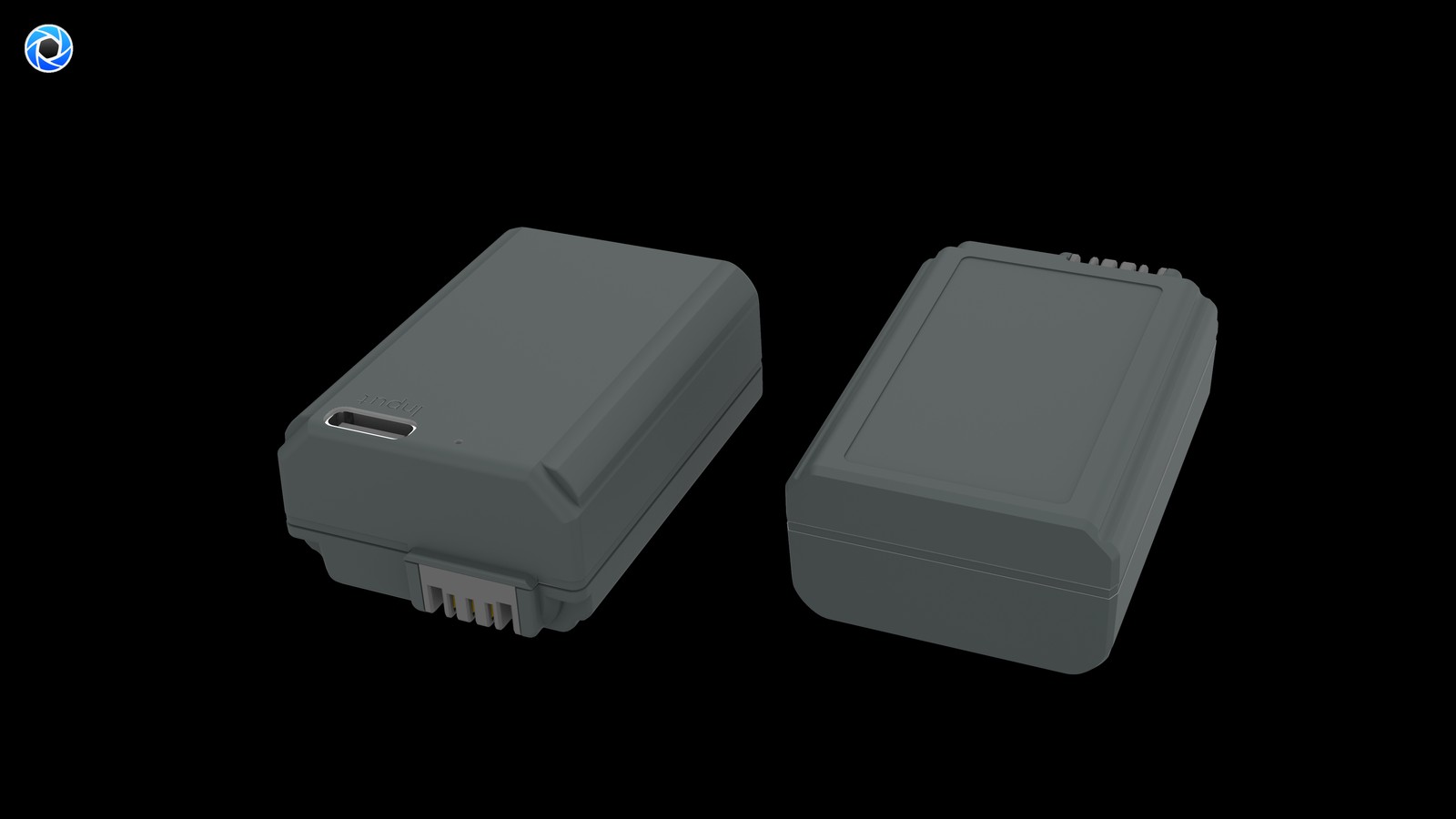
Short answer: separate two jobs. “Refilling” puts charge back into a cell — through in-camera USB on bodies that support it, an external dock that needs the cell removed, or a USB-C port built into the battery itself. “Powering” bypasses the cell entirely: a dummy-battery adapter feeds DC to the body for livestreams, time-lapse and fixed cameras. Which path fits is decided less by the battery than by whether your body can charge over USB and whether the shoot can be interrupted.
The four paths compared
| Path | Type | Remove the cell? | What you carry | Shoot while powered? | Main limit |
|---|---|---|---|---|---|
| In-camera USB | Refill | No | USB cable and a supply | Depends on the body; usually impractical | Most older bodies lack it |
| External dock | Refill | Yes | Dedicated dock plus mains power | No, the cell is out of the body | One more accessory, needs an outlet |
| USB-C direct-charge cell | Refill | Yes | USB-C cable plus charger or power bank | No, the cell is out of the body | That cell is unavailable while charging |
| Dummy-battery DC adapter | Power | Adapter occupies the bay | DC supply plus the adapter | Yes, continuous | Tethered to external power |
The last column is the one people skip: the first three answer “how do I refill after shooting”, and only the fourth answers “how do I stay on during shooting”. Mixing them up is how someone ends up with a power bank and a livestream that still cuts out.
Our NP-FW50 compatible cell has no port and relies on a dock or in-camera USB; the TNP-FW50 puts USB-C on the cell; the DR-FW50 external power adapter contains no cell and is specified at DC 8.4V / 3A output across 13-plus bodies. They solve different problems and can all be owned at once.
Why older bodies gain the most from direct charge
The NP-FW50 generation spans roughly 2010 to 2016, and USB power support is inconsistent across it. Early bodies such as the NEX line, first-generation α7 and α6000 mostly cannot charge the cell over the body’s USB port, so a flat battery means removing it and finding a dock. On those cameras a cell with its own USB-C port turns “find a dock and an outlet” into “plug a cable into a power bank” — a gain in luggage, not in runtime.
By contrast, if your body does support USB charging and you only refill at home or in a hotel, the direct-charge port adds little: a plain cell and a dock you already own will do. Paying extra for the port makes no sense when charging always happens in one fixed place.
| Your situation | Preferred path | Why |
|---|---|---|
| Older body, refilling away from home | USB-C direct-charge cell | No dedicated dock or wall outlet needed |
| Newer body, charging at home | In-camera USB or dock | Equipment already owned |
| Two or more cells rotating in a day | Dock or direct charge plus spare cells | Rotate by day, refill together at night |
| Livestream, time-lapse, fixed camera | Dummy-battery DC adapter | Continuous power, no swapping |
Planning the overnight refill by cell count
Refill duration can be estimated by dividing energy by input power and efficiency. More useful here is the question of how many cells you have to rotate, planned against a day’s shooting rather than chasing a faster single charge:
| Cells carried | Daytime use | Overnight refill | Suits |
|---|---|---|---|
| One | No replacement when flat | Must be full by morning | Short local shoots |
| Two | One in the body, one spare, alternating | Charge both, or the empty one first | Travel, a few hundred stills |
| Three or more | Rotate, keeping one full in reserve | Refill in parallel, emptiest first | Video-led or all-day outdoor work |
At 8.14Wh this is a small cell, so the refill window is already short. One extra pack usually beats a slightly faster charge. Parallel charging only becomes important with three or more cells and a single night to recover.
When external power becomes mandatory
Swapping a cell interrupts recording. In livestreaming, long interviews, time-lapse or an unattended camera, a power cut is not a few lost frames — it breaks the clip or drops the stream. The right answer is not more spares but a body that stays powered: a dummy-battery adapter occupies the bay while an external DC supply runs the camera. Our DR-FW50 is specified for DC 8.4V / 3A (about 25.2W) continuous output and is listed as external power with no battery included.
Mind the narrower boundary: a dummy-battery adapter fits the NP-FW50 bay, and our listing states 13-plus bodies, fewer than the 21-plus quoted for the cells themselves. Check your model code against the NP-FW50 category before ordering; do not assume that a body taking the cell will also take the adapter.
FAQ
Can the camera charge an NP-FW50 over USB?
It depends on the body. Support is inconsistent across this generation: early NEX, first-generation α7 and α6000 models mostly cannot, so a dock or a USB-C cell is needed. Check the manual.
Can I shoot while a USB-C cell charges?
No. The port is on the battery, so the cell has to come out of the body and is unavailable during the refill. For shooting while powered, use a dummy-battery DC adapter.
Does the external power adapter include a battery?
No. It replaces the cell in the bay and draws from an external DC supply. Our DR-FW50 is specified at DC 8.4V / 3A output and listed as external power, battery not included.
I already own a dock — is the USB-C version worth it?
Not if you only charge in one fixed place. It earns its keep when you refill away from home on an older body that cannot charge over its own USB port.