Posted on — Leave a comment

Storing a 950mAh LP-E17 Long Term: Charge Level and Top-Ups

YO LP-E17 相机电池

Short answer: a 950mAh LP-E17 that will sit unused should be stored at four to six tenths of charge, at 15-25°C, and topped up every three to six months. Charging it fully before putting it away is the most common mistake: at a full charge the cathode sits at a high potential, side reactions are more active, and a few months of that can cost more capacity than a year of normal use. Storing it completely flat is just as bad, because a deep over-discharge can kill the battery outright.
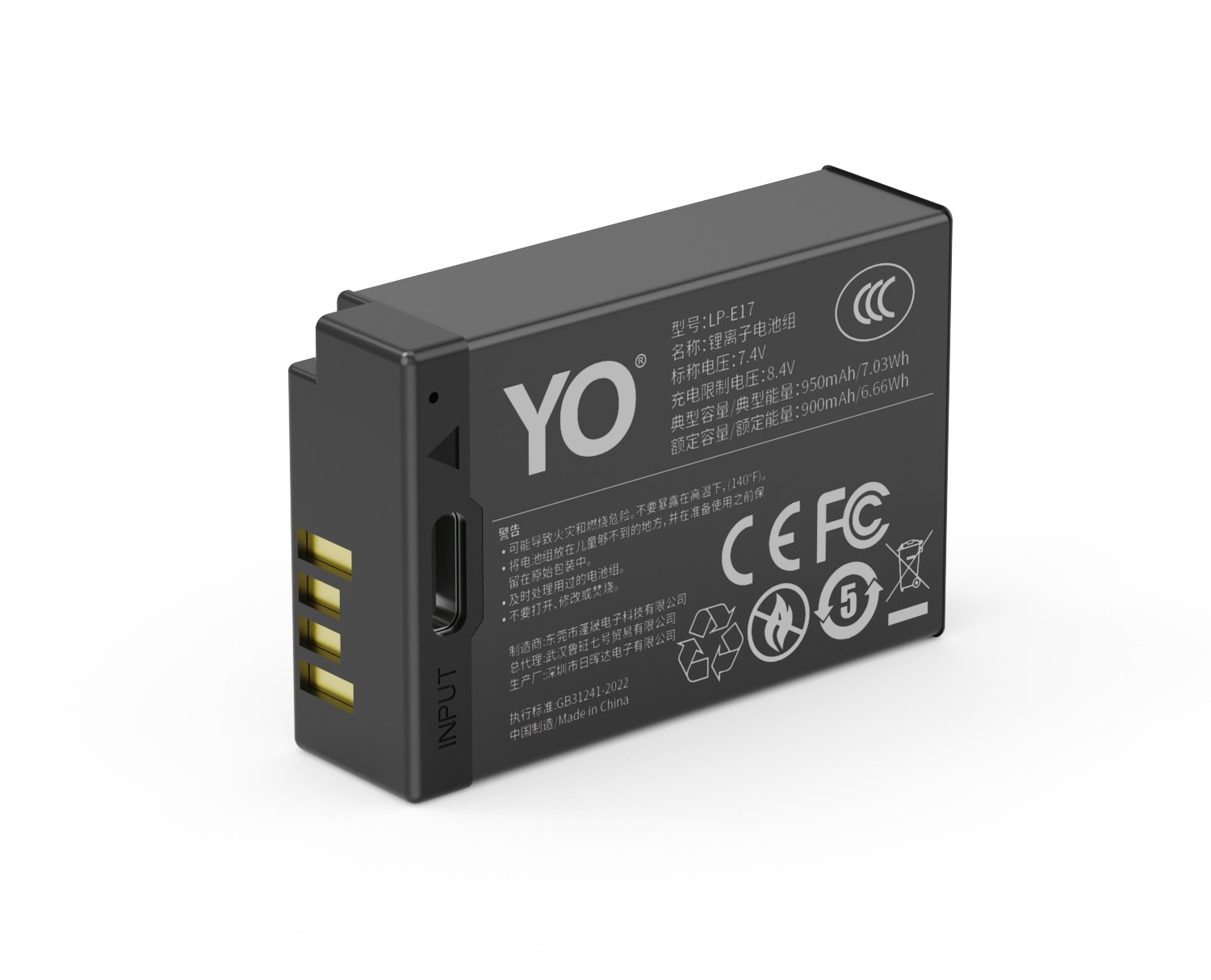
YO LP-E17 camera battery render
Product render of the YO LP-E17 compatible battery: front label, rear LED charge indicator and USB-C port.

The 950mAh sits in the middle of the three tiers, neither small nor large, which makes it the easiest to forget: it is not carried as a casual spare like the 750mAh, nor used daily as a primary like the 1050mAh, so it often sits for six months at a time. This tier needs a clear set of storage rules more than the others.

Why four to six tenths and not full

A lithium-ion battery is most stable at a moderate state of charge. At a high charge the cathode material is strongly oxidizing, side reactions with the electrolyte run faster and the SEI layer thickens sooner. At a low charge the anode potential rises, the copper current collector is at risk of dissolving, and an over-discharged battery may never charge again.

Four to six tenths is the balance point between those two risks. You do not need to be precise: two bars on the camera gauge, where full is three or four, lands roughly in that range, or you can pull the battery off the dock partway through a charge. Approximate is fine.

Temperature matters as much as charge level. Side reactions accelerate noticeably in the heat, so keep batteries away from balconies, radiators, cars and anything that runs warm. Dry, dark and 15-25°C is ideal.

How often to top up

Self-discharge in a lithium-ion battery typically runs at 2-5% a month, and the protection board’s quiescent draw adds a little more. At that rate, going from five tenths down to below two tenths takes roughly three to six months, which is where the top-up interval comes from.

Planned storage Starting charge Top-up interval
One to three months About five tenths Usually none; check once before use
Three to six months About five tenths One top-up midway
Six months to a year About five tenths Every three to four months
Over a year About five tenths Check every three months, restore to five tenths

A top-up does not mean a full charge. Take the battery off at around halfway and put it back into storage; charging it fully every time recreates the harmful full-charge state. If your dock has no way to stop partway, timing it with a watch gives a close enough estimate.

A storage routine you can follow as written

  1. Clean the contacts. Wipe the metal contacts on the battery and in the body with a dry soft cloth to remove fingerprints and oxidation. Do not use much alcohol and do not scrape.
  2. Set the charge level. Bring the battery to four to six tenths. If it is already full, fit it in the body and run it down for a while, or shoot a few dozen frames.
  3. Take it out of the body. Do not leave it in the camera long term. Even switched off, a body draws a little, which can drag a battery into over-discharge, and the battery compartment is also where moisture collects.
  4. Store it separately. Use the original box or a battery case with dividers, and keep it away from keys, coins and metal fittings to prevent a short across the contacts.
  5. Choose the place. Cool, dry and dark, away from heat. A small sachet of desiccant in the case helps, especially in a humid season.
  6. Set a reminder. Put a date three months out in the calendar to check the charge and restore it to five tenths. This step is the easiest to skip and the one that decides the outcome.

If you store several batteries, label each one with the date it went in and its charge at the time, so the next retrieval needs no guesswork. That habit pays off most for anyone mixing capacities.

Three common mistakes

Mistake one: the fridge will extend life. Not advisable. A domestic fridge is humid, condensation forms on the battery as you take it out, and moisture working into the case seams adds risk. Repeated temperature swings also increase internal stress. A cool spot at room temperature is enough.

Mistake two: charge it full so it is ready next time. Convenient, but it accelerates aging. If you really need a battery that is ready at any moment, keep one emergency battery full and store the rest at five tenths, accepting that the emergency battery will have a shorter life.

Mistake three: leaving the battery in the camera counts as storing it. A camera is not a storage box. Removing the battery when the camera is not in use is basic practice, as the LP-E17 overview also notes. Fit the battery compartment cover afterwards to keep dust out.

One more point: if a battery swells, smells odd or becomes unusually hot during storage, do not charge it and do not keep it. Dispose of it under your local electronic waste rules. This is uncommon, but there is no recovery once it happens.

When you bring a battery back into use after several months, check first that the case is flat, then charge it on the dock and watch whether the process behaves normally. On the first use after a full charge the runtime may come in slightly below what you remember; that is usually a normal dormant state, and two or three full cycles bring it back close to where it was.

If it is still clearly short after two or three cycles, that is genuine degradation. Use the method for judging capacity fade as a reference, or check the capacity and compatibility guide to decide whether a replacement is due. For this tier, allow some margin on the first two shoots after a long rest and avoid scheduling anything that cannot be interrupted.

FAQ

How often does a stored 950mAh need a top-up?

Usually every three to six months, depending on storage temperature. Warmer storage means faster self-discharge, so in summer shorten it to three months; in a stable cool place four months is fine. Top up to five tenths, not to full.

Can long storage ruin a battery?

It can, but it is usually avoidable. The real risks are the two extremes: sitting fully charged for months, or sitting fully discharged for months. Kept at four to six tenths and checked regularly, most batteries lose very little capacity over a year. Left completely flat and never recharged, a battery may never come back.

Can I store batteries in the camera bag?

Yes, with two conditions: the batteries come out of the body, and each one goes in its own case or pouch. A camera bag is not sealed, so add desiccant in the humid season and avoid leaving the bag on the floor or against an outside wall.

Should I drain a battery before storing it?

No, that is a habit from the nickel-cadmium era. Lithium-ion batteries have no memory effect, and draining one only adds over-discharge risk. The goal before storage is a middle charge, not zero.


Posted on — Leave a comment

Does the NP-FZ100 Come With a Warranty? Support and Returns Explained

Yes, there is warranty cover, though the term and scope follow the conditions stated on the product page and on your order, and those can differ by channel and by SKU. Spending a minute checking before you buy saves far more time than arguing later. Most camera battery disputes come down to three questions: does capacity loss count as a defect, is swelling covered, and is a non-genuine battery message a fault. Settle those three first and returns go much more smoothly.

YO NP-FZ100 camera battery render
Product render of the YO NP-FZ100 compatible battery: front label, rear LED charge indicator and USB-C port.

What warranty usually covers

Batteries are consumables. In the trade, coverage commonly looks like this — though the terms you bought under are what count:

  • Functional failure: will not charge, will not be recognized, charge level jumping around. These normally fall within warranty.
  • Non-user-caused build defects: cracked shell, broken latch, loose contact, provided there is no sign of external damage.
  • Early capacity well below spec: if measured capacity is far off the label early on, run the checks in how to spot inflated capacity claims before contacting support.
  • Swelling: something to take seriously. Stop using the pack and contact support; the handling sequence is in the battery swelling and error code FAQ.

What is normally excluded

  • Normal wear: lithium cells commonly hold around 80% of capacity after 300–500 cycles. Shorter runtime after a year is expected, not a defect. Around the two-year mark is a common point to think about replacement.
  • User-caused damage: drops, water, opening the pack, puncturing the shell.
  • Damage from mismatched charging equipment.
  • Claims past the warranty term, or orders without proof of purchase.

Four steps through a return

Step 1: rule out the environment first

If the camera reports it cannot recognize the battery, power down, remove the pack and wipe the contacts with a dry soft cloth. Confirm you have an NP-FZ100 and not an NP-FW50 — the A6400, A6500 and A7 II series use the latter. A large share of reported faults turn out to be dirty contacts or the wrong model.

Step 2: decide whether it is just a compatibility notice

Some Sony bodies display a message that remaining charge may not be shown accurately. That is common and you can keep shooting; it is not grounds for a return. The messages that need action are “cannot recognize” or “cannot use”.

Step 3: assemble proof and a clear description

Keep the order number, purchase date, packaging and the markings on the pack itself. Add your body model, roughly which firmware version, what you were doing when it happened, and photos. The more complete the file, the faster support can judge it. A short note on when the symptom first appeared is often the detail that separates a defect from normal wear.

Step 4: submit through the channel listed on the product page

Find the support entry on the product or order page, submit there, and follow the instructions for return or extra documentation. Where safety is involved, such as a swollen pack, do not just post it off — contact support first to agree on handling. Photograph the pack and its markings before you send anything, since those markings are usually how support identifies the batch.

Four things to confirm before ordering

  • Warranty length and start date: from delivery, or from first use?
  • Whether no-reason returns are offered, the time limit, and how resale condition is judged.
  • Who carries the warranty: brand, storefront or a third party — and is there a contactable address?
  • Terms for bulk orders: with larger quantities, agree at quote stage how defective units are handled and how fast replacements ship. The wholesale inquiry page outlines this.

If your concern is compatibility, read how the chip and charge display work first to see whether your body’s message is normal. It saves an unnecessary return.

One more thing worth knowing before you need it: warranty terms for consumables are usually narrower than for a camera body, because capacity loss over time is expected rather than defective. That is not a loophole so much as the nature of the product. Reading the clause once, at purchase, sets your expectations correctly and makes any later conversation much shorter.

FAQ

Runtime dropped after six months. Can I exchange it?

That is likely normal wear. Cells commonly sit near 80% capacity after 300–500 cycles, and replacing around the two-year mark is a common pattern.

Is a compatibility warning a defect?

A message about charge display accuracy is common and shooting can continue. “Cannot recognize” or “cannot use” needs investigation: clean contacts, confirm the model, then contact support.

Can I still claim without the original packaging?

It depends on the channel’s terms. At minimum keep your order details and the markings on the pack, and hold onto the packaging for a while.

How are defective units handled on wholesale orders?

Agree the defective-unit handling and replacement lead time with support at quote stage. Orders of 100 units or more can go through the wholesale inquiry page, where the handling terms are usually agreed in writing alongside pricing.

Two charging options, same capacity: standard 2600mAh (dock required) or USB-C 2600mAh (phone charger or power bank). Pick the version on the NP-FZ100 product page; bulk pricing via wholesale.

Posted on — Leave a comment

NP-F960 Compatibility Chart: 10 Bodies and the Models That Do Not Fit

The NP-F960 covers 10 bodies, from the HDR-FX1 to the Sliders; the most common buying mistake is not capacity but boundary cases such as α7 / α9 → NP-FZ100 / F750. The table below lists every compatible body by series, followed by the models that take a different cell. Always trust the marking on the camera or in the battery compartment: similar-looking packs are not necessarily interchangeable, and NP-F550 / F750 / F960 / F970 should still be checked against the contacts and firmware of your body.

Key specifications and limits: 5 W 7 h / 15 W 2.5 h / 38.9 Wh. Actual figures vary with resolution, frame rate, screen brightness and ambient temperature, so plan spares around the shortest figure in the table.

Full compatibility list

All 10 bodies below accept the NP-F960 or a cell from the same family, grouped by series. “Compatible” means the compartment and contacts match; it does not guarantee that older bodies can exploit the full capacity of a high-capacity pack.

Body Body Body Body
HDR-FX1 HDR-FX7 HDR-FX1000 HVR-Z1
HVR-V1 HXR-NX5 HXR-MC2000 LED panels
Field monitors Sliders

Which models do not fit

This is where search results most often mislead. Packs with similar names and near-identical shells frequently belong to entirely different systems, and forcing one in can damage the compartment.

Item Value
NP-F960 NP-F550 / F750 / F960 / F970
NP-F970 Sony NP-F960
np-f960 5400 mAh / 38.9 Wh
NP-F960 5 W 7 h / 15 W 2.5 h / 38.9 Wh
α7 / α9 → NP-FZ100 / F750 NP-F550 / F750 / F960 / F970
NP-F550 / F750 / F960 / F970 5400 mAh / 38.9 Wh

How to check before ordering

The reliable check is the model printed on the bottom of the body or inside the battery compartment, matched against this list. On a used camera, also confirm that a previous owner has not swapped the battery door.

To pick by model, start with the specifications and stock status on Sony NP-F960 5400mAh, then browse the full article set in NP-F960; if your body belongs to a neighbouring system, NP-BX1 has the side-by-side explanation.

FAQ

How many bodies take the NP-F960?

Our list contains 10 bodies, from the HDR-FX1 to the Sliders. It is grouped by series, but still check the body marking, since a later generation in the same line can switch cells.

Is the NP-F960 interchangeable with neighbouring models?

NP-F550 / F750 / F960 / F970 shares one shell and contact layout, so those cells fit each other. However, α7 / α9 → NP-FZ100 / F750, and those bodies need their own cell — never judge by shape alone.

Will every body on the list benefit from higher capacity?

All of them run normally, but older bodies set their cutoff and fuel gauge to the original specification, so extra shots do not scale linearly and the percentage may read conservatively.

How do I confirm which cell to buy?

Read the model on the bottom plate or inside the battery compartment and match it against this list. If the marking includes a suffix or a “for use with” note, follow the manual rather than the capacity figure.

Posted on — Leave a comment

LP-E17 1050mAh on the EOS R8: Heat or Runtime First at 4K?

YO LP-E17 相机电池

Short answer: recording 4K on the EOS R8, most sessions hit the body’s thermal limit before the battery runs down. The job of a 1050mAh is to raise how much you can record in total, not to stretch any single clip indefinitely. As a rough estimate, at room temperature in the low twenties with the screen on and intermittent recording, a fully charged 1050mAh supports around sixty minutes of accumulated 4K footage, and where it lands in that range depends on resolution and frame rate, bit rate, and cooling; with one continuous clip, the heat warning usually arrives first.

YO LP-E17 camera battery render
Product render of the YO LP-E17 compatible battery: front label, rear LED charge indicator and USB-C port.

Where the R8’s 4K heat comes from, and what the battery contributes

4K power draw goes mainly to three places: high-resolution readout from the sensor, encoding in the image processor, and card writes. The R8 body is compact with limited surface area, so heat accumulates in the space between the sensor and the main board and bleeds out slowly through the shell. That is why it barely warms up when shooting stills and becomes obvious the moment you switch to 4K.

The battery also produces heat, but on a much smaller scale. One quiet advantage of a 1050mAh over a 950mAh is that at the same output power the cell discharges at a lower rate, so less is lost to internal resistance and converted into heat. That will not cool the body, but it keeps the rise around the battery compartment slightly lower, which helps on long recordings.

Worth noting: a warmer battery has higher internal resistance, and higher resistance brings more voltage sag and more heat, a small feedback loop. So when a battery feels hot to the touch after continuous outdoor shooting in summer, its usable capacity is effectively discounted. That is a separate issue from body overheating, but the two happen at the same time.

Realistic runtime ranges in three scenarios

Treating “recording 4K” as a single activity leads to bad estimates. The table below splits it into three common patterns. The figures are ranges that move with bit rate, temperature, screen brightness, and stabilization, and are for planning only, not a promise.

Scenario Relative draw Rough usable time on 1050mAh Main limit
4K 25p, one long clip, normal temperature Moderate About 55-80 minutes Body thermal limit
4K 50/60p, intermittent recording Fairly high About 40-60 minutes accumulated Heat and card writes
4K clips mixed with stills Moderate to high About 50-70 minutes of footage plus two or three hundred frames Power and heat alternating

Why might one long clip use less power? Because every start and stop sends the sensor and processor through another warm-up and initialization, and the transient draw exceeds the steady state. Intermittent recording, on the other hand, keeps the body cooler so the thermal limit arrives later. The two pull against each other; the right choice depends on whether you need one complete long take or a steady stream of material all day.

Heat first or empty first: three variables decide

Ambient temperature is the first. Recording 4K outdoors in winter, the thermal limit will basically never appear and you will genuinely use the pack up; on a summer afternoon the body may throw a temperature warning while you still have half a charge. This is why many people find batteries “long-lasting” in winter and “useless” in summer. It is the same battery.

Second is resolution and frame rate. 4K 50/60p puts clearly more readout and encoding load on the system than 25p, raising heat and draw together. If the deliverable only needs 25p, there is no reason to run high frame rates all day.

Third is the screen and ports. A screen held at high brightness, Wi-Fi transfer left on, and an external monitor all add several watts. Against a battery in the seven-and-a-half watt-hour class, those small loads are a meaningful share.

A sequence for getting the most out of a 1050mAh

  1. Charge fully before you leave and confirm the pack is at room temperature. Do not take a battery straight out of an air-conditioned room and put it into a body that has been sitting in the sun.
  2. Set the body to its standard power-saving profile, drop screen brightness one notch manually, and turn off wireless features you do not need.
  3. Open with 4K 25p for the main shots and save high frame rates for the takes that genuinely need them, cutting unnecessary encoding load.
  4. Every ten to fifteen minutes of recording, let the body idle for a minute or two to shed heat. Do not blast the lens mount with a fan; a sudden chill causes condensation inside.
  5. Start planning the finish when the gauge reaches two bars, not at auto-shutdown. Lithium-ion voltage falls quickly at the tail, and a sudden cut can leave the last clip incompletely written.

If a day involves a lot of 4K, the practical approach is two 1050mAh packs in rotation rather than expecting one to last. Let a freshly pulled pack cool in the open air before it goes on a charger. In this role the YO LP-E17 1050mAh is the standard primary pack, with the 950mAh tier as a sensible backup.

One more point that is often missed: a battery with a USB-C port solves off-camera replenishment, not on-camera power. Whether you can charge and record at the same time depends on whether the body supports a USB power-delivery protocol, and such modes usually restrict recording specifications. Check the body manual rather than assuming that plugging in means unlimited recording.

FAQ

Can a 1050mAh record a full hour of 4K on the R8?

With intermittent recording at normal temperature and 25p, it can approach that. Continuous single clips, high frame rates, or hot conditions usually fall short. Treat an hour as an upper reference and plan on about seventy percent of it.

After a heat warning, can I swap batteries and keep recording?

That does not address the cause. The thermal limit comes from the body’s internal temperature, and a fresh battery will not cool it; most bodies restrict recording specifications for a period. Switch off and let it cool instead of retrying repeatedly.

Why is charging from a power bank while recording not recommended?

For one thing, charging and recording at once adds heat to a body that is already thermally tight. For another, some bodies restrict 4K specifications in that state. For long sessions, prefer an external power solution or shoot in segments, and check the body manual for what is supported.

How many extra minutes does 1050mAh give over the original 1040mAh?

The difference is on the order of one percent, theoretically under a minute, and in practice it is lost in heat and shooting rhythm. The case for 1050mAh rests on the gap to the 750 and 950 tiers, not on ten milliamp-hours against the original. For more on the tiers, see the 1050mAh category.

Posted on — Leave a comment

Sony NP-FW50: Compatible Bodies, Capacity, vs NP-FZ100

Short answer: the Sony NP-FW50 is a small 7.2V pack rated 1020mAh, about 7.3Wh. It arrived with the NEX series in 2010 and stayed in service through the A6400, A6500 and ZV-E10, making it the most widely fitted battery Sony has made. It shares nothing with the NP-FZ100: the shape, thickness and contact layout all differ, so the two are completely incompatible. The FZ100 is 7.2V, 2280mAh, about 16.4Wh — more than twice the energy. The rule is simple enough: an A6000-series body, a first- or second-generation A7, or any NEX takes an FW50; an A6600, an A7 III or anything later takes an FZ100.

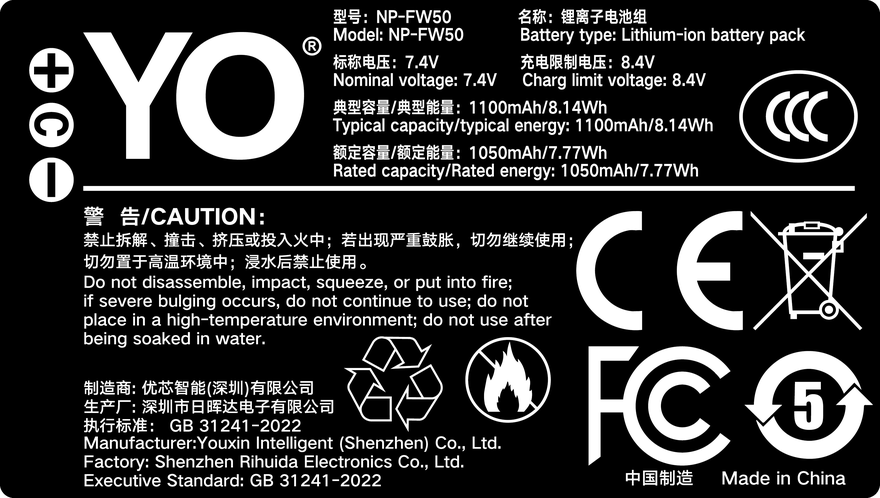
YO NP-FW50 battery rating label
Rating label of the YO NP-FW50 battery: nominal voltage, typical capacity and safety certifications.

1. Which bodies take the NP-FW50

The FW50 had a long life, spanning Sony’s whole transition from NEX to E-mount mirrorless. The same pack works in a 2010 NEX-5 and a 2019 A6400, which is why so many are still in circulation. The main bodies are listed by product line below; the label inside the battery bay is always the final word.

Product line Main bodies Note
NEX series NEX-3, NEX-5, NEX-5N/5R/5T, NEX-6, NEX-7, NEX-3N, NEX-F3 The first bodies to use the FW50
A5000 / A6000 series A3000, A5000, A5100, A6000, A6100, A6300, A6400, A6500 The A6600 is the exception and uses the NP-FZ100
A7 first and second generation A7, A7R, A7S, A7 II, A7R II, A7S II From the A7 III onward the line moved to the NP-FZ100
ZV series ZV-E10 The ZV-E10 II moved to the NP-FZ100
RX and others RX10, RX10 II, RX10 III, RX10 IV, QX1 The long-zoom RX bodies also take the FW50

The easy trap in that list is the A6600. The name puts it in the A6000 family, but its bay is built to FZ100 dimensions and an FW50 will not go in. Likewise the A7 III, A7R III, A7C and A6700 all use the FZ100. Any A7 marked third generation or later can be ruled out for the FW50 straight away.

2. What 7.3Wh actually means: capacity and real runtime

7.3Wh looks small today. For scale, a mainstream phone battery is roughly 15-20Wh, so an FW50 holds less energy than a phone. In camera terms, that translates to the following:

  • Official CIPA figures: about 410 shots on the A6400 (LCD), about 400 on the A6300, about 360 on the A6000 and about 350 on the A6500. These are lab cycle-test values.
  • Real shooting: most owners land between 250 and 350 frames, with a clear drop outdoors in winter, when reviewing constantly, or when transferring over Wi-Fi.
  • Video: typically 60-80 minutes of continuous 1080p; 4K usually stops after 20-30 minutes because of body heat rather than charge.

Put another way, the FW50 is a pack that is adequate but needs backup. If a day runs past 300 frames, or you are covering a wedding, an event or travel where recharging is impossible, two to three packs is the normal configuration rather than over-preparation.

3. NP-FW50 versus NP-FZ100

These two get compared constantly because they stand for Sony’s two mirrorless eras. The difference is not only capacity but the whole power architecture of the bodies.

Item NP-FW50 NP-FZ100
Nominal voltage 7.2V 7.2V
Nominal capacity 1020mAh 2280mAh
Energy About 7.3Wh About 16.4Wh
Size and thickness Thinner and smaller Markedly thicker, close to double
Interchangeability None. Bay dimensions and contact positions differ, so neither will fit or adapt to the other
Typical runtime difference Baseline More than twice the FW50

Worth noting is that the FZ100 does not just mean a few hundred more frames. Bodies from the A7 III onward support USB power and higher output, and only a large pack can sustain 4K long takes, dual-card writing and high-refresh finders. Conversely, FW50 bodies are mostly earlier designs with more modest feature sets, so 7.3Wh was not especially tight on that hardware.

If your body already takes an FZ100, the site’s NP-FZ100 section goes deeper on capacity, cold-weather behaviour and buying advice; accessories and backup plans for FW50 bodies are gathered in the NP-FW50 category.

4. Originals, third-party packs and what to look for

The FW50 is one of the most counterfeited Sony packs, for obvious reasons: a huge installed base, a long production life and a low unit price. A genuine pack typically costs several times a compatible one, and the real capacity gap is nothing like the price gap. Work through the following before deciding.

  1. Confirm the body first: check the table above and be sure it is FW50 rather than FZ100 or BX1. Get this wrong and everything after it is wrong.
  2. Check whether the rating is honest: a reputable third party quotes around 7.2V / 1020mAh, not “3000mAh”, a number that physically will not fit.
  3. Check for protection circuitry and a temperature sensor: the body reads temperature through the third contact, and a pack missing that NTC can trigger errors during long summer recordings.
  4. Check charger compatibility: the FW50 uses a dedicated dock charger, not a universal clamp charger. Most third-party packs work with the original charger, but take a little longer to fill.
  5. Match the count to the workload: one original plus one spare covers light shooting; heavy work wants three from the same batch, so mixing old and new does not make runtime swing between long and short.

The YO FW50 sits in the middle of the performance and price range, with ratings and protection circuitry that are properly specified — a sensible supplement to originals rather than a replacement for all of them. Watch the production batch when buying: packs from the same batch have closer internal resistance and give a more linear gauge when mixed.

One last warning: the FW50 has been discontinued for years, and a fair share of “new original” stock on the market is pulled from cameras or refurbished old inventory. If the price is implausibly low, treat it as a third-party pack and do not pay extra for the word original.

FAQ

Will an NP-FW50 work in an A7 III?

No. The A7 III and later A7 bodies (A7R III, A7 IV, A7C and so on) use the NP-FZ100, with different bay dimensions and contact positions. An FW50 will not fit and there is no adapter that makes it work. The A7 II and the earlier first- and second-generation bodies are the ones that take the FW50.

How big is the runtime difference between FW50 and FZ100?

By rated energy, the FZ100’s 16.4Wh is roughly 2.2 times the FW50’s 7.3Wh. In practice the official CIPA shot counts for an A7 III and an A7 II differ by a similar factor, but the bodies do different things, so it does not scale neatly onto every camera.

Will an older camera have compatibility problems with a third-party FW50?

Most NEX and early A6000-series bodies work fine with third-party packs, though the gauge may be less linear than with an original and can shut down suddenly while still showing 20%. The newer A6400 and A6500 are stricter about battery communication, so favour models that explicitly state support for those two bodies.

Does an FW50 degrade if left unused for a long time?

Yes. For long storage, keep a lithium-ion pack at 40-60% and top it up every three to six months. Storing it flat for a long period can take the voltage below the protection board’s threshold, at which point the charger simply refuses it. Never recharge a pack that has swollen or deformed; the handling guidance is covered in the older-battery section of the FW50 category.

Posted on — Leave a comment

Weddings and Events on 1050mAh: How Many Packs, How to Rotate

YO LP-E17 相机电池

Short answer: for an eight- to ten-hour wedding on a full-frame mirrorless body like the EOS R8 or RP, mixing the screen and the viewfinder, four 1050mAh packs is usually the safe number, with one in the body and three in the bag. On a DSLR built around the optical finder, such as the 850D or 77D, three is often enough. The real risk is rarely “not enough capacity.” It is rotation chaos: reaching for a pack at the critical moment and finding it empty, or having two full ones buried at the bottom of the bag.

YO LP-E17 camera battery render
Product render of the YO LP-E17 compatible battery: front label, rear LED charge indicator and USB-C port.

This is not a general article about saving power. It breaks the budget down along the actual shape of a wedding day and gives a rotation routine you can follow as written.

The day’s power budget, stage by stage

Wedding shooting does not draw power evenly. The preparation stage is heavy on screen review and focusing, the ceremony on continuous tracking and bursts, the banquet on power cycling and playback, and the location shoot may involve long idle periods. Splitting the day into four stages is more useful than asking how many frames one battery takes.

Stage Typical duration Draw characteristics Usual consumption
Hair and makeup 1.5-2 hours Screen framing, frequent review About half to one pack
Ceremony and receiving 1-1.5 hours Continuous tracking, bursts About one pack
Location and group photos 1-2 hours Flash or natural light, intermittent shooting About half to one pack
Banquet and toasts 3-4 hours Long idle periods, intermittent bursts About one to one and a half packs

That totals three and a half to four and a half packs, estimated for a mirrorless body using the electronic finder throughout. A DSLR on the optical finder with light review can come in around two and a half. The figures are empirical ranges; body model, temperature, stabilization, and wireless transfer all shift them, so plan to the upper bound rather than the average.

Arranging four packs: a rotation routine you can execute

  1. Charge everything and number the packs before you leave. Mark 1, 2, 3, 4 on the back with a paint pen or a sticker, and keep the numbering tied to a fixed slot so you are not identifying packs by feel on site.
  2. Use them in numerical order. The body always holds the lowest number; when you pull one, it goes straight into a designated “used” pouch in the bag, never mixed with the charged ones.
  3. Swap at safe moments. Choose low-risk windows such as the end of the ceremony, the car between locations, or just before the banquet is served, rather than waiting for the low-battery warning.
  4. Top up once mid-day. During the lunchtime move or a banquet lull, put the two used packs on the dock. Many shooters drop their real daily need from five packs to four this way.
  5. Split them onto chargers the moment you finish. Get all four on power so that tomorrow does not start at half charge because you forgot.

The point of the routine is not saving power but turning “how much charge do I have left” into a state you can read at a glance. Event lighting is difficult and the pace is fast; anything that requires on-the-spot judgment costs attention.

Three details that go wrong

Spare packs go in a pocket against your body, not the bottom of the bag

Lithium-ion internal resistance rises in the cold and usable capacity falls. On a winter location shoot, an inside jacket pocket will get noticeably more out of a spare than a side pocket of the backpack. The difference is obvious at outdoor weddings in cold regions, and never store a pack against an ice pack either.

Do not stretch one pack across an entire ceremony

The ceremony is the part you cannot redo. Even if the current pack looks sufficient, fit a full one before it starts and save the half-used pack for the banquet. Trading headroom for insurance is the best deal in event work.

Wipe the contacts and the compartment

When you swap often, sweat and dust on the contacts cause poor connection, false charge readings, and even sudden shutdowns. Keep a clean microfiber cloth and wipe the contacts at each swap. That prevents more incidents than carrying an extra battery.

Why events call for 1050mAh rather than 750mAh

The 750mAh version is fine as a backup pack or for short top-ups, but in a setting where you cannot afford an interruption its weakness is not total energy. It is swap frequency. Each tier down costs you one or two extra swaps a day, and every swap is a window of risk. A 1050mAh carries about forty percent more rated capacity than a 750mAh and typically brings five swaps down to around three.

If the budget is tight, mix: two 1050mAh for the critical ceremony and banquet blocks, two 950mAh for preparation and the location shoot. For the differences between tiers, see the specifications in the 1050mAh category and the 950mAh category, then set your own ratio.

YO is conservative about capacity claims: 1050mAh is the rated figure, with no extra marketing padding. For event work that consistency is worth more than an impressive number, because knowing how long the pack in your hand will last is what lets you plan the next step.

FAQ

Are three 1050mAh packs enough for a wedding?

Usually enough on a DSLR using the optical finder with light review; on a full-frame mirrorless body using the electronic finder throughout it is tight, so plan for four and top up at lunch.

Can two packs be charged and used alternately?

Yes, but avoid charging one while shooting with it on site. A dock needs time to fill, and with a tight schedule two packs in rotation can leave you with a gap during a move; three or more is more comfortable.

Does storing a battery full shorten its life?

Yes. Long storage at full charge or fully drained both accelerate capacity loss. If the pack will sit unused after the wedding, discharge it to about half, store it, and top it up every few months.

Is fast drain in cold weather a sign the battery is failing?

Usually not. Cold temporarily raises internal resistance and lowers usable capacity, and it typically recovers at room temperature. Only if runtime is clearly short at normal temperatures should you consider replacing it.

Posted on — Leave a comment

One Year In: How Much Capacity Does a Third-Party NP-FZ100 Lose?

Start with the answer. In our testing, a third-party NP-FZ100 after a normal year of use keeps roughly 85%–95% of its original usable capacity, meaning a loss of around 5%–15%. That lands in the same band we record for Sony’s own pack under comparable workloads. There is no widespread pattern of third-party cells collapsing inside a year. Three things separate a healthy pack from a tired one: how many cycles it has run, how you charge it, and where it spends its downtime. Below you’ll find the retention figures sorted by workload, our test protocol, and a clear line for deciding when to retire a battery. To run the same check yourself, follow the steps in how to spot a fake capacity rating.

YO NP-FZ100 camera battery render
Product render of the YO NP-FZ100 compatible battery: front label, rear LED charge indicator and USB-C port.

What one year costs you, sorted by workload

Capacity doesn’t fade on the calendar. It fades with cycles plus storage conditions. Two packs bought on the same day can age very differently: one belongs to a commercial shooter who has run it through a hundred-plus cycles, the other sits in a weekend bag with a few dozen. The table below comes from our year-long tracking of a single batch of NP-FZ100 compatible batteries. Figures are given as ranges rather than precise single values.

Usage level Approximate cycles in year one Capacity retained (range) What it feels like in the field
Light: weekend walks, occasional top-ups Around 20–40 95%–99% Basically indistinguishable from new
Moderate: one or two shoots a week, two packs in rotation Around 50–80 90%–96% Tight at the end of a long day; bring a spare
Heavy: weddings, commercial work, frequent 4K Around 100–150 85%–92% One pack won’t cover half a day; rotate three or more
Poor storage: left full, cooked in a hot car Unrelated to cycles Possibly below 85% Noticeably short; replace early

One caveat worth more than the rows themselves: variation between two individual batteries inside the same row is often wider than the gap between rows. Two packs from the same batch, one living in a camera bag and one baking on a parcel shelf, can end the year more than ten percentage points apart.

Where the capacity goes: four main drivers

Cycle count does most of the work

Chemical aging in a lithium cell is tied to charge and discharge cycles. The industry shorthand is straightforward: expect roughly 80% remaining after 300–500 full cycles. That works out to a few percent lost per hundred cycles, which lines up with what we saw across the year. The full breakdown by stage is in what's left after 100 cycles.

Storing it full, and storing it hot

Leaving a pack parked at 100% in a warm place — a car in July, a sunny windowsill — accelerates the decline noticeably. This is also why a battery that “hasn’t been used much” can still test low. The damage came from the shelf, not the shutter.

High current draws add stress

Fast burst shooting, 4K and high-frame-rate recording, heavy use of IBIS and live view: all of it pulls more current, which means more heat and faster wear. Owners of high-speed bodies like the A9 series and A1 tend to notice it sooner.

Running it down to zero every time

Discharging until the camera shuts itself off, then charging back up, is a deep cycle and it costs the cell something. Shallow top-ups age far more slowly than full drain-and-fill habits.

How we measure: our lab protocol

We keep the conditions fixed so numbers stay comparable. Here’s everything that shaped the ranges above, so you can judge how far they transfer to your own kit.

  • Temperature: discharge tests run at room temperature, around 25°C. Cold weather behaves differently.
  • Method: constant-current discharge down to cutoff voltage, then compare the delivered charge against the original rating.
  • Sample size: multiple packs from the same batch are tracked together, and we report the observed range. A single outlier never becomes a conclusion.
  • Reporting: ranges and “around” only. Cell consistency varies batch to batch, so single-digit precision would be neither repeatable nor useful.
  • Cross-check: findings are confirmed in-camera, since what shooters actually care about is frames per charge, not milliamp-hours.

Treat these numbers as a way to judge whether aging is normal. They are not fine enough to rank brands against each other.

Third-party vs Sony: is there a real difference in the curve?

Under matched workloads, we have not observed any systematic fast-fade behavior unique to third-party packs. Both curve shapes look alike: gentle at first, steeper later. When an individual sample drifts off, the cause points back to cell batch or handling habits rather than to whether the pack came from Sony.

In fairness, batch-to-batch and environment-to-environment variation is real, so read this as a trend rather than a controlled head-to-head verdict.

Four signs it’s time to replace

  • Runtime drops to roughly 70% of a new pack. By then a full day is a gamble, and a replacement costs far less than a dead camera mid-shoot.
  • Around the two-year mark. Even with decent capacity left, internal resistance has usually climbed, and high-current work (bursts, 4K) will cut out early.
  • Any swelling. Stop using it. No charging, no discharging. Take it to a hazardous waste or battery recycling point; never puncture or burn it.
  • Full charge to half-empty in minutes. That points to internal resistance or a confused fuel gauge. Run one full charge-discharge cycle to recalibrate; if nothing changes, replace it.

FAQ

Is 10% loss in a year a defect?

No. Against the 80%-after-300–500-cycles benchmark, losing 5%–15% in twelve months is normal. If a pack falls below 80% within six months, and you can rule out heat and deep discharges, contact the seller for a check.

Do third-party packs always fade faster than originals?

Matched for workload, we don’t see a meaningful difference. Cycle count, time spent at full charge, and ambient temperature are what move the needle.

Does an unused battery degrade on its own?

It does, and storage habits matter a lot. Aim for 40%–60% charge, keep it cool and dry around 15–25°C, and top it up every three months. Both fully-charged and fully-empty storage age a cell faster.

Can lost capacity be restored?

No. Chemical aging is one-way, and “revival” tricks don’t work. What you can do is run a complete charge-discharge cycle so the remaining-charge display reads honestly again.

How should I dispose of a degraded pack?

Not in household trash. Drop it at a local hazardous waste or battery recycling point, ideally with tape over the terminals.

Bottom line and what to buy

Only need a spare? The NP-FZ100 2600mAh comes on its own, with a charger, or as a two-battery kit. Both versions hold 2600mAh; the USB-C one costs slightly more and saves you carrying a dock.

Posted on — Leave a comment

Which NP-FW50 Version to Choose: Standard Cell, USB-C, or Battery Case

A Sony NP-FW50 lithium-ion rechargeable battery

Short answer: capacity is almost the same across all three. What actually differs is where the charge comes from and how many cells you carry. Shoot at home with a dock you already own? Take the plain replacement cell. Travel often and want one less accessory? Take the USB-C direct-charge version. Rotating two or more packs in a day? Add a two-slot charging case for parallel charging and storage. They work together; this is not an either-or choice. Our NP-FW50 compatible cell is quoted at 1100mAh typical, 1050mAh rated, 7.4V and 8.14Wh; the original Sony NP-FW50 is 1020mAh at 7.2V (7.3Wh). The USB-C version is also 1100mAh at 7.4V, with a Type-C port built into the cell. A battery case produces no power of its own: it charges and stores these cells.

A Sony NP-FW50 lithium-ion rechargeable battery
A Sony NP-FW50 cell. Photo: Tosdos0012 / Wikimedia Commons, CC BY-SA 4.0; image resized from the original.

What each version is for

The plain compatible cell answers one question: the pack in the camera is worn out, or you need a spare. It has no charging port, so refilling means a dock or the body’s USB path — and on this generation most bodies have no USB charging at all, which makes a dock mandatory. It is the simplest and usually cheapest option if you already own a charger and just want more packs.

The USB-C direct-charge version moves the charging circuit into the cell. A Type-C port on the battery accepts a phone charger, power bank or laptop port, so the dedicated dock stays home. This matters most on older bodies — NEX, first-generation α7, α6000 — which cannot charge over USB: instead of pulling the cell out and seating it in a dock, you plug in a cable. It solves a packing problem, not a runtime problem.

A two-slot case answers a different question: how do you recharge several packs at once and carry them without loose cells in the bag? Both slots charge together and the closed lid turns it into a storage box. It does not change the capacity of any single cell; it changes overnight parallelism and how tidy the kit is. Our DR-FW50 is designed for NP-FW50 series cells.

Specifications side by side

Only figures stated on our own pages are listed. Energy in Wh is the safer comparison: mAh only compares cells at the same voltage, and all three here sit at 7.4V, so a horizontal read is valid.

Item Standard NP-FW50 cell USB-C TNP-FW50 cell DR-FW50 two-slot case
Quoted capacity 1100mAh typical (1050mAh rated) 1100mAh No cells included; charges them
Voltage / energy 7.4V / 8.14Wh 7.4V Follows the cells installed
Charge input Dock / body USB where supported USB-C port on the cell Case powered, two slots in parallel
Separate dock needed Yes No The case is the charger
On bodies without USB charging Dock required Plug a cable into the cell Remove cells and seat them in the case
Main job Replace or add a spare Cut the accessories you carry Parallel charging plus storage

Sony’s original NP-FW50 is 1020mAh at 7.2V (7.3Wh), so our 1100mAh typical rating is slightly higher. In practice that shows up as a calmer end of discharge rather than a dramatic jump in shots per charge; do not translate it into a percentage gain.

Choose by shooting rhythm, not by spec sheet

Your situation Suggested setup Why
Shoot at home, dock already owned, need one spare Add a standard cell The gap is quantity, not charging
Travel or commuting, want less in the bag USB-C direct-charge version Phone chargers and power banks work; leave the dock
All-day outdoor or video-first work Two to three cells plus a two-slot case Parallel overnight charging, daytime rotation, closed-case storage
Older bodies (NEX, first-gen α7, α6000) Prefer the USB-C version No USB power path on the body, so an on-cell port is worth most
Livestreaming, long fixed-camera sessions External power via a DC coupler dummy battery Swapping cells cannot sustain continuous recording

A sensible order: confirm the battery compartment says NP-FW50, decide whether the direct-charge port is worth it, then let the number of cells you use in a day decide the case. Figures are on the NP-FW50 compatible battery page, the direct-charge cell on the TNP-FW50 page, and the case on the DR-FW50 page.

Check the compatibility boundary first

The FW50 covers the α5000 through α6500, ZV-E10, the NEX range, α7 and α7 II, and RX10 — the shared cell of Sony’s first E-mount decade. From the α7 III onward (α7 IV, α7R V, the α9 series, FX3 / FX30), and from α6600 / α6700, Sony moved to NP-FZ100. The shape is different, it will not seat, and the two generations are not interchangeable. The label inside the battery compartment is the reliable check before ordering.

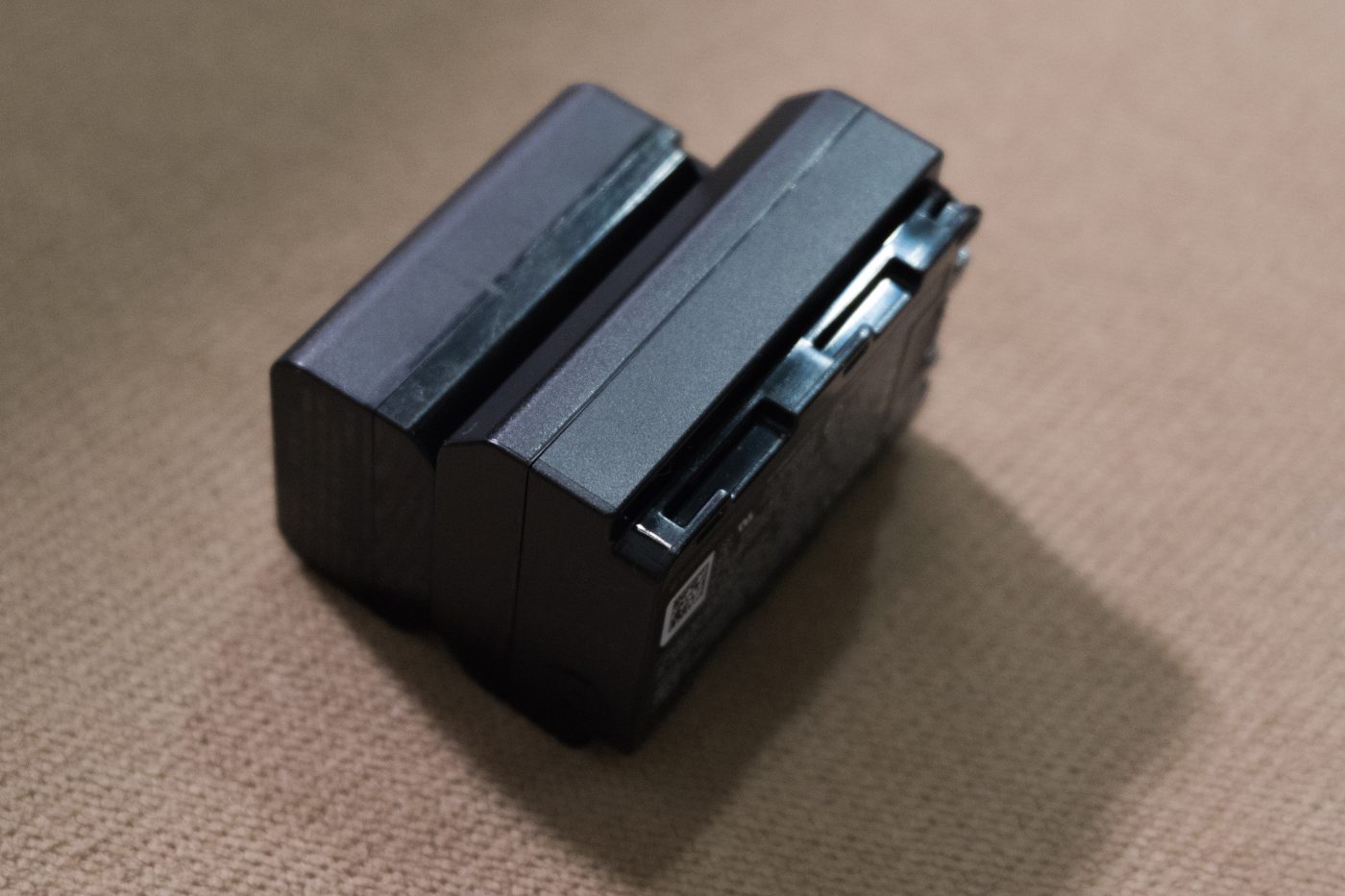
NP-FW50 and NP-FZ100 battery packs compared
NP-FW50 (left, smaller) beside NP-FZ100. Photo: Tinh tế Photo / Wikimedia Commons, CC0.

More on this topic is grouped under the NP-FW50 category, organised by capacity, ageing, runtime and spare-battery planning.

FAQ

Does the USB-C version hold more charge?

No. Both cells are 1100mAh at 7.4V; the USB-C version simply puts the charge port on the battery. If you want more runtime per cell, swapping versions will not do it — carrying a second pack will.

Will a battery case extend a shooting session?

Indirectly, because it makes carrying and recharging two or more packs easy. The case is not a power source for the camera. For genuine continuous power you need a DC coupler dummy battery attached to an external supply.

Can the three be mixed?

Yes. Standard and USB-C cells are both NP-FW50 form factor, so they fit the same bodies and both seat in a DR-FW50 case. Mixing lets you rotate during the day and charge everything together at night.

Is 1100mAh noticeably better than the original 1020mAh?

The quoted difference is about 80mAh, which is small. At 8.14Wh this is a modest cell by current standards; screen use, playback, flash and cold weather shape runtime far more than those few dozen mAh.

Posted on — Leave a comment

Dummy Battery and External Power for the NP-FZ100: Is It Worth It?

Straight answer: for locked-off long recording — interviews, time-lapse, streams, remote classes — a dummy battery fed by an AC adapter or power bank is more dependable than juggling cells, and it’s worth adopting. For run-and-gun or outdoor work the payoff shrinks while the failure surface grows. We compared four common powering setups, and the core finding is simple: external power removes the need to swap batteries mid-take. It does not make the camera more efficient, and it does nothing for image quality. Before you commit, confirm voltage and connector compatibility and accept one new risk: a single point of failure ends the recording instantly. Here’s the comparison, what we observed in testing, and a wiring routine that holds up. Broader video-powering strategy lives in uninterrupted power for live streaming.

YO NP-FZ100 camera battery render
Product render of the YO NP-FZ100 compatible battery: front label, rear LED charge indicator and USB-C port.

Four ways to power a long take

Option What it is Run time Upside Main risk
Swapping cells Three to five NP-FZ100 packs Limited per pack; recording stops for each swap No external dependency, fully mobile Gaps in the recording every time you change a pack
Dummy battery + AC adapter Coupler plus mains adapter Effectively continuous on wall power Steadiest option, no battery-watching Tied to mains, cable-limited; a loose plug cuts power instantly
Dummy battery + power bank Coupler plus high-capacity bank Hours, depending on the bank Usable outdoors, moderate mobility The bank itself runs out, and loses capacity in cold
USB to the body USB-C cable to a power source Depends on the body’s capabilities No coupler needed, minimal wiring Some bodies only charge, never run; some sag under load

Looking at it through our test ranges: mains plus a coupler is one of the few combinations that genuinely runs all day. The power-bank route has the widest spread in real usable duration, since capacity claims, output wattage, and ambient temperature all move the result.

Three things testing keeps reminding us

1. External power doesn’t make a body thriftier

Power draw comes from how you shoot: live view or EVF, codec, screen brightness, stabilization. The source of the electrons changes nothing. Pulling high-bitrate 4K still heats the chassis, and heat-related shutdown is a far more common interruption than an empty battery in long sessions.

2. Voltage and connector must match

A dummy battery mimics the pack’s shape and contacts while feeding external DC into the body. Its output has to sit inside the range the camera expects — roughly the 7.2V nominal class an NP-FZ100 provides — and the connector and pinout must correspond. A mismatch can trigger errors or damage the camera. Check the listed bodies and output specs; don’t assume two similar-looking couplers are interchangeable.

3. You trade redundancy for convenience

With multiple packs, each one backs up the others. Move to external power and a single loose adapter, cable, or plug kills the take. The sensible habit is keeping a real battery in the body as a buffer where the camera supports switching, plus recording in segments so you never stake everything on one enormous file.

A wiring routine worth following

  • Power first, then power on. Confirm stable feed and a normal battery indication before you hit record.
  • Route and strain-relieve. Run the cable behind the body, fix it with tape or a tie, and leave slack so a tug never reaches the plug.
  • Check heat early. Ten to fifteen minutes in, feel the coupler and plug. Warm is fine; hot means stop and verify the spec.
  • Segment the recording. Even on mains, lay down 20–30 minute chunks so a corrupt file doesn’t cost you the whole job.
  • Reset afterwards. Remove the coupler and put a real battery back in; don’t leave the dummy sitting in the bay pressing on the contacts.

Choosing a power bank: capacity isn’t the whole story

  • Output power: it has to cover the body’s continuous draw. Underpowered supplies mean the camera quietly pulls from its internal cell anyway.
  • Output voltage: must agree with what the coupler needs, occasionally requiring a specific cable or converter.
  • Rated vs usable: the headline figure is cell capacity; after voltage conversion expect roughly 60–70% of it.
  • Cold behavior: power banks sag in the cold just like camera batteries. Keep them warm — cold costs them capacity too.
  • Flying: power banks count as spare batteries and must ride in carry-on, never in checked luggage. Rules are in flying with NP-FZ100 batteries.

When to skip the dummy battery

  • Handheld or roaming work. The cable becomes a leash; two extra packs beat it.
  • Long outdoor sessions with no mains. You’d need a large bank plus insulation, and complexity climbs fast.
  • Critical recordings you cannot segment. External power has a worse failure profile than rotating packs; bring a backup plan.
  • Wet or dusty environments. The cable breaks the battery-door seal, which defeats the weather sealing you paid for.

FAQ

Will a dummy battery hurt my camera?

Not if the voltage and connector are right and the gear is sound. The risks come from mismatched specs and cheap cabling, so verify both and keep an eye on heat during use.

Why does the battery indicator still drop when I’m plugged in?

Usually insufficient output power: under load the body supplements from its internal pack. Poor contact causing intermittent supply looks similar. Try a higher-wattage source and inspect the plug.

Can I record straight off the body’s USB port?

Model-dependent. Some bodies accept USB power, some only charge when off, and some sag under high load. Trust the manual, and run a full-length test before anything important.

The body gets very hot on long takes. Now what?

Lower screen brightness, keep it out of direct sun, maintain airflow, and switch off power-hungry in-body features if needed. Thermal shutdown isn’t a battery problem and needs its own fix.

Can I run a dummy battery alongside a real one?

Long-term mixing isn’t recommended. The common practice is external power doing the work with one good battery in the body as insurance, subject to what your model supports.

Bottom line and buying notes

Only need a spare? The NP-FZ100 2600mAh comes on its own, with a charger, or as a two-battery kit. Both versions hold 2600mAh; the USB-C one costs slightly more and saves you carrying a dock.

Posted on — Leave a comment

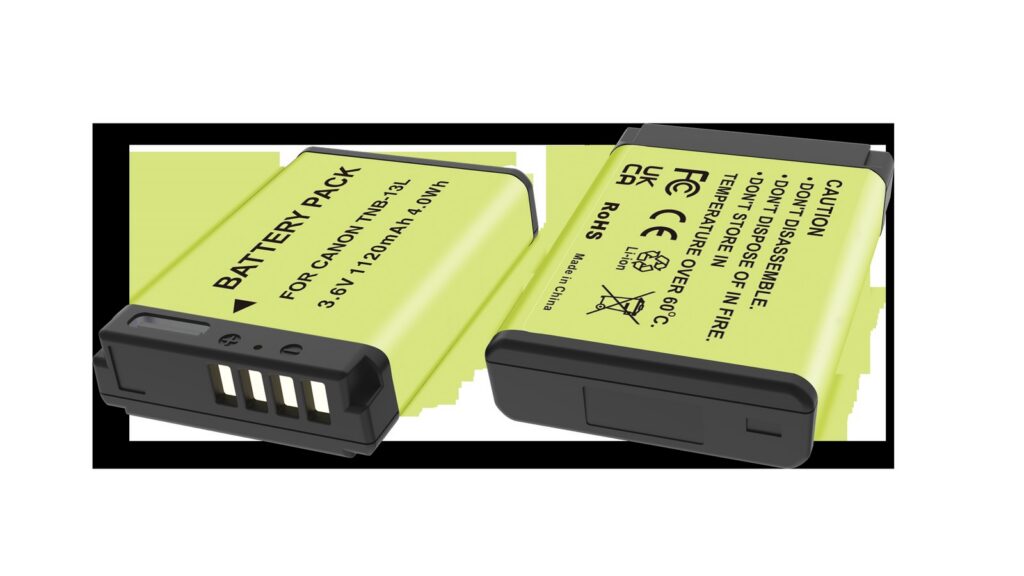
Storing the NB-13L II: Why Small Cells Swell First

Short answer: small-capacity packs tend to swell first because they pack a higher energy density into the same space, have less surface area to shed heat, and are often stored full and warm. Prevention comes down to three things — keep the stored charge at 40%-60%, avoid heat, top up every three months, and do not leave the pack on a charger indefinitely. Once it has swollen, stop using it no matter how slight the bulge, and do not attempt a repair.

YO NB-13L camera battery render
Product render of the YO NB-13L compatible battery: front label, rear LED charge indicator and USB-C port.

Swelling is the outcome users can see, but the cause begins months earlier. Understanding where the gas comes from is more useful than memorizing a list of prohibitions, because it lets you judge for yourself which habits accelerate it.

How swelling happens

A lithium-ion cell contains electrolyte that carries lithium ions in normal operation. When the cell spends long periods under adverse conditions — full charge, high temperature, overcharge, deep discharge — the electrolyte decomposes at the electrode surfaces and releases gas (commonly carbon dioxide, alkanes, and hydrogen). Inside a sealed case the gas has nowhere to go, pressure rises, and the case is pushed outward.

At the same time, the SEI layer on the anode keeps thickening, consuming available lithium ions and showing up as capacity loss. Swelling and capacity fade are therefore usually two results along the same path; swelling is simply easier to see.

Why small packs swell first

Higher energy density. Packing more energy into the same volume means thinner, tighter electrodes and denser electrolyte filling, which leaves less room for byproducts. A small amount of gas is enough to visibly distort the case.

Less cooling area. Volume shrinks with the cube while surface area shrinks with the square, so a small pack has a larger surface-to-volume ratio but a smaller absolute radiating area, and heats up faster for the same heat generated. The NB-13L holds only 4.5Wh, and in a small body like the G7X or SX740 it sits right against the processor and the screen, so its working temperature is not low.

More likely to be stored full. This is a habit issue. A small pack charges quickly, so many people top it up right after shooting, drop it back in the bag, and take it out full next time. Large packs charge slowly, which makes long full-charge storage less common.

Four closing steps before storage

  1. Bring the charge down to about half. If it is freshly full, put it back in the camera and shoot for a while to drain it. Do not discharge it by shorting contacts or repeated insertion.
  2. Take it out of the body. Left in the camera, standby current slowly drains the pack and the contacts stay under pressure.
  3. Inspect the case and clean the contacts. Press gently on both sides and feel for springiness or a dent that stays. If you find one, do not store it — treat it as swollen. A dry cloth is enough for the contacts.
  4. Store it separately, insulated, with the date marked. Use a case or a sealed bag, never mixed with metal objects. Write the last date of use and check and top up three months later.

Storage conditions at a glance

Condition Recommended Avoid
Charge level 40%-60% Full charge, or drained to auto-shutdown
Temperature 15℃-25℃, cool and dry In a car, near a radiator, in direct sun
Container Insulated case, stored separately Loose with keys and coins, bare in a drawer
Top-up interval Check every three months and bring to about half Left alone for a year
Charger Unplug once full Left in the dock indefinitely

What to do when you find swelling

The first step is to stop all charging and discharging. Do not try to puncture the case to release gas — the electrolyte inside can ignite on contact with air, and a puncture breaks the seal and triggers further reaction. Do not press it flat with a weight and do not freeze it. None of that removes the gas, and all of it adds risk.

The second step is to isolate it. Keep it on its own away from flammable material, do not stack it with other packs, and do not leave it in the camera while it is swollen. If the case is clearly deformed, if there is an odor, or if it is warm, handle it with extra care.

The third step is recycling. Take it to a local waste-battery collection point or an electronics recycling channel. Do not put it in household trash.

Note that early swelling may only show as a slightly uneven case that is hard to spot by eye. The daily check is simple: lay the pack flat on a table and see whether all four corners sit flush and whether it rocks; or pinch both sides gently and feel for abnormal springiness. A healthy pack should be firm and should not give.

FAQ

Can a slightly swollen pack still be used?

Not advisable. Swelling is an irreversible structural change, and continued use keeps generating gas, so the risk only increases. Even a slight bulge means retire it and recycle it as soon as possible.

Is a slightly bulging new pack normal?

No. A new NB-13L II should be flat, firm, and flush at all four corners. If it arrives swollen, that is a quality defect — contact the seller for a replacement and do not use it.

Will a dry cabinet prevent swelling?

A dry cabinet solves humidity, while swelling is driven mainly by charge level and temperature. Low humidity helps, but a full pack in a warm cabinet will still swell. Charge level and temperature are the levers that matter.

Does brand affect swelling?

It matters, but it is not decisive. Low-grade cells and products without a protection board carry higher risk, and reputable brands — including YO’s NB-13L II — are more disciplined in cell screening and protection design. But even a good pack will swell if stored full and warm for long periods. For storage guidance see the NB-13L II category, and for OEM specs see the NB-13L category.