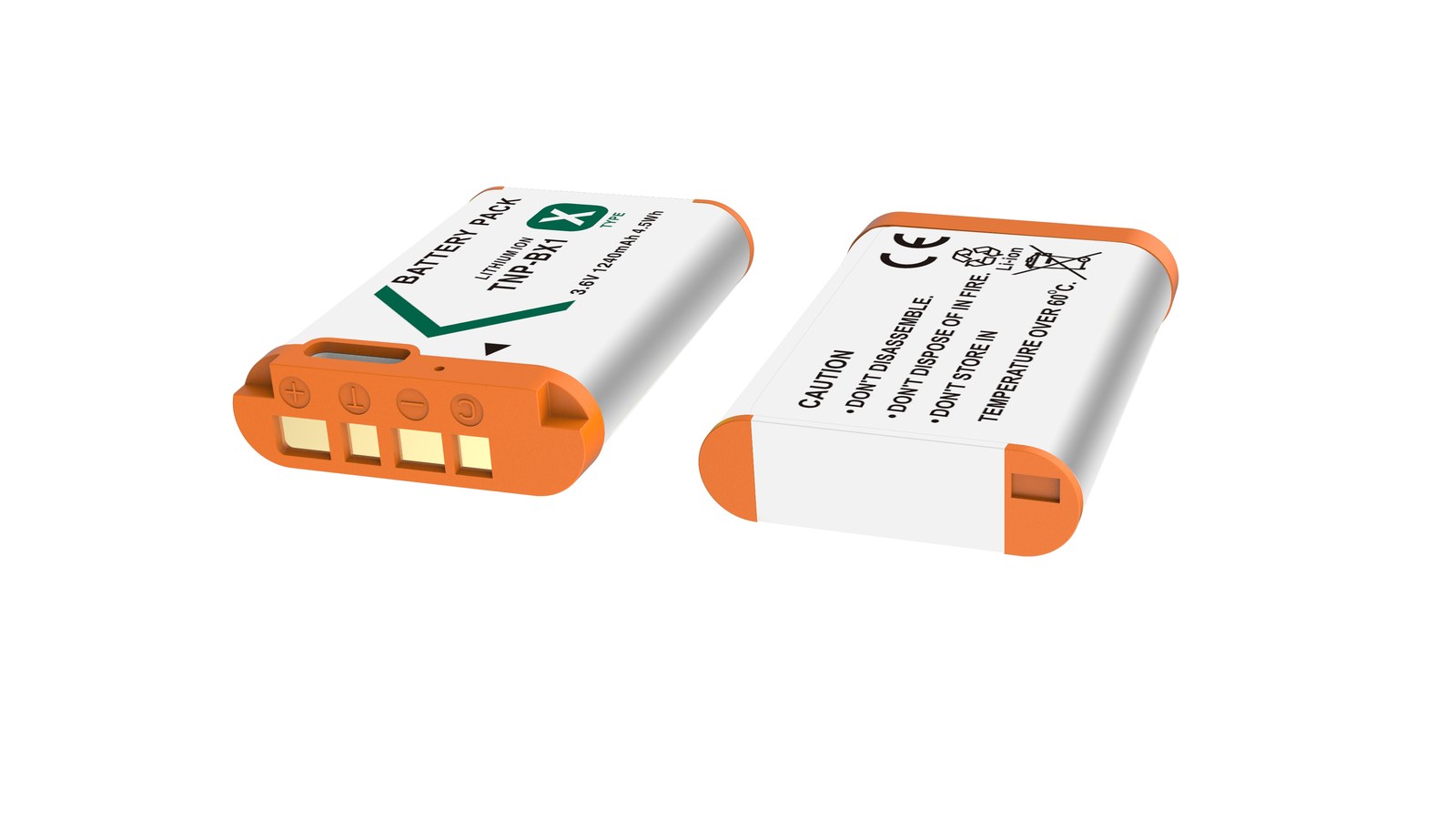
Most “dead” NP-BX1 packs are really dirty contacts, cold cells or normal ageing. Run three quick checks before buying a replacement. Batteries are consumables. As cycle count rises, internal resistance increases and the pack shows full charge for less time, or shuts down abruptly in the cold. Work in order: clean the contacts, retest in a second body, then log the shot count from three full charges.
By CIPA standard the RX100 VII delivers about 250 shots per charge (220–330 / ZV-1 4K 45–60 min). Real-world figures fall with viewfinder use, bursts, flash and low temperature, so budgeting around 70% of the rating is safer.
Symptom checklist
The table lists four symptoms by how often they occur. In most cases a replacement is not yet necessary; rule out contact and temperature factors first.
Symptom
Likely cause
What to do
Full charge drops to low very quickly
Oxidised contacts or an aged cell
Clean the contacts, retest in another body, then log full-charge shots
Body reports "cannot recognise this battery"
Third-party decoding mismatch or dirty contacts
Wipe and reseat; if it persists, test with an original-spec cell
Shuts down suddenly in the cold
Higher internal resistance causes a voltage dip
Keep spares warm in an inner pocket and retest at room temperature
Shell bulges or the pack runs hot
Overcharge, hot storage or aged cells
Stop using it immediately and recycle under local rules
A three-step diagnosis
Step one: wipe the contacts with a dry soft cloth and reseat the pack. Step two: retest in a second body from the same family. Step three: log the shot count from three full charges to separate real ageing from a bad gauge.
Item
Value
NP-BX1
NP-BX1
NP-BX1
Sony NP-BX1
np-bx1
1090 mAh / 4.04 Wh
RX100 VII
250 / 220–330 / ZV-1 4K 45–60 min
NP-BN / NP-BN1
NP-BX1
NP-BX1
1090 mAh / 4.04 Wh
When to replace the pack
Replace the pack when full-charge shots fall below about 60% of a new cell, the shell bulges, or the body repeatedly refuses to recognise it. Stop using a swollen cell immediately and recycle it properly.
To pick by model, start with the specifications and stock status on Sony NP-BX1 1090mAh, then browse the full article set in NP-BX1; if your body belongs to a neighbouring system, NP-F960 has the side-by-side explanation.
FAQ
Does a jumping charge level mean the NP-BX1 is dead?
Not necessarily. Clean the contacts, retest in a second body, then log the shot count from three full charges. Only a sustained drop in shots points to real cell ageing.
What if the camera says the battery is not recognised?
Dirty contacts or a third-party decoding mismatch are the usual causes. Wipe and reseat the pack; if it persists, test with an original-spec cell to separate a battery fault from a body fault.
Is fast drain in winter normal?
Yes. Cold raises internal resistance and causes a momentary voltage drop. Keeping spares in an inner pocket helps considerably, and capacity normally returns at room temperature.
When must the cell be replaced?
Replace it when full-charge shots drop below about 60% of a new cell, the shell bulges, it gets unusually hot while charging, or it is repeatedly not recognised. Never squeeze, puncture or recharge a swollen pack.
Long-term storage comes down to three rules: hold roughly 40–60% charge, keep it cool and dry at about 15–25°C, and top up every three months. Lithium cells self-discharge and age even while unused. Sitting at full charge accelerates capacity loss, and sitting empty risks discharging below the point where a charger will accept it again. Storage is not something you do once — it is a state you maintain.
Product render of the YO NP-FZ100 compatible battery: front label, rear LED charge indicator and USB-C port.
Before storage: six steps
Step 1: bring the charge to 40–60%
Step 1: if it is full, put it in the body and shoot for a while, or otherwise bring it down to two or three bars.
Step 2: if it is nearly empty, charge to about half first.
Step 3: no need for an exact percentage. Two or three bars on the body, roughly half, is fine.
Step 2: clean the contacts and shell
Step 1: wipe the contacts with a dry soft cloth to remove fingerprints, sweat and dust.
Step 2: confirm the contacts are not discolored or deformed and the shell is not bulging.
Step 3: if there is any moisture, let it dry fully before sealing it away.
Step 3: protect against short circuits
Step 1: fit the original terminal cover, or use the pack’s own cap or sleeve.
Step 2: do not stack bare packs where metal contacts can touch each other.
Step 3: keep them out of bags and pockets shared with keys and coins.
Step 4: choose the right spot
Step 1: pick a cool, dry place around 15–25°C, out of direct sun.
Step 2: away from radiators, stoves and windowsills where temperature swings, and never in a summer car.
Step 3: in humid climates a sachet of desiccant in the storage box helps, without letting the pack touch the chemicals directly.
Step 5: set a top-up reminder
Step 1: put a recurring three-month reminder in your phone for each pack.
Step 2: when it fires, check the charge level and bring it back into the 40–60% band if it has dropped.
Step 3: use a matching charger, and either unplug at full or stop around half.
Step 6: label it
Step 1: mark the pack with purchase date and the date of the last top-up.
Step 2: with several packs, number them so rotation and condition tracking stay simple.
Check it again when you take it out
Step 1: look for bulging or a deformed shell. If it has swollen, stop using it and take it to a recycling or household hazardous waste point. Do not puncture or burn it — see the battery swelling and error code FAQ.
Step 2: clean the contacts, fit it to the body, and confirm it is recognized.
Step 3: charge it fully before heading out, and note whether runtime is markedly shorter than before storage.
Step 4: if the gap is large, run a full cycle so the body can recalibrate. The method is in first charge and calibration.
Without maintenance, a stored pack can self-discharge to a level that causes problems. To judge whether it needs replacing, see NP-FZ100 lifespan and capacity loss.
Storage mistakes we see often
“Full is safer”: the opposite. Long periods at 100% speed up wear. 40–60% is better.
“The fridge is ideal”: household fridges are humid and prone to temperature swings, and condensation on the way out is a real risk. Skip it.
“Empty costs less”: storing empty risks self-discharging below recovery, after which it may never charge again.
“Set it and forget it”: self-discharge is real. Check at least every three months.
“Batteries can go in checked luggage”: spares go in carry-on only, with terminals protected. Follow your airline’s rules.
Two notes on the storage environment
On temperature, “cool” matters more than “cold”. Warmer surroundings generally mean faster aging, but that is not a reason to use a fridge — the humidity and condensation risk outweigh the benefit. If you live somewhere humid, a small desiccant sachet in the box plus occasional contact checks is a reasonable routine.
On quantity, keep several stored packs in one numbered case and check them together with the three-month reminder so none gets missed. Planning the numbering and rotation at purchase time makes it easier; for bulk setups, the wholesale inquiry page is the place to start.
FAQ
What charge level is right for storage?
Around 40–60% is the common recommendation. Two or three bars on the body is close enough; there is no need to hit an exact number.
How often should I top it up?
Every three months is a good default. In warmer storage, self-discharge runs faster, so shorten the interval a little.
Is it usable after two years in storage?
It depends on how it was maintained. With regular top-ups most packs still work, though some capacity loss is likely — run a session before making it your main pack again.
Can I leave the battery in the camera?
We suggest not. Bodies draw a small standby current. Remove the pack, store it separately, and protect the terminals.
Two charging options, same capacity: standard 2600mAh (dock required) or USB-C 2600mAh (phone charger or power bank). Pick the version on the NP-FZ100 product page; bulk pricing via wholesale.
Short answer: what gets called “battery throttling” during high-bitrate recording is really voltage sag. Drawing heavy current pulls a lithium-ion pack’s terminal voltage down, the camera sees it approaching the lower limit, and the body voluntarily caps power consumption. The visible symptoms are shorter clips, a dropping bitrate, slower continuous shooting, or an outright stop. The value of LP-E6P is that it holds voltage steady for longer under the same heavy load, but it is not an unlimited supply — temperature, battery health, and body cooling remain hard boundaries. In other words, a better battery postpones throttling; it cannot cancel it.
Product render of the YO LP-E6P compatible battery: front label, rear LED charge indicator and USB-C port.
This article takes the chain apart so you can see where each step sits and which ones you can actually influence.
How throttling happens, step by step
The body asks for high current. High-bitrate, high-frame-rate, Log, or RAW recording puts the sensor and the processor at full load at the same time.
Terminal voltage gets pulled down. Every lithium-ion pack has internal resistance, and the higher the current the more obvious the drop. A healthy pack has low resistance and sags little; an aged or cold pack has high resistance and sags a lot.
The body detects voltage near the lower limit. Protection logic in the firmware steps in, first trimming processing load, then restricting high-draw features.
Symptoms become visible. Clip length is cut short, the body warns about temperature or battery level, burst speed falls, recording stops on its own.
If you keep pushing. The protection circuit cuts output entirely, which looks like a sudden shutdown.
Across that chain, the user can act on step 2 (use a better pack, control temperature) and on everything before step 3 (reduce the load). Once step 4 arrives, all you can do is wait for the body to cool or swap the battery.
Which situations trigger throttling most easily
Situation
Likelihood
Main cause
8K or high-frame-rate 4K, continuous, outdoors in summer
High
Sustained high current plus high ambient temperature squeeze the voltage margin from both sides
High bitrate + in-body stabilization + bright screen
Fairly high
Several loads stack up and push average draw higher
Recording in cold conditions (around 0℃)
Fairly high
Low temperature thickens the electrolyte and raises internal resistance sharply
Battery in service for more than two years
Moderate to high
Cycle aging raises internal resistance, so sag appears earlier
Ordinary 4K 30p, room temperature, stabilization off
Low
Load stays within what the pack can deliver
Stills, single frames
Very low
Momentary current demand is small
One point comes out of that table: throttling is never caused by a single factor. It is the combination of load, temperature, and battery condition. The same body can behave completely differently outdoors in summer and indoors in winter.
Where the LP-E6P boundary sits
LP-E6P was designed to delay the voltage sag in step 2, so that the body reaches its protection threshold later under heavy load. It is clearly better at this than LP-E6NH, and that is the reason the model exists.
Its boundaries are just as clear:
Temperature boundary. However strong the pack, ambient heat still makes cooling the bottleneck. Body overheat protection and battery throttling are two separate mechanisms, and the first does not disappear because you changed batteries.
Capacity boundary. LP-E6P sits in the same capacity class as LP-E6NH. It is a wider pipe, not a bigger tank. Total recording time will not double because of it.
Aging boundary. Internal resistance rises with use, and even an LP-E6P will gradually behave more like an LP-E6NH.
Body boundary. Its capability can only be called on by a body designed for high discharge. Fit it to an older body and the body sets the limit.
In practice, under room temperature, good ventilation, and a healthy pack, continuous high-bitrate recording on LP-E6P typically lands in the range of several tens of minutes. How long exactly depends on bitrate, frame rate, ambient temperature, body cooling, and whether stabilization is on. It varies a lot between models, so treat your own measurement as the reference.
Six practical ways to lower the risk
Use a healthy pack. A battery past two years may still work, but its internal resistance has already climbed. Save the newer pack for heavy-load work.
Control body temperature. Keep direct sun off the camera, open the articulating screen to add radiating surface, and leave gaps between long takes.
Cut unnecessary load. Turn off wireless connections you are not using, lower screen brightness, and skip in-body stabilization when you do not need it.
Record in segments. Break a long take into 20-30 minute blocks. That lowers heat buildup and eases the strain on each discharge cycle.
Do not attempt the top specs on a nearly empty pack. Below 30% the voltage margin is already thin, and that is exactly when high-bitrate recording is most likely to trip protection.
Keep the pack warm in the cold. Carry it in an inside pocket and load it only when you shoot. Discharge behavior in low temperatures improves noticeably.
The cold point deserves a separate note: near 0℃ a lithium-ion pack loses both capacity and discharge capability. That is chemistry, not a product defect. For a more detailed look at cold-weather behavior, see the cold-weather battery test. It covers a battery from another system, but the degradation logic carries over.
When to change the battery instead of the settings
If you have already dropped the bitrate, switched stabilization off, and kept the body cool, and recording still breaks off regularly, the problem is most likely the pack rather than your technique. The test is simple: run a brand-new battery of the same model. If the symptoms clearly improve, the old pack has earned retirement.
For EOS R5 Mark II owners, the primary slot should hold an LP-E6P. Other bodies do not necessarily need the upgrade, since LP-E6NH already covers most situations. A third-party brand such as YO works well as a supplementary slot, but for demanding work like continuous high-bitrate recording, the OEM pack’s discharge consistency is the safer bet.
FAQ
Does throttling mean the battery is failing?
Not necessarily. A brand-new pack will also throttle under heavy load, in heat, or in cold, because that is the protection system doing its job. Only when it performs clearly worse than a new pack under identical conditions does it indicate aging.
Will an LP-E6P double my recording time?
No. LP-E6P improves continuous discharge capability, not capacity. It lets you reach the speed limit later and finish demanding takes more steadily, but total runtime is still set by capacity and heat dissipation.
Why does a freshly charged battery report low power after a few minutes?
It may be an estimate skewed by voltage sag, or excessive internal resistance. Compare against another pack first: if a swap fixes it, the original pack is the issue. If not, check the body contacts and the firmware version.
Can I warm a cold battery with a hand warmer?
Keeping it warm is fine, but do not heat it against the body until it feels hot. Lithium-ion packs age faster in heat, and a large temperature swing can cause condensation. The safe routine is to carry the pack in a pocket and load it only when shooting.
High-speed burst work eats NP-FZ100 cells far faster than normal shooting. Straight to the answer: carry 4–6 cells for one body at a single event and 8–10 to start with two bodies, always keeping a three-tier structure of one in the camera, one or two on your belt, and a batch in the bag.
Product render of the YO NP-FZ100 compatible battery: front label, rear LED charge indicator and USB-C port.
The NP-FZ100 is rated 2600mAh / 7.2V / around 19.24Wh, and official CIPA figures generally sit in the 500–700 frame range — but that standard assumes slow, intermittent shooting. On an A9-series or A1 body running 20–30 fps with heavy buffer writes, real usable capacity often lands around 50%–70% of the label figure. Plan on that discount and you will not be digging through a bag at halftime.
Why burst shooting drains so much
Shutter mechanism cycling: dozens of actuations per second is a real energy cost in itself.
Processing and buffer writes: a burst of RAW files keeps the processor and data path at full load.
Continuous AF: in tracking mode, the focus motor barely stops.
IBIS and a live EVF: the viewfinder keeps refreshing while the camera is up and waiting.
Transmitting on the fly: press work often means Wi-Fi or tethered uploads, which are expensive in power.
So estimating a stadium day from a “how many frames per NP-FZ100” figure is a wide miss. A better unit is hours: during heavy burst stretches, one cell may need swapping after a bit over an hour.
Tier one: the cell in the body — the workhorse. Swap it out at the last bar.
Tier two: two cells in a belt pouch or pocket — reachable without putting the bag down.
Tier three: the batch in the bag — only touched during stoppages and breaks.
The point of the tiers is that when something happens mid-burst, you can reload without setting your kit down. The discipline is to refill tier two the moment you draw from it, rather than discovering it is empty when you need it.
When to swap
Stoppages, changes of ends, dead balls: sport offers natural gaps. Load your swaps into them.
At the last bar: voltage sags as a cell empties, which slows frame rates and can affect tracking.
Fresh cell before key moments: the closing minutes, the podium, the main part of a press conference.
Never during the action: shooting comes first. Give up a bar rather than a frame.
Organizing cells across two bodies
Sports work usually means a long lens on one body and a wide on the other, and the two do not drain at the same rate. A few habits help:
Give each body its own number range (01–05 on the main, 11–15 on the second) so you can see afterward which body was hungrier.
Put the healthiest cells on the main position and the tired ones on the second body or in backup.
One collection path for spent cells: drop every drained cell into the same pouch or bag so it never gets mixed with fresh ones.
Bring enough chargers: back at the work table at halftime you can refill 2–4 at once.
Before buying one more cell, these three usually pay off more:
A second dual charger: roughly the cost of a small accessory, and it doubles your refill capacity for the day.
A vertical grip: holds two NP-FZ100 cells, doubling the interval between swaps and improving balance with long glass.
External power at fixed positions: for mixed zones, press areas and remote cameras, a dummy battery on a power bank is the long-term answer.
How different modes rank by drain is covered in our NP-FZ100 power draw guide.
FAQ
Are compatible cells OK for sports work?
Yes, third-party cells are a legitimate alternative. Run one at your real working intensity before the assignment and confirm the frame rate holds up. For big events, keep one original cell as a fallback.
Does the “battery charge may not be displayed accurately” message matter?
It does not affect shooting. It is a routine message on some Sony bodies when a non-original cell is fitted. “Cannot recognize this battery” is different — that is a fault, so check contacts and model.
A cell died mid-burst. What happened?
Usually voltage sag in an older cell under heavy load. Make the swap-at-last-bar habit stick, and keep heavily worn cells off the main body.
Do cells have problems in hot stadiums?
Heat mainly speeds up aging rather than causing immediate failure. Keep spares out of direct sun and let cells cool naturally before charging.
Build your kit: the NP-FZ100 is 2600mAh / 7.4V / 19.24Wh. Battery only, battery plus charger, or two batteries plus charger — pick under Bundle. If you would rather leave the dock at home, the same-capacity USB-C version (2600mAh / 7.2V / 18.72Wh) charges from any phone charger. Bulk orders: wholesale enquiry.
Short answer: the DR-FZ100 will charge any battery built to the NP-FZ100 specification — Sony’s own NP-FZ100, the YO NP-FZ100 (USB-C), and equivalents from other brands, as long as the outline and contacts match. It will not charge NP-FW50, NP-BX1, NP-FM500H or NP-FV series packs. The slots are molded around the NP-FZ100 outline, so a pack that will not drop in will not charge, and there is no adapter workaround. Below you will find the compatible list, a body-to-battery chart and a few ways to identify what you are holding.
Three kinds of battery it will charge
The first is Sony’s own NP-FZ100, rated 2280mAh / 16.4Wh / 7.2V, which is the main pack across Sony’s current mirrorless bodies and cinema cameras. The second is the YO NP-FZ100 (USB-C), which carries a USB-C port of its own: it charges in the case the usual way, and it can also be taken out and charged directly. The third covers equivalents from other brands — anything with the same dimensions, latch position and contact layout will seat properly.
The case does not read brands; it reads shape and voltage. That is one practical difference between a dual-slot case and an OEM dock charger: dock chargers can be fussy about third-party packs, whereas a mechanical slot with a general charging circuit only cares whether the battery fits.
Which cameras use NP-FZ100
The table groups bodies by battery specification so you can confirm which group yours belongs to. Sony has run three different battery formats across its lineup, and plenty of people mix them, so the marking inside the battery bay is the most reliable check.
Battery
Charges in DR-FZ100
Common bodies
NP-FZ100
Yes
A7 III, A7 IV, A7R III/IV/V, A7S III, A9 series, A6600, FX3, FX30 and others
NP-FW50
No
A7, A7 II, A7R II, A7S II, A6000, A6300, A6400, A6500, ZV-E10 and others
NP-BX1
No
RX100 series, RX1 series, ZV-1 and other compacts
NP-FM500H
No
A-mount SLT and DSLR bodies such as the A77 II and A99 II
NP-FV series
No
Handycam camcorders
NP-F series (F750/F970)
No
Large camcorders, monitors and LED lights
Body lists change as new models appear; the label in the battery bay is the final word. If you are shooting an A7 II or the original A7, that is NP-FW50 territory and out of scope here — this is the single most common mistake, because the model names differ by one digit.
Why the other packs will not fit
The reason is direct: dimensions and contacts do not line up. The NP-FW50 is one size smaller than the NP-FZ100 and drops straight to the bottom of the slot without reaching the contacts. The NP-BX1 is a small block for compact cameras with a completely different outline. The NP-F series is a large brick for camcorders that will not even enter the slot.
People sometimes ask whether an adapter cradle could be made. It is not realistic: an adapter would have to solve mechanical retention, contact routing and charging protocol recognition at once, and would cost more than simply buying the right charger for that pack. NP-F series camcorder batteries also carry far more capacity and higher charging currents than this small case is built to handle.
Another common misunderstanding is that the case can charge a phone. It has no USB output, only battery slots, and does one job. To top up a phone from a battery you want a power bank with reverse output, not this case.
Three quick checks
Read the printing. The model number is usually on the back of the pack, and on an NP-FZ100 it sits in a consistent position.
Look at the shape. The NP-FZ100 is a flat block with a curved latch recess along one side, larger and thicker overall than an NP-FW50.
Check the body. Sony full-frame mirrorless cameras from 2018 onward, APS-C bodies from the A6600 onward, and the FX3/FX30 all take NP-FZ100.
Of the three, reading the printing is the most reliable. If wear has made the label hard to read, seat the pack in a camera and watch whether the battery indicator behaves normally — a pack that will not seat, or reads oddly, is probably not the right model.
Two notes on charging mixed packs
An OEM pack and a third-party pack can sit in the two slots at the same time; each slot is managed independently, and neither affects the other. Their capacity and age differ, so they finish at different times and the green lights come on in a different order. That is normal.
Old and new packs together are also fine, but expect an aged pack to signal full early. If a pack that has been in service for two or three years is always the first to turn green and then runs flat quickly in the camera, its real capacity has clearly dropped. That is a reason to replace the pack, not to doubt the case.
The vast majority, yes. A small number of products add thickness to the shell to make room for a direct-charge port, and those may not seat or may stop the lid closing. Confirming that the outline matches a standard NP-FZ100 before buying is the simplest way around it.
Can an NP-FW50 be modified to fit?
Not advisable. The voltage is in the same 7.2V range, but capacity, charging current and contact definitions all differ, and forcing a conversion brings short-circuit and overcharge risk that is not worth taking.
Will it charge other brands’ camera batteries?
Only if the outline matches the NP-FZ100 exactly. Batteries from other makers such as Canon and Nikon may have similar capacity, but the latch and contacts sit elsewhere, so they will not go in and will not work.
Do the FX3 and FX30 use the same battery?
Yes, both take NP-FZ100 and both charge in the DR-FZ100. These two bodies draw a fair amount of power, so at least three packs in rotation is sensible; the video power article covers how to plan that.
Short answer: the NP-BX1 is the standard battery for Sony’s compact range, rated 3.6V / 1240mAh and about 4.5Wh, used from the first RX100 in 2012 all the way to the RX100 VII, and also by the ZV-1, ZV-1 II, ZV-1F, the RX1 series, the HX90/HX90V and the WX500. At 4.5Wh it is a small capacity today; official CIPA figures mostly sit between 220 and 330 shots, and planning around 250 is the safer travel estimate. Because these bodies generally support USB charging, two packs plus a power bank is enough for most people.
Product render of the YO NP-BX1 compatible battery: front label, rear LED charge indicator and USB-C port.
1. Specs and fitment: one pack behind a whole line
The NP-BX1 is roughly the size of two sticks of gum stacked and very light, which is part of how these cameras fit in a pocket. The cost is capacity — 4.5Wh is about a third of a typical phone battery.
Product line
Main models
Notes
RX100 series
RX100, II, III, IV, V, VA, VI, VII
All seven generations, no battery change across them
ZV series
ZV-1, ZV-1 II, ZV-1F
Vlogging bodies, draw more than the RX100
RX1 series
RX1, RX1R, RX1R II
Full-frame fixed-lens cameras
HX / WX series
HX90, HX90V, HX80, HX60, HX50, HX30, WX500, WX350
Long-zoom compacts
Action cameras
HDR-AS50, FDR-X1000V and others
Used by some models
One warning: Sony also has a similarly shaped but different NP-BN / NP-BN1 line, used by early TX and WX models, and the two are not interchangeable. Check the battery bay or the manual for BX1 before ordering rather than assuming that “small black Sony battery” means the same thing.
2. What 4.5Wh actually delivers
Official CIPA numbers work as an upper bound: the RX100 series mostly lands at 250-330 shots, and the ZV-1 at around 260. Real use comes in lower, because these cameras are typically cycled power-on, compose, shoot, power-off, and every power-up pays a fixed cost in lens extension and system initialisation.
Stills: 200-280 shots in most situations, closer to 180 if you wander and review frequently.
4K video: the RX100 VII and ZV-1 are limited by body thermals and usually stop after 5-20 minutes per clip, so charge is not the main constraint; total continuous recording runs about 45-70 minutes.
Vlog pieces to camera: a ZV-1 with the screen out, stabilization on and an external mic needs a swap after about an hour.
Cold: drain speeds up noticeably below 0°C, and at -10°C usable capacity may be only 60-70%. Our -10°C runtime test has more detail; the mechanism is the same for all lithium packs.
The conclusion is straightforward: under 200 shots a day, one pack will do; for travel and full days out, two is the floor and three is comfortable. Fortunately the pack is small enough that three take up almost no room.
3. RX100 and ZV-1: same pack, different appetite
The battery is identical, but the two body types draw quite differently, which directly changes how many you carry.
RX100 series
From generation one to seven the bodies gained a lot — pop-up viewfinder, a wider zoom range, a faster processor — but the battery stayed the same. The result is that newer models are tighter on runtime. The RX100 VII’s 24-200mm power zoom draws heavily while zooming, and constant in-and-out costs charge quickly. Older bodies such as the RX100 III are easier on power.
ZV-1 series
The ZV-1 is positioned for vlogging: screen out, stabilization on, microphone often attached, so it draws considerably more than an RX100. Its CIPA rating is only about 260 shots, and video makes the gap plainer. The ZV-1 II moved to a wider lens with roughly the same runtime.
Both types support USB power, but while shooting the charge rate usually cannot keep up with consumption, so it only slows the decline. For genuinely long recording, external power is less hassle than rotating three packs — though dummy battery options for compacts are less mature than for mirrorless bodies, so confirm that a solution names your specific model.
4. Buying: first-party, third-party, or USB-C built in
BX1 prices span a wide range, from a few dollars to well over a hundred. The difference is not the shell but the cells and protection board. Work through these in order.
Are the specs honest? 4.5Wh is this pack’s physical ceiling, so claims above 2000mAh are not realistic.
Does it have communication contacts? Some bodies check the pack and may show a “non-genuine battery” warning or fail to display a percentage if the contacts are missing.
Does it have a built-in USB-C port? These versions charge from a phone cable and skip the dock, which is genuinely useful when travelling. The downside is an extra opening, so water resistance is slightly reduced.
Cycle life: the BX1 is small, so at the same shooting volume it cycles more often than a large pack and will show wear after two or three years. That is normal.
Quantity beats unit price: two ordinary third-party packs are often more useful than one expensive first-party pack, because the real limitation on these cameras is not being able to swap when the charge runs out.
YO’s NP-BX1 sits in the honest-specs, restrained-price bracket, suitable as a supplement rather than a replacement. It does not chase inflated numbers, and real run time broadly matches the rating — for a 4.5Wh pack, that is worth more than a 2000mAh label. For more compact-camera accessories, see the NP-BX1 category page.
One last practical tip: whichever you buy, run a full charge and discharge on arrival and record the actual shot count. With your own baseline in hand, you can later judge whether a pack is fading instead of guessing.
FAQ
Do all seven RX100 generations use the same battery?
Yes. From the 2012 RX100 to the 2019 RX100 VII, Sony never changed the battery model; all use the NP-BX1. That is also why BX1 packs circulate so widely on the used market.
Can a ZV-1 use an RX100 battery?
Yes. The ZV-1, ZV-1 II and ZV-1F all take the NP-BX1 and are fully interchangeable with the RX100 line. Just do not mix up packs and chargers — the dock is shared, and so is in-body USB charging.
Will a third-party BX1 trigger an “incompatible battery” warning?
On some bodies, yes. In most cases the camera still shoots normally, it simply will not show an accurate percentage or it displays a prompt. When buying, favour packs that explicitly list RX100 VII and ZV-1 compatibility, which tends to work better.
Is a swollen BX1 still usable?
No. When a pack this small swells it presses against the compartment walls, and the risk is more immediate than with a large battery. Take it out of service, isolate it, and send it for recycling — do not try to flatten it or keep charging.