Posted on — Leave a comment

S5 II Battery Life in Practice: How Long One DMW-BLK22 Really Lasts

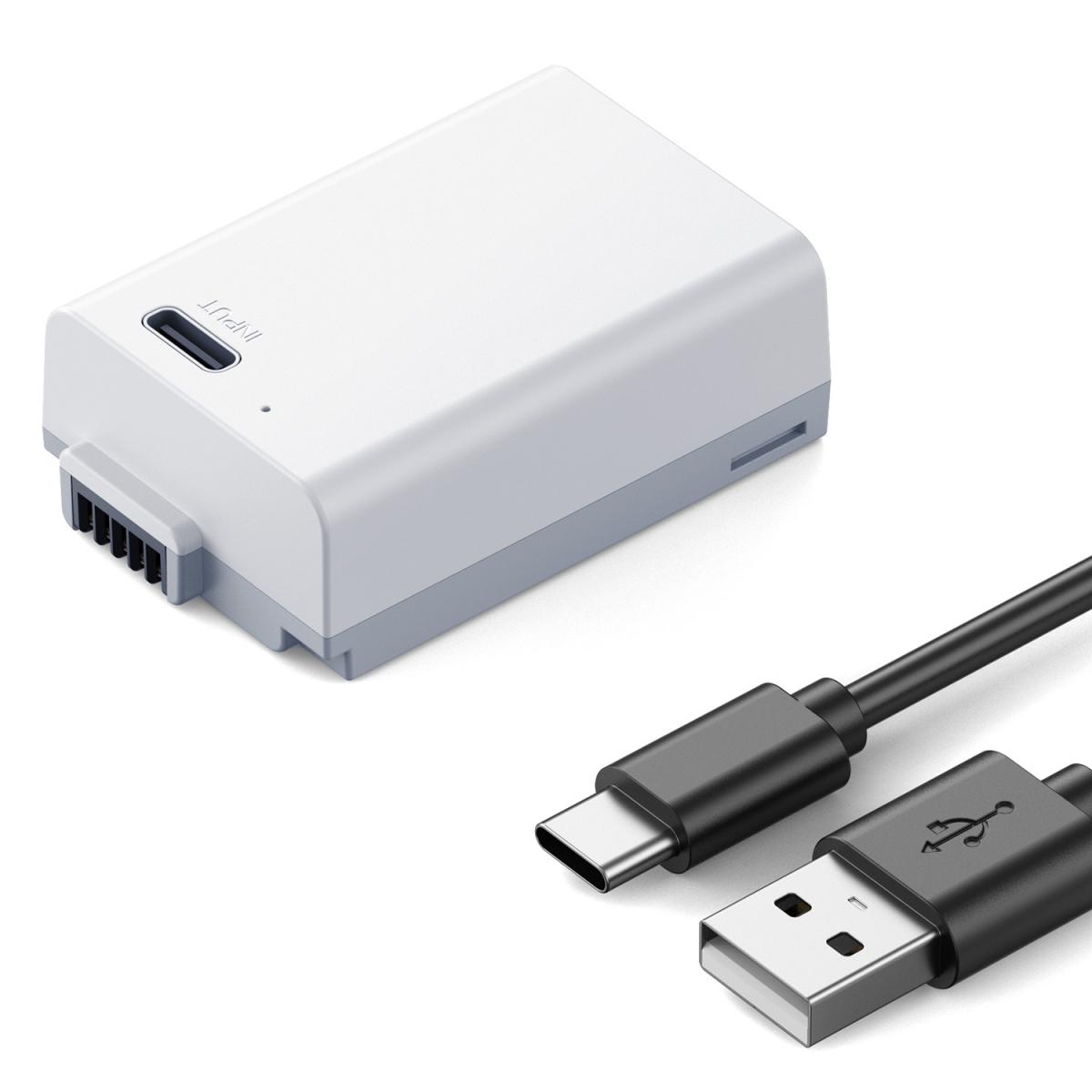
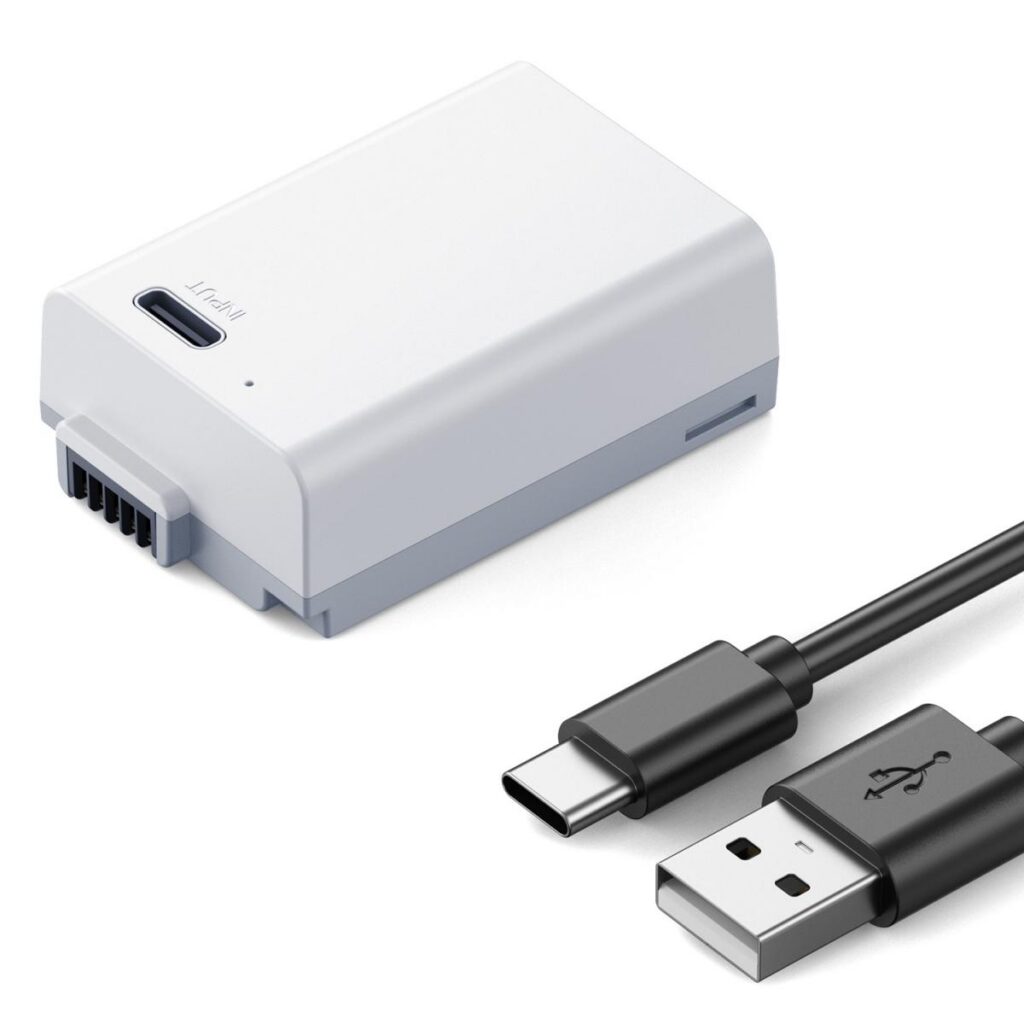
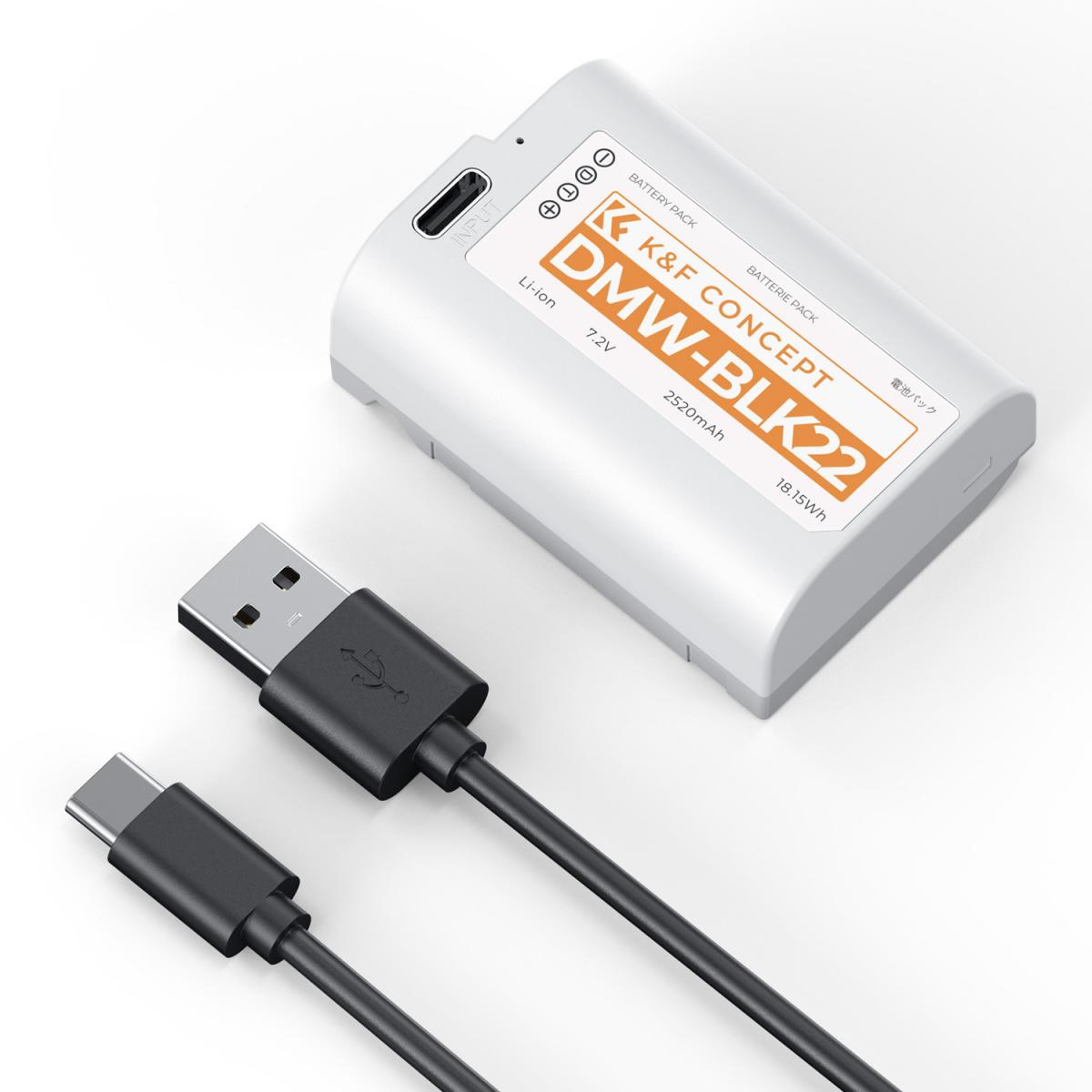
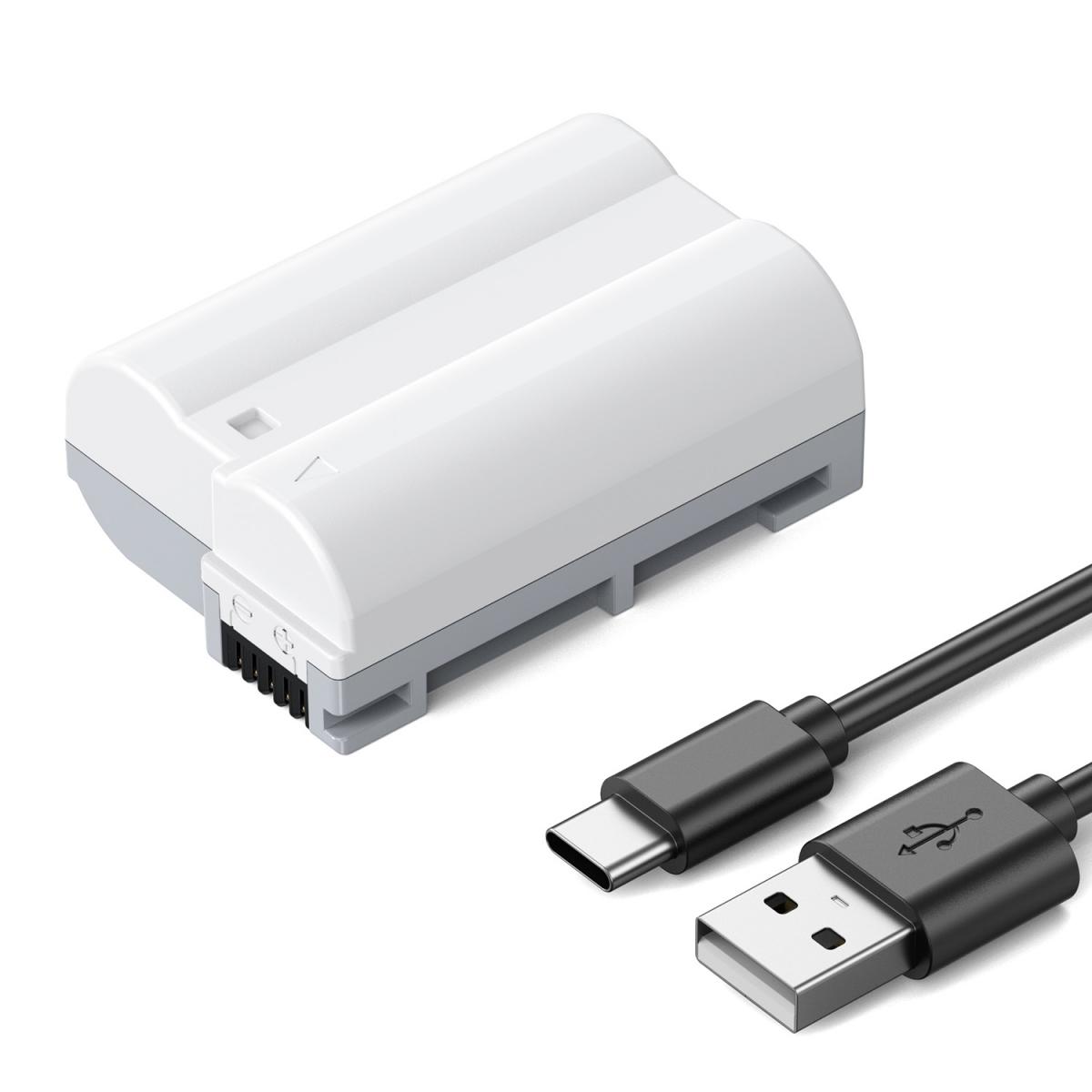
Panasonic DMW-BLK22 USB-C camera battery - product view 1

Short answer: one 2520mAh DMW-BLK22 gives the S5 II about 400–550 frames on the street and 85–110 minutes of continuous video. What decides runtime is not the capacity printed on the label — it is screen brightness, stabilisation, wireless, and how long the camera sits switched on.
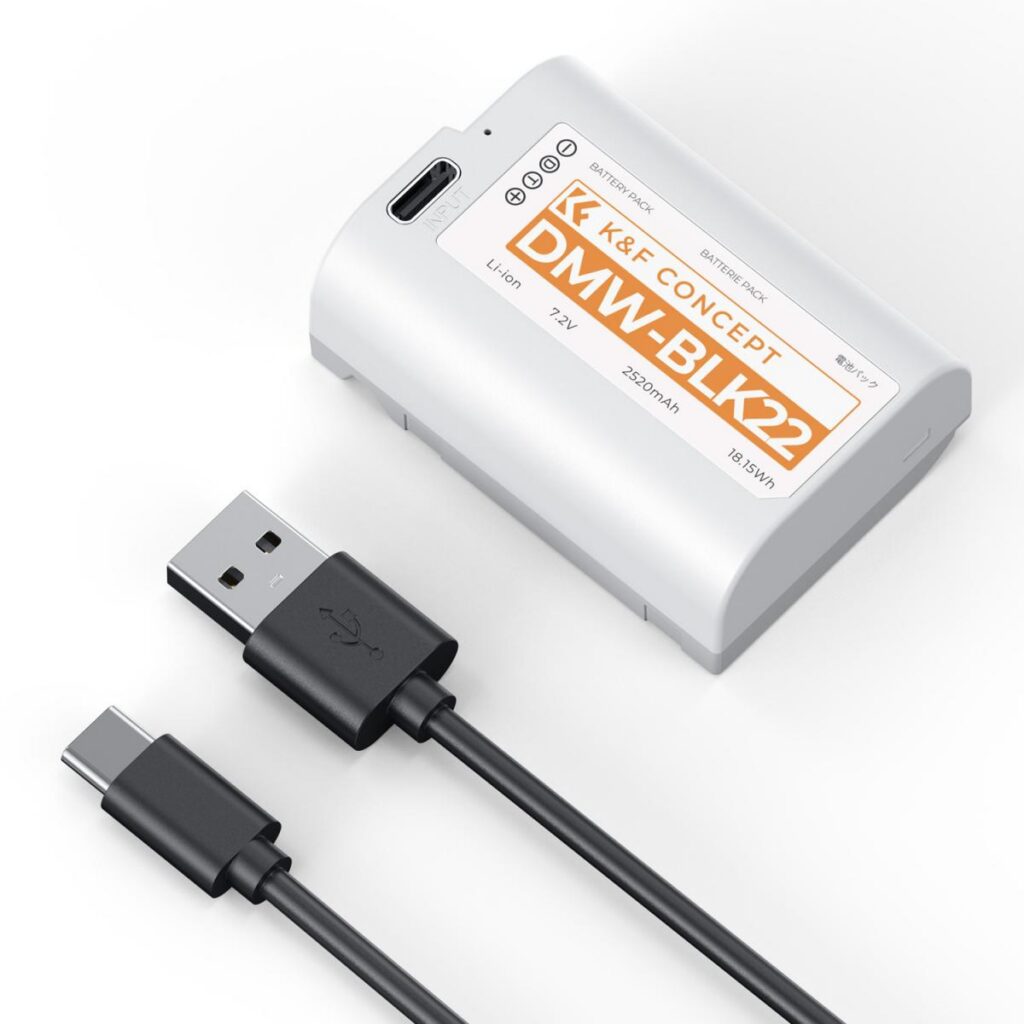
DMW-BLK22 compatible battery product image

Runtime by shoot type

Shoot One cell lasts Main drain
Street (on for 10–20s, off between) 400–550 frames / 3–4 h EVF, boot cycle
Travel (frequent review) 328–451 frames / 2.5–3.5 h Review, brightness, Wi-Fi
Wedding / event (always on) 328–451 frames / 2–3 h IBIS, bursts, AF-C
4K continuous 85–110 min Encoder, heat, screen
1080p continuous 115–150 min Encoder, screen

In our use the S5 II lands at 400–550 frames on the street, a little lower at events, and 85–110 minutes of continuous recording — less with an external monitor, active stabilisation or high ambient temperature. These are working ranges, not manufacturer ratings.

Five settings that buy back power

  • Fix screen brightness at mid — auto brightness pins to maximum outdoors.
  • Turn off high frame rate display; focusing feels almost identical.
  • Disable Wi-Fi and Bluetooth auto-connect; leaving Wi-Fi on is the fastest drain.
  • Set power save to one minute; the body wakes in a fraction of a second.
  • Switch stabilisation off on a tripod or above 1/500s.

Charging beats buying

Most “battery problems” are scheduling problems. With a PD power bank of 30W or more, any gap in the day becomes a charging window on bodies that accept USB power.

Method Speed When
In-body USB, PD 30W about 2–3 hours to full Lunch, car, hotel
In-body USB, plain 5V six hours or more Not worth it
Dedicated dual charger two cells in about 2 hours Overnight, batch
Dummy battery + power bank unlimited while plugged in Static setups, livestreams, interviews

The economical setup is two cells, one dual charger and a 65W power bank: rotate during the day, top up in gaps, charge both overnight. It costs far less than four batteries and weighs less too.

FAQ

Can one S5 II battery last a full day?

Light street shooting, yes. A full travel day or an event, no. Plan on two cells minimum and three to four when no moment can be missed — a swap takes ten seconds.

Does charging while shooting slow the camera down?

No performance penalty, but you need PD 30W or higher to run the body and charge at once. On a plain 5V charger the percentage still falls, just more slowly.

How should I store batteries I am not using?

Keep them at 50–60 percent and top up every three to six months. Full or flat storage ages the cell faster and shows up as obvious capacity loss after two years.

What to buy

If you simply need a spare, a single DMW-BLK22 (2520mAh) is the cheapest way to fix it — the right format for this body at a fraction of the OEM price.

Shooting events regularly? Two cells plus a dual charger pay for themselves. The full DMW-BLK22 range puts single cells, kits and chargers on one page, so you can pick by how you travel.

Looking at other Panasonic bodies? Start from the Panasonic camera battery index and work down by series.


Posted on — Leave a comment

S5 II Battery: Which DMW-BLK22, How Many, and How Long It Lasts

Panasonic DMW-BLK22 USB-C camera battery - product view 1

Short answer: the S5 II runs on a DMW-BLK22 — 7.4V, 2520mAh / 19.24Wh. Expect roughly 400–550 frames of street shooting and 85–110 minutes of continuous video. One spare covers light work, three for events, and external power for long takes.

DMW-BLK22 compatible battery product image

What the DMW-BLK22 actually is

Spec Value
Cell code DMW-BLK22
Voltage 7.4V
Capacity 2520mAh typical / 2400mAh rated
Energy 19.24Wh / 17.76Wh
In-body charging Check the manual; bodies with USB power can run while charging
Shared with GH6 / G9 II / GH5 / GH7 / GH5 II / S5

The S5 II sits in the Lumix S full frame line. This is a hybrid body, so runtime depends on whether the day is stop-start stills or long continuous work. We list 13 bodies on this format, so cells and chargers move between cameras.

Why the rated number looks smaller in real use

CIPA measures at 23°C with default brightness, one frame every 30 seconds, flash on every other frame and a power cycle every ten. Real shoots drain in four different places.

  • Viewfinder versus screen A constantly live EVF draws more than the LCD, and ratings are usually quoted for the LCD.
  • Brightness and refresh Maximum brightness outdoors plus high-rate display adds roughly twenty percent.
  • Stabilisation and bursts IBIS stays energised and continuous shooting pins the sensor and processor.
  • Wireless Wi-Fi, Bluetooth, FTP upload and phone tethering are silent drains.

In our use the S5 II lands at 400–550 frames on the street, a little lower at events, and 85–110 minutes of continuous recording — less with an external monitor, active stabilisation or high ambient temperature. These are working ranges, not manufacturer ratings.

How many cells to carry

Shoot One cell enough? Carry Note
Half-day street Yes 1 + power bank Top up via USB on the way back, 30W PD or better
Full-day travel No 2 Dual charger overnight, both full at breakfast
Wedding / event No 3–4 Two in a pocket, swap in ten seconds
Talking head, locked off Depends 2 + external power Long takes: dummy battery into a power bank
Long 4K / livestream No 2 + dummy No thermal derating from a hot cell in the grip

Will a third-party DMW-BLK22 work?

Yes, and in most situations you will not notice a difference. One criterion matters: does it have a decoding chip? A decoded pack talks to the body and the percentage counts down normally. An undecoded “bare cell” shows four bars and can cut out at two — exactly the behaviour you do not want mid-ceremony.

Two related questions: some firmware versions show a one-time “cannot guarantee battery performance” notice on power-up, which you confirm and keep shooting; and in-body USB charging usually works, but the speed depends on a PD-capable charger.

FAQ

What battery does the S5 II use?

The S5 II takes the DMW-BLK22 format — 7.4V, 2520mAh / 19.24Wh in our version. It matches the original dimensions and contacts, so it drops straight in.

How long does one DMW-BLK22 last?

About 400–550 frames of street shooting and 85–110 minutes of continuous video, depending on brightness, stabilisation, wireless and temperature. Bring three or more for anything you cannot interrupt.

Does a third-party battery void the warranty?

No. Batteries are consumables and a third-party pack does not affect the body warranty. Damage from a swollen or leaking cell is not covered, which is why unbranded bargain cells are a false economy.

What to buy

If you simply need a spare, a single DMW-BLK22 (2520mAh) is the cheapest way to fix it — the right format for this body at a fraction of the OEM price.

Shooting events regularly? Two cells plus a dual charger pay for themselves. The full DMW-BLK22 range puts single cells, kits and chargers on one page, so you can pick by how you travel.

Looking at other Panasonic bodies? Start from the Panasonic camera battery index and work down by series.
Posted on — Leave a comment

Third-Party DMW-BLK22 in the S5 II: Warnings, Percentage Accuracy, In-Body Charging

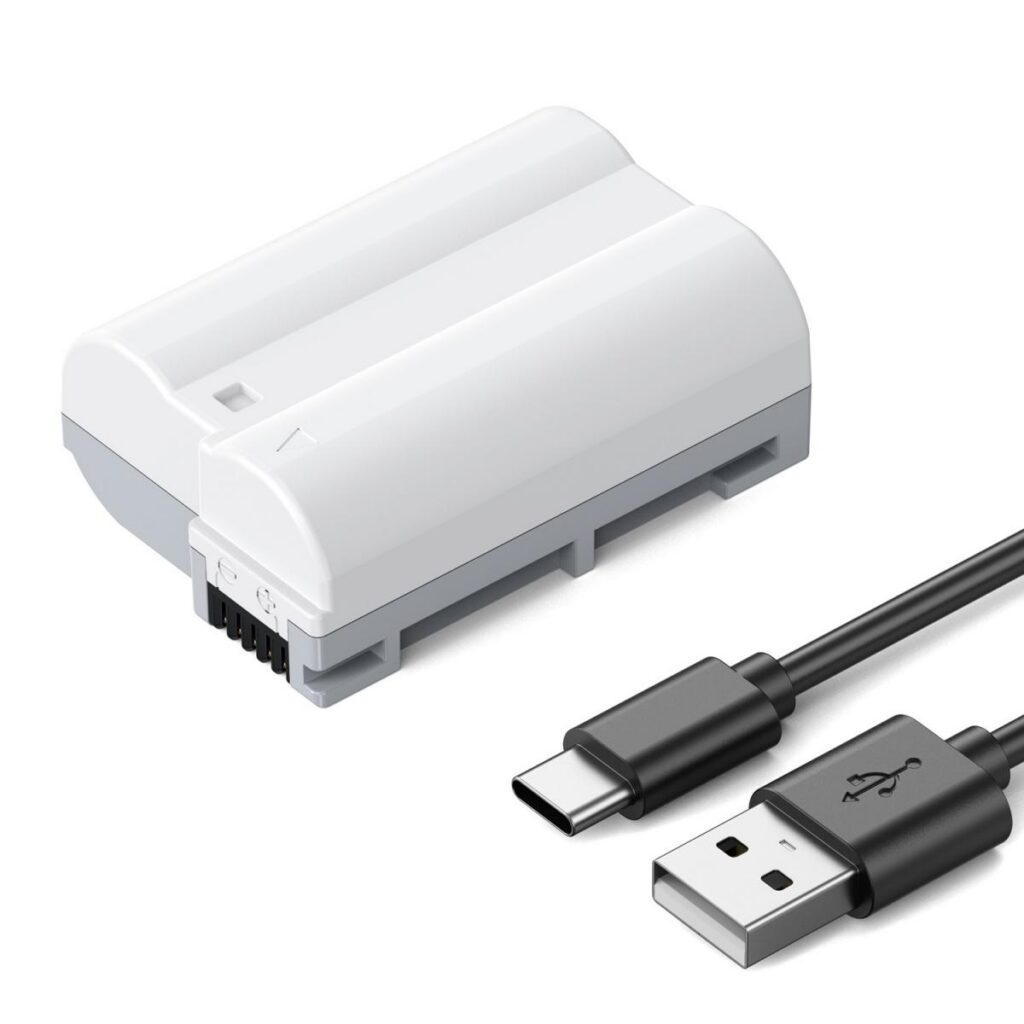
Panasonic DMW-BLK22 USB-C camera battery - product view 1

Short answer: a third-party DMW-BLK22 works in the S5 II if three things hold: a decoding chip, a percentage that counts down honestly, and working in-body charging. A decoded pack feels like OEM. An undecoded cell jumps from 45 percent to shutdown, which is not what you want on a paid job.

DMW-BLK22 compatible battery product image

Three kinds of “compatible”, very different results

Type Charge display Behaviour Verdict
Decoded standard pack Percentage, step by step Essentially OEM; occasional boot notice Recommended
Undecoded bare cell Four bars only Can cut out at two bars Avoid for paid work
USB-C direct-charge pack Percentage, normal Charges off-camera; slightly lower capacity Good for travel

The S5 II sits in the Lumix S full frame line. This is a hybrid body, so runtime depends on whether the day is stop-start stills or long continuous work. We list 13 bodies on this format, so cells and chargers move between cameras.

Firmware notices, calibration and in-body charging

Certain firmware versions show a one-time message on power-up with a non-OEM cell, roughly “cannot guarantee the performance of this battery”. It is not an error and does not refuse to operate — confirm it and stills, video and playback all behave normally.

A different message matters: “battery not recognised” or an immediate 0 percent. That means the handshake failed at hardware level. Stop using that pack — not because it will damage the body, but because you cannot predict runtime during a shoot.

To test whether the percentage is honest, run one full discharge: fit the cell, record 1080p until the camera shuts down, and watch the curve. A healthy pack falls smoothly with the last ten percent slightly faster. A jump from 45 to 15, or death at 20, means the protection board is guessing.

After that discharge, charge it fully once and the body recalculates. Do this with every new battery, then every three to six months. There is no need for frequent deep cycling.

Four details worth checking before you buy

  • A cable with data and power lines — charge-only cables cannot negotiate PD.
  • A PD charger at 30W or more; below that the body falls back to slow charging.
  • Protection circuitry in the pack; the cheapest unprotected cells may stall halfway or never reach full.
  1. Read rated, not just typical: 2400mAh rated over 2520mAh typical is the industry norm, and inflated typical figures are a red flag.
  2. Shell tolerance — it should slide in and latch cleanly; a pack that wobbles wears the body contacts.
  3. Cycle life — reputable packs state 80 percent capacity after 500 cycles.
  4. Over-charge, over-discharge and over-temperature protection are the safety floor.

FAQ

Can a third-party battery damage the S5 II?

A decoded pack with protection circuitry cannot. The risk sits with unprotected bargain cells: over-charging, swelling and leakage are what damage a compartment. Buy something that states capacity and cycle life.

Why does my pack only show four bars?

That pack has no decoding chip, so the body falls back to rough voltage bands. It can shut down without warning near the end, which makes it unsuitable for weddings or any shoot that cannot be interrupted.

One cell or a two-cell kit?

One is enough as a spare. If you shoot events regularly, the two-cell kit with a dual charger pays off: rotate during the day, both full overnight. Both are identical and seat correctly in the S5 II.

What to buy

If you simply need a spare, a single DMW-BLK22 (2520mAh) is the cheapest way to fix it — the right format for this body at a fraction of the OEM price.

Shooting events regularly? Two cells plus a dual charger pay for themselves. The full DMW-BLK22 range puts single cells, kits and chargers on one page, so you can pick by how you travel.

Looking at other Panasonic bodies? Start from the Panasonic camera battery index and work down by series.
Posted on — Leave a comment

TG-7 Battery: Which 90B-3, How Many, and How Long It Lasts

Short answer: the TG-7 runs on a 90B-3 — 3.7V, 1100mAh / 4.07Wh. Expect roughly 200–300 frames of street shooting and 40–60 minutes of continuous video. One spare covers light work, three for events, and external power for long takes.

90B-3 compatible battery product image

What the 90B-3 actually is

Spec Value
Cell code 90B-3
Voltage 3.7V
Capacity 1100mAh typical / 1070mAh rated
Energy 4.07Wh / 3.96Wh
In-body charging Check the manual; bodies with USB power can run while charging
Shared with GR III / GR IIIx / TG-6 / TG-5 / TG-4 / TG-3

The TG-7 sits in the Tough rugged line. This is a hybrid body, so runtime depends on whether the day is stop-start stills or long continuous work. We list 15 bodies on this format, so cells and chargers move between cameras.

Why the rated number looks smaller in real use

CIPA measures at 23°C with default brightness, one frame every 30 seconds, flash on every other frame and a power cycle every ten. Real shoots drain in four different places.

  • Viewfinder versus screen A constantly live EVF draws more than the LCD, and ratings are usually quoted for the LCD.
  • Brightness and refresh Maximum brightness outdoors plus high-rate display adds roughly twenty percent.
  • Stabilisation and bursts IBIS stays energised and continuous shooting pins the sensor and processor.
  • Wireless Wi-Fi, Bluetooth, FTP upload and phone tethering are silent drains.

In our use the TG-7 lands at 200–300 frames on the street, a little lower at events, and 40–60 minutes of continuous recording — less with an external monitor, active stabilisation or high ambient temperature. These are working ranges, not manufacturer ratings.

How many cells to carry

Shoot One cell enough? Carry Note
Half-day street Yes 1 + power bank Top up via USB on the way back, 30W PD or better
Full-day travel No 2 Dual charger overnight, both full at breakfast
Wedding / event No 3–4 Two in a pocket, swap in ten seconds
Talking head, locked off Depends 2 + external power Long takes: dummy battery into a power bank
Long 4K / livestream No 2 + dummy No thermal derating from a hot cell in the grip

Will a third-party 90B-3 work?

Yes, and in most situations you will not notice a difference. One criterion matters: does it have a decoding chip? A decoded pack talks to the body and the percentage counts down normally. An undecoded “bare cell” shows four bars and can cut out at two — exactly the behaviour you do not want mid-ceremony.

Two related questions: some firmware versions show a one-time “cannot guarantee battery performance” notice on power-up, which you confirm and keep shooting; and in-body USB charging usually works, but the speed depends on a PD-capable charger.

FAQ

What battery does the TG-7 use?

The TG-7 takes the 90B-3 format — 3.7V, 1100mAh / 4.07Wh in our version. It matches the original dimensions and contacts, so it drops straight in.

How long does one 90B-3 last?

About 200–300 frames of street shooting and 40–60 minutes of continuous video, depending on brightness, stabilisation, wireless and temperature. Bring three or more for anything you cannot interrupt.

Does a third-party battery void the warranty?

No. Batteries are consumables and a third-party pack does not affect the body warranty. Damage from a swollen or leaking cell is not covered, which is why unbranded bargain cells are a false economy.

What to buy

If you simply need a spare, a single 90B-3 (1100mAh) is the cheapest way to fix it — the right format for this body at a fraction of the OEM price.

Shooting events regularly? Two cells plus a dual charger pay for themselves. The full 90B-3 range puts single cells, kits and chargers on one page, so you can pick by how you travel.

Still own a GR III? It takes the same cell, so the GR III battery page applies to you too — accessories swap in both directions.

Posted on — Leave a comment

Third-Party 90B-3 in the TG-7: Warnings, Percentage Accuracy, In-Body Charging

Short answer: a third-party 90B-3 works in the TG-7 if three things hold: a decoding chip, a percentage that counts down honestly, and working in-body charging. A decoded pack feels like OEM. An undecoded cell jumps from 45 percent to shutdown, which is not what you want on a paid job.

90B-3 compatible battery product image

Three kinds of “compatible”, very different results

Type Charge display Behaviour Verdict
Decoded standard pack Percentage, step by step Essentially OEM; occasional boot notice Recommended
Undecoded bare cell Four bars only Can cut out at two bars Avoid for paid work
USB-C direct-charge pack Percentage, normal Charges off-camera; slightly lower capacity Good for travel

The TG-7 sits in the Tough rugged line. This is a hybrid body, so runtime depends on whether the day is stop-start stills or long continuous work. We list 15 bodies on this format, so cells and chargers move between cameras.

Firmware notices, calibration and in-body charging

Certain firmware versions show a one-time message on power-up with a non-OEM cell, roughly “cannot guarantee the performance of this battery”. It is not an error and does not refuse to operate — confirm it and stills, video and playback all behave normally.

A different message matters: “battery not recognised” or an immediate 0 percent. That means the handshake failed at hardware level. Stop using that pack — not because it will damage the body, but because you cannot predict runtime during a shoot.

To test whether the percentage is honest, run one full discharge: fit the cell, record 1080p until the camera shuts down, and watch the curve. A healthy pack falls smoothly with the last ten percent slightly faster. A jump from 45 to 15, or death at 20, means the protection board is guessing.

After that discharge, charge it fully once and the body recalculates. Do this with every new battery, then every three to six months. There is no need for frequent deep cycling.

Four details worth checking before you buy

  • A cable with data and power lines — charge-only cables cannot negotiate PD.
  • A PD charger at 30W or more; below that the body falls back to slow charging.
  • Protection circuitry in the pack; the cheapest unprotected cells may stall halfway or never reach full.
  1. Read rated, not just typical: 1070mAh rated over 1100mAh typical is the industry norm, and inflated typical figures are a red flag.
  2. Shell tolerance — it should slide in and latch cleanly; a pack that wobbles wears the body contacts.
  3. Cycle life — reputable packs state 80 percent capacity after 500 cycles.
  4. Over-charge, over-discharge and over-temperature protection are the safety floor.

FAQ

Can a third-party battery damage the TG-7?

A decoded pack with protection circuitry cannot. The risk sits with unprotected bargain cells: over-charging, swelling and leakage are what damage a compartment. Buy something that states capacity and cycle life.

Why does my pack only show four bars?

That pack has no decoding chip, so the body falls back to rough voltage bands. It can shut down without warning near the end, which makes it unsuitable for weddings or any shoot that cannot be interrupted.

One cell or a two-cell kit?

One is enough as a spare. If you shoot events regularly, the two-cell kit with a dual charger pays off: rotate during the day, both full overnight. Both are identical and seat correctly in the TG-7.

What to buy

If you simply need a spare, a single 90B-3 (1100mAh) is the cheapest way to fix it — the right format for this body at a fraction of the OEM price.

Shooting events regularly? Two cells plus a dual charger pay for themselves. The full 90B-3 range puts single cells, kits and chargers on one page, so you can pick by how you travel.

Still own a GR III? It takes the same cell, so the GR III battery page applies to you too — accessories swap in both directions.

Posted on — Leave a comment

TG-7 Battery Life in Practice: How Long One 90B-3 Really Lasts

Short answer: one 1100mAh 90B-3 gives the TG-7 about 200–300 frames on the street and 40–60 minutes of continuous video. What decides runtime is not the capacity printed on the label — it is screen brightness, stabilisation, wireless, and how long the camera sits switched on.

90B-3 compatible battery product image

Runtime by shoot type

Shoot One cell lasts Main drain
Street (on for 10–20s, off between) 200–300 frames / 3–4 h EVF, boot cycle
Travel (frequent review) 164–245 frames / 2.5–3.5 h Review, brightness, Wi-Fi
Wedding / event (always on) 164–245 frames / 2–3 h IBIS, bursts, AF-C
4K continuous 40–60 min Encoder, heat, screen
1080p continuous 70–100 min Encoder, screen

In our use the TG-7 lands at 200–300 frames on the street, a little lower at events, and 40–60 minutes of continuous recording — less with an external monitor, active stabilisation or high ambient temperature. These are working ranges, not manufacturer ratings.

Five settings that buy back power

  • Fix screen brightness at mid — auto brightness pins to maximum outdoors.
  • Turn off high frame rate display; focusing feels almost identical.
  • Disable Wi-Fi and Bluetooth auto-connect; leaving Wi-Fi on is the fastest drain.
  • Set power save to one minute; the body wakes in a fraction of a second.
  • Switch stabilisation off on a tripod or above 1/500s.

Charging beats buying

Most “battery problems” are scheduling problems. With a PD power bank of 30W or more, any gap in the day becomes a charging window on bodies that accept USB power.

Method Speed When
In-body USB, PD 30W about 2–3 hours to full Lunch, car, hotel
In-body USB, plain 5V six hours or more Not worth it
Dedicated dual charger two cells in about 2 hours Overnight, batch
Dummy battery + power bank unlimited while plugged in Static setups, livestreams, interviews

The economical setup is two cells, one dual charger and a 65W power bank: rotate during the day, top up in gaps, charge both overnight. It costs far less than four batteries and weighs less too.

FAQ

Can one TG-7 battery last a full day?

Light street shooting, yes. A full travel day or an event, no. Plan on two cells minimum and three to four when no moment can be missed — a swap takes ten seconds.

Does charging while shooting slow the camera down?

No performance penalty, but you need PD 30W or higher to run the body and charge at once. On a plain 5V charger the percentage still falls, just more slowly.

How should I store batteries I am not using?

Keep them at 50–60 percent and top up every three to six months. Full or flat storage ages the cell faster and shows up as obvious capacity loss after two years.

What to buy

If you simply need a spare, a single 90B-3 (1100mAh) is the cheapest way to fix it — the right format for this body at a fraction of the OEM price.

Shooting events regularly? Two cells plus a dual charger pay for themselves. The full 90B-3 range puts single cells, kits and chargers on one page, so you can pick by how you travel.

Still own a GR III? It takes the same cell, so the GR III battery page applies to you too — accessories swap in both directions.

Posted on — Leave a comment

Z6 II Battery Life in Practice: How Long One EN-EL15 Really Lasts

Nikon EN-EL15C USB-C camera battery - product view 1

Short answer: one 2600mAh EN-EL15 gives the Z6 II about 400–550 frames on the street and 85–110 minutes of continuous video. What decides runtime is not the capacity printed on the label — it is screen brightness, stabilisation, wireless, and how long the camera sits switched on.

EN-EL15 compatible battery product image

Runtime by shoot type

Shoot One cell lasts Main drain
Street (on for 10–20s, off between) 400–550 frames / 3–4 h EVF, boot cycle
Travel (frequent review) 328–451 frames / 2.5–3.5 h Review, brightness, Wi-Fi
Wedding / event (always on) 328–451 frames / 2–3 h IBIS, bursts, AF-C
4K continuous 85–110 min Encoder, heat, screen
1080p continuous 115–150 min Encoder, screen

In our use the Z6 II lands at 400–550 frames on the street, a little lower at events, and 85–110 minutes of continuous recording — less with an external monitor, active stabilisation or high ambient temperature. These are working ranges, not manufacturer ratings.

Five settings that buy back power

  • Fix screen brightness at mid — auto brightness pins to maximum outdoors.
  • Turn off high frame rate display; focusing feels almost identical.
  • Disable Wi-Fi and Bluetooth auto-connect; leaving Wi-Fi on is the fastest drain.
  • Set power save to one minute; the body wakes in a fraction of a second.
  • Switch stabilisation off on a tripod or above 1/500s.

Charging beats buying

Most “battery problems” are scheduling problems. With a PD power bank of 30W or more, any gap in the day becomes a charging window on bodies that accept USB power.

Method Speed When
In-body USB, PD 30W about 2–3 hours to full Lunch, car, hotel
In-body USB, plain 5V six hours or more Not worth it
Dedicated dual charger two cells in about 2 hours Overnight, batch
Dummy battery + power bank unlimited while plugged in Static setups, livestreams, interviews

The economical setup is two cells, one dual charger and a 65W power bank: rotate during the day, top up in gaps, charge both overnight. It costs far less than four batteries and weighs less too.

FAQ

Can one Z6 II battery last a full day?

Light street shooting, yes. A full travel day or an event, no. Plan on two cells minimum and three to four when no moment can be missed — a swap takes ten seconds.

Does charging while shooting slow the camera down?

No performance penalty, but you need PD 30W or higher to run the body and charge at once. On a plain 5V charger the percentage still falls, just more slowly.

How should I store batteries I am not using?

Keep them at 50–60 percent and top up every three to six months. Full or flat storage ages the cell faster and shows up as obvious capacity loss after two years.

What to buy

If you simply need a spare, a single EN-EL15 (2600mAh) is the cheapest way to fix it — the right format for this body at a fraction of the OEM price.

Shooting events regularly? Two cells plus a dual charger pay for themselves. The full EN-EL15 range puts single cells, kits and chargers on one page, so you can pick by how you travel.

Still own a Z8? It takes the same cell, so the Z8 battery page applies to you too — accessories swap in both directions.

Posted on — Leave a comment

Z6 II Battery: Which EN-EL15, How Many, and How Long It Lasts

Nikon EN-EL15C USB-C camera battery - product view 1

Short answer: the Z6 II runs on a EN-EL15 — 7.4V, 2600mAh / 19.24Wh. Expect roughly 400–550 frames of street shooting and 85–110 minutes of continuous video. One spare covers light work, three for events, and external power for long takes.

EN-EL15 compatible battery product image

What the EN-EL15 actually is

Spec Value
Cell code EN-EL15
Voltage 7.4V
Capacity 2600mAh typical / 2400mAh rated
Energy 19.24Wh / 17.76Wh
In-body charging Check the manual; bodies with USB power can run while charging
Shared with Z8 / Zf / Z5 / D850 / Z7 II / Z7

The Z6 II sits in the Z full frame line. This is a hybrid body, so runtime depends on whether the day is stop-start stills or long continuous work. We list 20 bodies on this format, so cells and chargers move between cameras.

Why the rated number looks smaller in real use

CIPA measures at 23°C with default brightness, one frame every 30 seconds, flash on every other frame and a power cycle every ten. Real shoots drain in four different places.

  • Viewfinder versus screen A constantly live EVF draws more than the LCD, and ratings are usually quoted for the LCD.
  • Brightness and refresh Maximum brightness outdoors plus high-rate display adds roughly twenty percent.
  • Stabilisation and bursts IBIS stays energised and continuous shooting pins the sensor and processor.
  • Wireless Wi-Fi, Bluetooth, FTP upload and phone tethering are silent drains.

In our use the Z6 II lands at 400–550 frames on the street, a little lower at events, and 85–110 minutes of continuous recording — less with an external monitor, active stabilisation or high ambient temperature. These are working ranges, not manufacturer ratings.

How many cells to carry

Shoot One cell enough? Carry Note
Half-day street Yes 1 + power bank Top up via USB on the way back, 30W PD or better
Full-day travel No 2 Dual charger overnight, both full at breakfast
Wedding / event No 3–4 Two in a pocket, swap in ten seconds
Talking head, locked off Depends 2 + external power Long takes: dummy battery into a power bank
Long 4K / livestream No 2 + dummy No thermal derating from a hot cell in the grip

Will a third-party EN-EL15 work?

Yes, and in most situations you will not notice a difference. One criterion matters: does it have a decoding chip? A decoded pack talks to the body and the percentage counts down normally. An undecoded “bare cell” shows four bars and can cut out at two — exactly the behaviour you do not want mid-ceremony.

Two related questions: some firmware versions show a one-time “cannot guarantee battery performance” notice on power-up, which you confirm and keep shooting; and in-body USB charging usually works, but the speed depends on a PD-capable charger.

FAQ

What battery does the Z6 II use?

The Z6 II takes the EN-EL15 format — 7.4V, 2600mAh / 19.24Wh in our version. It matches the original dimensions and contacts, so it drops straight in.

How long does one EN-EL15 last?

About 400–550 frames of street shooting and 85–110 minutes of continuous video, depending on brightness, stabilisation, wireless and temperature. Bring three or more for anything you cannot interrupt.

Does a third-party battery void the warranty?

No. Batteries are consumables and a third-party pack does not affect the body warranty. Damage from a swollen or leaking cell is not covered, which is why unbranded bargain cells are a false economy.

What to buy

If you simply need a spare, a single EN-EL15 (2600mAh) is the cheapest way to fix it — the right format for this body at a fraction of the OEM price.

Shooting events regularly? Two cells plus a dual charger pay for themselves. The full EN-EL15 range puts single cells, kits and chargers on one page, so you can pick by how you travel.

Still own a Z8? It takes the same cell, so the Z8 battery page applies to you too — accessories swap in both directions.

Posted on — Leave a comment

Third-Party EN-EL15 in the Z6 II: Warnings, Percentage Accuracy, In-Body Charging

Nikon EN-EL15C USB-C camera battery - product view 1

Short answer: a third-party EN-EL15 works in the Z6 II if three things hold: a decoding chip, a percentage that counts down honestly, and working in-body charging. A decoded pack feels like OEM. An undecoded cell jumps from 45 percent to shutdown, which is not what you want on a paid job.

EN-EL15 compatible battery product image

Three kinds of “compatible”, very different results

Type Charge display Behaviour Verdict
Decoded standard pack Percentage, step by step Essentially OEM; occasional boot notice Recommended
Undecoded bare cell Four bars only Can cut out at two bars Avoid for paid work
USB-C direct-charge pack Percentage, normal Charges off-camera; slightly lower capacity Good for travel

The Z6 II sits in the Z full frame line. This is a hybrid body, so runtime depends on whether the day is stop-start stills or long continuous work. We list 20 bodies on this format, so cells and chargers move between cameras.

Firmware notices, calibration and in-body charging

Certain firmware versions show a one-time message on power-up with a non-OEM cell, roughly “cannot guarantee the performance of this battery”. It is not an error and does not refuse to operate — confirm it and stills, video and playback all behave normally.

A different message matters: “battery not recognised” or an immediate 0 percent. That means the handshake failed at hardware level. Stop using that pack — not because it will damage the body, but because you cannot predict runtime during a shoot.

To test whether the percentage is honest, run one full discharge: fit the cell, record 1080p until the camera shuts down, and watch the curve. A healthy pack falls smoothly with the last ten percent slightly faster. A jump from 45 to 15, or death at 20, means the protection board is guessing.

After that discharge, charge it fully once and the body recalculates. Do this with every new battery, then every three to six months. There is no need for frequent deep cycling.

Four details worth checking before you buy

  • A cable with data and power lines — charge-only cables cannot negotiate PD.
  • A PD charger at 30W or more; below that the body falls back to slow charging.
  • Protection circuitry in the pack; the cheapest unprotected cells may stall halfway or never reach full.
  1. Read rated, not just typical: 2400mAh rated over 2600mAh typical is the industry norm, and inflated typical figures are a red flag.
  2. Shell tolerance — it should slide in and latch cleanly; a pack that wobbles wears the body contacts.
  3. Cycle life — reputable packs state 80 percent capacity after 500 cycles.
  4. Over-charge, over-discharge and over-temperature protection are the safety floor.

FAQ

Can a third-party battery damage the Z6 II?

A decoded pack with protection circuitry cannot. The risk sits with unprotected bargain cells: over-charging, swelling and leakage are what damage a compartment. Buy something that states capacity and cycle life.

Why does my pack only show four bars?

That pack has no decoding chip, so the body falls back to rough voltage bands. It can shut down without warning near the end, which makes it unsuitable for weddings or any shoot that cannot be interrupted.

One cell or a two-cell kit?

One is enough as a spare. If you shoot events regularly, the two-cell kit with a dual charger pays off: rotate during the day, both full overnight. Both are identical and seat correctly in the Z6 II.

What to buy

If you simply need a spare, a single EN-EL15 (2600mAh) is the cheapest way to fix it — the right format for this body at a fraction of the OEM price.

Shooting events regularly? Two cells plus a dual charger pay for themselves. The full EN-EL15 range puts single cells, kits and chargers on one page, so you can pick by how you travel.

Still own a Z8? It takes the same cell, so the Z8 battery page applies to you too — accessories swap in both directions.

Posted on — Leave a comment

Third-Party EN-EL25 in the Z50 II: Warnings, Percentage Accuracy, In-Body Charging

Nikon EN-EL25 USB-C camera battery - product view 1

Short answer: a third-party EN-EL25 works in the Z50 II if three things hold: a decoding chip, a percentage that counts down honestly, and working in-body charging. A decoded pack feels like OEM. An undecoded cell jumps from 45 percent to shutdown, which is not what you want on a paid job.

EN-EL25 compatible battery product image

Three kinds of “compatible”, very different results

Type Charge display Behaviour Verdict
Decoded standard pack Percentage, step by step Essentially OEM; occasional boot notice Recommended
Undecoded bare cell Four bars only Can cut out at two bars Avoid for paid work
USB-C direct-charge pack Percentage, normal Charges off-camera; slightly lower capacity Good for travel

The Z50 II sits in the Z APS-C line. This is a hybrid body, so runtime depends on whether the day is stop-start stills or long continuous work. We list 5 bodies on this format, so cells and chargers move between cameras.

Firmware notices, calibration and in-body charging

Certain firmware versions show a one-time message on power-up with a non-OEM cell, roughly “cannot guarantee the performance of this battery”. It is not an error and does not refuse to operate — confirm it and stills, video and playback all behave normally.

A different message matters: “battery not recognised” or an immediate 0 percent. That means the handshake failed at hardware level. Stop using that pack — not because it will damage the body, but because you cannot predict runtime during a shoot.

To test whether the percentage is honest, run one full discharge: fit the cell, record 1080p until the camera shuts down, and watch the curve. A healthy pack falls smoothly with the last ten percent slightly faster. A jump from 45 to 15, or death at 20, means the protection board is guessing.

After that discharge, charge it fully once and the body recalculates. Do this with every new battery, then every three to six months. There is no need for frequent deep cycling.

Four details worth checking before you buy

  • A cable with data and power lines — charge-only cables cannot negotiate PD.
  • A PD charger at 30W or more; below that the body falls back to slow charging.
  • Protection circuitry in the pack; the cheapest unprotected cells may stall halfway or never reach full.
  1. Read rated, not just typical: 1280mAh rated over 1350mAh typical is the industry norm, and inflated typical figures are a red flag.
  2. Shell tolerance — it should slide in and latch cleanly; a pack that wobbles wears the body contacts.
  3. Cycle life — reputable packs state 80 percent capacity after 500 cycles.
  4. Over-charge, over-discharge and over-temperature protection are the safety floor.

FAQ

Can a third-party battery damage the Z50 II?

A decoded pack with protection circuitry cannot. The risk sits with unprotected bargain cells: over-charging, swelling and leakage are what damage a compartment. Buy something that states capacity and cycle life.

Why does my pack only show four bars?

That pack has no decoding chip, so the body falls back to rough voltage bands. It can shut down without warning near the end, which makes it unsuitable for weddings or any shoot that cannot be interrupted.

One cell or a two-cell kit?

One is enough as a spare. If you shoot events regularly, the two-cell kit with a dual charger pays off: rotate during the day, both full overnight. Both are identical and seat correctly in the Z50 II.

What to buy

If you simply need a spare, a single EN-EL25 (1350mAh) is the cheapest way to fix it — the right format for this body at a fraction of the OEM price.

Shooting events regularly? Two cells plus a dual charger pay for themselves. The full EN-EL25 range puts single cells, kits and chargers on one page, so you can pick by how you travel.

Looking at other Nikon bodies? Start from the Nikon camera battery index and work down by series.