
Posted on — Leave a comment

Genuine NP-FZ100 vs NP-FZ100 (USB-C) vs Fakes: Visual Clues

Short answer: the quickest way to tell them apart is the connector — a genuine NP-FZ100 has no charging port and must go on a dock charger; a YO NP-FZ100 (USB-C) has a Type-C port on the front face; and a counterfeit “original” usually gives itself away through rough mould seams, soft marking fonts, the colour of the contact plating and the weight of the whole pack. This article only covers what you can see in your hand or under a lamp; it does not involve disassembly or internal measurement.

YO NP-FZ100 camera battery render
Product render of the YO NP-FZ100 compatible battery: front label, rear LED charge indicator and USB-C port.

One caveat first: visual inspection only screens out crude fakes. A good replica can look very close, and in the end the sales channel and the price have to carry the judgement. The value of the checks below is that they let you rule out the obvious suspects quickly, without any special equipment.

First glance: is there a Type-C port?

This is the fastest step. Sony’s NP-FZ100 has five metal contacts on the base and locating slots on both sides, and no charging connector of any kind; charging requires a dock such as the BC-QZ1. So:

  • A small USB-C port on the front or side marked 5V input means a third-party direct-charge pack, of which the NP-FZ100 (USB-C) is the best-known example. That is a legitimate design, not a sign of a fake.
  • A Sony logo together with a Type-C port is close to conclusive. Sony has never released an FZ100 with a direct-charge port.

The check works because counterfeiters routinely take an off-the-shelf third-party shell and print a Sony logo on it, or work the other way round. The presence or absence of a port is the hardest physical feature to fudge.

Mould seams and shell finish

Hold the pack up to a side light and look at the joint between the upper and lower shells. On a genuine pack the seam is fine and straight, with no step you can feel as you run a finger along it; the matte finish is even, the corner radii are smooth, and there is no flash or burr.

Fakes give themselves away here more than anywhere else: the seam is wide and misaligned, a fingernail catches in it, the shell reflects unevenly with flow lines or sink marks visible at some angles, and there are fine burrs at the edges, especially around the latch and the contact opening. It is a difference in tooling precision, and cutting cost makes it hard to hide.

A legitimate third-party product such as the NP-FZ100 (USB-C) usually sits between the two — not as rough as a fake, but not required to match the original’s surface treatment either. Judge it as a third-party pack, not against the original’s standard.

Weight and feel

The genuine NP-FZ100 has a certain heft, and nothing rattles when you shake it — the cell is cushioned and located inside the shell. Fakes usually err one of two ways: noticeably light, because the cell is smaller and there is less filler, or a faint rattle when shaken, because the internal retention is inadequate.

Do not judge on grams alone: shell thickness varies between batches and without a precise scale the comparison is unreliable. What works better is a relative comparison — with a known genuine pack in one hand and the suspect in the other, a clear difference is worth investigating.

Markings and labels: font, depth, completeness

Observation Genuine NP-FZ100 Legitimate third party (e.g. NP-FZ100 (USB-C)) Typical fake
Branding SONY wordmark, model and capacity specification Own brand plus a “for NP-FZ100” compatibility note SONY mark printed directly
Font edges Sharp, with even stroke weight Legible, in a different typeface Blurred, ragged, uneven weight
Laser depth Even, with no visible tonal jump in raking light Even Patchy, some areas barely legible
Capacity 2280mAh / 16.4Wh / 7.2V Same specification, or the actual capacity Inflated, often 3000mAh or more
Serial number Unique, traceable to the packaging Batch or unique number Many identical, or none at all
Warnings Multiple languages, tidy layout Usually bilingual Grammar errors, inconsistent type sizes

The most useful line in that table is capacity: the genuine NP-FZ100 is 2280mAh, so anything claiming 3000mAh or 3200mAh while wearing a Sony mark is almost certainly not original. Inflated capacity is the fake’s favourite selling point and also its easiest tell.

Contacts: count, arrangement and plating

The NP-FZ100 base has five contacts plus locating structures on both sides. Look at three things:

  1. Count and position. On a genuine pack the spacing, width and position relative to the slots are all regular, and the five contacts are the same size. Fakes sometimes sit slightly off, and the pack feels tight or loose going into the bay.
  2. Plating colour. Genuine contacts are an even pale gold with a soft reflection. Fakes often use cheap plating that is either too yellow and bright or dull and dark, and shows scratches and oxidation after a few insertions.
  3. The plastic around the contacts. Genuine packs usually have a reinforced structure here with clean edges; fakes show moulding flash, and the contacts may sit slightly recessed or proud of the surface.

Contacts directly affect contact resistance. A poorly plated pack eventually produces the “shows charge, dies on record” behaviour, which is not a capacity problem but a contact problem — clean the contacts and the body’s spring pins before assuming anything else.

Which “authentication tricks” do not actually work

  • Checking an anti-counterfeit code: plenty of third-party packs carry one, fakes can print one too, and the page it resolves to is usually their own. It proves very little.
  • Judging by the box: packaging is the easiest part to copy, and well-printed fake boxes are not rare.
  • Seeing whether the camera recognises it: most fakes now pass basic recognition. A percentage on screen does not make a pack genuine.
  • Judging by price: absurdly cheap is of course suspicious, but good replicas sell close to the genuine price, which is precisely what lowers your guard.

What actually holds up is the combination: a legitimate channel, all five visual checks passed, and a price inside a sensible range. If any one is missing, stay sceptical. For compatibility notes and the pitfalls to avoid when buying, the NP-FZ100 (USB-C) category page has a more systematic treatment.

FAQ

Will the camera warn that a third-party battery is not genuine?

Most bodies do not raise a warning, but they may not show the remaining shot count, or the percentage may jump. That is normal imperfect protocol compatibility and does not affect use. A few bodies tighten the rules after a firmware update; check your camera’s manual.

Can a battery with a Type-C port go on a plane?

Yes, under the usual lithium battery rules — carried in the cabin, and under 100Wh per pack. The NP-FZ100 family is 16.4Wh, far below the limit, and a direct-charge pack needs no special explanation at security. The detailed rules are in this guide.

Will a fake damage the camera?

With the right voltage it usually will not damage the body immediately, but the risk sits in the cell quality and the protection circuit. Poor cells may lack overcharge and over-discharge protection, and the odds of swelling, leakage and abnormal heat are clearly higher. If a pack becomes unusually hot or bulges, stop using it at once and do not leave it in the camera. For the wider picture on original versus third party, see the FZ100 series overview.

How do I confirm the pack in my hand is genuine?

Work through the order above: check for a Type-C port first (a port plus a Sony mark is effectively conclusive), then the mould seam and marking sharpness, then the contact plating, and finally compare weight and feel. If two or more checks are doubtful, do not use the pack for important work.
Posted on — Leave a comment

Charging LP-E6P on the LC-E6E: Will It Fill and How Long

Short answer: yes, it will fill. The LC-E6E is the OEM dock charger for the LP-E6 family, its charging voltage platform matches LP-E6P, and under normal conditions it brings an LP-E6P to full charge, with the body showing 100% as expected. Expect roughly two and a half to three and a half hours, slightly longer than or comparable to an LP-E6NH, depending on starting charge, ambient temperature, and the pack’s current condition.

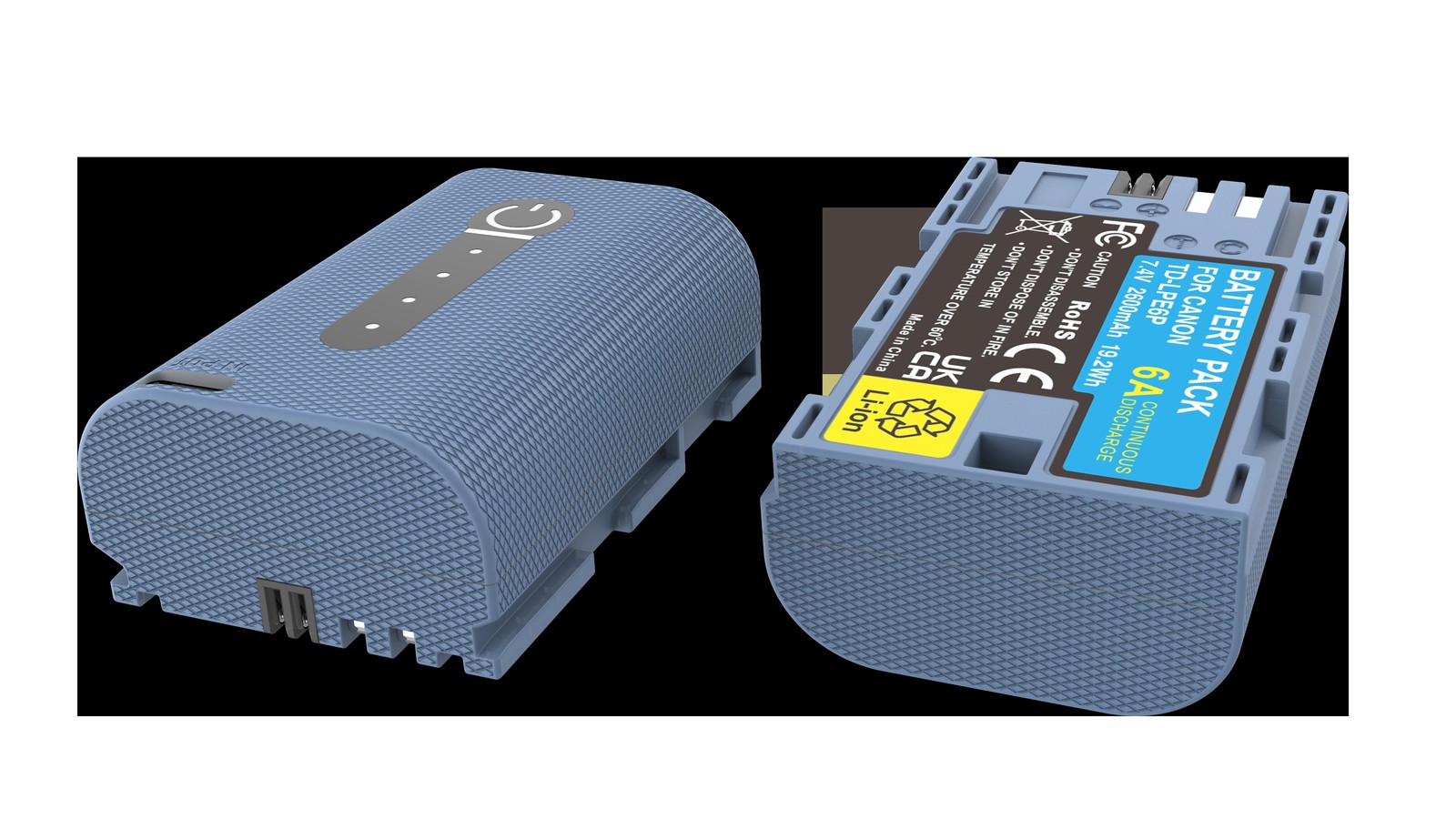
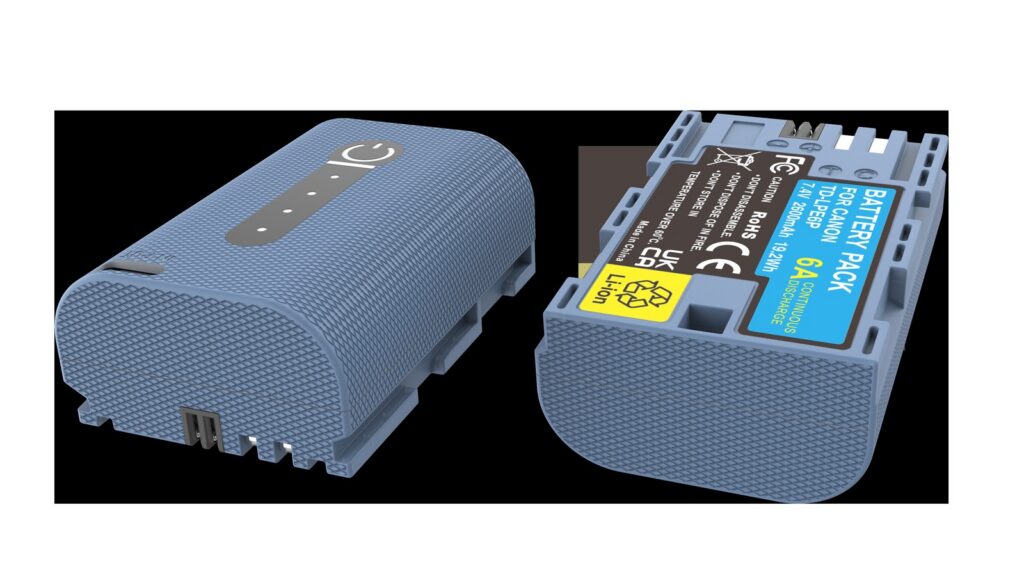
YO LP-E6P camera battery render
Product render of the YO LP-E6P compatible battery: front label, rear LED charge indicator and USB-C port.

One common misconception to clear up first: despite the P in the name and the higher positioning, LP-E6P did not change the voltage platform or add a charging port. Like LP-E6NH it is a 7.2V two-cell series pack, and neither has a USB-C charging port. To charge it you either use a dock charger or rely on the body charging the pack while running on USB-C PD power, and the latter depends on whether your specific body supports it.

One: why one charger serves two generations

A dock charger converts mains power into a charging curve of constant current followed by constant voltage, and the cut-off voltage is set by the battery’s chemistry. LP-E6, LP-E6N, LP-E6NH, and LP-E6P all share one voltage platform and the same cut-off voltage, so a charger is electrically interchangeable across them. That is also why Canon used only the LC-E6 / LC-E6E line for years.

The distinction worth making is between “it charges” and “the charging strategy is optimal”. LP-E6P’s selling point is sustained discharge capability, and its internal construction and protection board differ from a capacity-oriented pack, so its current acceptance during charging may differ too. An OEM charger adjusts current according to what the pack reports, which is why an OEM dock is preferable to a universal charger.

Two: estimating charging time

Starting charge Approximate time Notes
Nearly empty (below 10%) Around three hours Longest constant-current phase, full power throughout
About half (40%–60%) One and a half to two and a half hours The most common top-up case
Above 70% Under an hour Enters constant-voltage quickly, current tapers off

Those are range estimates, not promises. Lithium-ion charging has a constant-current phase and a constant-voltage phase: fast at first, slow at the end, and the last dozen percent often takes a third of the total time. So the difference between “empty to full” and “half to full” is smaller than most people expect.

Three: four factors that change charging speed

Temperature comes first. When the cell is too cold the charger deliberately reduces current or pauses, as a protection measure; when it is too hot, current is limited as well. Charging in an unheated room in winter therefore takes noticeably longer, and that is not a faulty charger.

Starting charge determines how soon the constant-voltage phase begins. The lower the charge, the longer the constant-current phase and the longer the total, but the fastest energy goes in early — twenty minutes of charging in an emergency usually gets you a usable amount.

Charger and cable only matter for in-body USB-C charging. A dock charger is unaffected by the cable. USB-C PD charging requires both the power adapter and the cable to support enough wattage; with too little, charging becomes very slow, or merely holds the charge steady.

Pack condition is the one most easily overlooked. An older pack with higher internal resistance reaches its constant-voltage phase earlier and stays there longer, which shows up as “charges forever but never fills” or “shows full, then drops immediately in use”. In that case the suspect is the pack, not the charger.

Four: troubleshooting a short fill, and charging habits

  1. Try another pack first. Same charger, same outlet, a pack you know is good. If that one fills, the problem is the first pack; if it does not, the problem is the charger or the power supply.
  2. Try another outlet and another charger. Rule out the simple causes such as a loose power strip or unstable voltage. Dock chargers tolerate a limited input range, and a poor power strip can genuinely cause trouble.
  3. Watch the indicator light. OEM docks signal state with the light: steady usually means charging, slow blinking usually means waiting on temperature or waiting to start, fast blinking generally means a fault. If it blinks fast for a long time, unplug it, remove the pack, let it cool, and retry; if it repeats, stop retrying.

If all three steps fail and the pack is confirmed faulty, stop forcing it. Repeatedly charging a failing pack is one of the main routes to swelling and to genuine safety risk.

On habits: do not charge a pack immediately after a heavy recording session while it is still hot. Let it come down near room temperature first — that does more for longevity than any “care mode”. Do not leave a pack on the charger overnight; take it off when full. Do not charge in a car or in direct sunlight. For packs going into long storage, keep them at four to six tenths of charge rather than full.

Also, when two generations share one charger, label the packs. The habit costs almost nothing and prevents an aged pack from being carried out as the primary one.

For LP-E6P body compatibility and usage boundaries, see the LP-E6P category. The capacity-oriented LP-E6NH follows the same charging logic as described here; see the LP-E6NH category. For how low temperatures affect both charging and discharge, the general conclusions in cold-weather battery behavior apply. YO’s compatible LP-E6P also works with the LC-E6 / LC-E6E dock family.

FAQ

Is there a difference between LC-E6 and LC-E6E?

Both are OEM docks for the LP-E6 family. The main differences are the power plug format and the regional version bundled with the camera; the charging logic is essentially the same. There is no need to distinguish them in daily use, as long as the contacts and plug match.

Can I charge an LP-E6P with a phone charger?

Not directly. LP-E6P has no USB-C port, so it must go into a dock charger or sit in a body that supports USB-C PD input and lets the body charge it. Clamping a so-called universal charger onto the contacts is high risk and not recommended.

Does the indicator go out when charging is complete?

Most OEM docks switch to steady or off when full; check the manual for your unit. The most reliable way to confirm a full charge is to put the pack in the body and read the charge display, not to watch the light.

Does a new battery need a 12-hour first charge?

No. Lithium-ion cells are already formatted at the factory, so charging to full is enough. Extended overcharging brings no benefit and adds heat and aging.

Posted on — Leave a comment

EN-EL15 Charging Options Compared: Dock, In-Body USB and Power Banks

A EN-EL15 can be topped up via MH-25 / MH-25a / USB-C PD: a dock for home, a power bank on location, and external power only for long takes. Charging efficiency depends heavily on temperature, so pause below 5°C or above 40°C. Mild warmth is normal; a pack that is hot to the touch, smells unusual or has deformed should be disconnected immediately. For long storage keep about 50% charge and top up every three months.

By CIPA standard the Z6 III delivers about 380 shots per charge (D850 1500+). Real-world figures fall with viewfinder use, bursts, flash and low temperature, so budgeting around 70% of the rating is safer.

Three charging paths compared

The paths differ mainly in speed and whether the cell has to come out. A dock is stable and can charge two at once; in-body USB is convenient but usually stops charging when the camera is powered on; a power bank covers location work.

Method Note
MH-25 Stable, charges two cells at once, best for home or studio rotation
MH-25a No need to remove the cell, ideal for travel, but charging usually stops when powered on
USB-C PD Good for location top-ups; check output specs and cable quality

Temperature and storage limits

Charge between 5–40°C, and store around 15–25°C in a dry place at roughly 50% charge. Leaving a pack fully charged or completely flat for months accelerates capacity loss.

Item Value
EN-EL15 EN-EL15 / 15a / 15b / 15c
EN-EL15c 2280 mAh / 16.4 Wh
en-el15 2600 mAh / 19.24 Wh
Z6 III 380 / D850 1500+
Z9 → EN-EL18d EN-EL15 / 15a / 15b / 15c
EN-EL15 / 15a / 15b / 15c 2600 mAh / 19.24 Wh

Power for long recordings

For long takes, streaming or time-lapse, prefer external power and watch the heat. Charging while the camera runs keeps the cell warm, so leave room for ventilation in summer or in enclosed spaces.

To pick by model, start with the specifications and stock status on Nikon EN-EL15 2600mAh, then browse the full article set in EN-EL15; if your body belongs to a neighbouring system, EN-EL25 has the side-by-side explanation.

FAQ

Can the EN-EL15 be charged inside the camera?

It depends on the body: MH-25 / MH-25a / USB-C PD. Where in-body USB charging is supported, it normally stops as soon as the camera is switched on, so a dock is more predictable when you are in a hurry.

How long does a full charge take?

It varies with charger output, remaining charge and ambient temperature. A dock is usually the fastest and most stable option, while in-body USB and power banks are slower. Use the charger indicator rather than the in-camera percentage as your guide.

Can I shoot while charging?

External power is fine for long recordings or streaming, but body and cell both stay warm. In summer or enclosed spaces, improve ventilation and never put a hot pack straight into a sealed case.

How should I store the cell long term?

Keep it around 50% charge in a dry place at 15–25°C and top it up every three months. Long periods fully charged or fully flat accelerate ageing; recycle a swollen pack instead of recharging it.