The LI-90B covers 13 bodies, from the Tough TG-1 to the Stylus XZ-10; the most common buying mistake is not capacity but boundary cases such as TG-3 → TG-7 / LI-92B. The table below lists every compatible body by series, followed by the models that take a different cell. Always trust the marking on the camera or in the battery compartment: similar-looking packs are not necessarily interchangeable, and LI-90B / LI-92B should still be checked against the contacts and firmware of your body.
By CIPA standard the TG-6 delivers about 340 shots per charge (250–300 / 0°C 70%). Real-world figures fall with viewfinder use, bursts, flash and low temperature, so budgeting around 70% of the rating is safer.
One important clarification: the original LI-90B is rated 1270mAh and its successor LI-92B 1350mAh. Both share the same shell and contacts, and OM System confirms the LI-92B works in every LI-90B body; the UC-90 and UC-92 chargers accept both. The TG-1 and TG-2 shipped with an LI-90B, while the TG-3 through TG-7 shipped with an LI-92B — but all of them accept the LI-90B specification.
Full compatibility list
All 13 bodies below accept the LI-90B or a cell from the same family, grouped by series. “Compatible” means the compartment and contacts match; it does not guarantee that older bodies can exploit the full capacity of a high-capacity pack.
Body
Body
Body
Body
Tough TG-1
Tough TG-2
Tough TG-3
Tough TG-4
Tough TG-5
Tough TG-6
Tough TG-7
Stylus SH-1
Stylus SH-2
Stylus SH-3
Stylus SP-100
Stylus XZ-2
Stylus XZ-10
Which models do not fit
This is where search results most often mislead. Packs with similar names and near-identical shells frequently belong to entirely different systems, and forcing one in can damage the compartment.
Item
Value
LI-90B
LI-90B / LI-92B
LI-90B
1270 mAh / —
90b-3
1100 mAh / 4.07 Wh
TG-6
340 / 250–300 / 0°C 70%
TG-3 → TG-7 / LI-92B
LI-90B / LI-92B
LI-90B / LI-92B
1100 mAh / 4.07 Wh
How to check before ordering
The reliable check is the model printed on the bottom of the body or inside the battery compartment, matched against this list. On a used camera, also confirm that a previous owner has not swapped the battery door.
To pick by model, start with the specifications and stock status on Olympus LI-90B 1100mAh, then browse the full article set in LI-90B; if your body belongs to a neighbouring system, NP-BX1 has the side-by-side explanation.
FAQ
How many bodies take the LI-90B?
Our list contains 13 bodies, from the Tough TG-1 to the Stylus XZ-10. It is grouped by series, but still check the body marking, since a later generation in the same line can switch cells.
Is the LI-90B interchangeable with neighbouring models?
LI-90B / LI-92B shares one shell and contact layout, so those cells fit each other. However, TG-3 → TG-7 / LI-92B, and those bodies need their own cell — never judge by shape alone.
Will every body on the list benefit from higher capacity?
All of them run normally, but older bodies set their cutoff and fuel gauge to the original specification, so extra shots do not scale linearly and the percentage may read conservatively.
How do I confirm which cell to buy?
Read the model on the bottom plate or inside the battery compartment and match it against this list. If the marking includes a suffix or a “for use with” note, follow the manual rather than the capacity figure.
The short version: if you do not own a working charger yet, or you are buying two packs anyway, the kit usually wins. If you already have a charger you are happy with, just buy the pack. Here is the actual structure. Adding a charger to a single pack costs about $5 — that is the gap between roughly $17.89 for a bare battery and roughly $22.93 for one battery with a charger, and you will struggle to buy a comparable charger on its own for that. From there, the two-battery kit at about $36.74 costs well under a dollar more than two bare packs, and it includes the charger. The real question is what you are missing, not whether kits are universally better.
Product render of the YO NP-FZ100 compatible battery: front label, rear LED charge indicator and USB-C port.
The Price Structure
Configuration
NP-FZ100 (2600mAh)
NP-FZ100 (USB-C) (2600mAh)
Charger included
Single battery
~$17.89
~$19.66
No
One battery + one charger
~$22.93
~$24.70
Yes
Two batteries + one charger
~$36.74
~$39.92
Yes
Build your kit: the NP-FZ100 is 2600mAh / 7.4V / 19.24Wh. Battery only, battery plus charger, or two batteries plus charger — pick under Bundle. If you would rather leave the dock at home, the same-capacity USB-C version (2600mAh / 7.2V / 18.72Wh) charges from any phone charger. Bulk orders: wholesale enquiry.
Four Common Starting Points
First spare pack, original charger only: original chargers usually handle one pack and are not the friendliest to travel with. The one-battery kit is the better buy, and a second charger lets you keep one at home and one in the bag.
You already have a charger that works: buy a bare pack. There is no point paying for a second one unless you specifically want dual-bay throughput; sizing is in multi-bay chargers for four packs a day.
You know you need two packs: take the two-battery kit. It beats buying separately and it arrives in one shipment.
Three or more packs, team or studio: work out how many chargers you actually need first. One charger per two packs is normally enough, so buy extra packs bare, and go through wholesale for the volume.
Three Less Obvious Benefits of a Kit
The spec matches by construction: the charger and packs are designed as a pair, so you skip the voltage, connector and polarity checks, and you reduce the odds of a flashing red light or a pack that will not take a charge; the light states are in reading the indicator lights.
One decision instead of three: buying separately means picking a charger brand, reading its parameters and comparing prices. A kit collapses that into one line.
Easy to split up: two chargers means one stays at home and one lives in the camera bag, so you are less likely to leave without one.
When Buying Separately Is the Better Call
You already own two or more chargers. Another one is clutter.
You need a specific charger shape — multi-bay, USB input, or one with a display — that the standard kit charger does not cover.
You are topping up by one pack and know you will not want another charger soon.
You want to mix capacities: say you already run 2600mAh packs and want to add a 2600mAh NP-FZ100 (USB-C). A bare pack gives you that flexibility.
Sort Out How Many Packs You Need First
Before you pick a kit, settle the count. A normal day consumes one to two packs, so two in the bag covers most people. Weddings and commercial work can run three to four in a day, so plan on consumption plus one spare.
More packs is not automatically better. A pack that sits unused for months self-discharges and can be ruined by inattention. For long-term storage, hold roughly 40–60% charge and top up every three months, and they will stay healthy.
One Check Before You Order
Confirm the body really takes an NP-FZ100 rather than an NP-FW50 or NP-BX1. The A6400, A6500 and A7 II families are the usual mix-ups.
Both versions hold 2600mAh. The only difference is charging: the standard pack needs a dock, while the USB-C version runs off any phone charger or power bank.
Decide on charger type: mains or USB input, depending on how you travel.
Will a kit charger work with an original Sony pack?
Physically it usually will, since the form factor is the same. Confirm the charger lists support for the spec and watch that the light behaves normally.
Is it much dearer to add a charger later?
A charger bought on its own normally costs more than the roughly $5 it adds inside a kit. If you know a second charger is coming eventually, buy the kit now.
Is one charger enough for two packs?
Yes, if you have a proper overnight window. If you need to top up during the day, add a second charger or move to a dual-bay unit.
Standard vs USB-C: what actually differs
Yes. Both share the same shell and latch and fit the same bodies. Just plan runtime around the lower figure.
Only need a spare? The NP-FZ100 2600mAh comes on its own, with a charger, or as a two-battery kit. Both versions hold 2600mAh; the USB-C one costs slightly more and saves you carrying a dock.
Short answer: capacity loss in a pack like the NP-FW50 is irreversible. The freezer trick, deep discharge and so-called pulse revival that circulate online cannot restore capacity — at best they can temporarily restore communication on a pack with dirty contacts. Two hard numbers decide whether to replace it: whether a full charge now delivers less than 70% of the rated shot count, and whether the casing has swollen or deformed. The first decides whether it is still useful; the second decides whether it is still safe. Once a pack swells, it is out of service whether or not the camera still powers up.
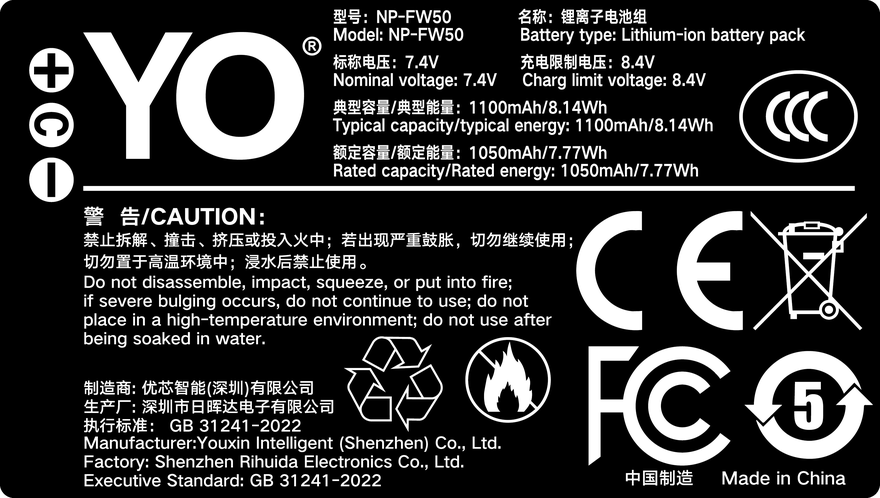
Rating label of the YO NP-FW50 battery: nominal voltage, typical capacity and safety certifications.
1. First: is the pack worn out, or is it a false fault?
Plenty of people fit a new pack and find the problem unchanged, because the problem was contact resistance all along. After years of use the metal contacts on an FW50 oxidise, collect dust, or loosen at the latch, and the symptoms look identical to a dead battery. Sort it out with these checks first:
A different pack behaves normally: the fault is in that pack — read on for the capacity test.
A different pack misbehaves too: inspect the contacts in the body for a dark oxide layer and wipe them with a cotton swab (never sandpaper), then check whether the bay is loose.
The gauge jumps but shooting is fine: usually poor contact on the communication pin, or a worn cell whose voltage curve has steepened. The first can be cleaned; the second cannot.
It drains while sitting unused: self-discharge is clearly fast, which points to an aged cell or a leaky protection board. That is genuine wear.
One more case is easy to misdiagnose: shooting outdoors in winter and watching the gauge fall from 50% to 10%. The pack is not failing; cold raises internal resistance. Put it back in an inside pocket to warm up and most of the reading usually returns. For how cold affects usable capacity, see the site’s -10°C cold test written around the NP-FZ100 — the mechanism is identical on an FW50.
2. Three steps to estimate what your FW50 has left
You do not need lab equipment; the camera itself gives a rough but usable reading. Run the test on the same body with the same settings so the numbers are comparable.
Do one full charge and discharge: charge in a dock charger (an original unit such as the BC-VW1) until the indicator goes out, then shoot continuously until the camera shuts itself down. Do not recharge in between and do not leave it idling.
Record two numbers: the total frame count, and the elapsed time from power-on to shutdown. For video, record the minutes of continuous recording instead.
Compare against a baseline: use the body’s official CIPA figure, or a pack you know is healthy. Above 80% remaining is normal ageing; 70-80% starts to affect real work; below 70% it is time to replace.
In practice, an FW50 under normal use reaches the 80% mark somewhere around 300-500 full cycles, which maps to three to five years for a typical owner. If you shoot only a dozen times a year, a pack may still hold decent capacity at five years, but self-discharge will be faster, so top it up before every trip.
3. Swelling: the signal to take seriously
Swelling means gas has formed inside the cell, and it is irreversible structural damage. Being “still working” does not make it safe. The test is simple: lay the pack flat on a table and press gently on the corners. If you feel it rock, or if it takes force to push into the bay and drags on the way out, it has already swollen.
There is one rule for handling it: stop charging, stop using it, do not open it, do not puncture it, and do not put it in household waste or near fire. Keep a swollen pack on its own in a metal or ceramic container away from anything flammable, and get it to a collection point that handles lithium-ion cells as soon as you can. Do not take the risk for the sake of a few more shoots, and do not tape it flat — clamping the casing presses on the internal separator and actually raises the short-circuit risk.
Some conditions also mean immediate retirement: cracks in the casing, a smell of electrolyte, abnormal heat during charging (clearly above room temperature), or a charger that keeps reporting an error. All of these are far more serious than a drop in capacity.
4. Replace or keep: a decision table
Symptom
Still usable?
What to do
Above 80% capacity, no obvious faults
Yes
Keep using, top up every three months
70-80% capacity, drains a bit fast
Yes, but not as a primary
Demote to backup, leave it behind for important work
Below 70%, or falls from 60% to 10%
Not advisable
Replace; keep the old one for short pickups
Hot after charging, charger keeps erroring
No
Retire immediately and recycle
Swollen, deformed, or smells odd
Absolutely not
Retire, isolate, take to a collection point
On the subject of revival, one thing needs saying clearly: the only thing that can genuinely be improved is contact quality. Cleaning the terminals, tightening a loose latch and replacing a tired charger can genuinely bring a falsely faulted pack back to normal. But if capacity has actually gone, no software or folk remedy will help — the lithium ions in the cell are partly inactive, and that is a chemical loss. Consumer “battery rejuvenators” do essentially nothing for camera packs and carry an overcharge risk, so they are not worth trying.
In practice, there is no need to insist on an original when replacing an older body. The FW50 has been out of production for years, and plenty of “new original” stock is old inventory or refurbished. A third-party pack with honest ratings and a temperature-sensing contact is better value — the YO FW50 is one of that kind, typically priced well under a hundred yuan, which is enough to keep an older body going. To see how other owners of the same bodies build their kit, browse the NP-FW50 category.
Finally, a habit question: do not store a pack you are not using at full charge, and do not run it to shutdown before putting it away. 40-60% is the most stable state, topped up every three to six months, and that can add a year or two to a pack’s service life.
FAQ
Can freezing an FW50 restore its capacity?
No, and it carries risk. Cold does not bring inactive lithium ions back, and condensation after removal can damp the protection board. The idea has some history from the nickel-metal-hydride era; it does not apply to lithium-ion cells.
The gauge says 30% and the camera shuts down. Why?
Most often the cell has aged and its voltage curve has steepened, so the remaining-charge estimate is off; cold weather or higher contact resistance can do the same. Clean the contacts, warm the pack and retest, and if the behaviour persists treat it as capacity loss.
Can a swollen pack stay in the camera as a ballast weight?
Not advisable. A swollen pack is under internal stress, and any pressure or temperature change can make it worse — it is a hazard even when it is not charging. The right move is to get it to a collection point promptly rather than store it at home.
Do third-party FW50 packs last less long than originals?
It depends on the cell, so no blanket answer applies. Good third-party cells can come close to original cycle life, while cheap products may fade noticeably within a year or two. Judge by whether the rating is plausible and whether protection circuitry is present, not by the brand label.
Direct answer: the two batteries are not interchangeable. The EN-EL25 is the battery for compact APS-C bodies like the Z30, Z50, Z50 II and Z fc — 7.6V and physically smaller. The EN-EL15 family has both higher voltage and higher capacity and serves the full-frame Z5 / Z6 / Z7 and most Nikon DSLRs. The two differ in shape, latch position and contact layout, so neither fits the other’s compartment, and no trustworthy adapter exists.
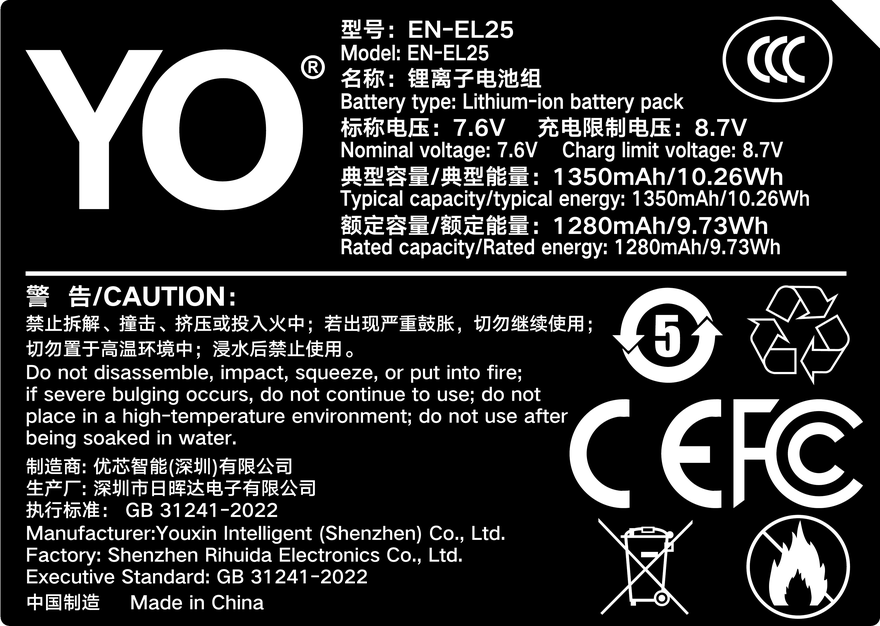
Rating label of the YO EN-EL25 battery: nominal voltage, typical capacity and safety certifications.
Why small bodies get small batteries
The Z fc and Z30 are built around a lightweight design: body height and grip dimensions leave no room for a large battery. The battery is one of the heaviest components inside a camera, so fitting a bigger one would mean a deeper grip and a heavier body — the opposite of what these models are about. Nikon’s answer was a new, flatter battery, the EN-EL25: trade capacity for weight, and let users make up runtime with spares.
That is why “smaller battery” should not be read as “inferior battery”. The EN-EL25’s energy density is not low: the compatible battery in this article has a typical capacity of 1350mAh (rated 1280mAh), which at 7.6V corresponds to 10.26Wh typical / 9.73Wh rated — somewhat above the OEM’s roughly 1120mAh (about 8.5Wh at 7.6V) rating. The issue is only the small absolute capacity: under heavy use you simply carry more of them.
EN-EL25 vs EN-EL15 at a glance
The table below summarizes the gap. Note that the EN-EL15 family spans several generations with non-uniform specs, so it is compared qualitatively here and no specific figures are listed for it.
Higher in both voltage and capacity; no specific figures listed here
Full-frame Z series (Z5 / Z6 / Z7), most Nikon DSLRs
The picture is clear: the EN-EL15 serves full-frame bodies and DSLRs with higher power draw — bigger, higher voltage and capacity — while the EN-EL25 serves bodies built to minimize weight. Each is matched to its system’s power budget; this is not simply a large and a small version of the same design.
Why mixing them is absolutely off the table
Online you will occasionally find the question “they look similar, can’t I force it in?” The answer is a firm no.
It physically does not fit: dimensions and latch positions differ, and forcing it risks damaging the compartment door and contacts.
Contacts are not the same: even where shapes look close, the communication pins are defined differently; the body uses them to identify the battery and manage charging and discharge. A wrong connection can cause anything from an error message to damaged power circuitry.
No reliable adapters exist: there is no trustworthy cross-compatibility solution between the two families. Treat any “adapter shell” with suspicion — do not gamble with your camera.
Spare strategies for the two camps
EN-EL15 users run high-draw bodies with big batteries; one or two spares plus an external charger usually covers a day. EN-EL25 users in the Z30 / Z50 / Z fc camp face the opposite trade-off: short per-battery runtime, but cheap and light batteries. The right strategy is “more, and light”: start with three — one in the body, two in the bag — and add more for video based on runtime. At ¥131.40 per battery for the compatible EN-EL25 covered here, carrying three or four costs far less than a big-battery setup. For more on choosing, charging and maintaining these batteries, see the Nikon EN-EL25 category; the product itself is on the product page.
FAQ
Which battery does the Z50 II use?
The same EN-EL25 as the Z50 / Z30 / Z fc — a new body generation does not mean a new battery. Buy spares to the EN-EL25 standard.
What about newer versions in the EN-EL25 family?
Manufacturers make minor revisions within a battery family; simply buy the model compatible with your body. The compatible battery covered here is built to the EN-EL25 specification and works in the Z30, Z50, Z50 II and Z fc.
Can I charge an EN-EL15 and use it in a Z50 as an emergency?
No. An EN-EL15 physically cannot enter a Z50’s compartment, and charging it changes nothing. The emergency options are charging the in-body EN-EL25 over USB or swapping in a spare.
Are chargers for the two batteries interchangeable?
No. The two families differ in size, contacts and charge management, so the charger must match the battery type. Using the wrong charger risks damaging the battery as well.
Short answer: Sony’s support page lists 28 E-mount interchangeable-lens bodies for the NP-FW50 — ZV-E10, the α7 / α7R / α7S first and second generations, the APS-C models from α6500 down to α3000, the entire NEX line and the ILCE-QX1. Cyber-shot RX10 models and some early SLT bodies use the same cell but are not part of that E-mount list. Many bodies released later moved to the NP-FZ100, which is a different shape and does not fit. The reliable check is the label inside your battery compartment plus the official compatibility table, not “it is a Sony mirrorless camera”.
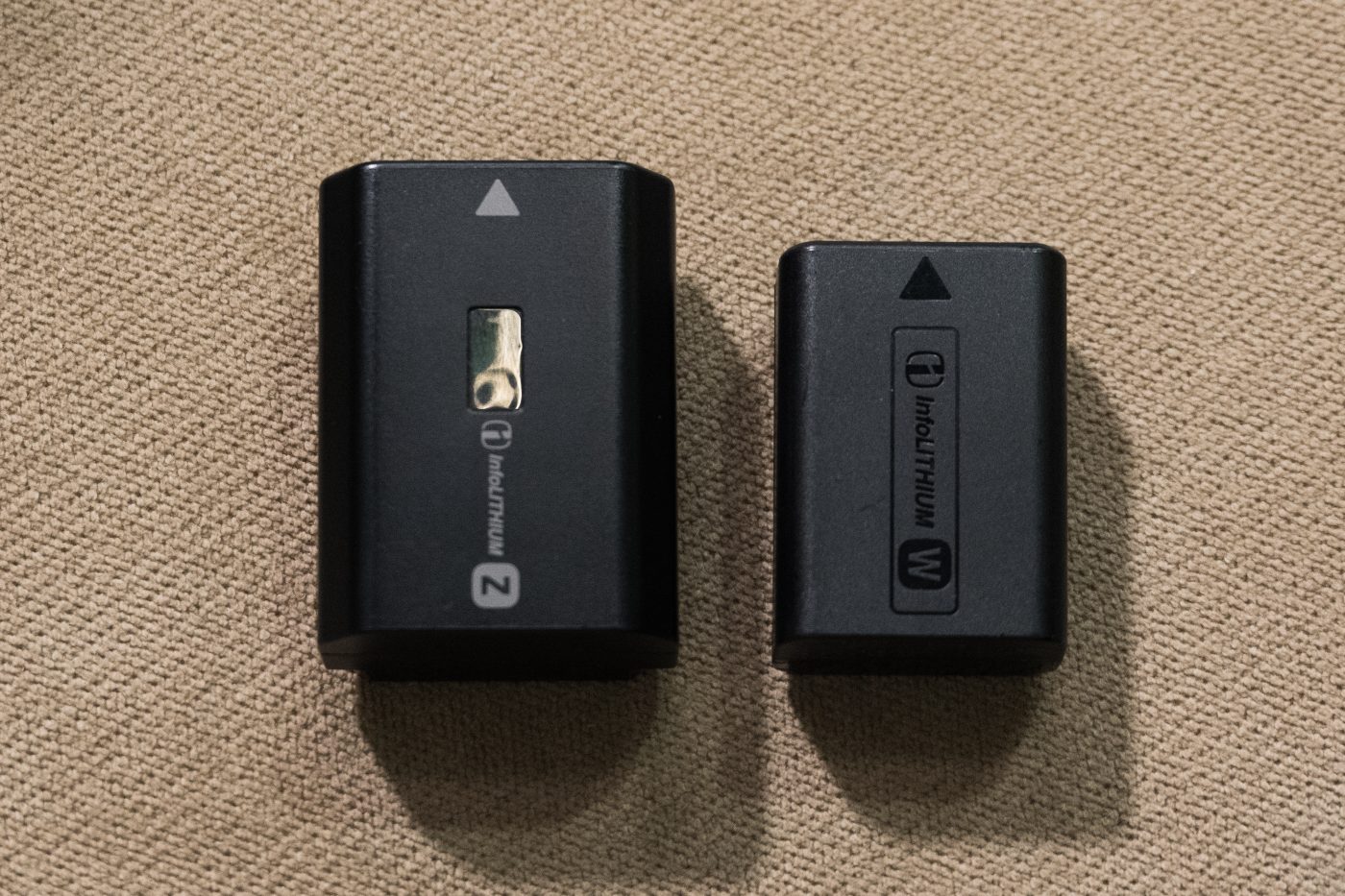
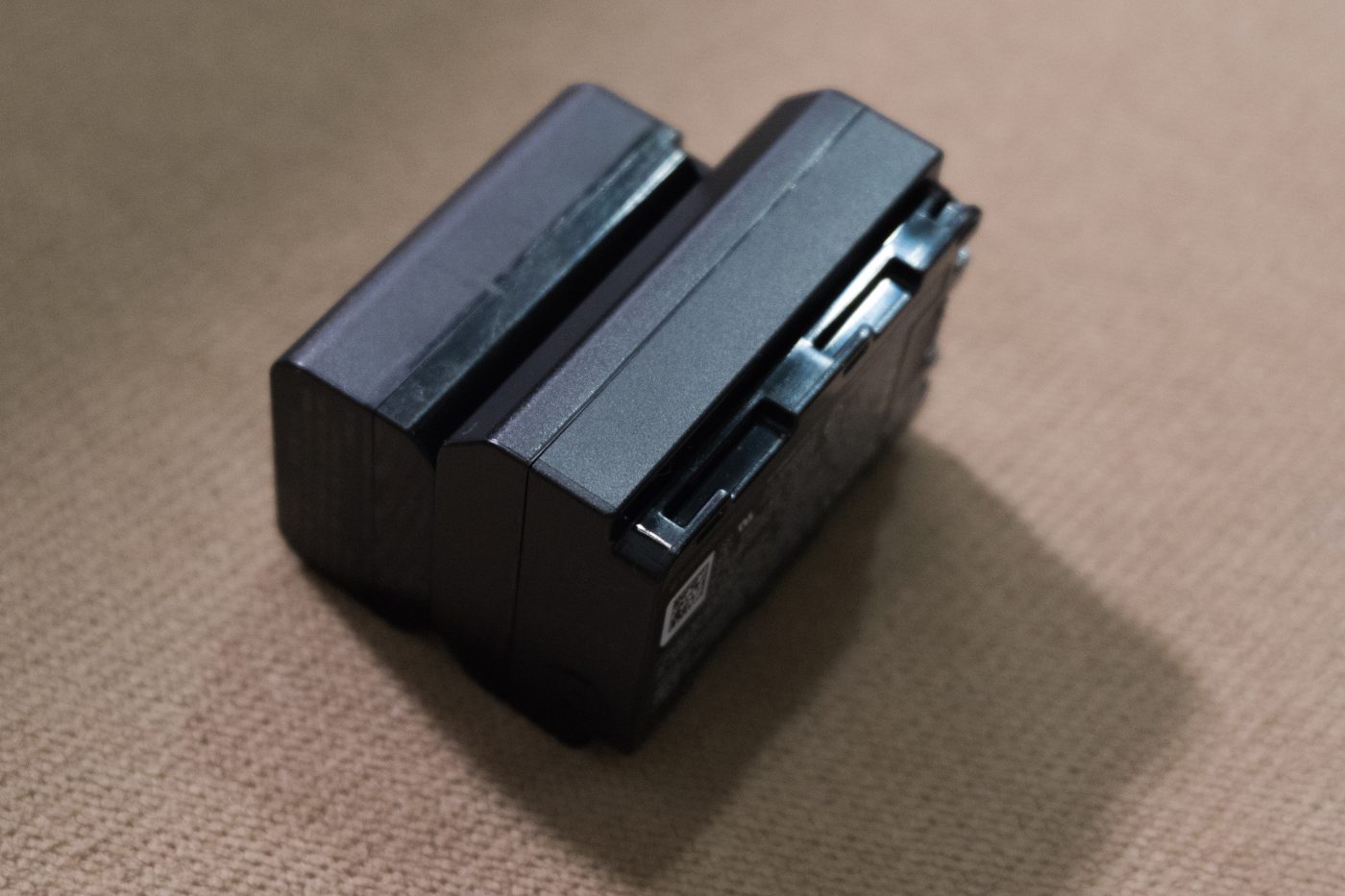
The NP-FW50 and NP-FZ100 are two different formats. Photo: Tinh tế Photo / Wikimedia Commons, CC0.
The official E-mount list, grouped
Model codes are more useful than marketing names because they are what is printed on the body plate and in the manual. Every code below appears on Sony’s NP-FW50 compatibility page. Some models carry a “compatible with restrictions” note there, meaning an individual function may be limited.
The table is useful as a negative list too: a body that is not on it should not be assumed to take an NP-FW50. Our NP-FW50 compatible cell states coverage of 21-plus popular bodies, a deliberately conservative count of commonly used models rather than the full official table. The two figures are not in conflict.
The boundary people get wrong: NP-FZ100
The NP-FW50 belongs mainly to the 2010–2016 generation of E-mount bodies. Sony later moved most new bodies to the higher-capacity NP-FZ100, with a different shell, contact layout and marking, so it physically cannot go into an NP-FW50 compartment. The FZ100 camp includes the α7 III, α7R III and later, the α9 family, α6600, α6700, and video bodies such as the FX3 and FX30.
The trap is that the names are almost identical: the α7 II takes FW50 while the α7 III takes FZ100; the α6500 takes FW50 while the α6600 takes FZ100; the ZV-E10 takes FW50 but that does not mean every later ZV body does. Even “the α6000 series” is a loose label that sometimes gets stretched to include the α6600 and α6700, neither of which is on the list above.
Easy to confuse
NP-FW50
NP-FZ100
Full-frame
α7, α7 II, α7R II, α7S II
α7 III, α7 IV, α7R III and later
APS-C
α6000, α6100, α6300, α6400, α6500
α6600, α6700
Video
ZV-E10
ZV-E1, FX3, FX30
Bodies outside this E-mount list
Sony’s page counts interchangeable-lens E-mount cameras only. Retailer and equipment references also list the Cyber-shot RX10, RX10 II, RX10 III and RX10 IV bridge cameras, plus early SLT models such as the A33, A35, A37 and A55, as NP-FW50 users. They share the same release era and the same W-series pack.
For any of those bodies, the compartment marking and the accessories page of the manual still outrank a third-party list. A list narrows the field; the label on the camera settles it.
Three checks before you order
Open the battery door and look for NP-FW50 printed inside or on the compartment label. This is the least error-prone step.
Find the ILCE-xxxx / NEX-xx / DSC-xxxx code on the bottom plate and match it against the table above. Do not match against loose labels like “an a6xxx”.
Decide whether you need a cell or an external-power accessory: the TNP-FW50 with USB-C has a port built in, while our NP-FW50 has none. Both are batteries and both fit the same bodies.
If you are still unsure, the NP-FW50 category groups articles by body and by capacity. Copying the exact model code into a question gets a far more accurate answer than describing “a Sony mirrorless camera”.
FAQ
Can the α7 III use an NP-FW50?
No. The α7 III (ILCE-7M3) takes the NP-FZ100, a different size that will not fit. The α7 and α7 II are the ones on the NP-FW50 list.
Which battery does the ZV-E10 take?
The ZV-E10 is on Sony’s NP-FW50 compatibility list. Check the marking inside the compartment before ordering; other ZV models with similar names should not be assumed to share it.
Is it 28 bodies or 21-plus?
Both, with different scope. 28 is the full count of E-mount bodies on Sony’s table, including older NEX and QX1 models. The 21-plus on our product page is a conservative count of popular bodies. Match your own model code and the question disappears.
Will a third-party cell be recognised?
The NP-FW50 is part of Sony’s InfoLITHIUM W series, so the body exchanges charge data with the pack. Compatible cells normally need a decoder chip to show remaining capacity. Camera firmware updates can occasionally change recognition behaviour, so no universal guarantee is sensible.
Most “dead” EN-EL15 packs are really dirty contacts, cold cells or normal ageing. Run three quick checks before buying a replacement. Batteries are consumables. As cycle count rises, internal resistance increases and the pack shows full charge for less time, or shuts down abruptly in the cold. Work in order: clean the contacts, retest in a second body, then log the shot count from three full charges.
By CIPA standard the Z6 III delivers about 380 shots per charge (D850 1500+). Real-world figures fall with viewfinder use, bursts, flash and low temperature, so budgeting around 70% of the rating is safer.
Symptom checklist
The table lists four symptoms by how often they occur. In most cases a replacement is not yet necessary; rule out contact and temperature factors first.
Symptom
Likely cause
What to do
Full charge drops to low very quickly
Oxidised contacts or an aged cell
Clean the contacts, retest in another body, then log full-charge shots
Body reports "cannot recognise this battery"
Third-party decoding mismatch or dirty contacts
Wipe and reseat; if it persists, test with an original-spec cell
Shuts down suddenly in the cold
Higher internal resistance causes a voltage dip
Keep spares warm in an inner pocket and retest at room temperature
Shell bulges or the pack runs hot
Overcharge, hot storage or aged cells
Stop using it immediately and recycle under local rules
A three-step diagnosis
Step one: wipe the contacts with a dry soft cloth and reseat the pack. Step two: retest in a second body from the same family. Step three: log the shot count from three full charges to separate real ageing from a bad gauge.
Item
Value
EN-EL15
EN-EL15 / 15a / 15b / 15c
EN-EL15c
2280 mAh / 16.4 Wh
en-el15
2600 mAh / 19.24 Wh
Z6 III
380 / D850 1500+
Z9 → EN-EL18d
EN-EL15 / 15a / 15b / 15c
EN-EL15 / 15a / 15b / 15c
2600 mAh / 19.24 Wh
When to replace the pack
Replace the pack when full-charge shots fall below about 60% of a new cell, the shell bulges, or the body repeatedly refuses to recognise it. Stop using a swollen cell immediately and recycle it properly.
To pick by model, start with the specifications and stock status on Nikon EN-EL15 2600mAh, then browse the full article set in EN-EL15; if your body belongs to a neighbouring system, EN-EL25 has the side-by-side explanation.
FAQ
Does a jumping charge level mean the EN-EL15 is dead?
Not necessarily. Clean the contacts, retest in a second body, then log the shot count from three full charges. Only a sustained drop in shots points to real cell ageing.
What if the camera says the battery is not recognised?
Dirty contacts or a third-party decoding mismatch are the usual causes. Wipe and reseat the pack; if it persists, test with an original-spec cell to separate a battery fault from a body fault.
Is fast drain in winter normal?
Yes. Cold raises internal resistance and causes a momentary voltage drop. Keeping spares in an inner pocket helps considerably, and capacity normally returns at room temperature.
When must the cell be replaced?
Replace it when full-charge shots drop below about 60% of a new cell, the shell bulges, it gets unusually hot while charging, or it is repeatedly not recognised. Never squeeze, puncture or recharge a swollen pack.
Short answer: with four batteries and two bodies, the point is not carrying more — it is numbering, a fixed rotation order, and one consolidated charge each evening. Concretely: split the four into groups A and B, A for the main body and B for the second, number each 1 and 2 within its group, swap strictly 1 to 2 through the day, and put the two spent batteries into the DR-FW50 together at night with the lid closed. The value of the routine is not saved power but the fact that you always know which battery is in hand, how much it has left, and where the next one is.
The plan below assumes a common pairing such as an A6400 with an A6000, or an A6400 with a ZV-E10. Both bodies use the NP-FW50 and the batteries are fully interchangeable, which is one reason this system suits two-body work.
Why two bodies need a rotation more than one
With a single body you carry one battery, and when it dies you change it. Simple. With two, the picture becomes two batteries in use, two in the bag, and two possibly in the case. Any moment of “I’ll just set this down” leaves you staring at four near-identical batteries half an hour later.
The FW50 shell has no charge display; you only learn the level by putting it in a body. That makes one misjudgment cost a lens change, a battery door, a swap and a remount — and at an event those thirty seconds can be the shot you miss.
A rotation turns improvisation into a fixed sequence. You do not have to remember anything; you just follow the rule.
Step one: number and group
Label all four. With a fine marker or label tape, write A1, A2, B1 and B2 on the back. Do not write on the contact face or anywhere that blocks the latch.
A for the main body, B for the second. The groups do not cross. The main body is usually the busier one, so give group A the two batteries in better condition.
Record the starting state. One line in a phone note: A1 new, A2 new, B1 genuine but old, B2 genuine but old. Three months later you will know which to retire first.
If one of the four is a TNP-FW50, put it in a group rather than setting it aside. Its USB-C port makes it the natural pick for the midday top-up slot; body compatibility is on the TNP-FW50 category page.
Labels exist to remove decisions. Before you leave you do not think about which two to take: A1 and A2 go in the bag, B1 and B2 are the spares. That is the whole system.
A day’s rotation schedule
Period
Main body (group A)
Second body (group B)
Case status
Before leaving
A1 full
B1 full
A2 and B2 full, standing by
Morning
A1 in use
B1 in use
Bays empty
Lunch break
A1 swapped out and cased
B1, depending on remaining charge
A2 goes into the body
Afternoon
A2 in use
B2 takes over as needed
A1 charging
Wrap
All swapped out
All swapped out
Two charging, two waiting
The pivot of this table is the lunchtime swap of A1. Most people shoot a battery until the camera shuts down, but with two bodies, deliberately replacing a half-full A1 at lunch avoids a scramble at the start of the afternoon. A1 goes straight into the case and is back by dinner.
The second body usually draws less, so group B needs one change a day. If the second body is running long recordings, treat it on the same rhythm as the main one.
Charging back at the hotel
The DR-FW50 takes two batteries at a time, so four means two rounds. A sensible split is the two that ran dry today first, the other two second. Two hours or so per round is typical, which is enough to finish both before bed. For the specifics of using the case, see the DR-FW50 category page.
If time is short, run a parallel top-up through the YO TNP-FW50’s USB-C port: one battery in the case, one on an adapter, and the two cables do not compete. That is the most practical value of a direct-charge battery on a trip — not replacing the case, but opening a second lane when the case is full.
Charge on a ventilated table, not on a bed, a carpet or inside a suitcase. The lid belongs closed for storage; while charging, leave it open to shed heat and close it once the lights go out.
Three common ways this falls apart. Avoid them in advance.
Forgetting which battery is uncharged. Four identical shells defeat memory. The rule is: the moment a battery leaves the body, it goes into the case, never back into the bag.
Charging only two and calling it a night. The second round is the one that gets skipped. Set a phone reminder, or leave the case by the door so you pass it on the way out.
Bringing too few cables. The case is powered over USB-C, and one spare cable solves more problems than one spare battery.
One further detail: do not bury all the batteries at the bottom of your carry-on. Pressure at security and while lifting bags in and out of vehicles is the main source of deformed shells.
FAQ
Are four batteries enough for two bodies over a full day?
For most event work, yes. At 300-400 frames per battery, four cover roughly eight hundred to fifteen hundred shots. For long 4K recording, plan on three per body instead.
Can two bodies share one set of batteries?
Yes. The A6000, A6300, A6400, A5100 and ZV-E10 all use the NP-FW50 and the batteries are fully interchangeable — which is exactly why this system suits two-body shooting.
Can the DR-FW50 charge two batteries at once?
Yes. The two bays are controlled independently and can charge two NP-FW50 series batteries at once, with each bay stopping when its battery is full. With the lid closed it doubles as a storage case.
Can an A6600 join this rotation?
Not directly. The A6600 uses the NP-FZ100, so neither battery nor case is shared and it needs its own kit. See the FZ100 category page for details.
A used Sony A7 III still runs on the NP-FZ100, the same pack shared across the A7, A9 and FX lines, which keeps spares easy to find and cheap. The short answer: replace the included battery, or at least add a fresh one. You cannot verify how many cycles a used pack has seen, and lithium cells hold roughly 80 percent capacity after 300 to 500 cycles. An unknown cell in front of important work is avoidable risk.
Product render of the YO NP-FZ100 compatible battery: front label, rear LED charge indicator and USB-C port.
At about $17.89 per compatible cell and about $36.74 for two with a charger, clearing that uncertainty costs very little. It is one of the better-value purchases you can make on a second-hand body.
Is the Included Cell Worth Keeping?
Run three quick checks:
Looks. Any swelling, uneven seams, darkened or badly scratched contacts. A swollen pack retires immediately and goes to a battery recycling point.
Label. Read the production date or batch code. Anything past three or four years will have lost capacity to natural aging even if it was rarely used.
Shoot it. Charge fully, then run a session and watch the discharge curve. A cliff from around 30 percent, or a warning after a dozen burst frames, means internal resistance has climbed.
If any one of those comes back poorly, do not rely on it as a primary. Emergency backup is acceptable; carrying the day is not.
Battery Checks for the Inspection
Check
How
Fault signs
Cell shape
Lay it flat on a table and see if it rocks; view the sides
Rocking or a visible bow means reject
Contacts
Look for oxidation, scratches, grime
Blackening, green corrosion, heavy wear
Compartment fit
Insert the cell and gently wiggle, listening for play
Looseness that can cut power momentarily
Charge readout
Full charge, then burst 20 frames and watch the gauge
Jumpy readings or shutdown during burst
Charging behavior
Note time to full and shell temperature
Unusually long, or hot to the touch
Body recognition
Confirm there is no “cannot be used” message
An ID error means checking model and contacts
If the seller includes a third-party pack, that is not a problem in itself — compatible cells are a legitimate option. Judge it on appearance and real-world behavior rather than brand. A note that remaining charge may display inaccurately is expected and does not stop shooting.
The Body Side: Compartment Checks
The battery compartment gets overlooked, but it affects power stability as much as the cell does:
Springs and contacts. Years of use bring oxidation and reduced tension, which raises contact resistance. A dry cloth helps; heavy corrosion warrants a service look.
Door and latch. Confirm it closes firmly. A loose door can cut power on a handheld shot or a gimbal, and that often gets blamed on the battery.
Liquid traces. Corrosion or an odd smell inside suggests the body has been wet, which raises questions about long-term power stability.
Firmware version. Older releases carry older battery management logic. Check the current version and update if useful, since it affects gauge accuracy.
Replacement Options and Budgets
Need
Kit
Notes
Typical spend
Minimum change
1 new cell, keep the original as backup
Lowest-cost route
About $22.93 for cell + charger
Recommended
2 cells + charger
Rotate two, original stays as emergency
About $36.74
Working primary body
3 cells + dual charger
No downtime for weddings, events, client work
About $36.74 plus about $17.89
Capacity first
2 cells at 2600mAh
More slack, better for long takes
About $39.92 for two with charger
On capacity, the 2600mAh NP-FZ100 and the 2600mAh NP-FZ100 (USB-C) carry the same 2600mAh, so runtime is identical — choose on charging convenience and budget. The parameters are explained in 2280mAh vs 2600mAh explained.
Verifying a New Cell
Charge it, install it, and confirm normal startup and a readable charge display.
Burst 20 to 30 frames and watch for jumps in the gauge or unexpected shutdown.
Record several minutes of video to check stability under sustained load.
Run one full cycle on the charger: the light should change and stop, with the shell only slightly warm.
Number the cell and log the purchase date, then review wear in six months.
Pass all five and it is ready for primary duty.
FAQ
Do I have to replace the battery on a used A7 III?
Not mandatory, but sensible. The cell is the least transparent part of a used purchase, and replacement costs far less than one ruined shoot. At minimum, test it before trusting it.
How can I estimate the age of a cell?
Bodies do not report cycle counts, so infer from the production date, the discharge curve and charging behavior. Anything that charges fast and drains faster is already well worn.
Can I use the third-party cell the seller included?
If it matches spec and passes the visual and shooting checks, yes. Compatible cells are a legitimate option — focus on swelling, clean contacts and whether it survives a burst.
The battery arrived swollen. What now?
Stop using it, do not charge or discharge further, and take it to a battery recycling point. Never puncture or burn it. Check the compartment for damage too.
Bottom Line
Only need a spare? The NP-FZ100 2600mAh comes on its own, with a charger, or as a two-battery kit. Both versions hold 2600mAh; the USB-C one costs slightly more and saves you carrying a dock.
Short answer: on these two bodies, the “power floor” for LP-E6P is not “will it still turn on” but “will it hold a heavy load without stopping when the charge is low”. The practical floor: do not start a top-spec recording below two to three tenths of charge, rotate two packs rather than stretching one, and the moment the body warns about low battery, stop the demanding take instead of gambling on another few dozen seconds.
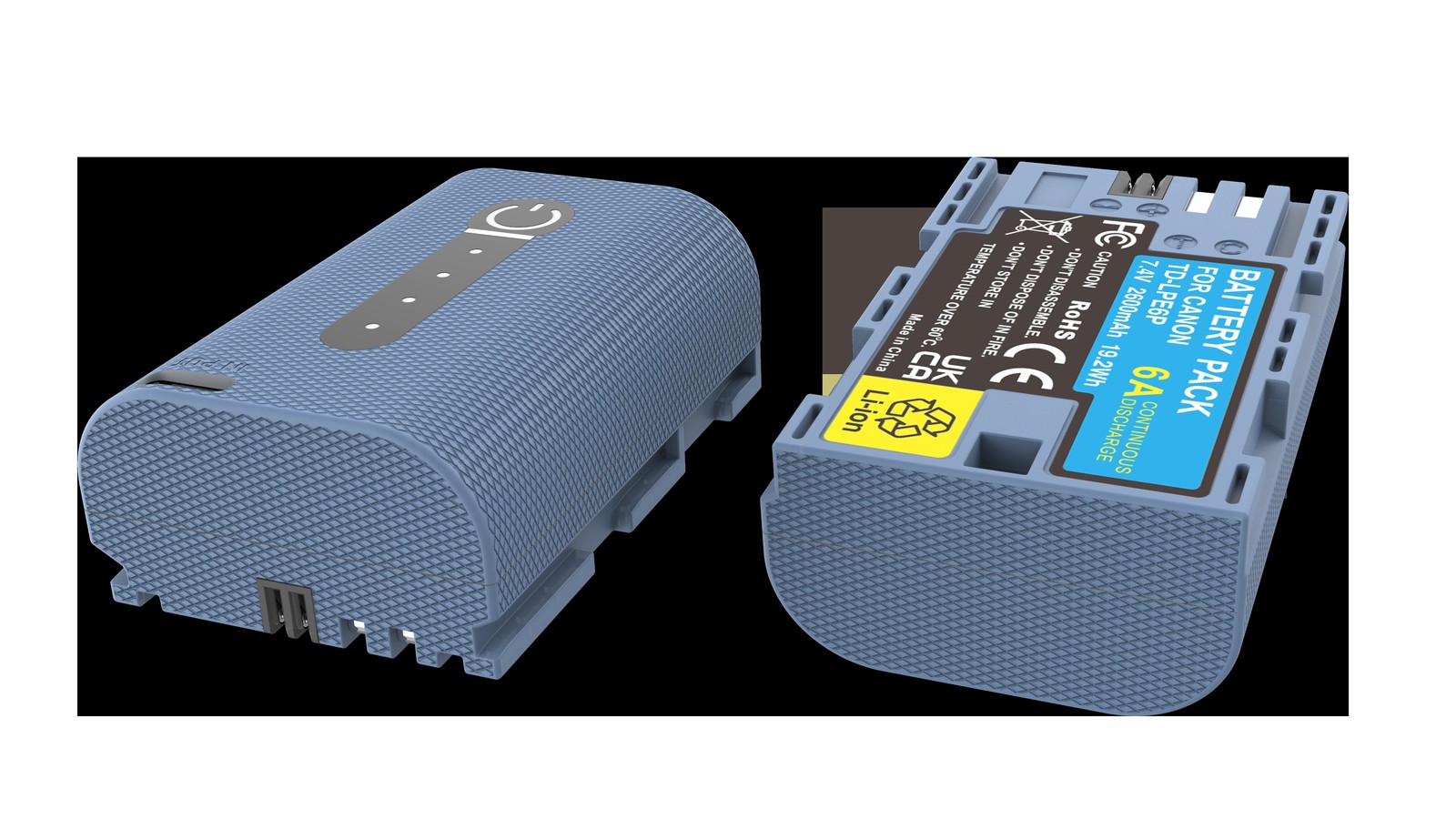
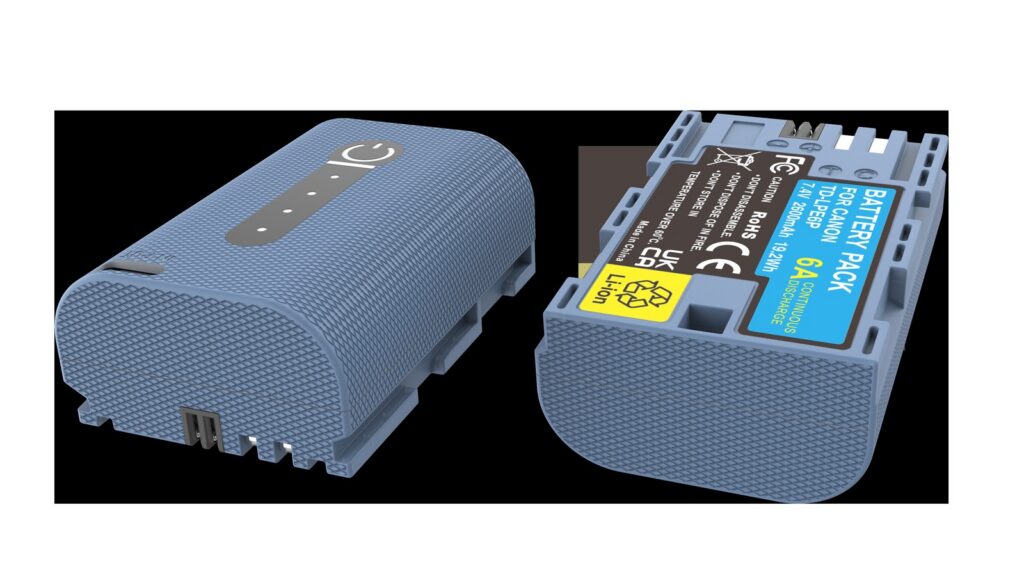
Product render of the YO LP-E6P compatible battery: front label, rear LED charge indicator and USB-C port.
The EOS R5 Mark II and the EOS R1 are both 2024 high-end models paired with LP-E6P. Their heavy-load profiles are not identical: the R5 Mark II has 8K-class recording needs, while the R1’s sensor resolution means 8K is not its selling point and the pressure comes more from 6K RAW and high-frame-rate 4K. What they share is that both demand more continuous discharge current than the R5 and R6 generation.
One: the floor is a voltage question, not a capacity one
The body judges pack condition from terminal voltage. Terminal voltage equals the cell’s open-circuit voltage minus internal resistance times current. At high charge the open-circuit voltage is high and resistance is low, so a big current draw barely dents it. At low charge the open-circuit voltage is already low, and resistance has grown with cycling and temperature, so the same current pushes terminal voltage below the protection threshold.
Once the threshold trips, the body typically warns about low battery, stops recording, or simply shuts down to protect itself. There is still energy in the pack; it just cannot be released under heavy load. That is why “one bar left” and “can record 8K” are two entirely different statements.
Temperature magnifies the problem. In the cold, electrolyte viscosity rises and internal resistance climbs, so terminal voltage collapses sooner. After long heavy recording the pack heats up, and higher temperature raises resistance as well. The same pack can therefore behave very differently outdoors in winter and in an air-conditioned room.
Two: how three load types compare
Load type
Current profile
Main source of strain
Relative strain
8K-class recording
Sustained high current
Sensor readout, encoding, cooling, card writing
Highest
6K RAW / high frame rate
Sustained high current, sharper peaks
Data volume, processor load, storage writes
High
Routine 4K recording
Moderate sustained current
Encoding and screen
Medium
Continuous stills
Short pulses
Autofocus and shutter
Low
The way to use that table is to allocate packs: give the healthiest one to the highest-strain tier and leave older packs for routine recording. Not the other way round — do not send a degraded pack into 8K and then suspect the body is overheating.
Three: five rules you can act on
Two to three tenths of charge is the red line. Below that, do not start a top-spec recording. Not because it cannot record, but because it may stop at any moment, and it usually stops at the worst moment of the take.
Use a full pack for the important shot. Changing a battery costs seconds; reshooting may cost an afternoon.
Do not relay between hot packs. Swapping one pack for another after a pack has run hot does nothing for the body’s internal temperature, and the second pack then works in worse conditions. Giving the body a few minutes to cool is more effective than swapping.
Warm packs up in the cold. For winter outdoor work, carrying packs in an inside pocket rather than the outer compartment of a bag buys noticeably more time.
Prefer external power for fixed positions. Some bodies support USB-C PD input, so for long interviews or livestreams you can run on mains and save packs for handheld work. Whether yours supports it depends on the body manual.
Four: variables beyond the battery, and a pre-shoot checklist
Memory cards. High-bitrate recording demands high write speeds, and an inadequate or overheated card will also stop the recording. That kind of stop looks very much like a power problem and is easily misdiagnosed as a battery fault. When troubleshooting, swap in a known-good card first, then a battery — it saves a lot of wasted effort.
Cooling. An overheated body will drop specs or stop recording on its own, independent of the battery. During long top-spec takes, open the side covers, keep direct sun off the camera, and avoid running it inside a closed bag. Good cooling also extends how long a given pack lasts.
A pre-shoot checklist follows the same logic. On the battery side: are there at least two fully charged primary packs, is one of them fairly new, do you have insulation for cold weather, are the charger and cables packed. On the body side: is the firmware reasonably current (some high-spec features depend on it), is there enough free space on the card, and does the recording spec match the card’s speed.
The list looks fussy, but it prevents the overwhelming majority of “it stopped halfway” incidents. Worrying about exactly how many minutes a particular pack will record is far less useful — that number changes with bitrate, temperature, cooling, and card speed, and only your own baseline data means anything. For how LP-E6P differs in intent from capacity-oriented packs, see the LP-E6P category; if you work on bodies like the R5 or R6, the LP-E6NH category is the better fit. For the physical shape of the four generations and how they interchange, see the LP-E6 category. YO’s compatible LP-E6P works well as a second or third pack covering routine recording blocks.
FAQ
Can I still record 8K at 15% charge?
Technically it may start, but it is not advisable. At low charge the terminal voltage is already low, and the current surge of a heavy load can easily trip protection within tens of seconds. A take that starts but cannot finish is worse than a clean low-battery warning.
If I rotate two packs, is runtime simply the sum of both?
Close, but not a simple sum. The body does not cool down during the swap, so the second pack works in worse conditions, and the real total is usually slightly below the sum of the two measured separately. Do not plan your day on 1+1.
Why is one pack fine on an R5 but strained on an R5 Mark II?
Because the two bodies draw different currents. The R5 Mark II needs higher sustained discharge in top-spec modes, and a degraded pack with raised internal resistance sags more easily in that situation. The pack is not broken; it simply no longer meets this body’s peak demand.
What does a “battery communication error” mean?
Usually oxidized or dirty contacts, or a fault in the pack’s protection board communication. Clean the contacts and retry first. If several packs fail in the same body, check the body’s contacts; if the same pack fails in several bodies, the pack needs replacing.
The Sony ZV-E1 and A6700 both run on the NP-FZ100. That is the main reason their stamina looks generous next to similarly sized rivals. One caveat up front: any test result quoted to the exact frame — “627 shots, precisely” — carries little weight. Screen brightness, stabilization, focus mode, ambient temperature and whether you roll video can each swing the outcome by tens of percent.
Product render of the YO NP-FZ100 compatible battery: front label, rear LED charge indicator and USB-C port.
Read results as a range instead. Official CIPA numbers generally sit between 500 and 700 frames, real-world use commonly delivers roughly 60 to 80 percent of that, and video sits lower again. As a buying rule, start with two cells for a ZV-E1 vlog setup and two to three for mixed shooting on the A6700.
Confirm It: Yes, These Bodies Use the FZ100
Both follow the same formula as the A7C line — small body, full-size battery. The confusion comes from Sony’s APS-C history: the A6400 and A6500 use the NP-FW50 and cannot take an FZ100. The A6700 is also APS-C but moved to the FZ100, so old habits will steer you wrong. Our Sony mirrorless battery comparison chart covers the full mapping, and the specs for this page’s cells are on the NP-FZ100 compatible battery page.
How to Run a Runtime Test Worth Trusting
Stills
A workable method: start from full, hold a fixed rhythm — one frame every 30 seconds without powering down — and count until the camera shuts itself off. That gives you something close to CIPA conditions. Real shooting adds review, live-view idling and stabilization on top, so expect your number to fall below the rating. Landing around 60 to 80 percent is normal, not a defect.
Video
Video measures better in minutes than frames: record continuously until the low-battery warning. Resolution and bitrate are the first-order variable — high-bitrate 4K draws noticeably more than 1080p — followed by stabilization and thermal behavior. A cell’s runtime under mixed shooting and under pure video are two different numbers and should be tracked separately. As covered in FX3 and FX30 power setups, cinema bodies generally schedule around a range of one to two hours per cell.
Why one number is not enough
Two cells of the same model can differ, thanks to cycle count, production batch and test temperature. When someone reports 800 frames, ask about the conditions first, then judge whether it applies to you.
The Variables That Move Runtime
Framing method: the viewfinder draws less than the screen. A flipped-out vlog screen left on is a fixed daily cost.
Stabilization and AF: continuous IBIS and subject tracking raise draw.
Video spec: high-bitrate 4K and high frame rates such as 60p and above cost noticeably more, and add heat.
Wireless: Wi-Fi, Bluetooth and FTP transfers running in the background drain steadily. Switch them off when unused.
Temperature: below about 32°F capacity drops clearly, and near 14°F you may see roughly half.
Battery health: lithium cells hold roughly 80 percent capacity after 300 to 500 cycles, so a clear drop after a year is normal aging.
How Many Cells, and Which Capacity
How you shoot
Cells to carry
Capacity
Typical spend
Everyday clips / weekend walks
2
2600mAh is fine
About $22.93 one-battery kit, or $36.74 for two with charger
All-day vlog
3 + power bank
2600mAh for margin
From about $19.66 per cell
Stills plus short video
2–3
Either, per budget
From about $36.74 for the two-cell kit
Travel with no charging window
3+ and a dual charger
2600mAh preferred
Add spare cells as needed
Both versions carry the same 2600mAh, so runtime is identical — the choice is purely about recharging. A simple tiebreaker: if you regularly run the last cell dry, get the 2600mAh NP-FZ100 (USB-C) and top it up from a power bank. If you finish the day with charge to spare, the 2600mAh NP-FZ100 is the better value. The full breakdown is in 2280mAh vs 2600mAh explained.
Care and Safety
Top up often instead of deep-discharging, and avoid long stretches parked at empty or full. Unplug once the charger light turns green.
Store at 40–60 percent, cool and dry around 59–77°F, and recharge every three months.
Slight warmth while charging is normal. Hot to the touch or a deformed shell is not — stop using it.
If a cell swells, retire it: recycle through a proper battery drop-off, never puncture or burn it.
A notice that remaining charge may display inaccurately is normal; keep shooting. “Cannot be used” or an ID error means checking contacts and model.
Flying: spares go in carry-on only, never checked. Protect the terminals, and confirm the per-passenger limit with your airline.
FAQ
Can the A6700 reuse A6400 batteries?
No. The A6400 takes the NP-FW50, the A6700 takes the NP-FZ100. Shape and contacts differ, so a body upgrade usually means new cells too.
Is one cell enough for vlogging with a ZV-E1?
For stop-start shooting, often yes. Continuous recording or long standby usually outruns it. Carry at least two and keep a power bank for emergencies.
Do compatible cells trigger warnings?
Some bodies show a note that remaining charge may display inaccurately. That is expected and does not interrupt shooting. What needs action is a “cannot be used” or ID error: check contacts and model first.
When should cells be replaced?
Lithium cells hold roughly 80 percent after 300 to 500 cycles. If one clearly cannot last half a day, or it swells or runs hot, replace it. Around two years is a common point.
Bottom Line
Build your kit: the NP-FZ100 is 2600mAh / 7.4V / 19.24Wh. Battery only, battery plus charger, or two batteries plus charger — pick under Bundle. If you would rather leave the dock at home, the same-capacity USB-C version (2600mAh / 7.2V / 18.72Wh) charges from any phone charger. Bulk orders: wholesale enquiry.