Posted on — Leave a comment

NP-FZ100 (USB-C) Buying Guide: Capacity, Decoding, Swelling

Short answer: to judge whether an NP-FZ100 replacement is worth buying, work through three steps — check that the rated energy and the weight agree with each other, run a ten-minute recording test in the camera, then squeeze the pack and lay it flat to look for swelling. The three steps map onto three different problems: inflated capacity claims, decoding compatibility and cell ageing. The first two can be finished before you order and on the day the parcel arrives; the third is a routine check for as long as you own the battery. Below are the pass criteria and the warning signs for each.

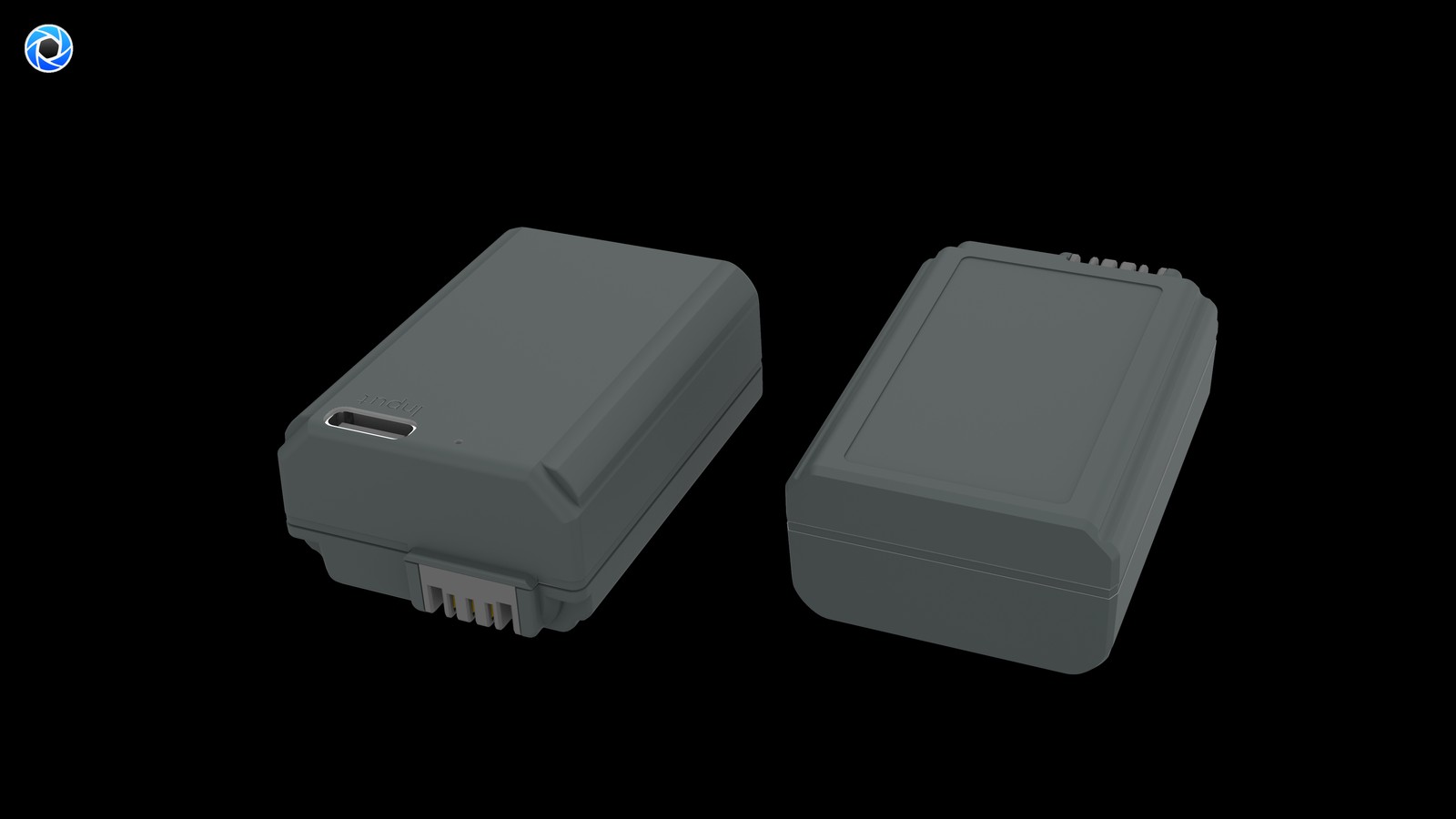
YO NP-FZ100 camera battery render
Product render of the YO NP-FZ100 compatible battery: front label, rear LED charge indicator and USB-C port.

Step one: use Wh and weight to catch inflated capacity

Battery labels usually carry both mAh and Wh, and the two figures have to agree: Wh = mAh × voltage ÷ 1000. The original NP-FZ100 is 2280mAh / 7.2V / 16.4Wh, and all three numbers line up. If a pack claims 3000mAh while still listing 16.4Wh, the spec sheet has been copied from somewhere else, and the real capacity will not exceed the original.

The second check is weight. Energy density in lithium cells has a physical ceiling, so a larger capacity has to show up on the scale. Most NP-FZ100 packs sit around 80 grams. A product that claims 3000mAh at seventy-odd grams and feels hollow in the hand is hard to believe. Conversely, be wary of a pack that is noticeably heavier than the original — some products add ballast to create an impression of solid construction.

The third is price. Replacement batteries being cheaper than the original is normal; that is the whole reason they exist. But a price that is unreasonably low usually means the cell grade, the protection board or the quality control has been cut. A competent pack under a hundred yuan is plausible; below that, it is fair to ask where the cost was removed.

Check Pass Warning sign
Wh against mAh Converts correctly at 7.2V within a reasonable margin Claims 3000mAh but Wh is still 16.4
Weight Around 80 grams, proportionate to capacity High claimed capacity but noticeably light
Camera recognition Percentage displays normally after power-on Percentage jumps, frequent warnings
Discharge curve Falls linearly to auto-shutdown Shows 30% then shuts down
Physical condition Sits flat, even thickness Rocks on a flat surface, bulges at the sides

Step two: a ten-minute recording test for decoding compatibility

“It powers on” is not the same as “it works”. Some packs start the camera normally but never update the percentage, or cut out halfway through a clip. Those faults only surface under actual recording. A ten-minute continuous take on the day of delivery costs almost nothing and screens out most of the risk.

Watch whether the percentage falls linearly

Record for ten minutes and watch whether the number moves smoothly. A healthy pack loses a few points over ten minutes of recording, and the curve is gentle. If the figure sits still and then drops in one jump, the fuel gauge is estimating badly, and usable capacity may be well below what is displayed.

Watch for early shutdown

The more serious case is the camera shutting down with a fifth of the charge still showing. That usually means the protection board is cutting output when a single cell’s voltage sags, which points to poorly matched cells. One occurrence is enough reason to ask for a replacement.

Watch how it behaves after a firmware update

Sony’s body firmware has changed battery recognition logic more than once, and a third-party pack that behaved perfectly can start throwing warnings after an update. Before buying, check whether your body model and firmware version have any publicly reported compatibility issues. If you hit one afterwards, update the firmware before concluding the battery is faulty.

Step three: swelling, judged by flat lie and thickness

Swelling is an inevitable part of lithium ageing; the question is when it starts and whether you notice it. The simplest check is to lay the pack flat on a table and press gently on opposite corners with a finger. A slightly swollen pack has already domed in the middle, so one corner will always lift.

The second move is to sight along the side edge against the light. A healthy pack has a straight side; a swollen cell pushes it into a curve. If you have calipers, measure the thickness and compare it with the day you bought it — anything past a millimetre of growth deserves attention.

The third signal is temperature while charging. Getting warm is normal. Feeling distinctly hot to the touch, or the shell staying much warmer than usual after a full charge, suggests internal resistance has risen. Stop using it at that point, and do not leave it in the camera overnight.

Cold weather magnifies all of this. Internal resistance rises below freezing anyway, and an aged pack degrades more sharply, so before a winter shoot it is worth running the checks in our sub-zero field test first.

How many to buy, and how to pair them

  1. Buy one first to test the water, confirm the percentage readout and shutdown point suit your body, then order more.
  2. Packs from the same batch behave more alike, and rotating them keeps the gauge estimates from drifting.
  3. Always keep at least one original or best-condition pack as insurance for the jobs that matter.
  4. Size the kit to the work: two packs covers a day of stills, and for video budget one per hour.
  5. A dual-slot case for charging and storage keeps the contacts from knocking against each other in a bag.

The point of this routine is not to find “the best battery” but to keep the risk inside a range you can live with — validate with one pack, then buy the rest. For more body compatibility and the wider product line, see the NP-FZ100 (USB-C) range, or check the model list in our FZ100 battery section to see which group your camera falls into.

FAQ

If the rated capacity is higher than the original, will it last longer?

Not necessarily. The NP-FZ100 bay is a fixed size and the cell volume is limited, so a large jump over the original rating usually means a different rating method or an inflated figure. The more reliable approach is to check whether the Wh is self-consistent, and to measure how long it actually runs.

Can a third-party battery damage the camera?

A competent one will not. The pack delivers a standard voltage through its protection board and the body draws power from the contacts; there is no mechanism by which it “burns out the mainboard”. The risk comes from poor cells and failed protection boards, which is exactly why abnormally cheap products are worth avoiding.

It has swollen slightly — can I still use it?

Not advisable. Swelling means gas has formed inside the cell, and continued charging and discharging carries a risk of further expansion or leakage. Stop using it, discharge it to a low level and take it to a local collection point under your regional rules. Do not put it in household waste.

How can I tell whether the cells have been refurbished?

Three things: whether the shell seams are rough, whether the contacts show obvious insertion wear, and whether runtime after a full charge is clearly shorter than the rating. When all three appear together, the cells are almost certainly not new.

Posted on — Leave a comment

Should You Run a Battery Flat Before Charging? NP-FZ100 Charging Basics

Direct answer: no, don’t run it flat. Lithium cells have none of the memory effect that nickel-based packs did; what they dislike is deep discharge and sitting at full charge. Top up whenever it’s convenient and keep day-to-day use in the 20–80% band. Long-term storage is the case that needs a rule: hold 40–60% charge, keep it cool and dry around 15–25°C, and top up every three months. Treated that way, most packs retain about 80% of original capacity after 300–500 cycles, so replacing around the two-year mark is a normal rhythm rather than a failure.

YO NP-FZ100 camera battery render
Product render of the YO NP-FZ100 compatible battery: front label, rear LED charge indicator and USB-C port.

What counts as one cycle

A common misconception is that plugging in once equals one cycle. It doesn’t. A cycle is the cumulative discharge of 100% of rated capacity.

  • Shoot down to 60% and recharge (40% used), then do the same tomorrow — those two sessions together make one cycle.
  • Draining from full to shutdown and refilling is also one cycle, but it’s harder on the cell.
  • So charging more often doesn’t burn extra cycles. What consumes life is total energy discharged and depth of discharge.

Depth of discharge versus lifespan

Habit Typical depth Cycle count Note
Shallow cycles (30–80% band) About 50% Higher Longest life; good daily default
Normal use (20–90%) About 70% Medium Balances convenience and life
Run to shutdown, then full (0–100%) 100% Lower Comparatively more wear
Stored at full charge — Clearly shorter Worse again in heat

These are experience-based ranges. Roughly 80% capacity remains after 300–500 cycles, so a pack that feels noticeably shorter after a year is showing normal aging, not a fault.

Heat is the other half of the aging story, and it’s easy to underestimate. Time spent at high charge in a warm environment wears a cell faster than the same time spent at a moderate charge in a cool one. A pack left on a dashboard for an afternoon, or charged straight after coming in from a hot car, is doing itself no favors — and no charging habit offsets that.

Good charging habits

  • Top up whenever. Plug in when you get home rather than deliberately draining first.
  • Don’t sit at zero. Left discharged for long, cell voltage can keep falling into over-discharge territory, and in bad cases the pack won’t accept charge again.
  • Don’t sit at 100% either. Full-charge storage speeds up aging; if you’re not shooting for a few days, bring it down to 40–60% before putting it away.
  • Unplug once the light turns green. Green means full. Leaving a pack parked on the charger gains nothing.
  • Warm is fine, hot is not. Slight warmth while charging is normal. Clear heat to the touch, any smell, or a deformed shell means stop immediately and take it out of service.
  • Charge at room temperature. Around 15–25°C is ideal. Let a pack recover after a hot car or a freezing day before charging.
  • Use a charger that matches the spec. Correct voltage and interface, from a known source — unbranded chargers often skip protection circuitry.

Storing packs you won’t use for a while

  • Hold 40–60% charge. That’s the balanced state for storage; better than full or empty.
  • Keep them around 15–25°C, dry, out of sunlight, away from radiators and damp.
  • Top up every three months. Packs self-discharge even unused, and skipping this can drop them into over-discharge.
  • Protect the terminals — original packaging or a cap — so they can’t meet metal.
  • Rotate through your packs instead of using one favorite while the rest sit untouched.

When to replace

Work through the signs in this order:

  • Runtime clearly shorter. Meaningfully fewer frames than when it was new in the same conditions, with temperature and settings ruled out.
  • Charge level jumping. Dropping from two bars straight to shutdown points to rising internal resistance. Try one full calibration first — see how to recalibrate the charge display — and replace if it doesn’t help.
  • Charging problems. Won’t turn green, won’t accept charge, or empties quickly after a full charge; charging troubleshooting steps covers this.
  • Physical damage. Any swelling, deformation, leak or smell means retire it now and follow swollen battery safety steps. No further charging or discharging.
  • Abnormal heat. Hot to the touch in normal use or while charging is also a stop-using signal.

For anything physical or heat-related, replace first. It isn’t worth risking an incident to save the price of one pack.

It also helps to set a replacement budget rather than reacting pack by pack. If you shoot regularly, retiring a couple of packs a year and keeping the rest in rotation costs far less than a mid-shoot failure, and it keeps your baseline consistent so you can plan battery counts with confidence.

FAQ

Does a new pack need a 12-hour first charge?

No. Lithium cells have no conditioning procedure. Charge it until full and use it; overcharging does more harm than good.

Does unplugging at half charge hurt it?

No. Shallow charging is kind to lithium cells. Plugging and unplugging freely is better than deep discharging.

Is it bad to run the camera until it shuts down?

Occasionally, it’s fine — just don’t make it a habit. Repeated deep discharge accelerates capacity loss and tends to catch you out at the wrong moment.

Do third-party packs have shorter cycle life?

That depends on the cells and build quality; a pack built to the same spec can come close. A genuine Sony NP-FZ100 runs $70 and up through official channels, so the appeal of compatible packs is kitting out several to rotate at a far lower cost — which suits anyone running multiple bodies.

Two charging options, same capacity: standard 2600mAh (dock required) or USB-C 2600mAh (phone charger or power bank). Pick the version on the NP-FZ100 product page; bulk pricing via wholesale.

Posted on — Leave a comment

LP-E6 Buying Guide: 2600mAh / 18.72Wh vs the Original LP-E6NH

Compare watt-hours before milliamp-hours: our LP-E6 compatible cell is 2600mAh / 18.72Wh, while the original LP-E6NH is 2130mAh / 16Wh. Milliamp-hours describe charge, not energy, so they cannot be compared across voltage platforms. Watt-hours (voltage x capacity) are the honest figure. Where a label states both a typical and a minimum rating, use the minimum for conservative runtime estimates.

Key specifications and limits: 8K / 30 fps → LP-E6P / LC-E6 150 min. Actual figures vary with resolution, frame rate, screen brightness and ambient temperature, so plan spares around the shortest figure in the table.

Two further versions are available in this system: LP-E6+ and LP-E6P, both rated 2600mAh. The EOS R5 Mark II identifies the cell and throttles 8K recording and 30fps bursts without the high-discharge LP-E6P; for ordinary shooting the LP-E6NH specification is sufficient.

Original vs our cell, item by item

The table puts the original rating and our compatible cell on the same basis. Price is the listed retail figure; check the product page for current terms. Where a minimum rating is printed, that figure is the better basis for conservative estimates.

Item Original Our compatible cell
LP-E6 2130 mAh 2600 mAh
Wh 16 Wh 18.72 Wh
mAh (min) — 2400 mAh
CNY — ¥111.6

Balancing capacity, price and warranty

Higher capacity does not double your shots: the body cutoff voltage and its fuel-gauge algorithm both shape the reading. For a spare cell, price, cycle life and warranty often matter more than the peak number.

Item Value
LP-E6 LP-E6 / E6N / E6NH / E6P
LP-E6NH 2130 mAh / 16 Wh
lp-e6nh 2600 mAh / 18.72 Wh
LP-E6 8K / 30 fps → LP-E6P / LC-E6 150 min
R5 II 8K / 30 fps → LP-E6P LP-E6 / E6N / E6NH / E6P
LP-E6 / E6N / E6NH / E6P 2600 mAh / 18.72 Wh

Choosing a kit by shooting load

For light use, one original plus one spare is enough. For a full day of travel or video work, carry two or more and rotate them through a dual-bay charger.

To pick by model, start with the specifications and stock status on Canon LP-E6 2600mAh, then browse the full article set in LP-E6; if your body belongs to a neighbouring system, canon-lp-e17 has the side-by-side explanation.

FAQ

Is 2600mAh an inflated rating?

Our LP-E6 compatible cell is specified at 2600mAh / 18.72Wh. The label also states a minimum of 2400mAh. while the original LP-E6NH is 2130mAh / 16Wh. Compare the Wh figures rather than mAh alone.

Should I look at mAh or Wh?

Wh. Milliamp-hours only become energy once multiplied by voltage, so comparing mAh across different voltage platforms is misleading. 18.72Wh is the like-for-like baseline for this pack.

Can a higher-capacity cell damage the camera?

No. As long as the shell, contacts and protection circuit match the system, capacity only affects runtime. The one caveat is that older bodies may report charge level inaccurately.

Should I buy one cell or two?

For a full day outside or video work, carry two or more and rotate them through a dual dock. For indoor or short sessions, one original plus one spare is enough. Budget conservatively against the EOS R5 II baseline.

Posted on — Leave a comment

Is a USB-C NP-FW50 Worth It? How It Differs From the Standard Cell

Label detail of a Sony NP-FW50 camera battery

Short answer: it is worth it if you regularly recharge away from your dock, and especially on older bodies like the NEX, first-generation α7 and α6000 that cannot charge over USB. Capacity is not the difference — both versions are 1100mAh at 7.4V. The direct-charge version puts the port on the cell itself; the plain version needs a dock. If you already own a dock and only charge at fixed locations, the premium buys you very little. Our NP-FW50 is quoted at 1100mAh typical, 1050mAh rated, 7.4V and 8.14Wh. The TNP-FW50 is also 1100mAh at 7.4V, with a USB-C port built into the battery.

Label detail of a Sony NP-FW50 battery
NP-FW50 label detail. Photo: Jimun Guao Weiaml / Wikimedia Commons, CC BY-SA 4.0; image resized from the original.

The difference is the charge input, not the cell

People often treat “USB-C or not” as a capacity question, but those are separate dimensions. Stored energy comes from voltage and capacity: both versions are 7.4V and 1100mAh, and our standard cell is quoted at 8.14Wh. The Type-C port is a change in where charging happens. The plain cell delegates that to an external dock; the direct-charge version builds the regulation and protection into the battery, so a cable is enough.

That also means the direct-charge version does not shoot longer. The same 8.14Wh is consumed at the same rate; a commonly quoted figure of roughly 350 frames on an α6400 does not become 500 just because the cell has a port. What improves is how you refill afterwards — a workflow and packing question.

The other easily missed point: this generation of bodies mostly has no USB power path. NEX, first-generation α7 and α6000 cannot charge the battery through the body, and cannot shoot while charging. Plain-cell owners therefore have to carry a dock; direct-charge owners carry a cable and optionally a power bank. Older bodies are where the on-cell port earns the most.

Three refill routes, with the arithmetic

Every figure uses the quoted 8.14Wh as the numerator, divides by an assumed input power, then by an efficiency of 0.8 to get hours. The power figures are assumptions chosen to make the sum readable, 0.8 is one uniform factor, and the results are estimates rather than fixed behaviour for any model. The constant-voltage tail usually adds ten to twenty minutes.

Method Assumed input power Estimate (8.14Wh ÷ power ÷ 0.8) What you carry
Plain cell + dock 5W 8.14 ÷ 5 ÷ 0.8 ≈ 2.0 hours Dock plus a wall socket
USB-C cell + phone charger 7.5W 8.14 ÷ 7.5 ÷ 0.8 ≈ 1.4 hours One USB-C cable plus charger
USB-C cell + power bank 5W 8.14 ÷ 5 ÷ 0.8 ≈ 2.0 hours Power bank, usable on the move
USB-C cell + 10W supply 10W 8.14 ÷ 10 ÷ 0.8 ≈ 1.0 hours Matching charger and cable

The power ceiling is set by the charging circuit inside the cell, the cable and the supply together. A larger power bank does not shorten the times above. At 8.14Wh the refill window is already short compared with larger cells such as the FZ100, which is why carrying one more pack usually beats chasing a faster charge.

When it pays off, and when it does not

Situation Verdict
Older body, frequent travel, no dock wanted Direct charge is clearly worth it
Dock already owned, charging only at home or hotel Plain cell is enough; save the difference
Several cells rotated and charged overnight A two-slot case solves more than one on-cell port
Livestreaming or long fixed-camera sessions Neither solves it; use a DC coupler dummy battery
Newer bodies that charge over USB themselves The extra port adds less

There is also a middle path: you need not replace every pack. Keep a plain cell in the camera, add one direct-charge cell as the spare that can be topped up anywhere, and let a DR-FW50 two-slot case handle parallel overnight charging. That is usually cheaper than a full swap. Specifications are on the TNP-FW50 page and the standard NP-FW50 page.

Direct charge is not shooting while charging

Power entering the port goes into the cell; it does not simultaneously run the camera. With a cable attached the battery is still discharging, and whether the level rises depends on draw versus input. On bodies without a USB power path, a cable is not external power at all. Continuous recording still calls for a dummy battery connected to an external supply.

Safety follows ordinary practice: stop using any cell that swells, smells unusual or runs abnormally hot; store long-idle packs around half charge; keep lithium cells in carry-on luggage with terminals insulated on flights. None of this changes with a Type-C port.

FAQ

Can the direct-charge version be refilled from a power bank?

Yes, that is its main use. The bank’s output protocol, the cable and the internal circuit together set real power; at a 5W assumption the estimate is about 2.0 hours. A power bank answers where you charge, not how fast.

Can I add a Type-C port to a plain cell?

Not advisable. The battery needs charge management and protection circuitry, and modifying a lithium cell raises safety and consistency problems with no reliable safeguard. A factory-built direct-charge cell is the sound option.

Will the USB-C version still charge in a two-slot case?

Yes. It remains NP-FW50 form factor with the same contacts and shape, so it seats in a DR-FW50 case normally. The port is an additional route and does not conflict with dock charging.

Why is it recommended most for older bodies?

Because NEX, first-generation α7 and α6000 have no USB charging path, leaving plain-cell owners dependent on a dock. Moving the port onto the cell bypasses that body limitation and removes a dedicated charger from the bag.

Posted on — Leave a comment

Olympus LI-90B Guide for the TG-1 to TG-3 and SH Line

Short answer: the LI-90B is an early Olympus 3.6V lithium pack with a nominal capacity of about 1270mAh, used mainly by the TG-1, TG-2, TG-3 and the SH-1, SH-2 and SH-3. From the TG-4 onward Olympus moved its rugged line entirely to the LI-92B, so the TG-5, TG-6 and the rebranded OM System TG-7 all use the LI-92B instead. Confirm the model on the base of the camera before matching a battery — far more reliable than ordering on the basis that “it is a TG”. The two look similar, but the latch and contact positions differ, and if it will not go in, it will not go in.

YO LI-90B battery rating label
Rating label of the YO LI-90B battery: nominal voltage, typical capacity and safety certifications.

This guide sets out the fitment mapping first, then runtime and spares.

1. Which bodies take the LI-90B

Body Battery Notes
TG-1, TG-2, TG-3 LI-90B Early rugged flagships, thicker bodies
TG-4 LI-92B The switch starts here
TG-5, TG-6 LI-92B No LI-90B support
OM System TG-7 LI-92B Brand renamed, battery unchanged
SH-1, SH-2, SH-3 LI-90B Stylus SH compact superzooms

The TG-4 is the clear dividing point. Many used listings still claim a “universal TG battery”, but from the TG-4 on both the compartment and the pack were reshaped, so nothing crosses that line. If your camera is a TG-5 or TG-6, the pack you want is the LI-92B, not the LI-90B.

2. How the LI-90B and LI-92B differ

Both are 3.6V lithium-ion packs of similar capacity, with the LI-92B slightly higher at about 1350mAh. The real difference is mechanical: case length, latch position and contact arrangement differ, which is why neither can be fitted into the other’s body. The power management protocol was revised as well, so even forced contact may not let the body read the charge correctly.

That means buying an LI-90B and finding it will not fit a TG-6 is a selection error, not a quality problem. The reverse — an LI-92B in a TG-3 — fails the same way. The most dependable method is to take the old pack out, read the model off the label, and search by that.

The capacity gap is almost imperceptible in practice. Spread across a single outing, 80mAh or so is usually worth a few dozen frames, far less than the effect of screen brightness or whether Wi-Fi is on. What actually matters is matching the model, not chasing those tens of milliamp-hours.

3. Runtime and spares on rugged bodies

The TG and SH lines are built for portability and the outdoors, so capacity was always modest. Against CIPA figures, this generation is mostly rated between 300 and 380 shots, and real use is heavily influenced by screen brightness, flash, Wi-Fi and video recording.

  • Stills with little playback: about 250-350 shots, roughly 70-90% of the official figure.
  • Heavy flash and Wi-Fi use: about 150-250 shots, a clear reduction.
  • 1080p video: about 60-90 minutes continuously, with the body stopping early once it heats up.
  • Cold: estimate 60-70% of room-temperature capacity; very obvious when skiing or on a winter coast.

Given that rugged cameras are mostly used for travel, snorkelling and the outdoors, carry at least two packs. The second need not be first-party, but it must be the right model and have basic overcharge and over-discharge protection. A YO LI-90B compatible pack is aimed at exactly this spare role — just check that the camera model and the battery label agree. More model information is on the Olympus LI-90B category page.

The SH series is a little different. These are compact superzooms, and the zoom motor and optical stabilization draw continuously, so the same LI-90B usually gives shorter runtime in an SH-2 than in a TG-3. If you mostly shoot distant subjects and zoom in and out often, start from two packs.

Charging habits affect lifespan too. The compartment on a rugged body is tight and cooling is limited, so charge with the camera off, take the pack out when full, and do not leave it plugged in overnight. After a long trip, store at around half charge rather than dropping a full pack in a drawer.

4. Compartment care on a rugged body

  1. Before opening or closing the battery door, confirm there is no sand or salt crystal on the O-ring.
  2. Rinse the body with fresh water and dry it before opening the door, so water is not carried inside.
  3. Replace the O-ring when it hardens or cracks; do not rely on silicone grease to keep an aged ring working.
  4. Remove the battery for long-term storage, leave a desiccant sachet inside, and close the door.
  5. If green corrosion appears on the contacts, wipe gently with a cotton bud and anhydrous alcohol — never scrape with a blade.

The battery compartment is the weakest point on any waterproof body, and most flooding happens just after it has been opened. When carrying spares, bag each one separately and keep them away from hard objects such as keys. On flights, lithium batteries travel in the cabin; the rules are in the lithium battery flying guide.

FAQ

Can the LI-90B be used in a TG-6?

No. The TG-6 takes the LI-92B, and the shapes and latches differ, so it will not fit the compartment.

The TG-7 changed brand — did the battery change too?

No. The TG-7 was released under the OM System name, but its body structure and battery spec continue from the TG-6 and it still uses the LI-92B.

Do the SH and TG series share batteries?

Between bodies that both take the LI-90B, yes — an SH-2 and a TG-3, for example. Anything on the LI-92B side is a different matter.

Can an old battery that will not charge be revived?

A pack deep-discharged from long storage can sometimes be woken by reseating it in the first-party charger several times. If there is still no response, the cells have failed and it should be replaced rather than coaxed further.

Posted on — Leave a comment

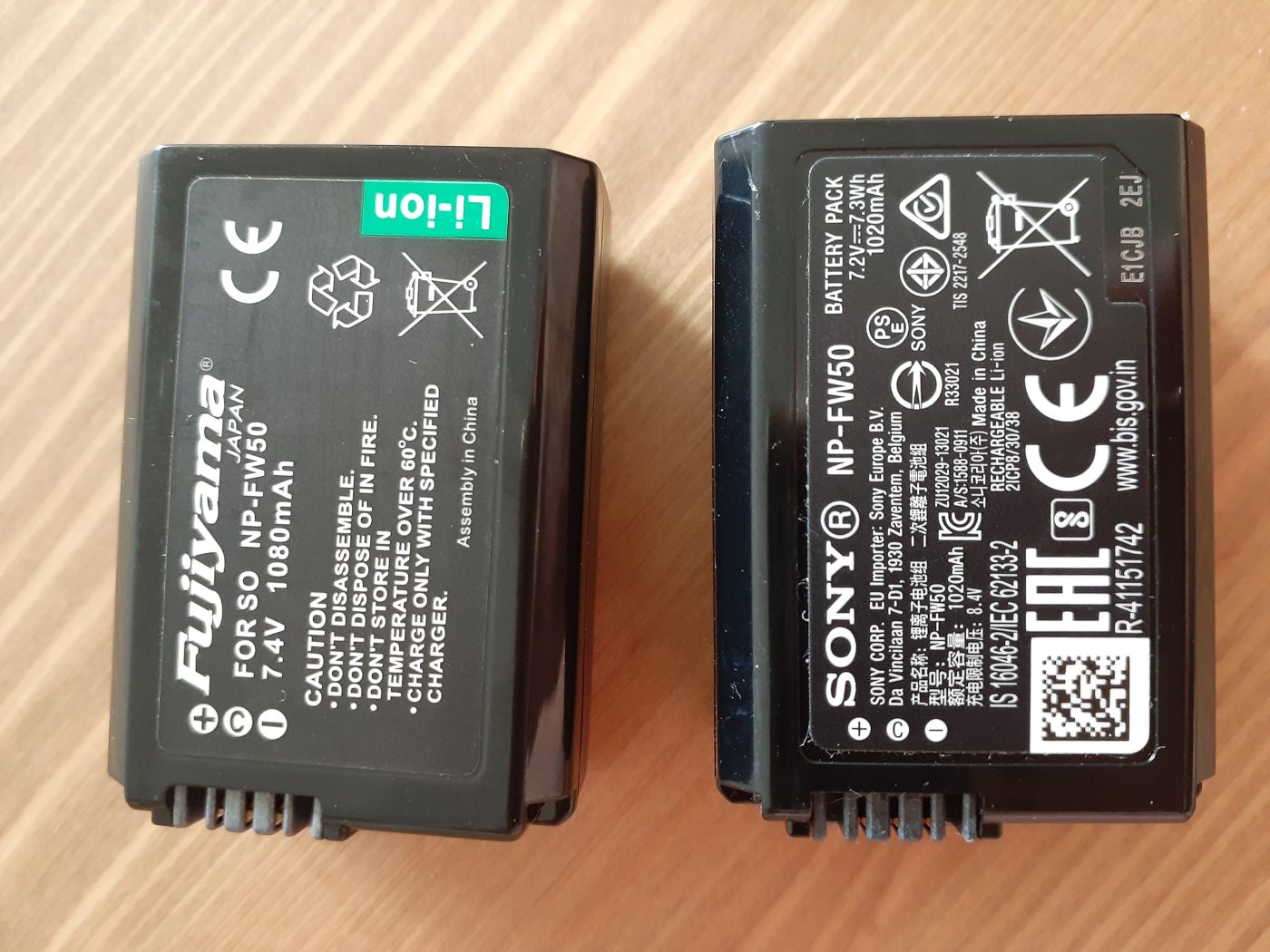
Spotting a Fake NP-FW50: Shell, Printing, Decoding, Weight

Short answer: to judge whether an FW50 is a counterfeit, work through four steps — check the shell’s mold lines and finish, check the printed type and its position, check whether the camera recognizes the pack and reports charge reliably, and weigh it against a known pack. If two or more of the four come up wrong, it is almost certainly a fake. One distinction first: a legitimate third-party pack such as the YO TNP-FW50 clearly labels its own brand and does not pretend to be Sony, whereas a counterfeit carries the SONY mark and imitates the original. Those are entirely different things.

YO TNP-FW50 camera battery render
Product render of the YO TNP-FW50 compatible battery: front label, rear LED charge indicator and USB-C port.

The FW50 attracts fakes because it has had a long production life, huge installed base, low unit price and steady demand. The counterfeiter’s goal was never to make a good battery but to make you believe you bought an original. So the question is not whether the pack performs well — it is whether it lies about what it is.

Step one: shell and mold lines

An OEM FW50 shell is a two-shot molding, and the parting line is fine and even, almost imperceptible under a fingertip. Fakes are limited by tooling precision and cost, so the line is usually coarser and rougher and catches a fingernail. Check three places: the long edges on both sides, the bottom corner nearest the contacts, and around any port cover or interface opening.

The material differs too. The OEM shell is fairly matte with a faint frosted texture, and after long use it goes uniformly glossy; fakes often use regrind, look gray or yellowed, develop shiny patches and tend to crack at the latch.

One more point that gets missed: the contacts. OEM contacts are gold-plated, warm in tone, evenly spaced and consistent in spring force. Fakes are often nickel-plated or bare copper, white or reddish, and show obvious scoring after a few insertions.

Step two: printing and typeface

Printing is the cheapest thing to fake and the easiest place to give yourself away. OEM print is crisp and sharp, set in a custom typeface with even letter spacing; fakes usually use a generic font, and under magnification the edges are soft and the stroke weights uneven.

What to look at Genuine Typical fake
Letter edges Sharp, no ink spread Soft, feathered or doubled
Model and capacity text Fixed position, aligned to a baseline Offset, crooked, not centered in the recess
Certification marks Correct proportions, even line weight Distorted proportions, lines blurring together
Serial number Laser-marked with depth variation Ink printed, rubs off
Origin and warning text Airy layout, sensible line breaks Crammed together, typos or odd phrasing

The last row deserves its own note. Fake warning text is often copied from a different model, so you see small slips such as “lithium battery pack” where it should read “lithium-ion battery pack”, or the voltage given as 7.4V instead of 7.2V. The FW50 is rated 7.2V / 1020mAh / 7.7Wh; if those three numbers do not line up, stop there.

Step three: decoding and camera communication

This step needs a camera. Fit the pack, power up and watch three things: whether a battery-related message appears, whether the charge indication moves continuously, and whether low battery still triggers a normal shutdown.

A genuine OEM pack and a properly made third-party pack both behave consistently on all three. Fakes typically show one of these: the gauge sits at 100% for a long time and then jumps to 10%; or the number leaps when you power off and on again; or the camera shuts down with plenty of capacity apparently left. All of these mean the decoding chip is only reporting numbers rather than reading the cells.

Bear in mind that older bodies (the NEX series, the first-generation A7) may show a message with third-party packs in any case, so this step has to be read alongside the specific model — it cannot be generalised. Model-by-model notes are in the TNP-FW50 compatibility section; if you are more interested in the OEM specification, compare against the ratings in the NP-FW50 battery section.

Step four: weight and feel

The hardest part to fake is the cell. An OEM FW50 bare pack usually comes in a little over 40 grams, and a gram or two either way is normal. Fakes cut cost with low-density cells and often feel clearly light; occasionally it goes the other way, with a steel slug added inside to give heft, taking the weight over the norm.

So compare rather than trusting your hand. Take three packs of the same model, weigh each on a kitchen scale: within 3 grams of each other is fine, more than 5 grams apart is worth suspicion. A rattle when you shake it also suggests poor assembly.

Feel includes the damping as the pack goes into the camera. A genuine pack slides in with even resistance and the latch clicks home; a fake is either loose enough to shift or so tight it needs force, which over time wears the latch in the camera’s battery bay.

Combine the four into one quick list to run through before you buy:

  1. Are the mold lines fine and even, the shell matte, the contacts gold-plated?
  2. Is the printing sharp, and do 7.2V / 1020mAh / 7.7Wh all agree?
  3. Does the camera recognize it consistently, is the gauge smooth, does low-battery protection work?
  4. Does it weigh a little over 40 grams, and do same-model packs sit within 5 grams of each other?

Two or more failures across the four is enough to call it. Conversely, if you bought a compatible pack that clearly states its own brand, it should not carry a Sony mark at all, and holding it to a “looks like the original” standard is unfair — what you are judging is whether it is honestly labeled and works reliably.

FAQ

Is a pack without a Sony logo automatically fake?

No. A legitimate third-party pack should not carry a Sony logo, and printing one would be infringement. The test is whether it impersonates, not whether it comes from a third party.

Is a very low price a sure sign of a fake?

Not necessarily. Compatible packs are legitimately much cheaper than OEM, which is a property of the category. The real red flag is a fake sold at OEM money, or a price so low it defies reason alongside a claim of being genuine original stock.

Can a fake damage the camera?

The risk sits mainly with the pack itself: inconsistent cells and a crude protection board can cause abnormal heat or sudden cutouts. The camera usually has its own protection, but using poor packs long term is not a good habit.

Is a used OEM pack worth buying?

Look at cycle count and age. The FW50 starts with modest capacity, and a worn pack may be down to sixty or seventy percent, so a low price may still not be good value. A new, properly made compatible pack is more predictable by comparison.

Posted on — Leave a comment

Mixing LP-E6P and LP-E6NH: Body, Charger, Firmware

Short answer: yes, they can be mixed. LP-E6P and LP-E6NH share identical dimensions, contacts, and voltage, so either will power any body that accepts the LP-E6 family without damaging the camera or the pack. But “compatible” is not the same as “identical in behavior”: in a heavy-load body such as the EOS R5 Mark II, LP-E6P runs the full feature set while LP-E6NH may be capped, whereas in bodies built around LP-E6NH, such as the R5 and R6, the two feel almost the same. On the charger side the two share one dock charger, and it is the firmware layer that decides whether the body can even tell them apart.

YO LP-E6P camera battery render
Product render of the YO LP-E6P compatible battery: front label, rear LED charge indicator and USB-C port.

Below, the three layers are handled separately, followed by a rotation checklist you can put to work immediately.

Layer one: the body decides whether there is any difference

The body matters most of the three, because it determines whether the pack’s capability can be used at all.

Body type Behavior when mixed Recommendation
EOS R5 Mark II Clear difference: LP-E6P handles high bitrate and fast bursts at full spec, LP-E6NH is restricted in some modes Use LP-E6P only for critical shooting
EOS R5 / R6 / R6 Mark II / R7 Very little difference: both packs meet the body’s demands Mix freely, just rotate by charge level
5D Mark IV / 6D Mark II / 90D Small difference, but LP-E6P may be recognized at a lower tier Make LP-E6NH the default, keep LP-E6P for backup
5D Mark II / III, 6D, 7D series, 60D-80D Small difference; LP-E6P may run as an ordinary pack, and a few bodies show recognition errors No reason to buy LP-E6P specifically

There is only one criterion that matters: is your body in the tier designed for high discharge? If yes, separate the two. If not, mix them as you like.

Layer two: the charger is shared, but read the label

Neither LP-E6P nor LP-E6NH has a USB-C charging port, so both charge in a dock charger. They can share one dock, and there is no need to buy two chargers.

Details worth watching:

  • OEM dock charger LC-E6 / LC-E6E. These belong to the same family and will charge either pack; charging time varies with capacity, temperature, and which dock you use.
  • Third-party docks. The safer choice is one whose label explicitly lists LP-E6P. Older units marked only for LP-E6 / LP-E6N may not reach full charge, or may take unusually long, because the charging curve differs.
  • Dual-slot docks. Charging two packs at once splits the current, roughly doubles the time, and concentrates heat in one place, so keep it ventilated.
  • In-body USB-C charging. Fine for emergencies, less suitable as your main way of topping up.

A useful self-check: put a pack that a third-party dock calls “full” into the OEM dock. If it keeps charging for a long while, the first dock is cutting off too early and the pack was never actually full.

Layer three: firmware decides recognition and limits

Canon firmware contains battery recognition and power delivery strategy. The same pack can behave completely differently across firmware versions:

  • Recognition. Whether the model can be read, the percentage displayed, and cycle data logged.
  • Feature access. Whether high-bitrate recording, fast bursts, and similar modes are opened up for that pack.
  • Warnings. Whether a message such as “cannot communicate with battery” appears.

This explains the familiar situation of “the same body works for someone else but not for me” — often it is simply a different firmware version. When recognition goes wrong, update the body firmware first rather than blaming the battery.

Set expectations accordingly: firmware updates exist to support new accessories and features, and they will not turn an old pack into a high-discharge one. Physical capability is a hard constraint; firmware only decides whether and how it is used.

A rotation checklist for mixed packs

  1. Number every pack and mark the model, using different colored labels for LP-E6P and LP-E6NH.
  2. Use only LP-E6P for heavy-load sessions (8K, high frame rates, burst shooting), even if the LP-E6NH still shows full.
  3. Mix freely on light sessions (stills, interviews, timelapse), draining the lower pack first.
  4. When two bodies share a pool, give the LP-E6P to whichever body demands more.
  5. Do not bother assigning dock slots, but return each pack to its own place after charging so you grab the right one next time.
  6. Inspect every six months: case swelling, oxidized contacts, an obvious drop in runtime.

If you are still deciding whether to add an LP-E6P for an R5 Mark II, start with the compatibility boundaries in the LP-E6P category. If your body is an R5 or R6, the upgrade is not really necessary, and the options in the LP-E6NH category are the better value. Third-party brands such as YO mostly cover the LP-E6NH-compatible slot at this spec level; for LP-E6P high-discharge work, OEM remains the recommendation.

FAQ

Does mixing LP-E6P and LP-E6NH shorten battery life?

No. Mixing means alternating different models in the same body, and the body manages each according to its characteristics. There is no cross-contamination. What really shortens life is heat, deep discharge, and long-term storage at full charge.

Can both packs charge at the same time?

Yes, a dual-slot dock supports two packs at once. Keep in mind that current is split, charging takes longer, and more heat is generated, so charge in a ventilated spot.

Why does LP-E6P feel the same as LP-E6NH on an R5?

Because the R5 was designed around LP-E6NH. Its current demand never exceeds what LP-E6NH can supply, so the extra discharge capability of LP-E6P goes unused. That is not a fault in the battery.

Will a firmware update restrict older batteries?

Typically no new restrictions are added, but recognition strategy can shift slightly between versions. If an unusual warning appears after an update, consider rolling back or confirming with Canon support. Flashing unofficial firmware yourself is not advisable.

Posted on — Leave a comment

How Many FW50 Batteries to Pack for a Trip, and Where

Short answer: at 1020mAh per FW50, carry two batteries for a half day of city shooting, three for a full day outdoors, four for a two- to three-day trip, and for a week or more plan “days plus one” but rarely more than five, since the DR-FW50 dual case can refill them every night. The variable that matters is not trip length but whether you get reliable socket time each day. Anywhere you can charge overnight, the number you need drops fast.

Many people pack extra and come home with two batteries still sealed. The right approach is to size for your worst day and add one spare, not to multiply by total days.

Start with consumption: think in days, not frames

The FW50 is a small battery; on an A6xxx body one roughly covers 300 to 400 stills, or 50 to 70 minutes of video. Travel shooting has a particular pattern — few frames, long power-on time — so standby draw is a large share, and converting from frame counts alone will underestimate use.

Trip type Rough daily use Carry Reasoning
Half day of street shooting Just over one battery 2 Swap when one dies, charge back at the hotel
Full day outdoors, evening included 2 batteries 3 One in reserve for an unplanned extra shoot
Two- to three-day trip 2 batteries a day 4 Rotate in pairs; the case fills two each night
A week or more 1.5-2 batteries a day 4-5 No need to scale linearly with days
Video-heavy 1 battery per 40 minutes 5 and up High draw, and no window to recharge

The last row follows different logic from the others. When shooting video the camera runs continuously for long stretches with no chance to swap out and charge, so the batteries have to carry the whole session. Planning on one and a half per hour is the safer estimate. If the day involves interviews or event coverage that cannot be interrupted, err toward the top of the range.

The case solves management, not just charging

Four loose batteries sounds like a minor inconvenience. In practice it means digging around the bag, losing track of which are full, contacts knocking against keys and coins, and hunting for a cable per battery back at the hotel. The DR-FW50 gathers all of it into a hard shell; closed, it becomes a single battery module about the size of a cigarette pack.

Status tracking matters more. Agree on one simple rule: full batteries go in with the terminals facing up, spent ones facing down. Open the case and you can see at a glance how many are usable without fitting each one into the camera to test. That habit beats any label.

It also removes the charging queue. Back at the hotel, two batteries go into the case and one cable goes in the wall; by morning both are full. Whichever battery is left over tops up from a power bank through the TNP-FW50’s direct-charge port. With both paths running at once, four batteries can be ready in a single evening.

Packing it: three positions

The case is a flat rectangle, which makes it easier to place than bare batteries. These three spots are ordered by how often you reach for it.

  1. Top-lid pocket or front pocket of the camera bag. Fastest access, and you can swap a battery without taking the bag off. Keep it away from hard items like tripod plates and quick-release plates.
  2. A divider slot in the main compartment. Wall off a small cell with dividers and slide the case in upright; it takes no lens space and will not roll around.
  3. A small shoulder bag or coat pocket. Good for one-day trips with two batteries, and in cold weather your body heat keeps them warmer, which helps.

Places to avoid: the very bottom of the pack against your back, where access means unpacking everything; checked luggage, since lithium batteries should not be checked; and a car’s center console in summer, where heat accelerates aging.

Security checks and flying

Lithium batteries must travel in the cabin, not in checked baggage — that is the general rule. A single FW50 is only 7.7Wh, far below the common 100Wh limit, so carrying several is usually uneventful. At security, pulling the case out of your bag as one unit is easier to explain than loose batteries: it is a finished product, not a pile of bare cells.

For the finer points and how airlines differ in enforcement, see the guide to carrying lithium batteries on flights; the FW50 and FZ100 fall under the same capacity thresholds. Contact protection is worth noting too: the bays enclose the terminals, which is another reason the case is easier to travel with than loose batteries.

Combining case charging with direct charging

The two methods serve different purposes. Case charging suits anywhere you have a fixed base: two batteries at once, no supervision. Direct charging suits time on the move: one battery on a power bank, topping up as you walk.

The split I recommend is case charging at your accommodation in the evening, direct charging at cafés, stations and restaurants during the day. Even if you fail to find a socket one night, the power bank keeps you running the next day instead of starting empty.

If you do not yet own a direct-charge battery, start with the TNP-FW50 body compatibility and charging notes; if you only want a storage-and-charging setup for the batteries you already have, the DR-FW50 category page has the fuller specifications.

FAQ

Are two batteries enough for a week-long trip?

If you can recharge every night, yes. Rotate the two and charge both each evening and both are full by morning. The risk is a night with poor accommodation and no socket, so bring at least one battery that supports direct charging as redundancy.

Can batteries go in checked luggage?

No. Lithium batteries should stay with you in the cabin. The case can go in your carry-on, and passing it through security alongside your laptop makes the process smoother.

Do batteries need special handling in winter?

Yes. Usable capacity drops noticeably in the cold, so keep spares in an inside pocket rather than the outer pocket of the camera bag. After shooting, do not bring them straight from the cold into a warm, humid room; let them come back to room temperature before opening the case.

Can the case charge a phone like a power bank?

No. It is a charging case that needs an external supply, holds no charge of its own, and has no USB output. Bring a separate power bank for your phone.

Posted on — Leave a comment

One Spare or Two? How Many NP-FZ100 Batteries You Need

The short answer most people land on is start with two: one in the grip, one in the bag. A better method is to work out how many packs your camera eats in a day. Official CIPA figures usually sit between 500 and 700 frames, and real use commonly lands around 60% to 80% of that, less for video and burst work. A rating that looks like a full day can be half a day on location. Working backwards from that: one spare covers everyday shooting, while weddings, travel days and long recording sessions usually want three total.

YO NP-FZ100 camera battery render
Product render of the YO NP-FZ100 compatible battery: front label, rear LED charge indicator and USB-C port.

First, the math: how many packs is a day

Capacity sets the ceiling. Body draw sets what you actually get. The YO NP-FZ100 compatible battery is rated 2600mAh / 7.4V / about 19.24Wh, and the NP-FZ100 (USB-C) in the same family carries the same 2600mAh at 7.2V / about 18.72Wh. Runtime is capacity divided by draw, so the same pack behaves differently in an A7S III than in an A1.

  • Stills, intermittent shooting: closest to the CIPA figure. Take 60–80% of that 500–700 range and most bodies use one to two packs a day.
  • Burst and live view heavy: screen and processor run constantly, draw climbs, and two packs a day is a safer plan.
  • Video: long 4K takes are hard on a pack. One cell often does not reach two hours, so three or more is the comfortable number.
  • Cold conditions: capacity drops noticeably below freezing, and around -10°C you may see roughly half of room-temperature runtime. Plan on 1.5–2x your usual count. Details in cold-weather runtime tips.

Recommended count by scenario

Scenario Total packs Notes
Weekend snapshots, a few times a month 2 One in the body, one spare, enough for a full day
Street and portrait sessions 2–3 Live view use means you may swap twice in a half day
Weddings and event coverage 3–4 You cannot stop. Carry one more rather than hunting for an outlet
Travel, sunrise and sunset locations 3 Cold plus limited charging; pair with a power bank
Video and long-form vlogging 3+ or external power A dummy battery with an adapter is steadier — match voltage and connector

What one pack versus two costs

A single YO NP-FZ100 is around $17.89, and the two-battery kit with charger is around $36.74, which works out to roughly $18 per pack and includes a charger. A charger on its own adds about $5 to the cost of a bare cell. If you were going to buy a charger anyway, the kit usually beats two separate purchases — the kit-versus-single breakdown goes through the numbers. If you already have a charger that works, adding one battery is perfectly reasonable. Do not buy the kit just because it exists.

When you really need a third

  • No reliable top-up window: outdoor locations, weddings, long transfers where a wall socket may not appear.
  • The body is a video workhorse: FX3, ZV-E1, A7S III and similar run long takes, and one pack gives you limited recording time.
  • Two bodies in play: two cameras drain two packs at once, so scale your spares per body.
  • Winter or high altitude: once capacity is derated, a count that was comfortable becomes tight.
  • Batteries over two years old: after 300–500 cycles, capacity is commonly around 80%, and older packs run visibly shorter than fresh ones.

Details worth getting right with multiple packs

Number your packs and rotate them, so one does not sit at full charge for months while another gets deep-cycled every weekend. When flying, spare lithium batteries go in carry-on only, never checked. A 16.4Wh pack is well under the 100Wh threshold, terminals should be protected against short circuits, and some airlines cap how many you may carry per person — commonly around 20. Confirm with your carrier before you go.

Carry another battery, or carry a power bank?

They solve different problems. A spare battery means you swap and keep shooting. A power bank means you stop and recharge. On location or at a wedding there is rarely a window to stop, which is where a second and third pack earn their keep. At a fixed position or back at the hotel, charging from a bank or wall charger is cheaper per joule. If your body accepts USB power, a dummy battery setup is worth a look if you need continuous power.

Two things get overlooked. Carrying and storage: several packs need short-circuit protection and quick access, which travel and location battery carry setups covers. Rotation: without numbering and a rota, one pack gets deep-cycled while another sits idle, and the wear rates diverge fast. Numbering and rotating packs spreads the wear evenly across them.

FAQ

Is one spare enough?

For everyday stills, usually yes. If you shoot video regularly or work in the cold, we suggest going to three total.

Buy two at once, or try one first?

With a new body or your first compatible pack, buy one, confirm recognition and runtime, then top up. If the model is already confirmed and the shoot cannot stop, go straight to the two-battery kit.

Will extras go bad sitting in the bag?

Not if you store them properly. For long breaks, hold roughly 40–60% charge in a cool, dry place around 15–25°C and top up every three months. See long-term camera battery storage.

Two charging options, same capacity: standard 2600mAh (dock required) or USB-C 2600mAh (phone charger or power bank). Pick the version on the NP-FZ100 product page; bulk pricing via wholesale.

Posted on — Leave a comment

A7C and A7C II Battery Guide: Building a Light NP-FZ100 Kit

The Sony A7C and A7C II run on the NP-FZ100 — the same pack used in the A7 III, A7 IV and A7R V. That is the quiet advantage of these compact bodies: small shell, big-battery stamina. If you are shopping for spares, anything built to the NP-FZ100 spec will work. Both versions are rated 2600mAh: the standard pack runs at 7.4V (around 19.24Wh), the NP-FZ100 (USB-C) at 7.2V (around 18.72Wh). Pick on how you want to recharge, not on runtime.

YO NP-FZ100 camera battery render
Product render of the YO NP-FZ100 compatible battery: front label, rear LED charge indicator and USB-C port.

Going light does not mean hunting for a smaller battery. It means sticking with the standard cell and carrying one less. Two batteries covers most days. A full travel day or an all-day shoot calls for three.

Why the A7C Bodies Use NP-FZ100 Instead of NP-FW50

With the A7C generation, Sony made a change that reads as minor but matters a lot: the small body dropped the low-capacity pack and moved to the NP-FZ100 used across the full-frame lineup. Compared with the NP-FW50 in the earlier A7 series, the FZ100 holds substantially more energy for only a small increase in body thickness. That trade is the main reason the A7C and A7C II balance size against runtime so well.

One correction worth repeating, because it trips people up often: the A6400, A6500, A7, A7 II and A7R II run on NP-FW50 and cannot take an FZ100. Different shape, different contacts, different capacity. Buying the wrong one means a return. If you run several bodies, check each model before ordering. Our Sony mirrorless battery comparison chart maps this out, and the full model list is on the NP-FZ100 compatible battery page.

Three Things to Decide Before You Buy Cells

Weight versus grip

People pick the A7C because it is light. A single NP-FZ100 weighs roughly 80 grams, so two cells plus a charger add around 200 grams to the bag — less than one extra lens. What actually changes the feel in hand is the battery compartment: FZ100 bodies have a slightly wider grip. If you prefer a slim grip, add a base plate or half case rather than trying to solve it with a different battery.

Discount the rated numbers

Official CIPA figures usually land in the 500 to 700 frame range, and real-world use tends to deliver roughly 60 to 80 percent of that. Video and burst work sit lower still. On a body like the A7C, one cell in mixed shooting — mainly stills, some clips, frequent playback — tends to cover somewhere around 400 to 600 frames. Shoot 4K back to back and continuous runtime drops to a bit over an hour. Plan the count around your own habits, not the spec sheet.

How many to pack

A working rule: two cells for a day of street shooting, three for travel or a long day out, three to four plus a dual charger for weddings and events where stopping is not an option. Our NP-FZ100 two-battery kit is a solid base for travel. The charger handles two cells at once, so an overnight session refills everything.

Standard vs USB-C: what actually differs

Both versions carry the same 2600mAh, so runtime is identical — the extra money buys charging convenience, not capacity. In practice the difference is what you carry: a dedicated charger, or a USB-C cable. If weight is the priority, one more standard cell buys you far more than the upgrade does. If your rhythm is bursts or long takes, the NP-FZ100 (USB-C) at 2600mAh tops up from a phone charger between sets. For a closer look at how capacity ratings translate to real output, see 2280mAh vs 2600mAh explained.

Setups for Three Typical Days

Shooting day Suggested kit Why Typical spend
Daily carry / weekend street 1–2 cells + single charger Check charge once a day; two rotating cells are plenty From about $22.93 for a one-battery kit
Travel / full day out 3 cells + dual charger High shooting density; top everything up overnight About $36.74 for two batteries and charger, plus one spare cell
Video / vlog first 2 cells + power bank or dummy battery Recording drains fast; fixed setups benefit from external power From about $17.89 per cell

Those figures use our single-cell price of about $17.89, the one-battery kit at about $22.93, and the two-battery kit at about $36.74. A standalone charger runs roughly $5 more than a bare cell. A genuine Sony NP-FZ100 generally starts at $70 and up through official channels, so a compatible setup costs a small fraction of that if you only need backups.

Care and Handling

  • Top up often rather than running cells flat, and avoid long storage at empty or full charge.
  • For long breaks, store at 40–60 percent in a cool, dry place around 59–77°F, and recharge every three months.
  • Cold hurts capacity. Below about 32°F the drop is noticeable, and near 14°F you may see roughly half the normal runtime. Keep spares in an inside pocket and rotate them.
  • A body that says it may not display the remaining charge accurately is behaving normally — keep shooting. If you get “cannot be used” or an identification error, check for dirty contacts and confirm the model.
  • If a cell swells, stop using it immediately. Do not charge or discharge it further. Take it to a battery recycling point; never puncture or burn it.

For the broader picture on lifespan and cost between genuine and third-party cells, read NP-FZ100 genuine vs third-party compared.

FAQ

Can the A7C II use batteries from an A7 III?

Yes. Both bodies take the NP-FZ100, so genuine and compatible cells swap freely between them.

Will the camera reject third-party cells?

Most compatible packs run fine in the A7C and A7C II. Some bodies show a note that remaining charge may display inaccurately. That is normal and does not stop shooting. If a cell genuinely fails to be recognized, wipe the contacts and confirm the model first.

How long does one cell record video?

Resolution, bitrate and temperature all move the number, so treat it as a range of roughly one to two hours. For locked-off long takes, a dummy battery or power bank gives steadier results.

How many can I fly with?

At around 16.4Wh these sit well under the 100Wh limit, so no airline approval is required and carry-on is the rule: spare batteries go in your cabin bag, never in checked luggage. Protect the terminals with the original packaging, caps or tape. Some airlines cap the count per passenger, so check before you fly.

Bottom Line

Only need a spare? The NP-FZ100 2600mAh comes on its own, with a charger, or as a two-battery kit. Both versions hold 2600mAh; the USB-C one costs slightly more and saves you carrying a dock.