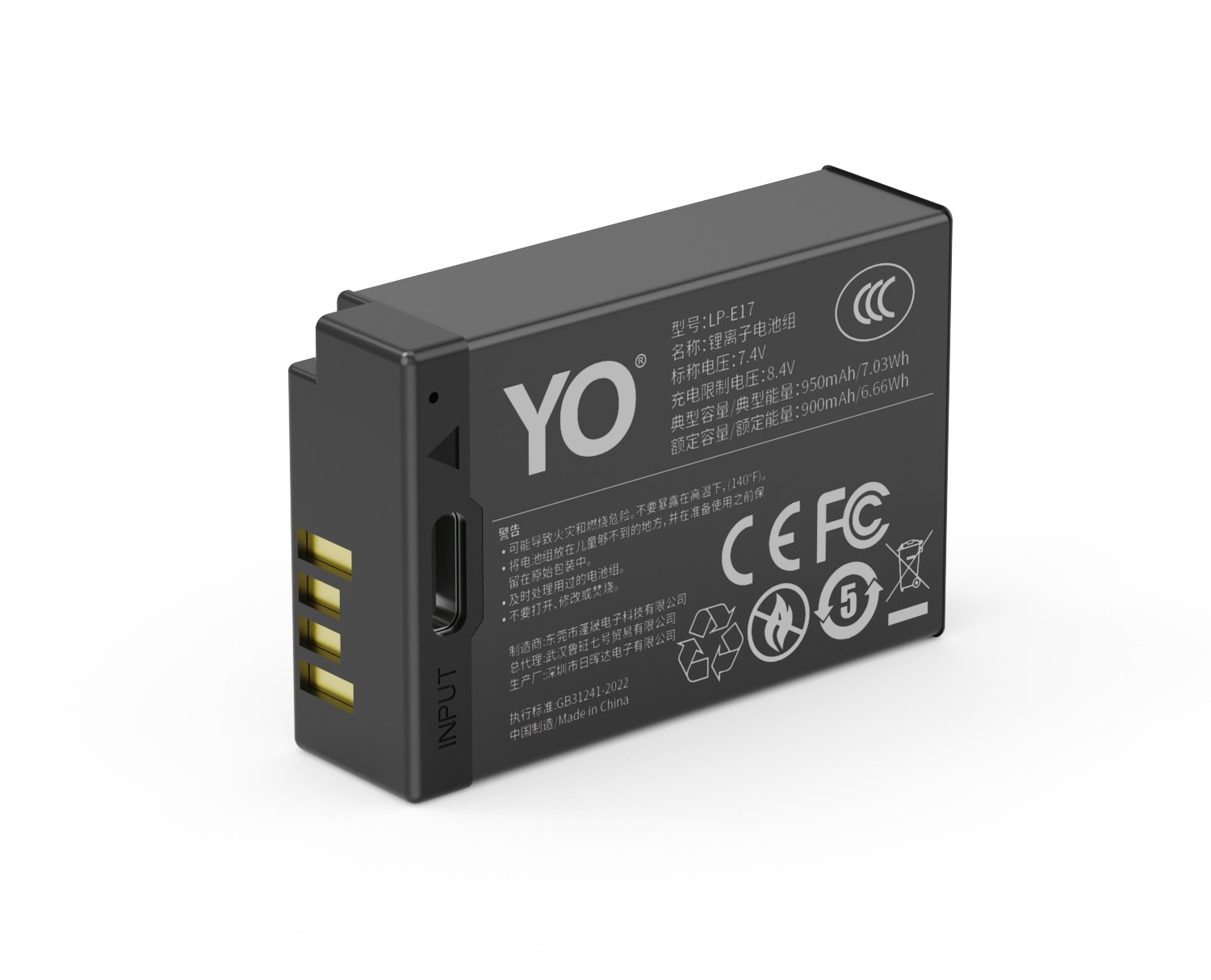
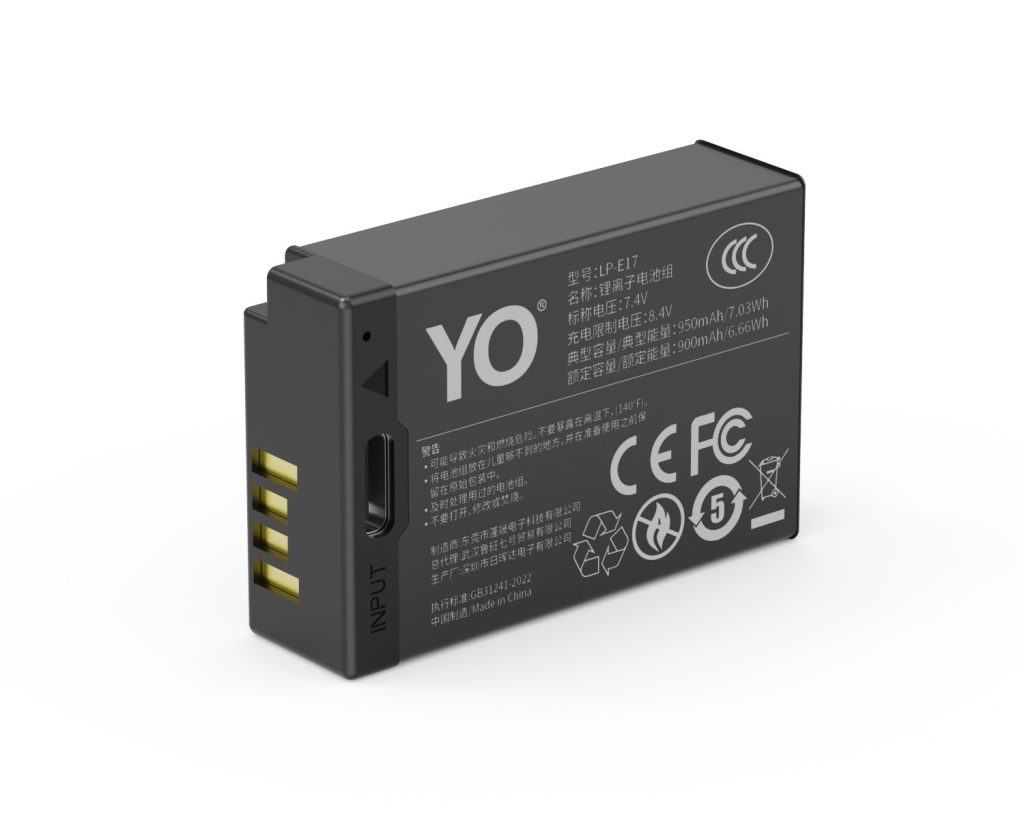
The BCX204 covers 3 bodies, from the Osmo Action 3 to the Osmo Action 5 Pro; the most common buying mistake is not capacity but boundary cases such as Action 2 → magnetic cell. The table below lists every compatible body by series, followed by the models that take a different cell. Always trust the marking on the camera or in the battery compartment: similar-looking packs are not necessarily interchangeable, and Action 3 / 4 / 5 Pro should still be checked against the contacts and firmware of your body.
Key specifications and limits: 4K 60p 70–90 min / 1080p 150 min / 1080p 25fps 4 h. Actual figures vary with resolution, frame rate, screen brightness and ambient temperature, so plan spares around the shortest figure in the table.
Full compatibility list
All 3 bodies below accept the BCX204 or a cell from the same family, grouped by series. “Compatible” means the compartment and contacts match; it does not guarantee that older bodies can exploit the full capacity of a high-capacity pack.
Body
Body
Body
Body
Osmo Action 3
Osmo Action 4
Osmo Action 5 Pro
Which models do not fit
This is where search results most often mislead. Packs with similar names and near-identical shells frequently belong to entirely different systems, and forcing one in can damage the compartment.
Item
Value
BCX204
Action 3 / 4 / 5 Pro
BCX204
1950 mAh / 7.55 Wh
bcx204
1950 mAh / 7.55 Wh
BCX204
4K 60p 70–90 min / 1080p 150 min / 1080p 25fps 4 h
Action 2 → magnetic cell
Action 3 / 4 / 5 Pro
Action 3 / 4 / 5 Pro
1950 mAh / 7.55 Wh
How to check before ordering
The reliable check is the model printed on the bottom of the body or inside the battery compartment, matched against this list. On a used camera, also confirm that a previous owner has not swapped the battery door.
To pick by model, start with the specifications and stock status on DJI BCX204 1950mAh, then browse the full article set in BCX204; if your body belongs to a neighbouring system, DMW-BLK22 has the side-by-side explanation.
FAQ
How many bodies take the BCX204?
Our list contains 3 bodies, from the Osmo Action 3 to the Osmo Action 5 Pro. It is grouped by series, but still check the body marking, since a later generation in the same line can switch cells.
Is the BCX204 interchangeable with neighbouring models?
Action 3 / 4 / 5 Pro shares one shell and contact layout, so those cells fit each other. However, Action 2 → magnetic cell, and those bodies need their own cell — never judge by shape alone.
Will every body on the list benefit from higher capacity?
All of them run normally, but older bodies set their cutoff and fuel gauge to the original specification, so extra shots do not scale linearly and the percentage may read conservatively.
How do I confirm which cell to buy?
Read the model on the bottom plate or inside the battery compartment and match it against this list. If the marking includes a suffix or a “for use with” note, follow the manual rather than the capacity figure.
Short answer: they are not interchangeable. The DR-FW50 bays are molded to the length, width and thickness of the NP-FW50, and the NP-FZ100 is clearly larger, so it will not fit. The reverse is just as wrong: an FW50 in an FZ100 bay sits loose and the contacts do not line up. These are two independent battery systems with their own matching cases, and there is no universal bay. If you need both, the right answer is two cases, not a workaround.
The question usually comes up during a body upgrade: you shot an A6400, later added an A7 body or an A6600, and now own two battery systems. Can one case cover both? No — but understanding why is more useful than memorizing the conclusion.
The difference starts with the battery
The NP-FW50 is a small battery at 1020mAh / 7.7Wh / 7.2V, shaped fairly flat so it could fit the compact bodies of the A6000 series and the early A7 models. The NP-FZ100 was designed for larger bodies, with capacity and volume a step up and thickness especially obvious.
A charging bay is not just a recess that something drops into. It has three parts that must fit precisely: the guide rails on each side, the spring contacts at the bottom, and the latch above. All three are designed for one specific battery outline. A millimeter off and the contacts no longer press where they should.
So bay compatibility is not a question of “roughly the same size” but of “was this mold cut for this model.” The DR-FW50 answers only for the NP-FW50 series; the DR-FZ100 answers only for the NP-FZ100 series.
Size and bay comparison
Point of comparison
DR-FW50
DR-FZ100
Battery supported
NP-FW50 series
NP-FZ100 series
Battery outline
Flatter and narrower
Wider and thicker, a size up overall
Bay depth
Cut to FW50 thickness
Deeper, to take a thicker battery
Contact position
Matches FW50 bottom contacts
Matches the FZ100 contact layout
Result of mixing
FZ100 will not fit, or only goes in at an angle
FW50 sits loose and fails to register
The word “angle” in that table deserves its own paragraph. Some people lay an FZ100 diagonally into an FW50 bay so one edge barely touches, and the light flickers on occasionally. That state neither charges the battery nor avoids permanent stress on the contacts at an angle — the worst of both outcomes.
Three consequences of forcing it
It will not charge, and you will blame the battery. With the contacts misaligned the case cannot detect the battery, so no light comes on. Plenty of good batteries have been written off as faulty this way.
The contacts deform. Repeated angled insertion permanently bends the spring contacts, and even the correct battery will then make poorer contact. This damage is irreversible.
The shell and latch take damage. Forcing the lid shut loads the battery casing, which at best scratches and at worst deforms it — and a deformed casing can make poor contact inside the camera.
Of those three, the first is a misdiagnosis and the last two are real damage. Saving the price of one case can cost you a battery plus a case, which is a poor trade.
What to do if you run both systems
Two cases, each independent. The DR-FW50 handles FW50 batteries, the DR-FZ100 handles FZ100, each with its own cable. Do not cross them.
Distinguish them by color or label. A strip of different-colored tape on the outside is enough to tell them apart in low light and avoid a wrong load at midnight.
Mark the batteries too. Prefix FW50 batteries with F and FZ100 with Z, and put a matching note inside the camera’s battery door.
Allocate by body when traveling. Bring the case for the body you are bringing, not both, so you are not carrying dead weight.
If you truly can only bring one case, bring the one for your main body, and top up the other system’s batteries through a direct-charge version such as the YO TNP-FW50, which has its own USB-C port. That is the most practical value of direct charging in a mixed kit.
One last warning: do not count the A6600 as part of the FW50 family. This is the easiest mistake to make. The A6000, A6300, A6400, A5100, ZV-E10, the NEX series, the RX10, and the A7 and A7 II all use the NP-FW50; the A6600 uses the NP-FZ100 and sits outside this system.
Which means “the whole A6000 series uses FW50” is simply false. Before buying a battery, a case or a spare power source, check against the specific model rather than inferring from the series name. For the FZ100 system see the FZ100 category page; for the FW50 case see the DR-FW50 category page.
Note also that the FZ100, being larger in capacity, does not behave identically to the FW50 in cold conditions; there is a separate test record at the NP-FZ100 cold-weather test, but it applies only to the FZ100 and cannot be projected onto the FW50.
FAQ
Can the DR-FW50 charge an FZ100 battery?
No. Both bay size and contact position are wrong, so the battery cannot reach the correct position and the case will not detect it. Forcing it in at an angle risks damaging the contacts.
Can the two cases share a charging cable?
The cable itself is usually shared, as long as the connector type matches and the supply is adequate. Do not run both cases from one splitter at the same time, though; the supply tends to sag and detection becomes unreliable.
What happens if I put an FW50 in an FZ100 case?
The bay is too wide and too deep, so the battery sits loose and cannot press on the contacts; in most cases no light comes on. Even if contact is briefly made, movement will interrupt charging.
Which battery does the A6600 use?
The NP-FZ100. This is the most frequently misreported detail in the lineup — check the model when buying rather than reasoning from “Alpha 6000 series.”
Short answer: most of the difference is capacity, and the discharge behavior is secondary, though it gets magnified under heavy load and in cold weather. A Canon original LP-E17 is rated about 1040mAh / 7.5Wh, and the 750mAh battery is the smallest of three self-defined tiers, at roughly seven tenths of the original on paper. In other words about seventy percent of the gap comes from holding less charge, and the remaining part comes from the discharge plateau, internal resistance and protection-board behavior.
Product render of the YO LP-E17 compatible battery: front label, rear LED charge indicator and USB-C port.
It is worth separating the two layers, because that is what decides whether the original is worth its higher price. If all you need is more time, an extra battery covers the capacity gap. If what you care about is stability in extreme conditions, that is where the original earns its money.
Layer one: capacity, the bulk of it
Capacity is the most obvious difference. 750 against 1040 is a gap of about 290mAh, close to 28%. That gap is invisible in light use, where a few dozen frames indoors are covered by either battery, but in continuous location work, bursts or video, where total draw is high, 28% translates directly into a swap half an hour earlier.
Note that nominal capacity and usable capacity are not the same thing. Manufacturers quote cell capacity under standard conditions, while how much the body can actually draw also depends on the cut-off voltage and the protection board’s trip point. Precise arithmetic from the nominal figure is unreliable; order-of-magnitude comparison is fine.
One common misunderstanding is worth clearing up here. Canon officially makes a single model, the LP-E17, and there is no official LP-E17H. What you see sold as LP-E17H is mostly a trade name some third parties give their own higher-capacity version, a seller’s label rather than a Canon model. Judge a battery by its rated capacity and the origin of its cells, not by a suffix that implies factory approval.
Layer two: discharge plateau and internal resistance
Two batteries both rated 7.2V do not follow the same voltage curve as they discharge. A higher-capacity cell sags more slowly under the same load current and stays inside the body’s working range for longer; a lower-capacity cell falls away more steeply once it reaches the later stage.
Internal resistance shows up in short bursts of high current. Focus motors starting, the mirror and shutter firing in a burst, and the continuous writes of video recording are all pulsed loads. A battery with high resistance drops more voltage at those moments, and the body’s power management can read that as low battery. This is why some batteries show charge on the gauge and report empty the moment you hold down the burst.
In everyday shooting this layer is usually imperceptible, but it becomes obvious under two conditions: cold, and below about thirty percent remaining. For winter work outdoors, keep the 750mAh in an inside pocket and fit it only when needed, letting body heat preserve its discharge capability.
Layer three: protection board and consistency
Spec
Original LP-E17
750mAh battery
Nominal capacity
About 1040mAh
750mAh
Nominal energy
About 7.5Wh
About 5.4Wh at 7.2V
Discharge plateau
Small sag under heavy load
Slightly steeper at the end
Protection
Overcharge, over-discharge, overcurrent
Same functions; thresholds as stated by the maker
Cell consistency
Tight batch control, little sample variation
Reputable brands grade cells too, with slightly wider variation
Price
Higher
At the budget end of the market, clearly lower
The protection board is the item most often ignored. It prevents overcharge, over-discharge and short circuits, and a battery with conservative thresholds will cut out earlier and look like a smaller capacity, while an aggressive setting can push the cell deeper, which flatters short-term capacity at the expense of long-term life. There is no common standard here; the maker’s specification is all you have.
Consistency means how closely batteries from the same batch behave alike. Factory batch control is usually tighter, with little variation; good third-party brands also grade their cells, but the spread tends to be wider. For an ordinary user this shows up as the battery in your hand possibly not matching the battery in a review.
So how should you choose
Choosing by use is more practical than choosing by brand. For everyday shooting, spare duty and light travel, the 750mAh is entirely adequate at a clear price advantage, and one extra battery closes the capacity gap. For long continuous sessions, cold conditions, or work that cannot be repeated, the original or a larger tier is worth the money.
The point of this tier is that it is cheap enough to keep several. If your habit is to carry two spares anyway, then trading the price of one original battery for two or three 750mAh batteries leaves you with more total capacity. To open the margin further, look at the 950mAh version; to compare all three side by side, see the capacity and compatibility guide.
FAQ
Is 750mAh mislabeled? Why is it so much lower than the original?
No. 750mAh is one tier in a capacity range, and a Canon original at 1040mAh is a different product to begin with, so there is no premise that the two should match. Whether a battery is honestly rated depends on whether its actual discharge capacity approaches its nominal figure, not on how it compares with another model.
Does mixing batteries affect the camera body?
No. The body identifies a battery by voltage and communication, not by capacity. Alternating between the original and the 750mAh is common practice; just charge each battery on its own and never try to run them in parallel.
Why does an old battery suddenly report low battery during a burst?
That is the classic symptom of rising internal resistance. A burst is a pulsed high-current load, so a high-resistance battery sags sharply, the body judges the voltage insufficient and warns, and the voltage recovers once you release the shutter. Such a battery is unfit for important work but can still serve for static shooting.
Is LP-E17H Canon’s high-capacity version?
No. Canon officially makes only the LP-E17, and there is no LP-E17H. The suffix is what some third parties call their own higher-capacity version, so it is safer to judge by rated capacity and cell origin.
Most “dead” LI-90B packs are really dirty contacts, cold cells or normal ageing. Run three quick checks before buying a replacement. Batteries are consumables. As cycle count rises, internal resistance increases and the pack shows full charge for less time, or shuts down abruptly in the cold. Work in order: clean the contacts, retest in a second body, then log the shot count from three full charges.
By CIPA standard the TG-6 delivers about 340 shots per charge (250–300 / 0°C 70%). Real-world figures fall with viewfinder use, bursts, flash and low temperature, so budgeting around 70% of the rating is safer.
Symptom checklist
The table lists four symptoms by how often they occur. In most cases a replacement is not yet necessary; rule out contact and temperature factors first.
Symptom
Likely cause
What to do
Full charge drops to low very quickly
Oxidised contacts or an aged cell
Clean the contacts, retest in another body, then log full-charge shots
Body reports "cannot recognise this battery"
Third-party decoding mismatch or dirty contacts
Wipe and reseat; if it persists, test with an original-spec cell
Shuts down suddenly in the cold
Higher internal resistance causes a voltage dip
Keep spares warm in an inner pocket and retest at room temperature
Shell bulges or the pack runs hot
Overcharge, hot storage or aged cells
Stop using it immediately and recycle under local rules
A three-step diagnosis
Step one: wipe the contacts with a dry soft cloth and reseat the pack. Step two: retest in a second body from the same family. Step three: log the shot count from three full charges to separate real ageing from a bad gauge.
Item
Value
LI-90B
LI-90B / LI-92B
LI-90B
1270 mAh / —
90b-3
1100 mAh / 4.07 Wh
TG-6
340 / 250–300 / 0°C 70%
TG-3 → TG-7 / LI-92B
LI-90B / LI-92B
LI-90B / LI-92B
1100 mAh / 4.07 Wh
When to replace the pack
Replace the pack when full-charge shots fall below about 60% of a new cell, the shell bulges, or the body repeatedly refuses to recognise it. Stop using a swollen cell immediately and recycle it properly.
To pick by model, start with the specifications and stock status on Olympus LI-90B 1100mAh, then browse the full article set in LI-90B; if your body belongs to a neighbouring system, NP-BX1 has the side-by-side explanation.
FAQ
Does a jumping charge level mean the LI-90B is dead?
Not necessarily. Clean the contacts, retest in a second body, then log the shot count from three full charges. Only a sustained drop in shots points to real cell ageing.
What if the camera says the battery is not recognised?
Dirty contacts or a third-party decoding mismatch are the usual causes. Wipe and reseat the pack; if it persists, test with an original-spec cell to separate a battery fault from a body fault.
Is fast drain in winter normal?
Yes. Cold raises internal resistance and causes a momentary voltage drop. Keeping spares in an inner pocket helps considerably, and capacity normally returns at room temperature.
When must the cell be replaced?
Replace it when full-charge shots drop below about 60% of a new cell, the shell bulges, it gets unusually hot while charging, or it is repeatedly not recognised. Never squeeze, puncture or recharge a swollen pack.
Short answer: a 1050mAh asks nothing different of a charger than any other tier. Use a 7.2V lithium-ion dock charger, with Canon’s LC-E17 as the standard choice. What does change is that a full charge takes longer, and now that fast chargers are everywhere, many people assume a camera battery can be plugged in as casually as a phone. What follows covers matching a charger, how long a fill takes, when heat is worth worrying about, and which habits actually affect cycle life.
Product render of the YO LP-E17 compatible battery: front label, rear LED charge indicator and USB-C port.
The same applies to 750mAh and 950mAh; the larger the capacity, the more charging time and heat accumulate, which is why the high-capacity version deserves more care.
Matching the three charging routes
There are three main ways to charge an LP-E17: the original dock charger, a third-party dock charger, and a direct-charge version with a Type-C port on the battery body. The first two require removing the battery and seating it in a dock; the third feeds 5V straight into the battery. Each imposes different requirements, so check the specifications when you mix and match.
Method
Input and connector
Approximate full charge
Best for
Watch out for
Canon LC-E17 dock charger
Dedicated dock, with original power cord
Usually around two hours, varying with capacity and ambient temperature
Charging at home, rotating several packs
Check the model marking; avoid counterfeits
Reputable third-party dock
Dedicated dock, usually USB or 5V input
About two to four hours, depending on input current
Travel, tight budgets
Look for overcharge protection and thermal control
USB-C direct charge (T series)
Type-C on the battery body, 5V input
About two to four hours, depending on charger and cable
Travel, outdoors, top-ups
Do not treat 9V/12V high-voltage protocols as normal input
The times in that table can only be ranges, because the same battery charged at 5V/1A versus 5V/2A differs by nearly a factor of two, and low ambient temperatures slow things further. A 1050mAh, being the largest tier, usually lands in the upper part of the range. Note in particular that direct-charge LP-E17 versions generally take 5V input, ordinary USB power, and do not use the high-voltage fast-charge protocols phones rely on.
How long a full charge takes, and why only a range is honest
Charging time is set by three variables: how much charge is already in the battery, the actual current the charger can deliver, and battery temperature. A 1050mAh rating does not mean 1050mA for one hour; the process runs constant-current then constant-voltage, with current tailing off in the second stage, and the last ten-odd percent often consumes a third of the total time.
In practice, going from nearly empty to full takes a little over two hours at 5V/2A and can approach four hours at 5V/1A. A dock charger usually runs slightly faster and steadier than in-body charging because it dissipates heat better. In cold conditions, below about ten degrees Celsius, charging slows noticeably; that is a protection mechanism, not a fault.
Heat: charging and discharging are separate questions
Mild warmth is normal. Lithium-ion cells heat up during the latter part of charging and under heavy discharge current. What matters is telling three cases apart:
Warm while charging, cool once full: normal. Charge in a ventilated spot, and never under a pillow, inside clothing, or in a sealed bag.
Hot after sustained recording or burst shooting in the body: that is discharge heat. It has little to do with capacity tier and comes mainly from internal resistance and the body’s heat dissipation. A few minutes switched off usually restores it.
Noticeably hot at idle, or a swollen case: not normal. Stop using it immediately, do not keep charging, and do not attempt to vent or disassemble it.
A practical test: if the same battery stays cool in another body, the problem is probably the body; if it is still hot in a different body, the problem is the battery. The 1050mAh cell is thicker, so its heat path is slightly longer; in summer, avoid leaving the whole rig in a car or in direct sun.
Cycle life: three habits that beat any charger
Do not store it full for long periods. Charging to full when you get home is a habit, but if the battery will sit unused for a week or two, leave it around half. Long storage at full charge accelerates aging of the positive electrode and is the most common cause of capacity loss.
Do not run it to shutdown before recharging. An occasional deep discharge is fine, but repeated ones bring the protection board in earlier and usable capacity shrinks. Swapping at the low-battery warning is easier on the cell.
Do a full cycle every so often. Every two or three months, run the battery fairly low and charge it fully. This helps keep the fuel gauge accurate and avoids the “shows two bars and then dies” surprise.
With these habits a 1050mAh typically holds steady for two or three years, after which a gradual decline is normal aging. If a full charge now lasts less than half as long as it did, it is time to replace rather than carry more spares. For how the tiers differ in role, see the LP-E17 capacity and compatibility guide; if your priority is leaving one dock charger at home, the T series direct-charge version is the other route.
FAQ
Can I charge a 1050mAh with a phone fast charger?
For a USB-C direct-charge version, yes: voltage negotiation usually settles at 5V and the charger drops to the tier you request. Avoid poor-quality supplies rated above 5V that cannot negotiate.
Must I unplug the dock as soon as the light turns green?
A reputable dock switches to trickle or stops output once full, so leaving it briefly is not a problem. Leaving it connected for long periods is not good for longevity, though, so taking the battery off when full is the safer habit.
How much slower is a 1050mAh than a 750mAh?
Roughly thirty to forty percent longer in proportion to capacity, and actual times also depend on charger current. On the same dock the gap is easy to notice.
What if a battery left unused will not take a charge?
Long storage in a deeply discharged state can put the protection board to sleep. Let it return to room temperature first, then try the original dock charger. If there is still no response, or the case looks swollen, do not force it. Stop using it.
“Where is cheapest” is the wrong question on its own. After-sales certainty, the cost of getting the model wrong, and your time count too. Ordering the wrong model, discovering a recognition problem on arrival, or having nobody to contact when something fails all cost more than a few dollars of difference. Below is a side-by-side of four common channels, so you can match one to your quantity and use case.
Product render of the YO NP-FZ100 compatible battery: front label, rear LED charge indicator and USB-C port.
Four channels compared
Channel
Price profile
Strengths
Watch out for
Camera brand service center / official store
High — a genuine Sony NP-FZ100 usually runs $70 and up
Model certainty, complete service network
Heavy on budget; multi-pack setups get expensive fast
Brand-direct compatible seller (such as YO here)
Clear pricing: NP-FZ100 single around $17.89, two-battery kit around $36.74
Stated specs, published model list, findable support channel
You must confirm your body is on the compatibility list
Local camera store
Varies widely; room to negotiate
Test the fit on the spot, confirm compatibility immediately
Inconsistent batches and stock age; support depends on the shop staying open
Wholesale inquiry
Quoted by volume at 100 units or more, not publicly listed
Suits studios, rental houses and resellers; one consistent batch
Confirm the model list and defective-unit handling up front
Why the same model varies so much in price
Three variables drive the spread:
Cell grade and batch: the main source of cost difference, and it shows up in cycle life and whether the rated capacity holds.
Whether support cost is included: products with a stated warranty and return route price that service in.
Channel depth: every step between factory and buyer adds cost, and lengthens the chain of responsibility when something goes wrong.
Our NP-FZ100 price breakdown goes deeper on cost structure. One caution: a price far below what reasonable cells cost usually means a compromise on cell grade or protection.
Three typical situations
One or two packs for personal use
Prioritize clear specs and findable support. A plainly priced single at around $17.89 or a two-battery kit at around $36.74 beats hours of comparison shopping. Confirm your body is listed: NP-FZ100 covers the A7 III, A7R III/IV/V, A7 IV, A7S III, A9 series, A1, A6600, A6700, A7C series, FX3, FX30 and ZV-E1. The A6400, A6500 and A7 II series use NP-FW50, and the RX100 series uses NP-BX1. Model details are in the Sony mirrorless battery cross-reference.
Two or three packs, and you need a charger
Only need a spare? The NP-FZ100 2600mAh comes on its own, with a charger, or as a two-battery kit. Both versions hold 2600mAh; the USB-C one costs slightly more and saves you carrying a dock.
Studios, rental houses and resellers
For 100 units or more, go straight to the wholesale inquiry page. Volume buys more than unit price — it buys one consistent batch, so capacity and internal resistance match across the order, which makes numbering and rotation manageable and lets you settle defective-unit handling at quote stage. With large orders we suggest a small trial run first to confirm compatibility and wear before scaling; the capacity measurement methods described on this site apply here.
Four checks before you order
Model: confirm which battery your body takes. Do not order on looks alone.
Specs: do capacity, voltage and energy agree — for example 2600mAh / 7.2V / about 19.24Wh?
Support: warranty length, return conditions and who is responsible. Detail in warranty and returns.
Shipping and stock age: cells age on the shelf, so ask for a recent production date.
Hidden costs people forget when comparing
Beyond the sticker: the wrong model means a return cycle, uncertain compatibility means trial and error on set, and no support means you absorb the loss. On paid work these usually outweigh the difference in battery price, which is why we suggest favoring channels with a clear model list and a findable support route. Model details are in the Sony mirrorless battery cross-reference.
SKUs within one channel also differ in value. Here, the single is around $17.89, one battery with charger around $22.93, and two batteries with charger around $36.74, with a standalone charger adding roughly $5. Combining to fit your needs beats defaulting to a kit — the arithmetic is in kit versus single.
FAQ
Online or in-store?
Depends on the situation. In-store lets you test the fit, which helps when you are unsure of the model. Online gives fuller specs and written return terms, and suits comparison and bulk buying.
Does a low price mean a bad product?
Not necessarily, but we suggest weighting self-consistent specs, a support route and batch information over the price tag.
How much do I save buying several?
There is usually a gradient, and the size varies by channel. Buying two or three at once commonly costs less per unit than three separate orders, largely because packaging and shipping are shared. For 100 units or more, check through the wholesale inquiry page.
Is a used battery worth it?
Lithium cells have a finite cycle count and you cannot easily tell how many are left. We suggest caution, and skipping any pack with visible dents or bulges.
Two charging options, same capacity: standard 2600mAh (dock required) or USB-C 2600mAh (phone charger or power bank). Pick the version on the NP-FZ100 product page; bulk pricing via wholesale.
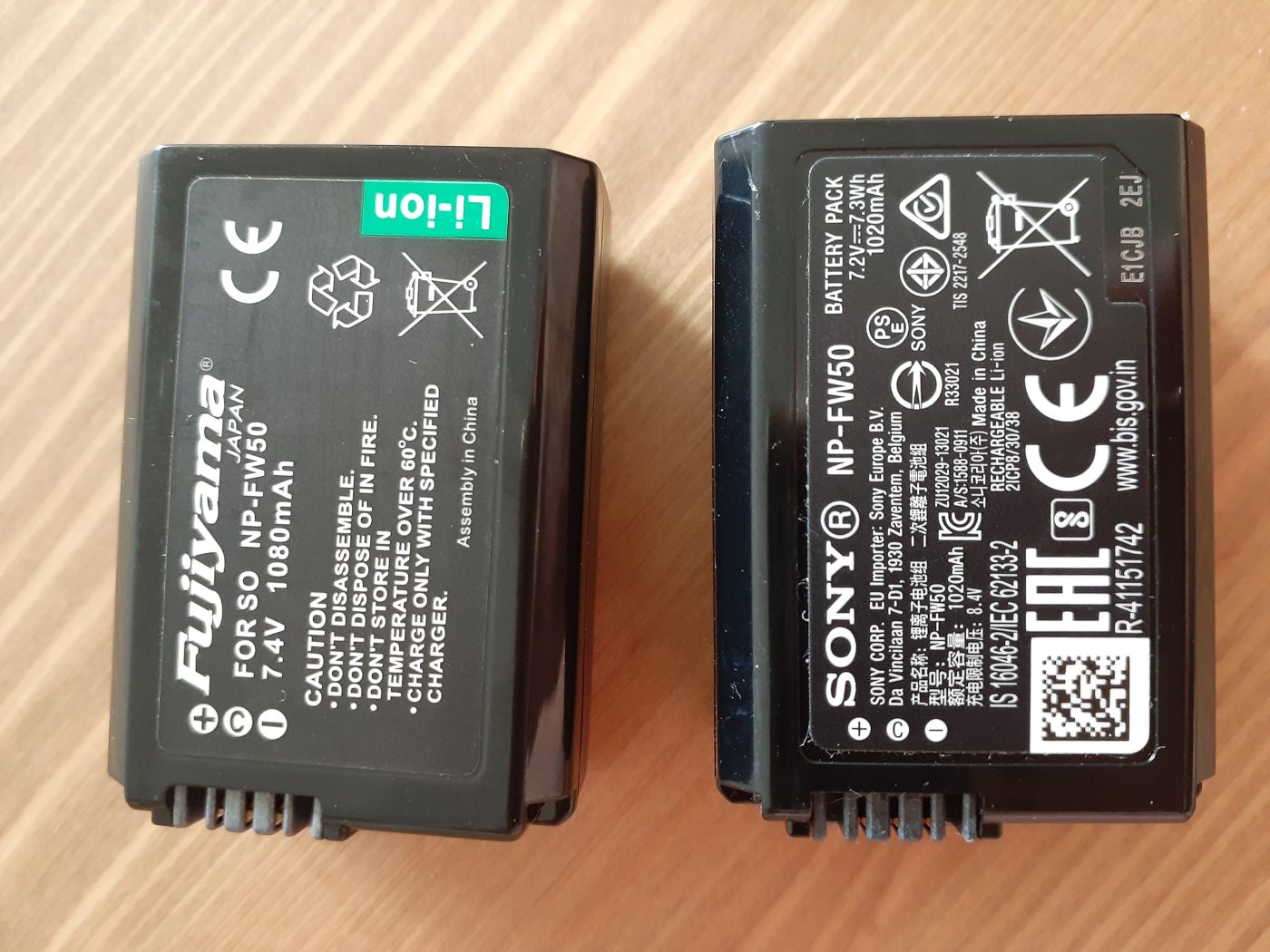
Short answer: Sony’s NP-FW50 is a 7.2V mean-output lithium-ion pack with a minimum capacity of 7.3Wh (1020mAh), measuring about 31.8 × 18.5 × 45.0 mm, in the InfoLITHIUM W series. Our compatible cell is quoted at 1100mAh typical (1050mAh rated), 7.4V and 8.14Wh. Since the voltages differ, “1100 is 80mAh more than 1020” does not describe the energy difference; convert to watt-hours and the gap is about 0.84Wh. Below, each figure is kept with its own source so the original specification and the compatible-cell specification never get mixed up.
Capacity and voltage are printed on the NP-FW50 label. Photo: Tosdos0012 / Wikimedia Commons, CC BY-SA 4.0; image resized from the original.
Specification table
The left column comes from Sony’s public product pages, the right column from our NP-FW50 compatible cell listing. Neither column corrects the other; they describe two different batteries.
Item
Sony original NP-FW50
Our compatible cell
Capacity
1020mAh minimum (7.3Wh)
1100mAh typical, 1050mAh rated
Voltage
7.2V mean output
7.4V
Energy
7.3Wh
8.14Wh
Dimensions
Approx. 31.8 × 18.5 × 45.0 mm
NP-FW50 form factor
Weight
Approx. 42g (Sony China listing; some references say 57g)
Approx. 42g
Chemistry
Lithium-ion, InfoLITHIUM W series
Lithium-ion, no memory effect
Communication
Exchanges charge data with the body
Decoder chip for percentage readout
Bodies
28 E-mount models on Sony’s list
21-plus popular bodies stated on the listing
One caveat on sources: Sony’s English page says “minimum capacity 7.3Wh (1020mAh)”, while the spec block on its Chinese store and several third-party references also show 1080mAh. Such differences usually come from minimum versus typical capacity labelling. For energy arithmetic, the official 7.3Wh is the safest value because it is already an energy figure.
Why mAh misleads here
Milliamp-hours measure charge, not energy. Multiply by voltage to get watt-hours. Run both figures:
Original: 7.2V × 1.02Ah = 7.344Wh, matching the quoted 7.3Wh.
Our cell: 7.4V × 1.1Ah = 8.14Wh, matching the listing.
Difference: 8.14Wh − 7.3Wh = 0.84Wh, about 0.84 ÷ 7.3 ≈ 11.5% above the original.
By mAh the gap looks like 7.8%; by Wh it is about 11.5%, because the voltage is 0.2V higher too. Neither number means “11.5% more photographs” — frame counts also depend on live view, playback, flash, temperature and the share of video. What these figures establish is stored energy, not how a body spends it.
A related mix-up: a lithium-ion pack sits above its nominal voltage when full, with a charge termination around 8.4V for a two-cell series arrangement. That is why our DR-FW50 external power adapter is specified at DC 8.4V / 3A output. 8.4V is a supply or full-charge voltage, not a nominal rating; do not multiply capacity by it.
What InfoLITHIUM actually does
Sony’s InfoLITHIUM W series is about communication rather than capacity. The pack exchanges consumption data with compatible bodies and chargers, which allows a more accurate remaining-charge readout, often as a percentage or in minutes rather than a three-bar icon. This is also why third-party cells carry a decoder chip: without that exchange a body may refuse to show charge, warn about the battery, or report a jumping value.
Sony also states the cells have no memory effect, so the old “drain it fully before recharging” routine does not apply; partial charging does not cost capacity that way. What does age a cell is long-term storage at full charge in heat, deep discharge and ordinary calendar ageing, not the timing of a top-up.
What these numbers can and cannot tell you
They can tell you
They cannot tell you
Which pack stores more energy (compare Wh)
How many frames a specific body will shoot
An estimate of refill time (8.14Wh ÷ power ÷ efficiency)
A percentage gain in real runtime
Whether the NP-FW50 form factor applies
Whether every firmware version recognises a third-party cell
Why a decoder chip is needed for the readout
How many cycles remain
In short, a spec table supports selection and estimation, not promises. For duration, divide energy by average draw and allow for conversion loss; for real frame counts, look at the body and how it is used. Body-by-body articles are grouped in the NP-FW50 category.
FAQ
How much larger is 1100mAh than the original 1020mAh?
The quoted difference is about 80mAh, but the voltages differ (7.4V versus 7.2V), so mAh is not a valid comparison. In energy it is 8.14Wh versus 7.3Wh — a gap of about 0.84Wh, roughly 11.5%.
Can 7.2V and 7.4V packs be used in the same body?
Both are nominal voltages quoted for the same two-cell lithium-ion format, and a body draws to the NP-FW50 specification. Original and compatible cells share the form factor and fit the same compartment. The difference is in labelling, not the connector.
What is 8.4V, and does it conflict with 7.4V?
No. 7.4V is nominal; 8.4V is the full-charge termination voltage, or the output of an external supply. They are values of the same system in different states.
Why do some pages say 1020mAh and others 1080mAh?
Usually minimum versus typical capacity labelling, with different channels and batches quoted side by side. For calculations, prefer Sony’s direct energy figure of 7.3Wh.
Short answer: the G7X III, G9X II, and SX740 all take NB-13L packs, rated by Canon at 1250mAh / 4.5Wh / 3.6V. Their power profiles differ considerably: the G7X III is a one-inch sensor with 4K, the SX740 is a 40x superzoom with 4K, and the G9X II is gentler but has a screen that dominates the front of the body. For stills, a single pack typically manages two to three hundred shots; start recording 4K and runtime drops much faster than expected, which is the direct reason most people end up buying a second pack.
Product render of the YO NB-13L compatible battery: front label, rear LED charge indicator and USB-C port.
The NB-13L II is a replacement built on that foundation, with improvements in cell consistency and cycle life rather than in the capacity number. The rest of this article covers three questions: which body is thirstiest, what actually changed, and when to replace a pack.
One: power profiles of the three bodies
Model
Power characteristics
Approximate stills per pack
Suggested spares
G7X III
One-inch sensor, 4K video, articulating screen; warms up quickly
About 200-300
At least one spare
G9X II
Small body with a screen that fills most of the back; noticeable standby draw
About 250-350
One spare is prudent
SX740
Tele zoom motor is thirsty, 4K recording draws heavily
About 200-300, lower with frequent zooming
Two spares for travel
These figures are range estimates, not lab data. Many things move them: screen brightness, flash use, how often you zoom, how long the camera idles, ambient temperature. The same pack can differ by more than three tenths between outdoors in winter and indoors.
The SX740 deserves a separate note. Its tele end needs the motor to drive the lens group continuously, and many people habitually sweep between tele and wide while hunting for composition, a habit whose cost is routinely underestimated. For concerts or sports, where you hold a half-press on a moving subject for long stretches, the pack drains much faster than when shooting landscapes.
Two: what the NB-13L II changes, and what it does not
What it does not change is the capacity class. Canon rates the original at 1250mAh / 4.5Wh / 3.6V, and the second-generation product is close to that; there is no “doubling”. If you see an NB-13L rated at over two thousand milliamp-hours, question the rating convention before celebrating.
What it does change is cell consistency and cycle life. Consistency means a narrower spread of capacity and internal resistance within a batch, which in the camera shows up as a more linear charge reading, closer behavior between packs, and no sudden jump from two bars to shutdown at low charge. Cycle life means capacity falls more slowly across repeated charging, so remaining capacity after a year looks a little better than earlier products.
Neither improvement appears on a spec sheet, so neither can be judged from numbers. Their value only emerges over long use: consistency affects whether you dare treat the last bar as a reserve, and cycle life affects how soon you buy another pack.
For ordinary users the practical meaning is simpler: one pack can be relied on for two or three years without a sudden halving of runtime forcing a replacement. These products usually sit in the budget bracket, clearly below the price of a single OEM pack, which makes them a consumable you can comfortably keep two of. Other models in the same series are listed in the NB-13L II category.
Three: five signals that it is time to replace
A pack rarely fails suddenly. It degrades slowly to a point where you finally notice. Check these five in order:
Runtime halves: it used to last a full day, now it is done by noon. The most obvious signal.
Charges faster and discharges faster: with higher internal resistance, charging reaches cut-off early and less energy actually goes in.
Jumping charge readings: three bars to one in a step, or two bars again after a power cycle.
Poor contact once fitted: a slight shake cuts power, usually from a slightly deformed case reducing contact pressure.
A swollen case: it spins like a top on a flat table, or fits noticeably tighter in the compartment. At that point it is no longer a runtime issue but a safety one.
If any two of the first three appear, start planning a replacement. For the fourth, rule out dirty contacts first — wipe the pack and the compartment contacts with a cotton swab and a little anhydrous alcohol, let them dry, and retry; very often “poor contact” is just oxidation. The fifth has no room for negotiation: stop using it immediately.
Four: three things to confirm before buying
First, confirm the model is NB-13L, not NB-6L or NB-11L, which look similar but differ in size. Across these small Canon generations the packs look alike, and buying the wrong one is common.
Second, confirm your camera is on the compatible list: G7X, G7X II, G7X III, G9X, G9X II, SX730, SX740. Do not assume a body outside the list works because it “looks the same”.
Third, confirm how you will charge. The OEM charger for the NB-13L is the LC-30 dock, so if you plan to keep using a dock, check how a third-party pack fits it; if you plan to use a third-party charger, choose one built for 3.6V single-cell lithium packs. The NB-13L category covers this in more detail.
FAQ
Will a second-generation pack trigger a non-OEM warning on the G7X III?
These Canon bodies are less prone to third-party battery warnings than Fujifilm models, but not entirely free of them. Some bodies show an odd charge reading or a brief notice on first insertion and return to normal after a restart, with no effect on shooting.
How long can one pack record video?
The 4.5Wh capacity rules out long recordings. Continuous 4K typically lasts only a short single clip and is limited by body heat, so in practice you hit the thermal wall first. For video-heavy work, carry two or more packs and shoot in segments.
Can a first-generation G9X use a second-generation pack?
Yes. The G9X and G9X II share the NB-13L spec, so packs are interchangeable. The older body is itself aged, so a fresh pack often produces an obvious jump in runtime — that reflects the old pack’s degradation rather than anything exceptional about the new one.
How should I store a pack I will not use for months?
Keep it at four to six tenths of charge, remove it from the body, and store it somewhere dry and cool. Long storage at full charge or fully empty accelerates aging. Top it up every few months.
Short answer: the NP-FZ100 (USB-C) matches the original at 7.2V / 2280mAh / 16.4Wh, and one pack records roughly 120–150 minutes of 4K 30p, drops to 90–110 minutes at 4K 60p 10-bit, and only 55–85 minutes at 4K 120p or 8K; what sets runtime is total system draw, not the bitrate figure itself — bitrate is only an indirect indicator of it. Below is the estimation method, and a table of ranges by body and format.
Product render of the YO NP-FZ100 compatible battery: front label, rear LED charge indicator and USB-C port.
One thing to state up front: every duration here is a range derived from a power model, not a measurement of a specific camera at a specific temperature. Usable cell capacity, the body’s thermal strategy, ambient temperature and whether lens stabilisation is working will all push the real result away from the estimate, and a drift of twenty to thirty percent is common.
The basic formula
A 16.4Wh pack is usually good for about ninety percent of its rating in practice — the body shuts down when voltage reaches a threshold rather than draining the cell flat. So usable energy is roughly 14.5–15Wh. Runtime in hours = usable Wh ÷ total draw in watts. Total draw covers sensor readout, image processor, encoder, screen or viewfinder, in-body stabilisation, card writing and the lens focus motor.
For example: at 8W total draw, 14.7 ÷ 8 ≈ 1.84 hours, or about 110 minutes. At 12W, only about 73 minutes. That is why going from 4K 30p to 4K 120p nearly halves runtime — the draw roughly doubles.
Runtime ranges by bitrate and format
Typical body
Recording format
Bitrate
Estimated total draw
Runtime per pack
A7 IV
4K 30p 8-bit 4:2:0
About 100Mbps
6–7W
About 130–150 minutes
A7 IV
4K 60p 10-bit 4:2:2
About 200–300Mbps
8–9W
About 90–110 minutes
A7S III
4K 60p 10-bit 4:2:2
About 200–300Mbps
9–10W
About 85–100 minutes
A7S III
4K 120p 10-bit
About 280–600Mbps
11–12W
About 70–85 minutes
FX3
4K 24p 10-bit
About 100–150Mbps
7–8W
About 115–140 minutes
A7R V
8K 24p 10-bit
About 400Mbps
12–14W
About 55–70 minutes
The draw figures are estimates by body class and encoding load, not manufacturer-published values. Runtimes calculated from them typically land within ±20% of what you see in the field, which is enough for planning headroom on a shoot.
Why higher bitrate is not linear power draw
Many people assume that doubling the bitrate halves the runtime. It does not work that way. Bitrate affects the encoder load and the card write power, and those two are a limited share of the total. The bulk of the draw is sensor readout and image processing, which stay essentially constant at a given resolution and frame rate; a higher bitrate barely moves them.
So going from 100Mbps to 200Mbps may add 10–15% to the draw and cost you a dozen minutes; but going from 4K 30p to 4K 120p quadruples the frame rate, multiplies the work of sensor and processor, and nearly halves the runtime. When estimating, look at frame rate and resolution first, bitrate second — in the other order it is easy to get wrong.
The effect of codec
At the same bitrate, H.265 usually loads the encoder harder than H.264 but produces smaller files and less write pressure. All-Intra demands more sustained writing than Long GOP and draws a little more. These differences are generally in the half-watt to one-watt range, which over a two-hour recording adds up to a dozen minutes or so.
What eats into the estimate during real recording
Thermal time limits: many bodies trigger a recording cap at high-frame-rate 4K once the camera gets hot, stopping automatically after twenty or thirty minutes. What is limiting you there is heat, not the battery. For continuous work, external power plus active cooling is the more dependable route — see our dummy battery power guide.
Screen brightness and ambient temperature: a bright outdoor viewfinder in summer can add one to two watts on the screen alone; in cold weather lithium-ion activity drops and the same capacity yields less energy, so usable time can fall by a fifth.
In-body and lens stabilisation: running both adds continuous draw, which is especially visible when handholding a long lens.
Accessories: a monitor, a wireless video transmitter or a USB-powered microphone all draw from the body, and runtime drops by the added load directly.
Cell ageing: a pack a year or two old has already lost usable capacity, so discount the table according to its real condition.
On long-take bodies such as the FX3 and FX30, the power strategy differs from the A7 series and the camera keeps some headroom in reserve for recording. Our dedicated piece on video power covers the arrangements.
Turning the estimate into a workable shooting plan
Fix the longest single take of the day — say a 45-minute interview.
Read the lower bound for that format off the table, for example 90 minutes at 4K 60p.
Divide the lower bound by the take length and round down: 90 ÷ 45 = 2 takes per pack.
Allow 5–10 minutes between takes for the swap and build that into the budget.
Work back from the total number of takes to the packs you need, and add one as a buffer.
Planned this way, even a runtime twenty percent short of the estimate will not leave you dark on location. Because the YO NP-FZ100 (USB-C) has a Type-C port on the body, you can top it up from a power bank during a break instead of waiting to get back to a dock charger — on a long exterior day that is more useful than carrying one more pack.
FAQ
Why does someone else get two hours from the same battery when I get one?
Confirm three things first: whether the format matches (frame rate, resolution, codec), whether the screen is used the same way (LCD or EVF, at what brightness), and whether the ambient temperature is comparable. Any one of those can shift runtime by thirty or forty percent. The other person may also be quoting the accumulated total of several clips recorded with power cycles in between, which is not the same as one continuous take.
With 20% showing, how much longer can I record?
Do not scale it proportionally. Bodies estimate third-party packs non-linearly, so 20% may collapse into a warning within minutes, or may last another twenty. The safe approach is to treat 15–20% as the point where you must wrap up, and not to count it in your plan.
Runtime drops sharply in the cold — is the battery failing?
Usually not. Low temperature thickens the electrolyte and slows lithium-ion transport, so usable capacity falls temporarily and largely recovers at room temperature. Our cold-weather notes describe the behaviour and what to do about it. Only if it is also short at room temperature is ageing worth considering.
For longer takes, a bigger battery or external power?
It depends on the shape of the work. Handheld and moving between positions, two or three NP-FZ100 (USB-C) packs are more flexible; for fixed cameras, interviews and livestreams that run for hours, external power with a dummy battery is simpler and avoids stopping mid-take. More specification detail is in the FZ100 series overview.
Short answer: the NP-W126S is Fujifilm’s widest-fitting X-series battery, covering 36 bodies in the official charts. The split is the X-T4. The X-T3 and earlier X-T models, the entire X-Pro and X-E lines, the X100F, X100V and X100VI, the X-S10, X-H1 and newer bodies such as the X100VI, X-T50, X-T30 III, X-E5, X-M5 and X half all take the NP-W126S. The X-T4, X-T5, X-H2, X-H2S and X-S20 moved to the NP-W235 and are not interchangeable. Fujifilm also states explicitly that the NP-W126 and NP-W126S fit exactly the same cameras; the S version differs in high-draw behaviour, not in which bodies accept it.
The compatibility list, grouped by series
This table merges the 25 current bodies listed on Fujifilm’s Chinese product page with 11 older and bridge-camera entries from the English support chart, for 36 bodies in total. Older bodies are listed with the NP-W126, but Fujifilm specifies that both cells cover identical cameras.
Series
Bodies using NP-W126S
Count
X-T
X-T1, X-T2, X-T3, X-T10, X-T20, X-T30, X-T30 II, X-T30 III, X-T50, X-T100, X-T200
X-S10, X-H1, X half, FinePix HS30EXR, FinePix HS50EXR
5
The most reliable check is not memorising model numbers but reading the marking inside the battery compartment: NP-W126S or NP-W126 means this table applies. See the NP-W126S replacement battery for the fit we stock.
Bodies that are definitely not compatible
Body
Actual battery
Why it will not fit
X-T4, X-T5, X-H2, X-H2S, X-S20, GFX 100S family
NP-W235
Different size and contact layout, roughly double the capacity
X100T, X100S, X100, X70, XF10
NP-95
An older generation with a different shape
GFX 50S / 50R / 100
NP-T125
Medium-format bodies only
Moving from an X-T4 to an X-T5 is painless: both use the NP-W235 and existing cells carry over. Moving from an X-T3 to an X-T4 means replacing the whole battery set. See the NP-W235 category for that system.
Original specs versus our replacement cell
Item
Fujifilm NP-W126S
Replacement cell
Nominal / maximum voltage
7.2V / 8.4V
7.4V platform
Rated capacity
1260mAh
1210mAh (1050mAh for the USB-C version)
Dimensions
36.4 × 47.1 × 15.7 mm
Same form factor
Weight
About 47g
Same class
Operating / charging temperature
0–40°C / +5–40°C charging
Use within the camera’s range
Do not compare mAh across different voltages; use Wh when the voltage differs. In practice, screen-on time, playback, stabilisation and cold weather move runtime far more than a few tens of mAh.
Which bodies ship with a charger
Fujifilm marks the bundled charger as N/A for newer bodies: X100VI, X-T50, X-T30 III, X-E5, X-M5, X half, X-S10, X-Pro3 and X-E4 ship without a desktop charger, so you charge in-camera over USB-C or buy the BC-W126S. Early bodies such as X-T1, X-T2, X-Pro2 and X-E3 came with a BC-W126 or BC-W126S. Check whether you own a charger before buying a second cell — it affects daily use more than capacity does.
No. The X-T4 was the first X-T body to move to the NP-W235; the compartment and contacts changed. The X-T3 and earlier X-T models use the NP-W126S.
Are NP-W126 and NP-W126S interchangeable?
They fit the same cameras, as Fujifilm states explicitly. The S version is tuned for higher-draw bodies from the X-T3 onward and holds voltage better in bursts and 4K; older bodies run fine on either.
Do the X100VI and X-T5 share a battery?
No. The X100VI takes the NP-W126S and the X-T5 takes the NP-W235. Both launched in 2024, which makes this the easiest mix-up.
What is the quickest way to check?
Read the print inside the battery compartment, or use the first table here. Remember the X-T4 split: later high-end bodies mostly use the NP-W235, while the X100, X-E, X-M, X-T50 and X-T30 III lines still take the NP-W126S.