
Posted on — Leave a comment

Sony A7 IV Battery Life: How Much You Get from One NP-FZ100

The Sony A7 IV runs on the NP-FZ100, rated 2280mAh at 7.2V for roughly 16.4Wh. CIPA puts it around 500 to 580 frames, and shooting normally you tend to see 60 to 80 percent of that — call it 350 to 520 frames. In 4K, one battery records for roughly 90 to 130 minutes. For a day that mixes stills and video, plan around three cells. Those numbers move with your settings, so below is a breakdown of what draws the most power, what you can safely turn down, and how many packs to bring.

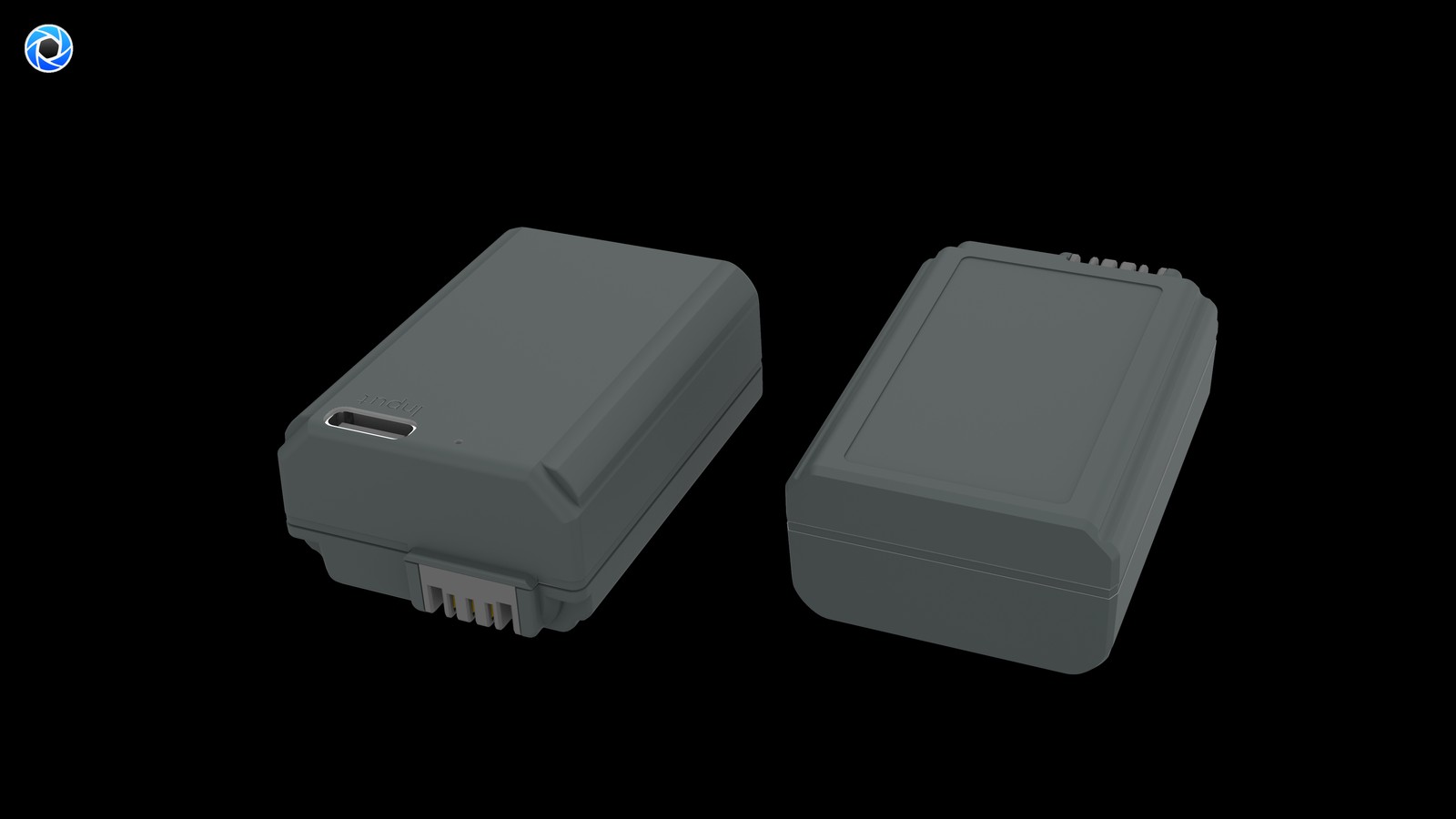
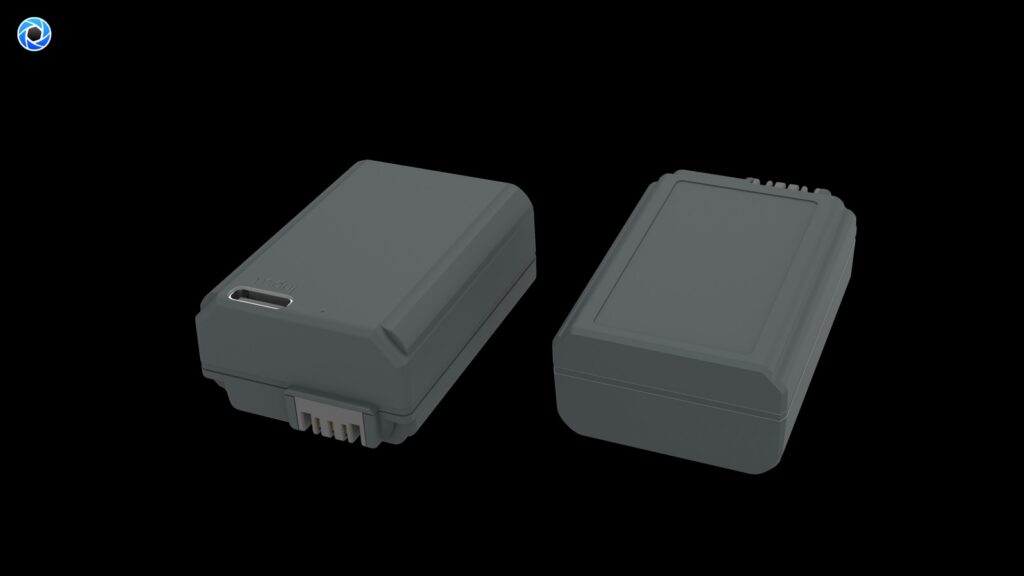
YO NP-FZ100 camera battery render
Product render of the YO NP-FZ100 compatible battery: front label, rear LED charge indicator and USB-C port.

A7 IV run time ranges and what shifts them

Against the A7 III, the A7 IV carries more resolution and stronger video features, which puts more work on the processor. In practice that means a slightly shorter range. Here is what to expect:

Usage Reference range (approx.) Notes
Stills via viewfinder 400–520 frames Based on a moderate shooting rhythm
Stills via rear screen 330–450 frames Screen brightness matters a lot
Continuous 4K 90–130 min Limited by bitrate and heat
Mixed day 300–450 frames plus several clips Plan for 3 cells

These are brackets, not lab results. Ambient temperature, lens stabilisation, firmware version and card speed all shift the outcome, so treat your own average after a few outings as the number that decides when you swap. Wider per-camera comparisons live in the NP-FZ100 battery life database.

The six settings that drain it fastest

  • Rear screen instead of EVF: a lit screen is the single biggest draw, and running it at maximum brightness makes it worse. Use the viewfinder where you can.
  • Continuous AF tracking: real-time tracking keeps the focus motor and processor working constantly. Single AF suits static subjects and saves real power.
  • Stabilisation: IBIS working with lens stabilisation draws more at long focal lengths and in video. Switch it off on a tripod.
  • High-bitrate formats: the higher the bitrate and resolution, the heavier the encoding load. High-bitrate 4K draws noticeably more than 1080p.
  • Constant playback and deleting: reviewing keeps screen and processor busy. Batch it instead of checking every frame.
  • Leaving the camera awake: power down between setups or shorten the auto-off timer, so it is not draining in your bag.

Adjustments that cost you little

None of these meaningfully affects image quality, and together they add real time to every cell:

  • Set auto power-off to a short interval and keep screen brightness just high enough to judge the frame;
  • Turn off wireless features you are not using — Wi-Fi, Bluetooth and FTP transfers are quiet power sinks;
  • Use single AF for static subjects instead of continuous tracking;
  • Shoot video in fewer, cleaner takes rather than starting and stopping repeatedly;
  • In winter, keep spares in an inside pocket and rotate them through.

How many cells per scenario

Scenario Cells suggested Bundle Cost
Everyday / street 2 1+1 kit plus 1 single $40.82
Full travel day 3 2+1 kit plus 1 single $54.63
Wedding / event 4 Two 2+1 kits $73.48
Video-led day 3 plus dummy battery 2+1 kit, 1 single, external power From $54.63

Only need a spare? The NP-FZ100 2600mAh comes on its own, with a charger, or as a two-battery kit. Both versions hold 2600mAh; the USB-C one costs slightly more and saves you carrying a dock.

Powering video work

The A7 IV handles 4K well, but continuous recording puts both the battery and heat management under pressure. Interviews, livestreams and any locked-off setup do better with a dummy battery fed from an AC adapter or power bank: nothing discharges, you never crack the battery door mid-take, and there is less heat building inside the body. Handheld work still depends on cells, so keep two or three rotating. Check that the dummy battery’s voltage and connector match the A7 IV before you buy one. The thinking behind a video power setup is laid out in power solutions for the A7S III and other video bodies — different camera, same logic.

Second bodies and backup cameras

The A7 IV shares its battery with the A7 III, A7R III, A7R IV, A7R V, A9 series, A1, A7C series, A6600, FX3 and others. If you travel with a second body, standardising pays dividends: one pack type, nothing to sort at packing time, and any battery in the bag can rescue either camera. Two per body is the usual baseline, plus one spare held back.

FAQ

Which battery does the A7 IV use?

The NP-FZ100. It is shared with the A7 III, A7R III, A7R IV, A7R V, A9 series, A1, A6600, A7C series and FX3, so multi-body shooters only need to stock one type.

Can I reuse my old A7 III batteries?

Yes, same spec. Just note that a couple of years in, those cells may have faded to around 80 percent capacity, so expect fewer frames than a fresh pack delivers and recalibrate your swap rhythm.

Will the camera warn me about third-party batteries?

Some bodies show the note about charge possibly being displayed inaccurately. That is a normal communication difference and you can keep shooting. A “cannot recognise” message is a different situation — check the model and the contacts, and see the NP-FZ100 FAQ for the full sequence.

What should I watch out for in winter?

Capacity falls off below freezing and may be roughly halved around −10°C (14°F). Beyond carrying more cells, keep the spares warm in an inside pocket, rotate them through, and let a spent one warm back up before you write it off.

A kit for the A7 IV

Two charging options, same capacity: standard 2600mAh (dock required) or USB-C 2600mAh (phone charger or power bank). Pick the version on the NP-FZ100 product page; bulk pricing via wholesale.
Posted on — Leave a comment

EN-EL14+ Compatibility Chart: 15 Bodies and the Models That Do Not Fit

The EN-EL14+ covers 15 bodies, from the D3100 to the Coolpix P7800; the most common buying mistake is not capacity but boundary cases such as D500 / D7000 → EN-EL15. The table below lists every compatible body by series, followed by the models that take a different cell. Always trust the marking on the camera or in the battery compartment: similar-looking packs are not necessarily interchangeable, and EN-EL14 / EN-EL14a / EN-EL14+ should still be checked against the contacts and firmware of your body.

By CIPA standard the D5600 delivers about 820 shots per charge (P7800 350). Real-world figures fall with viewfinder use, bursts, flash and low temperature, so budgeting around 70% of the rating is safer.

Full compatibility list

All 15 bodies below accept the EN-EL14+ or a cell from the same family, grouped by series. “Compatible” means the compartment and contacts match; it does not guarantee that older bodies can exploit the full capacity of a high-capacity pack.

Body Body Body Body
D3100 D3200 D3300 D3400
D3500 D5100 D5200 D5300
D5500 D5600 Df Coolpix P7000
Coolpix P7100 Coolpix P7700 Coolpix P7800

Which models do not fit

This is where search results most often mislead. Packs with similar names and near-identical shells frequently belong to entirely different systems, and forcing one in can damage the compartment.

Item Value
EN-EL14+ EN-EL14 / EN-EL14a / EN-EL14+
EN-EL14a Nikon EN-EL14+
en-el14-plus 1090 mAh / 8.07 Wh
D5600 820 / P7800 350
D500 / D7000 → EN-EL15 EN-EL14 / EN-EL14a / EN-EL14+
EN-EL14 / EN-EL14a / EN-EL14+ 1090 mAh / 8.07 Wh

How to check before ordering

The reliable check is the model printed on the bottom of the body or inside the battery compartment, matched against this list. On a used camera, also confirm that a previous owner has not swapped the battery door.

To pick by model, start with the specifications and stock status on Nikon EN-EL14+ 1090mAh, then browse the full article set in EN-EL14+; if your body belongs to a neighbouring system, EN-EL15 has the side-by-side explanation.

FAQ

How many bodies take the EN-EL14+?

Our list contains 15 bodies, from the D3100 to the Coolpix P7800. It is grouped by series, but still check the body marking, since a later generation in the same line can switch cells.

Is the EN-EL14+ interchangeable with neighbouring models?

EN-EL14 / EN-EL14a / EN-EL14+ shares one shell and contact layout, so those cells fit each other. However, D500 / D7000 → EN-EL15, and those bodies need their own cell — never judge by shape alone.

Will every body on the list benefit from higher capacity?

All of them run normally, but older bodies set their cutoff and fuel gauge to the original specification, so extra shots do not scale linearly and the percentage may read conservatively.

How do I confirm which cell to buy?

Read the model on the bottom plate or inside the battery compartment and match it against this list. If the marking includes a suffix or a “for use with” note, follow the manual rather than the capacity figure.

Posted on — Leave a comment

How Much Does Airplane Mode or Lower Brightness Actually Save? NP-FZ100 Draw Compared

Short version: airplane mode pays the most, typically saving roughly 10–20% in normal shooting. Dimming the screen alone is worth about 5–10%, but combined with viewfinder use and auto review off, the stack saves around 20–35%. In frames, a body that used to deliver 400–600 per day comes out roughly 80–200 ahead. What follows comes from one body and one NP-FZ100 with a single variable changed at a time, so treat the figures as ranges for setting priorities — not as lab-grade measurements.

YO NP-FZ100 camera battery render
Product render of the YO NP-FZ100 compatible battery: front label, rear LED charge indicator and USB-C port.

How the comparison was run

To keep results comparable, the approach was one variable at a time under a fixed routine: same body, same pack, room temperature, and a repeated cycle of compose, half-press, release, pause a few seconds. Bursts, playback and transfers were kept out of the loop. Runtime is described two ways: draw relative to baseline in percent, and an approximate frame count.

  • Baseline: viewfinder composing, standard brightness, all radios off, no review, single AF.
  • Variables: screen composing, brightness, Wi-Fi, Bluetooth, location logging, auto review, stabilization, continuous AF.
  • Why ranges only: individual pack wear, ambient temperature, power-on time and shooting rhythm all move the result.

Each setting on its own

Variable (vs. baseline) Extra draw (approx.) In frames (approx.) Verdict
Compose on the screen +10–25% 50–120 fewer Use the finder unless you need the screen
Screen at maximum brightness +5–10% 30–60 fewer A middle setting is enough
Wi-Fi left on, waiting +10–20% 50–110 fewer Off when unused
Bluetooth linked to phone +3–8% 20–45 fewer Disconnect after transfer
Location logging +5–10% 30–60 fewer Off unless needed
Auto review every frame +5–15% 30–80 fewer Off, or down to 1 second
Stabilization running +5–10% 30–60 fewer Off on a tripod
Continuous AF +5–10% 30–60 fewer AF-S for static subjects

What they add up to in combination

Individually these look minor, but real shooting runs several at once. Here’s the estimated draw for three typical habits, relative to baseline.

Habit Draw vs. baseline (approx.) Usable frames (approx.)
Baseline (finder, everything off) 100% 500–700
Typical (screen + Wi-Fi on + auto review) 125–160% 320–560
Heavy (plus AF-C, high brightness, location) 140–180% 280–500
Optimized (airplane mode, finder, no review) 100–105% 480–700

Moving from typical to optimized is worth roughly 80–200 extra frames a day. That gap is also why Sony’s CIPA numbers — usually 500–700 frames — feel optimistic: day-to-day use tends to deliver around 60–80% of the rating.

Two practical notes on reading the table. The numbers stack on the body you actually own — a high-resolution body with a power-hungry processor will show smaller percentage swings than an older one, because the sensor and processor baseline is larger. And the frame counts assume a stills day. Add video to the mix and the whole picture shifts, since recording sits on a completely different draw level.

Airplane mode: the single biggest win

Radios draw power while doing nothing. Wi-Fi scans and broadcasts on a cycle, Bluetooth keeps shaking hands with the phone, and location logging never stops writing. Together they commonly cost 10–20% of a pack or two per day. The fix is trivial: enable airplane mode in the network menu, switch it off only while transferring, then back on. You can go finer-grained and keep Bluetooth for a remote while killing Wi-Fi, but you give back some of the gain.

Brightness: modest alone, worth doing anyway

Maximum to middle is worth around 5–10%. Its real value is how it interacts with composing: screen plus high brightness is a 15–30% swing. So the better combination is viewfinder priority plus a middle brightness setting, not screen composing with the brightness pulled down. Viewfinder versus screen draw goes deeper on this pair.

Two variables that matter more than settings

  • Temperature. Below freezing, capacity drops noticeably, and around -10°C you may see roughly half of normal. No menu change recovers that; body warmth and rotation do.
  • Pack wear. Lithium cells typically hold about 80% capacity after 300–500 cycles. A two-year-old pack will test well below a fresh one, so always compare using the same pack or the conclusion is worthless.

Video and long bursts sit on a much higher draw level than stills. Everything above applies to stills-first work; for video, see the draw ranking by shooting mode.

One more thing worth testing on your own kit: accessory draw. An external monitor on HDMI, a wireless microphone receiver, or a GPS-type accessory left plugged in all sit outside the menu variables above, and on some rigs they cost more than any single setting. If your numbers don’t match the ranges here, unplug everything and re-run the comparison.

FAQ

Does airplane mode affect image quality?

No. It only disables wireless communication. The imaging path is untouched; you just lose remote shooting and instant transfer.

I changed these and my runtime didn’t improve. Why?

Likely an aged pack or a cold environment. Try the comparison with a healthier battery, and confirm no background transfer job is running.

Is it worth switching stabilization off?

Not for handheld low light — keepers matter more than charge. On a tripod, at high shutter speeds or with flash, turning it off is the better trade.

Do third-party packs respond the same way?

The trend holds; absolute numbers follow usable capacity. With an NP-FZ100 compatible pack rated at 2280mAh, matching the original spec, the percentage savings carry over closely enough.

Two charging options, same capacity: standard 2600mAh (dock required) or USB-C 2600mAh (phone charger or power bank). Pick the version on the NP-FZ100 product page; bulk pricing via wholesale.
Posted on — Leave a comment

Powering the Sony A7S III: NP-FZ100 Recording Time and Setup Options

The Sony A7S III runs on the NP-FZ100, rated 2280mAh at 7.2V for roughly 16.4Wh. Shooting high-bitrate 4K, expect somewhere around 90 to 120 minutes per pack. Push the bitrate higher or sit in live view for long stretches and that comes down further. The practical consequence is straightforward: a two-hour interview or a full event does not fit on one battery. For a video body the reliable answer is rarely more cells — it is a dummy battery on external power, with batteries covering the camera when it moves. Here are the time brackets, a rotation strategy and what to watch out for.

YO NP-FZ100 camera battery render
Product render of the YO NP-FZ100 compatible battery: front label, rear LED charge indicator and USB-C port.

A7S III recording time and where the power goes

Video bodies do not draw like stills cameras. The sensor reads continuously, the processor encodes continuously, cooling runs, and the screen stays lit. Together those create a steady high load. Reference figures:

Usage Reference figure (approx.) Notes
Continuous high-bitrate 4K 90–120 min Moves with bitrate, heat and ambient temperature
High frame rate 4K Below standard 4K Higher frame rates mean heavier encoding
Stop-start recording About 100–140 min of material Standby time draws too
Stills only 350–500 frames Not what this body is usually for

Two different things can stop a take, and it helps to know which one you are dealing with: an empty battery, or thermal protection. If the camera quits with charge still showing, it is temperature, not power. On long days you need a plan for both.

Option one: rotating batteries only

This suits handheld work, documentary follow-cams and short interviews. The key word is rotate, not drain:

  • Carry three or four cells and top them up on a dual-slot charger at any break;
  • Change on a schedule — around 80 to 100 minutes — rather than waiting for the low-battery alert;
  • Let a pulled pack cool in open air before it goes back into a closed bag;
  • In winter, keep spares in an inside pocket; capacity falls noticeably below freezing.

On cost: three singles plus a charger lands near $59, so the tidier buy is the 2+1 kit at $36.74 plus one single at $17.89, which comes to about $55 and includes everything you need. Want a little more margin per take? The USB-C version at roughly 18.72Wh costs $19.66 each, or $39.92 for two with a charger.

Option two: dummy battery plus external power

Interviews, livestreams, time-lapses, product shoots — any locked-off camera belongs on a dummy battery fed by an AC adapter or a power bank. Recording time stops depending on the battery, the body generates less internal heat, and you never break the take to open the battery door. What to get right:

  • Match the dummy battery’s voltage and connector to the A7S III. Wrong specs can trip protection or damage the camera.
  • With a power bank, check stable output at adequate wattage, or you risk the camera cutting out mid-take.
  • Secure the cable so nobody trips on it and pulls the connector sideways.
  • Even running external power, leave the body room to breathe — do not wrap or stack anything over the vents.
  • Still carry one or two cells for moves, transitions and emergencies.

Option three: the mixed rig most people end up with

Scenario Primary power Cell count Suggested bundle
Locked-off interview or livestream Dummy battery plus AC adapter 1–2 as backup 1+1 kit plus dummy battery
Documentary or event work Battery rotation 3–4 Two 2+1 kits
Mixed shoot day Dummy battery for the locked-off chapters, cells on the move 3 2+1 kit plus 1 single
Outdoor or cold weather Rotation with cells kept warm Normal count plus 1–2 Two 2+1 kits

Whichever route you take, number your cells and rotate them so the batch ages evenly, then reassess run time after about a year. Lithium cells typically retain around 80 percent capacity after 300 to 500 cycles.

FAQ

Will the A7S III accept third-party batteries?

Yes. Compatible cells are a legal alternative. Some bodies show the note that remaining charge may not display accurately — a normal communication difference that does not affect recording. A “cannot recognise” message is different; check the model and contacts, and see the NP-FZ100 FAQ.

Recording stopped — is that always the battery?

No. Thermal protection stops takes too, and the giveaway is remaining charge still on the gauge. Improve airflow, shorten your continuous segments, or move to external power so there is one less heat source inside the body.

Can I record while charging over USB?

It works in an emergency, but heat from recording and charging stack up and charging efficiency drops. For anything long, use a dummy battery or rotate cells.

How many batteries for a full day?

Three or four if you are handheld all day. With a locked-off camera near mains power, one or two plus a dummy battery is enough. Match yourself to the table above, or compare against other video bodies in the NP-FZ100 battery life database.

A power setup for the A7S III

Build your kit: the NP-FZ100 is 2600mAh / 7.4V / 19.24Wh. Battery only, battery plus charger, or two batteries plus charger — pick under Bundle. If you would rather leave the dock at home, the same-capacity USB-C version (2600mAh / 7.2V / 18.72Wh) charges from any phone charger. Bulk orders: wholesale enquiry.

Posted on — Leave a comment

NP-FZ100 Battery Life & Care: 5 Tips to Extend Camera Battery Lifespan

A lithium battery’s life is measured in full charge cycles, not in years. An NP-FZ100 typically shows clear capacity loss after 300–500 cycles. These five habits slow that down.

YO NP-FZ100 camera battery render
Product render of the YO NP-FZ100 compatible battery: front label, rear LED charge indicator and USB-C port.

1. Don’t wait for a full discharge

Lithium cells hate deep discharge. Charge at 10–20% remaining rather than after auto-shutdown, which can drop cells too low to wake up.

2. Store at 40%–60% for long breaks

If the camera sits idle over a month, charge to about half and store separately. Full charge accelerates aging; empty risks over-discharge.

3. Avoid heat and extreme cold

Don’t leave spares baking in a hot car, and know that cold temporarily lowers usable capacity (it recovers at room temperature). Ideal storage is 10–25°C.

4. Use the original or a protected charger

Cheap chargers lack proper CC/CV control and can overcharge. Use the original cradle or a reputable smart charger that cuts off when full.

5. Carry a spare and rotate

Rather than wearing one cell to death, rotate two or three to spread the cycle load. YO camera battery’s NP-FZ100 combo suits travel and continuous shooting.

Summary

Shallow charge/discharge, half-charge storage and temperature control keep your FZ100 going longer.

Posted on — Leave a comment

EN-EL25 Ageing and Troubleshooting: Swelling, Fast Drain and Not Recognised

Most “dead” EN-EL25 packs are really dirty contacts, cold cells or normal ageing. Run three quick checks before buying a replacement. Batteries are consumables. As cycle count rises, internal resistance increases and the pack shows full charge for less time, or shuts down abruptly in the cold. Work in order: clean the contacts, retest in a second body, then log the shot count from three full charges.

By CIPA standard the Z50 delivers about 320 shots per charge (Z fc 300 / 4K 75 min). Real-world figures fall with viewfinder use, bursts, flash and low temperature, so budgeting around 70% of the rating is safer.

Symptom checklist

The table lists four symptoms by how often they occur. In most cases a replacement is not yet necessary; rule out contact and temperature factors first.

Symptom Likely cause What to do
Full charge drops to low very quickly Oxidised contacts or an aged cell Clean the contacts, retest in another body, then log full-charge shots
Body reports "cannot recognise this battery" Third-party decoding mismatch or dirty contacts Wipe and reseat; if it persists, test with an original-spec cell
Shuts down suddenly in the cold Higher internal resistance causes a voltage dip Keep spares warm in an inner pocket and retest at room temperature
Shell bulges or the pack runs hot Overcharge, hot storage or aged cells Stop using it immediately and recycle under local rules

A three-step diagnosis

Step one: wipe the contacts with a dry soft cloth and reseat the pack. Step two: retest in a second body from the same family. Step three: log the shot count from three full charges to separate real ageing from a bad gauge.

Item Value
EN-EL25 EN-EL25 / 7.6 V
EN-EL25 Nikon EN-EL25
en-el25 1350 mAh / 10.26 Wh
Z50 320 / Z fc 300 / 4K 75 min
Z5 / Z6 / Z7 → EN-EL15 EN-EL25 / 7.6 V
EN-EL25 / 7.6 V 1350 mAh / 10.26 Wh

When to replace the pack

Replace the pack when full-charge shots fall below about 60% of a new cell, the shell bulges, or the body repeatedly refuses to recognise it. Stop using a swollen cell immediately and recycle it properly.

To pick by model, start with the specifications and stock status on Nikon EN-EL25 1350mAh, then browse the full article set in EN-EL25; if your body belongs to a neighbouring system, EN-EL15 has the side-by-side explanation.

FAQ

Does a jumping charge level mean the EN-EL25 is dead?

Not necessarily. Clean the contacts, retest in a second body, then log the shot count from three full charges. Only a sustained drop in shots points to real cell ageing.

What if the camera says the battery is not recognised?

Dirty contacts or a third-party decoding mismatch are the usual causes. Wipe and reseat the pack; if it persists, test with an original-spec cell to separate a battery fault from a body fault.

Is fast drain in winter normal?

Yes. Cold raises internal resistance and causes a momentary voltage drop. Keeping spares in an inner pocket helps considerably, and capacity normally returns at room temperature.

When must the cell be replaced?

Replace it when full-charge shots drop below about 60% of a new cell, the shell bulges, it gets unusually hot while charging, or it is repeatedly not recognised. Never squeeze, puncture or recharge a swollen pack.

Posted on — Leave a comment

TNP-FW50 Capacity Fade: How to Judge It and When to Replace

Short answer: capacity fades gradually and never fails overnight. A small pack like the 1020mAh NP-FW50 typically drops to around 80% of its factory capacity after 300–500 full cycles. Whether a TNP-FW50 needs replacing is not a question of how many years you have owned it, but of whether usable frame count in the same shooting scenario has settled below sixty percent of what a new pack gives. Age is only a reference; charge cycles are the real unit of measurement. The procedure below needs no instruments — one camera, one pack and one repeatable scenario are enough.

YO TNP-FW50 camera battery render
Product render of the YO TNP-FW50 compatible battery: front label, rear LED charge indicator and USB-C port.

One caveat: drain rates differ so much between bodies, temperatures and shooting intensities that any figure precise to the frame is unreliable. What is useful is the comparison baseline you build yourself.

Why FW50 fade feels more obvious than on large packs

The original NP-FW50 is rated 1020mAh / 7.7Wh / 7.2V, towards the small end of Sony’s E-mount system. Lose the same 20% and a two-thousand-milliamp-class pack is short of four hundred milliamp-hours, while an FW50 is short of about two hundred. The absolute number is small, but since the pack only ever gave you three to five hundred frames, the loss reads directly as “it used to last an afternoon, now two packs barely do”.

The other thing that gets misjudged is the voltage plateau. The FW50 runs at 7.2V nominal, and the body estimates charge from the voltage curve. As a pack ages its internal resistance rises, so voltage sags faster under load, and you get the “two bars showing, one bar the moment you press the shutter” effect. That may be fade, or it may just be cold or poor contact, and the two need separating rather than assuming the worst.

If you own a DR-FW50 dual-slot charging case, keep new packs and old packs charged and stored separately. Once they are mixed together you have lost your comparison baseline entirely.

Three checks you can run yourself

  1. Build a baseline first. When the new pack arrives, shoot one run with fixed settings: burst off, airplane mode on, brightness on the same step, the same card, indoors at room temperature. Note roughly how many frames you get from full to auto-shutdown, and write it on the pack or on a sticker. That number is your pack’s “100%”.
  2. Retest every three months. Same scenario, same settings, one more run. Single results vary widely, so watch the trend: only three consecutive runs at seventy, then sixty percent of baseline prove real fade rather than a cold day or too many features left on.
  3. Watch self-discharge. Charge it fully, leave it a week in a dry box, then fit it and check the gauge. A healthy pack usually loses less than one bar in a week; losing two or more suggests high self-discharge, often alongside aging or an internal micro-short, and such a pack should not be used for anything important.
  4. Watch charging behaviour. On direct USB-C charging, if fill times have become noticeably shorter and it tops out almost immediately, real capacity has probably shrunk. If it gets unusually hot while charging, well above normal, stop using it rather than continuing to observe.

Telling fade from cold and poor contact

Symptom More like capacity fade More like something else
Drain rate Slow in all seasons, and worse month by month Sudden drops only in cold or during bursts
Gauge behaviour Shorter overall, bars falling smoothly Bars jumping and recovering
Charging Shorter fill time, little endurance when full Will not charge, indicator abnormal
Appearance Shell slightly dull, worn corners Swelling, contacts oxidised and dark

For most of the right-hand column you do not need a new pack; start with contacts and temperature. Darkened contacts can be cleaned gently with an eraser, and before refitting check the latch is home rather than half inserted. For cold-weather drain, warming the pack against your body and refitting it usually recovers most of the loss.

One further case deserves a mention: body firmware or menu power-saving settings that have been changed — screen always on, Wi-Fi kept connected, automatic playback. None of that is a battery problem, but it makes people suspect fade, so confirm those settings while you are checking.

When to replace, and whether direct charging speeds up fade

Three thresholds — replace on any one of them: usable frame count consistently below 60% of a new pack; any swelling or deformation of the shell, which is non-negotiable; abnormal heat while charging, or repeated errors from the charging case. If you rely on the pack for paid work, move the line to 70%, because the remaining thirty percent tends to disappear exactly when you need it.

A pack at 60% is not scrap. It still works as a spare, as an emergency pack in the bag, or as the second pack in a dual-slot charging case. Only swelling and overheating genuinely retire a pack.

As for charging method, the biggest structural difference between the YO TNP-FW50 and the original is the USB-C port on the pack, which allows topping up from a charger or power bank without a dock. USB-C input generally sits in the 5V range, with the actual current set by the charging management inside the pack, and it cuts off automatically when full — normal use is no harder on the pack than a dock. What really affects service life is habit: storing at full charge for long periods, running to auto-shutdown every time, and leaving packs in a sun-baked car. Those three contribute far more to fade than direct charging versus a dock. Day to day, store at 40%–60% and charge fully the night before you go out.

Fit notes for individual bodies are on the TNP-FW50 category page, alongside the general notes in the NP-FW50 series. Remember that the A6600 takes NP-FZ100 and sits outside the FW50 family.

FAQ

Must a TNP-FW50 be replaced after two years?

Not necessarily. Two years is only a time reference: if you shoot a dozen times a year, cycle count is low and capacity may still be above 90%. Judging by frame count is far more accurate than judging by calendar age.

The pack shows full but shuts down after a few dozen frames — is that fade?

Check contacts and temperature first, then whether it has been stored at full charge for long periods. If those are ruled out and the behaviour persists in a second body, it is usually rising internal resistance causing early cutoff, which is a sign of age.

Can a faded pack still go in the charging case?

Yes. The DR-FW50 is only a charging and storage device and does not care about pack condition. But do not put a swollen pack in it — the pressure when closing the lid is a risk.

How can I slow the fade on a new pack?

Avoid long periods at full charge and deep discharge, avoid hot storage, and keep it at half charge with a top-up every three months when not in use. Those three rules beat any special maintenance trick.

Posted on — Leave a comment

Genuine vs Third-Party NP-FZ100: Price, Capacity and Lifespan Compared

Lead with the conclusion: a compatible battery is a legitimate replacement, not a counterfeit and not a hack. On the NP-FZ100 spec, genuine and third-party packs differ mainly on price and the certainty you get at purchase. Capacity, voltage and the aging curve are broadly comparable.

YO NP-FZ100 camera battery render
Product render of the YO NP-FZ100 compatible battery: front label, rear LED charge indicator and USB-C port.

A genuine Sony cell typically starts at $70 and up through official channels, while ours is about $17.89 — roughly a three- to four-fold gap — and both follow the same pattern of about 80 percent capacity left after 300 to 500 cycles. For most shooters the practical answer is: fill your count with compatible cells and keep one genuine pack as backup if it fits the budget.

1. Price: Brand and Channel Drive the Gap

Item Genuine Sony NP-FZ100 Compatible NP-FZ100 (ours) Compatible NP-FZ100 (USB-C) (ours)
Single cell Generally $70 and up officially About $17.89 About $19.66
One cell + charger Charger sold separately About $22.93 About $24.70
Two cells + charger Charger sold separately About $36.74 About $39.92
Outfitting three cells Commonly past $200 About $54.63 (two-cell kit plus one spare) About $59.58 (two-cell kit plus one spare)

The reason is not mysterious: genuine pricing carries brand premium, channel cost and a service network, all of which compatible makers skip. Price should not be your only filter, though. Anything priced far below the normal range has usually given something up in cell consistency or protection circuitry. The checks are laid out in six checks for choosing a third-party NP-FZ100.

2. Capacity and Energy: Reading the Ratings

Spec Genuine NP-FZ100 Compatible NP-FZ100 Compatible NP-FZ100 (USB-C)
Rated capacity In line with the spec 2600mAh 2600mAh
Rated voltage 7.2V 7.4V 7.2V
Energy (Wh) Corresponds to capacity Around 19.24Wh Around 18.72Wh
Actual delivery Close to rating Usually around 90 percent of rating Same applies

Two traps to avoid. First, treating mAh as the whole story: runtime equals capacity divided by body draw, and the body often matters more than the cell. Second, expecting the full rated number to come out — the camera cuts off before the cells are empty, so usable energy usually lands around 90 percent of the label. The NP-FZ100 (USB-C) carries the same 2600mAh as the standard version; the difference is how you recharge it, not how long it lasts. Detail in 2280mAh vs 2600mAh explained.

3. Lifespan: One Curve Applies to Both

  • Cycle life: around 80 percent capacity remains after 300 to 500 cycles, for both types. Nothing triples that.
  • Calendar aging: cells fade slowly even unused. Pull one out after three or four years in storage and it will be under its original performance.
  • Accelerants: long storage at full charge, sustained heat and frequent deep discharge. These hit both types equally.
  • Replacement point: a visible drop after a year is normal, replacement around two years is typical, and swelling is immediate retirement.

So manage expectations this way: every battery ages. The real question is how much you will pay for a more predictable starting capacity, and whether replacing every two years works for you.

4. Camera Recognition and Compatibility

This is the most misunderstood part. Some Sony bodies show a notice that remaining charge may not display accurately when a third-party cell is inserted. That notice does not stop you shooting — it is expected behavior. What needs action is “cannot be used” or an identification error: check for dirty contacts and confirm the model before blaming the battery.

Properly specified cells generally work fine across the A7 III, A7R III, A7 IV, A7C series, FX3 and FX30. If you want certainty, run a test shoot before anything that matters.

5. Safety and Warranty

  • Protections: legitimate products carry overcharge, over-discharge, overcurrent and short-circuit protection. Confirm the markings and construction are intact.
  • In use: slight warmth while charging is normal; hot is not. Avoid leaving cells charging unattended for long stretches, and keep them from crushing and puncture.
  • Fault handling: any swelling means immediate retirement and recycling through a proper drop-off. Never puncture or burn a cell.
  • Warranty: terms vary by seller. Check the coverage and return process before buying rather than after.

No battery comes with a blanket safety promise. Safety comes from correct use and timely replacement, not from a line of marketing.

6. Who Should Buy What

User Recommendation Why
Students and hobbyists on a budget 2 compatible cells Around $36.74 kitted out; predictable cost
Wedding and event shooters 3–4 compatible cells + 1 genuine backup Count matters most, so redundancy wins
Occasional users with one important job 2 compatible cells Low frequency; no need to overspend
Corporate buyers with asset rules Follow company policy Process and invoicing outrank price
Studios and rental houses Compatible cells via quote Priced by volume at 100 units and above

FAQ

Do third-party cells damage the camera?

A pack matching the spec — 7.2V, correct dimensions and contacts — is a standard replacement and adds no extra risk in normal use. Steer clear of untraceable sellers, deformed casings and swollen cells.

Is third-party runtime clearly shorter?

With similar ratings the difference typically sits between a few percent and the mid-teens, varying with settings and environment. Against a cell that has already lost twenty percent, any fresh pack is a clear step up regardless of source.

Can I mix genuine and third-party?

Yes. Same spec means the body is indifferent. Group cells by condition so you are not rotating very differently worn packs through one important job.

Why do third-party prices vary so much?

Cells sourced differently, protection circuit design, and how much warranty the seller absorbs. Look at whether capacity claims are credible, how the shell is finished and whether there is real warranty coverage — not just the number on the tag.

Bottom Line

Build your kit: the NP-FZ100 is 2600mAh / 7.4V / 19.24Wh. Battery only, battery plus charger, or two batteries plus charger — pick under Bundle. If you would rather leave the dock at home, the same-capacity USB-C version (2600mAh / 7.2V / 18.72Wh) charges from any phone charger. Bulk orders: wholesale enquiry.

Posted on — Leave a comment

DMW-BLK22 Storage and Travel: Charge Level, Heat, Flights

Short answer: leave the pack at 40 to 60 percent for long storage, keep it dry at 15 to 25 degrees Celsius, and top it back to half every three months. At 19.24Wh it is far below the 100Wh limit, so it travels in the cabin and, by the rules, not in checked baggage. None of this is difficult. The hard part is remembering. Most packs are not worn out by shooting, they are worn out in a drawer or scratched up in a bag next to keys and coins.

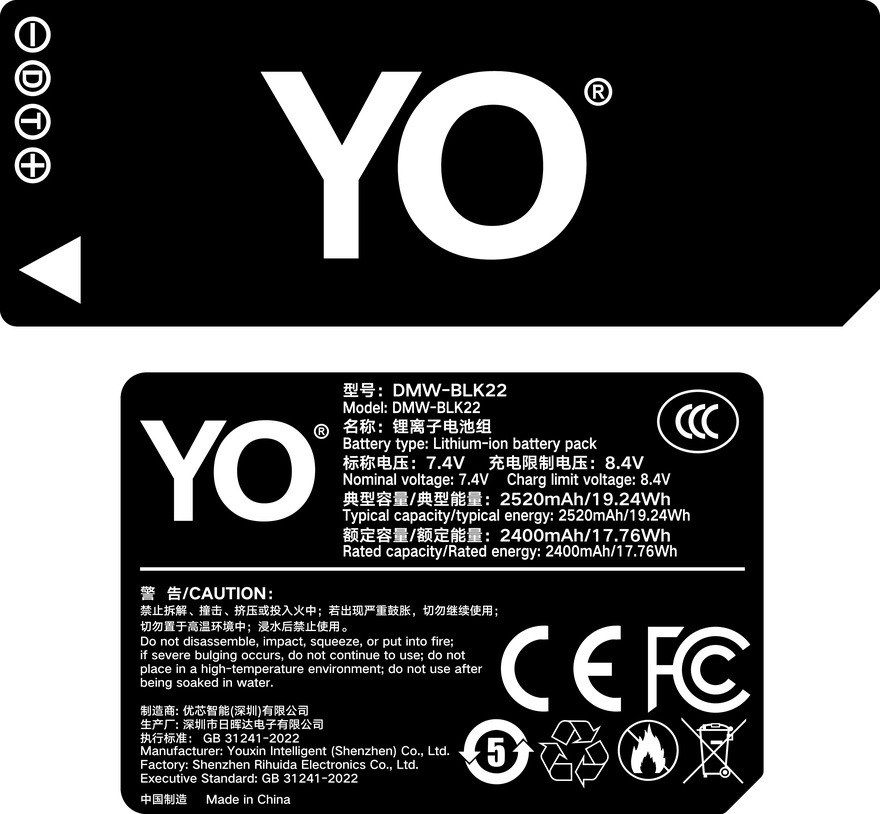
YO DMW-BLK22 battery rating label
Rating label of the YO DMW-BLK22 battery: nominal voltage, typical capacity and safety certifications.

What charge level to leave it at

Storing at full accelerates ageing at the positive electrode. Held at high voltage, side reactions inside the cell run more freely and capacity fades faster. Storing empty is no better, because self-discharge keeps pulling the voltage down, and below the protection board threshold the pack may refuse to take a charge at all.

40 to 60 percent is the safe band, roughly two or three bars on the camera display. Take it out every three months and add charge to about half, then stop. The point is to prevent over-discharge, not to keep it topped up.

If the camera will sit unused for months, take the pack out. A switched-off body still draws a small standby current, and over months that quietly drains the pack without ever warning you.

Temperature and the environment

The comfortable storage range is 15 to 25 degrees Celsius, dry and out of direct sun. Do not leave packs in a parked car in summer. A closed cabin in sunlight reaches fifty or sixty degrees, and damage at that temperature accumulates. One hot afternoon may not kill a pack, but it leaves a mark.

Capacity drops noticeably in the cold. That is normal, caused by the electrolyte thickening, and most of it comes back at room temperature. What to avoid is charging a cold pack, because lithium plating on the anode at low temperature is not reversible. Coming in from a winter shoot, let the pack sit for an hour or two before it goes on the charger.

Humidity matters too. The cell is sealed, but terminals and the protection board can oxidise. In a wet season, a sealed bag with a sachet of desiccant costs almost nothing and prevents most of it.

When to retire a pack

The clearest signal is swelling. Set the pack on a flat table. If it rocks, or if it takes real force to slide into the bay, stop using it. Swelling means gas has formed inside and the structure has deformed, and further charging carries risk.

The second signal is charging behaviour. A pack should be warm, not hot. If it is uncomfortable to hold, or the charger keeps restarting between charge and idle, internal resistance has risen or the protection board is failing. Test it on another dock, and if the behaviour repeats, retire it.

The third is capacity. Usable time shortens gradually as cycles accumulate, and that is normal wear. There is no need to chase new-pack numbers. Once a pack delivers about half of what it used to and you regularly shoot long sessions, its practical value is gone.

Symptom Reading Action
Slight bulge, rocks on a flat surface Gas inside, shell already deformed Stop using it, dispose of it as electronic waste
Loses more than a tenth in a week at rest High self-discharge, board leakage Check once more, replace if it repeats
Hot to the touch while charging Raised internal resistance or a faulty charger Retest on another dock, retire if still hot
Runtime collapses in cold weather Electrolyte thickening, expected behaviour Warm it up, do not charge it cold
Stiff going into the body Shell swelling or tolerance drift Do not force it, use another pack

Flying, and organising several packs

Aviation rules count watt-hours, not milliamp-hours. The common framework allows up to 100Wh in carry-on, 100 to 160Wh with airline approval, and nothing above 160Wh; lithium-ion packs are not permitted in checked baggage at any size. At 19.24Wh this one is far below the limit and a handful in a carry-on is not an issue. Check your airline’s current wording before you fly anyway.

Protect the terminals in transit. The original plastic cap is best. Failing that, tape over the contacts or put each pack in its own pouch. Never let packs share a pocket with keys, coins or metal fittings, because a bridge across the terminals heats the cell fast.

Video shooters often carry four to six packs, and at that point sorting matters more than people expect. Three pouches by state works well: full, half, needs charging, distinguished by colour. Numbering each pack and keeping one line per pack in a phone note, first use date and rough cycle count, is the other option. On set, colour beats memory.

One habit worth building: on the way home, keep the used packs separate from the full ones. At home, bring them to half and put them away. Next time you leave, nothing you pick up is empty. Packaging and capacity options are listed under the DMW-BLK22 range.

FAQ

Can the pack stay in the camera for months

Better not. Even switched off, the body draws a small standby current, and over months that can take a pack into over-discharge. For long breaks, remove it and store the two separately.

Can a swollen pack still be used

No. Swelling means gas has formed and the structure has changed, and continued charging carries a safety risk. Stop using it and take it to a battery or electronic waste collection point, not household rubbish.

Do airports check these batteries

They can, and the check is by watt-hour. At 19.24Wh this sits well inside the usual carry-on allowance. Keep packs where you can reach them, terminals capped, so you can show them if asked. Never put lithium packs in checked luggage.

How often does it need a top-up

Every three months during long storage, to roughly half. In a warmer room the interval can be shorter, because self-discharge runs faster at higher temperature.

Posted on — Leave a comment

Choosing a Third-Party NP-FZ100: Six Checks That Actually Work

“Which brand is reliable?” is not a question that can be answered honestly in one line. There are many third-party makers, batches vary within a brand, and reputation online mixes in channel luck. What travels better is a set of checks you can verify yourself: are the specs honest, are the cells and protection sound, does the camera accept it, is the build consistent, does the aging curve look sane, and is support real. Run those six and you will filter out most of what should not be in your bag.

YO NP-FZ100 camera battery render
Product render of the YO NP-FZ100 compatible battery: front label, rear LED charge indicator and USB-C port.

If you would rather not compare line by line, our own NP-FZ100 compatible battery lists its specs and warranty terms on the product page.

Check 1: Are the Specs Honest

  • Both mAh and Wh should be printed. They must reconcile, since Wh is roughly voltage times amp-hours. One big number and nothing else calls for caution.
  • Correct nominal voltage. The NP-FZ100 spec is 7.2V. Anything else is not this battery.
  • Capacity within a believable range. 2600mAh and 2600mAh are the common tiers. A rating far above that in the same shell means the claim itself needs scrutiny.
  • Separate rating from delivery. Usable energy usually lands around 90 percent of the label, which is normal. What should alarm you is something delivering roughly half its claim. Reading is covered in 2280mAh vs 2600mAh explained.

Check 2: Cells and Protection Circuitry

The cell matters most, the protection board second. You cannot see inside, but you can read the signs:

  • Legitimate products carry overcharge, over-discharge, overcurrent and short-circuit protection, normally stated in the documentation.
  • Weight is an indirect clue. A cell noticeably lighter than its peers at the same spec has likely given something up internally.
  • Charging behavior: slightly warm is normal. Getting hot quickly, or never finishing a charge, points to poor cell matching or faulty protection logic.
  • Discharge behavior: shutting down during a burst or a take usually means high internal resistance or a badly set protection threshold.

No product comes with a blanket safety promise, and none should. Safety comes from correct use and replacing cells on time. If a cell swells or runs abnormally hot, stop using it and take it to a proper recycling point.

Check 3: Camera Recognition

The most misunderstood area. Some Sony bodies display a notice that the remaining charge may not read accurately when a third-party pack is installed. That notice does not interrupt shooting and is expected behavior. What needs investigation is “cannot be used” or an identification error — start with oxidized contacts and whether you bought the right model, since FW50 and FZ100 are not interchangeable (see NP-FZ100 (USB-C) vs NP-FZ100 naming for body coverage).

The test is quick. Install the cell, then run the full sequence: power on, burst 20 to 30 frames, record a few minutes of video, and check that the gauge falls roughly evenly. Pass all four and compatibility is settled.

Check 4: Build Quality and Consistency

  • Shell. Even seams, no flashing, crisp printing. A rough exterior usually reflects a careless interior.
  • Latch. It should seat into the body with a definite stop. Too loose means poor contact; too tight risks damaging the compartment.
  • Contacts. Clean, flat and bright. Darkening or scratches deserve a second look.
  • Consistency. When buying several, compare weight, finish and real runtime. Good batches cluster tightly; bad ones scatter.

Check 5: Cycle Life and the Aging Curve

Lithium aging is universal: about 80 percent of capacity remains after 300 to 500 cycles, a visible drop after a year is normal, and replacement around two years is typical. What separates good from bad is the shape of the curve. A sound product declines slowly and steadily; a poor one can nose-dive after a few dozen cycles or develop rapidly rising internal resistance.

Number every cell, log the purchase date and rough usage intensity, then review every six months. That catches problem cells early and gives you data for the next order.

Check 6: Support and Supply

  • Are the warranty period and return conditions stated clearly? Sellers who take responsibility tend to publish conservative numbers.
  • Is long-term supply available? Owners of older bodies care about this most, since accessories for discontinued models thin out.
  • Is there a quote and invoicing process for bulk orders? For studios, rental houses and resellers, that often matters more than unit price.
  • Will they confirm your camera model before shipping? A serious seller checks compatibility rather than just taking payment.

Six-Point Self-Audit

Check What to look at Good signs Warning signs
Honest specs mAh / Wh / V all present All three listed and reconciling One big number, wrong voltage
Cells and protection Charging heat, discharge stability Slightly warm; indicator stops correctly Hot, never full, shuts off in burst
Recognition Messages and real-world behavior Shoots fine; only a readout notice ID error, repeated cutouts
Build consistency Shell, latch, contacts, across units Even seams, positive latch, batch matches Flashing, looseness, batch scatter
Aging curve Runtime change over six months Slow, steady decline Sharp drop within tens of cycles
Support Warranty, returns, bulk process Clear terms; verifies your model No warranty, price-only talk

FAQ

Are third-party cells always worse than genuine?

Not across the board. Genuine wins on channel certainty and service; third-party wins on cost and the flexibility to buy more cells. A well-built, properly specified pack usually lands close in everyday use. The full trade-off is at NP-FZ100 genuine vs third-party.

Does a higher price mean better quality?

Only loosely. Price correlates weakly with reliability, so come back to the six checks. Within your budget, pick the one with complete specs and clear warranty terms.

Is third-party a good idea for older bodies?

Usually, yes. As genuine supply for discontinued models narrows, compatible cells get comparatively more attractive. Older bodies also draw more per frame, so the extra headroom from a 2600mAh cell tends to be felt a little more clearly on them.

What about buying several at once?

Confirm they are from one batch, number them, test each in-camera, and keep one untouched as emergency backup. Try to keep cycle counts similar so management stays simple.

Bottom Line

Build your kit: the NP-FZ100 is 2600mAh / 7.4V / 19.24Wh. Battery only, battery plus charger, or two batteries plus charger — pick under Bundle. If you would rather leave the dock at home, the same-capacity USB-C version (2600mAh / 7.2V / 18.72Wh) charges from any phone charger. Bulk orders: wholesale enquiry.