Posted on — Leave a comment

Storing an LP-E6NH for Three Months — Swelling Risk

Short answer: three months unused is not a problem as long as you store the pack at 40–60% charge, in a cool, dry place, with the contacts protected from shorting. A healthy LP-E6NH will not swell simply because it sat in a drawer for three months. Swelling comes from long periods at full charge combined with heat, from overcharging or over-discharging, or from physical damage — it is an issue of how the pack is used and stored, not of elapsed time.

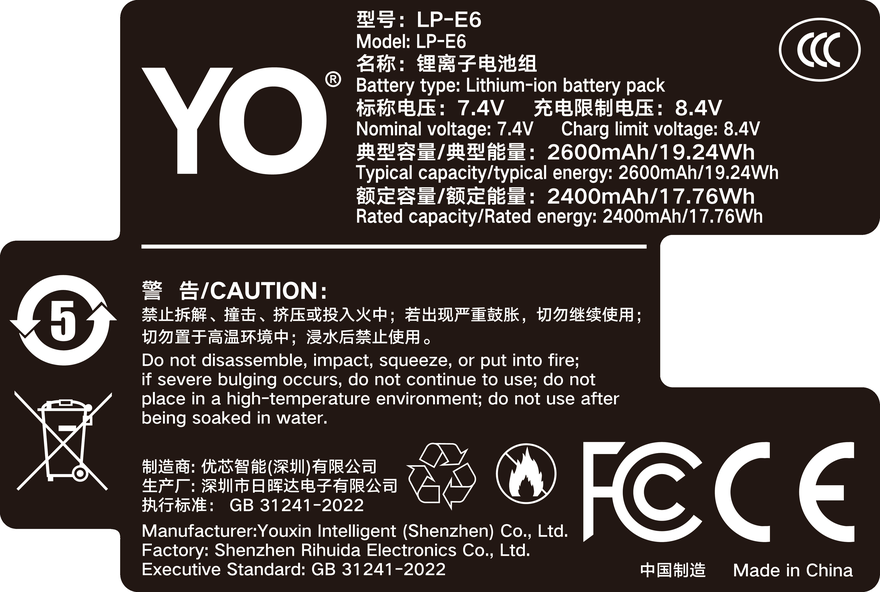
YO LP-E6NH battery rating label
Rating label of the YO LP-E6NH battery: nominal voltage, typical capacity and safety certifications.

Many people put a battery away fully charged, thinking it will be ready to use next time. That is exactly the wrong state for storage. At a high state of charge the cathode sits at a higher potential and electrolyte side reactions are more active; add the heat of a summer drawer and aging runs noticeably faster than at half charge. Three months is unlikely to cause a failure, but repeating it for three or four months every year adds up.

1. Three parameters — charge, temperature, humidity

Charge level matters most. Too high accelerates side reactions; too low risks self-discharge pushing the pack into over-discharge, which can cause irreversible capacity loss or leave it unable to charge. 40–60% covers both ends, and most manufacturers’ long-term storage guidance lands in that range. Lithium-ion self-discharge is typically in the single digits per month, so three months costs little and there is no need to worry about it running flat.

Temperature is the most underestimated factor. Aging rate is quite sensitive to heat; stored above 30°C, capacity loss runs clearly faster than at around 20°C. So keep packs out of balcony cabinets, cars, and spots near radiators or routers that stay warm.

Humidity mainly affects the contacts and the protection board. In damp conditions metal contacts oxidize, which shows up as poor contact and camera errors. A desiccant packet or a dry box is a cheap and effective measure, but you do not need lens-grade rigor.

2. Four steps before storage

  1. Confirm the charge level. Put the pack in the body and check the percentage. Above 70%, shoot down to about 50% before taking it out; below 30%, charge it to 50% first. Do not top it off “so it keeps longer.”
  2. Clean the contacts. Wipe the metal contacts with a dry, lint-free cloth to remove fingerprints and dust. Do not flood them with alcohol, and do not scrape them.
  3. Store packs separately. Put each pack in a terminal cover or its own small pouch so it cannot sit against other packs, keys or coins and short its contacts. This matters more than many people expect — a short can generate a great deal of heat in seconds.
  4. Pick the spot. A cool, dry, dark drawer or cabinet with a stable temperature, away from heat sources and water. One desiccant packet is enough.

Three months needs no top-up in between. If you are storing for more than six months, check the charge every four to six months and bring anything below 30% back to about 50%. The purpose is to prevent over-discharge, not to “reactivate” the pack.

3. What causes swelling, and three checks you can do

Cause Mechanism Typical scenario
Long storage at full charge plus heat Electrolyte decomposes and generates gas at high potential, raising internal pressure A full pack in a sun-baked car or a summer drawer
Overcharging A faulty or non-compliant charger pushes voltage past the limit No-name chargers, packs with no protection board
Over-discharging Forcing a charge into a deeply discharged pack damages the internal structure and generates gas Fast-charging a pack that sat flat for months
Physical damage A drop or a crush damages the internal separator A pack falling out of a bag onto hard ground

Note that “sitting unused” is not on that list. The combination worth watching is full charge plus heat, which is also the most common everyday situation.

The flat-surface test. Put the pack on a level surface (glass or marble is best), press one corner lightly and release. Does it rock like a spinning top? A slight rock can be case tolerance; a clear wobble is a warning.

Sight along the side in the light. Stand the pack on its side and check whether the case seam has opened or the sides bulge in a symmetrical arc. A healthy LP-E6NH should have flat, straight sides.

How it feels going in. If it goes into the body or the charger noticeably tighter, needs force, or the latch will not seat, the shape has already changed — do not force it and risk jamming it in the compartment. Of the three checks this is the most direct and reliable: if one is questionable and the other two are fine, keep watching; if two or more are off, retire the pack.

4. The first use after storage

After three months, check the charge level before deciding whether to charge rather than dropping it straight onto the dock. If it reads zero or the body does not recognize it at all, do not force a charge — that may be over-discharge, and pushing current into it carries risk. Treat it as end-of-life instead. If the level is in the normal range, one or two ordinary charge-discharge cycles bring it back; no special “activation” routine is needed.

Also, before the first demanding shoot after long storage, run one light-load full cycle and watch for unusual heat or sudden jumps on the gauge. It amounts to a cheap check-up.

For compatibility and recognition differences across generations, see the LP-E6NH category and the LP-E6 category. If you also shoot in the cold, the general conclusions in battery behavior at low temperatures apply to how temperature affects usable capacity. The same storage rules apply to YO’s LP-E6NH-compatible packs — leave them at about half charge before putting them away. One naming note: LP-E6+ is not a Canon designation, it is how some third parties label an enhanced pack, so follow the cell chemistry rather than the label.

FAQ

Is it okay to leave a battery in the camera for three months?

Not recommended. A body on standby draws a small current continuously, which over months can pull the pack into over-discharge, and the space inside a body is tight and vents poorly. Taking it out and storing it separately is safer.

It has swollen slightly — can I still use it?

No. Swelling means gas has formed inside and structural integrity is reduced. Continuing to charge and discharge it is a safety risk, and it may jam in the body. Dispose of it under local e-waste rules rather than in household trash.

Is the refrigerator a better place to store it?

Not recommended. A household fridge is humid, and condensation forms when you take the pack out, which is hard on the contacts and the protection board. Very low temperatures also affect the electrolyte. A cool, dry room is enough; there is no need to chill it deliberately.

Capacity dropped after long storage — is the pack failing?

Not necessarily. Some capacity loss is recoverable and comes back after a few normal cycles. Only if it stays clearly below the pre-storage level after several full cycles has irreversible degradation set in. That judgment needs a baseline, so record runtime before you put a pack away.


Posted on — Leave a comment

A7S III Two-Camera Shoot: A Four-Battery Rota with DR-FZ100

Short answer: the right way to run four packs across two cameras is not to give each body two — it is to number all four, pair them permanently by camera position, and stagger the swaps so that at any moment only one pack is recharging in the case and another is ready to go. That way you never reach a point where both bodies are flat with nothing charged. What follows is a rota you can copy directly.

The scenario: two A7S III bodies, one as the main angle (wide, head-on) and one as the second angle (side or hands), four NP-FZ100-class packs — two OEM and two third-party units such as the NP-FZ100 (USB-C). Audio is recorded separately, with each take running 40–50 minutes and a 15-minute break between takes.

Step one: number and pair

Label the packs A1, A2, B1 and B2, with the sticker on the back away from the contacts and the heat path. Group A belongs to the main camera, group B to the second camera; they do not cross over or mix.

The reason for fixed pairing is that two packs used in the same body gradually converge in how they discharge, so your sense of how long a given pack will last gets sharper over time. Random allocation each day means relearning that every time. Constant mixing also levels out the wear across all four, which removes the buffer of always having one pack in better condition.

If the four are a mix of OEM and third-party, pair by capacity and condition rather than by brand. Two packs in similar shape in the same group make the swap rhythm predictable.

Step two: work out usable time per pack

Recording format Whole-camera draw Runtime per pack At 40 minutes a take
4K 24p 10-bit 8–9W About 100–120 minutes 2 takes, margin is tight
4K 60p 10-bit 9–10W About 85–100 minutes 2 takes, comfortable
4K 120p 10-bit 11–12W About 70–85 minutes 1 take, swap before the second

The figures are ranges derived from a power model, not measurements from a particular body. Temperature, screen brightness and whether stabilization is on all shift them, and a twenty percent deviation is common. Plan around the lower end of each range rather than the upper — the margin you leave is your room for error.

At 4K 60p and the 85-minute lower bound, one pack covers two 40-minute takes with something to spare. That means a morning of four takes needs only one swap per camera. That is the most comfortable rhythm available: fewer swaps, fewer interruptions.

Step three: stagger the swaps

This is the most important rule in the whole plan. If both cameras swap at the same moment, you get a window where both are stopped — precisely the situation you least want, especially when the two angles have to be matched, since realigning timecode after an interruption is a chore.

The method: swap camera A after take two, and camera B after take three. That way, whenever one body is swapping, the other is still recording, and only one camera goes down at a time. The pack that comes out goes straight into a DR-FZ100 slot to recharge, with the second slot reserved for the pack due to come out next.

A schedule you can copy

Time Camera A (main) Camera B (second) Case status
Take 1, 09:00 A1 recording B1 recording Empty
Break, 09:40 A1 continues B1 continues Empty
Take 2, 09:55 A1 recording (margin tight) B1 recording Empty
Break, 10:35 Swap to A2, A1 on charge B1 continues A1 charging
Take 3, 10:50 A2 recording B1 recording (margin tight) A1 charging
Break, 11:30 A2 continues Swap to B2, B1 on charge A1 full, B1 charging
Take 4, 11:45 A2 recording B2 recording B1 charging

What matters in this table is not the clock times but the constraint behind them: only one pack charges at any moment. That guarantees the case always has a free slot ready to receive a pack that has just come out, and that you always know exactly how long the other pack has been on charge and roughly where it stands.

Step four: the recharge rhythm

Breaks are usually only ten to fifteen minutes. Taking a pack from low to fifty or sixty percent in that window is realistic; reaching full is not. So do not expect a break to finish a pack — the right expectation is partial top-up between takes, full charge at lunch or after wrap.

The lunch hour is the most effective window. One pack will very likely reach close to full in that time; two depends on the case’s total output, and if the slots share power, charging both is considerably slower than charging one. That is a practical point: at lunch, charging a single pack is often a better use of the hour than loading both.

If your packs are NP-FZ100 (USB-C) units with a built-in USB-C port, there is a further option: a pack that comes out need not go into the case at all — plug it into a power bank and leave the case free for the other one. You have effectively gained a third charging position. On long location days this combination is very practical, and the FX3 power article covers the underlying approach.

Details that catch people out

  • Never swap mid-take. A pack reading 15% can hit the warning within minutes. Put swaps in the breaks and do not gamble.
  • Confirm the pack is seated before you walk away. A pack that is not latched may still light the indicator while not actually charging, and you only find out when you fit it and it is empty.
  • Let a hot pack cool first. After continuous recording the pack surface is warm, and going straight into a closed case stacks the heat. Give it five minutes, or charge with the lid open.
  • Log how each pack performs. Note on your phone that A1 lasted to the end of take two with one bar left; after a few takes your estimates correct themselves.

The value of a rota is that it absorbs uncertainty in advance. At the scale of four packs, two bodies and four takes, getting numbering and staggering right means almost no on-the-spot decisions. More detail is in the DR-FZ100 category, and judging pack condition is covered in the direct-charge battery category.

FAQ

Are four packs enough for a full day of two-camera work?

At four takes a day of forty minutes each in 4K 60p, usually yes, but without much spare. With more takes, longer ones, or 4K 120p, go to six packs or add external power to the fixed camera. The test is whether you can hold the state of two packs in use, one charging and one full at the start of every take — if you can, you have enough; if not, add packs.

Can the two cameras share packs?

Physically yes, but it is better not to swap them mid-shoot: it breaks your runtime expectations and levels out the wear curves. Swap only in an emergency, then update the numbering notes afterwards.

Can the case sit next to the cameras?

Yes, with two cautions: do not put it on the floor where it can be kicked, and do not press it against equipment that runs hot. A partly open lid helps heat escape but lets dust in, so on a dusty set keep it closed and top up back at the hotel.

Why stagger the swaps rather than doing both at once?

Swapping both saves you a few movements and costs you the risk of both cameras being down together. On a two-camera shoot the angles usually complement each other, so a simultaneous interruption means that stretch exists on neither card. Staggering costs two extra minutes and guarantees at least one camera is always recording, which is the better trade.

Posted on — Leave a comment

NP-W235 Charging Options Compared: Dock, In-Body USB and Power Banks

A NP-W235 can be topped up via BC-W235 / USB-C / PD: a dock for home, a power bank on location, and external power only for long takes. Charging efficiency depends heavily on temperature, so pause below 5°C or above 40°C. Mild warmth is normal; a pack that is hot to the touch, smells unusual or has deformed should be disconnected immediately. For long storage keep about 50% charge and top up every three months.

By CIPA standard the X-T5 delivers about 580 shots per charge (X-H2S 1.5 h). Real-world figures fall with viewfinder use, bursts, flash and low temperature, so budgeting around 70% of the rating is safer.

Three charging paths compared

The paths differ mainly in speed and whether the cell has to come out. A dock is stable and can charge two at once; in-body USB is convenient but usually stops charging when the camera is powered on; a power bank covers location work.

Method Note
BC-W235 Stable, charges two cells at once, best for home or studio rotation
USB-C No need to remove the cell, ideal for travel, but charging usually stops when powered on
PD Good for location top-ups; check output specs and cable quality

Temperature and storage limits

Charge between 5–40°C, and store around 15–25°C in a dry place at roughly 50% charge. Leaving a pack fully charged or completely flat for months accelerates capacity loss.

Item Value
NP-W235 NP-W235
NP-W235 2200 mAh / 16.2 Wh
np-w235 2600 mAh / 19.24 Wh
X-T5 580 / X-H2S 1.5 h
X-T3 / X-T2 / X-T1 → NP-W126S NP-W235
NP-W235 2600 mAh / 19.24 Wh

Power for long recordings

For long takes, streaming or time-lapse, prefer external power and watch the heat. Charging while the camera runs keeps the cell warm, so leave room for ventilation in summer or in enclosed spaces.

To pick by model, start with the specifications and stock status on Fujifilm NP-W235 2600mAh, then browse the full article set in NP-W235; if your body belongs to a neighbouring system, fujifilm-np-w126s has the side-by-side explanation.

FAQ

Can the NP-W235 be charged inside the camera?

It depends on the body: BC-W235 / USB-C / PD. Where in-body USB charging is supported, it normally stops as soon as the camera is switched on, so a dock is more predictable when you are in a hurry.

How long does a full charge take?

It varies with charger output, remaining charge and ambient temperature. A dock is usually the fastest and most stable option, while in-body USB and power banks are slower. Use the charger indicator rather than the in-camera percentage as your guide.

Can I shoot while charging?

External power is fine for long recordings or streaming, but body and cell both stay warm. In summer or enclosed spaces, improve ventilation and never put a hot pack straight into a sealed case.

How should I store the cell long term?

Keep it around 50% charge in a dry place at 15–25°C and top it up every three months. Long periods fully charged or fully flat accelerate ageing; recycle a swollen pack instead of recharging it.

Posted on — Leave a comment

Fujifilm X-T30 II and X-S10: Real Battery Runtime

Short answer: at normal temperatures, a fresh NP-W126S gives an X-T30 II or X-S10 roughly 300-450 stills on a stills-only day, or about 60-90 minutes of continuous 4K. Two packs cover a day of city shooting; for events, travel or video-first work, plan on three. Neither figure is fixed. Screen brightness, whether stabilisation is running, how often you shoot bursts, and the ambient temperature all move the result noticeably. The X-S10 has in-body stabilisation, so in the same situation it usually drains a little faster than the X-T30 II.

YO NP-W126S battery rating label
Rating label of the YO NP-W126S battery: nominal voltage, typical capacity and safety certifications.

Rather than memorising one number, it helps to know the range and the variables, then size the kit to the way you actually shoot.

1. Ranges first: stills and video are separate budgets

The CIPA figures manufacturers publish are measured under tightly defined conditions, and real use usually lands below them. The table below shows the ranges most users see at room temperature; treat it as planning input.

Usage X-T30 II (one pack) X-S10 (one pack)
Stills only, little chimping About 350-450 shots About 300-400 shots
Stills plus frequent review and transfer About 250-350 shots About 220-320 shots
Continuous 4K 30p About 60-80 minutes About 55-75 minutes
Continuous 1080p About 90-110 minutes About 80-100 minutes
Sports shooting, mostly bursts About 200-300 shots About 180-280 shots

The gap between the two columns comes mainly from stabilisation and heat. The X-S10’s in-body stabilisation works continuously, drawing power even while you are only composing. The X-T30 II has no IBIS, so static shooting costs less, but its finder and autofocus behave more eagerly, which can make bursts drain faster than expected.

2. Four variables that move runtime

Screen versus finder. Shooting entirely through the EVF is usually cheaper than the LCD, but holding the camera to your eye for hours makes it easy to forget the body has been awake the whole time. The opposite combination — a bright LCD plus constant review — is the fastest way to lose a bar.

Wireless. Leaving Bluetooth connected and auto-transferring to a phone after each shot raises standby drain significantly. Turn auto-transfer off while you are out and batch the files back at the hotel; that alone often buys a few dozen extra frames.

Ambient temperature. Cold cuts usable capacity sharply on any lithium-ion cell. Below freezing the gauge can fall from 60% straight to a warning. For how the drop plays out in detail, the approach in this minus 10°C battery test applies across brands.

Battery age. After three years a pack typically holds only 70-80% of its rated capacity. A sudden drop in runtime is usually not a camera fault; the cell has simply reached the end of its useful life.

3. Backup plan: allocate by scene, not by count

  1. City walkaround and daily documentation: two packs. One in the body, one in the bag — enough for a day, with room for review and transfers.
  2. Full-day travel coverage: three packs. One for the morning, one for the afternoon, one for the evening, all charged together at night so you never hunt for an outlet mid-shoot.
  3. Video-first work: three to four, and favour the newer cells. Continuous recording is demanding on voltage stability, and old packs are more likely to sag and shut the body down mid-take.
  4. Cold or outdoor work: bring 1.5 times the fair-weather count, keep spares against your body, and only take them out when you swap.

If your packs are the same model, mark the bases and rotate them so one is not always in use while the other sits idle. Storing lithium-ion cells at full charge accelerates ageing; for long gaps, charge to about half. YO compatible NP-W126S packs are commonly used in the backup slot, so check that overcharge and over-temperature protection are stated before you buy.

4. Charging, storage and lifespan

Both the X-T30 II and the X-S10 accept in-body USB-C charging, but the speed depends on the charger’s protocol, and a plain 5V adapter is painfully slow. On the road, one PD-capable multi-port charger takes less space than the original dock charger. If you fly, lithium-ion packs must travel in the cabin; the rules are covered in this guide to carrying lithium batteries on a flight, and the thresholds are essentially the same across capacities.

For storage, keep packs out of a hot car and never let them share a pocket with keys or coins. A shorted terminal heats up instantly, and it is the most commonly overlooked risk. For more on pairing packs with this generation of bodies, see the NP-W126S category.

FAQ

Is one pack realistic for a whole day?

Usually not. Stills only, minimal review and mild weather can stretch to a full day, but as soon as video, file transfer or cold weather is involved, one pack generally covers half a day.

Is it normal that the X-S10 drains faster than the X-T30 II?

Yes. Continuous in-body stabilisation adds load, and the X-S10’s grip design and video focus point the same way. Slightly shorter runtime in identical conditions is expected.

Can I shoot while charging?

Some bodies support USB power, but charging while shooting adds heat and makes a high-temperature warning more likely during long takes. The safer routine is to charge with the camera off, or top up from a large power bank while idle.

Is it better to run the pack flat before recharging?

No. Lithium-ion cells have no memory effect, so topping up as you go is fine. What actually hurts them is long storage at full charge and leaving a deeply discharged pack uncharged for months.

Posted on — Leave a comment

NP-FZ100 (USB-C) in the A7 IV and FX3: USB Power Limits

Short answer: the NP-FZ100 (USB-C) records normally in an A7 IV or an FX3, but “charging while shooting” will not rescue a long take — once the pack is in the bay its own Type-C port is completely covered, so any top-up runs through the body’s USB-C input, and whether that holds depends on the body and the supply wattage, not on the battery. What really caps recording time is body heat, not capacity. For two or three hours or more of continuous recording, neither swapping packs nor charging while shooting is a good trade; external power is the steadier answer. Below we separate the real limits of the three routes.

YO NP-FZ100 camera battery render
Product render of the YO NP-FZ100 compatible battery: front label, rear LED charge indicator and USB-C port.

First, one thing to clear up: the port on the battery is unusable in-camera

The direct-charge port on the NP-FZ100 (USB-C) sits on the side of the pack itself. Once the battery is seated in the bay, the wall covers it completely and there is no room to route a cable. So in practice “charging while shooting with a NP-FZ100 (USB-C)” has exactly one form: the pack powers the body as usual, while a cable runs from the camera’s USB-C port to a power bank or a PD supply.

That route only works if the body accepts USB power. The A7 IV, A7S III and FX3 all take PD over USB-C, and with a suitable supply the camera draws from the external source first, so the pack’s discharge slows markedly or stops altogether. Older bodies support USB charging but not USB power — with a cable attached they keep drawing from the battery, only more slowly. Check your camera’s manual on this point.

Three supply routes, and roughly how long each lasts

The table gives orders of magnitude for 4K at a normal bit rate, around 22°C ambient, a single camera and continuous recording. Actual time depends heavily on bit rate, frame rate, screen brightness and whether a fan is running.

Supply route Continuous recording Strength Main limit
NP-FZ100 (USB-C) alone About 1–2 hours No cable, maximum mobility Swaps interrupt the take, and cold weather cuts it further
Body USB-C to a PD supply About 2–4 hours or more, depending on cooling No need to stop, low cost Tethered by the cable, heat accumulates
Dummy battery plus a large supply Set by the external supply’s capacity Genuinely continuous power Needs extra parts and cable routing

The third route replaces the real pack with a dummy of the same shape, wired to an external supply or a USB power module. It removes capacity from the equation entirely, which suits fixed-position interviews, livestreams and conference recording. For the wiring details, see our dummy battery power guide.

The three real limits of charging while shooting

Limit one: is there enough power?

A recording body draws in the 5–10W range, and more at high bit rates, with stabilisation on and the screen bright. Feed it from an ordinary 5V/2A power bank and the input may only just match consumption or fall slightly short, so the pack keeps draining — you have moved from one hour to two, not to unlimited. A PD supply of 18W or more is what gives the charge a chance to actually hold.

Limit two: heat adds up

Charging produces heat and recording produces heat; do both at once and the interior warms faster than with either task alone. The A7 IV is fairly sensitive to temperature during long 4K takes, and recording while plugged in brings the overheat warning forward. The FX3 has an active fan and more headroom, but a blocked intake or a hot environment will still trigger protection.

Limit three: a cable changes how you shoot

Plugged in means the camera cannot move freely; handheld follow shots, gimbal work and quick repositioning all suffer. Many people conclude that carrying two more packs and rotating is preferable to living with a cable — which is the argument for a dual-slot case.

When to give up on charging while shooting

The test is simple. If a single take runs longer than the pack can supply and you cannot stop in between, do not count on charging while shooting — go to external power. Interviews, lecture capture, livestreams and multi-camera stage work all fall into that group.

Conversely, for documentary following, weddings and moving exterior work, the cable costs more than it gives. The right approach is three or four packs, all charged overnight in a dual-slot case, swapped between segments during the day. In that workflow the direct-charge port on the NP-FZ100 (USB-C) earns its place: at lunch, any USB outlet will put half a charge back into the pack you have just pulled.

Video power on the FX3 and FX30 involves finer trade-offs. Our FX3 and FX30 video power guide compares the two bodies, including cooling design and recommended supply wattage.

A configuration that rarely goes wrong

  1. Fixed main camera: dummy battery on a large external supply, with the pack as a buffer for power interruptions.
  2. Moving work: NP-FZ100 (USB-C) in the body, two spares in the bag, everything recharged at the end of the day.
  3. Mixed situations: body USB-C on an 18W-plus PD bank, as an extender rather than a substitute for capacity.
  4. Summer outdoors: keep the body out of direct sun, let it cool between takes, and never leave a plugged-in camera sealed in a bag.

What these have in common is that runtime is never bet on a single method. The battery buys mobility, the cable buys duration, and each covers its own stretch. More accessory combinations are listed in the NP-FZ100 (USB-C) catalogue.

FAQ

Will the FX3 overheat recording 4K from a power bank?

It can, but it is more forgiving than a fanless body. The FX3 has active cooling and typically runs a long time at room temperature, provided the intake is not covered by a hand or a sticker. In direct summer sun, every body loses headroom.

Does charging while shooting cause swelling?

Not in normal use. Swelling is mostly tied to prolonged heat, failed overcharge protection or cell quality. Keeping the camera out of a sun-baked car and avoiding unknown chargers are the more effective precautions.

Will an ordinary power bank extend recording time on the A7 IV?

It will extend it, but by how much depends on the bank’s output. A 5V/2A output mostly just slows the decline; holding the level needs a PD fast-charge tier. Confirming that your bank supports PD output before you leave saves more weight than an extra battery.

Does swapping the battery mid-take lose the clip?

It ends the current clip. To change packs without stopping, you need external power to carry the camera, or a supply design that supports two batteries. That is why fixed-position work leans toward a dummy battery.

Posted on — Leave a comment

DR-FW50 LED Not Lighting: A Five-Step Diagnosis

Short answer: most of the time a dead indicator points to the supply chain rather than the battery. Work through cable, then adapter, then bay, then battery, then contacts, and you will usually localize it within ten minutes. The order matters: outside in, cheap to expensive, so you do not condemn a healthy battery before you have established the cause.

The DR-FW50 is a two-bay charging case with no battery and no storage of its own; it only starts working once power is connected. That is the key to diagnosis. A dark case may be getting no power at all, or it may be powered but not detecting a battery — and the two look almost identical.

First, confirm when the light should be on

Normally, with power connected and a battery loaded, that bay’s indicator lights up and shows charging by staying steady or pulsing, then changes color or goes out when full. An empty bay usually stays dark or shows only a power indicator.

So the first false alarm to rule out is an empty bay, or a battery that never seated. An FW50 has to be pressed to the bottom of the bay with full contact before the detection spring moves. Plenty of people leave the battery riding high; the lid closes and it looks installed, but no current flows.

The second is the supply itself. The case’s input is typically USB-C and needs 5V. Some older adapters, computer USB ports and car chargers cannot deliver enough, and the case drops into a protection state that looks like no response at all.

The five-step method

  1. Swap the cable. Substitute a cable you know charges a phone reliably. USB-C cable quality varies widely, and cheap charge-only cables sometimes cannot even deliver stable power.
  2. Swap the adapter. Use a known-good 5V adapter straight into a wall socket — no power strip, no extension cord, no USB splitter. This rules out an inadequate supply.
  3. Swap the bay. Move the battery from the left bay to the right. If it lights up in the other bay, the original bay’s spring or circuit is faulty, which is a case defect.
  4. Swap the battery. Try a battery you know works. If the light comes on with a different battery, the problem is the original one — over-discharged, protection board latched, or oxidized contacts.
  5. Clean the contacts. With power disconnected, wipe the contacts in the case and on the battery with a dry cotton swab, then blow out loose dust. Do not scrape with a metal pin; once the plating is broken, oxidation accelerates.

After those five steps you will usually know which link failed. None of it requires opening the case, and opening it is not advisable — the charging circuit is inside, and under non-professional conditions the risk outweighs any chance of repair.

What each result tells you

Recovers after swapping Where the fault is What to do
Lights after a cable swap Original cable cannot deliver enough, or has a broken conductor Replace the cable; demote the old one to low-demand devices
Lights after an adapter swap Original adapter output too low or incompatible Use a standard 5V adapter; avoid cheap car chargers
Lights after a bay swap Original bay’s spring deformed or contacts dirty Clean the contacts; if it still fails, contact support
Lights after a battery swap Original battery over-discharged, protection tripped, or contacts oxidized Clean contacts first; a deeply discharged battery may recover on a slow charge
Lights after cleaning contacts Contact resistance too high for detection Make cleaning a routine
No light after all of the above Fault inside the case Stop using it and contact support

Only the last row needs service. The first five are yours to fix, and contacts in particular are the most common cause of a dark two-bay case.

Three dark-light situations that are normal

The battery is already full. Some designs stop showing a charging indication once a full battery is detected, or give only a brief signal. If you put a freshly charged battery in, no light is expected. Test by trying a battery you know is empty.

The battery voltage is very low and pre-charging has begun. A battery left unused for a long time can drift down, and the case will first trickle a small current into it; the indicator may come on late, only once voltage passes the threshold and normal charging starts. Give it fifteen minutes and look again.

Temperature protection. A battery that has been in a hot car, or one that is still warm from shooting, can cause the case to pause charging on temperature, with no light. Let it return to room temperature and try again; it usually recovers.

None of these is a fault, and returning a perfectly good unit over them wastes both time and shipping.

There is also a way to test around the case: if you own a battery with a USB-C port, such as the YO TNP-FW50, charge it directly from an adapter and see whether it takes power. If it does, the battery is fine and the case is the problem; if it does not, go back and inspect the battery.

When to stop. If the case produces a smell while powered, the shell becomes noticeably hot, or the indicator blinks abnormally rather than holding a steady or pulsing pattern, disconnect power at once. Those point to an internal circuit fault, and continuing to use it carries risk.

Also, never put a swollen battery into the case. Pressure from the closing lid worsens the swelling, and this is one of the few scenarios with a genuine safety hazard — not something to try “just to see.”

Day-to-day maintenance is simple: wipe the contacts after each use, keep the case in a ventilated spot, and do not leave it plugged in permanently. Those three habits make a dark indicator much less likely. More on using both bays is on the DR-FW50 category page, and battery specifications are on the NP-FW50 series page.

FAQ

The light is off, but the battery works in the camera. What does that mean?

It means the battery is healthy and the fault is on the case side, so focus on the cable, the adapter and the bay contacts. If the camera recognizes the battery, its protection board and contacts are working.

Only one of the two bays lights. Is the case broken?

Not necessarily. Swap the two batteries once: if the problem follows the battery, it is the battery; if it stays with the same bay, it is the case.

Can I use a fast charger to power the DR-FW50?

Yes, but the case only draws what it needs. A fast charger negotiates down to the 5V level and will not force a higher voltage in. The real thing to avoid is a poor-quality adapter that cannot deliver enough current.

The indicator stays on and never goes out. Is that normal?

No. It should change color or go out when charging finishes. Staying lit for a long time usually means the battery cannot be judged full, which may point to an aged battery or poor contact.

Posted on — Leave a comment

NP-W235 Buying Guide: 2600mAh / 19.24Wh vs the Original NP-W235

Compare watt-hours before milliamp-hours: our NP-W235 compatible cell is 2600mAh / 19.24Wh, while the original NP-W235 is 2200mAh / 16.2Wh. Milliamp-hours describe charge, not energy, so they cannot be compared across voltage platforms. Watt-hours (voltage x capacity) are the honest figure. Where a label states both a typical and a minimum rating, use the minimum for conservative runtime estimates.

By CIPA standard the X-T5 delivers about 580 shots per charge (X-H2S 1.5 h). Real-world figures fall with viewfinder use, bursts, flash and low temperature, so budgeting around 70% of the rating is safer.

Original vs our cell, item by item

The table puts the original rating and our compatible cell on the same basis. Price is the listed retail figure; check the product page for current terms. Where a minimum rating is printed, that figure is the better basis for conservative estimates.

Item Original Our compatible cell
NP-W235 2200 mAh 2600 mAh
Wh 16.2 Wh 19.24 Wh
mAh (min) — 2400 mAh
CNY — ¥92.7

Balancing capacity, price and warranty

Higher capacity does not double your shots: the body cutoff voltage and its fuel-gauge algorithm both shape the reading. For a spare cell, price, cycle life and warranty often matter more than the peak number.

Item Value
NP-W235 NP-W235
NP-W235 2200 mAh / 16.2 Wh
np-w235 2600 mAh / 19.24 Wh
X-T5 580 / X-H2S 1.5 h
X-T3 / X-T2 / X-T1 → NP-W126S NP-W235
NP-W235 2600 mAh / 19.24 Wh

Choosing a kit by shooting load

For light use, one original plus one spare is enough. For a full day of travel or video work, carry two or more and rotate them through a dual-bay charger.

To pick by model, start with the specifications and stock status on Fujifilm NP-W235 2600mAh, then browse the full article set in NP-W235; if your body belongs to a neighbouring system, fujifilm-np-w126s has the side-by-side explanation.

FAQ

Is 2600mAh an inflated rating?

Our NP-W235 compatible cell is specified at 2600mAh / 19.24Wh. The label also states a minimum of 2400mAh. while the original NP-W235 is 2200mAh / 16.2Wh. Compare the Wh figures rather than mAh alone.

Should I look at mAh or Wh?

Wh. Milliamp-hours only become energy once multiplied by voltage, so comparing mAh across different voltage platforms is misleading. 19.24Wh is the like-for-like baseline for this pack.

Can a higher-capacity cell damage the camera?

No. As long as the shell, contacts and protection circuit match the system, capacity only affects runtime. The one caveat is that older bodies may report charge level inaccurately.

Should I buy one cell or two?

For a full day outside or video work, carry two or more and rotate them through a dual dock. For indoor or short sessions, one original plus one spare is enough. Budget conservatively against the X-T5 baseline.

Posted on — Leave a comment

Why the A7R IV and A7R V Burn Through Batteries Faster (and What to Do)

The Sony A7R IV (61MP) and A7R V tend to run shorter than the balanced bodies of their generation. The battery is not the problem — the workload is. On the same NP-FZ100 (2280mAh, roughly 16.4Wh), expect around 330 to 500 frames on the A7R IV and 300 to 450 on the A7R V, which is a step below something like an A7 III. Several things stack up: more sensor data to read, larger files filling the buffer, heavier processing and AF load, and playback that costs more to render. This piece breaks those down and lists the adjustments that genuinely help.

YO NP-FZ100 camera battery render
Product render of the YO NP-FZ100 compatible battery: front label, rear LED charge indicator and USB-C port.

Five reasons high-resolution bodies draw more

  • Heavier sensor readout: 61MP moves considerably more data off the sensor than 24MP does, so the sensor and processing chain stay under high load during live view.
  • Large single files: uncompressed RAW files run into the hundreds of megabytes. Longer writes mean the buffer clears more slowly and the processor and storage subsystem stay busy for longer.
  • AF and recognition load: the A7R V’s AI autofocus runs continuously, and subject recognition plus tracking stay switched on in live view. That is a constant draw.
  • Playback and zooming: inspecting detail at high magnification takes real resources, so frequent chimping costs more here than on a lower-resolution body.
  • Stabilisation works harder: the higher the resolution, the more visible small movements become, and the stabilisation system compensates more often.

Add those together and it explains why the same pack seems to fall off faster on a high-resolution body. Nothing is wrong — it is the trade-off you accepted for the resolution. Comparative figures sit in the NP-FZ100 battery life database.

Reference ranges for A7R IV and A7R V

Usage A7R IV (approx.) A7R V (approx.) Notes
Stills via viewfinder 380–500 frames 340–450 frames CIPA around 500–670 / 430–530
Stills via rear screen 330–450 frames 300–420 frames Screen brightness matters a lot
Dense burst shooting Well below normal Well below normal Carry one extra
4K video 80–110 min 70–110 min High recording load on high-res bodies

These are brackets rather than measurements. Firmware, temperature, lens choice and card speed all move the result. After a few sessions, your own average becomes a better guide than any table.

Two habits help more than any setting. First, carry a second body’s worth of power even if you only brought one camera — the buffer and screen are working hard, so a reserve cell absorbs the surprise of a long session without breaking your rhythm. Second, keep an eye on card speed: slow clearing keeps the processor busy after each burst, which quietly extends the high-draw period.

Settings worth changing

None of the following touches image quality in any meaningful way, but together they add real time to every pack:

  • Live in the viewfinder: a lit rear screen is the biggest single draw. Reach for the EVF instead.
  • Shorten auto power-off: set the quickest practical interval so the camera is not draining in your bag or on the tripod between frames.
  • Switch off idle wireless: Wi-Fi, Bluetooth and FTP transfers are quiet power sinks, especially with large files.
  • Use single AF for static work: landscapes, architecture and still life do not need tracking running the whole time.
  • Check focus in batches: reviewing at 100 percent frame by frame is expensive; batch it or wait until you are at the computer.
  • Pick your RAW type deliberately: where compressed RAW is acceptable, smaller files write faster and ease the buffer, which indirectly saves power.
  • Turn stabilisation off on a tripod: IBIS and lens stabilisation are doing nothing useful on solid support.

How many batteries to carry

High-resolution bodies usually need one step more than a comparable standard model:

  • Landscape and architecture, slow pace: two covers most days; take three in cold conditions.
  • Portrait and commercial: start at three, or four if you lean heavily on live view.
  • Burst-heavy work such as wildlife or stage: four plus a dual-slot charger, with a top-up at the midpoint.
  • Secondary video: two cells plus a dummy battery, so locked-off work does not touch the batteries.

On capacity, standard version (7.4V / 19.24Wh) against USB-C version (7.2V / 18.72Wh) is a difference of about 5 percent, priced at $1.77 per cell and $3.18 on a two-battery kit. For high-resolution bodies specifically, that small cushion often lands at a useful moment — enough to finish the set you are making — so the upgrade tends to pay off more here than it does on a balanced camera.

FAQ

Do the A7R IV and A7R V share a battery?

Yes, both take the NP-FZ100, as does the A7R III. Older cells keep working; they just hold less charge as they age.

Why does my A7R V die before 300 frames?

Heavy live view, continuous tracking AF, frequent playback and low temperatures can push below the usual 60 percent ratio. Try the settings list above, then re-measure your own average.

Will a grip extend run time?

Yes. Vertical grips generally hold two NP-FZ100s, doubling capacity, and the extra mass also steadies vertical frames. It is a common answer for high-resolution bodies.

Does a worn battery slow down burst shooting?

Battery health affects run time rather than frame rate. If the buffer seems slow to clear after a run, the card’s write speed is the likelier cause.

Stock up for a high-resolution body

Two charging options, same capacity: standard 2600mAh (dock required) or USB-C 2600mAh (phone charger or power bank). Pick the version on the NP-FZ100 product page; bulk pricing via wholesale.

Posted on — Leave a comment

Charging the NB-13L II: LC-30 and Third-Party Docks

Short answer: the NB-13L II can be charged in Canon’s OEM LC-30 dock or in a third-party dock built to matching specs, but it cannot be plugged straight into a phone charger the way a pack with a Type-C port can. This pack has no charging port of its own, so charging always happens in a dock. What matters when choosing a charger is not the brand but three things: whether it holds this model properly, whether its output voltage and current match, and whether it has basic overcharge protection.

YO NB-13L camera battery render
Product render of the YO NB-13L compatible battery: front label, rear LED charge indicator and USB-C port.

The NB-13L is a 3.6V single-cell lithium-ion pack with a full-charge cut-off typically at 4.2V and a rated capacity of 1250mAh / 4.5Wh. Those numbers define which chargers fit, and they explain why grabbing any charger at random carries risk.

One: the OEM LC-30 dock, the safest route

The LC-30 is the dock Canon supplies for the NB-13L family, with a slot shaped to the pack so it seats with a clear click. The routine is simple:

  1. Plug the charger’s power lead into an outlet and check the indicator state (depending on the batch, steady or off may mean standby).
  2. Insert the pack with the contacts facing the right way, lining the metal contacts up with the spring pins inside the dock. Do not force it in at an angle.
  3. The indicator changes color or starts blinking, which means charging has begun.
  4. The indicator changes again (usually steady or off, per the manual) to show a full charge; remove the pack.
  5. Do not leave it in the dock for long after it fills. The dock has cut-off protection, but taking it out is safer.

The LC-30’s advantage is that the match is exact and you never have to judge specs. Its drawbacks are equally obvious: fixed size, bulky in a bag, and only one slot. With two or more packs, you will be queuing them up in the evening.

Two: three kinds of third-party charger

Type What to check Advantages Risks
OEM LC-30 dock Matches the model directly, nothing to judge Best match, least fuss Bulky, expensive, single slot
Third-party USB dock Confirm it lists NB-13L and outputs 4.2V Compact, runs off a power bank, often dual-slot Build quality varies; cheap units may lack overcharge protection
Universal adjustable charger Set manually to single-cell lithium mode, current no higher than 0.5C One unit for many packs, good if you own several types A wrong setting can damage the pack; not for beginners

A third-party USB dock is what most people actually buy: inexpensive, light, able to run from a power bank, and available in dual-slot versions that charge two packs at once. Check two things when choosing — whether the label names NB-13L explicitly, and whether it states charge-complete cut-off. Avoid anything that says only “fits small Canon batteries” without naming the model.

A universal adjustable charger suits people who also own Fujifilm or Sony packs. But every battery change means re-confirming voltage and current, and one wrong setting can ruin a pack or worse. If you have no interest in studying those parameters, there is no reason to own one.

Three: the voltage and current lines

Voltage mismatch is the most common mistake. The NB-13L is a single-cell 3.6V pack, so the charger must work on single-cell lithium logic and cut off at 4.2V. Using a 7.2V two-cell charger on it is a serious error. Conversely, a single-cell charger will never fill a two-cell pack.

On current, the industry convention is around 0.5C, which for a 1250mAh pack means roughly 600mA. Below that, charging is slower but gentler; above it, heat and aging increase. Most third-party docks are built for 500-800mA, which sits in a reasonable range.

That leads to a practical conclusion: do not try to “speed things up” with a fast phone charger. The circuitry inside the dock sets the actual charge current, and a fast charger will simply be drawn at the wattage the dock wants. The only thing that really changes is heat, and that is not an improvement.

Four: habits and a travel setup

Charging as you go is better for longevity than deep cycling. There is no need to wait for the camera to shut down, and no need to hit 100% every time — for long storage, four to six tenths is actually preferable. In summer, avoid direct sun and enclosed spaces, as with any lithium-ion pack.

A travel setup might look like this: at home, use the LC-30 or a dual-slot dock to fill both packs; on the road, carry one spare plus a small USB dock and top up from a power bank when needed. You keep the reliability of the OEM charger without running dry because there was no outlet.

For choosing the pack itself and checking which bodies it fits, see the NB-13L II category. If you are still confirming which battery your camera uses, the NB-13L category has the full list: the G7X series, the G9X series, and the SX730 and SX740.

FAQ

Can the LC-30 charge the NB-13L II?

Yes. The second generation is a third-party replacement for the NB-13L, with the same dimensions and contact positions, so it seats and charges normally in the LC-30. Charging time depends on remaining charge, typically between one and two hours; go by the indicator state.

The indicator never changes. Is the dock broken?

First confirm the pack is seated correctly and the contacts are clean. Wipe the pack and dock contacts with a cotton swab and a little anhydrous alcohol, let them dry, and retry. If another pack changes the indicator normally, the problem is the first pack; if neither does, it is most likely the dock or the power lead.

Can a power bank feed the dock?

Yes for USB-powered third-party docks, which is exactly where they beat the LC-30 for convenience. Make sure the power bank’s output is stable, and avoid frequent plugging and unplugging while charging, which repeatedly restarts the charging handshake.

Does leaving a full pack in the dock hurt it?

A proper dock cuts off at full, so short periods are fine. But long-term storage at full charge accelerates capacity loss, so take the pack out once it is full, especially if you will not use it soon.

Posted on — Leave a comment

After Hundreds of Cycles: What a 950mAh LP-E17 Still Holds

YO LP-E17 相机电池

Short answer: on the usual industry ranges, a lithium-ion battery still holds 75-85% of its factory capacity after 500 full cycles, and drops to roughly 65-75% after 800. At 80% a 950mAh still holds about 760mAh, which is enough for a short shoot, so its real retirement point comes later than most people assume. All of that depends on counting cycles correctly, and plenty of people overestimate their workload while plenty more underestimate it.

YO LP-E17 camera battery render
Product render of the YO LP-E17 compatible battery: front label, rear LED charge indicator and USB-C port.

What follows covers how to estimate cycles, what the remaining margin actually feels like after a few hundred, and which factors bend the curve earlier.

First: how many cycles has your battery actually done

A full cycle means a cumulative discharge equal to the nominal capacity, not one session on the charger. Using three tenths today and seven tenths tomorrow adds up to one cycle. That means casual top-ups do not inflate the count, while the habit of shooting to shutdown and then charging fully accumulates cycles much faster.

The way to estimate is to divide annual energy use by the nominal capacity. Take an easy version: if you consume the equivalent of 1.5 batteries a week, that is about 78 battery-equivalents a year, roughly 78 cycles, and after three years something over two hundred, still on the flat part of the curve. If you consume four batteries a week, that is about 200 cycles a year, close to 400 after two years, and around then the capacity loss starts to be noticeable.

Workload Approximate cycles per year Capacity after two years Capacity after four years
Under a battery a week About 40-60 Above 90% Around 85%
One to two batteries a week About 80-120 Around 88% Around 78%
Three to five batteries a week About 180-260 Around 82% Around 70%
Professional, high frequency Over 300 Around 75% Around 60%

These figures are range estimates, not measured results. The real curve is strongly affected by temperature, depth of discharge and charging habits, and batteries from the same batch can differ by a dozen percentage points between two owners.

What a few hundred cycles actually feels like

At around 85% most people notice nothing. 85% of 950mAh is 807mAh, still above a brand-new 750mAh, which is the hidden value of a larger tier: it raises the floor that aging leaves you with.

At around 75% the effect becomes concrete. An outing that needed one battery now needs one and a half; a battery that used to reach the end of the day now needs a swap. The battery is still reliable at this stage, but the schedule has to be recalculated.

Below 65% the problem shifts from capacity to voltage sag. The gauge reads full, a few dozen frames cost a bar, and a burst or a video take triggers a low-battery warning. That is not a capacity issue but the voltage drop caused by rising internal resistance, and no number of spare batteries compensates for it. Replace the battery.

What bends the curve earlier

  1. Storing fully charged for months. Charge to 100% and leave it for months, and the cathode sits at a high potential with side reactions more active. This is the most common accelerant and the easiest to fix.
  2. Heat. Leaving a battery in a car in summer, or in a warm equipment case long term, fades it noticeably faster than room temperature. A lithium-ion battery is more sensitive to temperature than to cycle count.
  3. Deep discharge. Running to forced shutdown every time puts more stress on the anode. Swapping at one bar is kinder.
  4. Continuous high-current discharge. Long 4K takes and high-frequency bursts keep the battery in a high-load band, and the accumulated wear is higher than with intermittent use.

The first three are habits and cost nothing to change. The fourth depends on the kind of work you do, which you cannot change, but you can spread it by carrying an extra battery and avoiding long high-load runs on a single one.

Where the 950mAh sits

In the three LP-E17 tiers, the 950mAh is the middle: about 27% more than the 750mAh and about a tenth less than the 1050mAh. The advantage of the middle tier is that it keeps room to manoeuvre as it ages. At 80% it still holds 760mAh, exactly the capacity of a new 750mAh. Over a long service life, that usually makes the 950mAh better value than the small tier.

If your pattern is one battery per day, the 950mAh is effectively the floor; if you regularly need two or more in a day, look at the 1050mAh. To recalculate for your own body and workload, the capacity and compatibility guide has scenario-based estimates. The 750mAh version works better as a top-up battery, and pairing the two is a common arrangement.

FAQ

How many years will a 950mAh last?

At a moderate workload of one to two batteries a week, capacity falls to around 80% after two or three years and the battery remains usable; four to five years brings clear degradation. The actual figure depends on storage temperature and charging habits, and both heat and long-term full-charge storage shorten it.

How do I know how many cycles my battery has done?

The LP-E17 has no cycle counter, and the body cannot display one. The workable approach is to keep your own record: label the battery and note each full charge, or estimate consumption by month. Crude, but better than having no idea.

Must I replace a battery at 80%?

No. At 80% a 950mAh still holds about 760mAh, enough for everyday shooting. The signals that genuinely call for replacement are voltage sag and charging anomalies, not a particular percentage. Capacity loss affects scheduling; voltage problems affect reliability.

Does a new battery need to be broken in?

No. Lithium-ion cells are formed at the factory, have no memory effect, and the old advice about three full charge-discharge cycles comes from the nickel-cadmium era and does not apply to a battery like the LP-E17. Normal use is all that is needed.