Posted on — Leave a comment

Four Ways to Power an NP-FW50 Body: In-Camera USB, Dock, USB-C Cell, DC Adapter

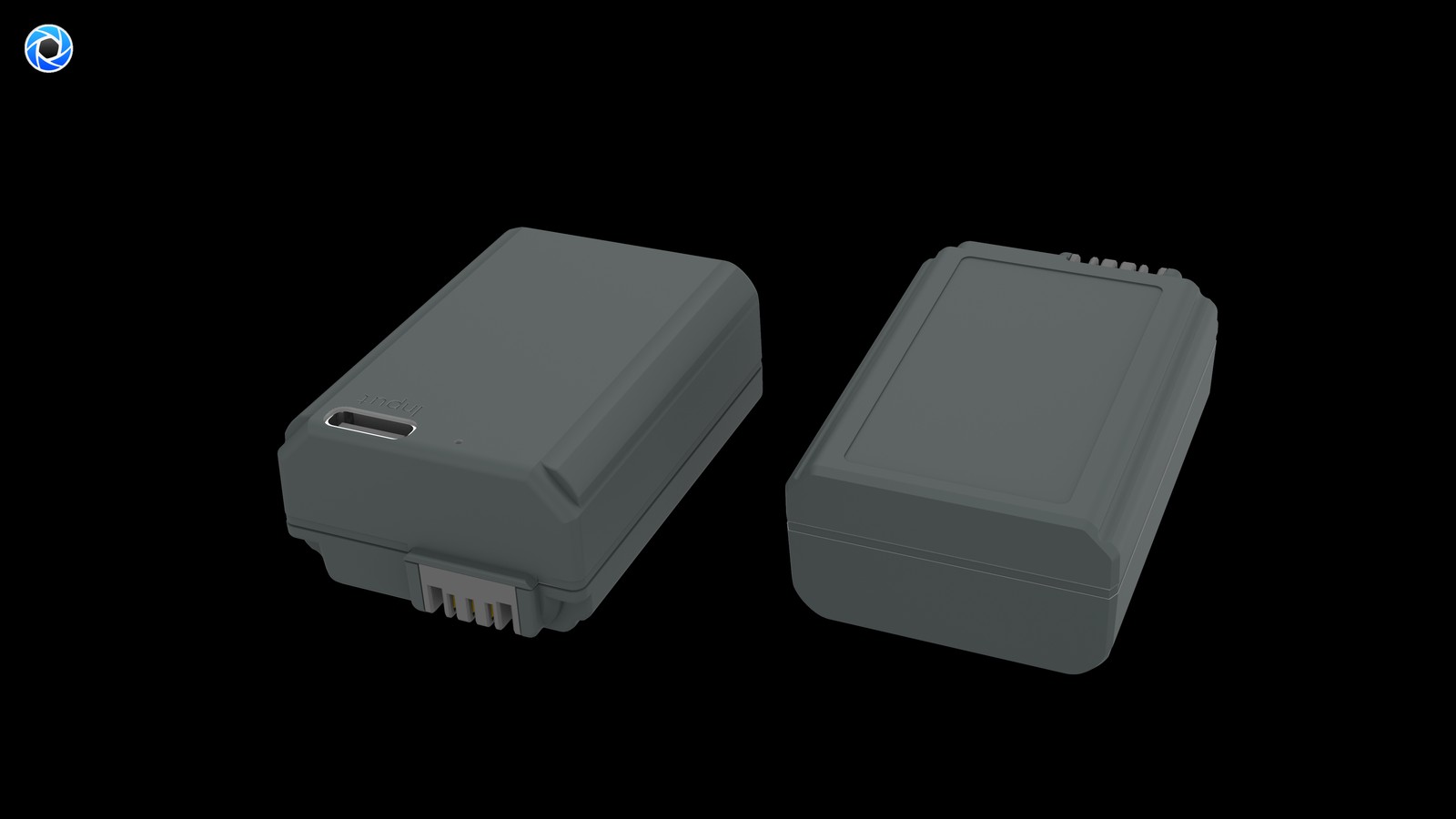
Short answer: separate two jobs. “Refilling” puts charge back into a cell — through in-camera USB on bodies that support it, an external dock that needs the cell removed, or a USB-C port built into the battery itself. “Powering” bypasses the cell entirely: a dummy-battery adapter feeds DC to the body for livestreams, time-lapse and fixed cameras. Which path fits is decided less by the battery than by whether your body can charge over USB and whether the shoot can be interrupted.

The four paths compared

Path Type Remove the cell? What you carry Shoot while powered? Main limit
In-camera USB Refill No USB cable and a supply Depends on the body; usually impractical Most older bodies lack it
External dock Refill Yes Dedicated dock plus mains power No, the cell is out of the body One more accessory, needs an outlet
USB-C direct-charge cell Refill Yes USB-C cable plus charger or power bank No, the cell is out of the body That cell is unavailable while charging
Dummy-battery DC adapter Power Adapter occupies the bay DC supply plus the adapter Yes, continuous Tethered to external power

The last column is the one people skip: the first three answer “how do I refill after shooting”, and only the fourth answers “how do I stay on during shooting”. Mixing them up is how someone ends up with a power bank and a livestream that still cuts out.

Our NP-FW50 compatible cell has no port and relies on a dock or in-camera USB; the TNP-FW50 puts USB-C on the cell; the DR-FW50 external power adapter contains no cell and is specified at DC 8.4V / 3A output across 13-plus bodies. They solve different problems and can all be owned at once.

Why older bodies gain the most from direct charge

The NP-FW50 generation spans roughly 2010 to 2016, and USB power support is inconsistent across it. Early bodies such as the NEX line, first-generation α7 and α6000 mostly cannot charge the cell over the body’s USB port, so a flat battery means removing it and finding a dock. On those cameras a cell with its own USB-C port turns “find a dock and an outlet” into “plug a cable into a power bank” — a gain in luggage, not in runtime.

By contrast, if your body does support USB charging and you only refill at home or in a hotel, the direct-charge port adds little: a plain cell and a dock you already own will do. Paying extra for the port makes no sense when charging always happens in one fixed place.

Your situation Preferred path Why
Older body, refilling away from home USB-C direct-charge cell No dedicated dock or wall outlet needed
Newer body, charging at home In-camera USB or dock Equipment already owned
Two or more cells rotating in a day Dock or direct charge plus spare cells Rotate by day, refill together at night
Livestream, time-lapse, fixed camera Dummy-battery DC adapter Continuous power, no swapping

Planning the overnight refill by cell count

Refill duration can be estimated by dividing energy by input power and efficiency. More useful here is the question of how many cells you have to rotate, planned against a day’s shooting rather than chasing a faster single charge:

Cells carried Daytime use Overnight refill Suits
One No replacement when flat Must be full by morning Short local shoots
Two One in the body, one spare, alternating Charge both, or the empty one first Travel, a few hundred stills
Three or more Rotate, keeping one full in reserve Refill in parallel, emptiest first Video-led or all-day outdoor work

At 8.14Wh this is a small cell, so the refill window is already short. One extra pack usually beats a slightly faster charge. Parallel charging only becomes important with three or more cells and a single night to recover.

When external power becomes mandatory

Swapping a cell interrupts recording. In livestreaming, long interviews, time-lapse or an unattended camera, a power cut is not a few lost frames — it breaks the clip or drops the stream. The right answer is not more spares but a body that stays powered: a dummy-battery adapter occupies the bay while an external DC supply runs the camera. Our DR-FW50 is specified for DC 8.4V / 3A (about 25.2W) continuous output and is listed as external power with no battery included.

Mind the narrower boundary: a dummy-battery adapter fits the NP-FW50 bay, and our listing states 13-plus bodies, fewer than the 21-plus quoted for the cells themselves. Check your model code against the NP-FW50 category before ordering; do not assume that a body taking the cell will also take the adapter.

FAQ

Can the camera charge an NP-FW50 over USB?

It depends on the body. Support is inconsistent across this generation: early NEX, first-generation α7 and α6000 models mostly cannot, so a dock or a USB-C cell is needed. Check the manual.

Can I shoot while a USB-C cell charges?

No. The port is on the battery, so the cell has to come out of the body and is unavailable during the refill. For shooting while powered, use a dummy-battery DC adapter.

Does the external power adapter include a battery?

No. It replaces the cell in the bay and draws from an external DC supply. Our DR-FW50 is specified at DC 8.4V / 3A output and listed as external power, battery not included.

I already own a dock — is the USB-C version worth it?

Not if you only charge in one fixed place. It earns its keep when you refill away from home on an older body that cannot charge over its own USB port.


Posted on — Leave a comment

Battery Setup for Vloggers: NP-FZ100 in the Field

The right NP-FZ100 setup for a vlogger depends on the format. Walking talking-head work runs fine on 2–3 cells rotated from a pocket. Long desktop recordings — interviews, tutorials, screen capture — are easier on a dummy battery with an AC adapter. Travel B-roll days want 3–4 cells plus a power bank. The NP-FZ100 is rated 2600mAh / 7.2V / around 19.24Wh, and official CIPA numbers generally sit in the 500–700 frame range, but video has to be counted in minutes: continuous 4K often runs only an hour or two per cell, which is where most first-time long-form shooters get caught.

YO NP-FZ100 camera battery render
Product render of the YO NP-FZ100 compatible battery: front label, rear LED charge indicator and USB-C port.

Three vlogger setups compared

Scenario Typical bodies Power approach NP-FZ100 count Why
Walking vlog ZV-E1, A7C II, A6700 Cell rotation 2–3 Handheld; staying cable-free matters
Desktop interview / tutorial FX30, FX3, A7 IV Dummy battery + adapter 1–2 backup No cutoff on long takes
Travel B-roll A7 IV, A7C II Cells + power bank 3–4 Top up by day, offload at night
Outdoor long takes / timelapse FX3, ZV-E1 Dummy battery + power bank 1 backup Watch heat and connector match

One check before you buy: ZV-E1, A7C II, A6700, FX30 and FX3 all take the NP-FZ100, while popular entry bodies like the A6400, A6500 and A7 II run the NP-FW50. They are not interchangeable. Confirm your model against the Sony mirrorless battery cross-reference first.

Walking vlogs: why cells beat a power bank

Handheld or on a gimbal, any cable costs you mobility and carries vibration straight into the footage. In this situation two extra NP-FZ100 cells buy more than a bank strapped to the rig:

  • A swap takes seconds, so it does not break the flow of a take you are already delivering to camera.
  • The balance point does not move, so a gimbal stays trimmed.
  • Cold weather is easier to manage: swapping in a cell that has been riding in an inside pocket restores runtime faster than waiting on a charging cable.

If your body accepts USB power while shooting, plugging in during a natural stop — a location change, waiting for an elevator — is fine for a few minutes. Just do not build the day around it.

Desktop recording: a dummy battery is the best value buy

Anything over an hour — tutorials, podcasts, unboxings — is awkward on cells. You either stop mid-take or watch the bars drain. A dummy battery on an adapter or a large power bank costs less than two extra cells and mostly removes the problem.

  • Match voltage and connector: a dummy battery stands in for the cell in the compartment, so the wrong spec can hurt the camera.
  • Mind the heat: long takes warm both body and sensor. Avoid sealed spaces for high-bitrate 4K marathons.
  • Keep one real cell in reserve: you can be back up in under a minute if external power drops.
  • Route the cable properly: it is easy to snag a lead when reaching for a keyboard or lens. Velcro straps solve it.

Wiring, pitfalls and gear pairings are in NP-FZ100 dummy battery and AC adapter setups; cinema-line shooters on FX3 or FX30 should also read battery setups for FX3 and FX30 video creators.

Travel days: mixing top-up sources

Travel shooting mixes walking and locked-off work, so it needs the most planning. One repeatable day looks like this:

  • Morning: leave with 3–4 charged cells, drawn in number order.
  • Transit: the car or train is prime charging time. A USB-input charger on a power bank refills one or two cells in a couple of hours.
  • Evening locked-off shots: go to the dummy battery if you have time, otherwise keep rotating.
  • Back at the room: fill every slot on a dual or four-slot charger, along with phone and mic.

Newcomers tend to underestimate what IBIS, a flipped-out screen and 4K recording cost. Just as important: keep cells somewhere you can reach. A shoulder bag packed tight means you are still digging for a cell after the light has changed.

Settings that trim the drain

  • Set screen brightness manually to mid: plenty indoors and at night.
  • Off with Wi-Fi and Bluetooth when not in use: background transfers are a quiet drain.
  • Auto power-off at 1 minute: forgetting to shut down is the classic vlogger mistake.
  • Record 4K high frame rates only when needed: use standard rates for talking-head work and save slow motion for the moments that call for it.
  • Avoid heavy recording while charging: stacked heat speeds up aging.

Per-mode differences are ranked in our NP-FZ100 power draw guide.

FAQ

How long does one NP-FZ100 record?

It varies a lot with body and format; continuous 4K generally lands somewhere in the one-to-two-hour window. High frame rates, high bitrates and a screen left on cut that down. For anything longer, run external power.

What works best on a ZV-E1?

For handheld talking-head work, 2–3 cells cover a day. If you also shoot desktop segments, a dummy battery saves cycles. Details are in our ZV-E1 and A6700 runtime notes.

Can I record while charging?

Some bodies accept USB power while running, but input often trails what a heavy 4K load consumes, and heat builds up. For stable power, use a dummy battery.

A cell comes out hot after a long take. Now what?

Let it come back to room temperature before charging. Warm while charging is normal; hot to the touch is not — stop and investigate.

Only need a spare? The NP-FZ100 2600mAh comes on its own, with a charger, or as a two-battery kit. Both versions hold 2600mAh; the USB-C one costs slightly more and saves you carrying a dock.

Posted on — Leave a comment

EN-EL25 Compatibility Chart: 4 Bodies and the Models That Do Not Fit

The EN-EL25 covers 4 bodies, from the Z30 to the Z fc; the most common buying mistake is not capacity but boundary cases such as Z5 / Z6 / Z7 → EN-EL15. The table below lists every compatible body by series, followed by the models that take a different cell. Always trust the marking on the camera or in the battery compartment: similar-looking packs are not necessarily interchangeable, and EN-EL25 / 7.6 V should still be checked against the contacts and firmware of your body.

By CIPA standard the Z50 delivers about 320 shots per charge (Z fc 300 / 4K 75 min). Real-world figures fall with viewfinder use, bursts, flash and low temperature, so budgeting around 70% of the rating is safer.

Full compatibility list

All 4 bodies below accept the EN-EL25 or a cell from the same family, grouped by series. “Compatible” means the compartment and contacts match; it does not guarantee that older bodies can exploit the full capacity of a high-capacity pack.

Body Body Body Body
Z30 Z50 Z50 II Z fc

Which models do not fit

This is where search results most often mislead. Packs with similar names and near-identical shells frequently belong to entirely different systems, and forcing one in can damage the compartment.

Item Value
EN-EL25 EN-EL25 / 7.6 V
EN-EL25 Nikon EN-EL25
en-el25 1350 mAh / 10.26 Wh
Z50 320 / Z fc 300 / 4K 75 min
Z5 / Z6 / Z7 → EN-EL15 EN-EL25 / 7.6 V
EN-EL25 / 7.6 V 1350 mAh / 10.26 Wh

How to check before ordering

The reliable check is the model printed on the bottom of the body or inside the battery compartment, matched against this list. On a used camera, also confirm that a previous owner has not swapped the battery door.

To pick by model, start with the specifications and stock status on Nikon EN-EL25 1350mAh, then browse the full article set in EN-EL25; if your body belongs to a neighbouring system, EN-EL15 has the side-by-side explanation.

FAQ

How many bodies take the EN-EL25?

Our list contains 4 bodies, from the Z30 to the Z fc. It is grouped by series, but still check the body marking, since a later generation in the same line can switch cells.

Is the EN-EL25 interchangeable with neighbouring models?

EN-EL25 / 7.6 V shares one shell and contact layout, so those cells fit each other. However, Z5 / Z6 / Z7 → EN-EL15, and those bodies need their own cell — never judge by shape alone.

Will every body on the list benefit from higher capacity?

All of them run normally, but older bodies set their cutoff and fuel gauge to the original specification, so extra shots do not scale linearly and the percentage may read conservatively.

How do I confirm which cell to buy?

Read the model on the bottom plate or inside the battery compartment and match it against this list. If the marking includes a suffix or a “for use with” note, follow the manual rather than the capacity figure.

Posted on — Leave a comment

A Swollen NP-FZ100 — Can You Still Use It? Causes and Safe Handling

Direct answer: a swollen NP-FZ100 is done. Don’t use it, and don’t charge it. Swelling means gas has formed inside the cell and the internal structure is no longer stable. Further charging or discharging risks more expansion, leaking, or thermal runaway. The correct response is to stop using it, insulate the terminals, store it alone, and hand it over to a battery or hazardous waste collection point. The price of one pack is far below the cost of one incident, and this isn’t a place for optimism.

YO NP-FZ100 camera battery render
Product render of the YO NP-FZ100 compatible battery: front label, rear LED charge indicator and USB-C port.

How to tell whether it’s swollen

Mild swelling isn’t always obvious to the eye. These checks will confirm it:

  • The spin test. Set the pack on a flat table or a piece of glass and give it a gentle push. If it spins or rocks freely, the underside is no longer flat.
  • Look at the seam. Is the case seam opened up, or do the sides bulge so the middle sits higher than the edges?
  • How it fits. Noticeably tight going into the compartment, sticking on the way out, or a battery door that won’t close properly.
  • How it feels. A hollow or slightly springy feel under light finger pressure, instead of the solid feel of a healthy pack.
  • Companion symptoms. Sudden capacity loss, clear heat while charging, or the level jumping — all possible signs of internal trouble.

Any one of these is enough. Treat it as swollen and don’t wait for it to get more obvious.

Why packs swell

Cause What happens Preventable
Overcharging or failed charge control Long overcharge, or a charger that doesn’t match the spec Yes
Short circuit Terminals touching metal, or an internal micro-short Yes
High temperature A car in summer sun, or long storage beside a radiator Yes
Stored at full charge Full charge plus heat accelerates gas formation Yes
Deep over-discharge Left unused without top-ups, cells take damage Yes
Normal aging Wear sets in after roughly 300–500 cycles Only slowed
Physical damage Drops, crushing, puncture Yes

Almost every cause traces back to use and storage habits. Even a dropped pack that looks fine deserves an observation period before you trust it on paid work.

What to do once you find one

  • Step 1: stop using it. No camera, no charging, and don’t try to drain it.
  • Step 2: remove it. If it’s stuck in the compartment, don’t pry or force it — rock gently or use tape to pull, without squeezing the cell.
  • Step 3: insulate the terminals. Tape over the contacts, or use the original packaging or a cap, so they can’t meet keys or coins.
  • Step 4: store it alone. Dry, cool and away from anything flammable. Don’t stack it with other packs.
  • Step 5: never puncture, crush or burn it. All of these can start a fire. Don’t put it in general trash either.
  • Step 6: take it to a collection point. Hazardous waste facilities, electronics markets and retailer battery drop-offs, following local rules.
  • Step 7: check the rest of the batch. Inspect other packs from the same set and the same charger, and retire them together if needed.

If a pack is smoking, clearly hot or smelling, move people and flammables away, keep the area ventilated and follow local emergency guidance.

Preventing the next one

  • Use a charger that matches the spec on voltage and interface. Cheap chargers without protection circuitry carry more risk.
  • Avoid sitting at full charge. If you’re not shooting for a few days, bring packs down to 40–60% rather than leaving them on the charger.
  • Control temperature. Store around 15–25°C. No packs in a sunlit car, none beside a heater.
  • Avoid over-discharge. Top up every three months in storage — see charging cycles and storage basics.
  • Prevent shorts. Terminal covers or individual slots; no loose packs sharing space with metal objects.
  • Don’t drop or crush them. Keep batteries in their own pouch, not under heavy gear at the bottom of a bag.
  • Inspect routinely. A glance at each pack before and after a shoot catches problems early.

More on third-party pack safety in are aftermarket camera batteries safe; if the pack also shows recognition errors, the recognition troubleshooting steps applies.

FAQ

Can I keep using a slightly swollen pack for a while?

We wouldn’t. Swelling is irreversible and progresses unpredictably — especially not on a job that matters.

Can I fly with a swollen battery?

No. Lithium cells in an abnormal condition aren’t permitted on aircraft, in the cabin or in checked bags. Dispose of it through a collection point instead.

Can I release the gas and carry on?

No. Puncturing or squeezing to vent gas destroys the internal structure and can cause a short and a fire. It’s a dangerous maneuver — never try it.

How do I tell swelling apart from a normal curved case?

A healthy pack sits flat and doesn’t rock on a tabletop. The spin test answers it in a second; if it rocks, treat it as swollen.

Two charging options, same capacity: standard 2600mAh (dock required) or USB-C 2600mAh (phone charger or power bank). Pick the version on the NP-FZ100 product page; bulk pricing via wholesale.

Posted on — Leave a comment

Camera Shuts Down and Runtime Collapsed: Is Your NP-FZ100 Worn Out?

When a body starts shutting down and a full pack lasts half as long as it used to, the usual cause is an aged battery, with body settings and environment coming second. Work in this order: rule out settings and environment first, run one full cycle to recalibrate the gauge, then swap in a known-good pack to see which side the problem sits on. If several packs all run short in the same body, look at the body. If only one pack runs short, that pack has aged.

YO NP-FZ100 camera battery render
Product render of the YO NP-FZ100 compatible battery: front label, rear LED charge indicator and USB-C port.

Rule Out Three Non-Ageing Causes First

  • Cold: capacity drops noticeably below freezing, and around -10°C you may get roughly half of what you would at room temperature. Fast drain in winter usually recovers once the pack warms up; the coping strategy is in winter runtime.
  • Power-hungry settings: a bright screen for composing, burst shooting, 4K recording, constant autofocus and playback all raise draw, so the frame count falls accordingly. Drop the screen brightness and cut playback for a day and see whether the numbers come back.
  • An inaccurate gauge: a jumping percentage makes it look like runtime collapsed. Do one full charge-and-discharge cycle before you judge anything; the method is in calibrating the charge display.

Six Signs of an Aged Pack

Symptom Likelihood of ageing What it means
Drops to one bar after a few dozen frames from full High Usable capacity is well below the rating
Jumps from two bars straight to shutdown High Discharge curve collapses at the end; resistance is up
Cuts out at power-on or during a burst High Voltage sags under load and trips protection
Runs clearly hotter than packs from the same batch Medium-high Rising resistance produces more heat
Charges suspiciously fast, then dies just as fast High It is accepting less energy in the first place
Swollen or deformed shell Safety issue Stop using it and handle it as a safety issue

Note how the first, third and fifth rows combine. A pack that charges fast, empties fast and runs hot is aged, and you can treat that as settled.

How to Locate the Problem With a Swap Test

  • Swap the pack: fit a known-good battery into the same body. If runtime returns to normal, the original pack was the problem.
  • Swap the body: put the suspect pack into another body of the same model. If it still runs short, it is the pack.
  • Change the conditions: test indoors at room temperature with the power-hungry settings off, to remove cold and settings from the equation.
  • Count frames: log the shot count for two packs across the same outing. A written comparison beats an impression.

You do not need to-the-frame precision. You only need to see whether one pack is clearly behind the other. Official CIPA figures usually sit in the 500–700 frame range, while real-world use commonly lands closer to 60–80% of the rating, and lower again for video and bursts.

How Much Life Is Left: The Ageing Curve

Lithium cells typically retain around 80% of their capacity after 300–500 cycles, so “shorter after a year” is expected rather than alarming, and by roughly the two-year mark replacement deserves serious thought. Charging two or three times a week puts most people at that point somewhere between a year and a half and two years; heavier users arrive sooner. The full curve is laid out in capacity loss and replacement timing.

Situations Where You Should Just Replace It

  • Ahead of a wedding, commercial shoot or trip, when one pack is clearly underperforming.
  • Shutdowns during bursts or recording that have already cost you frames.
  • Obvious heat while charging, or any swelling in the shell.
  • Two-plus years of service, or cycle count approaching 300–500.

Heavy users should keep at least two packs in rotation so no single pack becomes the single point of failure in a shoot.

Habits That Slow Ageing

  • Top up opportunistically rather than running to zero. Frequent deep discharge is hard on cells.
  • Store long-term at roughly 40–60% charge, cool and dry at about 15–25°C, with a top-up every three months.
  • Avoid leaving packs at 100%, especially in a hot place.
  • Number your packs and rotate them, so none sits idle long enough to self-discharge into trouble.
  • Keep terminals clean and dry. Wipe them down after coastal or wet shoots.

FAQ

It shuts down, then powers back up showing charge. Is the pack dead?

Probably aged. Start-up and burst shooting draw high current; voltage sags under that load and trips protection, then recovers once the pack rests. That rebound is a classic ageing signature.

Can a new pack shut the camera down too?

Yes, under high load in burst or 4K, or in the cold. Warm it up and retest at lower load. If it still cuts out in normal conditions, contact the seller.

Will recalibration bring capacity back?

No. A full cycle improves the accuracy of the display, not the energy the cell holds. If the real frame count is still short afterwards, the cell has genuinely degraded.

Can the body itself cause shutdowns?

It can. Firmware glitches, a heavy lens focus motor, or heat protection in hot weather can all shut a body down. Use the swap test to separate the two.

Only need a spare? The NP-FZ100 2600mAh comes on its own, with a charger, or as a two-battery kit. Both versions hold 2600mAh; the USB-C one costs slightly more and saves you carrying a dock.

Posted on — Leave a comment

How to charge an EN-EL14: four methods and realistic times

Short answer: on these DSLRs the body does not charge the battery at all, so a dock charger is the whole story.The original MH-24 dock is the least fuss, while a third-party USB dock is cheaper and more universal. Divide the 8.07Wh in the pack by the power that actually reaches it and a 5W-class supply needs about two hours, a 10W-class supply a little over one, with the tail of the charge and cable losses accounting for the rest.

YO EN-EL14 battery rating label
Rating label of the YO EN-EL14 battery: nominal voltage, typical capacity and safety certifications.

First, check whether your body charges at all

This is where most people go wrong. On the D3100 through D3500 and the D5100 through D5600, the USB port is for data transfer. It cannot charge the battery inside the camera. The box contains an MH-24 dock, and charging means taking the pack out.

The Df follows the same pattern. The Coolpix P7000, P7100, P7700 and P7800 are compact cameras, and some of them do accept USB charging of the internal pack. Check the manual for your specific model rather than assuming the whole family behaves alike.

In other words, for almost every EN-EL14 owner, how do I charge this is really which dock should I use.

Four methods, estimated times

The arithmetic is simple. Take the pack’s 8.07Wh typical rating (7.70Wh nominal) and divide by the power reaching the cell. A charger labelled 5W or 10W is quoting input power, and conversion plus cable losses eat part of it, so the figures below assume about 80 percent efficiency. They are estimates, not manufacturer ratings.

Method Rough time (estimate) Who it suits
In-body USB charging Only some Coolpix models; about 2 hours at a 5V/1A level Travelling with the body only and topping up briefly
Original MH-24 dock About 1 hour at roughly 8W input; realistically 1.5 to 2 hours with the tapering tail Charging at home or in a hotel, rotating two packs
Third-party USB dock (5V/1A) 8.07 ÷ (5×0.8) ≈ 2 hours Budget setups and travel spares
Third-party USB dock (5V/2A) 8.07 ÷ (10×0.8) ≈ 1 hour Faster turnaround when a multi-port charger is already on hand
Power bank plus USB dock Depends on the bank: about 2 hours at 5V/1A, about 1 hour at 5V/2A Outdoor shoots, travel, venues without mains power

The numbers are for scale, not stopwatch accuracy. Three things stretch them: current tapering at the end of the cycle, losses in the cable and connector, and a protection board that limits current when the pack is cold.

Choosing between them

At a fixed base, the original dock is the least effort. Put the pack in and walk away. Its contact layout and detection logic match the pack, so compatibility is not a question.

For frequent travel, a 5V/2A third-party USB dock plus a multi-port charger weighs less than the original dock and charges a phone at the same time. Check that the metal pins line up with the EN-EL14 terminals before buying. A misaligned or reversed insertion shows up as a blinking light and no charge.

Outdoors and on long trips, a power bank with a USB dock is the only practical option. The conversion is easy. A 10000mAh bank is roughly 37Wh, so four full charges are theoretically possible, and planning on three is sensible once losses are counted.

What to avoid: unbranded chargers, charging in a car parked in the sun, and leaving a pack on the charger every night. These are general cautions rather than problems unique to this pack, but swollen cells usually trace back to this kind of use.

Small habits that extend pack life

  • For the first two or three cycles, charge until the indicator goes out. No need to drain it flat first.
  • For long storage, keep roughly half a charge and top it up every three months.
  • Charge near room temperature. In winter, let a cold pack sit for a while before putting it on the dock.
  • Rotate two packs rather than running one through constant cycles.

If you do not yet have a second pack, the EN-EL14+ compatible battery is rated 1090mAh at 7.4V and 8.07Wh, a little below the roughly 1230mAh of the original EN-EL14a, so plan spare capacity with that gap in mind. The body list is in the Nikon EN-EL14 series category.

FAQ

Can I charge an EN-EL14 with a phone charger?

Yes, as long as a USB dock sits in between. The phone charger only supplies power. Whether charging happens depends on the dock’s pin positions and detection circuit. A 5V/2A charger is faster than 5V/1A, but not twice as fast, because the battery-side management is the bottleneck.

Will an original MH-24 charge a third-party EN-EL14+?

Normally yes. The MH-24 judges charge state from voltage and temperature rather than a complex handshake. If the shell shape and contacts match, it will charge, though the indicator may behave slightly differently from an original pack.

Is a warm battery normal during charging?

Warm is normal, hot is not. Heat concentrated in the middle of the pack that feels merely warm is within normal range. If the shell becomes hot to the touch or starts to deform, stop using it immediately.

Can I leave it charging overnight?

A dock usually drops to a trickle or stops when the pack is full, so an occasional night is not a problem. Doing it every night brings no benefit. Charging during the day and unplugging when done is the safer habit.

Posted on — Leave a comment

New NP-FZ100 Won’t Fit or Feels Too Tight: A 6-Step Fix

A new NP-FZ100 that refuses to go in is rarely a dead battery. In most cases it is one of three things: wrong model, wrong orientation, or a protective film still on the terminals. Start by confirming the body belongs to the FZ100 family. A7 III, A7R III/IV/V, A7 IV, A7S III, the A9 series, A1, A6600, A6700, the A7C series, FX3, FX30 and ZV-E1 all run on this pack. A6400, A6500, A6300, A7 II, A7R II and A7S II take the NP-FW50, which looks broadly similar but physically will not seat. Once the model is right, work through orientation, latch, then contacts. Most cases resolve in a minute or two. Do not press hard.

YO NP-FZ100 camera battery render
Product render of the YO NP-FZ100 compatible battery: front label, rear LED charge indicator and USB-C port.

Step 1: Make Sure You Bought an NP-FZ100

This is the most common cause. Plenty of orders get placed under a generic “Sony mirrorless battery” listing and arrive as an FW50 or a BX1. The three families differ in size, capacity and latch position, and they cannot be swapped. The full cross-reference lives in Sony mirrorless battery comparison chart, and the body-by-body list is in every camera that takes the NP-FZ100.

  • NP-FZ100: most full-frame and flagship bodies from the A7 III onward, rated around 2600mAh / 7.4V / 19.24Wh.
  • NP-FW50: earlier bodies such as the A6000, A6300, A6400, A6500, A7, A7 II, A7R II and A7S II.
  • NP-BX1: compact cameras like the RX100 series.

One more naming trap worth knowing: NP-FZ100 (USB-C) is the 2600mAh variant. Its shell and latch are identical, so it drops into the same bodies — the difference is the cell rating, not the fit.

Step 2: Check Orientation and Latch Position

The NP-FZ100 is directional. The front face usually carries an arrow or a body diagram; the terminal side goes inward, and the side with the latch notch lines up with the spring catch inside the compartment.

  • Open the compartment door fully and look at which way the contacts inside face.
  • Terminals inward, label outward. Push straight along the rails, not at an angle.
  • You should hear a faint click at the end of travel — that is the catch engaging.
  • If the tail of the pack sits proud, it is not seated. Take it out and start over rather than closing the door against it.

Reversed, the pack simply will not go in. That is the point to stop pushing: forcing it can bend the spring contact in the compartment or scratch the terminal plating.

Step 3: Check for Terminal Film and Packaging Residue

Some packs ship with a thin transparent film or plastic strip over the terminals for short-circuit protection. It is close in colour to the contacts and easy to miss. Hold the pack up to the light before loading and confirm the metal is fully exposed, with no film and no adhesive residue. Film in place means no power, and the body may report that it cannot read the battery.

Step 4: When the Latch Feels Too Tight

A fresh pack with tight shell and latch tolerances is normal, and it usually loosens up after a few cycles.

  • To insert: push the pack all the way in, press with the flat of your finger near the tail by the latch, and release once you hear the click.
  • To remove: flick the release lever inside the compartment first. The pack will lift slightly on its own, then pinch and pull it out. Do not dig into the side of the pack and yank.
  • Door will not close: the pack is not seated. Take it out, reload it, and check the compartment for debris or a bent spring.
  • If the catch is genuinely stiff, a trace of dry lubricant on the plastic edges away from the terminals can help. Work it in with a few insert-and-remove cycles. Keep it off the contacts.

Step 5: Inspect the Pack and the Compartment

Look over the shell for swelling, deformation or flashing on the moulding, and check whether the terminals sit straight. Then look inside the compartment for debris and for a spring contact that is bent or loose. A swollen pack must never be forced in — set it aside and handle it as a safety issue. A visibly deformed spring is a body-side fault and belongs in a service centre, not in a battery replacement.

Three Checks Once It Is In

  • Power on and confirm the charge indicator appears normally instead of a “cannot be used” message.
  • Fire off a few frames and check that playback is clean.
  • Charge it fully before the first outing rather than heading out on shipping charge.

If a full pack drains quickly, or the gauge drops from two bars straight to shutdown, a full charge-and-discharge recalibration usually helps. The procedure is in fixing an inaccurate charge display.

FAQ

The pack goes in but will not latch and pops out when touched

Usually the catch has not engaged, or the compartment catch is worn. Make sure you push to the end and hear the click. If it keeps happening, check the latch notch on the pack for flashing and ask the seller for a replacement if needed.

It is in but the camera does nothing — is it reversed?

Reversed, it would not have gone in. No power at all is more likely film on the terminals, dirty contacts or a flat pack. Charge it, wipe the contacts with a dry cloth, and try again before assuming a fault.

I forced it once. Can that damage the camera?

One light squeeze is unlikely to cause damage, but check the compartment contacts for deformation and the pack shell for cracks. Watch for “not recognised” messages or odd shutdowns over the next few shoots.

I have two packs and one is smooth while the other is tight

Batch tolerances vary and that is normal. The tighter one usually improves with use. As long as it latches and delivers stable power, it is fine.

Only need a spare? The NP-FZ100 2600mAh comes on its own, with a charger, or as a two-battery kit. Both versions hold 2600mAh; the USB-C one costs slightly more and saves you carrying a dock.

Posted on — Leave a comment

NP-W235 Ageing and Troubleshooting: Swelling, Fast Drain and Not Recognised

Most “dead” NP-W235 packs are really dirty contacts, cold cells or normal ageing. Run three quick checks before buying a replacement. Batteries are consumables. As cycle count rises, internal resistance increases and the pack shows full charge for less time, or shuts down abruptly in the cold. Work in order: clean the contacts, retest in a second body, then log the shot count from three full charges.

By CIPA standard the X-T5 delivers about 580 shots per charge (X-H2S 1.5 h). Real-world figures fall with viewfinder use, bursts, flash and low temperature, so budgeting around 70% of the rating is safer.

Symptom checklist

The table lists four symptoms by how often they occur. In most cases a replacement is not yet necessary; rule out contact and temperature factors first.

Symptom Likely cause What to do
Full charge drops to low very quickly Oxidised contacts or an aged cell Clean the contacts, retest in another body, then log full-charge shots
Body reports "cannot recognise this battery" Third-party decoding mismatch or dirty contacts Wipe and reseat; if it persists, test with an original-spec cell
Shuts down suddenly in the cold Higher internal resistance causes a voltage dip Keep spares warm in an inner pocket and retest at room temperature
Shell bulges or the pack runs hot Overcharge, hot storage or aged cells Stop using it immediately and recycle under local rules

A three-step diagnosis

Step one: wipe the contacts with a dry soft cloth and reseat the pack. Step two: retest in a second body from the same family. Step three: log the shot count from three full charges to separate real ageing from a bad gauge.

Item Value
NP-W235 NP-W235
NP-W235 2200 mAh / 16.2 Wh
np-w235 2600 mAh / 19.24 Wh
X-T5 580 / X-H2S 1.5 h
X-T3 / X-T2 / X-T1 → NP-W126S NP-W235
NP-W235 2600 mAh / 19.24 Wh

When to replace the pack

Replace the pack when full-charge shots fall below about 60% of a new cell, the shell bulges, or the body repeatedly refuses to recognise it. Stop using a swollen cell immediately and recycle it properly.

To pick by model, start with the specifications and stock status on Fujifilm NP-W235 2600mAh, then browse the full article set in NP-W235; if your body belongs to a neighbouring system, fujifilm-np-w126s has the side-by-side explanation.

FAQ

Does a jumping charge level mean the NP-W235 is dead?

Not necessarily. Clean the contacts, retest in a second body, then log the shot count from three full charges. Only a sustained drop in shots points to real cell ageing.

What if the camera says the battery is not recognised?

Dirty contacts or a third-party decoding mismatch are the usual causes. Wipe and reseat the pack; if it persists, test with an original-spec cell to separate a battery fault from a body fault.

Is fast drain in winter normal?

Yes. Cold raises internal resistance and causes a momentary voltage drop. Keeping spares in an inner pocket helps considerably, and capacity normally returns at room temperature.

When must the cell be replaced?

Replace it when full-charge shots drop below about 60% of a new cell, the shell bulges, it gets unusually hot while charging, or it is repeatedly not recognised. Never squeeze, puncture or recharge a swollen pack.

Posted on — Leave a comment

Mixing One Original LP-E17 With Two 750mAh Batteries: Order

YO LP-E17 相机电池

Short answer: yes, you can mix them, and the rule is to run the small batteries first and save the most reliable one for last. An original LP-E17 is rated around 1040mAh and each 750mAh battery holds roughly seven tenths of that, so the trio adds up to about two and a half times an original battery, enough for most full days. What needs planning is not whether mixing works but which battery goes in when, because the moment of the swap affects the shooting rhythm more than the battery does.

YO LP-E17 camera battery render
Product render of the YO LP-E17 compatible battery: front label, rear LED charge indicator and USB-C port.

Mixing works because the voltage spec of the LP-E17 is fixed. The camera body identifies a battery by voltage and communication, not by capacity, so all three are equals inside the body. The only difference is how long each one lasts.

Why run the small batteries first

Two reasons. First, lithium-ion batteries self-discharge, and the longer a full battery sits the less usable charge remains. A small battery can only contribute so much absolute energy whenever you use it, so using it early compresses the window in which that loss happens. Second, the second half of a shoot is when energy and attention are lowest, which is exactly when you want a battery you can fit and forget. Saving the largest battery for that slot makes more sense.

The reverse order, original first and small batteries last, is not wrong; it simply adds a swap at the end of the day, usually while you are packing up, moving between locations or losing light. The value of a schedule is that it moves those actions to moments where they cost nothing.

A rotation table you can copy

Stage Battery in use Reason
Departure to the first break 750mAh (A) Best energy and densest shooting, which a small battery can still cover
Mid-session main shooting 750mAh (B) Keeps the rhythm; swap when spent without breaking the thread
Wrap-up and the journey back Original LP-E17 Largest reserve for an unexpected last sequence

This order is not a rule. If your day is front-light and back-heavy, with a slow morning and a concentrated afternoon, put the original in the afternoon and let the two 750mAh batteries cover the morning. The question is always which block of the day cannot be interrupted, and the best battery goes there.

It also pays to number or label the three batteries. The usual failure in a mixed set is not charge but memory: you cannot tell which one is full. A marker pen on the back, or three colors of tape, costs nothing and removes the guesswork.

Four things to watch when mixing

  1. Charge one at a time, never in a mixed batch. The LC-E17 is a single-bay dock charger, one battery at a time, which removes the problem by design. If you use a third-party multi-bay charger, make sure each bay is managed independently and do not treat batteries of different capacity and different remaining charge as one group.
  2. Do not top up for ten minutes and drop the battery back in the bag. The common bad habit is a short charge after a shoot, then assuming the battery is full next time. Either charge it fully or label it clearly as half full.
  3. Avoid storing batteries fully charged or fully flat. Four to six tenths is better for long storage; the same principle applies to both capacities and is covered in the 950mAh storage notes.
  4. In cold weather, give short tasks to the small battery. Cold cuts usable capacity on every battery, and small batteries feel it more. Outdoors in winter, keep spares in an inside pocket and fit them only when you rotate.

One point that gets missed: do not drop a just-removed battery into a pocket with keys and coins. A short across the contacts is unlikely, but the consequences are not trivial. The original box or a battery case with dividers is the cheapest prevention.

When not to mix

If the camera is covering work that cannot be repeated, such as a wedding, an interview or the main angle on a commercial set, standardize on larger and more consistent batteries and remove variables. The cost of mixing is not risk but uncertainty: you have to remember which battery is which and how long each has been in service, and that is extra cognitive load under pressure.

For travel, street work and family records, where an interruption is survivable, mixing has almost no downside and lowers the cost. That is exactly where the 750mAh battery earns its place: it is cheap enough to buy a couple of spares so you never have to choose between saving power and shooting more. To move the configuration up a tier, see the combinations in the capacity and compatibility guide.

FAQ

Does mixing original and third-party batteries damage the camera body?

No. The body only cares that the voltage is within range and that communication works. The practical effect of mixing is that each battery lasts a different length of time, which has nothing to do with safety. The premise is a battery from a legitimate source with a working protection board.

Should three batteries be rotated?

Yes. Using one battery constantly while two sit idle ages the idle pair faster, while using a single battery forever pushes its cycle count far above the others. Keeping the three cycle counts roughly even gives a longer working life overall.

How can I tell quickly whether a battery is full?

Fit it in the body and read the gauge, which is the most direct method; the bodies that take the LP-E17 generally show segmented bars. With no body to hand, charge it fully on the dock before storing it and mark the battery, which is more reliable than memory.

Are two 750mAh batteries plus one original enough for a day out?

In most cases yes. The combined capacity works out at about two and a half times an original battery, which usually covers a day of stills and moderate bursts. For all-day 4K recording or heavy bursts, add a battery or make the 950mAh your primary.

Posted on — Leave a comment

Canon LP-E6NH vs Nikon EN-EL15 vs Sony NP-FZ100

The short answer: Canon’s LP-E6NH, Nikon’s EN-EL15 series, and Sony’s NP-FZ100 belong to the same class — roughly 15–17Wh of energy and 2100–2600mAh of capacity — and the differences between them are much smaller than the differences between the cameras they power. None of the three interchange. Shape, contacts, and communication protocols all differ; each pack serves only its own brand’s bodies. What decides how long you can shoot is your camera’s power draw and how you use it, not the handful of milliamp-hours between these three cells. Below is the spec table, what each line actually means, and practical advice if you run more than one system. Sony’s internal split between battery families is covered separately in every Sony mirrorless battery model explained.

YO NP-FZ100 camera battery render
Product render of the YO NP-FZ100 compatible battery: front label, rear LED charge indicator and USB-C port.

Spec comparison

Item Canon LP-E6NH Nikon EN-EL15 series Sony NP-FZ100
Rated capacity Around 2130mAh class Around 2100–2600mAh (varies by version) 2280mAh (original) / 2600mAh (our compatible version)
Nominal voltage Around 7.4V Around 7.0V 7.2V
Energy (Wh) Around 15Wh class Around 15–16Wh class About 16.4Wh (original) / 18.72–19.24Wh (our compatible version)
Chemistry Lithium-ion Lithium-ion Lithium-ion
Typical bodies EOS R5, R6 series, 5D series, others Z-series mirrorless, D850, D500, others A7 III/IV, A7R III/IV/V, A7S III, A9 series, A1, A6600, A6700, A7C series, FX3, FX30, ZV-E1
In-camera fuel gauge Supported Supported Supported
Interchangeability None across the three; no adapter exists
Air travel All far below 100Wh; spares go in carry-on, never checked

Note: the table summarizes published specifications at the order-of-magnitude level; variants and revisions shift individual figures slightly, so treat each maker’s official rating as authoritative. We make no pricing or purchasing recommendation for Canon or Nikon original batteries.

Reading the numbers

Wh is the only fair comparison

You can’t compare mAh across different voltages; energy can. Wh = capacity (Ah) × voltage (V). Run all three through that and they cluster within about ten percent of each other in the 15–17Wh band. Same shooting load, similar theoretical ceiling.

Runtime differences live in the camera

Runtime equals capacity divided by draw. A high-resolution stacked-sensor body, an 8K video body, or something with aggressive stabilization and live view can draw several times more than a simpler camera. Most “brand X lasts longer” conclusions are really comparisons between cameras.

What the voltage gap means

The EN-EL15 line sits at about 7.0V while the LP-E6NH and FZ100 run about 7.2V — the same design class either way. It reflects each company’s internal power design, not superiority in one direction or another.

Communication and the fuel gauge

All three report percentage remaining inside their own bodies. With third-party packs, some Sony cameras show a notice that remaining charge may display inaccurately; you can keep shooting, it’s expected behavior. A harsher “cannot be used” message warrants investigation — start with the contacts and the compatibility list.

Three hard reasons they don’t interchange

  • Mechanical fit. Different length, width, depth, and latch design; each physically refuses the other’s bay.
  • Contacts and protocol. Even where shapes look similar, pin definitions and handshakes differ, so the body can’t identify the pack.
  • Voltage and discharge behavior. Forcing it risks short circuits, over-discharge, and damage. Not worth attempting.

Battery planning if you shoot multiple systems

Scenario Suggested kit Notes
Sony body, everyday shooting Two NP-FZ100 packs Covers a normal day comfortably
Sony body, weddings or commercial work Three or four NP-FZ100 packs Heavy bursts and video
Locked-off long recording Two packs plus a dummy battery Cuts downtime for swaps
Running Sony alongside Canon or Nikon Separate pools per system Never mix them in one pouch; label by system
Cold environments 1.5–2 times your usual count At -10°C you may keep only about half

Three things that actually matter when buying

  • The model matches your body. Confirm the battery type first, then compare capacity and price.
  • The specs are stated plainly. Capacity, voltage, and energy should all be printed. Vague labeling deserves suspicion.
  • Warranty and batch are documented. Clear return terms and a visible production or batch code; both should be visible on the pack or its packaging.

On price, Sony’s original NP-FZ100 generally starts at $70 and up through official channels. Compatible cells are a legitimate alternative: YO’s NP-FZ100 is around $17.89, about $22.93 with one battery and a charger, and about $36.74 for two batteries and a charger.

FAQ

Similar energy means any system is the same choice, right?

Batteries, close enough. Cameras, not remotely — power draw varies widely. Pick a system for its bodies and lenses; the battery only determines how many you carry.

Can an adapter or mod make them cross-compatible?

We don’t recommend trying. Voltage, discharge characteristics, and protocols all differ, and improvising risks short circuits and damaged gear.

Why doesn’t Sony push FZ100 capacity higher?

Physical size and weight set the limits, as do shipping and aviation safety rules. The current approach is raising energy density within the same footprint — hence USB-C versions.

Does care differ between the three?

Not meaningfully. Top up often, avoid sitting at 100%, store at 40%–60% in a cool dry place, recharge every three months, and retire anything that swells.

Bottom line and buying notes

Two charging options, same capacity: standard 2600mAh (dock required) or USB-C 2600mAh (phone charger or power bank). Pick the version on the NP-FZ100 product page; bulk pricing via wholesale.