
Posted on — Leave a comment

NP-FZ100 Battery Life by Camera: Frames per Charge and Recording Minutes

How many frames will a charged NP-FZ100 actually deliver, and how many minutes of video? Start with the headline. Official CIPA ratings usually sit between 500 and 700 frames, and real shooting lands around 60 to 80 percent of that. Switch to continuous video and most bodies fall in the 80 to 140 minute band; push into high-bitrate 4K or 8K and that tightens to 70 to 100 minutes. The spread is wide because CIPA is a lab loop while real shooting keeps stabilisation, autofocus, the screen, the processor and the fan drawing current the entire time. Below you will find per-camera ranges, an explanation of where they come from, and how to use them.

YO NP-FZ100 camera battery render
Product render of the YO NP-FZ100 compatible battery: front label, rear LED charge indicator and USB-C port.

Method first: where these numbers come from

Run time equals capacity divided by draw. An NP-FZ100 holds roughly 19.24Wh (7.2V, 2600mAh), and the USB-C version about 18.72Wh. A body drawing 4 to 5W continuously gives you a little over three hours. Raise that to 7 to 9W — high-bitrate video, 8K, sustained burst — and you drop under two hours.

One caveat worth stating plainly. Cell batch, body firmware, ambient temperature, lens stabilisation settings and screen brightness all shift the result, so everything below is given as a range with an “approximate” qualifier, and nothing is stated to single-unit precision. Use these figures to plan how many batteries to bring, not as lab-verified outcomes.

Reference table: stills

Camera CIPA rating (approx.) Real-world frames (approx.) Notes
A7 III 600–710 400–600 Steady performer among its peers
A7R III 500–650 350–520 High-resolution processing adds load
A7R IV 500–670 330–500 61MP; write stage draws noticeably more
A7R V 430–530 300–450 AI AF and a longer processing chain
A7 IV 500–580 350–520 Often used for mixed photo and video
A7S III 500–600 350–500 Figures differ when shooting video
A9 480–650 300–480 Scale up the count on burst days
A9 II 500–690 320–500 Transfer features add draw
A1 430–530 280–430 Flagship-level power draw
A6600 700–810 450–700 Among the stronger APS-C performers
A7C / A7C II 680–740 450–650 Big battery in a compact shell
A7CR 500–560 330–480 High resolution in a compact body

Reference table: continuous recording

Video draws differently than stills. The sensor reads continuously, the processor encodes continuously, cooling keeps running and the screen stays lit. That means recording minutes cannot be derived from frame counts — they need their own table.

Camera Common format Continuous recording (approx.) Recommendation
A7S III High-bitrate 4K 90–120 min Use a dummy battery for long takes
A7 IV 4K 90–130 min Rotate two or three cells
FX3 4K cinema formats 90–130 min External power for locked-off work
FX30 4K 90–130 min Same approach as the FX3
ZV-E1 4K 80–110 min Small chassis with limited cooling
A7R V 4K / 8K 70–110 min High recording load on high-res bodies
A1 8K 70–100 min External power recommended for 8K
A6700 / A6600 4K 110–150 min APS-C video load is comparatively modest

One more wrinkle. Recording limits are often set by the body’s thermal protection rather than by how much charge is left, so you may not see the full capacity of the pack. For long takes, a dummy battery paired with an AC adapter or power bank is the more reliable arrangement, provided the voltage and connector match your camera.

Five variables that move the result

  • Viewfinder versus screen: the EVF generally draws less than the rear LCD. Running the screen at maximum brightness costs noticeably more.
  • Stabilisation and autofocus: IBIS left on, continuous subject tracking and linked lens stabilisation all draw current continuously.
  • Temperature: below freezing capacity falls sharply, and at around −10°C (14°F) you may see roughly half of normal capacity. Pack extra.
  • Shooting rhythm: bursts, long live-view standby and constant playback or deletion all consume charge.
  • Battery health: expect roughly 80 percent remaining capacity after 300 to 500 cycles. Shorter run time on an older pack is normal wear; plan on replacing around the two-year mark.

Working backwards: how many cells for a day

Scenario Estimated day’s use Cells to carry Suggested bundle
Street, everyday 200–400 frames 2 1+1 kit plus 1 single
Full travel day 400–800 frames 3 2+1 kit plus 1 single
Wedding or event 800–1500 frames 4 Two 2+1 kits
Video shoot day 3–5 hours of intermittent takes 3 plus dummy battery 2+1 kit, 1 single, external power
Cold-weather location Estimate 1.5× normal Normal count plus 1–2 Two 2+1 kits

On capacity tiers, standard version (7.4V / 19.24Wh) against USB-C version (7.2V / 18.72Wh) is a difference of about 5 percent, which most people experience as one fewer swap over a day. Working indoors or on a tripod, external power matters more than either option. Moving around, an extra cell usually beats agonising over capacity. For per-body detail, see A7 IV battery life in testing, power solutions for the A7S III and video bodies and burst-mode drain on the A9 and A9 II.

FAQ

Why do I never hit the rated frame count?

Ratings come from a controlled loop; field use tends to deliver 60 to 80 percent of that. Screen-based shooting, continuous AF and frequent playback push the ratio lower still. Log your own average and use that to time your swaps.

Do new batteries need conditioning?

No special procedure. After two or three normal cycles the camera’s estimate of the pack settles in. For storage, leave it around 40 to 60 percent and top up every three months.

Do several batteries affect each other?

They do not interact electrically. Numbering and rotating them is still worth it, so no single cell sits unused or carries the whole load — that keeps the batch ageing at a similar rate and makes replacement decisions easy.

Recording stopped suddenly — is that the battery?

It might be. Thermal protection is just as likely, and the tell is a healthy charge indicator when the camera shuts the take down. Let the body cool, shorten your continuous segments or move to external power. Safety and care questions are covered in the NP-FZ100 FAQ.

Match the kit to your usage

Only need a spare? The NP-FZ100 2600mAh comes on its own, with a charger, or as a two-battery kit. Both versions hold 2600mAh; the USB-C one costs slightly more and saves you carrying a dock.
Posted on — Leave a comment

DR-FZ100 vs Sony BC-QZ1: How Much Time a Dual Charger Saves

Short answer: with one pack the two are close — Sony’s BC-QZ1 is rated at roughly two and a half hours, and a single DR-FZ100 slot takes about 2.5 to 4 hours. With two packs the gap opens immediately: the BC-QZ1 has to queue, doubling total time past five hours, while the DR-FZ100 runs both slots at once and finishes in about 3 to 5 hours. What you save is roughly one pack’s worth of charging time. The more packs you own, the wider that gap becomes. Below is the arithmetic, and the price the dual-slot design pays for it.

Running the numbers

A single dock is serial by nature: one pack finishes before the next begins. A dual-slot case is parallel: both start together and finish independently. So the difference is not a fixed number of minutes — it scales linearly with how many packs you are charging.

Packs BC-QZ1 (serial) DR-FZ100 (parallel) Approximate gap
1 About 2.5-3 hours About 2.5-4 hours Effectively level
2 About 5-6 hours About 3-5 hours Saves around 2 hours
4 About 10-12 hours Two rounds, about 6-9 hours Saves 3-4 hours

Note one detail in the second and third rows: when both slots run, the input power is split between them, so each pack charges a little slower than it would alone. Total time is therefore not exactly one pack’s time — it usually runs half an hour to an hour longer. That is the inherent cost of parallel charging, and every dual-slot product behaves the same way.

Why it is not ahead with a single pack

If you only ever use one pack a day, a dual-slot case has nothing to offer. With all the power going to one slot it behaves much like any other charger, and may even be marginally slower than an open dock because the body is more compact and the heat path longer. In that situation a single dock, or simply charging the pack through its own USB-C port, makes more sense.

The value starts with the second pack. Anyone running two or more packs and emptying them every day is the target user. The test is straightforward: if you own two or more packs and tend to charge them all in the evening, what you save is a real two hours of sleep.

Four differences beyond time

Power source: mains versus USB

The BC-QZ1 runs on mains, so you need a socket, and traveling means carrying a fairly bulky power supply. The DR-FZ100 takes USB input, which means a phone charger, a laptop’s USB port, a car adapter, or a large power bank. That means it still works where there is no socket — in the car, in the field, in a makeshift rest area.

Size and portability

A dock plus a power supply is two objects, and the cable goes its own way. The dual-slot case is a single unit: close the lid and it is a storage box, and the packs travel inside it. For anyone moving between locations, one less loose item is one less thing to hunt for.

Storage is folded into the same object

This part is often underestimated. A dock only charges; once the pack is full it still needs somewhere to live. The dual-slot case makes the charging position and the storage position the same space: drop the packs in at the end of the day, close it, pack it, and open it the next morning to full batteries. Three steps become one.

A different cost structure

An OEM dock is sold as a separate accessory at a fairly high price; the dual-slot case is positioned as the alternative, so the outlay is clearly lower. For anyone who needs two packs or more, what you save is not only money but the attention spent double-checking whether the dock made it into the bag.

When a single dock still wins

Three situations. One: a single pack covers everything and light travel matters most. Two: you already own an OEM dock and do not mind the queue, in which case a case is duplicate spending. Three: you only charge OEM packs and have firm expectations about the charging curve, where first-party accessories will always match best.

Conversely, two kinds of user should go straight to the dual-slot case: people shooting two or more cameras who produce a lot of material each day and need to start the next morning full, and people who travel often with uncertain accommodation and few sockets. The second group’s pain is sockets, not time — one USB port covers two packs and a phone at once, which a dock cannot do.

More flexible with direct-charge packs

If your packs are NP-FZ100 (USB-C) units with their own USB-C port, you end up with three charging routes: the case doing everything overnight, charging in the camera body, and a single pack running off a power bank. The three back each other up, so losing any one of them does not derail the next day.

That is also why a dual-slot case and direct-charge packs are often recommended together: they solve two ends of the same problem — the case handles volume, direct charging handles mobility. Product details are in the dual-slot charger section.

FAQ

How much slower is charging two packs than one?

Usually half an hour to an hour slower. The input power is shared across both slots, so the current reaching each pack drops. A USB supply with a higher output current narrows that gap.

Can I use the dock and the case side by side?

Yes, they do not interfere. Some people keep the OEM dock at home as a fixed station and carry the case in a bag; the case handles life on the road and the socket handles home. That gets you the strengths of both.

Does a dual-slot case wear batteries out faster?

No. Parallel charging only divides the total power, so the current each pack sees is actually lower, which is gentler on the cells. What really affects service life is heat and long-term storage at full charge, neither of which depends on how many slots you have.

What is the fastest way to handle four packs?

Load two in the evening, swap in the other two when they finish; the second round usually completes before bedtime and all four are full by morning. If you only have three or four hours, charge the two you need first the next day.

Posted on — Leave a comment

NP-FZ100 Won’t Charge? Seven Checks Before You Bin It

A pack that won’t charge is rarely dead. In most cases the problem sits in one of four places: power supply, contact, temperature or over-discharge. The seven checks below run easiest first and need no tools: confirm the outlet and charger are live, then look at seating and contacts, then consider temperature and long-term storage, and only at the end conclude the pack has aged out. Ten minutes or so. Don’t start by assuming the battery is finished.

YO NP-FZ100 camera battery render
Product render of the YO NP-FZ100 compatible battery: front label, rear LED charge indicator and USB-C port.

Read the symptom first

Symptom Likely cause Check
No indicator light at all Dead outlet, loose cable, faulty charger Steps 1, 2
Light blinks once and goes out Poor contact, protection board acting Steps 3, 4
Shows charging but never turns green Low current, aged cells, cold Steps 5, 6
Turns green immediately Already full, or very high internal resistance Steps 6, 7
Charger clearly hot or smells Charger fault or abnormal pack Disconnect and stop using

The seven checks

Step 1 — Confirm the outlet and cable

Try a socket you know works, or plug a phone charger into the same one to verify. Power strips with a switch, travel adapters and car inverters are the usual sources of false alarms. On a USB charger, swap the cable and the plug too; broken cables are common.

Step 2 — Confirm the charger itself works

Put a known-good pack into the same charger. If it charges, the charger is fine; if neither responds, the fault is in the charger or its supply. Chargers that have been dropped, gotten wet or have loose prongs fail more often than people expect.

Step 3 — Check orientation and latch

Take the pack out and refit it, watching terminal direction and whether the latch seats. A pack that isn’t pushed home, or sits skewed, won’t meet the charger contacts and the light stays dark. Once it’s in, a gentle wobble shouldn’t produce movement.

Step 4 — Clean the contacts

Wipe the pack terminals and the charger’s spring contacts with a dry soft cloth or a pencil eraser to remove oxidation, sweat and dust. After seaside shoots or damp storage, contacts oxidize easily — a haze you can barely see is enough to block charging. Don’t use corrosive liquids or scrape with metal.

Step 5 — Come back to room temperature

Lithium cells pause charging when too cold or too hot, which is protection rather than failure. A pack just in from freezing weather needs half an hour indoors first; one left in a hot car needs to cool. Roughly 15–25°C is the comfortable range. Below freezing, capacity also drops sharply and charging efficiency suffers along with it.

Step 6 — Over-discharge from long storage

A pack ignored for a year or two has likely self-discharged to a very low voltage, and the protection board will refuse charge. Leaving it on the charger for a while sometimes works, as some chargers attempt a low-current wake-up. If there’s still no response after a long attempt, the cell is probably damaged — stop trying and replace it. The underlying fix is storage discipline: 40–60% charge and a top-up every three months. More detail in charging cycles and storage basics.

Step 7 — Decide whether it has simply aged out

If nothing above explains it and the pack is two or three years old, its life is likely spent. Lithium cells hold roughly 80% capacity after 300–500 cycles, and at that point both runtime and charging behavior get unreliable. Judge it by frames: noticeably fewer than when new — a third or more down — and it’s worth replacing.

Stop charging if you see these

  • Swelling or deformation. Stop charging and discharging at once, then follow swollen battery safety steps.
  • Hot to the touch while charging. Warm is normal, hot isn’t. Power down and inspect.
  • Smell, smoke or leaking. Move it away from anything flammable, and don’t rinse a leak with water.
  • A damaged charger. Loose prongs, cracked housing or exposed wiring mean retire it.

Replace rather than keep troubleshooting

Work down the list: physical damage means replace outright; charging faults with the charger ruled out mean consider replacing; clearly shorter runtime plus level jumping means replace; an occasional refusal that clears after cleaning means keep using it. Packs aren’t repairable, and opening a cell is genuinely dangerous — don’t attempt it.

If the body is showing an error at the same time, such as “cannot recognize this battery”, also read the recognition troubleshooting steps. The two problems sometimes share a cause.

FAQ

Red light after a full night — is the pack dead?

Not necessarily. Cross-check the outlet and charger first, then consider high internal resistance slowing the charge. If the charger now takes much longer to turn green than it used to, the pack is aging.

Can I charge an NP-FZ100 from a power bank?

Yes, provided the charger accepts USB input and the spec matches. Keep it off heat sources and don’t record for long stretches while charging.

Is it normal for a new pack not to charge?

No. Confirm the model is right and there’s no film on the contacts, then try a different charger. Still nothing means contact the seller for a replacement.

How often should I top up packs in storage?

About every three months, held at 40–60% charge in a cool, dry spot around 15–25°C. That keeps over-discharge risk low.

Only need a spare? The NP-FZ100 2600mAh comes on its own, with a charger, or as a two-battery kit. Both versions hold 2600mAh; the USB-C one costs slightly more and saves you carrying a dock.
Posted on — Leave a comment

NP-W235 Compatibility Chart: 8 Bodies and the Models That Do Not Fit

The NP-W235 covers 8 bodies, from the X-T4 to the GFX 100 II; the most common buying mistake is not capacity but boundary cases such as X-T3 / X-T2 / X-T1 → NP-W126S. The table below lists every compatible body by series, followed by the models that take a different cell. Always trust the marking on the camera or in the battery compartment: similar-looking packs are not necessarily interchangeable, and NP-W235 should still be checked against the contacts and firmware of your body.

By CIPA standard the X-T5 delivers about 580 shots per charge (X-H2S 1.5 h). Real-world figures fall with viewfinder use, bursts, flash and low temperature, so budgeting around 70% of the rating is safer.

Full compatibility list

All 8 bodies below accept the NP-W235 or a cell from the same family, grouped by series. “Compatible” means the compartment and contacts match; it does not guarantee that older bodies can exploit the full capacity of a high-capacity pack.

Body Body Body Body
X-T4 X-T5 X-H2 X-H2S
X-S20 GFX 50S II GFX 100S GFX 100 II

Which models do not fit

This is where search results most often mislead. Packs with similar names and near-identical shells frequently belong to entirely different systems, and forcing one in can damage the compartment.

Item Value
NP-W235 NP-W235
NP-W235 2200 mAh / 16.2 Wh
np-w235 2600 mAh / 19.24 Wh
X-T5 580 / X-H2S 1.5 h
X-T3 / X-T2 / X-T1 → NP-W126S NP-W235
NP-W235 2600 mAh / 19.24 Wh

How to check before ordering

The reliable check is the model printed on the bottom of the body or inside the battery compartment, matched against this list. On a used camera, also confirm that a previous owner has not swapped the battery door.

To pick by model, start with the specifications and stock status on Fujifilm NP-W235 2600mAh, then browse the full article set in NP-W235; if your body belongs to a neighbouring system, fujifilm-np-w126s has the side-by-side explanation.

FAQ

How many bodies take the NP-W235?

Our list contains 8 bodies, from the X-T4 to the GFX 100 II. It is grouped by series, but still check the body marking, since a later generation in the same line can switch cells.

Is the NP-W235 interchangeable with neighbouring models?

NP-W235 shares one shell and contact layout, so those cells fit each other. However, X-T3 / X-T2 / X-T1 → NP-W126S, and those bodies need their own cell — never judge by shape alone.

Will every body on the list benefit from higher capacity?

All of them run normally, but older bodies set their cutoff and fuel gauge to the original specification, so extra shots do not scale linearly and the percentage may read conservatively.

How do I confirm which cell to buy?

Read the model on the bottom plate or inside the battery compartment and match it against this list. If the marking includes a suffix or a “for use with” note, follow the manual rather than the capacity figure.

Posted on — Leave a comment

Your First Third-Party NP-FZ100: A Beginner’s Guide to Buying Well

Buying your first third-party NP-FZ100 is straightforward if you work through five steps: confirm your body actually takes an NP-FZ100, read the spec label and discount any inflated claims, check the protection and certification story, confirm the warranty and returns channel, then run a three-step test when it arrives. The NP-FZ100 is rated 2600mAh / 7.2V / around 19.24Wh, and that figure is your baseline for judging whether a label is honest.

YO NP-FZ100 camera battery render
Product render of the YO NP-FZ100 compatible battery: front label, rear LED charge indicator and USB-C port.

Third-party cells are a legitimate alternative. There is no need to treat them as magic or to avoid them. Buy one the way you would buy any consumable with a spec, a price and a service life.

Step 1: confirm which battery your camera takes

This is the most common beginner mistake and accounts for a large share of returns.

  • NP-FZ100 bodies: A7 III, A7R III, A7R IV, A7R V, A7 IV, A7S III, A9, A9 II, A9 III, A1, A6600, A6700, A7C, A7C II, A7CR, FX3, FX30, ZV-E1.
  • NP-FW50 bodies: A6000, A6300, A6400, A6500, A7, A7 II, A7R II, A7S II.
  • NP-BX1 bodies: the RX100 series.

Worth repeating: the A6400 takes an NP-FW50, not an NP-FZ100. The two look similar and do not swap. Check the marking inside the battery compartment door before ordering, or cross-check against the Sony mirrorless battery reference table.

Step 2: is the spec label complete?

What should be printed What it tells you If it is missing
Model (NP-FZ100 or “for NP-FZ100”) Fitment claim Look elsewhere
Rated capacity (mAh) and energy (Wh) Capacity and total energy Specs are not transparent
Rated voltage, 7.2V Electrical spec Must check before buying
Maker or responsible party Someone to claim against Recourse will be hard
Batch or production date Stock freshness Usable as a negotiating point

Our own NP-FZ100 is labeled 2600mAh / 7.2V / around 19.24Wh, and the NP-FZ100 (USB-C) is labeled 2600mAh / 7.2V / around 18.72Wh. Both fit the same bodies; the difference is capacity. What that difference means in practice is covered in 2600mAh versus 2600mAh.

Step 3: recognize the overblown claims

Treat these with suspicion:

  • “Double the capacity of the original”: energy density cannot double in the same volume at the same voltage. Close to, or modestly above, the original rating is the believable range.
  • “Completely safe, will never swell”: every lithium cell ages and can fail. Responsible wording names checkable things like overcharge and over-discharge protection.
  • “Same cells as the original”: unverifiable, and a compatible product should not be described using the word “original.”
  • “No chip needed, never throws an error”: recognition and fuel-gauging depend on how body and cell communicate. Nobody can promise zero messages.
  • “Lowest price online”: a slogan, not a specification.

A practical way to test capacity claims yourself is in how to spot inflated capacity ratings; a broader brand checklist is in our six criteria for choosing a third-party NP-FZ100.

Does the listing explain its safety design?

The flip side of spotting hype is checking whether the seller bothered to state the basics. A reasonable compatible cell usually spells out the following:

  • Protection board: the pack should have overcharge, over-discharge and overcurrent protection.
  • Shell quality: even seams, no burrs, no chemical smell, flat unmarked contacts.
  • Packaging and warnings: a fitment list, handling precautions and a recycling symbol are normal.
  • Never open or modify it: any cutting into the shell or soldering adds risk.

Safety questions are organized in our guide to whether third-party camera batteries are safe. One line to keep: a swollen cell stops being used immediately — no further charging, no puncturing, no burning, just a recycling point.

Step 4: read the warranty and returns terms

  • How long, and from when: dispatch date or delivery date.
  • What happens on a fault: replacement or repair, and who pays shipping.
  • Can you return after inspecting: a floor for obvious problems on arrival.
  • Is there a real contact: if you cannot reach the seller, do not buy.

Our service and returns terms are on the NP-FZ100 warranty page.

Step 5: three checks on arrival

Look

No swelling or deformation, no oxidized contacts, legible markings, and it should drop into the compartment smoothly without forcing.

Charge

Run one full charge on the supplied or a known-good charger and see whether the time is in line with other cells of the same rating. Unplug once the indicator turns green. Slightly warm is normal; hot to the touch means stop and contact the seller.

Shoot

Fit it, confirm the camera powers up and fires, and check that the gauge behaves. If you get a “cannot use this battery” message, clean the contacts and try again; if it keeps coming back, work through our unrecognized battery fix.

Some Sony bodies show a message that remaining charge may not display accurately with a non-original cell. That is normal and shooting continues. Keeping that separate from “cannot use” saves a lot of unnecessary worry.

FAQ

How many should I buy the first time?

Two, or the two-cell kit with a charger. One cell often is not enough once a day gets busy, and two let you compare behavior within a batch as well as rotate them.

Will a third-party cell damage the camera?

A properly built cell that matches the rated voltage and includes protection will not. What to avoid are unbranded products with no stated spec and any cell that has swollen.

Does the first charge need 12 hours?

No. Lithium cells have no memory effect, so top up whenever and unplug when the charger indicates full. Sitting at 100% for long stretches actually speeds up aging.

Sony says non-original batteries can cause problems. Is it still OK?

Recommending its own cells is a standard manufacturer position, and third-party cells remain a legitimate alternative. Pick a product with published specs and a real warranty, run the checks above, and the risk stays reasonable.

Only need a spare? The NP-FZ100 2600mAh comes on its own, with a charger, or as a two-battery kit. Both versions hold 2600mAh; the USB-C one costs slightly more and saves you carrying a dock.

Posted on — Leave a comment

Multi-Bay Chargers: An Efficient Setup for Four NP-FZ100 Packs a Day

For four packs a day, two bays are enough for most people and four bays suit high-intensity or team work. The deciding factor is not the number of bays but whether the total charging time fits into the hours you are not shooting. With a clear six-to-eight-hour overnight window, two bays in two batches is fine. With only two or three hours before bed, or if you need to top up during the day, four bays earn their place. One caveat that catches people out: a multi-bay charger has a finite total output, so per-bay current usually drops when every slot is filled, and advertised fill times should be read with that in mind.

YO NP-FZ100 camera battery render
Product render of the YO NP-FZ100 compatible battery: front label, rear LED charge indicator and USB-C port.

First, the Time Arithmetic

Charging window Bays to use Why
A full night, 6–8 hours Two is enough Two batches, one swap before bed
2–3 hours before bed Four is safer Load it once and avoid a midnight swap
Topping up during the day Two bays plus portable power Pair with a power bank or car adapter
Team with several bodies Four bays, or two dual units Two units spread the risk; one failure does not stop everything

A pack rated around 2600mAh / 19.24Wh normally takes several hours on a routine-current charger, depending on the charger’s output and how much charge is left. Read the stated output figures rather than the marketing claim about fill time.

Two Bays: The Sensible Default

  • Strengths: small, light, inexpensive, easy to travel with, and per-bay current usually stays reasonably healthy when loaded.
  • Suits: two to four packs a day with a proper overnight window.
  • How to run it: two packs before bed, swap to the other two in the morning — or charge the two you used during the day first, then swap at night.
  • Care: multi-bay units run warmer when loaded. Keep them on a ventilated surface.

Four Bays: When They Are Worth It

  • Weddings, commercial work and events where you burn four-plus packs and get back late.
  • Studios and rental houses turning packs over daily.
  • Teams sharing one charger, where bays are literally throughput.
  • Anyone who wants charging to be a single before-bed action with no 2 a.m. swap.

Total output is the number that matters on a four-bay unit. Two four-bay chargers can behave very differently: a high-output model barely slows when full, while a low-output one can end up slower than a dual charger. Look for the per-bay output figure when all slots are occupied.

A Simple Routine for Four Packs a Day

  • First thing after a shoot: take every used pack out and wipe the terminals. Sweat and dust raise the odds of poor contact.
  • Set priority: the two packs you need first tomorrow go on the charger first.
  • Load and check the lights: confirm every bay is actually charging — steady red is normal, and a flashing red is dealt with in reading the indicator lights.
  • Pull packs once done: do not leave them sitting on a live charger overnight if you are not using them until the afternoon.
  • Store properly: fit terminal covers, put packs in a case by number, and keep the rotation order obvious for the next morning; see terminal covers and storage cases.

Four Safety Rules for Multi-Bay Charging

  • Charge on a hard, flat, ventilated surface. Not carpet, not a bed, not inside a camera bag.
  • Leave space between bays. Do not stack chargers or cover them with anything.
  • Packs at different states of health behave differently — a worn one runs hotter, so check for temperature differences between packs.
  • If the charger shell is hot, smells or buzzes, cut power and stop using it.

How Many Packs Should You Own?

If you are charging four a day, you already own at least four. A good rule is what a day consumes plus one: if you get through three, carry four, so there is slack when something goes wrong. For weddings and travel, plan against how many batteries to carry when travelling and add a pack for the body you did not expect to use.

FAQ

Is a loaded four-bay much slower than a two-bay?

It depends on total output. A unit with limited output drops per-bay current noticeably when full, so charging four at once can take longer overall. Check the per-bay figure with all slots occupied.

Can I mix capacities in one charger?

Both versions hold 2600mAh. The only difference is charging: the standard pack needs a dock, while the USB-C version runs off any phone charger or power bank.

Can I fly with a multi-bay charger?

The charger itself is normally unrestricted. The packs are the regulated part: under TSA and FAA rules, spares must travel in carry-on, never in checked bags, with terminals protected against short circuits. At roughly 16.4Wh these packs sit well under the 100Wh threshold, so no airline approval is needed, but confirm details with your carrier.

Is a model with a display worth it?

A display showing voltage, current or percentage helps if you need to track progress closely. Most people get everything they need from the indicator lights.

Build your kit: the NP-FZ100 is 2600mAh / 7.4V / 19.24Wh. Battery only, battery plus charger, or two batteries plus charger — pick under Bundle. If you would rather leave the dock at home, the same-capacity USB-C version (2600mAh / 7.2V / 18.72Wh) charges from any phone charger. Bulk orders: wholesale enquiry.

Posted on — Leave a comment

LP-E17 T Series vs the Standard Version: What to Pack

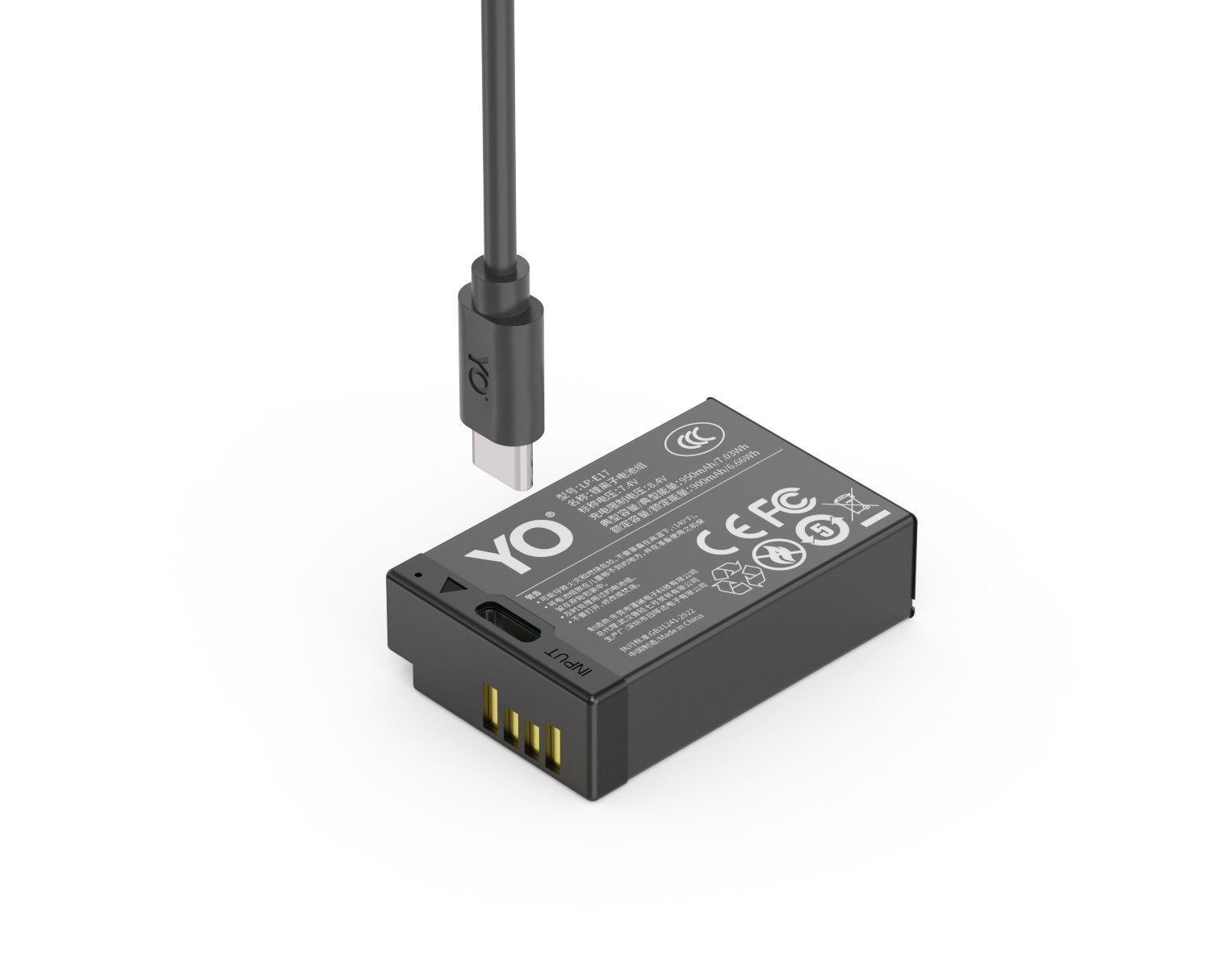
YO LP-E17 相机电池

Short answer: the cells in the T series and the standard version are close, and what actually separates them is how they charge. The T series puts a Type-C port on the battery itself, so one cable and any 5V source will do. The standard version depends on a dock charger, but you can fill a whole row at once and see every status at a glance. For light travel and a single spare, take the T series; for rotating several packs at a fixed location, the standard version is handier. If you travel and also shoot paid work, running both is often better value than picking one.

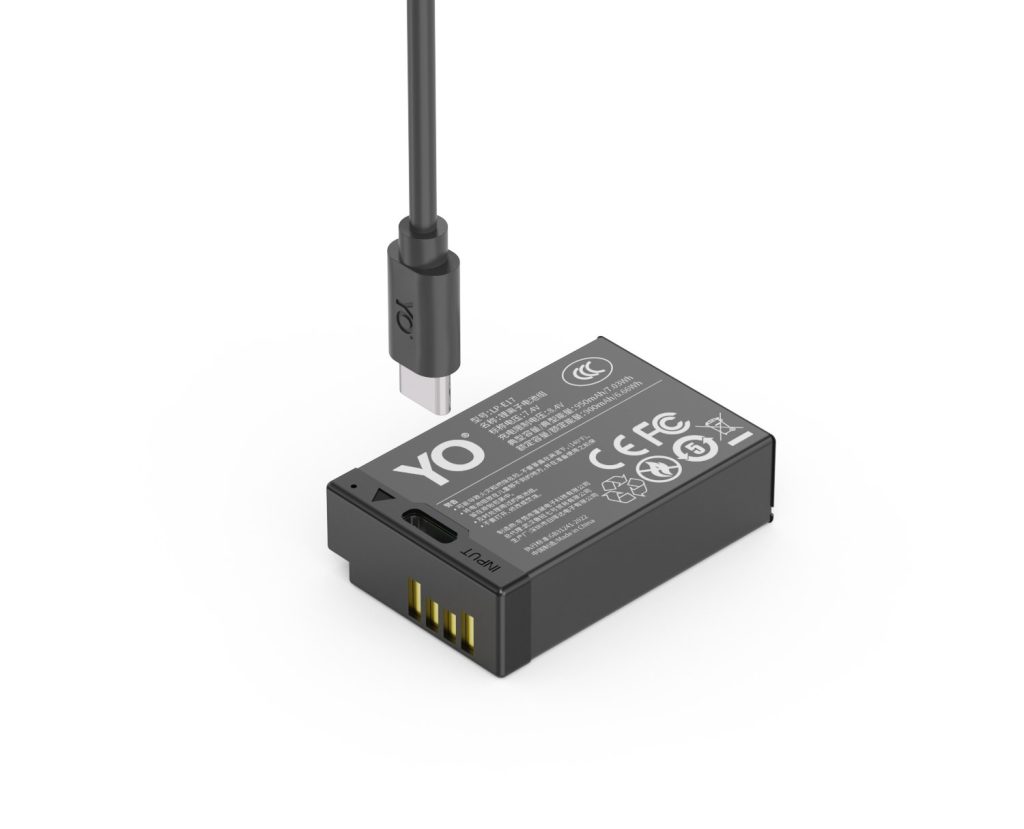
YO LP-E17 camera battery render
Product render of the YO LP-E17 compatible battery: front label, rear LED charge indicator and USB-C port.

Below is a point-by-point comparison, focused on what you have to carry, since that usually shapes the experience more than any specification.

Point by point: where the difference actually is

Item LP-E17 T series (direct charge) LP-E17 standard
Charging method Type-C on the battery body, 5V direct Requires a dock; the original is the LC-E17
Accessories you must carry One USB-C cable, shareable with your phone Dock plus power cord, usually proprietary
Full charge time About 2-4 hours, depending on the charger About 2-4 hours, depending on dock input
Charging several at once Needs multiple power ports or banks A multi-bay dock fills a whole row
Weight per pack Slightly above the standard version at the same capacity, but marginal Slightly lighter at the same capacity
Best for Travel, location work, top-ups Home, studio, batch rotation
Price feel Usually a little above the standard version at the same capacity More economical at the same capacity

The weight and price gaps are written as slight because the exact difference moves with capacity tier and batch, and hard numbers would mislead. The two rows worth your attention are the first two: what you have to bring is either one cable or a dock plus a cable.

The packing difference is item count, not weight

Take a two-day, one-night light trip. The two packing lists differ in a very visible way.

  1. Standard setup: one body, two packs, one dock, one dock power cord, one power bank for the phone. Five items, and the dock and cord are only used in the evening.
  2. T series setup: one body, two packs, one USB-C cable, one power bank. Four items; the cable doubles for the phone, and the bank serves the phone by day and the battery at night.
  3. Mixed setup: one body, one T series pack for emergency direct charging, two standard packs, one dock. The most items but the most coverage, suited to trips that include important shooting.

On weight alone, a dock is usually a few tens of grams and with its cord around a hundred, hardly a burden. The real gain is the certainty that comes from fewer items: one less thing to remember, one less connector standard to match, less chance of leaving something behind. That is most obvious when you are carrying only a small bag.

Choosing capacity: bigger is not automatically better

Both versions come in tiers, and the T series likewise offers several capacities. For light travel, one high-capacity pack plus one mid-capacity pack usually makes more sense than two high-capacity ones: similar total weight, but you can put the heavy one in the camera and the light one in a pocket. For how the tiers compare in practice, the LP-E17 capacity and compatibility guide has the full table.

Body construction matters too. Small bodies like the R50 and R100 are compact, and a thicker pack barely shifts the overall balance, but bursts and long recordings concentrate heat more, so higher capacity does not mean you can extend continuous shooting indefinitely.

What to avoid is buying the highest capacity for the sake of direct charging. Direct charging solves convenience of replenishment; capacity solves single-session runtime. They are different problems. If you shoot two or three hundred frames a day and can charge at the hotel, a mid capacity with direct charging is entirely sufficient; if you shoot a thousand or more, capacity deserves priority over the connector, because carrying an extra pack always saves more time than charging one more time.

When mixing makes sense

The first case is a trip with important shooting folded in: use the T series for top-ups during the day, charge the standard packs on the dock at the hotel overnight, and set off the next morning without the power bank. The second is anyone who already owns a dock and several standard packs: add one T series pack for emergencies rather than replacing the whole kit.

YO labels capacity the same way across both lines, so mixing does not lead to miscounting because of different naming. To look at the direct-charge specifications, see the T series category; to compare capacity tiers, see the 950mAh category.

FAQ

How much heavier is the T series than the standard version?

At the same capacity it is usually slightly heavier because of the Type-C port and its circuitry, but the difference is negligible. What you feel depends far more on the capacity tier than on whether it direct-charges.

Can a direct-charge pack still be charged on a dock?

Usually yes, since the contacts match. A dock works as a backup method; you simply give up the main advantage of carrying one less accessory.

With only one battery, which should I get?

If you are often out and about with a power bank nearby, take the T series. If you mostly shoot at home or in a studio, the standard version plus a dock is sufficient and more economical.

Can the two types be rotated in the same body?

Yes. As long as both are LP-E17, the dimensions and contacts match and alternating them does not affect the camera. The gauge may read slightly differently depending on pack age, which is normal.

Posted on — Leave a comment

Do Third-Party NP-FW50 Batteries Harm the Camera? Decoder Chips and Firmware

Short answer: a correctly specified third-party NP-FW50 with a decoder chip will not damage a body simply for not being genuine — the camera draws DC power within its designed range and a higher capacity rating does not “force” more into it. What does go wrong is the communication layer: the body needs to read pack data to display remaining charge, and without that exchange it may reject the cell, warn, or show a jumping readout. Poor cells and weak protection circuits are a separate risk, about build quality rather than branding. Splitting “will it harm the camera” into power delivery and data exchange makes the question answerable.

What InfoLITHIUM exchanges

Sony describes the InfoLITHIUM W series as a pack that exchanges consumption data with compatible bodies and chargers, allowing a more accurate remaining-charge indication, commonly a percentage or minutes left instead of a three-bar icon. The battery is therefore not only a power source; it carries an identity and a data channel the body reads.

A compatible cell needs a decoder chip to reproduce that behaviour. Our NP-FW50 compatible cell and the TNP-FW50 USB-C version both state a built-in decoder chip for normal communication and a true percentage readout. Without that layer, a cell can often still deliver power, but the body may have no idea how much is left.

Layer What the body does What the cell must supply Symptom when it fails
Power Draws DC within its design range Correct voltage, polarity, shape, protection circuit Won’t power on, sudden shutdown
Communication Reads pack data for the charge readout Decoder chip and compatible exchange Not recognised, warning, jumping percentage
Protection Relies on the pack’s internal circuitry Over-charge, over-discharge, over-current, short, thermal Heat, swelling, charging faults

Where the “harm” worry comes from

The usual fear is that a larger capacity rating will burn something out. A battery does not push energy into the body; the body draws what its own consumption requires. If the voltage sits in the designed range, capacity only decides how long that draw can continue. Our cell is quoted at 1100mAh / 7.4V / 8.14Wh, Sony’s original at 1020mAh / 7.2V / 7.3Wh — the same format family, differing in stored energy rather than in how power is delivered.

Three things do deserve attention: the quality of the cells and the protection board, since counterfeit packs may cut corners on over-current and thermal protection; usage habits such as long-term storage at full charge in heat or deep discharge, which apply to any lithium-ion cell; and camera firmware. Public references repeatedly note that a firmware update can change how a body recognises compatible packs. Nobody can promise behaviour across every body and every firmware version.

So the useful questions are not “will it harm the camera” but “is there a decoder chip, is there a protection circuit, and does the seller state the compatible models”. Those three predict real-world behaviour better than a capacity number.

Diagnosis order for recognition problems

If the body warns about the battery, shows no charge level, or the percentage jumps around, work through this order rather than repeatedly swapping packs at random:

  1. Confirm the body is an NP-FW50 model. Rule out the wrong format first — the α7 III and α6600 take NP-FZ100.
  2. Wipe the contacts on both the pack and the compartment with a clean dry cloth. Oxidation or skin oils can look exactly like a rejected battery.
  3. Charge the cell fully and refit it. A deeply discharged or long-stored pack often misreports on first contact.
  4. Cross-check with a second cell. If both misbehave, look to the body or its firmware; if only one does, look to that pack.
  5. Recall any recent firmware update. A new warning after an upgrade should be checked against the seller’s decoder solution, not answered with more reseating.
Symptom Likely cause First action
“Incompatible battery” message Decoder exchange rejected / wrong format Verify the model code, then the firmware version
Powers on, no percentage Missing or incomplete data exchange Clean contacts, recharge fully, retry
Percentage jumps sharply Under-voltage, ageing or uncalibrated readout One full cycle, then consider replacement
Sudden shutdown Poor contact, aged cell or cold Clean contacts and warm the pack before retrying

Choosing with fewer surprises

Prefer products that explicitly state a decoder chip, protection circuitry and a list of compatible bodies, and keep the order record in case a firmware question comes up. Do not chase the largest capacity figure: at 8.14Wh this is a small cell, and a second pack you rotate gives more certainty than a few extra rated mAh. For continuous work such as livestreaming or time-lapse, swapping cells is the wrong tool anyway — a DC supply such as the DR-FW50 external power adapter fits that job better.

One last rule: do not share chargers across different battery formats, and never keep using a cell that is swollen, smells unusual or runs abnormally hot. Retire it. That is general lithium-ion safety practice, unrelated to whether the pack is genuine.

FAQ

Will a third-party NP-FW50 damage my camera?

Not simply for being third-party. With the correct specification and protection circuitry, the body draws only what it needs and capacity decides duration. The real risks are poor cells, weak protection and buying the wrong format.

Why do some cells power the camera but show no percentage?

InfoLITHIUM’s charge readout depends on data exchange between pack and body. Without a decoder chip, or if the exchange is rejected, power may still flow but the body cannot know the remaining charge.

Is it normal to lose recognition after a firmware update?

It is a known communication-layer possibility, not a sign that the battery damaged anything. Verify the model and contacts first, then ask the seller whether the decoder solution covers that firmware version.

Is the USB-C version more likely to be rejected?

The charging port and the body communication are separate circuits. Our TNP-FW50 also carries a decoder chip, so recognition works like any other compatible cell; only the refill method differs.

Posted on — Leave a comment

Can You Fly with NP-FZ100 Batteries? TSA and FAA Rules

The direct answer: yes, you can fly with them — and they have to come in the cabin with you, not in checked bags. The NP-FZ100 is rated 7.2V / 2280mAh for roughly 16.4Wh, comfortably under the 100Wh threshold. Under TSA and FAA guidance, loose spares belong in carry-on only; putting them in checked luggage is prohibited. A battery installed in your camera travels with the camera. Spare terminals need short-circuit protection — original packaging, a terminal cover, or insulating tape — and some airlines impose a per-person limit on how many you may bring. Carriers apply the rules with some variation, so confirm details with the airline before you fly. Below: the rules, how to pack, and how many to carry.

YO NP-FZ100 camera battery render
Product render of the YO NP-FZ100 compatible battery: front label, rear LED charge indicator and USB-C port.

The number that matters: 16.4Wh

Aviation rules classify lithium batteries by watt-hours (Wh), not milliamp-hours:

  • Under 100Wh: spares allowed in carry-on. Airlines commonly cap the count at around twenty per person.
  • 100–160Wh: airline approval required in advance, with a lower per-person allowance. Typical of large camcorder bricks.
  • Above 160Wh: prohibited.

At roughly 19.24Wh, the NP-FZ100 falls squarely in the most relaxed bracket. The math is Wh = capacity (Ah) × voltage (V): 2.6Ah × 7.4V ≈ 19.24Wh. The 2600mAh variant works out to about 18.72Wh, still nowhere near 100Wh. How to read those figures is covered in what mAh, Wh, and V mean.

Three non-negotiables

1. Spares go in carry-on, not in the hold

An installed battery stays with the camera; every loose spare goes in your cabin bag. The reasoning is straightforward: if a cell goes into thermal runaway in the cargo hold, nobody can reach it quickly. Security finding loose lithium cells in a checked bag will typically pull the bag for inspection.

2. Protect the terminals

Metal contacts touching keys, coins, or another battery can short. Three accepted methods:

  • Keep them in the original retail packaging — easiest and most common;
  • Fit terminal covers or snap them into a plastic battery case;
  • Tape over the contacts with insulating tape, or use a divided storage wallet.

3. Quantity limits follow your airline

Most carriers set an internal cap — commonly around twenty spare batteries per person under 100Wh — and some are stricter, with higher counts requiring advance notice. There is no single universal figure; check your airline’s website or call. On crew trips, split packs across team members rather than concentrating them with one person.

Getting through security without friction

  • Out of the bag. Put the battery wallet in a tray on its own to reduce the odds of a manual search.
  • Keep markings legible. Capacity and voltage printing should be readable; worn labels are worth re-marking before you travel.
  • Separate camera and spares. Leave the installed pack alone, but carry spares separately.
  • Say it plainly. “Camera lithium batteries, about 16.4Wh, spares in my carry-on” answers most questions in one sentence.
  • Keep them with you. Don’t wedge spares into gaps in an overhead bin where they can be crushed.

How many to bring, by trip

Trip type Suggested count Notes
City break, light shooting One in the body plus one or two spares No issue in carry-on at all
One week, daily shooting Three or four plus a dual charger Recharge at the hotel, rotate through the day
Polar, altitude, or cold destinations Five or six Cold may leave you around half capacity
Commercial crew travel Confirm the cap with the airline first Split across people, carry a spec sheet

One more thing that trips people up: chargers and power banks ride in the cabin too. A power bank counts as a spare battery, is banned from checked luggage, and must have its capacity printed on the case.

Onboard handling

  • Charging during the flight isn’t recommended, particularly through unfamiliar in-camera charging features.
  • Keep packs away from pressure, bending, and loose metal objects.
  • Swelling, leakage, odor, or unusual heat means stop. Don’t use it, don’t fly with it, and route it to recycling.
  • On arrival, bring batteries up to working charge before heading out, and leave extra margin if temperatures are low.

FAQ

Do I need to declare NP-FZ100s to the airline ahead of time?

Usually not for batteries under 100Wh, though the quantity cap still applies. Carrying a lot, or flying a carrier with explicit requirements, means calling before departure.

Does the battery inside the camera count as a spare?

No. A pack installed in equipment travels as part of that equipment. Only loose batteries are treated as spares, with the carry-on and terminal rules attached.

Can I fly with a swollen battery?

Don’t, and don’t keep using it either. It belongs in a hazardous waste or recycling stream — see what to do about a swollen battery.

Are international rules different?

The framework is similar everywhere — Wh-based tiers, spares in the cabin — but specific caps and enforcement vary. On international itineraries, check both your departure and transit carriers.

Do power banks count toward my battery total?

Depends on the carrier, but they’re carry-on only and must be labeled with capacity. Video shooters hauling large banks should confirm before the trip.

Bottom line and travel checklist

Build your kit: the NP-FZ100 is 2600mAh / 7.4V / 19.24Wh. Battery only, battery plus charger, or two batteries plus charger — pick under Bundle. If you would rather leave the dock at home, the same-capacity USB-C version (2600mAh / 7.2V / 18.72Wh) charges from any phone charger. Bulk orders: wholesale enquiry.

Posted on — Leave a comment

BCX204 Ageing and Troubleshooting: Swelling, Fast Drain and Not Recognised

Most “dead” BCX204 packs are really dirty contacts, cold cells or normal ageing. Run three quick checks before buying a replacement. Batteries are consumables. As cycle count rises, internal resistance increases and the pack shows full charge for less time, or shuts down abruptly in the cold. Work in order: clean the contacts, retest in a second body, then log the shot count from three full charges.

Key specifications and limits: 4K 60p 70–90 min / 1080p 150 min / 1080p 25fps 4 h. Actual figures vary with resolution, frame rate, screen brightness and ambient temperature, so plan spares around the shortest figure in the table.

Symptom checklist

The table lists four symptoms by how often they occur. In most cases a replacement is not yet necessary; rule out contact and temperature factors first.

Symptom Likely cause What to do
Full charge drops to low very quickly Oxidised contacts or an aged cell Clean the contacts, retest in another body, then log full-charge shots
Body reports "cannot recognise this battery" Third-party decoding mismatch or dirty contacts Wipe and reseat; if it persists, test with an original-spec cell
Shuts down suddenly in the cold Higher internal resistance causes a voltage dip Keep spares warm in an inner pocket and retest at room temperature
Shell bulges or the pack runs hot Overcharge, hot storage or aged cells Stop using it immediately and recycle under local rules

A three-step diagnosis

Step one: wipe the contacts with a dry soft cloth and reseat the pack. Step two: retest in a second body from the same family. Step three: log the shot count from three full charges to separate real ageing from a bad gauge.

Item Value
BCX204 Action 3 / 4 / 5 Pro
BCX204 1950 mAh / 7.55 Wh
bcx204 1950 mAh / 7.55 Wh
BCX204 4K 60p 70–90 min / 1080p 150 min / 1080p 25fps 4 h
Action 2 → magnetic cell Action 3 / 4 / 5 Pro
Action 3 / 4 / 5 Pro 1950 mAh / 7.55 Wh

When to replace the pack

Replace the pack when full-charge shots fall below about 60% of a new cell, the shell bulges, or the body repeatedly refuses to recognise it. Stop using a swollen cell immediately and recycle it properly.

To pick by model, start with the specifications and stock status on DJI BCX204 1950mAh, then browse the full article set in BCX204; if your body belongs to a neighbouring system, DMW-BLK22 has the side-by-side explanation.

FAQ

Does a jumping charge level mean the BCX204 is dead?

Not necessarily. Clean the contacts, retest in a second body, then log the shot count from three full charges. Only a sustained drop in shots points to real cell ageing.

What if the camera says the battery is not recognised?

Dirty contacts or a third-party decoding mismatch are the usual causes. Wipe and reseat the pack; if it persists, test with an original-spec cell to separate a battery fault from a body fault.

Is fast drain in winter normal?

Yes. Cold raises internal resistance and causes a momentary voltage drop. Keeping spares in an inner pocket helps considerably, and capacity normally returns at room temperature.

When must the cell be replaced?

Replace it when full-charge shots drop below about 60% of a new cell, the shell bulges, it gets unusually hot while charging, or it is repeatedly not recognised. Never squeeze, puncture or recharge a swollen pack.