Posted on — Leave a comment

T Series and Power Banks: How Much Capacity for a Day

YO LP-E17 相机电池

Short answer: for light to moderate shooting in a day, a 10000mAh power bank is enough; for heavy shooting or when you also need to top up a phone, 20000mAh is the safer choice. That conclusion comes from watt-hours rather than milliamp-hours. An LP-E17 at 1050mAh holds about 7.56Wh, while a power bank’s milliamp-hour rating is measured at 3.7V and the energy passes through two boost stages, so what actually reaches the battery is usually around sixty percent of the nominal figure. A 10000mAh bank therefore gives roughly two to three charges, not a simple division of capacities.
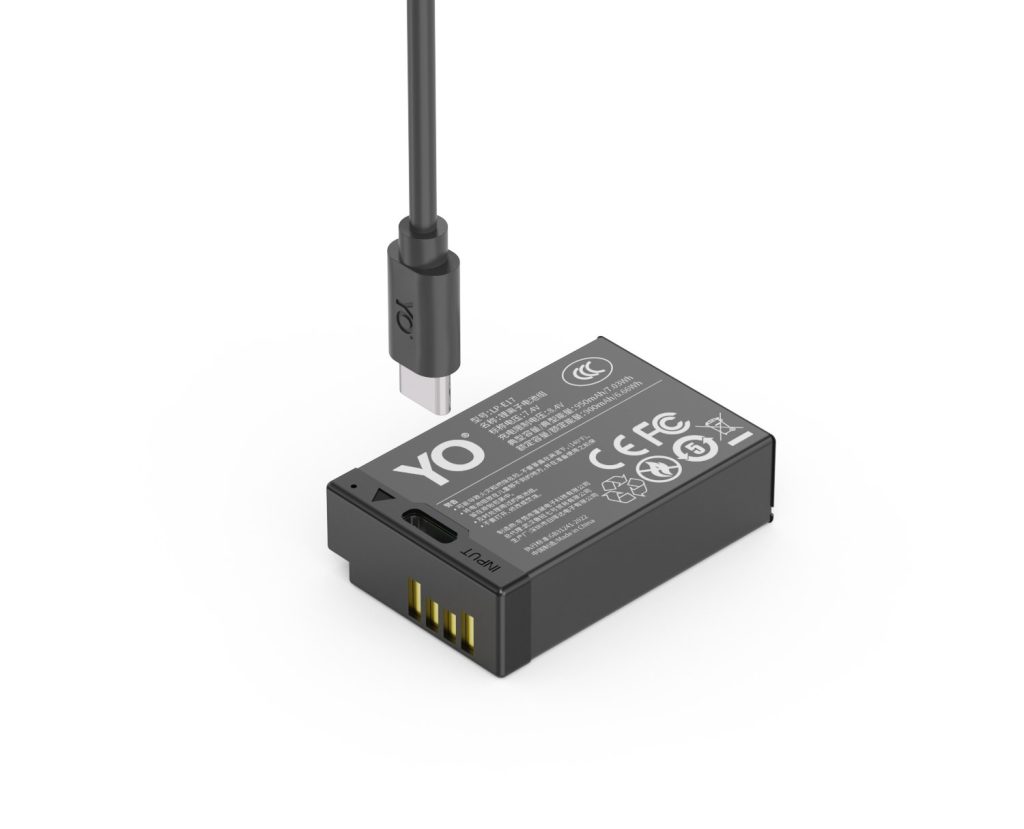
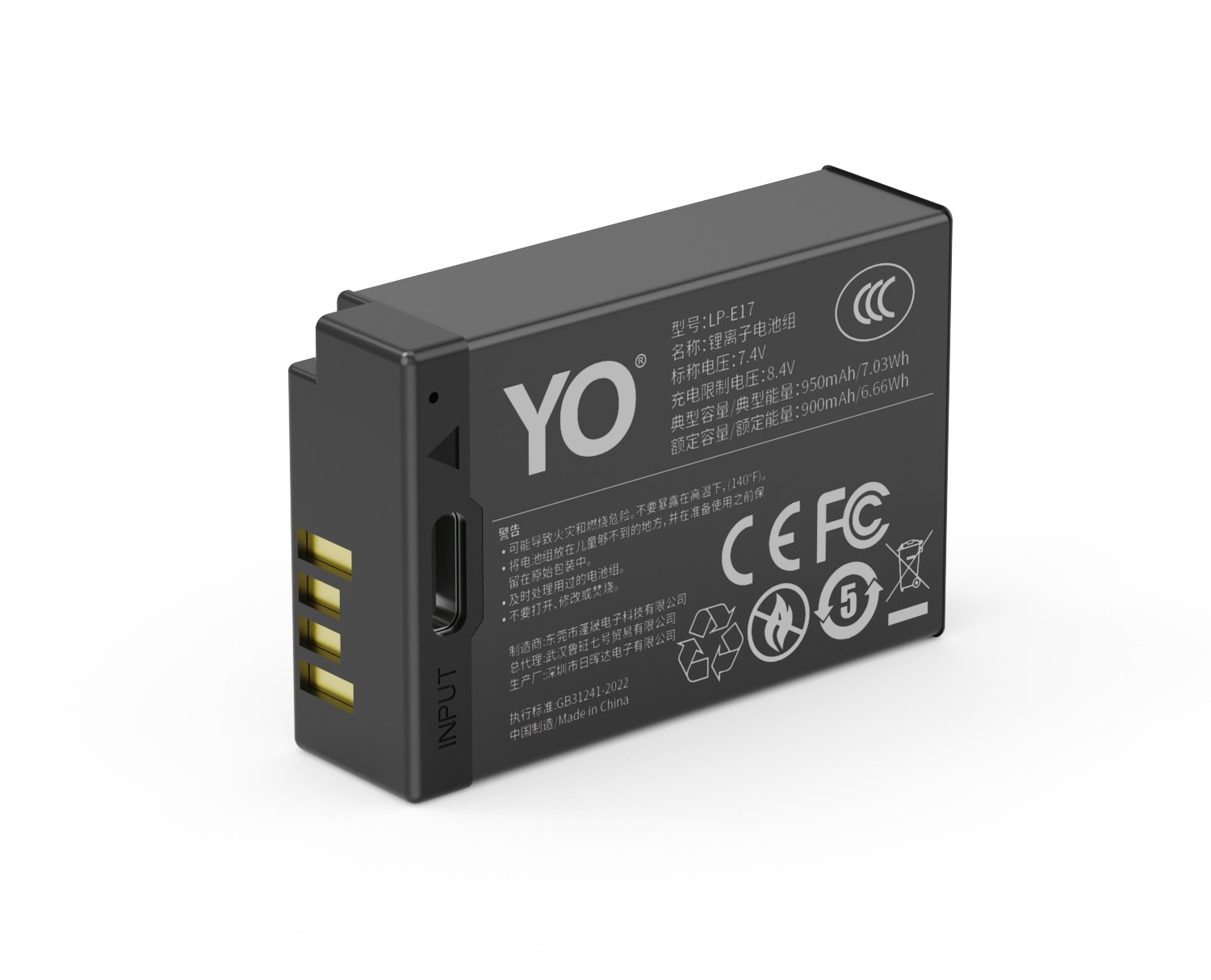
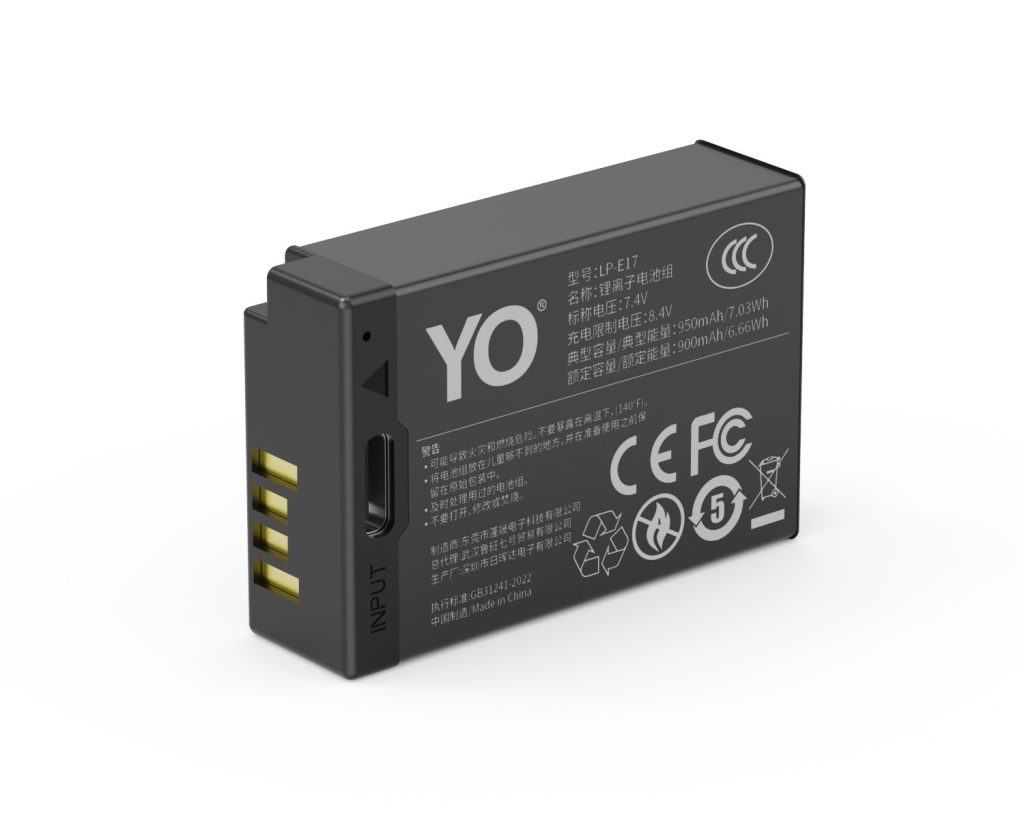
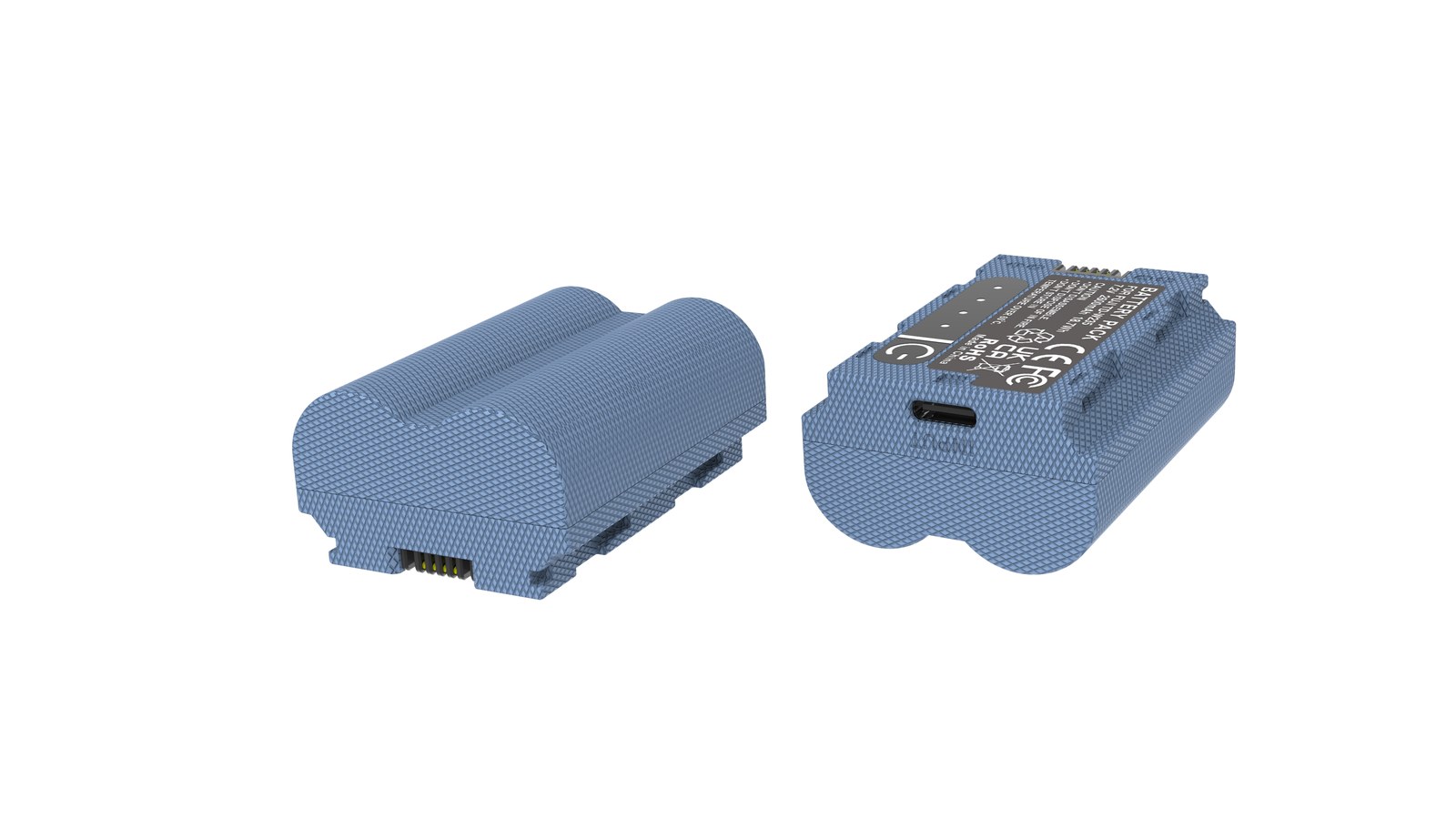
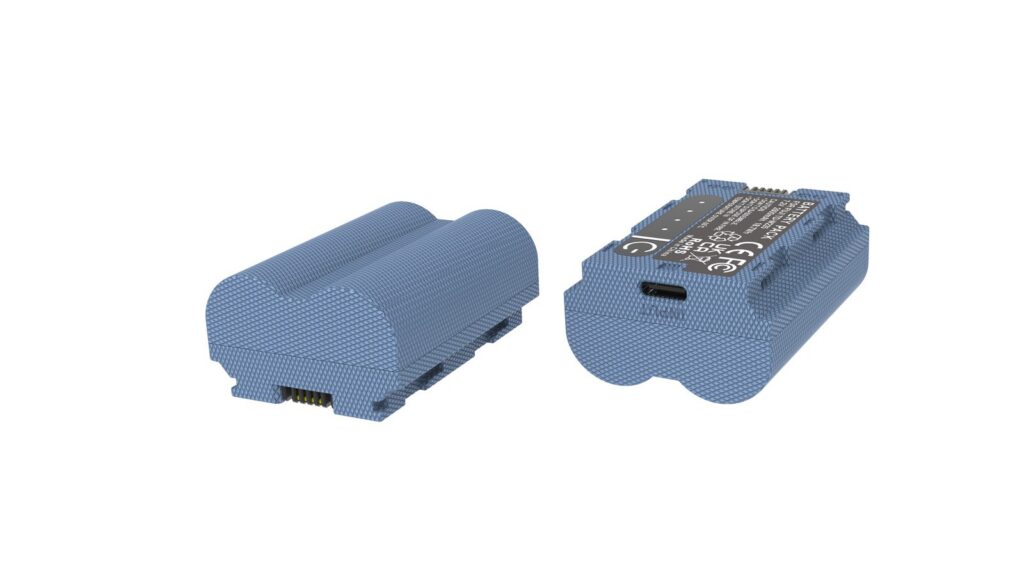
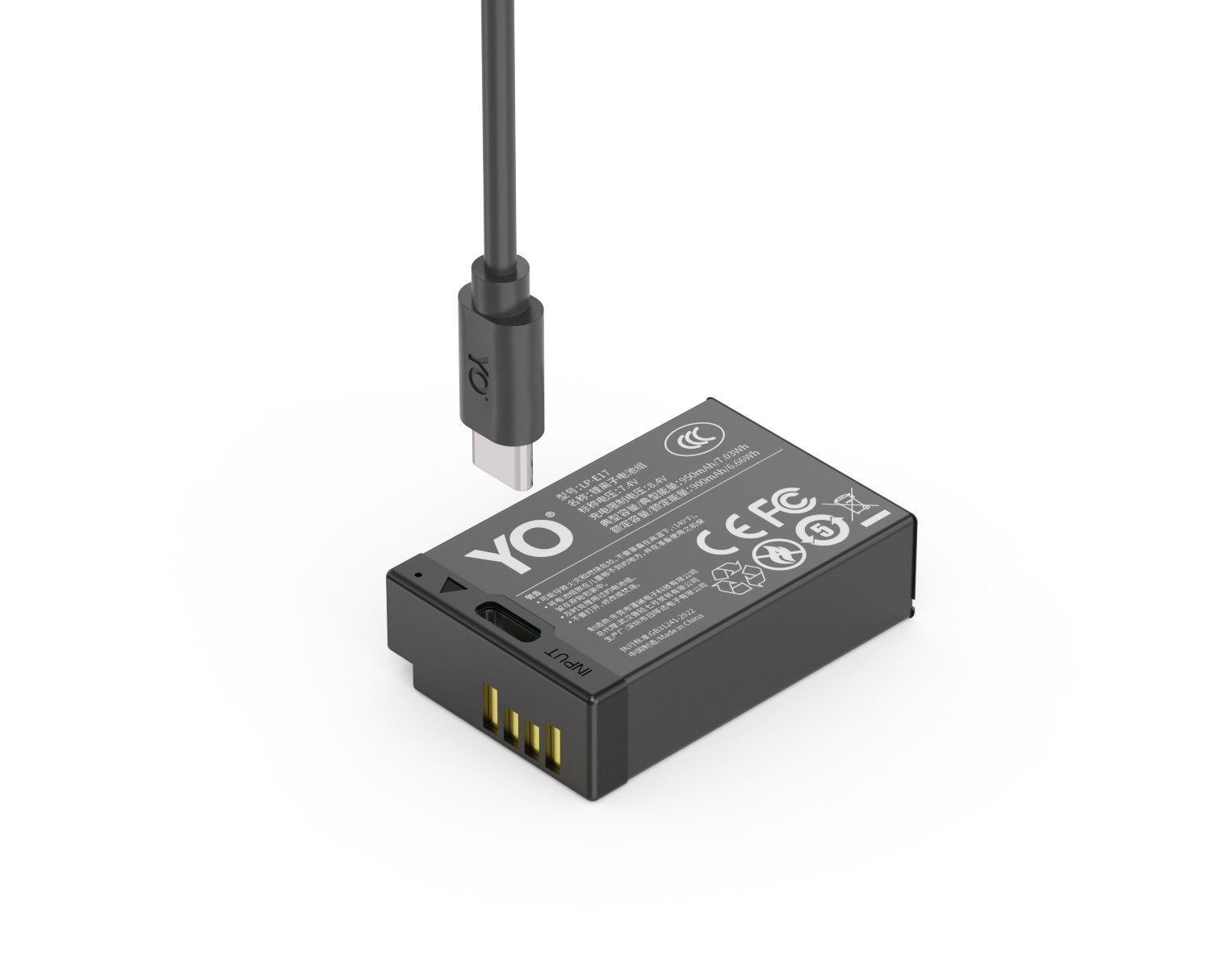
YO LP-E17 camera battery render
Product render of the YO LP-E17 compatible battery: front label, rear LED charge indicator and USB-C port.

Why you cannot just divide milliamp-hours

A power bank rated 10000mAh is specified at a cell voltage of 3.7V, which comes to 37Wh of energy. The LP-E17 runs a 7.2V system, and 1050mAh corresponds to about 7.56Wh. On the numbers alone, 10000 divided by 1050 is about 9.5, which sounds promising, but that calculation ignores the difference in voltage.

The correct comparison is watt-hours to watt-hours: 37 divided by 7.56, about 4.9 in theory. That figure is still optimistic, because two losses sit in between.

The first is the bank boosting 3.7V to a 5V output, typically around ninety percent efficient before you count voltage drop in the cable and connector. The second is the battery boosting 5V up to 8.4V to charge its two series cells, which loses more. Stack the two, add cable heating and the constant-voltage tail of the charge, and overall efficiency commonly lands between fifty-five and seventy percent.

At sixty percent, 37Wh delivers about 22Wh into the battery, and 22 divided by 7.56 is roughly three. That is where two to three charges from 10000mAh comes from.

Rough charge counts by capacity

The table assumes sixty percent efficiency; real results vary with bank quality, cable, and temperature. The counts refer to filling a completely drained 1050mAh pack. If your pack is 750mAh, add thirty to forty percent to the counts.

Power bank rating Energy (approx.) Full charges of 1050mAh Best for
5000mAh 18.5Wh About 1-1.5 Half-day outings, one top-up
10000mAh 37Wh About 2-3 A day of light to moderate shooting, plus a phone
20000mAh 74Wh About 5-6 Two or three days out, or heavy bursts
27000mAh About 100Wh About 7-8 Multiple bodies and packs, team trips

Note the airline rules: lithium batteries carried in the cabin normally must not exceed 100Wh, anything above needs carrier approval, and they are not permitted in checked baggage at all. The 27000mAh tier sits right at that line, so confirm you actually need it before buying.

Work back from your shooting volume, not from a guess about days

  1. Count how many packs a day actually consumes. Recall the last outing and count in packs, not frames.
  2. Subtract the packs you carry. If a day uses three and you carry two, the shortfall is one.
  3. Multiply the shortfall by 1.5. That is your safety factor, covering cold, lower efficiency, and the bank’s own aging.
  4. Look the number up in the table. A shortfall of one points to 5000-10000mAh; two points to 10000-20000mAh.
  5. If you also need to top up a phone, a microphone, or a monitor, add their watt-hours and move up a tier.

The benefit of this method is that it turns “I don’t think this will be enough” into a number you can check. Plenty of people buy 20000mAh and use a fraction of it, while others set out with 5000mAh and run dry by noon. The difference is whether they counted first.

Factors that reduce the real count

Temperature comes first. Outdoors in winter the bank’s own output falls and a cold battery will not accept much charge, so the energy that actually gets in may be only sixty or seventy percent of the room-temperature figure. Below freezing, keep the bank warm against your body rather than in an outer pocket.

Charging while shooting is second. If you charge a pack while still shooting, the load offsets part of the input and you may even lose ground. The right approach is to charge the pack you have pulled, off the camera, while the one in the body does the work.

Inflated ratings and aging in the bank are third. Products sold as 10000mAh vary widely in usable capacity, and capacity falls further after a year or two. When choosing, look at rated energy and supported output protocols rather than the milliamp-hour headline.

One more: some power banks go to sleep on low-current loads. Direct charging a battery draws little, which can fall into that window, and the symptom is a disconnect a few seconds after plugging in. Choose a model with a low-current mode or a wake button.

The T series decouples replenishment from the wall socket, and the price is accepting this arithmetic. If you are still deciding whether direct charging suits you, start with the scenarios in the T series category, then confirm fitment in the capacity and compatibility guide.

FAQ

How many LP-E17 packs can a 10000mAh bank fill?

About two to three for the 1050mAh tier, and about three to four for the 750mAh tier. Temperature, cable, and bank efficiency all affect it; in winter expect sixty or seventy percent of the room-temperature figure.

Why is the result so far from dividing the two capacities?

Because the voltages differ. The bank is rated at 3.7V and the battery is a 7.2V system, and energy passes two boost stages, each with losses. You have to convert to watt-hours before comparing, or the milliamp-hour figure will mislead you.

Can a power bank power the camera directly?

The T series charges the battery, not the camera. Charging while shooting depends on whether the body supports the relevant USB power protocol, and most bodies restrict burst or recording specifications in that state. Check the body manual.

The bank stops halfway. Why?

Most likely it entered low-current protection, or the cable has a poor connection. Try a short cable first, then a bank with a low-current mode. It can also be the battery’s own protection tripping because it is too hot or too cold.
Posted on — Leave a comment

Third-Party NP-BX1: Warning Messages and Battery Gauges

Short answer: the warning does appear, but on most bodies it shows once after you insert a pack and then leaves you alone. Gauge accuracy depends entirely on the decoding board inside the battery, and a bar display is far more forgiving than a percentage. If a pack warns on every power-up, or the camera dies at 30 percent, that is a decoding or cell-consistency problem, not a broken camera.

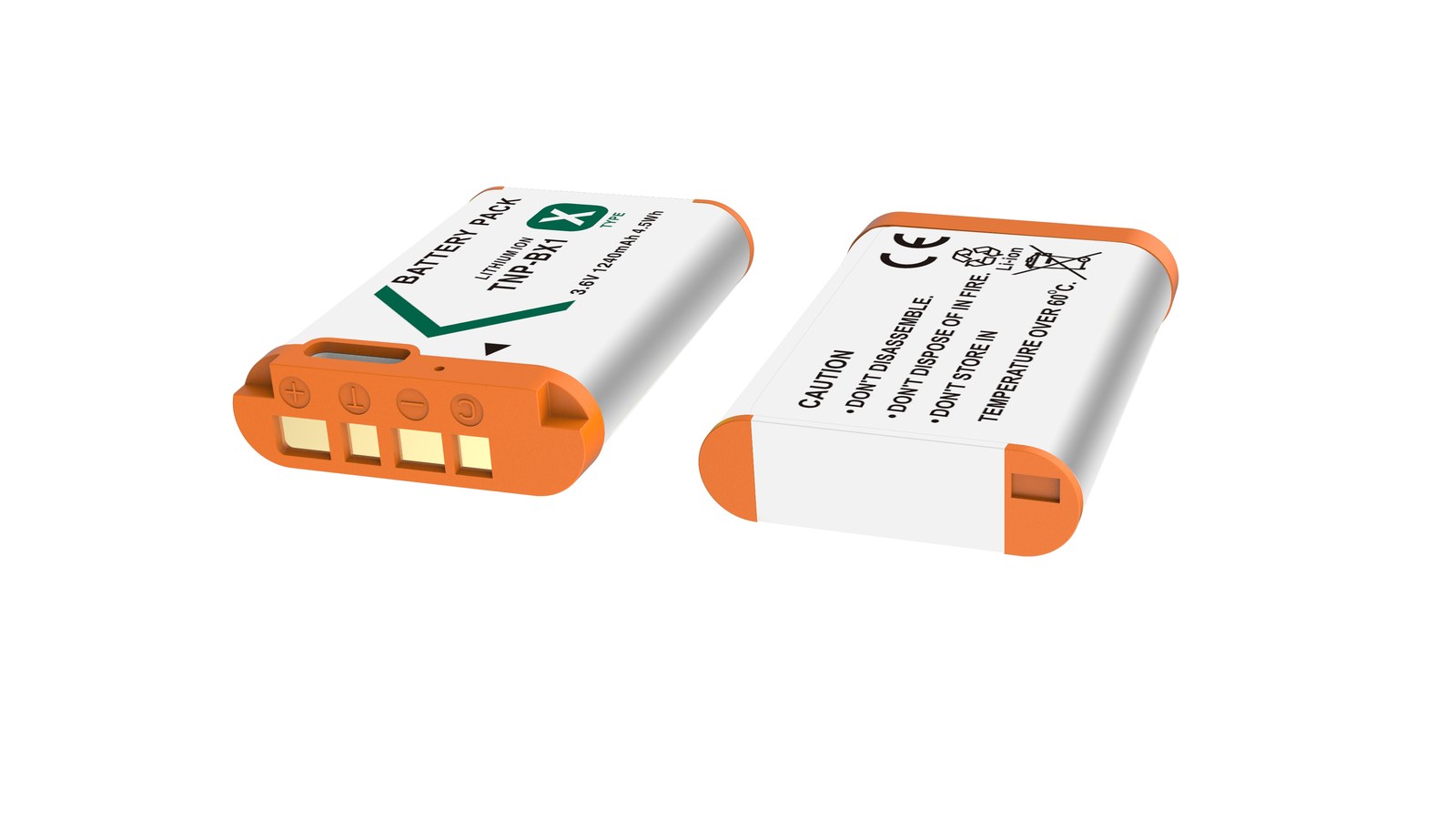
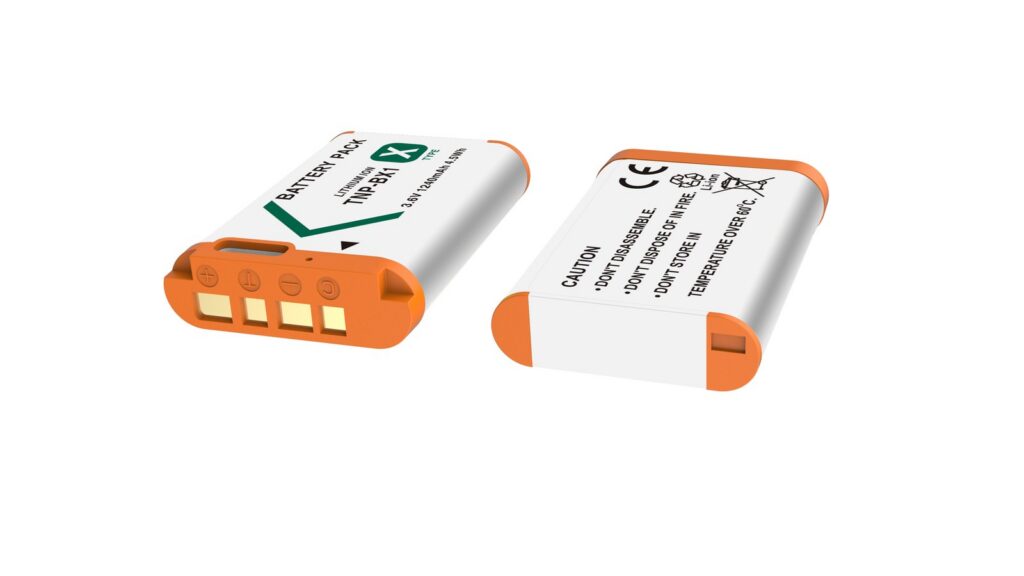
YO NP-BX1 camera battery render
Product render of the YO NP-BX1 compatible battery: front label, rear LED charge indicator and USB-C port.

It helps to separate two things. A notice means the body cannot read the pack’s identity. A fault means the pack cannot deliver current. You can keep shooting with the first. The second has to go back.

How the camera knows how much charge is left

Inside an NP-BX1, next to the cell, sits a small protection board carrying identification and metering circuitry. The camera reads it over the contacts and turns the data into a gauge. An original pack answers completely. A third-party pack on a generic board may answer with values the body does not recognise, and then the message appears.

Early RX100 generations show charge as bars, usually four. Later bodies and newer models such as the ZV-1 show a percentage. The percentage looks precise, but it is a voltage lookup plus coulomb counting, and it carries error. Original packs jump around in the cold or during long recordings too. Not every wobble from a third-party pack is a defect.

The decoding board’s job is to answer the body’s questions: present voltage, remaining capacity, temperature, cycle count. A good board answers consistently, so the camera can draw a smooth curve. A poor one either fails to answer or contradicts itself between reads.

What bad readings look like

  • 100 percent on insert, 60 percent after a dozen frames. Usually voltage recovery, and it climbs back after a rest.
  • A blank gauge or dashes. Identification failed, so the body has no number and falls back to a rough time estimate.
  • Sudden shutdown at 20 to 30 percent. High cell resistance lets voltage sag under load, and the protection board cuts early.
  • The same pack behaves on one body and not another. Oxidised contacts, on the pack or in the camera.
  • Very fast drop outdoors in winter. Rising internal resistance in the cold is physics, not decoding.

The first three point at the pack, the last two at the body or the environment. A second camera rules out half of it.

Judging whether a third-party pack decodes well

No instruments needed. Watch the points below over a day or two. The left column is what to look at, the middle is normal, the right is a warning sign.

Check Good decoding Poor decoding
Power-up notice None, or once on first insert Every time the camera starts
Gauge curve Falls steadily in proportion to shooting time Sits at 100 percent, then plunges
Low warning Appears near 10 percent, with reserve left Shutdown at around 30 percent
Continuous recording No interruption mid-clip Dies and restarts after a few frames
Self-discharge at rest A few points a week Half the charge in a week

This is a way of thinking, not a pass mark. A pack that matches most of the middle column will not cause trouble in daily use.

Fixing a pack, and choosing one

  1. Clean the contacts. A pencil eraser or a dry cotton bud on both the pack and the camera body. Oxidation is the most common cause.
  2. Try another body. That rules out the camera’s contacts or firmware.
  3. Run two full cycles. A new pack’s metering curve needs one complete cycle before it lines up.
  4. Return it if the problem persists. Shutdown at 30 percent within the first week is a quality issue, not a characteristic.

Do not open the pack. The protection board is sealed inside, and taking it apart destroys the insulation without fixing the metering, while adding a short-circuit risk.

Check whether the numbers are stated properly. A listing that gives one capacity figure and never separates rated from typical is usually playing with the wording. This site lists 1090mAh typical, 1060mAh rated, 3.7V and 4.04Wh, with the details on the NP-BX1 compatible battery page.

Accept one premise as well: 1090mAh is below Sony’s roughly 1240mAh nominal figure for the original, and that is where the price difference comes from. Buying third-party is about paying ¥24.57 a piece so you can carry several, not about outlasting the original. Other packages are listed under Sony NP-BX1 batteries.

FAQ

Can I keep using a pack after the non-genuine notice?

Yes. The notice says identification did not pass, not that the pack cannot supply power. Dismiss it and shoot, while watching whether the gauge behaves consistently.

Will a third-party pack damage the camera?

The risk in normal use is low. The body handles voltage and temperature protection on its side, and the pack has its own board. Avoid a pack with a deformed shell, corroded contacts, or one that gets hot while charging.

Is fast drain on the first use normal?

It is common. The new pack’s curve has not aligned with the body yet, so the first readings are optimistic. After one or two full cycles the numbers settle.

How long can I shoot at 1 percent?

It depends on the body and what you are shooting. The gauge falls quickly at the bottom, so change packs at 10 percent rather than trusting the last point to finish a clip.

Posted on — Leave a comment

NB-13L II vs Canon Original: Capacity, Decoding, Price

Short answer: the NB-13L II is close in capacity to the OEM NB-13L (rated 1250mAh / 4.5Wh / 3.6V); the improvements are in cell consistency and cycle life, not doubled capacity. Where the two genuinely differ is charge-display accuracy and price bracket — a single OEM pack usually sits well above the budget bracket, while third-party options such as YO’s come in within it. Keep those four points separate and the decision is not hard.

YO NB-13L camera battery render
Product render of the YO NB-13L compatible battery: front label, rear LED charge indicator and USB-C port.

First, a common misunderstanding worth clearing up: Canon makes exactly one model, the NB-13L, and there is no official “NB-13L II”. The second-generation label is a third-party manufacturer’s own product sequence naming, used to distinguish batches or cell designs. So when someone tells you the “second generation” doubles capacity, either the rating is inflated or they have misunderstood.

Capacity: let us be precise about the word

The OEM NB-13L is rated 1250mAh / 4.5Wh / 3.6V. The NB-13L II is rated close to that, and its improvement direction is cell consistency and cycle life — in plain terms, less variation between packs from the same batch and a gentler decline over time, not “twice the shots in one go”.

Why is a capacity breakthrough so hard? Because the battery compartment’s volume is fixed. Within the same 3.6V system and a similar case size, energy density is set by cell chemistry. Significantly more capacity would require a different chemistry or a larger body, and both create compatibility problems. So when you see a rating well above the OEM figure, question the rating method before believing in a technical leap.

Charge display and charging compatibility

The camera reads battery data through the contacts to estimate charge. Third-party packs are usually recognized and used normally, and Canon bodies generally do not show a “non-OEM battery” prompt, but the bar-counting algorithm was calibrated against the OEM discharge curve, so two things can happen:

  • Uneven bar drops. The first three bars last well, the last one goes quickly, or the display jumps from two bars straight to a warning.
  • Jumping percentages. On bodies that show a percentage, the number may not move continuously.

This does not affect operation, but it does affect your judgment of “how much longer can I shoot”. The workaround is not to rely on bars but on experience: if a pack gives you 40 minutes at room temperature, treat one remaining bar as roughly ten minutes left, rather than assuming one bar still means a long while.

Charging and dock compatibility

The OEM pairing is the LC-30 dock, which charges by insertion with the contacts at the base of the pack. Third-party packs generally work with docks of the same spec, but watch contact alignment — some third-party cases are slightly thicker and fit tightly, and repeated forced insertion wears the contacts.

Another difference is the choice of charging method. The OEM NB-13L can only be charged in a dock; third-party versions with a Type-C port can be charged by cable, which means one less charger to pack for a business trip. For travel, that is more useful than a capacity difference.

Four-point comparison

Item OEM NB-13L YO NB-13L II
Rated capacity 1250mAh / 4.5Wh Close to OEM
Voltage 3.6V 3.6V
Cell consistency OEM standard A key focus of the second generation
Cycle life OEM standard A key focus of the second generation
Charge display Reference curve May deviate; bars may drop unevenly
Charging method LC-30 dock Compatible with same-spec docks; some versions support direct charging
Price bracket Well above the budget bracket Within the budget bracket

How to pair them for best value

  1. One OEM pack for primary duty. For important shoots, where you need an accurate read on remaining charge, use the OEM pack and stop second-guessing.
  2. Two third-party packs as backups. For everyday recording, second angles, and long standby, use the NB-13L II. Lower cost, and losing one is not painful.
  3. Assign by use case, not by age. Give the OEM pack to situations that need precise runtime estimates, and third-party packs to situations where you can top up at any time.
  4. Number and rotate everything. OEM or not, rotate in order so no single pack is overworked.

Done this way, you usually save considerably over buying all OEM while keeping certainty where it matters. The NB-13L II is positioned as a dependable backup, not as a replacement for the OEM pack’s primary role. For the product line, see the NB-13L II category; for OEM specs and compatible bodies, see the NB-13L category.

FAQ

Does the bigger second-generation capacity mean more shots?

No. Capacity is close to OEM, so the actual shot count differs very little and depends mostly on shooting habits and camera age. Anyone claiming double the shots is almost certainly overstating the rating.

Can a third-party battery damage the camera?

A reputable product with overcharge, over-discharge, and over-current protection will not harm the body in normal use. The risk comes from unbranded low-grade cells and products without a protection board, so check for a clear brand name and warranty when buying.

Is it a problem to mix OEM and third-party packs?

Alternating them in the same body is fine, but do not charge them together or attempt to wire them in parallel. Charge readings may be inaccurate after a swap, so go by actual shooting time.

Why is the price so different? Where does the gap come from?

Mainly cell screening, protection-board components, quality control, and after-sales service. The OEM price also includes brand and channel costs. Third parties trim those, which is why they cost less — but quality varies widely between them, so a brand with a real model lineup and a warranty is the safer choice.

Posted on — Leave a comment

Charging NP-FZ100 Through the Camera’s USB-C Port: Does It Work?

It works, but keep two different things apart: charging the NP-FZ100 while it sits in the body via USB-C, and charging a removed pack in a USB charger. The first depends on whether your body supports USB power or charging. Newer bodies such as the A7 IV, A7S III, A7R V, A9 III, A1, FX3 and A7C II generally do; older ones may not, or only under certain conditions. The second has nothing to do with the body — any USB charger built for the FZ100 form factor will do it. In-body charging means one less thing in the bag, at the cost of a camera you cannot shoot with and a speed that is limited at both ends.

YO NP-FZ100 camera battery render
Product render of the YO NP-FZ100 compatible battery: front label, rear LED charge indicator and USB-C port.

Two Different “USB Charging” Setups

  • In-body charging: a USB-C cable goes into the camera, and the body’s internal circuitry charges the installed pack. It needs firmware and hardware support, and the body is occupied while it happens.
  • USB charger: the pack comes out and goes into a charger that takes USB input, fed by a phone brick, power bank or car adapter. Body-independent, so it works with any FZ100 camera.

If your body does not support USB charging, the second route still gives you the convenience of carrying only USB cables. The buying criteria are in how to choose an NP-FZ100 charger.

Three Things About the Real Experience

  • Convenient but slow: the internal charging circuit is deliberately conservative. Filling a pack rated around 2600mAh / 19.24Wh typically takes several hours, so a charger is faster when you are in a hurry.
  • Limited by the power source: a low-output brick or a laptop USB port is slower still, and may only hold the level steady rather than raise it. With a power bank, whether charging even starts depends on its output capability.
  • The body is tied up: you cannot pick the camera up and shoot while it is charging, which makes it inefficient for a rotate-packs-as-you-go workflow.

So the sensible role for in-body charging is overnight at the hotel or at home, or topping up between setups. It is not the answer when you need a full pack before you walk out the door.

When Not to Rely on It

  • A working rhythm that burns through two or three packs a day — a charger can fill one while you shoot with another, and the body cannot.
  • When the body is already warm. Charging after a long shoot stacks heat on top of heat; let it cool first.
  • Long recording sessions on a dummy battery or external supply, where the power logic is different; see uninterrupted power for video and streaming.
  • With unknown bricks or damaged cables. Unstable voltage and underspecified cable gauge are common sources of trouble.

Can You Shoot While Charging?

Some bodies accept external power: connect USB-C and the body draws from the supply first, so the pack neither discharges nor, in some cases, stops charging entirely. That is genuinely useful for fixed-position streaming and timelapse. The caveat is heat — continuous supply warms both body and pack, and long high-load recording can trip thermal protection. For genuinely uninterrupted recording, a dummy battery with an AC adapter is the more stable answer.

A Sensible Mobile Power Setup

When you are away from a wall, the efficient combination is a USB-input charger, a power bank and one reliable USB-C cable. That covers charging a removed pack and topping up the body with the same kit. Travelling with a light USB charger is more flexible than carrying a second mains charger, and it is easier to plan around; the packing logic is in how many batteries to carry when travelling.

Notes for In-Body Charging

  • Confirm your body supports USB charging or power delivery, and read the relevant section of the manual.
  • Use a brick and cable you trust and that are in good condition. No frayed cables.
  • Keep the body ventilated. No charging inside a camera bag or under a blanket.
  • Pause if the body or pack becomes clearly hot.
  • For long-term storage, keep packs at roughly 40–60% and top up every three months. Do not leave the camera plugged in as a storage solution.

FAQ

Does in-body charging harm the battery?

The body has its own charge management circuitry, so normal use adds no extra wear. Heat stacking and long storage at full charge are the things that actually shorten life.

My power bank is connected but the level keeps dropping

The input is not enough to cover what the body is drawing, so you are only slowing the decline. Move to a higher-output bank, or take the pack out and use a USB charger.

Do all Sony bodies charge over USB-C?

No. Older models differ in charging conditions and supported power, so go by your manual. If you are unsure, a USB charger is the safer route.

Is a fast-charge brick worth using?

It will not hurt, but the body’s internal circuit sets the current, so you are unlikely to gain much speed. The real benefit is a more stable supply.

Two charging options, same capacity: standard 2600mAh (dock required) or USB-C 2600mAh (phone charger or power bank). Pick the version on the NP-FZ100 product page; bulk pricing via wholesale.

Posted on — Leave a comment

LP-E6+ Charger Matching — LC-E6 Dock and Third-Party Units

Short answer: LP-E6+ packs charge only in a dock and have no USB-C port of their own. A Canon LC-E6 or LC-E6E works as-is, and a third-party charger has to meet three conditions — 8.4V constant-voltage output, at least 0.5A per bay, and independent per-bay control with temperature protection. Anything below that standard is not worth buying.

YO LP-E6+ battery rating label
Rating label of the YO LP-E6+ battery: nominal voltage, typical capacity and safety certifications.

This belongs at the very top because it is where misunderstandings cluster. Plenty of people see a third-party pack advertised with “fast charging” and assume a Type-C cable will work, when in fact the LP-E6+ has no port on the shell at all and every charge has to go through a dock. The camera body’s USB-C input is a body-side capability, not a charging port built into the battery.

1. How charging works in the LP-E6 series

The LP-E6 family — LP-E6, LP-E6N, LP-E6NH, LP-E6P, and third-party LP-E6+ — are all nominally 7.2V two-cell lithium-ion packs. Two cells in series give a full-charge voltage of 8.4V, so a charger must output a strict 8.4V constant voltage and follow a constant-current to constant-voltage (CC-CV) profile: current is held steady while voltage rises, then the charger switches to constant voltage near 8.4V and current tapers until cutoff.

Two details matter in that process: voltage accuracy and cutoff judgment. Too high and the cells sit at the edge of overcharge, which accelerates fade; too low and the pack never fills, so usable capacity is discounted. Poor cutoff judgment produces either “shows full but is not” or repeated trickle top-ups, and both shorten life.

The value of a Canon LC-E6 or LC-E6E lies exactly there: fixed output specifications, cutoff logic validated against the pack’s protection board, and a stop when full. It does not chase speed — filling an LP-E6N usually takes more than two hours, and that pace is deliberate.

2. Three hard numbers to check on a third-party charger

Specification Passing standard Consequence of failing
Output voltage 8.4V constant, within about 1% Higher accelerates fade, lower leaves the pack short of full
Per-bay current 0.5A or more; around 1A is common Too low is painfully slow, too high runs hot
Bay management Independent cutoff per bay Shared cutoff easily overcharges one pack and undercharges the other
Temperature protection NTC or equivalent thermal cutoff Nothing intervenes when something goes wrong
Input Standard adapter input, no modification Old non-constant-voltage designs carry uncontrolled risk

Common two-bay and four-bay third-party chargers range from a few dozen yuan up to the budget bracket. A compliant design is not expensive; the problem is that cheap models cut corners on exactly the two things a spec sheet cannot show — independent per-bay management and temperature protection.

Another common misconception is that faster is better. For a small pack like the LP-E6, around 1A is already fairly aggressive; pushing current higher trades heat and fade for convenience at a poor exchange rate. Canon’s conservative current is a choice, not a technical limit.

3. Four steps to verify a charger is a match

  1. Read the label. The output must state 8.4V, not a range like 8.4V-9V and not 12V. A wide-range output usually means there is no precise constant-voltage stage inside.
  2. Time a charge. Using the same pack, charge from the camera’s low-battery warning until the indicator goes out. A clearly short time — an hour and a bit, say — points to a high cutoff; clearly longer than three hours points to low current or an incomplete charge.
  3. Feel the temperature. A pack that is warm during charging is normal; one that is hot to the touch is not. Heat means excessive current or inadequate dissipation, and sustained use shortens life noticeably.
  4. Check it in the camera. Put the freshly charged pack back in the body and read the level. If it repeatedly shows just over 90% right after a full charge, the cutoff or the pack’s gauge is off.

None of these steps needs instruments, and one pass filters out most non-compliant chargers.

4. How the combinations compare

Canon LC-E6 plus LP-E6+: the steadiest combination. The charger works to Canon’s logic, and as long as the pack’s protection board is properly designed, the CC-CV sequence completes normally. The downside is one pack at a time, so multi-battery users queue up.

A compliant third-party multi-bay charger plus LP-E6+: efficient, and a good fit for anyone heading out with four or five packs. The precondition is confirmed independent per-bay management and thermal control — not the models that cost a few dozen yuan.

An old non-constant-voltage charger plus LP-E6+: not advisable. These are mostly early products that judge cutoff by simple voltage comparison and adapt poorly to newer cells.

One aside worth stating: LP-E6+ is not a Canon designation — it is how some third parties (YO included) label an enhanced version. Canon offers only LP-E6, LP-E6N, LP-E6NH and LP-E6P. That also means the protection-board design is set by each maker, so charger compatibility has to be judged by observed behavior rather than by the rating on the box.

To see how the models in this series differ in positioning, compare the LP-E6 series category; for how enhanced packs behave in the camera, the LP-E6+ category covers more.

FAQ

Can I charge an LP-E6+ with a USB-C cable directly?

No. The LP-E6+ has no USB-C charging port and has to go into a dock. The camera body supports USB-C input, but that powers the body or charges a pack sitting inside it — a different thing from a port on the battery itself. Check the body manual for specifics.

Can a Canon LC-E6 charge a third-party LP-E6+?

Yes. The LC-E6 and LC-E6E output a constant 8.4V and the LP-E6 series interface is identical, so a third-party pack charges normally as long as its protection board is properly designed. Actual charge time may differ slightly with the pack’s real capacity.

Does a faster third-party charger damage the pack?

It depends on current and thermal control. Around 1A is a normal range with limited impact; clearly above that, with a pack that gets hot while charging, accelerates capacity fade. The test is not “how fast” but “how hot.”

When the charger indicator goes out, is the pack full?

Usually yes, but it can also mean an early cutoff or poor contact. The reliable approach is to put the pack back in the body and read the level; if it comes up clearly short several times in a row, inspect the charger or the pack.

Posted on — Leave a comment

950mAh vs the Canon Original: Capacity, Curve and Price

YO LP-E17 相机电池

Short answer: the 950mAh holds about 9% less than an original LP-E17 (950 against 1040mAh), costs considerably less, and the real difference is not the number but the flatness of the discharge curve and the accuracy of the low-battery warning. In everyday shooting, the occasional burst and daytime room temperatures, the two feel very close. The original pulls ahead only in long recording, cold conditions, and situations where you need an accurate read on the remaining charge.

YO LP-E17 camera battery render
Product render of the YO LP-E17 compatible battery: front label, rear LED charge indicator and USB-C port.

One common confusion is worth clearing up: Canon officially makes a single model, the LP-E17. The practice of labeling a higher-capacity version LP-E17H comes from some third parties and is not a Canon model, so do not read it as another factory spec.

Item by item

Spec Canon original LP-E17 950mAh battery
Nominal capacity About 1040mAh 950mAh
Nominal energy / voltage About 7.5Wh / 7.2V About 6.8Wh / 7.2V
Discharge curve Flat plateau, slow decline at the end Closest of the three tiers, slightly earlier at the end
Low-battery warning Closely matches the true reserve Matches in most cases, slightly conservative under extreme load
Charging LC-E17 dock charger LC-E17 or a third-party LP-E17 dock charger
USB-C charging port No No
Price band Factory pricing, high cost per battery Usually at the budget end of the market
Cycle life Depends on use and storage Depends on use and storage; same rules apply

The table contains no verdict, because the two trade on different axes. The original buys certainty; a third-party battery buys a lower cost per unit.

The 9% gap and the discharge curve: the two things that matter

What the 9% means in practice

9% is roughly twenty to forty photographs, or a few minutes of video. That is invisible in most shooting, because nobody runs a battery precisely to the last bar. It matters at the margin: on a day when an original battery exactly covers the final ceremony, the 950mAh will raise the warning during the wrap-up.

So the question is not how big the gap is but whether your shooting has any margin. If you use eight or nine tenths of the charge every time you go out, 9% is decisive; if you come home with three tenths left, it is irrelevant.

Why the discharge curve matters more than the number

A camera does not measure capacity; it measures voltage. A lithium-ion battery declines gently at first and then steeply, and the body infers a percentage from that curve. The flatter the curve, the more trustworthy the percentage; the faster it falls at the end, the more likely you are to see two bars and then a shutdown.

That is the original’s core advantage: not more capacity, but more predictable behavior at the end. The 950mAh comes close within this line, but not identically close. If you habitually keep shooting at low charge, swap at two or three bars rather than gambling.

The curve also depends on load. Bursts, video and lens stabilization all raise instantaneous current and pull the voltage down for a moment. This is why the same battery can be adequate for stills and stop early during video.

Price band and total cost of ownership

An original battery is priced well above third-party compatible batteries, and the 950mAh usually sits at the budget end of the market. Measured as capacity per unit of cost, the third-party option is clearly ahead. Total cost of ownership adds two more items: the charger, since the LC-E17 dock charger will charge third-party batteries and needs no extra purchase; and the replacement interval, since cycle life depends more on habits, and deep discharge or hot storage both accelerate the fade.

For most people a sensible set is one original as the foundation and two 950mAh batteries in rotation. That keeps certainty for the critical moments while lowering the everyday cost. More tiers are covered in the LP-E17 battery overview.

When the original is still worth buying

  • Commercial delivery and work that cannot be repeated. Weddings, launches, documentaries: a battery failure costs far more than the price difference.
  • Extreme cold or heat. Original batteries generally have more consistent protection circuitry and cell behavior.
  • Precise charge management. For example, planning positions and moves around the remaining percentage.
  • Bodies whose firmware is sensitive to third-party batteries. A few models are stricter about recognizing third-party batteries under particular firmware versions; the body manual is the reference.

Conversely, for everyday records, travel and secondary angles, the 950mAh is entirely sufficient and better value. The trade-offs across the three tiers are set out in the capacity and compatibility guide.

FAQ

Can the 950mAh damage the camera body?

No. As long as voltage, contacts and the communication protocol match the LP-E17 spec, the body draws power through the standard routine. The real risks are a poor-quality charger and dirty contacts, neither of which relates to capacity.

Why does a third-party battery’s gauge drop so fast?

Usually because the tail of the discharge curve is steeper, so a percentage inferred from voltage falls quickly late on. That is not proof of a false rating; it is a question of how well the display logic matches the battery’s behavior. Two or three full cycles may let the body recalibrate.

Will an original dock charger charge the 950mAh?

Yes. The LC-E17 works to the LP-E17 charging spec and does not distinguish brands. Charging takes slightly less time than with an original because of the smaller capacity, so it is usually a little faster.

Two 950mAh batteries, or one original plus one 950mAh?

If the budget allows, the second is steadier: the original covers the critical block and the 950mAh absorbs daily wear. For recording everyday life, two 950mAh batteries are better value.

Posted on — Leave a comment

How Long Does an NP-W235 Take to Charge? USB-C, Dock, Power Bank

Short answer: divide 19.24Wh by the assumed input power and by an efficiency of 0.8, and a 10W dock slot takes about 2.4 hours, a 7.5W power bank into the body about 3.2 hours, 5W in-camera USB-C about 4.8 hours and a 15W input about 1.6 hours. All four are estimates, not fixed charging times. The compatible NP-W235 is quoted at 2600mAh, 7.4V and 19.24Wh, with 2400mAh and 17.76Wh as rated values; the original sits near 2200mAh and 16.2Wh. Once the energy is fixed, input power and conversion loss set the pace, not the cell.

YO NP-W235 camera battery render
Product render of the YO NP-W235 compatible battery: front label, rear LED charge indicator and USB-C port.

What each route actually does

In-camera USB-C hands the job to the camera power circuit. That path is intentionally cautious. Current is kept low to hold body temperature down, and on most models the camera has to be off before a proper charge starts. While shooting, the body draws first and only the surplus reaches the pack, so with a cable attached the percentage can still fall. It stretches a session rather than refilling the battery.

A two-bay dock bypasses the camera. It converts the input into constant current and constant voltage for the cells and drives each slot on its own. Its real advantage is parallel work: one pack runs the camera while the other refills. Run both slots together and the total power is shared, so a pair takes longer than a single pack, which the estimates below leave room for.

A power bank only moves the supply to a place without a wall socket. Its protocol, the cable and the device downstream decide the real input power. It does not lift the current ceiling of the body or the dock, so buy one for where you charge, not for how fast.

The arithmetic behind the estimates

Every figure uses the quoted 19.24Wh as the numerator, divides by an assumed input power, then divides by an efficiency of 0.8 to get hours. The power values are assumptions chosen to make the arithmetic readable, the 0.8 is a single uniform factor, and the results are estimates rather than a fixed figure for any model. The constant-voltage tail and idle draw usually add ten to twenty minutes.

  • In-camera USB-C while shooting, 5W assumed: 19.24Wh ÷ 5W ÷ 0.8 ≈ 4.8 hours.
  • One dock slot, 10W assumed: 19.24Wh ÷ 10W ÷ 0.8 ≈ 2.4 hours.
  • Power bank into the body, 7.5W assumed: 19.24Wh ÷ 7.5W ÷ 0.8 ≈ 3.2 hours.
  • Power bank into a 15W dock, 15W assumed: 19.24Wh ÷ 15W ÷ 0.8 ≈ 1.6 hours.
Method Assumed input power Estimated time (19.24Wh ÷ power ÷ 0.8) Where it fits
In-camera USB-C, shooting 5W (5V / 1A) 19.24Wh ÷ 5W ÷ 0.8 ≈ 4.8 hours One cable on location, topping up while shooting
Two-bay dock, one slot 10W 19.24Wh ÷ 10W ÷ 0.8 ≈ 2.4 hours Home and hotel, rotating two packs
Power bank into body USB-C 7.5W (5V / 1.5A) 19.24Wh ÷ 7.5W ÷ 0.8 ≈ 3.2 hours Travel shoots with no socket nearby
Power bank into dock 15W 19.24Wh ÷ 15W ÷ 0.8 ≈ 1.6 hours When the dock accepts a 15W input

Why shooting while charging is not a charging plan

The parallel advantage of a two-bay dock shows up on a shooting day. Fill both packs the night before, run one while the other waits, then top both up again in the evening. That rhythm is steadier than waiting on the camera port. The NP-W235 fits the X-T4, X-T5, X-H2, X-H2S, X-S20, GFX 50S II, GFX 100S and GFX 100 II, and the same rotation applies to all of them.

Habits worth keeping, and how many packs

For a travel day of a few hundred frames, two packs usually suffice. Video-first or long outdoor days are safer with three. Work backwards from the estimates above: the shorter the window you have for charging, the more sense an extra pack makes instead of relying on a fast top-up on location. Figures are on the NP-W235 compatible battery page, with pack sizes under Fujifilm NP-W235 batteries.

FAQ

Can in-camera USB-C reach a full charge while shooting?

The body takes power first, so under load the percentage may fall instead of rising. Treat it as a way to extend a session; switch off or swap packs to actually refill. The 4.8-hour estimate also leaves shooting draw out of the sum.

Do two dock slots charging together slow things down?

Yes. The adapter output is shared, so a pair takes clearly longer than one pack. On a tight evening, charge one first and swap before bed.

Will a power bank charge an NP-W235 faster?

No. The ceiling is set by the camera circuit or the dock, and a power bank only answers where you can charge. To shorten the estimate you raise the assumed input power, not the bank capacity.

Is it a problem to unplug before full?

No. Shallow cycles are normal use, so charge whenever convenient and skip the ritual of running a pack flat. For a full set to leave with, top up on the dock the night before.

Posted on — Leave a comment

DR-FW50 Charging Case: LED States, Order and Heat

Short answer: the YO DR-FW50 is a two-bay charging case, not a battery — it holds no charge of its own. Its job is to charge two NP-FW50 series batteries at once and, with the lid closed, to carry them as a storage box. Push each battery into a bay in the correct orientation and connect a 5V supply; the bays are managed independently, the battery loaded first usually finishes first, and once the indicator moves from “charging” to “full” you can take it out. Charging with the lid shut builds a little heat, so open it in summer or during back-to-back fast charges.

First-time buyers often assume it is a case with a battery inside and are surprised to receive an empty shell. So the positioning is worth stating plainly: it is an accessory for an accessory, and it serves batteries you already own. Before buying, count how many batteries you have; with only one, its value is mostly as storage.

The most accurate way to think of it is a battery box with a circuit in it. The shell is hard plastic, the two bays follow the FW50 outline, and each bay floor carries metal contacts and locating pins; the inside of the lid usually has a foam pad so the batteries are held still when it closes. Three sentences cover its boundaries:

  • It is: a two-bay charger, a battery storage box, and a way to keep batteries organized on a trip.
  • It is not: a battery, a power bank, or anything that can power a camera body.
  • It cannot: charge an NP-FZ100 (the FZ100 is larger and will not fit an FW50 bay) or charge a phone.

That distinction matters, because “charging case” invites comparison with a power bank. It needs an external supply to work and stores no energy itself.

Reading the indicator lights

Light colors vary slightly between production batches, but the logic is consistent: one light per bay, using steady, blinking and off to express four things. The table groups them by function; for exact colors, follow the sheet in the box.

Light behavior Meaning What to do
No light after connecting power Bay empty, no battery detected Check that the battery is seated fully and the contacts are clean
Blinking or pulsing steadily Charging Normal; wait
Turns steady That bay is full Remove the battery, or leave it in place
Rapid blinking or an unusual color Battery fault, poor contact, or overheating Remove the battery, inspect the contacts, let it cool and retry

The key to reading the lights is to treat the two bays separately. They are independently managed rather than wired in series, so the left bay can sit steady while the right is still blinking; that is normal and does not indicate a fault. If one battery blinks for hours without going steady, move it to the other bay first — that quickly tells you whether the problem is the battery or the bay.

Charging order across the two bays

There are two common designs: both bays output at once and each proceeds at its own pace, or a primary/secondary arrangement fills the first bay before switching to the second. The DR-FW50 belongs to the independent group, so both bays run together, though differences in starting charge, internal resistance and age mean they finish at different times.

In practice, this order works well:

  1. Put the least-charged battery in the left bay. The left bay is often the primary one, and some designs give it priority on current, so starting with the emptier battery gets you a usable pack sooner.
  2. Load both batteries, then connect power once. Repeated plugging and unplugging makes the control circuit renegotiate and actually slows things down.
  3. Pull either battery as soon as its light goes steady. There is no need to wait for both; before an outing there is often only time to fill one.

If your habit is to plug in at night and collect both in the morning, order is irrelevant — both bays finish before dawn. Order only matters in the case of “two hours until I leave and both batteries are empty.”

Heat: why the closed lid runs warm

Both the batteries and the charging circuit generate heat, and a closed lid traps it in a small space where it escapes slowly through the shell. In winter this is a non-issue; in summer, or when charging two in a row, it is noticeable.

A few practical habits:

  • Charge with the lid open when the room is warm. The lid is mainly for storage and dust protection; leaving it open while charging costs nothing and dissipates heat far better.
  • Do not charge inside bedding, on a sofa, or in a bag pocket. These are the places where heat cannot escape, and where problems are most likely.
  • Unplug if it feels genuinely hot to the touch. Normal charging is warm; if you feel you need to move your hand away, the ventilation is inadequate.
  • Do not charge a battery straight off the camera. A battery coming out of a body is already warm; give it ten minutes or so before it goes into the case.

One clarification: heat during charging is normal physics for lithium batteries, and warm does not mean faulty. The signals to act on are “too hot to hold” and “accompanied by a smell or swelling” — the latter means stop using it immediately.

Everyday use and storage

Storage is the case’s second job. Two batteries and a case are far easier to manage than two batteries loose in a bag: no keys or coins scuffing the shells, and no contacts shorting against metal objects. Closed, it is roughly the size of a cigarette pack and fits a camera bag’s front or side pocket.

For long-term storage, leave the batteries at five or six tenths of charge before they go in, rather than storing them full or empty. On travel and security checks, see the rules for carrying lithium batteries with you (the same rules apply to the FW50). The body compatibility list for the batteries themselves is on the TNP-FW50 category page; if your batteries are the USB-C versions, case charging and direct charging can run in parallel, as described on the NP-FW50 battery page.

FAQ

Does the DR-FW50 include a battery?

No. It is an empty case and you supply the NP-FW50 series batteries. Confirm you already own batteries before buying, because the case cannot be used on its own.

Can it charge one TNP-FW50 and one genuine FW50 at the same time?

Yes. The bays are managed independently, so mixing is fine and each battery’s progress is judged separately. They simply finish at different times because of their different ages.

Can the case charge the FZ100 battery used in the A6600?

No. The FZ100 is larger and will not fit an FW50 bay, and the contact layout differs. The A6600 belongs to a separate battery system.

Is it safe to charge with the lid closed?

Under normal conditions, yes — the case is designed to be used closed. In a hot room, on bedding, or inside a sealed bag, leave the lid open and make sure air can move.

Posted on — Leave a comment

LP-E17 vs LP-E17H, LP-E12 and LP-E6: Can They Mix?

YO LP-E17 相机电池

Short answer: LP-E17, LP-E12 and LP-E6 are three entirely different batteries. Their voltages are close, but the dimensions, capacities and latches all differ, so they cannot be mixed. LP-E17H is not a Canon model at all — it is a third-party label for a higher-capacity LP-E17. Of the three, only the LP-E6 family (E6, E6N, E6NH, E6P) is backward compatible within itself. There is no adapter of any kind between LP-E17 and LP-E12.

YO LP-E17 camera battery render
Product render of the YO LP-E17 compatible battery: front label, rear LED charge indicator and USB-C port.

The confusion arises because Canon runs two parallel battery systems in its small bodies: the LP-E17 at 7.2V / 1040mAh and the earlier LP-E12 at 7.4V / 875mAh. They are close enough in outline that photographs barely distinguish them, but they differ by a few millimetres in length and the bay settles the question instantly.

The four compared in one table

Model Nominal voltage Capacity Size (approx.) Typical bodies
LP-E17 7.2V 1040mAh / 7.5Wh 33 × 14 × 49.4 mm R50, R10, R8, RP, R100, 850D, 800D, 200D II, M6 II
LP-E12 7.4V 875mAh Shorter than the LP-E17 M50, M50 II, M100, M200, M10, M2, M, 100D
LP-E6 / E6N / E6NH / E6P 7.2V 1800-2130mAh Clearly wider and taller 5D series, 6D series, 7D II, 90D, R, R5, R6, R7
LP-E17H 7.2V Usually quoted at 1100-1300mAh Same as the LP-E17 Same as the LP-E17, subject to the body recognising it

The key point is in the voltage column: everything sits between 7.2 and 7.4V, which is exactly where the illusion of interchangeability comes from. But voltage is not enough. If contact positions, latch shape or the communication protocol do not match, the pack either will not go in or will go in and do nothing.

What LP-E17H actually is

There is no LP-E17H in Canon’s battery listings. The name appears in marketplace titles and in the spec sheets of compatible packs, and it usually signals two things: a cell of higher capacity than the standard version, and a full decoder that lets the body display charge normally. The letter H is the vendor’s own naming habit; there is no shared standard behind it.

That has two consequences. First, capacity varies widely between brands — a pack quoted at 1300mAh may deliver 1000mAh — so Wh and real user reports tell you more than the headline number. Second, LP-E17H and LP-E17 are physically fully compatible: the same bodies, the same chargers, provided the product itself is properly built.

If all you want is a spare, a clearly labelled standard LP-E17 is enough. If runtime is the concern, consider a high-capacity version, but accept the premium in weight and price.

Why they cannot be mixed

They do not fit, and that is final. The LP-E12 is shorter than the LP-E17 and the latch sits elsewhere. Push an LP-E17 into an M50 and it stops halfway; put an LP-E12 into an R50 and it never reaches the contacts, so the body reports an error. The LP-E6 is larger still and will not even enter the bay. None of this improves with more force.

Modifying them is genuinely dangerous. Tutorials for filing down latches so packs interchange do circulate online. A lithium-ion pack without its casing protection and without correct temperature sensing can short or overheat inside a sealed camera body, and the consequences go well beyond a replacement battery. Worse, the body reads pack temperature from a dedicated contact, so after modification that protection is effectively disabled — particularly dangerous during summer bursts or long recordings. There is no value in this at all.

The chargers are not interchangeable either. The LC-E17C outputs 8.4V / 700mA, the LC-E12C 8.4V / 540mA, and the LC-E6E follows yet another curve. Mismatching chargers ranges from a partial charge and odd indicator behaviour to overcurrent damage to the cell. If a multi-bay third-party charger claims several models, confirm it controls each bay by model rather than feeding them all from one output.

How to confirm which one you need

  1. Check the label inside the battery bay door — Canon normally prints the model there.
  2. Check the printing on the back of the original pack, which lists model, voltage and capacity on three lines.
  3. Work back from the body model: in the R series, the R50, R10, R8, RP and R100 take the LP-E17, while the R7 and above take the LP-E6.
  4. Be careful with the M series: the M3, M5, M6 and M6 II take the LP-E17, whereas the M50 series, M100 and M200 take the LP-E12.

Work through those four steps and you will not buy the wrong pack. For LP-E17 capacity tiers and compatible bodies, see the LP-E17 section; if you also own a larger body, the four generations of LP-E6 are compared in full in the LP-E6 section. Compact camera owners are on a different system entirely — see the NB-13L battery section.

FAQ

Can an LP-E17 and an LP-E17H charge on the same charger?

Yes. They share dimensions and contacts, so an LC-E17C or a compatible charger will handle both. What matters is not using an LP-E12 charger: the output current and charging curve differ, which is unkind to the cell over time.

Is the same voltage enough to make packs interchangeable?

No. Voltage is one parameter among many. A lithium-ion pack also needs matching contact definitions, a temperature sensor and a communication protocol before the body can read charge and temperature correctly. Miss any of them and you get anything from no gauge to a refusal to power on.

Will an LP-E17 work in a 5D series body?

No. The 5D series uses the LP-E6 family, with completely different bay dimensions and contacts. The reverse is equally true: an LP-E6 will not go into a small body like the R50. Their capacities differ by more than double, and they were designed for different things.

Is there any way to rescue a pack bought in the wrong model?

There is no safe adapter. Unopened packs can usually be returned; opened ones can only be kept or passed on to someone with the right body. Do not attempt rewiring, filing or homemade contacts — the upside is far smaller than the risk.

Posted on — Leave a comment

BCX204 Charging Options Compared: Dock, In-Body USB and Power Banks

A BCX204 can be topped up via USB-C / Charging Hub / PD: a dock for home, a power bank on location, and external power only for long takes. Charging efficiency depends heavily on temperature, so pause below 5°C or above 40°C. Mild warmth is normal; a pack that is hot to the touch, smells unusual or has deformed should be disconnected immediately. For long storage keep about 50% charge and top up every three months.

Key specifications and limits: 4K 60p 70–90 min / 1080p 150 min / 1080p 25fps 4 h. Actual figures vary with resolution, frame rate, screen brightness and ambient temperature, so plan spares around the shortest figure in the table.

Three charging paths compared

The paths differ mainly in speed and whether the cell has to come out. A dock is stable and can charge two at once; in-body USB is convenient but usually stops charging when the camera is powered on; a power bank covers location work.

Method Note
USB-C Stable, charges two cells at once, best for home or studio rotation
Charging Hub No need to remove the cell, ideal for travel, but charging usually stops when powered on
PD Good for location top-ups; check output specs and cable quality

Temperature and storage limits

Charge between 5–40°C, and store around 15–25°C in a dry place at roughly 50% charge. Leaving a pack fully charged or completely flat for months accelerates capacity loss.

Item Value
BCX204 Action 3 / 4 / 5 Pro
BCX204 1950 mAh / 7.55 Wh
bcx204 1950 mAh / 7.55 Wh
BCX204 4K 60p 70–90 min / 1080p 150 min / 1080p 25fps 4 h
Action 2 → magnetic cell Action 3 / 4 / 5 Pro
Action 3 / 4 / 5 Pro 1950 mAh / 7.55 Wh

Power for long recordings

For long takes, streaming or time-lapse, prefer external power and watch the heat. Charging while the camera runs keeps the cell warm, so leave room for ventilation in summer or in enclosed spaces.

To pick by model, start with the specifications and stock status on DJI BCX204 1950mAh, then browse the full article set in BCX204; if your body belongs to a neighbouring system, DMW-BLK22 has the side-by-side explanation.

FAQ

Can the BCX204 be charged inside the camera?

It depends on the body: USB-C / Charging Hub / PD. Where in-body USB charging is supported, it normally stops as soon as the camera is switched on, so a dock is more predictable when you are in a hurry.

How long does a full charge take?

It varies with charger output, remaining charge and ambient temperature. A dock is usually the fastest and most stable option, while in-body USB and power banks are slower. Use the charger indicator rather than the in-camera percentage as your guide.

Can I shoot while charging?

External power is fine for long recordings or streaming, but body and cell both stay warm. In summer or enclosed spaces, improve ventilation and never put a hot pack straight into a sealed case.

How should I store the cell long term?

Keep it around 50% charge in a dry place at 15–25°C and top it up every three months. Long periods fully charged or fully flat accelerate ageing; recycle a swollen pack instead of recharging it.